

'%3e%3cpath%20d='M8%200C12.4183%200%2016%203.58172%2016%208C16%2012.4183%2012.4183%2016%208%2016C3.58172%2016%200%2012.4183%200%208C0%203.58172%203.58172%200%208%200ZM11.6162%204.38379C11.2257%203.99337%2010.5927%203.99338%2010.2021%204.38379L8%206.58594L5.79785%204.38379C5.40732%203.99334%204.77429%203.99329%204.38379%204.38379C3.99331%204.77429%203.99335%205.40733%204.38379%205.79785L6.58594%208L4.38379%2010.2021C3.99348%2010.5927%203.99341%2011.2257%204.38379%2011.6162C4.77426%2012.0066%205.40734%2012.0065%205.79785%2011.6162L8%209.41406L10.2021%2011.6162C10.5927%2012.0066%2011.2257%2012.0067%2011.6162%2011.6162C12.0067%2011.2257%2012.0066%2010.5927%2011.6162%2010.2021L9.41406%208L11.6162%205.79785C12.0066%205.40735%2012.0066%204.77429%2011.6162%204.38379Z'%20fill='%23080E17'%20fill-opacity='0.46'/%3e%3c/g%3e%3cdefs%3e%3cclipPath%20id='clip0_3761_713'%3e%3crect%20width='16'%20height='16'%20fill='white'/%3e%3c/clipPath%3e%3c/defs%3e%3c/svg%3e)




'%3e%3cpath%20fill-rule='evenodd'%20clip-rule='evenodd'%20d='M21.4999%2010.9993C21.4999%205.20009%2016.7986%200.498901%2010.9993%200.498901C5.19994%200.498901%200.498657%205.20009%200.498657%2010.9993C0.498657%2016.2404%204.33858%2020.5844%209.35855%2021.3722V14.0346H6.69238V10.9993H9.35855V8.68594C9.35855%206.05427%2010.9262%204.60062%2013.3248%204.60062C14.4736%204.60062%2015.6753%204.80571%2015.6753%204.80571V7.38979H14.3512C13.0468%207.38979%2012.64%208.19921%2012.64%209.0296V10.9993H15.5523L15.0867%2014.0346H12.64V21.3722C17.66%2020.5844%2021.4999%2016.2404%2021.4999%2010.9993Z'%20fill='%231568EA'/%3e%3c/g%3e%3c/svg%3e)


'%3e%3cpath%20d='M2.42045%2022.1876H6.31818V12.7217L0.75%208.54553V20.5171C0.75%2021.4414%201.49892%2022.1876%202.42045%2022.1876Z'%20fill='%234285F4'/%3e%3cpath%20d='M19.682%2022.1876H23.5797C24.5041%2022.1876%2025.2502%2021.4387%2025.2502%2020.5171V8.54553L19.682%2012.7217'%20fill='%2334A853'/%3e%3cpath%20d='M19.682%205.48293V12.7216L25.2502%208.54543V6.31816C25.2502%204.25236%2022.8921%203.07469%2021.2411%204.31361'%20fill='%23FBBC04'/%3e%3cpath%20d='M6.31824%2012.7217V5.48303L13.0001%2010.4944L19.6819%205.48303V12.7217L13.0001%2017.733'%20fill='%23EA4335'/%3e%3cpath%20d='M0.75%206.31816V8.54543L6.31818%2012.7216V5.48293L4.75909%204.31361C3.10534%203.07469%200.75%204.25236%200.75%206.31816Z'%20fill='%23C5221F'/%3e%3c/g%3e%3cdefs%3e%3cclipPath%20id='clip0_2954_7305'%3e%3crect%20width='24.5'%20height='18.375'%20fill='white'%20transform='translate(0.75%203.8125)'/%3e%3c/clipPath%3e%3c/defs%3e%3c/svg%3e)


A client asks "how much will it cost?" and the answer needs to arrive fast, itemized, and impossible to misread. A construction quote template gives you that answer: a reusable spreadsheet with your company details, an itemized cost table for materials and labor, and calculated totals with tax — ready to fill in for every new job.
This guide explains what a construction quote template contains, how to build one step by step in WPS Spreadsheet, and where to download free templates you can edit right away.
How to Make a Construction Quote Template (Free Download)
What Is a Construction Quote Template?
A construction quote template is a pre-designed document that structures the price you offer for construction work. Instead of drafting a new quote from scratch for every job, you fill fixed fields — client details, project scope, line items, quantities, and unit prices — and the document calculates the totals for you.
It connects three parties in one document: you (the contractor) state the price, the client reviews and approves it, and the scope of work defines exactly what the price covers. Because the layout stays the same across jobs, clients can compare your quotes easily and your team avoids missing sections.

Construction quote template key parties


What Goes into a Construction Quote Template
A complete construction quote template has four cost blocks and one identity block. Missing any of them is the most common reason quotes get disputed:
Header details. Your company name, address, phone, and email; the client's contact details; a unique quote number; and the quote date.
Materials. Each material line lists the item, quantity, unit price, and line total — for example, concrete work at 500 sq m × $120.
Labor. Hours or day rates per trade, multiplied out to line totals so the client sees how labor was priced.
Tax and totals. A materials subtotal, a labor subtotal, contingency if you use one, tax, and a clearly separated grand total.
Add payment terms, a validity period (many contractors use 30 days), and a signature or acceptance line at the bottom so the quote can turn into an approval.
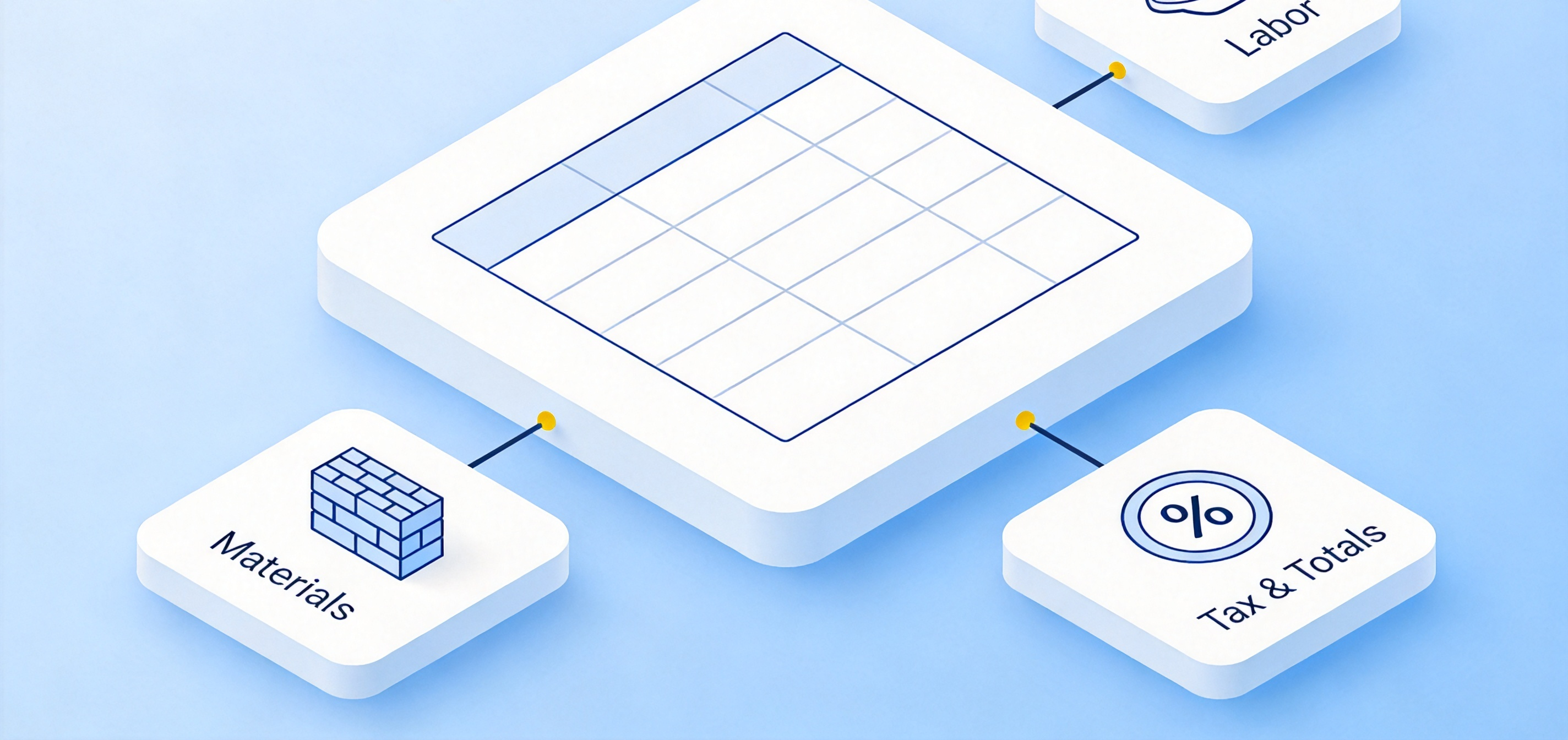
Construction quote template cost breakdown
How to Create a Construction Quote Template in WPS Spreadsheet
Building the template takes about fifteen minutes in WPS Office. Follow these steps once, save it as a master file, and every future quote becomes a fill-in job:
Set up the header block. Open a new spreadsheet and type your company details, the client fields, a Quote No cell, and a Date cell in the top rows. Merge the title across a few columns and format it bold, 16–18 pt.
Build the itemized table. In the columns below, create headers: Item Description, Quantity, Unit Price, and Amount. Leave ten to twenty blank rows so the template fits both small and large jobs.
Add the formulas. In the Amount column, multiply quantity by unit price (for example =B5*C5 in each row). Under the last row, use =SUM(D5:D12) to total the Amount column — this grand total updates itself every time you edit a line item.
Add tax, contingency, and terms. Below the subtotal, add a tax row (a percentage of the subtotal), an optional contingency row, and the grand total row. At the bottom, type your payment terms and validity period.
Format and lock the layout. Apply borders to the table, bold the total rows, and set the number format to currency. Then save the file as a master template — keep a blank copy and duplicate it for each new quote.
Export the client copy. When you fill in a real quote, use Menu → Export to PDF so the client receives a fixed-layout document that cannot be edited by accident.
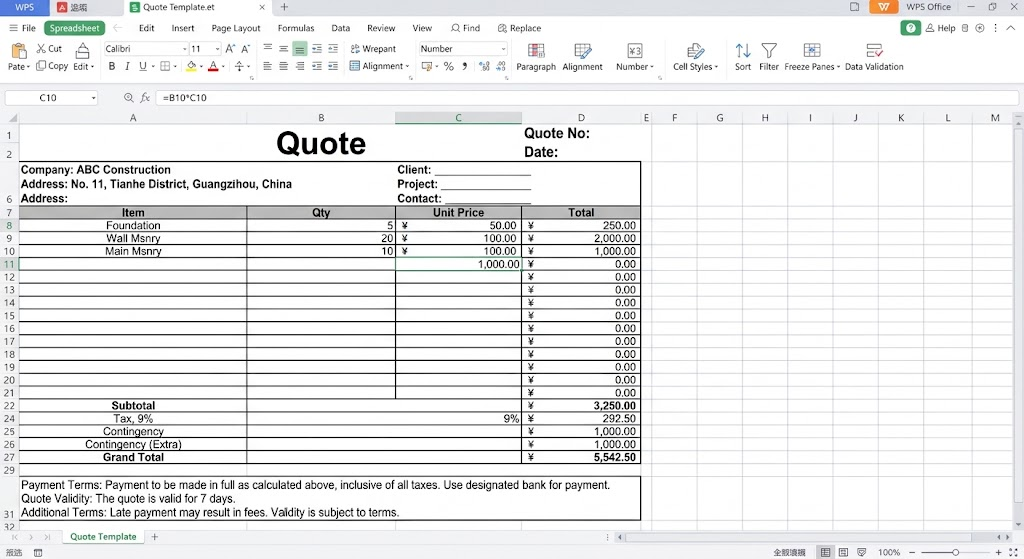
Quote Template in WPS Spreadsheet
Construction Quote Template Example and Free Templates
Here is what a filled-in line from a finished template looks like in practice: three line items — site preparation at $1,200, concrete work at 500 units × $17, and framing labor at 100 hours × $65 — produce a grand total of $16,200 before tax. Every figure traces back to a visible row, which is what keeps clients from questioning the number.
You do not have to build this from a blank sheet. The WPS template library includes a ready construction estimate and quote template collection — construction, roofing, fence, and concrete versions included — all free to download in Excel format. For more layout ideas, see our roundup of free quote templates and adapt one to your trade.
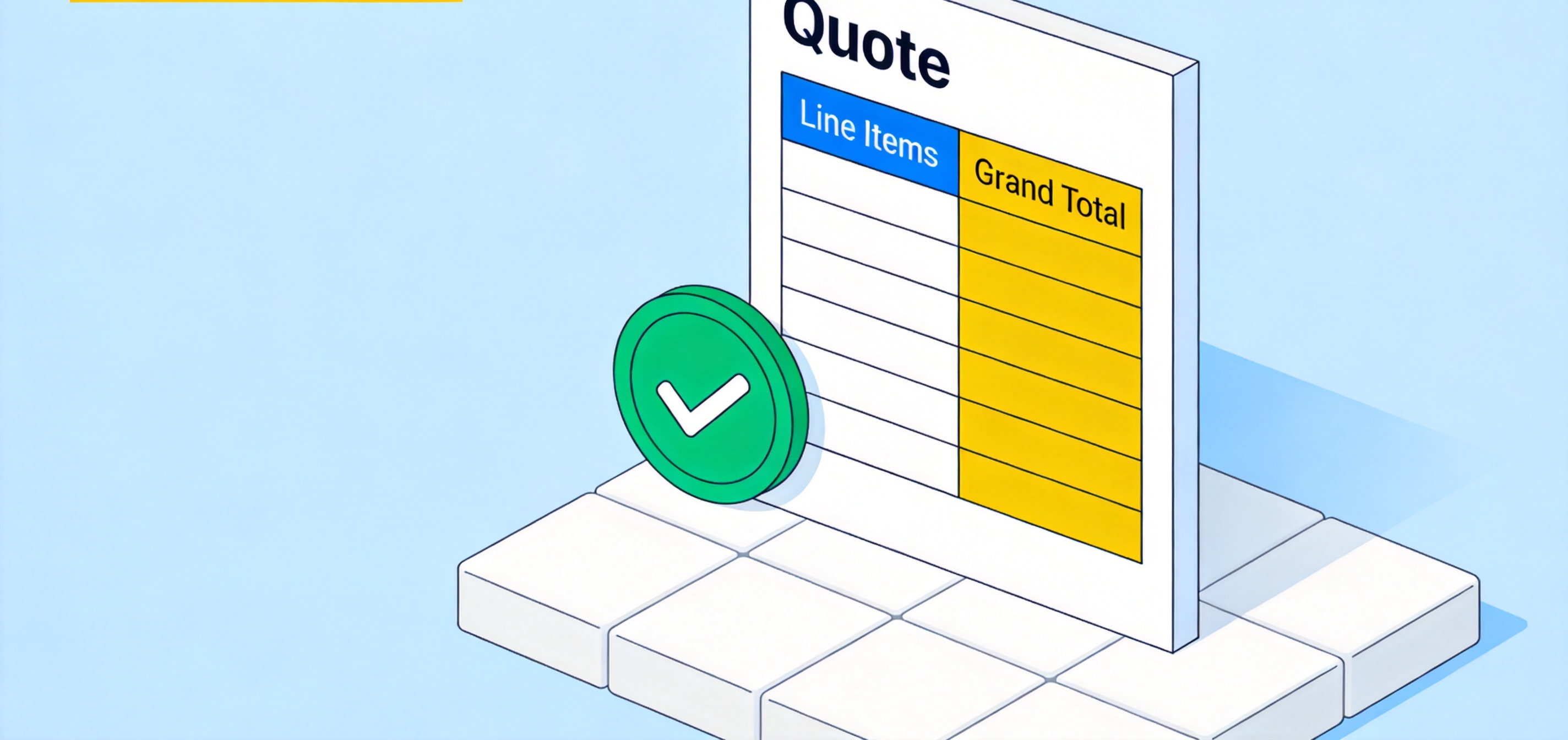
Finished construction quote template example
The Best Free Alternative: WPS Office for Construction Quotes
WPS Office covers the full quoting workflow — building the template, filling it in, and sending it to the client — in one free download, and it is a strong alternative to paying for Microsoft Excel just to price jobs. Here is what you get in detail:
A dedicated estimate template library. Open WPS Spreadsheet, go to the template panel, and search "estimate" or "quote". You get trade-specific templates — construction, roofing, fencing, concrete, and landscaping — with header blocks and cost tables already laid out, so the setup steps above are mostly done for you.
Full formula support. SUM, multiplication, tax percentages, and conditional rows all work exactly as in Excel, so your grand total recalculates the moment any quantity or unit price changes. Templates keep their formulas intact after download.
100% compatibility with Excel files. Quotes you build in WPS open normally in Excel, and .xlsx files clients or suppliers send you open in WPS with formatting, borders, and formulas preserved — no conversion step, no broken layout.
One-click PDF export. The client copy should be a PDF, not an editable spreadsheet. In WPS, Menu → Export to PDF turns the filled quote into a fixed-layout document in seconds, ready to attach to an email or print for a signature.
Free where it matters. Word processing, spreadsheets, and presentations are free to use with no functional paywall on core editing, and WPS runs on Windows, macOS, Linux, iOS, and Android — so you can adjust a quote on your phone from the job site before sending it.
For a contractor sending several quotes a week, that combination — trade templates, live formulas, Excel compatibility, and PDF export at no cost — covers the entire estimate-to-approval cycle without a subscription.
FAQs
Is a construction quote the same as an estimate?
Not exactly. An estimate is an approximation given early in the conversation; a quote is a fixed offer with itemized prices, terms, and a validity period that the client can accept. Many contractors issue an estimate first and a formal quote after reviewing the drawings or site.
What should I include in a construction quote template?
Your company and client details, a quote number and date, an itemized materials table, a labor table, subtotals, tax, a grand total, payment terms, a validity period, and an acceptance or signature line. Itemizing every block is what prevents disputes later.
Should a construction quote template be in Excel or Word?
Excel (or a spreadsheet app) is better for most quotes because quantities, unit prices, tax, and totals calculate automatically and stay correct when you edit any line. Word templates suit very small jobs or fixed-scope contracts where you only need a price list with a signature block.
Is WPS Office free for creating construction quotes?
Yes. WPS Spreadsheet handles quote creation, formulas, and PDF export with its core features free to use, and the built-in template library includes free construction, roofing, fence, and concrete estimate templates you can download and edit.
How detailed should the line items be?
Detailed enough that the client can see how the total was built, but grouped sensibly: list each major material and each trade's labor separately rather than one "labor" row. Quotes with 10–30 clear line items are typical for residential jobs; larger projects break items down by phase.


'%3e%3cpath%20d='M19.9911%204.11386V6.471H18.5894C18.0775%206.471%2017.7322%206.57814%2017.5536%206.79243C17.3751%207.00671%2017.2858%207.32814%2017.2858%207.75671V9.44421H19.9019L19.5536%2012.0871H17.2858V18.8639H14.5536V12.0871H12.2769V9.44421H14.5536V7.49779C14.5536%206.39064%2014.8632%205.53201%2015.4822%204.92189C16.1013%204.31177%2016.9257%204.00671%2017.9554%204.00671C18.8304%204.00671%2019.509%204.04243%2019.9911%204.11386Z'%20fill='%23333333'/%3e%3c/g%3e%3cdefs%3e%3cclipPath%20id='clip0_2938_8199'%3e%3crect%20width='16'%20height='16'%20fill='white'%20transform='translate(8%204.00671)'/%3e%3c/clipPath%3e%3c/defs%3e%3c/svg%3e)
'%3e%3cpath%20d='M17.5237%2010.7813L23.4811%204H22.0699L16.8949%209.88693L12.7648%204H8L14.2469%2012.9029L8%2020.0133H9.4112L14.8725%2013.7952L19.2352%2020.0133H24M9.92053%205.04213H12.0885L22.0688%2019.0224H19.9003'%20fill='%23333333'/%3e%3c/g%3e%3cdefs%3e%3cclipPath%20id='clip0_2938_8200'%3e%3crect%20width='16'%20height='16.0134'%20fill='white'%20transform='translate(8%204)'/%3e%3c/clipPath%3e%3c/defs%3e%3c/svg%3e)


