

'%3e%3cpath%20d='M8%200C12.4183%200%2016%203.58172%2016%208C16%2012.4183%2012.4183%2016%208%2016C3.58172%2016%200%2012.4183%200%208C0%203.58172%203.58172%200%208%200ZM11.6162%204.38379C11.2257%203.99337%2010.5927%203.99338%2010.2021%204.38379L8%206.58594L5.79785%204.38379C5.40732%203.99334%204.77429%203.99329%204.38379%204.38379C3.99331%204.77429%203.99335%205.40733%204.38379%205.79785L6.58594%208L4.38379%2010.2021C3.99348%2010.5927%203.99341%2011.2257%204.38379%2011.6162C4.77426%2012.0066%205.40734%2012.0065%205.79785%2011.6162L8%209.41406L10.2021%2011.6162C10.5927%2012.0066%2011.2257%2012.0067%2011.6162%2011.6162C12.0067%2011.2257%2012.0066%2010.5927%2011.6162%2010.2021L9.41406%208L11.6162%205.79785C12.0066%205.40735%2012.0066%204.77429%2011.6162%204.38379Z'%20fill='%23080E17'%20fill-opacity='0.46'/%3e%3c/g%3e%3cdefs%3e%3cclipPath%20id='clip0_3761_713'%3e%3crect%20width='16'%20height='16'%20fill='white'/%3e%3c/clipPath%3e%3c/defs%3e%3c/svg%3e)




'%3e%3cpath%20fill-rule='evenodd'%20clip-rule='evenodd'%20d='M21.4999%2010.9993C21.4999%205.20009%2016.7986%200.498901%2010.9993%200.498901C5.19994%200.498901%200.498657%205.20009%200.498657%2010.9993C0.498657%2016.2404%204.33858%2020.5844%209.35855%2021.3722V14.0346H6.69238V10.9993H9.35855V8.68594C9.35855%206.05427%2010.9262%204.60062%2013.3248%204.60062C14.4736%204.60062%2015.6753%204.80571%2015.6753%204.80571V7.38979H14.3512C13.0468%207.38979%2012.64%208.19921%2012.64%209.0296V10.9993H15.5523L15.0867%2014.0346H12.64V21.3722C17.66%2020.5844%2021.4999%2016.2404%2021.4999%2010.9993Z'%20fill='%231568EA'/%3e%3c/g%3e%3c/svg%3e)


'%3e%3cpath%20d='M2.42045%2022.1876H6.31818V12.7217L0.75%208.54553V20.5171C0.75%2021.4414%201.49892%2022.1876%202.42045%2022.1876Z'%20fill='%234285F4'/%3e%3cpath%20d='M19.682%2022.1876H23.5797C24.5041%2022.1876%2025.2502%2021.4387%2025.2502%2020.5171V8.54553L19.682%2012.7217'%20fill='%2334A853'/%3e%3cpath%20d='M19.682%205.48293V12.7216L25.2502%208.54543V6.31816C25.2502%204.25236%2022.8921%203.07469%2021.2411%204.31361'%20fill='%23FBBC04'/%3e%3cpath%20d='M6.31824%2012.7217V5.48303L13.0001%2010.4944L19.6819%205.48303V12.7217L13.0001%2017.733'%20fill='%23EA4335'/%3e%3cpath%20d='M0.75%206.31816V8.54543L6.31818%2012.7216V5.48293L4.75909%204.31361C3.10534%203.07469%200.75%204.25236%200.75%206.31816Z'%20fill='%23C5221F'/%3e%3c/g%3e%3cdefs%3e%3cclipPath%20id='clip0_2954_7305'%3e%3crect%20width='24.5'%20height='18.375'%20fill='white'%20transform='translate(0.75%203.8125)'/%3e%3c/clipPath%3e%3c/defs%3e%3c/svg%3e)


You open a scanned Malayalam contract, run it through a free web translator, and get back a page full of empty boxes and broken characters — or worse, a wall of text where every table and column has collapsed into a single unreadable line. If you have ever lost an afternoon re-typing a translated mark sheet, government form, or academic paper, you already know the real cost of a bad Malayalam PDF to English translation workflow.
Malayalam is a Dravidian language written in a highly complex script. Its stacked conjunct consonants, vowel signs, and region-specific font encodings are exactly the kind of content that ordinary web translators, generic OCR engines, and plain copy-paste jobs tend to garble — a problem usually called font garbling. Add fragile table layouts and the privacy risk of uploading a legal or business document to an unknown website, and it is clear the problem is not translation itself, but the tooling around it.
WPS Office approaches this as a complete document workflow rather than a one-shot translator: it recognizes the Malayalam text on the page, translates it into polished English, lets you edit and re-format the result directly in the same app, and exports a clean PDF or Word file — without your document ever leaving a trusted environment.
How to Translate a Malayalam PDF to English Without Breaking the Layout
100% secure
Why Conventional Tools Fail to Translate Malayalam PDFs to English
Most of the frustration with Malayalam to English document translation comes from three failure points that generic tools were never designed to handle.
Character recognition breaks down. Malayalam conjuncts and ligatures do not map cleanly to the encodings many free OCR engines and web translators use, so text comes back as tofu boxes, question marks, or scrambled glyphs. Copy-pasting from a Malayalam PDF into a web translator triggers the same font garbling.
Layout collapses. Online translators typically return plain text or a reflowed file. Multi-column contracts, invoice tables, and two-column academic papers lose their column widths, borders, and image placement — which means hours of manual re-formatting after every translation.
Privacy and size limits bite. Confidential agreements and client documents get uploaded to anonymous free sites with unclear retention policies, and many of them cap file size or page count right when you need a large scanned file processed.
These are workflow problems, not language problems — which is why solving them inside one desktop application, WPS Office, changes the outcome.
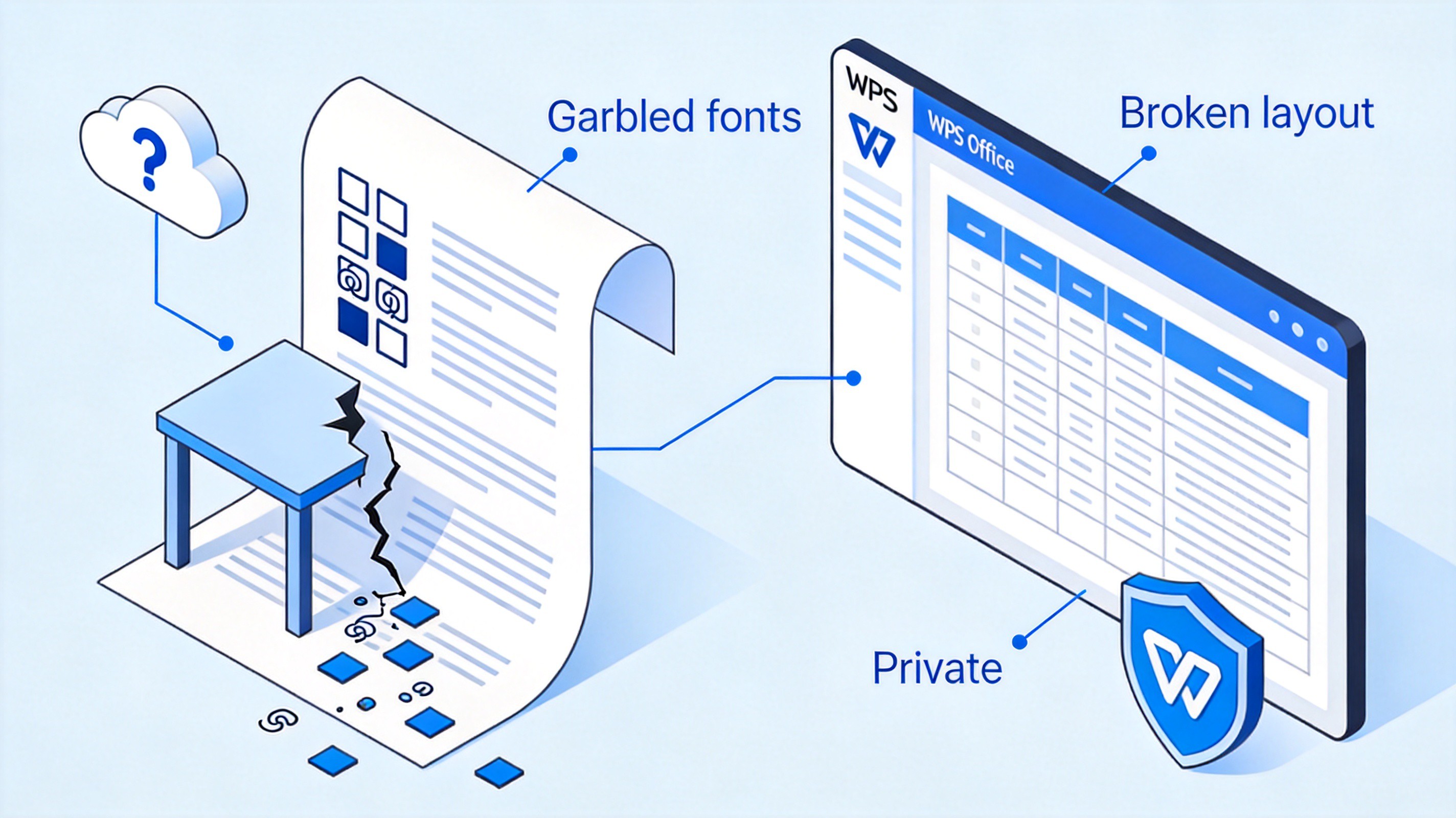
Why web translators garble Malayalam PDFs


Step-by-Step Guide: How to Translate Malayalam PDF to English in WPS Office
The whole job — OCR, translation, cleanup, and export — happens inside WPS Office. Here is the workflow, from opening the file to saving the finished English document.
Step 1: Open the PDF and run high-accuracy OCR recognition
Open the file in WPS Office. Even scanned image-only pages display normally, so no pre-conversion is needed.
Switch to the Tools tab and click OCR to open the recognition dialog.
Set Document language to Malayalam so the engine reads the script's conjunct consonants correctly, then click Convert. The scanned page becomes selectable, editable text while the page layout stays in place.
This is the step that web translators skip — and the reason their output so often comes back empty or garbled.
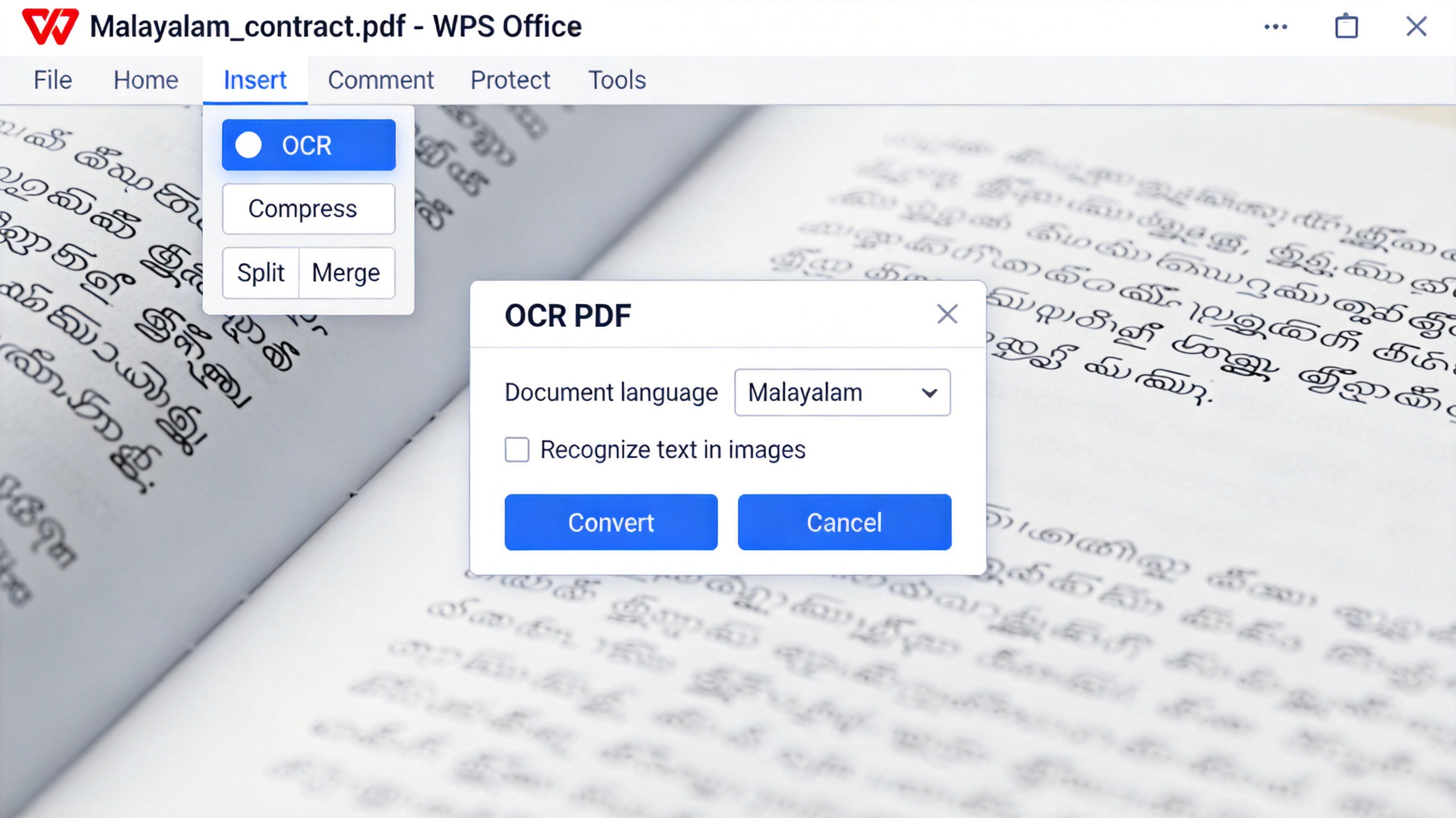
Run Malayalam OCR in WPS PDF
Step 2: Translate the full text or a selection with one click
Select the recognized text — or nothing at all if you want the entire document processed.
Open the built-in translation panel and set the source language to Malayalam and the target to English.
Choose Full document or Selected text and click Translate. Contracts, marksheets, and long reports convert in a single pass instead of paragraph by paragraph.
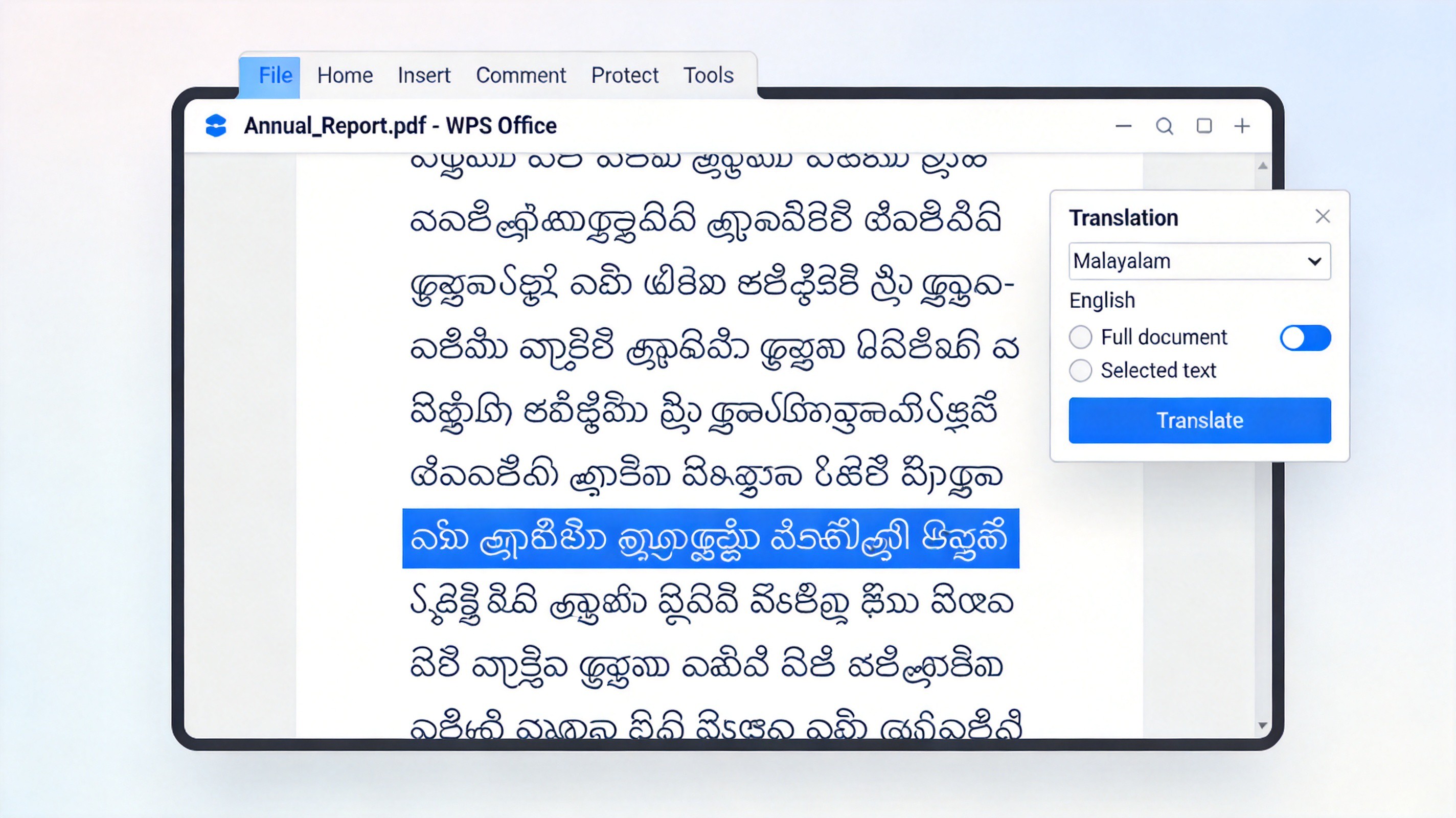
Translate Malayalam PDF to English in WPS
Step 3: Edit the English text and fix the formatting directly
Review the translated text in the editor — names, figures, and legal terms are easy to check side by side with the original.
Adjust fonts and spacing with the normal Home ribbon tools: switch headings to Times New Roman, resize table text, and rebalance paragraphs.
Fix any table alignment by dragging column borders — the original structure is preserved, so this is touch-up work, not rebuilding.
Because the translated file is already an editable document, there is no copy-paste detour into another program and no new formatting bugs introduced along the way.
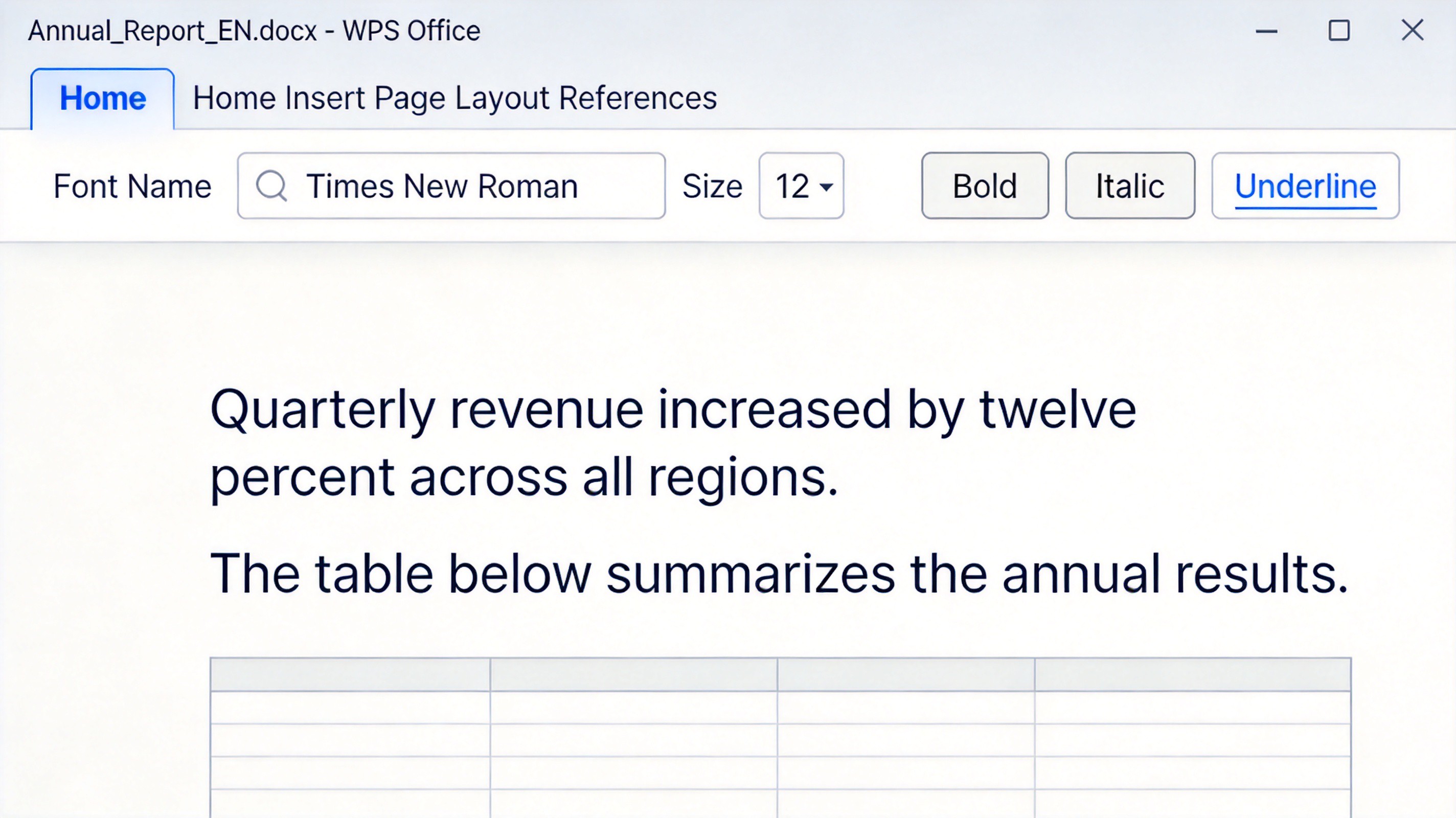
Edit translated English text in WPS Writer
Step 4: Export the finished file to PDF or Word
Open File and choose Save As or Export to PDF once the document reads cleanly.
Pick the output format — Word Document (*.docx) for further collaboration, or PDF (*.pdf) for a fixed, share-ready copy.
Save the file locally. The export keeps fonts, tables, and images exactly as you tuned them.
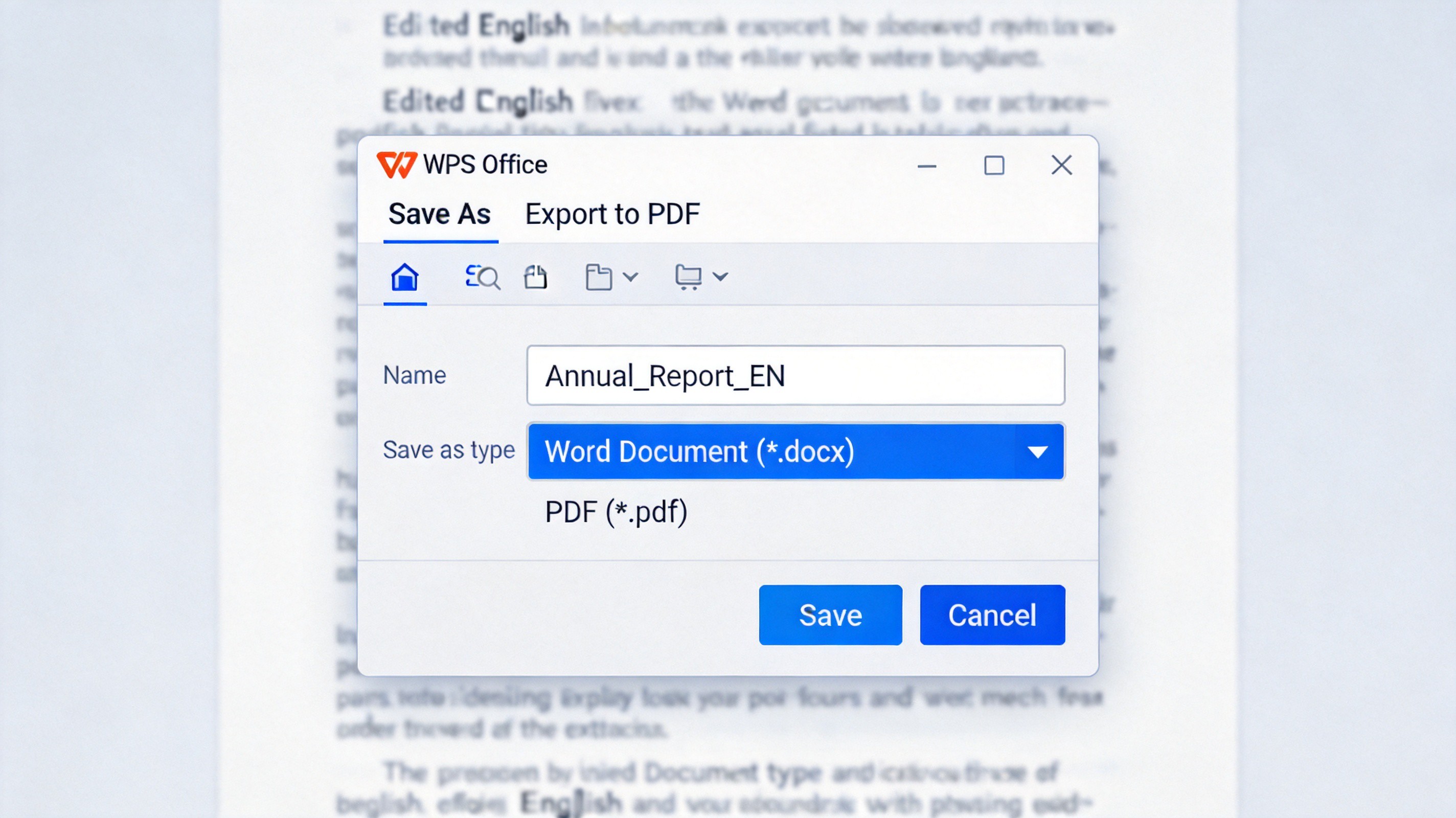
Export translated document as PDF or Word
100% secure
Key Benefits of Using WPS Office for Malayalam PDF Translation
Compared with patching together a web translator, an online OCR site, and a word processor, the single-app workflow holds up better where it matters.
Layout and structure preservation. Tables, column widths, paragraphs, and images survive OCR, translation, and export, so a translated contract or research paper still looks like a finished document rather than a text dump.
All-in-one editing workflow. OCR, translation, cleanup, and export happen in one window. When a client requests a wording change, you edit the same file and re-export in seconds instead of restarting the whole pipeline.
Document privacy. Files are processed on your machine through a trusted application — no uploading agreements or client records to anonymous free websites.
Large-file speed. Desktop processing handles long, image-heavy scans comfortably, without the page limits that free online tools impose.
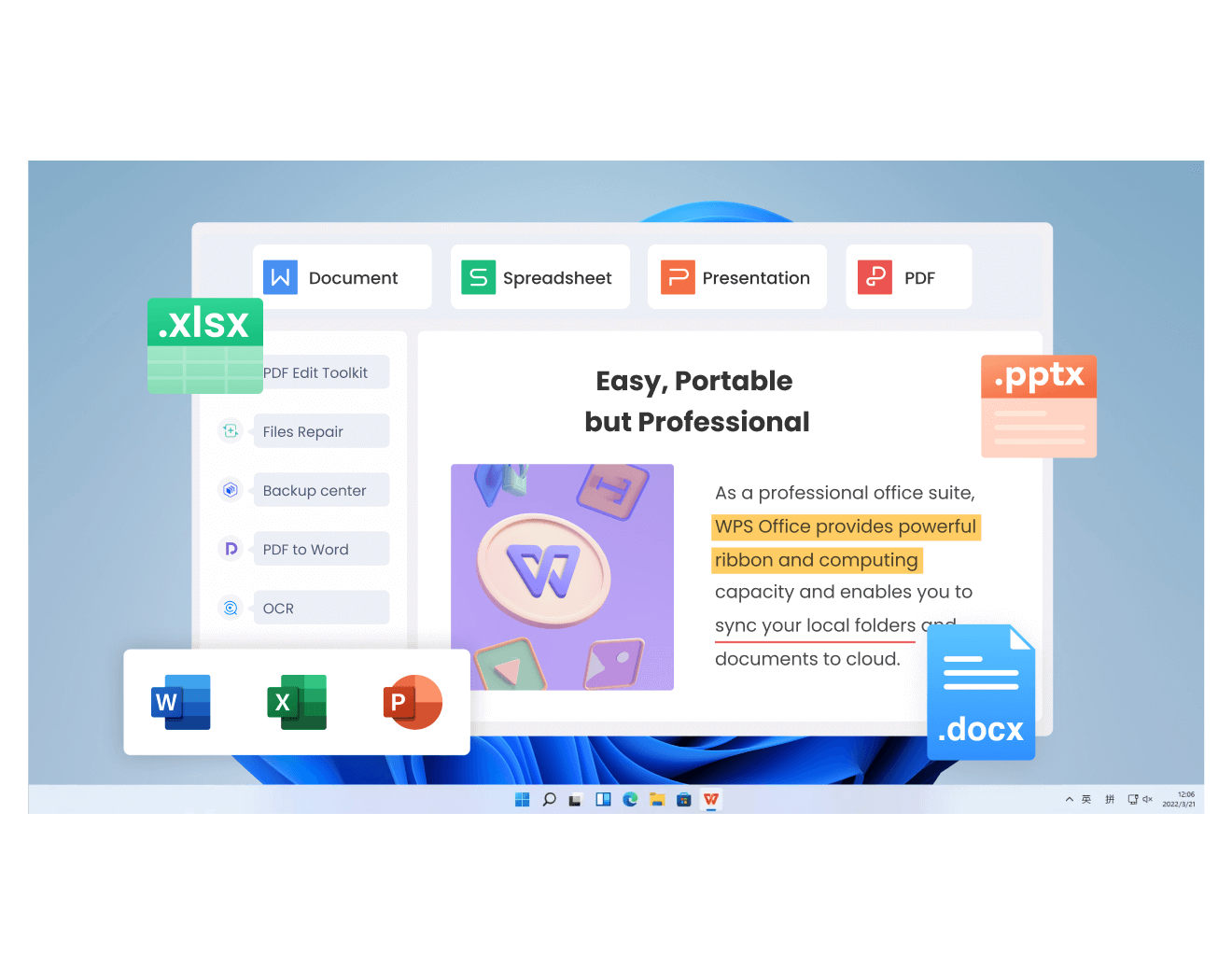
WPS benefits for Malayalam PDF translation
FAQs
Q: Can I translate scanned Malayalam PDF files?
A: Yes. Scanned pages are just images, so run them through the built-in OCR in WPS Office first — with the document language set to Malayalam — and the recognized text can then be translated like any other content. Skipping OCR is the most common reason translations come back garbled or empty.
Q: Will the translated document maintain its original table alignment?
A: In WPS Office, yes — tables, column widths, and images stay in place through OCR, translation, and export, so you only fine-tune borders instead of rebuilding tables. Most web translators, by contrast, return reflowed plain text and drop the original structure.
Q: Is my uploaded or translated PDF document secure?
A: With WPS Office, the file is handled on your own computer through a trusted application, so confidential contracts and personal records are never posted to anonymous third-party sites. Before using any web-based translator with sensitive material, check its retention and privacy policy carefully.
Q: Is there a free way to translate Malayalam PDFs to English?
A: Yes. WPS Office's OCR and viewing features are free to use, and free web translators can handle short, plain-text Malayalam files. The paid-off difference appears with formatted, confidential, or multi-page documents, where the single-app workflow saves hours of re-formatting.
Q: Can machine-translated Malayalam documents be used officially?
A: Not by themselves. For certificates, court notices, or submissions to government bodies, authorities typically require a certified human translator to review and stamp the English version. Machine translation is ideal for understanding and drafting; use it as the first pass, not the final word.

Summary
Translating a Malayalam PDF to English fails when the tool cannot read the script or cannot keep the page together. WPS Office closes both gaps: high-accuracy OCR tuned for Malayalam, one-click translation, direct editing of the English result, and a clean export to PDF or Word — all without sending your document to an unknown website.
The workflow is short: OCR with Malayalam selected, translate, touch up fonts and tables, export. For contracts, academic papers, and official paperwork, that is the difference between a finished document and an evening of re-typing.
100% secure
'%3e%3cpath%20d='M19.9911%204.11386V6.471H18.5894C18.0775%206.471%2017.7322%206.57814%2017.5536%206.79243C17.3751%207.00671%2017.2858%207.32814%2017.2858%207.75671V9.44421H19.9019L19.5536%2012.0871H17.2858V18.8639H14.5536V12.0871H12.2769V9.44421H14.5536V7.49779C14.5536%206.39064%2014.8632%205.53201%2015.4822%204.92189C16.1013%204.31177%2016.9257%204.00671%2017.9554%204.00671C18.8304%204.00671%2019.509%204.04243%2019.9911%204.11386Z'%20fill='%23333333'/%3e%3c/g%3e%3cdefs%3e%3cclipPath%20id='clip0_2938_8199'%3e%3crect%20width='16'%20height='16'%20fill='white'%20transform='translate(8%204.00671)'/%3e%3c/clipPath%3e%3c/defs%3e%3c/svg%3e)
'%3e%3cpath%20d='M17.5237%2010.7813L23.4811%204H22.0699L16.8949%209.88693L12.7648%204H8L14.2469%2012.9029L8%2020.0133H9.4112L14.8725%2013.7952L19.2352%2020.0133H24M9.92053%205.04213H12.0885L22.0688%2019.0224H19.9003'%20fill='%23333333'/%3e%3c/g%3e%3cdefs%3e%3cclipPath%20id='clip0_2938_8200'%3e%3crect%20width='16'%20height='16.0134'%20fill='white'%20transform='translate(8%204)'/%3e%3c/clipPath%3e%3c/defs%3e%3c/svg%3e)


