

'%3e%3cpath%20d='M8%200C12.4183%200%2016%203.58172%2016%208C16%2012.4183%2012.4183%2016%208%2016C3.58172%2016%200%2012.4183%200%208C0%203.58172%203.58172%200%208%200ZM11.6162%204.38379C11.2257%203.99337%2010.5927%203.99338%2010.2021%204.38379L8%206.58594L5.79785%204.38379C5.40732%203.99334%204.77429%203.99329%204.38379%204.38379C3.99331%204.77429%203.99335%205.40733%204.38379%205.79785L6.58594%208L4.38379%2010.2021C3.99348%2010.5927%203.99341%2011.2257%204.38379%2011.6162C4.77426%2012.0066%205.40734%2012.0065%205.79785%2011.6162L8%209.41406L10.2021%2011.6162C10.5927%2012.0066%2011.2257%2012.0067%2011.6162%2011.6162C12.0067%2011.2257%2012.0066%2010.5927%2011.6162%2010.2021L9.41406%208L11.6162%205.79785C12.0066%205.40735%2012.0066%204.77429%2011.6162%204.38379Z'%20fill='%23080E17'%20fill-opacity='0.46'/%3e%3c/g%3e%3cdefs%3e%3cclipPath%20id='clip0_3761_713'%3e%3crect%20width='16'%20height='16'%20fill='white'/%3e%3c/clipPath%3e%3c/defs%3e%3c/svg%3e)



'%3e%3cpath%20fill-rule='evenodd'%20clip-rule='evenodd'%20d='M21.4999%2010.9993C21.4999%205.20009%2016.7986%200.498901%2010.9993%200.498901C5.19994%200.498901%200.498657%205.20009%200.498657%2010.9993C0.498657%2016.2404%204.33858%2020.5844%209.35855%2021.3722V14.0346H6.69238V10.9993H9.35855V8.68594C9.35855%206.05427%2010.9262%204.60062%2013.3248%204.60062C14.4736%204.60062%2015.6753%204.80571%2015.6753%204.80571V7.38979H14.3512C13.0468%207.38979%2012.64%208.19921%2012.64%209.0296V10.9993H15.5523L15.0867%2014.0346H12.64V21.3722C17.66%2020.5844%2021.4999%2016.2404%2021.4999%2010.9993Z'%20fill='%231568EA'/%3e%3c/g%3e%3c/svg%3e)


'%3e%3cpath%20d='M2.42045%2022.1876H6.31818V12.7217L0.75%208.54553V20.5171C0.75%2021.4414%201.49892%2022.1876%202.42045%2022.1876Z'%20fill='%234285F4'/%3e%3cpath%20d='M19.682%2022.1876H23.5797C24.5041%2022.1876%2025.2502%2021.4387%2025.2502%2020.5171V8.54553L19.682%2012.7217'%20fill='%2334A853'/%3e%3cpath%20d='M19.682%205.48293V12.7216L25.2502%208.54543V6.31816C25.2502%204.25236%2022.8921%203.07469%2021.2411%204.31361'%20fill='%23FBBC04'/%3e%3cpath%20d='M6.31824%2012.7217V5.48303L13.0001%2010.4944L19.6819%205.48303V12.7217L13.0001%2017.733'%20fill='%23EA4335'/%3e%3cpath%20d='M0.75%206.31816V8.54543L6.31818%2012.7216V5.48293L4.75909%204.31361C3.10534%203.07469%200.75%204.25236%200.75%206.31816Z'%20fill='%23C5221F'/%3e%3c/g%3e%3cdefs%3e%3cclipPath%20id='clip0_2954_7305'%3e%3crect%20width='24.5'%20height='18.375'%20fill='white'%20transform='translate(0.75%203.8125)'/%3e%3c/clipPath%3e%3c/defs%3e%3c/svg%3e)


If rereading your notes does not stick, the Feynman technique offers a sharper way to learn: explain the idea in plain language as if teaching someone else. When you cannot explain a concept simply, you have found exactly what you still do not understand. This guide breaks the Feynman technique into four concrete steps and shows how free WPS tools — Writer for your explanations, Spreadsheets for organizing facts, and PDF tools for marking up study material — keep the whole routine on your own device.
How to Use the Feynman Technique to Learn Faster with WPS
What the Feynman technique does for your learning
Named after physicist Richard Feynman, the method rests on a simple rule: if you cannot explain a concept in plain words, you have not fully understood it. Instead of memorizing definitions, you force yourself to rephrase the idea from memory, which reveals the gaps your notes hide.
The payoff is deeper understanding and better recall, because you practice retrieving and restructuring the idea rather than recognizing it. The four steps below turn this principle into a repeatable routine you can run in WPS in about twenty minutes.
Feynman technique explained in four steps


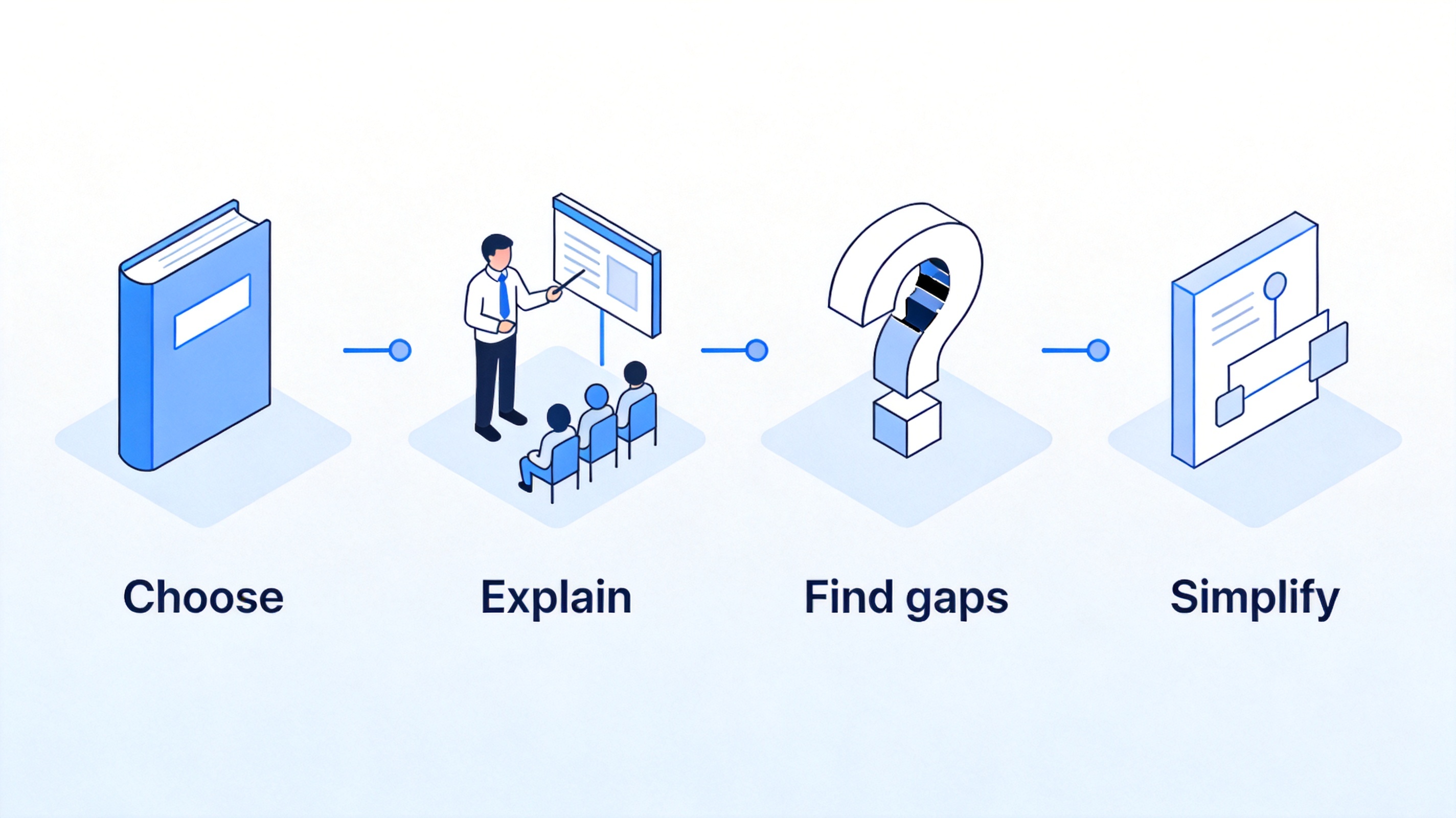
Feynman technique step 1: Choose a topic and write it your own words
Start small. Pick one concept from your course or reading, write it at the top of a new WPS Writer document, and then describe it in your own words without opening the source. This first pass shows you what you can already recall and what you are guessing at.
Create a new document in WPS Writer and give it a title with the topic name.
Write everything you know about the idea from memory, using simple sentences and everyday words.
Avoid jargon. If you catch yourself using textbook terms, flag them in a note — they are likely hiding a gap.
Stop after one topic. A focused pass beats trying to cover a whole chapter at once.
Typing in WPS keeps this step fast and searchable. You can come back later, review what changed, and turn a messy draft into a clean explanation without losing the original.
Feynman technique step 2: Explain it to a beginner without jargon
Now teach the idea as if the reader has no background. Write the explanation out loud on paper first, then turn it into a clean paragraph in WPS Writer. If you stumble or use a term you cannot define, that is the gap the Feynman technique is designed to expose.
Imagine a curious friend who knows nothing about the topic and write for them.
Use an analogy from everyday life to anchor the concept, and write it down.
Keep sentences short and explain every term you keep, so a beginner can follow without extra reading.
Read it aloud in WPS to hear where your explanation still sounds vague.
This is the core of the Feynman technique: the act of explaining forces your brain to connect ideas instead of repeating phrases. What you can say clearly, you understand.
Feynman technique step 3: Find the gaps and go back to the source
After you explain, underline every place where you got stuck or used a word without meaning. Those are your gaps. Open the original material — a chapter, article, or your textbook PDF — and fill each gap with a clear sentence.
List your gaps at the end of the WPS document so each one has a clear fix.
Open the source in WPS — highlight the relevant passage and add a comment linking it to the gap.
Rewrite the weak sentences in your explanation using what you just learned.
Repeat until you can explain the topic without checking the source.
Using WPS to annotate a PDF keeps the original passage next to your notes, so you never lose track of where an answer came from. Highlighted text becomes a quick review list for later sessions.
Feynman technique step 4: Simplify and organize what you know
Finish by compressing your explanation into its clearest form. Strip extra detail, keep only the core logic, and restate the analogy. You can store the final version in WPS Spreadsheets as a simple study card with the topic, your explanation, and the example, so it is easy to review.
Cut every sentence that is not needed to explain the core idea.
Add a concrete example that makes the idea stick.
Save a one-line summary and the analogy in a spreadsheet row for quick review.
Test yourself later by covering the explanation and recalling the core idea from the summary alone.
When you can reduce a topic to a clear summary and example, you have reached the level of understanding the Feynman technique targets. Keep these summaries as a growing reference library.
The Best Free Learning Companion: WPS Office
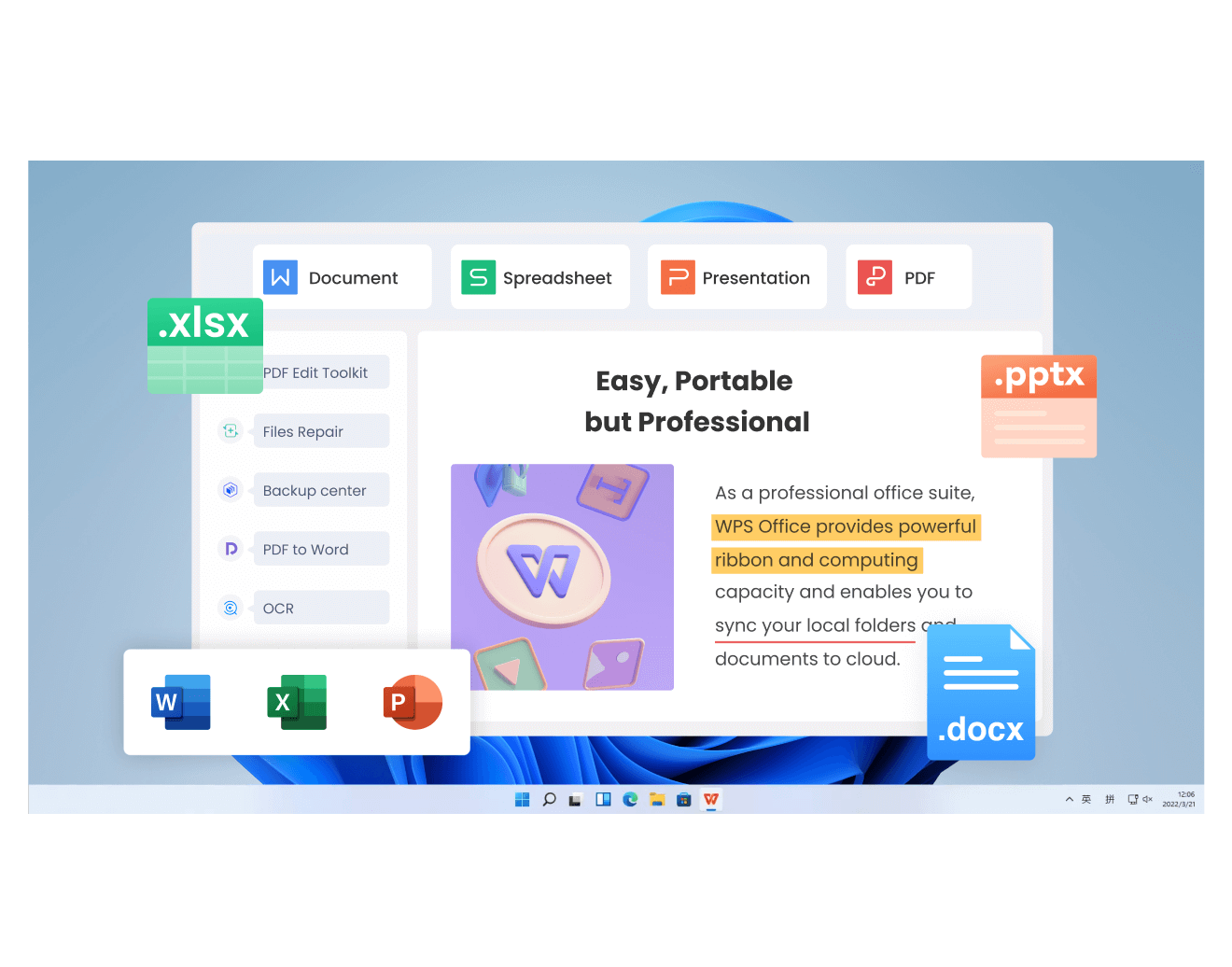
WPS Office gives you everything the Feynman technique needs in one free suite. Use Writer to draft and simplify your explanations, Spreadsheets to keep a searchable study-card list, and the built-in PDF reader to highlight and annotate your source material.
Because the files stay on your device and open in familiar office tools, you can build a lasting learning library without subscriptions. Whether you explain a concept, mark a chapter, or review your summaries, WPS keeps the method simple to repeat.
WPS Office suite for the Feynman technique
FAQs
Can I practice the Feynman technique on my own?
Yes. Write the explanation for an imaginary beginner, or record yourself speaking and listen back. The act of rephrasing without an audience still exposes your gaps.
Does the Feynman technique work for complex subjects?
Yes, because it forces you to break a large topic into simple parts. Work on one sub-topic at a time, and use the same four steps for each piece.
How long does a Feynman session take?
A single topic usually takes fifteen to twenty minutes. Keep sessions short and focused, then review your summaries later.
Is the Feynman technique better than flashcards?
They work well together. Flashcards help you recall facts, while the Feynman technique builds deep understanding. Use flashcards for memory and the four steps for concepts.
What tools do I need for the Feynman technique?
Just a place to write and a place to review the source. WPS Writer for explanations, WPS Spreadsheets for summaries, and WPS PDF for annotating material cover the whole method.


'%3e%3cpath%20d='M19.9911%204.11386V6.471H18.5894C18.0775%206.471%2017.7322%206.57814%2017.5536%206.79243C17.3751%207.00671%2017.2858%207.32814%2017.2858%207.75671V9.44421H19.9019L19.5536%2012.0871H17.2858V18.8639H14.5536V12.0871H12.2769V9.44421H14.5536V7.49779C14.5536%206.39064%2014.8632%205.53201%2015.4822%204.92189C16.1013%204.31177%2016.9257%204.00671%2017.9554%204.00671C18.8304%204.00671%2019.509%204.04243%2019.9911%204.11386Z'%20fill='%23333333'/%3e%3c/g%3e%3cdefs%3e%3cclipPath%20id='clip0_2938_8199'%3e%3crect%20width='16'%20height='16'%20fill='white'%20transform='translate(8%204.00671)'/%3e%3c/clipPath%3e%3c/defs%3e%3c/svg%3e)
'%3e%3cpath%20d='M17.5237%2010.7813L23.4811%204H22.0699L16.8949%209.88693L12.7648%204H8L14.2469%2012.9029L8%2020.0133H9.4112L14.8725%2013.7952L19.2352%2020.0133H24M9.92053%205.04213H12.0885L22.0688%2019.0224H19.9003'%20fill='%23333333'/%3e%3c/g%3e%3cdefs%3e%3cclipPath%20id='clip0_2938_8200'%3e%3crect%20width='16'%20height='16.0134'%20fill='white'%20transform='translate(8%204)'/%3e%3c/clipPath%3e%3c/defs%3e%3c/svg%3e)


