

'%3e%3cpath%20d='M8%200C12.4183%200%2016%203.58172%2016%208C16%2012.4183%2012.4183%2016%208%2016C3.58172%2016%200%2012.4183%200%208C0%203.58172%203.58172%200%208%200ZM11.6162%204.38379C11.2257%203.99337%2010.5927%203.99338%2010.2021%204.38379L8%206.58594L5.79785%204.38379C5.40732%203.99334%204.77429%203.99329%204.38379%204.38379C3.99331%204.77429%203.99335%205.40733%204.38379%205.79785L6.58594%208L4.38379%2010.2021C3.99348%2010.5927%203.99341%2011.2257%204.38379%2011.6162C4.77426%2012.0066%205.40734%2012.0065%205.79785%2011.6162L8%209.41406L10.2021%2011.6162C10.5927%2012.0066%2011.2257%2012.0067%2011.6162%2011.6162C12.0067%2011.2257%2012.0066%2010.5927%2011.6162%2010.2021L9.41406%208L11.6162%205.79785C12.0066%205.40735%2012.0066%204.77429%2011.6162%204.38379Z'%20fill='%23080E17'%20fill-opacity='0.46'/%3e%3c/g%3e%3cdefs%3e%3cclipPath%20id='clip0_3761_713'%3e%3crect%20width='16'%20height='16'%20fill='white'/%3e%3c/clipPath%3e%3c/defs%3e%3c/svg%3e)




'%3e%3cpath%20fill-rule='evenodd'%20clip-rule='evenodd'%20d='M21.4999%2010.9993C21.4999%205.20009%2016.7986%200.498901%2010.9993%200.498901C5.19994%200.498901%200.498657%205.20009%200.498657%2010.9993C0.498657%2016.2404%204.33858%2020.5844%209.35855%2021.3722V14.0346H6.69238V10.9993H9.35855V8.68594C9.35855%206.05427%2010.9262%204.60062%2013.3248%204.60062C14.4736%204.60062%2015.6753%204.80571%2015.6753%204.80571V7.38979H14.3512C13.0468%207.38979%2012.64%208.19921%2012.64%209.0296V10.9993H15.5523L15.0867%2014.0346H12.64V21.3722C17.66%2020.5844%2021.4999%2016.2404%2021.4999%2010.9993Z'%20fill='%231568EA'/%3e%3c/g%3e%3c/svg%3e)


'%3e%3cpath%20d='M2.42045%2022.1876H6.31818V12.7217L0.75%208.54553V20.5171C0.75%2021.4414%201.49892%2022.1876%202.42045%2022.1876Z'%20fill='%234285F4'/%3e%3cpath%20d='M19.682%2022.1876H23.5797C24.5041%2022.1876%2025.2502%2021.4387%2025.2502%2020.5171V8.54553L19.682%2012.7217'%20fill='%2334A853'/%3e%3cpath%20d='M19.682%205.48293V12.7216L25.2502%208.54543V6.31816C25.2502%204.25236%2022.8921%203.07469%2021.2411%204.31361'%20fill='%23FBBC04'/%3e%3cpath%20d='M6.31824%2012.7217V5.48303L13.0001%2010.4944L19.6819%205.48303V12.7217L13.0001%2017.733'%20fill='%23EA4335'/%3e%3cpath%20d='M0.75%206.31816V8.54543L6.31818%2012.7216V5.48293L4.75909%204.31361C3.10534%203.07469%200.75%204.25236%200.75%206.31816Z'%20fill='%23C5221F'/%3e%3c/g%3e%3cdefs%3e%3cclipPath%20id='clip0_2954_7305'%3e%3crect%20width='24.5'%20height='18.375'%20fill='white'%20transform='translate(0.75%203.8125)'/%3e%3c/clipPath%3e%3c/defs%3e%3c/svg%3e)


A one pager is not a short report. It is a single page that has to be read in two or three minutes, by someone who may never open the attachment again. That constraint decides the layout: whatever cannot be understood at a glance is not a detail to squeeze in, it is a detail to cut.
The layouts below cover the four jobs a one pager usually has — explain a decision, compare options, summarise a project, or sell an idea. Each one starts from the same question: what does the reader have to walk away with?

One Pager Layout Ideas That Fit Everything on One Page
Decide what earns a place on the page
Write the whole argument in five lines first, on paper or in a scratch file. Then mark each line: is it a claim, evidence, or an action? If a line is none of the three, it is background and belongs in the appendix you will link instead of paste.
One headline that states the conclusion. “Switch the pilot to Q3 and cut two weeks of setup” tells the reader where the page is going before they read anything else.
Three or four evidence blocks. A number, a short chart, a quote, or a screenshot. Each block answers one question the reader will ask next.
One action line. A date, an owner, or a decision you need. A one pager with no ask is a leaflet.
Then run the fit test: cover the page and ask whether the headline and the action alone still make sense. If they do, the middle is support and can be compressed. If they do not, the page needs a sharper conclusion, not smaller type.

What belongs on a one pager


Four one pager layout ideas for different jobs
Each layout below assumes the same content. What changes is the order the reader meets it, which is why the choice should follow the job rather than the visual taste of the week.
Two column: summary left, evidence right. The workhorse layout for a decision page. Put the ask and three bullet reasons in the wider left column, and the chart, quote, or screenshot in the narrower right column. Best when the reader already knows the context.
Three column: three parallel points. Use it for options, phases, or personas, where each column carries the same weight and the reader scans across. Give each column a two-word heading so the pattern is visible before the reading starts.
Modular grid: 2×2 blocks. Each block holds one idea with its own micro-heading. This survives a page that has to carry a lot: reader can enter anywhere and still get value. It reads as a dashboard rather than a memo.
Timeline strip: horizontal sequence. For anything that happens in order — rollout, hiring plan, migration. One row of dated boxes across the page, with the current step filled in colour so the reader's position is obvious.
Pick one layout per page. Mixing a two column body with a grid footer is what makes a one pager look crowded even when it contains very little.
Set a type scale before you fill the blocks, and keep to it: a 20–24pt headline, 12–13pt subheads, 10.5–11pt body, and the key number at the largest size on the page. Three sizes is enough. A fourth size is usually a heading that should have been cut.
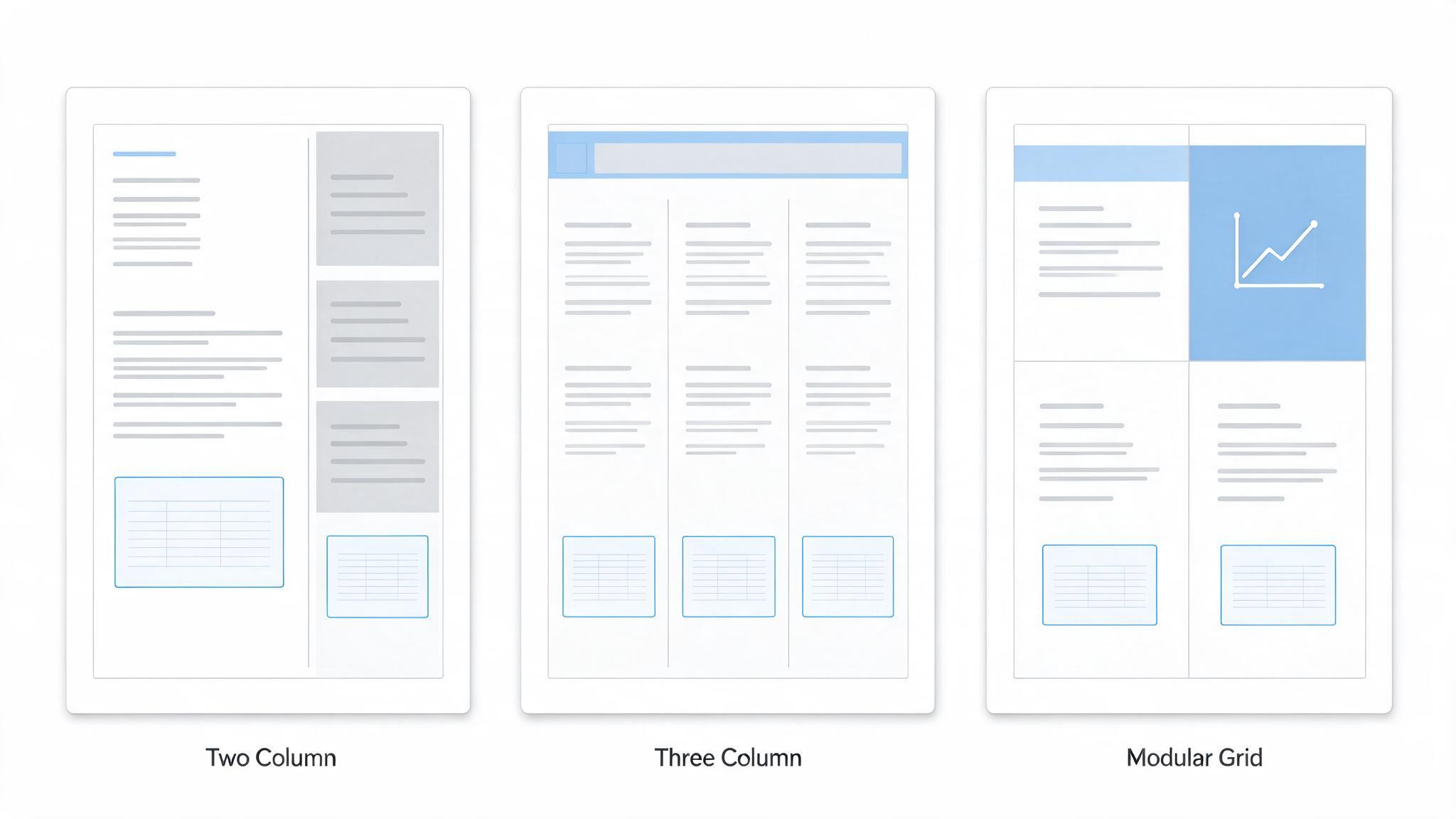
Three one pager layout structures
Lay out a one pager in WPS Writer without spilling over
The most common failure is not design, it is arithmetic: the content grows by a line on every revision until the page becomes two, and the second page is always thin. Build in a tool that lets you see the page boundary while you type.
Open WPS Writer, go to Page Layout → Margins and choose Narrow. On A4 that buys roughly ten percent more text area without touching the font size.
Set Page Layout → Columns → Two for the two column layout, then use Insert → Column Break to control where the second column starts instead of letting text flow.
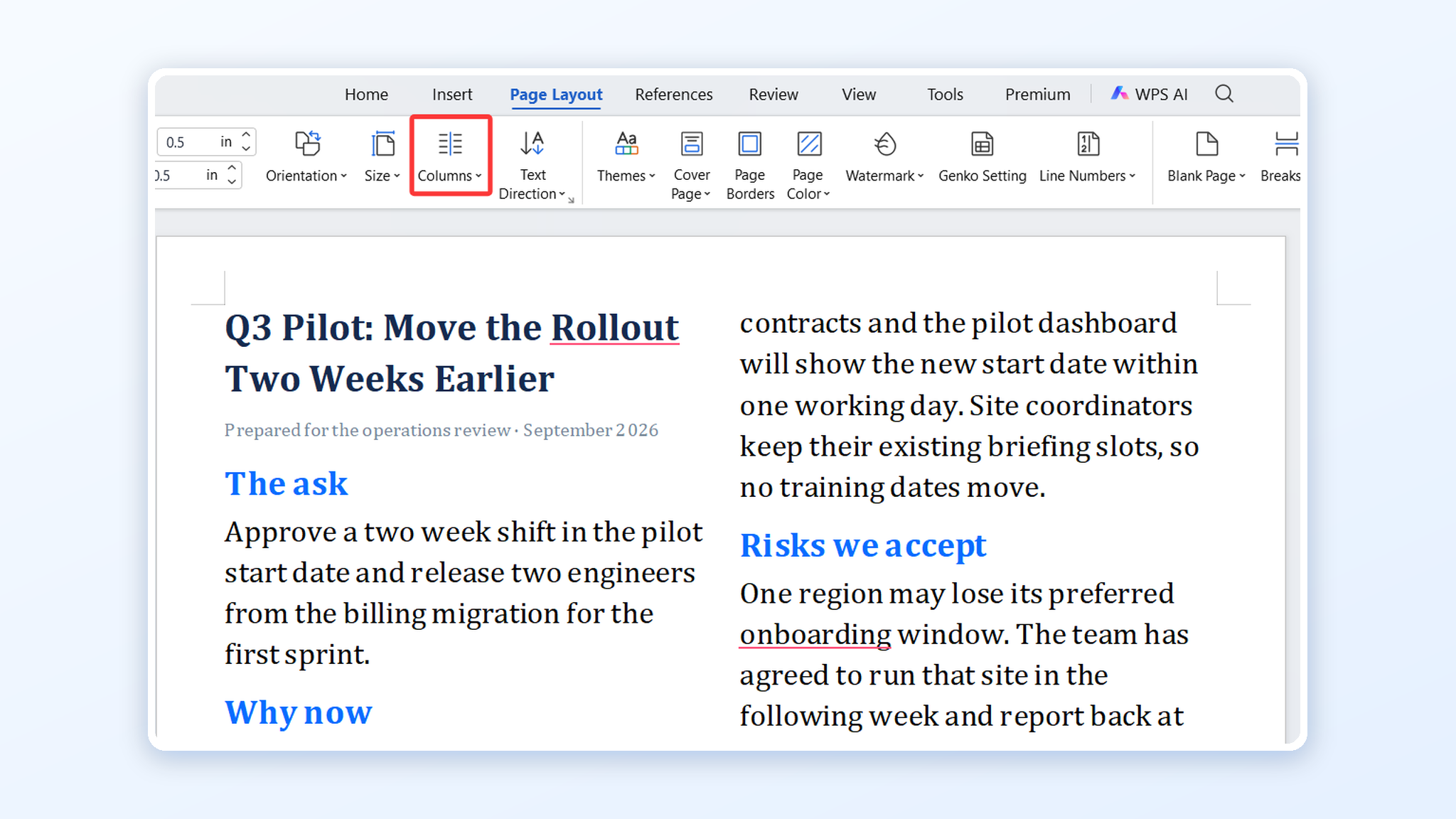
Two column page layout in Writer
Drop in the evidence with Insert → Picture and Insert → Chart, then resize by dragging the corner handle so images keep their proportions.
Keep the whole thing on one page with View → Print Layout at 100% zoom, or Menu → Print to check the preview before you send. If it spills, cut a sentence rather than shrinking to 9pt.
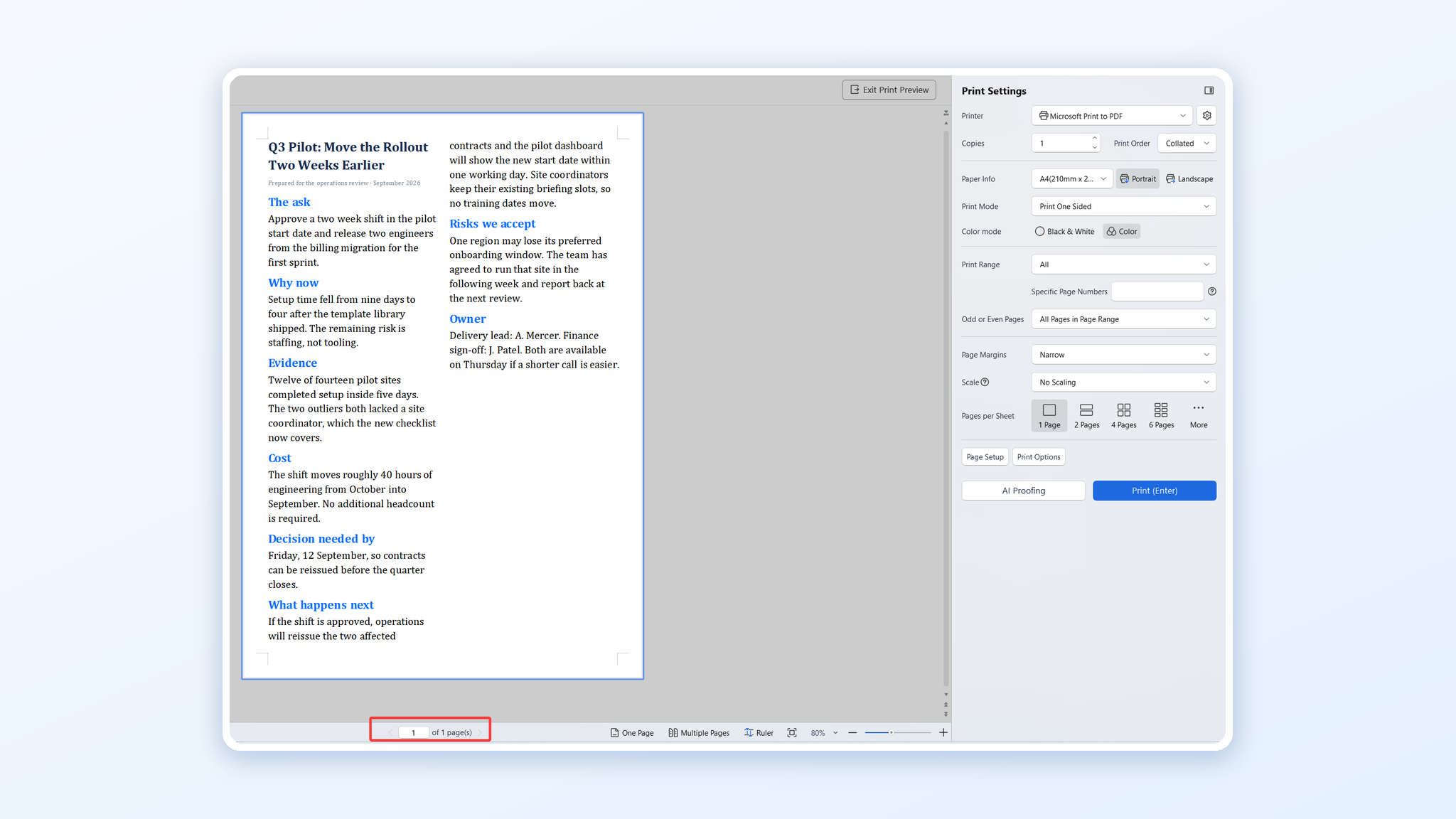
Print preview showing one page
Save the final version as PDF before sharing. A PDF keeps the margins, the column breaks, and the chart exactly where you put them, on whatever machine opens it, including a phone. If the draft still spills onto a second page, the settings in our guide to adding margins to a PDF recover the last few lines without shrinking the type.
The Best Free Office Alternative: WPS Office
WPS Office keeps the whole job in one free app: Writer for the layout, the built-in PDF tools for export and compression, and a template gallery with one page formats when you want a starting point. Files open and save in the Microsoft formats your team already uses, so a one pager can go out as DOCX or PDF without conversion work.
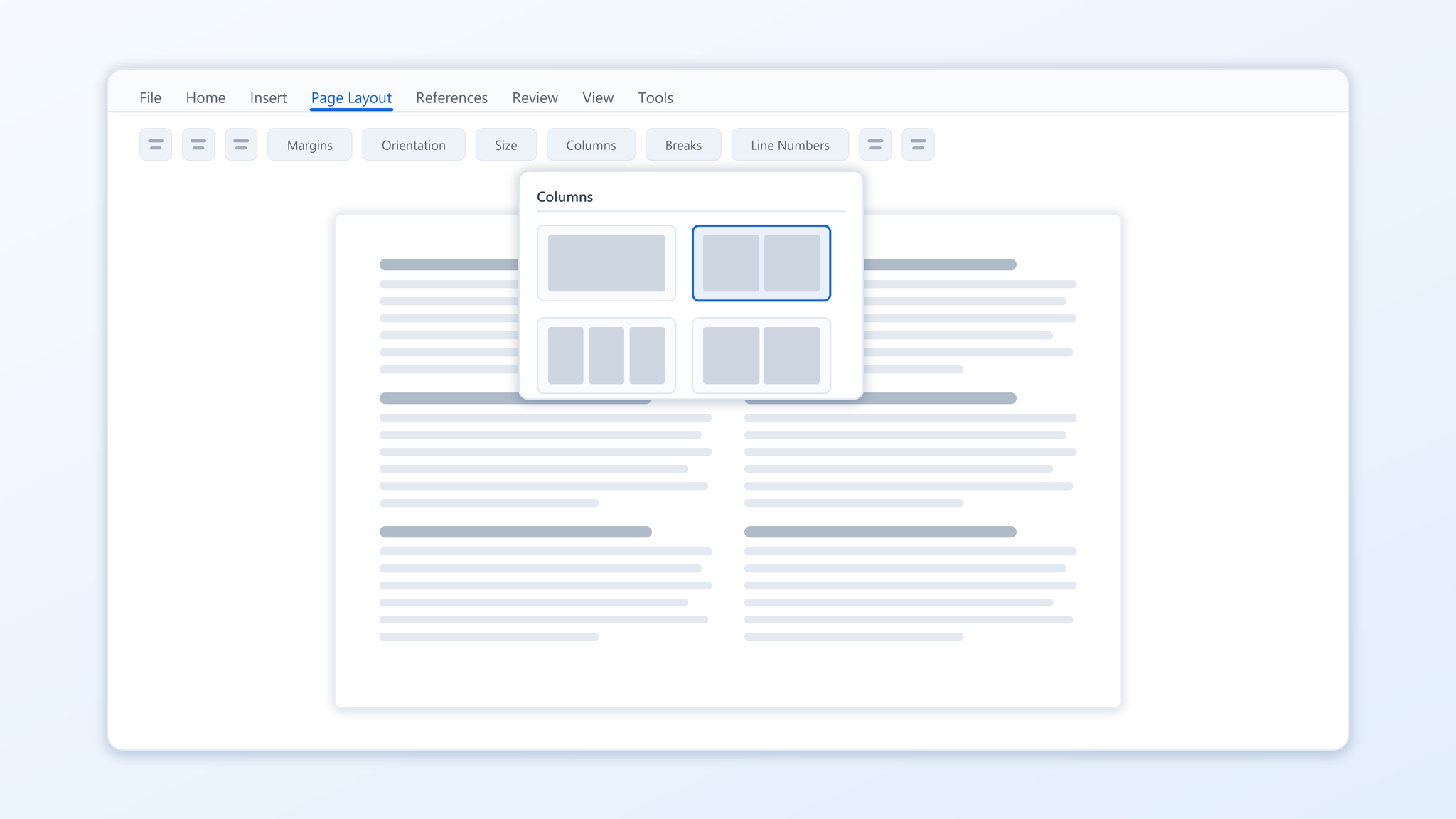
WPS Writer page layout tools
FAQs
What should a one pager include?
A conclusion in the headline, three or four pieces of evidence, and one clear action with an owner or date. Anything else belongs in an appendix you link to.
How many words fit on one page?
With narrow margins and 10.5–11pt body text, a single A4 page holds roughly 500 to 650 words including headings. A two column layout fits a chart in the same space.
Which layout works best for a proposal?
The two column version, with the ask and reasons on the left and evidence on the right. It lets a reader who agrees stop after the left column.
How do I stop a one pager from becoming two pages?
Set narrow margins first, keep images to one per section, and cut a sentence whenever a line spills. Shrinking the font to fit is what makes the page unreadable.
Should I send a DOCX or a PDF?
Send a PDF unless the reader has to edit. PDF keeps margins, columns, and charts fixed, and it opens the same way on a phone as on a laptop.


'%3e%3cpath%20d='M19.9911%204.11386V6.471H18.5894C18.0775%206.471%2017.7322%206.57814%2017.5536%206.79243C17.3751%207.00671%2017.2858%207.32814%2017.2858%207.75671V9.44421H19.9019L19.5536%2012.0871H17.2858V18.8639H14.5536V12.0871H12.2769V9.44421H14.5536V7.49779C14.5536%206.39064%2014.8632%205.53201%2015.4822%204.92189C16.1013%204.31177%2016.9257%204.00671%2017.9554%204.00671C18.8304%204.00671%2019.509%204.04243%2019.9911%204.11386Z'%20fill='%23333333'/%3e%3c/g%3e%3cdefs%3e%3cclipPath%20id='clip0_2938_8199'%3e%3crect%20width='16'%20height='16'%20fill='white'%20transform='translate(8%204.00671)'/%3e%3c/clipPath%3e%3c/defs%3e%3c/svg%3e)
'%3e%3cpath%20d='M17.5237%2010.7813L23.4811%204H22.0699L16.8949%209.88693L12.7648%204H8L14.2469%2012.9029L8%2020.0133H9.4112L14.8725%2013.7952L19.2352%2020.0133H24M9.92053%205.04213H12.0885L22.0688%2019.0224H19.9003'%20fill='%23333333'/%3e%3c/g%3e%3cdefs%3e%3cclipPath%20id='clip0_2938_8200'%3e%3crect%20width='16'%20height='16.0134'%20fill='white'%20transform='translate(8%204)'/%3e%3c/clipPath%3e%3c/defs%3e%3c/svg%3e)


