

'%3e%3cpath%20d='M8%200C12.4183%200%2016%203.58172%2016%208C16%2012.4183%2012.4183%2016%208%2016C3.58172%2016%200%2012.4183%200%208C0%203.58172%203.58172%200%208%200ZM11.6162%204.38379C11.2257%203.99337%2010.5927%203.99338%2010.2021%204.38379L8%206.58594L5.79785%204.38379C5.40732%203.99334%204.77429%203.99329%204.38379%204.38379C3.99331%204.77429%203.99335%205.40733%204.38379%205.79785L6.58594%208L4.38379%2010.2021C3.99348%2010.5927%203.99341%2011.2257%204.38379%2011.6162C4.77426%2012.0066%205.40734%2012.0065%205.79785%2011.6162L8%209.41406L10.2021%2011.6162C10.5927%2012.0066%2011.2257%2012.0067%2011.6162%2011.6162C12.0067%2011.2257%2012.0066%2010.5927%2011.6162%2010.2021L9.41406%208L11.6162%205.79785C12.0066%205.40735%2012.0066%204.77429%2011.6162%204.38379Z'%20fill='%23080E17'%20fill-opacity='0.46'/%3e%3c/g%3e%3cdefs%3e%3cclipPath%20id='clip0_3761_713'%3e%3crect%20width='16'%20height='16'%20fill='white'/%3e%3c/clipPath%3e%3c/defs%3e%3c/svg%3e)




'%3e%3cpath%20fill-rule='evenodd'%20clip-rule='evenodd'%20d='M21.4999%2010.9993C21.4999%205.20009%2016.7986%200.498901%2010.9993%200.498901C5.19994%200.498901%200.498657%205.20009%200.498657%2010.9993C0.498657%2016.2404%204.33858%2020.5844%209.35855%2021.3722V14.0346H6.69238V10.9993H9.35855V8.68594C9.35855%206.05427%2010.9262%204.60062%2013.3248%204.60062C14.4736%204.60062%2015.6753%204.80571%2015.6753%204.80571V7.38979H14.3512C13.0468%207.38979%2012.64%208.19921%2012.64%209.0296V10.9993H15.5523L15.0867%2014.0346H12.64V21.3722C17.66%2020.5844%2021.4999%2016.2404%2021.4999%2010.9993Z'%20fill='%231568EA'/%3e%3c/g%3e%3c/svg%3e)


'%3e%3cpath%20d='M2.42045%2022.1876H6.31818V12.7217L0.75%208.54553V20.5171C0.75%2021.4414%201.49892%2022.1876%202.42045%2022.1876Z'%20fill='%234285F4'/%3e%3cpath%20d='M19.682%2022.1876H23.5797C24.5041%2022.1876%2025.2502%2021.4387%2025.2502%2020.5171V8.54553L19.682%2012.7217'%20fill='%2334A853'/%3e%3cpath%20d='M19.682%205.48293V12.7216L25.2502%208.54543V6.31816C25.2502%204.25236%2022.8921%203.07469%2021.2411%204.31361'%20fill='%23FBBC04'/%3e%3cpath%20d='M6.31824%2012.7217V5.48303L13.0001%2010.4944L19.6819%205.48303V12.7217L13.0001%2017.733'%20fill='%23EA4335'/%3e%3cpath%20d='M0.75%206.31816V8.54543L6.31818%2012.7216V5.48293L4.75909%204.31361C3.10534%203.07469%200.75%204.25236%200.75%206.31816Z'%20fill='%23C5221F'/%3e%3c/g%3e%3cdefs%3e%3cclipPath%20id='clip0_2954_7305'%3e%3crect%20width='24.5'%20height='18.375'%20fill='white'%20transform='translate(0.75%203.8125)'/%3e%3c/clipPath%3e%3c/defs%3e%3c/svg%3e)


You change one date in a contract and the corrected line comes back in the wrong typeface: heavier strokes, tighter spacing, a baseline that no longer sits with the rest of the page. Replacing the words is easy. Replacing them in the original font is where most free tools quietly fail.
Font substitution is the usual cause. A PDF records which typeface each character uses, but it does not always carry the full font file. A browser editor can only draw what it can load, so when the requested font is missing it draws a stand-in and the page stops looking consistent.
This guide explains why free online PDF text editors change your font, how to edit PDF text online free and keep the same font in WPS PDF, and what to check before you upload a document to any browser tool.
PDF Text Editor Online Free: Edit Text and Keep the Same Font
Why an online free PDF text editor changes the font
Browser editors paint text the way a web page is painted: they need the font available as a file they can load. If your PDF carries only part of a typeface, the editor has nothing to draw the missing characters with.
The font was never embedded. The PDF stores a reference to the typeface instead of the font itself, so the editor falls back to a default such as Arial or Helvetica.
Only a subset is embedded. Many files include just the characters used on the page. Typing a character outside that subset forces a replacement.
The font is licensed and locked. Commercial fonts are often restricted, so online tools substitute a similar-looking free font rather than risk redistribution.
The edit is an overlay, not a text edit. Some free tools place a new text box on top of the page. The box uses the editor's own font, so the change looks like a sticker even when the words are right.
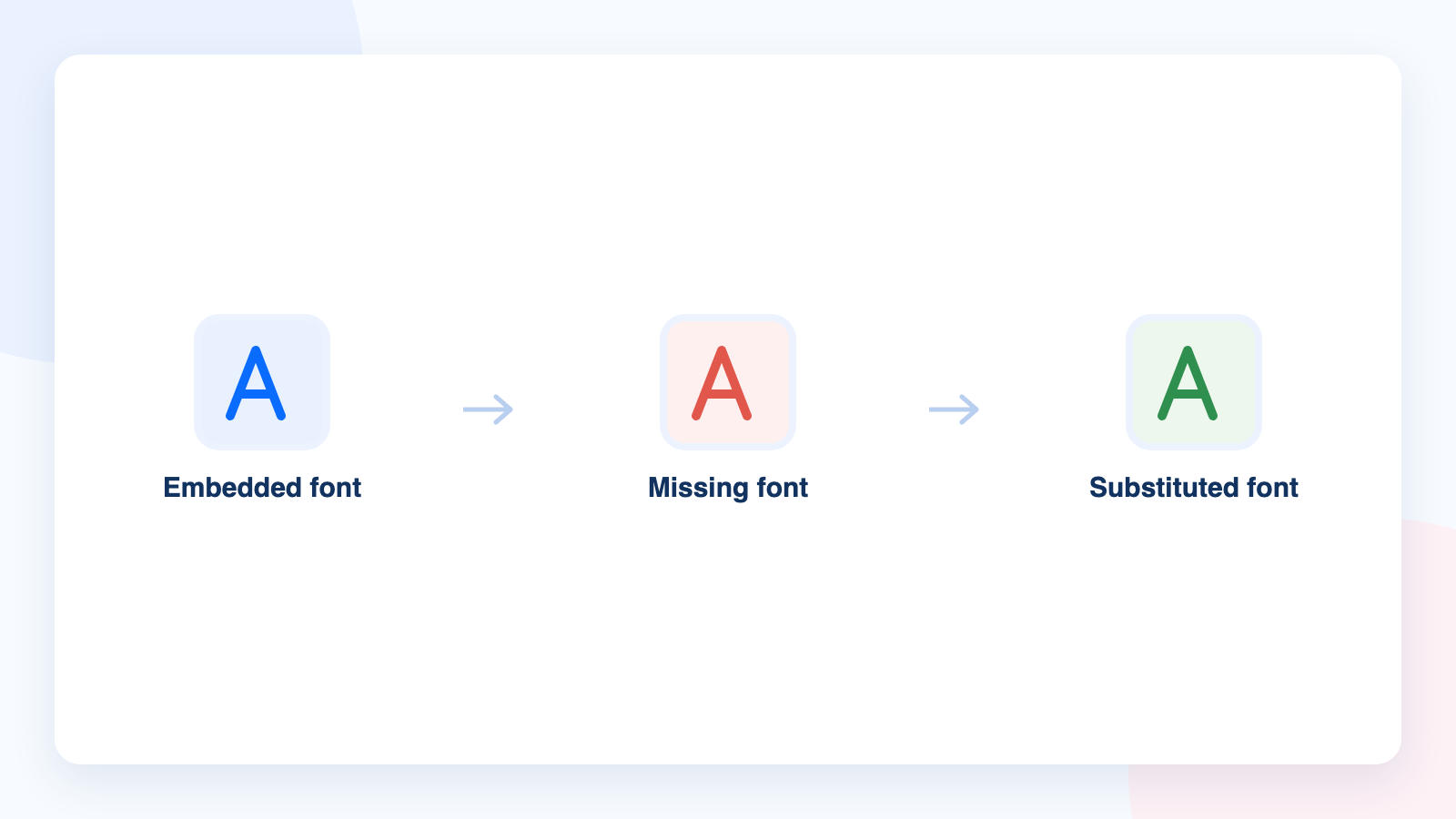
Font substitution after editing a PDF


How to edit PDF text online free and keep the same font
The dependable way to keep the original font is to edit the real text layer in an editor that reads the font data inside the file. WPS PDF does that in the free desktop app, which covers the same job an online editor does, without uploading your document.
Install WPS Office and open your file. Download it from the WPS PDF page, launch the suite, choose Open, and select the PDF so it opens in the PDF component.
Switch to the Edit tool. On the Home tab, click Edit PDF to leave reading mode. Text becomes selectable and the editing tools appear in the ribbon.
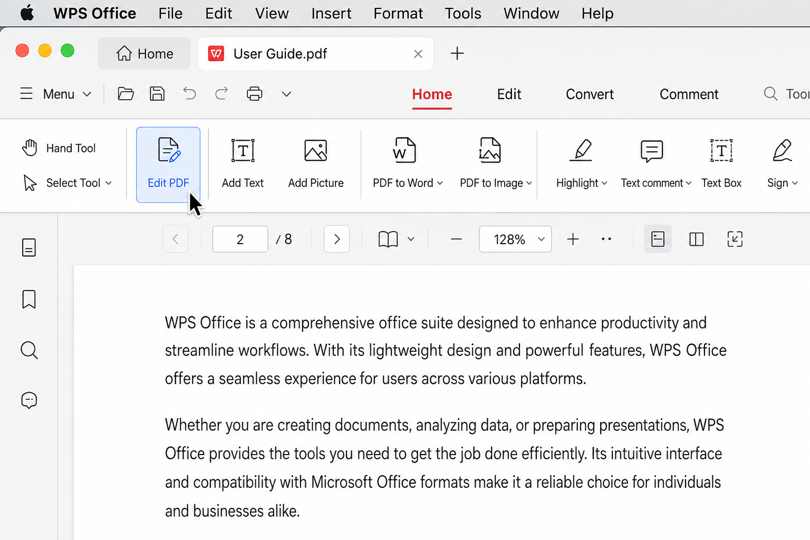
Edit PDF mode in WPS Office
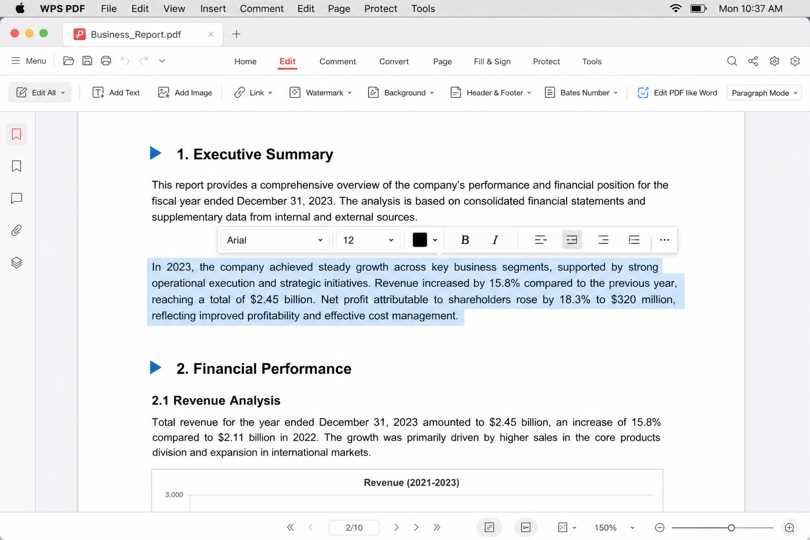
Click into the text and retype it. Place the cursor inside the paragraph and type over the words you want to change. WPS keeps the paragraph's font and spacing when the font data is present in the file, so the corrected line stays on the same grid as its neighbours.
Editing PDF text in WPS
Check the font control if the line looks off. The font box in the edit toolbar shows the typeface applied to the text you selected. If the file used a font that is not installed on your computer, choose the closest available match, then check letter spacing and where the lines break.
Replace images and objects in the same pass. Use Add Picture to swap a logo or a chart, and Add Text when a page needs a short annotation that is not part of the original paragraph.
Save, or save a copy. Use Save to update the file, or Save As to keep the original untouched, then export a flattened copy when the PDF is going to a client.
Fix the font after you edit text in a free PDF editor
When the typography still looks wrong after an edit, the cause is usually one of four things.
The page is a scan. Text in a scanned PDF is a picture of text, so nothing is selectable until OCR runs. Recognize the text first, then edit it like a normal document.
The change is structural. If paragraphs have to reflow, editing inside the PDF will only make the page fight back. Convert the PDF to an editable document, rewrite the section there, and export a new PDF.
The typeface is custom. A licensed or unusual font will keep falling back on any machine that does not have it. Match the size, weight, and spacing with a widely available font so the page stays stable for other readers.
The export flattened things. Flattened PDFs turn text into shapes, which keeps the look but removes editability. Keep one editable master and export a flattened copy only for the final send.
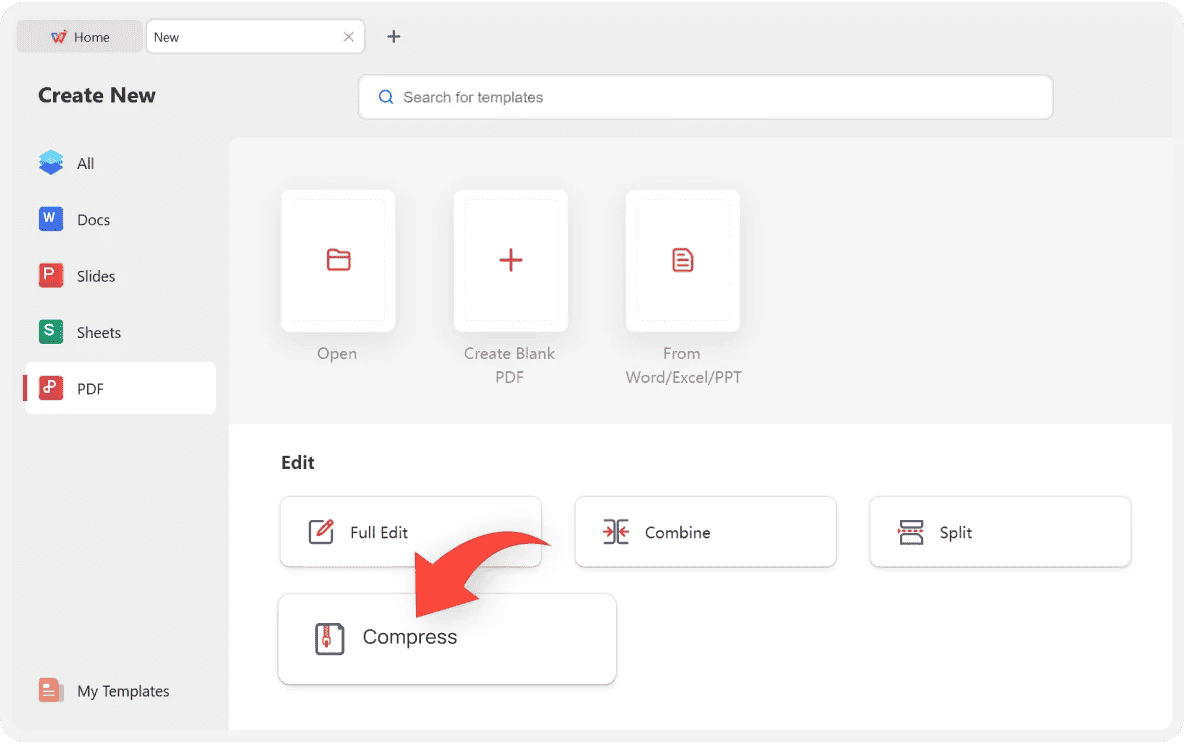
PDF tools in WPS Office panel
What to check before you trust an online free PDF text editor
Free browser editors are convenient, and a few are genuinely good. Before you drop a confidential file into one, confirm these points.
What happens to your upload. Look for a retention window in the privacy notes. Files that stay on a server for hours are fine for a public flyer and a bad idea for a signed lease.
File size and page limits. Many free tiers cap uploads at 10 MB or a handful of pages, and the cap usually appears after you have already chosen the file.
Font handling. Test on a small file first: retype one sentence and compare it with the line above. If the replacement font differs, the tool cannot preserve your typography.
Export behaviour. Check whether the download is a real PDF with editable text or a flattened image, and whether a watermark, a sign-up, or an export quota appears at the end.
Where the edit lands. If the editor adds a floating text box rather than editing the paragraph, your change can shift the moment the page is printed at a different size.
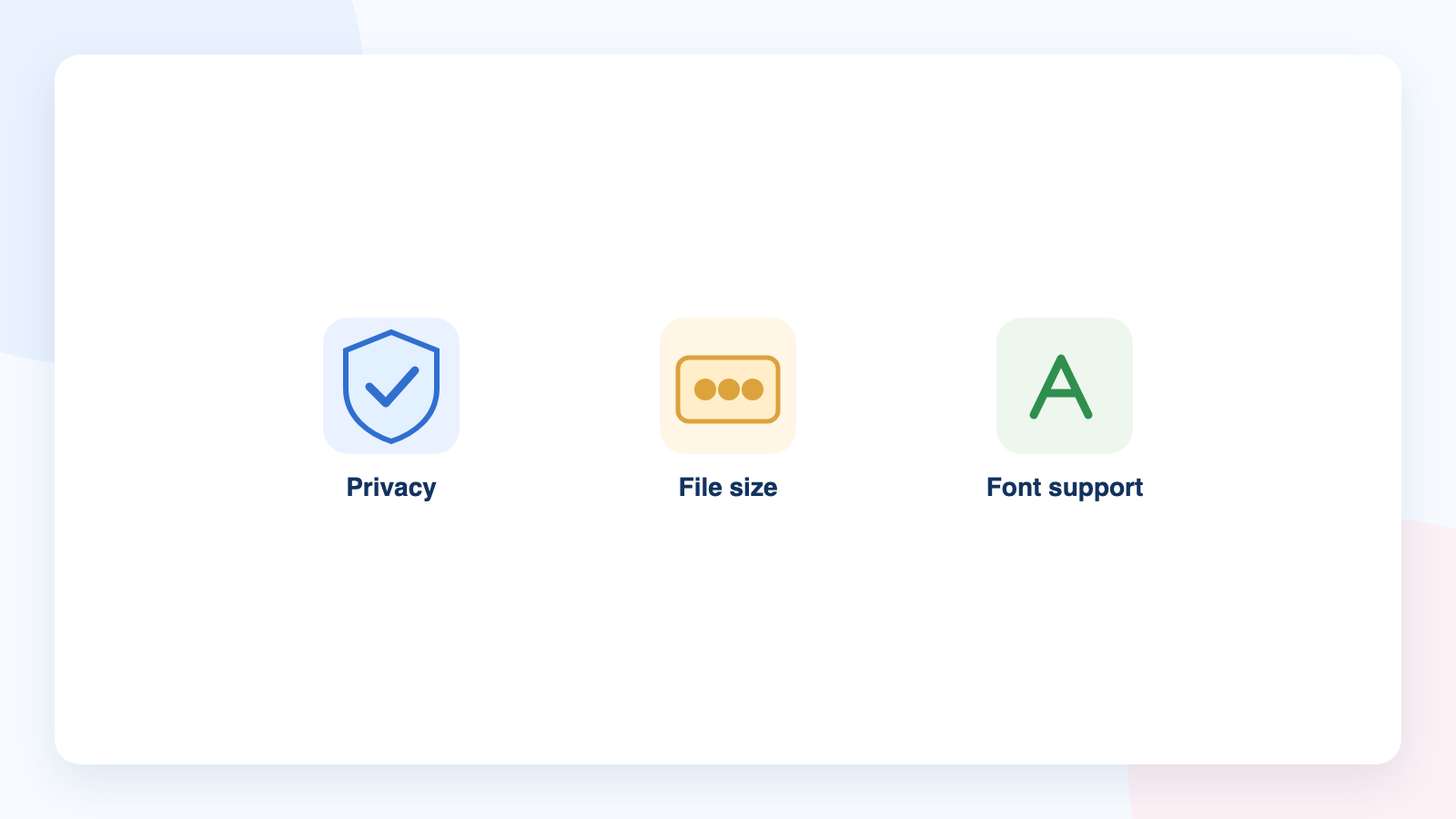
Free online PDF editor checks
The best free alternative: WPS Office
WPS PDF does the work on your own machine and includes the tools online editors keep behind a paywall: full text and image editing, OCR for scans, conversion, compression, signing, and page organization in one app.
Font fidelity on real text. Editing the paragraph keeps the surrounding typeface, so the page reads as one document instead of a patched one.
Nothing leaves your computer. Contracts, ID scans, and client files stay local, which is the main reason to skip a browser tool.
One place for the whole job. Fix the text, swap the image, sign the page, then export as PDF or Word without switching apps.
Download WPS Office free from wps.com/office/pdf and open your next PDF in the editor instead of a browser tab.
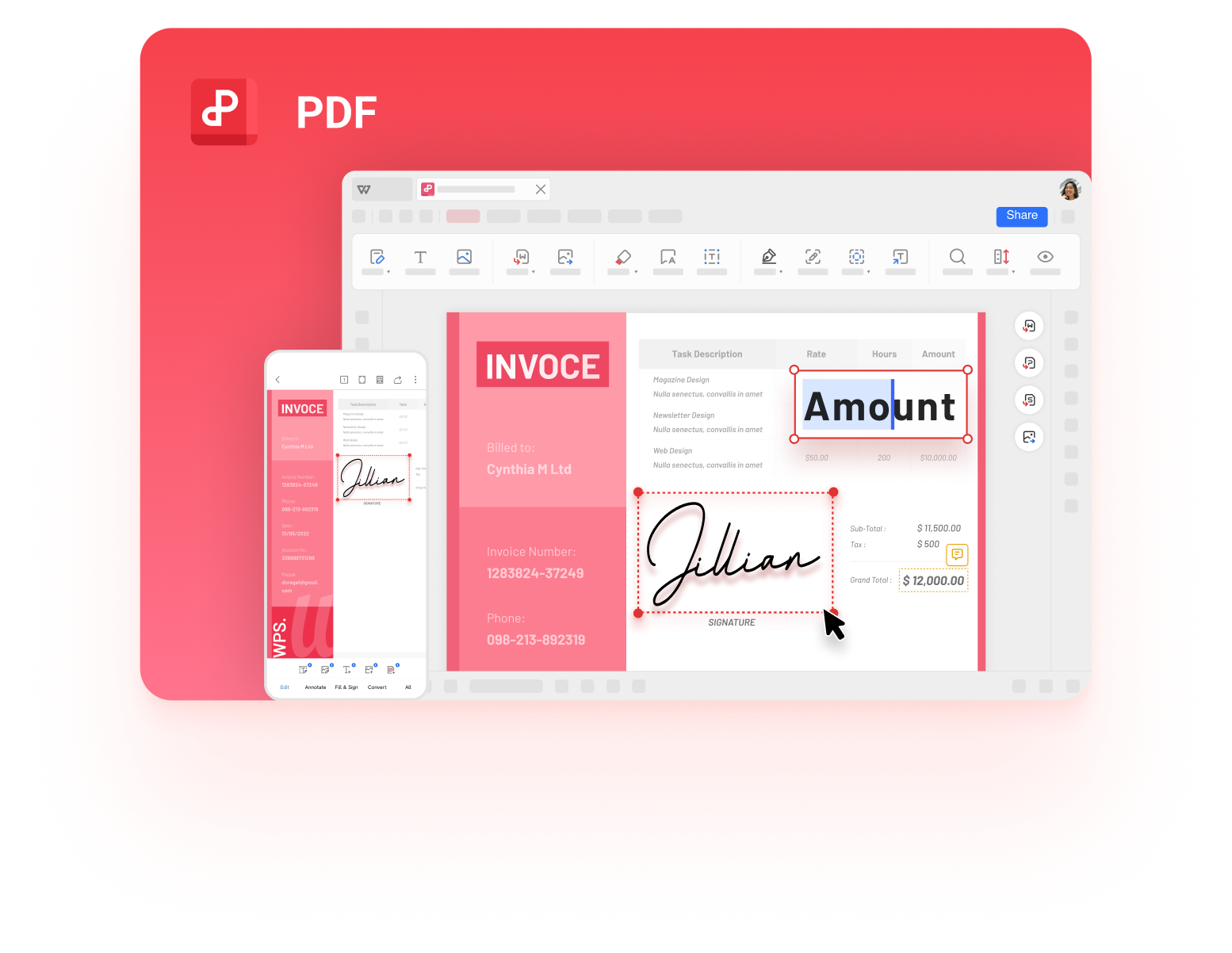
WPS PDF Editor free download page
FAQs
Can I edit PDF text online for free and keep the same font?
Yes, as long as the editor can read the font data stored in the PDF. WPS PDF in the free desktop app edits the real text layer and keeps the surrounding font and formatting, which holds the page together better than browser tools that paste a floating text box over the original words.
Why does my new text look bigger or heavier than the rest of the page?
The editor replaced your font with a substitute it could load. Check whether the original typeface is embedded in the file, then match the size, weight, and character spacing of the surrounding lines, or use an editor that writes into the existing text layer.
Can I change the font of the text I edit in WPS PDF?
Yes. The edit toolbar exposes font controls for the selected text, so you can keep the original typeface or switch to a different one when a section needs to stand out.
What can I do if the PDF text is not editable at all?
The page is probably a scan or an image. Run OCR first so WPS PDF recognizes the characters, then edit the recognized text. If nothing is selectable even after OCR, add a text box or rebuild the page in a Word document and export a new PDF.
Is it safe to use a free online PDF editor?
For public or disposable files, a browser tool is fine. For contracts, IDs, financial records, and client work, keep the file on your computer and use a desktop editor such as WPS PDF, because free online services frequently cap file sizes and may retain uploads for a period of time.


'%3e%3cpath%20d='M19.9911%204.11386V6.471H18.5894C18.0775%206.471%2017.7322%206.57814%2017.5536%206.79243C17.3751%207.00671%2017.2858%207.32814%2017.2858%207.75671V9.44421H19.9019L19.5536%2012.0871H17.2858V18.8639H14.5536V12.0871H12.2769V9.44421H14.5536V7.49779C14.5536%206.39064%2014.8632%205.53201%2015.4822%204.92189C16.1013%204.31177%2016.9257%204.00671%2017.9554%204.00671C18.8304%204.00671%2019.509%204.04243%2019.9911%204.11386Z'%20fill='%23333333'/%3e%3c/g%3e%3cdefs%3e%3cclipPath%20id='clip0_2938_8199'%3e%3crect%20width='16'%20height='16'%20fill='white'%20transform='translate(8%204.00671)'/%3e%3c/clipPath%3e%3c/defs%3e%3c/svg%3e)
'%3e%3cpath%20d='M17.5237%2010.7813L23.4811%204H22.0699L16.8949%209.88693L12.7648%204H8L14.2469%2012.9029L8%2020.0133H9.4112L14.8725%2013.7952L19.2352%2020.0133H24M9.92053%205.04213H12.0885L22.0688%2019.0224H19.9003'%20fill='%23333333'/%3e%3c/g%3e%3cdefs%3e%3cclipPath%20id='clip0_2938_8200'%3e%3crect%20width='16'%20height='16.0134'%20fill='white'%20transform='translate(8%204)'/%3e%3c/clipPath%3e%3c/defs%3e%3c/svg%3e)


