

'%3e%3cpath%20d='M8%200C12.4183%200%2016%203.58172%2016%208C16%2012.4183%2012.4183%2016%208%2016C3.58172%2016%200%2012.4183%200%208C0%203.58172%203.58172%200%208%200ZM11.6162%204.38379C11.2257%203.99337%2010.5927%203.99338%2010.2021%204.38379L8%206.58594L5.79785%204.38379C5.40732%203.99334%204.77429%203.99329%204.38379%204.38379C3.99331%204.77429%203.99335%205.40733%204.38379%205.79785L6.58594%208L4.38379%2010.2021C3.99348%2010.5927%203.99341%2011.2257%204.38379%2011.6162C4.77426%2012.0066%205.40734%2012.0065%205.79785%2011.6162L8%209.41406L10.2021%2011.6162C10.5927%2012.0066%2011.2257%2012.0067%2011.6162%2011.6162C12.0067%2011.2257%2012.0066%2010.5927%2011.6162%2010.2021L9.41406%208L11.6162%205.79785C12.0066%205.40735%2012.0066%204.77429%2011.6162%204.38379Z'%20fill='%23080E17'%20fill-opacity='0.46'/%3e%3c/g%3e%3cdefs%3e%3cclipPath%20id='clip0_3761_713'%3e%3crect%20width='16'%20height='16'%20fill='white'/%3e%3c/clipPath%3e%3c/defs%3e%3c/svg%3e)



'%3e%3cpath%20fill-rule='evenodd'%20clip-rule='evenodd'%20d='M21.4999%2010.9993C21.4999%205.20009%2016.7986%200.498901%2010.9993%200.498901C5.19994%200.498901%200.498657%205.20009%200.498657%2010.9993C0.498657%2016.2404%204.33858%2020.5844%209.35855%2021.3722V14.0346H6.69238V10.9993H9.35855V8.68594C9.35855%206.05427%2010.9262%204.60062%2013.3248%204.60062C14.4736%204.60062%2015.6753%204.80571%2015.6753%204.80571V7.38979H14.3512C13.0468%207.38979%2012.64%208.19921%2012.64%209.0296V10.9993H15.5523L15.0867%2014.0346H12.64V21.3722C17.66%2020.5844%2021.4999%2016.2404%2021.4999%2010.9993Z'%20fill='%231568EA'/%3e%3c/g%3e%3c/svg%3e)


'%3e%3cpath%20d='M2.42045%2022.1876H6.31818V12.7217L0.75%208.54553V20.5171C0.75%2021.4414%201.49892%2022.1876%202.42045%2022.1876Z'%20fill='%234285F4'/%3e%3cpath%20d='M19.682%2022.1876H23.5797C24.5041%2022.1876%2025.2502%2021.4387%2025.2502%2020.5171V8.54553L19.682%2012.7217'%20fill='%2334A853'/%3e%3cpath%20d='M19.682%205.48293V12.7216L25.2502%208.54543V6.31816C25.2502%204.25236%2022.8921%203.07469%2021.2411%204.31361'%20fill='%23FBBC04'/%3e%3cpath%20d='M6.31824%2012.7217V5.48303L13.0001%2010.4944L19.6819%205.48303V12.7217L13.0001%2017.733'%20fill='%23EA4335'/%3e%3cpath%20d='M0.75%206.31816V8.54543L6.31818%2012.7216V5.48293L4.75909%204.31361C3.10534%203.07469%200.75%204.25236%200.75%206.31816Z'%20fill='%23C5221F'/%3e%3c/g%3e%3cdefs%3e%3cclipPath%20id='clip0_2954_7305'%3e%3crect%20width='24.5'%20height='18.375'%20fill='white'%20transform='translate(0.75%203.8125)'/%3e%3c/clipPath%3e%3c/defs%3e%3c/svg%3e)


Automating document creation is one of the most common requirements in modern software development, and converting HTML files to PDF is essential for easy sharing and printing. However, most developers cannot just save a webpage as a PDF from their code. So, is there an effective Python HTML to PDF library to simplify the process? In this guide, I’ll be covering the most reliable ways to help you simplify the process using Python libraries.


How to Convert HTML to PDF in Python
If you’re a python developer trying to figure out how to convert using Python HTML to PDF, it may seem quite confusing at first and you may feel lost. But there’s nothing to worry about. Once you understand the exact steps you need to follow, the process is incredibly straightforward. In this section, I’ll be walking you through the entire process to guide you along the way.
Step 1: Open your search bar and type “Command Prompt” and open it to get started.
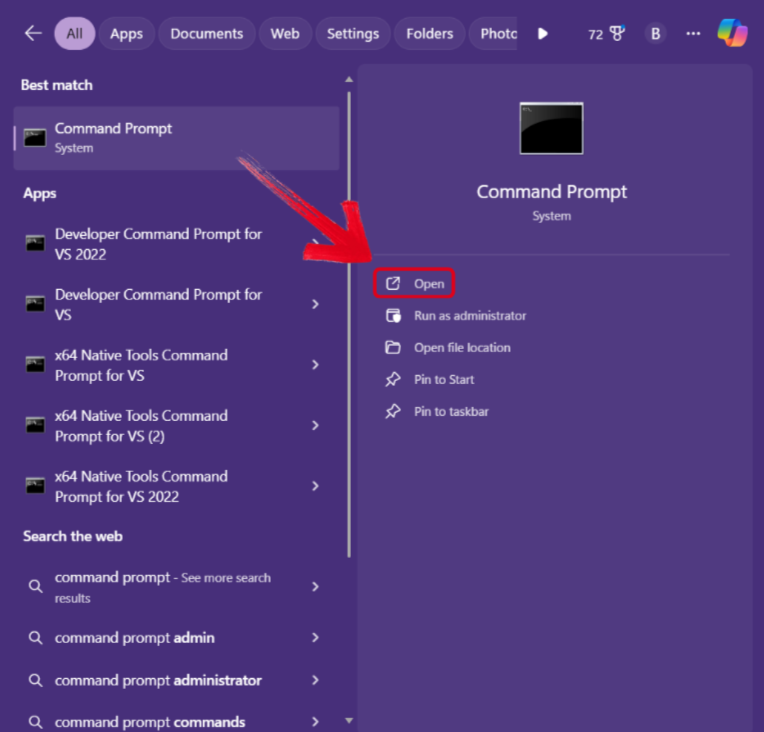
Step 2: Run the following command to start the installation of the PDFkit library: “py -m pip install pdfkit”

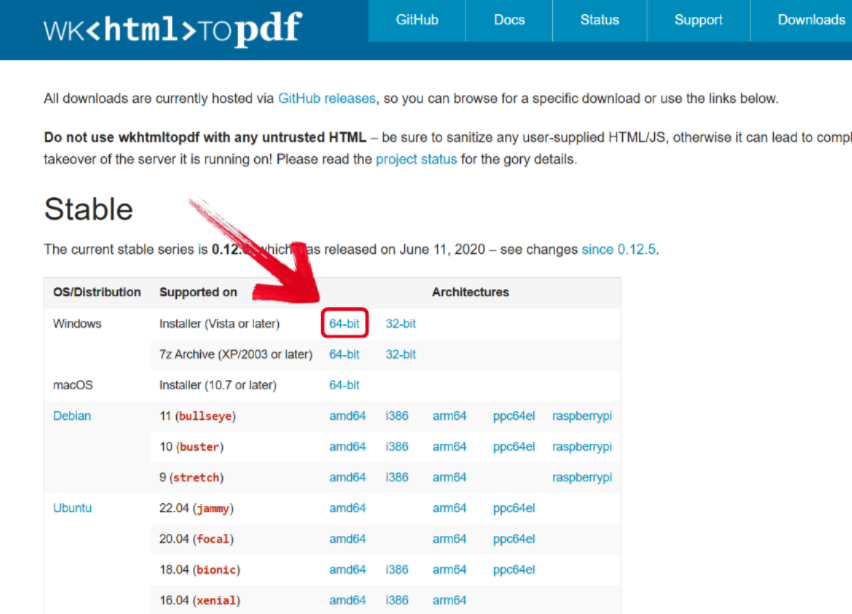
Step 3: Visit wkHTMLtoPDF’s official page to download your environment installer which is required to use the PDFkit library.
Step 4: Now, just import the PDFkit library in your program and convert your HTML file directly using the following command: “pdfkit.from_file(‘filename.html’, ‘outputname.pdf’)”

Python HTML to PDF: The Simpler Method
Automating your file conversion can be a great option for developers and programmers with technical expertise, offering a lot of power, but they can be too complicated to figure out for an average user. The complicated setups, package installation, and manual coding can get overwhelming for beginners. This is where online converters really save the day and simplify the process for you, providing a free, web-based solution for all your file conversions. WPS Online Converter is one of the best tools I’ve found for this step, offering hassle-free and accurate results in just a few steps.
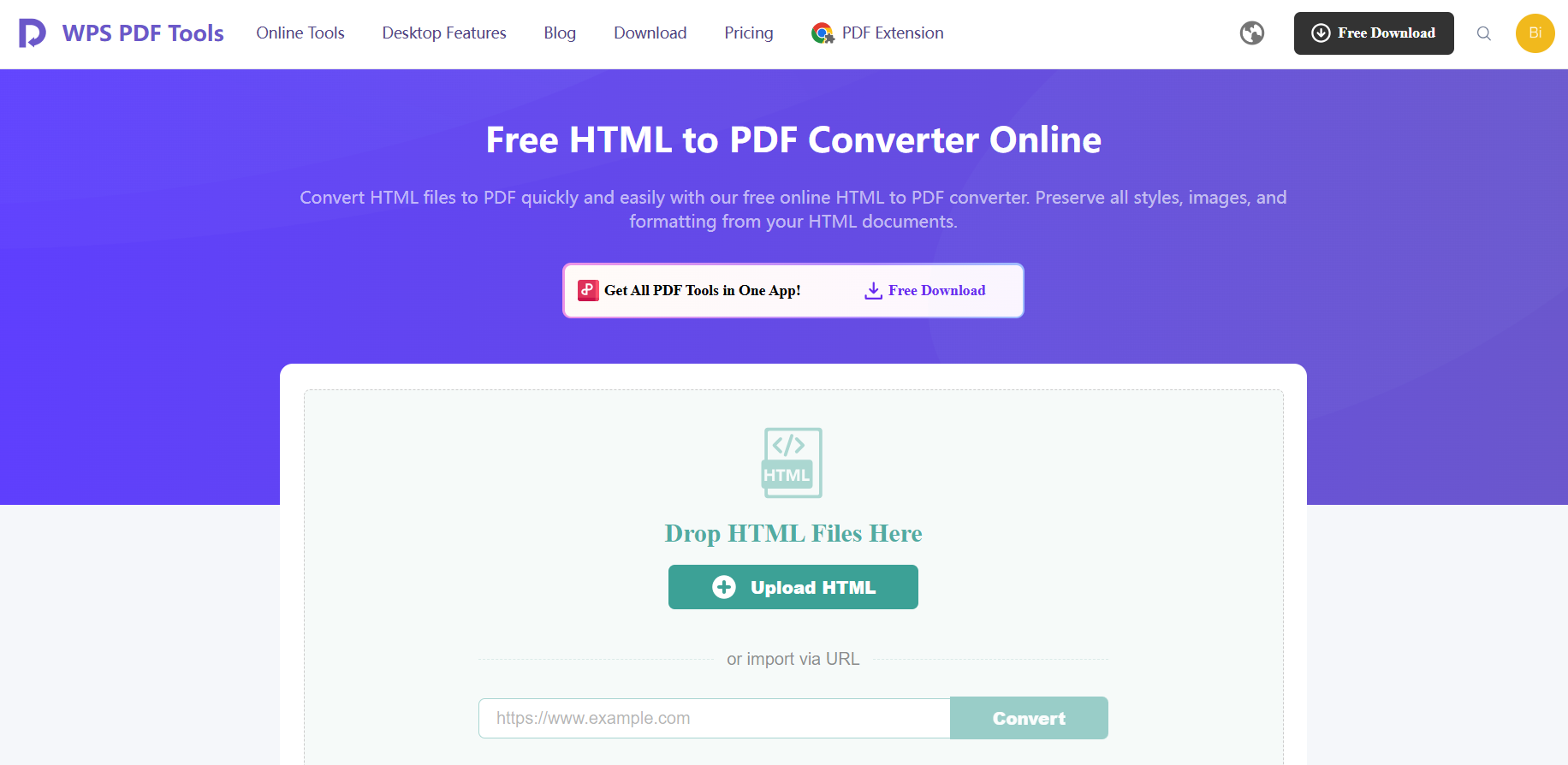
Step 1: Launch WPS HTML to PDF Converter and upload the HTML file you want to convert.
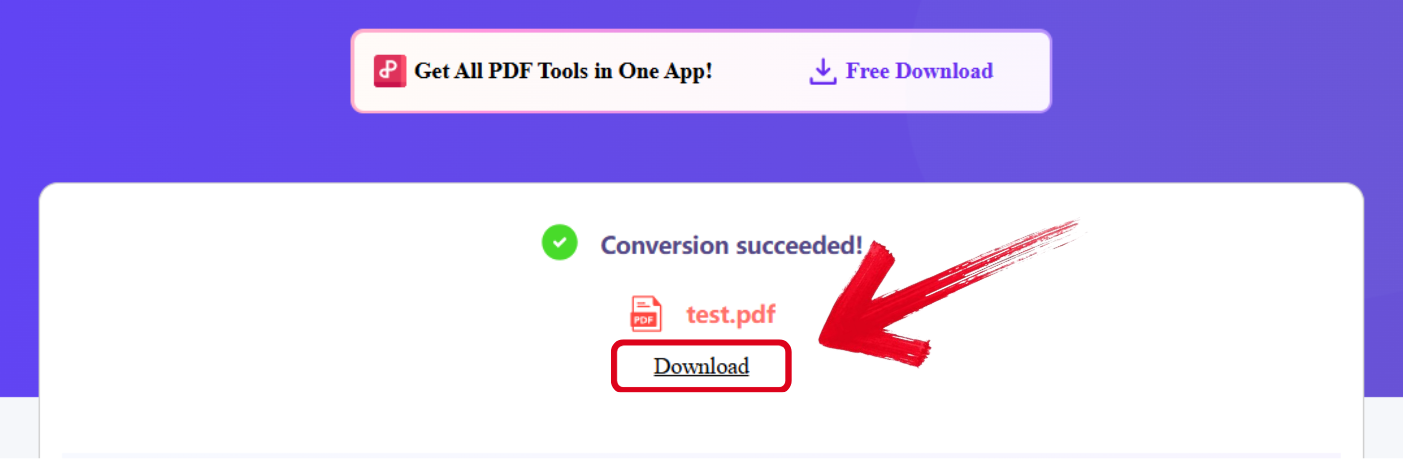
Step 2: Once the conversion process is complete, simply press Download to export the PDF file to your device.
WPS PDF Tools: When You Need a PDF Without the Code
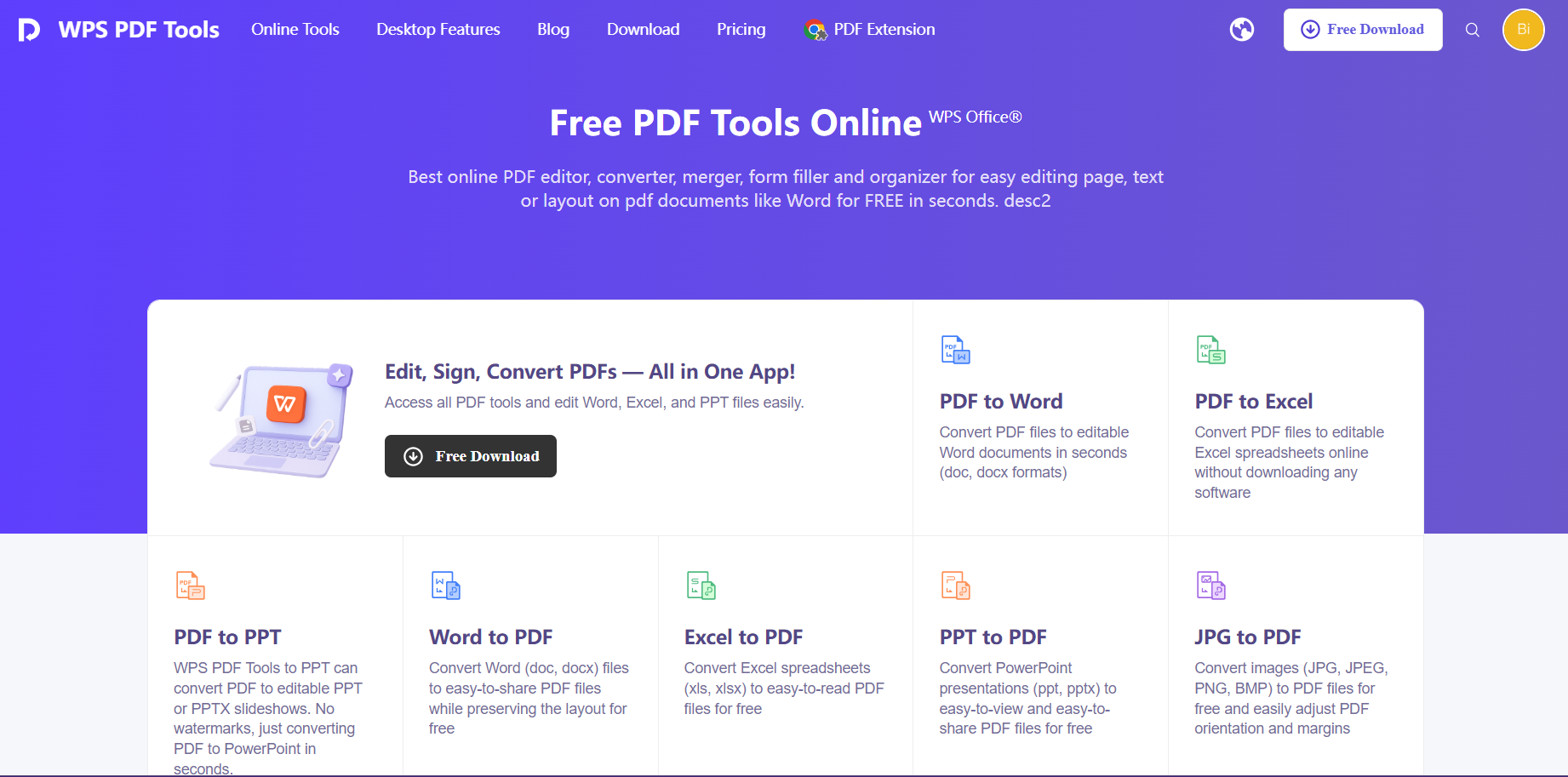
There are many online tools out there when it comes to HTML to PDF conversions, but I’ve found most of them to be incredibly unreliable and restricting, further slowing me down and adding to my worries. This is why WPS PDF Tools is my go-to choice for all my file conversions, giving me a web-based, all-in-one solution for all my productivity needs. It’s completely free and provides hassle-free and reliable results for all your file handling needs, making it the perfect companion for anyone dealing with file conversions regularly.
FAQs
Q1. What is the easiest Python library for a beginner to convert HTML to PDF?
For beginners, python pdfkit is often the easiest because of its very simple API such as pdfkit.from_url('my_url.html', 'out.pdf'). The main drawback is that it depends on an external tool called wkhtmltopdf, which must be installed separately and can sometimes cause setup issues. If you are working with simple, static HTML and want a more modern approach, WeasyPrint is a strong option, although its installation can be slightly complex on Windows systems.
Q2. Can Python convert a dynamic webpage with JavaScript to a PDF?
Yes. If a webpage relies on JavaScript to load or render content, such as applications built with React or Vue, you need a browser based solution like Pyppeteer. It allows you to load the page, wait until all scripts have executed, and then export the fully rendered page as a PDF so no dynamic content is missed.
Q3. Which Python library is best for converting simple HTML files without JavaScript?
For purely static HTML files that do not depend on JavaScript, WeasyPrint is one of the best choices. It focuses on web standards like HTML and CSS and produces clean, high quality PDFs. Once installed correctly, it is very reliable for reports, invoices, and documents with consistent layouts.
Q4. Is it possible to convert HTML to PDF in Python without installing extra system tools?
Yes, but with limitations. Some libraries like ReportLab can generate PDFs directly in Python without external dependencies. However, they do not truly convert HTML. Instead, you manually build the layout using Python code. If you need accurate HTML and CSS rendering, most true converters will still require either system tools or a headless browser.

'%3e%3cpath%20d='M19.9911%204.11386V6.471H18.5894C18.0775%206.471%2017.7322%206.57814%2017.5536%206.79243C17.3751%207.00671%2017.2858%207.32814%2017.2858%207.75671V9.44421H19.9019L19.5536%2012.0871H17.2858V18.8639H14.5536V12.0871H12.2769V9.44421H14.5536V7.49779C14.5536%206.39064%2014.8632%205.53201%2015.4822%204.92189C16.1013%204.31177%2016.9257%204.00671%2017.9554%204.00671C18.8304%204.00671%2019.509%204.04243%2019.9911%204.11386Z'%20fill='%23333333'/%3e%3c/g%3e%3cdefs%3e%3cclipPath%20id='clip0_2938_8199'%3e%3crect%20width='16'%20height='16'%20fill='white'%20transform='translate(8%204.00671)'/%3e%3c/clipPath%3e%3c/defs%3e%3c/svg%3e)
'%3e%3cpath%20d='M17.5237%2010.7813L23.4811%204H22.0699L16.8949%209.88693L12.7648%204H8L14.2469%2012.9029L8%2020.0133H9.4112L14.8725%2013.7952L19.2352%2020.0133H24M9.92053%205.04213H12.0885L22.0688%2019.0224H19.9003'%20fill='%23333333'/%3e%3c/g%3e%3cdefs%3e%3cclipPath%20id='clip0_2938_8200'%3e%3crect%20width='16'%20height='16.0134'%20fill='white'%20transform='translate(8%204)'/%3e%3c/clipPath%3e%3c/defs%3e%3c/svg%3e)


