

'%3e%3cpath%20d='M8%200C12.4183%200%2016%203.58172%2016%208C16%2012.4183%2012.4183%2016%208%2016C3.58172%2016%200%2012.4183%200%208C0%203.58172%203.58172%200%208%200ZM11.6162%204.38379C11.2257%203.99337%2010.5927%203.99338%2010.2021%204.38379L8%206.58594L5.79785%204.38379C5.40732%203.99334%204.77429%203.99329%204.38379%204.38379C3.99331%204.77429%203.99335%205.40733%204.38379%205.79785L6.58594%208L4.38379%2010.2021C3.99348%2010.5927%203.99341%2011.2257%204.38379%2011.6162C4.77426%2012.0066%205.40734%2012.0065%205.79785%2011.6162L8%209.41406L10.2021%2011.6162C10.5927%2012.0066%2011.2257%2012.0067%2011.6162%2011.6162C12.0067%2011.2257%2012.0066%2010.5927%2011.6162%2010.2021L9.41406%208L11.6162%205.79785C12.0066%205.40735%2012.0066%204.77429%2011.6162%204.38379Z'%20fill='%23080E17'%20fill-opacity='0.46'/%3e%3c/g%3e%3cdefs%3e%3cclipPath%20id='clip0_3761_713'%3e%3crect%20width='16'%20height='16'%20fill='white'/%3e%3c/clipPath%3e%3c/defs%3e%3c/svg%3e)




'%3e%3cpath%20fill-rule='evenodd'%20clip-rule='evenodd'%20d='M21.4999%2010.9993C21.4999%205.20009%2016.7986%200.498901%2010.9993%200.498901C5.19994%200.498901%200.498657%205.20009%200.498657%2010.9993C0.498657%2016.2404%204.33858%2020.5844%209.35855%2021.3722V14.0346H6.69238V10.9993H9.35855V8.68594C9.35855%206.05427%2010.9262%204.60062%2013.3248%204.60062C14.4736%204.60062%2015.6753%204.80571%2015.6753%204.80571V7.38979H14.3512C13.0468%207.38979%2012.64%208.19921%2012.64%209.0296V10.9993H15.5523L15.0867%2014.0346H12.64V21.3722C17.66%2020.5844%2021.4999%2016.2404%2021.4999%2010.9993Z'%20fill='%231568EA'/%3e%3c/g%3e%3c/svg%3e)


'%3e%3cpath%20d='M2.42045%2022.1876H6.31818V12.7217L0.75%208.54553V20.5171C0.75%2021.4414%201.49892%2022.1876%202.42045%2022.1876Z'%20fill='%234285F4'/%3e%3cpath%20d='M19.682%2022.1876H23.5797C24.5041%2022.1876%2025.2502%2021.4387%2025.2502%2020.5171V8.54553L19.682%2012.7217'%20fill='%2334A853'/%3e%3cpath%20d='M19.682%205.48293V12.7216L25.2502%208.54543V6.31816C25.2502%204.25236%2022.8921%203.07469%2021.2411%204.31361'%20fill='%23FBBC04'/%3e%3cpath%20d='M6.31824%2012.7217V5.48303L13.0001%2010.4944L19.6819%205.48303V12.7217L13.0001%2017.733'%20fill='%23EA4335'/%3e%3cpath%20d='M0.75%206.31816V8.54543L6.31818%2012.7216V5.48293L4.75909%204.31361C3.10534%203.07469%200.75%204.25236%200.75%206.31816Z'%20fill='%23C5221F'/%3e%3c/g%3e%3cdefs%3e%3cclipPath%20id='clip0_2954_7305'%3e%3crect%20width='24.5'%20height='18.375'%20fill='white'%20transform='translate(0.75%203.8125)'/%3e%3c/clipPath%3e%3c/defs%3e%3c/svg%3e)


Reading a long report, research paper, or news article often leaves you with more text than time. A paragraph summarizer solves this by pulling the core ideas out of dense paragraphs so you can decide in seconds whether the full read is worth your attention. The options below start with WPS Writer, which has a built-in AI summarizer inside a full office suite, followed by six online tools that cover different needs, from chatting with a PDF to rewriting summaries in multiple languages.
Each option was checked for ease of use, output quality, pricing, and known limitations, so you can match a tool to the way you actually work with text.
Top 6 Paragraph Summarizer Tools to Try
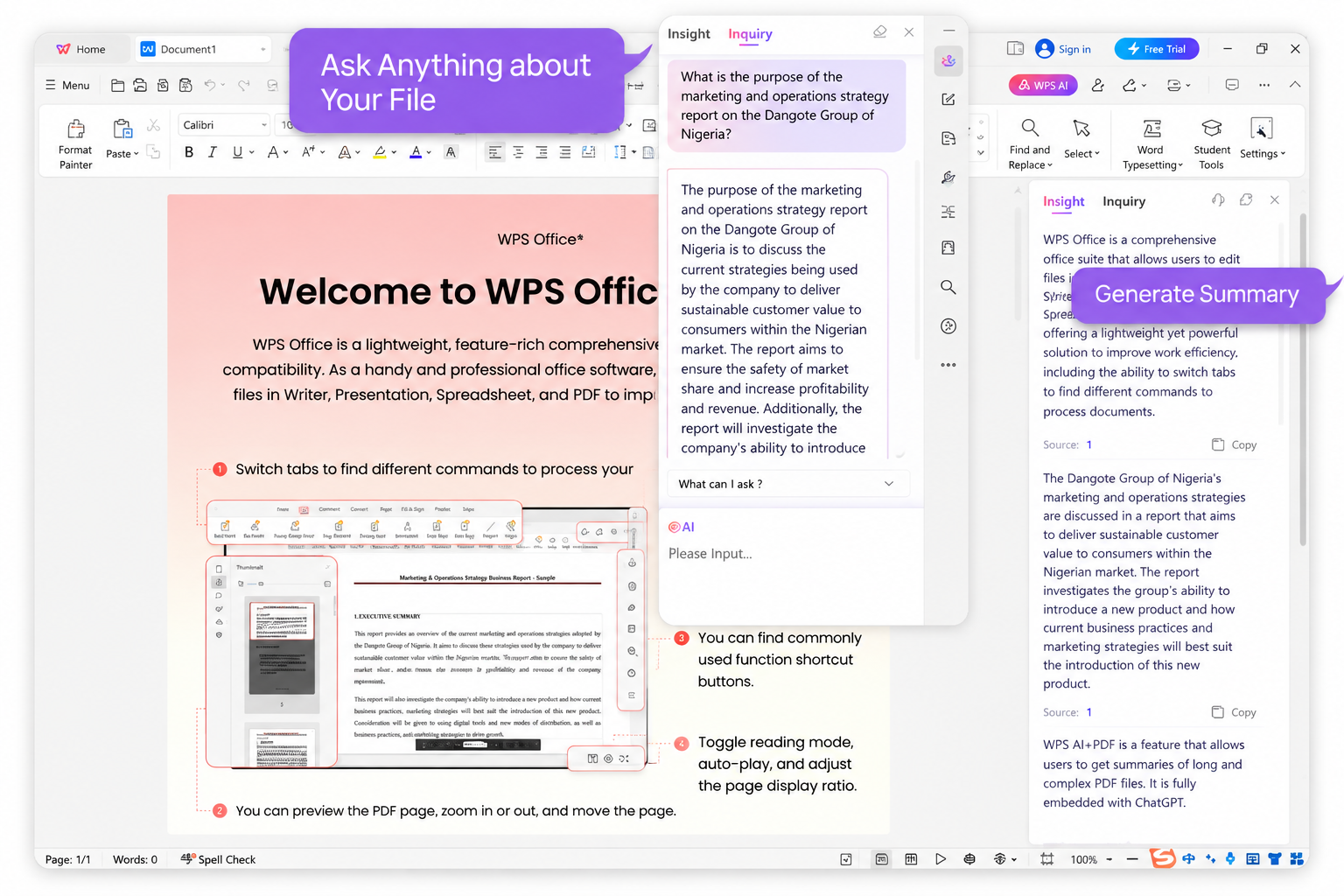
WPS Writer: Built-in AI Paragraph Summarizer in WPS Office
WPS Writer is the word processor inside the free WPS Office suite, and it now includes AI features that can summarize a paragraph or an entire document without leaving the page. Because the summarizer lives where you already read and edit text, there is no copying between browser tabs: open the file, run the AI summary, and keep working in the same document.
Open your document in WPS Writer (DOC, DOCX, PDF, and more are supported).
Select the paragraph or section you want condensed.
Click the AI feature and choose the summarize option.
Review the generated summary and insert or edit it in place.
HiPDF: Chat-Powered Online Paragraph Summarizer
HiPDF pairs a full online PDF toolkit with an AI assistant, so it works well when your paragraphs live inside reports, textbooks, or research papers. You upload a file from your computer or the cloud, then ask the assistant for a summary, key points, or keywords instead of hunting through pages yourself.
Open the AI tools page on hipdf.com and sign in with a free account.
Upload your document by dragging it into the workspace.
Choose Summarize or simply ask the chat assistant to condense a section.
Copy the generated paragraph summary into your notes.
Keep in mind that HiPDF needs an internet connection, the free tier limits how much you can process, and image-only scans are not supported.
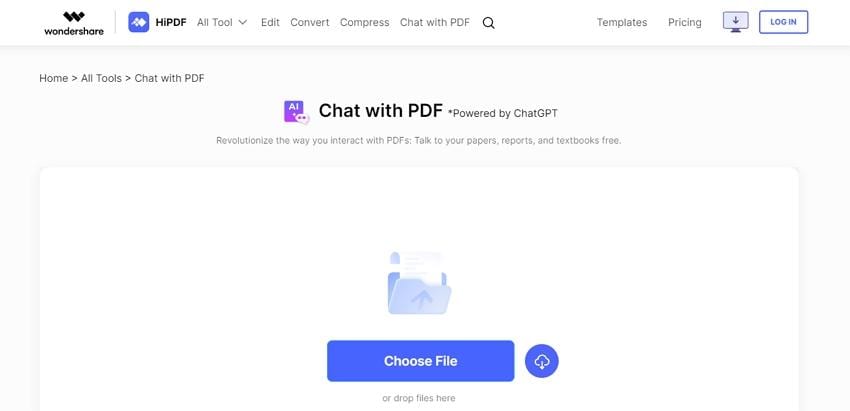
HiPDF online paragraph summarizer tool


TLDR This: Paragraph Summarizer for Long Text
TLDR This turns long articles into clean, readable digests. Paste text or drop in a URL, then pick the output you want: key sentences, an AI summary, or a short or section-by-section breakdown. It also displays metadata such as the estimated reading time, which is handy when triaging a reading list.
Visit the TLDR This website in any modern browser.
Paste your paragraph or article, or enter the page URL.
Select a summary style, such as key sentences or a detailed breakdown.
Review the output and the extracted keywords, then copy what you need.
The trade-offs: you cannot upload files directly, scanned or image-based documents are not supported, and the paid plans cost more than several competitors.

TLDR This paragraph summarizer interface
ChatGPT by OpenAI: Flexible AI Paragraph Summarizer
ChatGPT remains one of the fastest-growing summarization options because a short instruction shapes the output. Ask for a two-sentence digest, bullet points, or a simplified explanation for a specific audience, and the model adapts. It is especially quick for pasted paragraphs and online text.
Open chatgpt.com and start a new chat.
Paste the paragraph or link you want condensed.
Describe the summary you want, for example "summarize in three bullet points".
Refine the result with follow-up instructions until it fits your purpose.
Limitations to note: ChatGPT cannot summarize images or files stored only on your local machine, and its free access terms may change over time.

ChatGPT AI paragraph summarizer in use
Summary Generator: Simple Free Paragraph Summarizer Tool
Summary Generator is the no-frills choice. Built on open-source summarization software, it does exactly one thing: paste text, click Summarize, and get a condensed version you can copy. There is nothing to learn, which makes it a good fit for one-off jobs and first-time users.
Paste your text into the input box on the site.
Click Summarize to generate the shortened paragraph.
Click Copy to grab the result, or clear the box to start over.
Expect basic functionality only. It cannot handle scanned or image-based files, and there are no advanced controls such as length sliders or output modes.
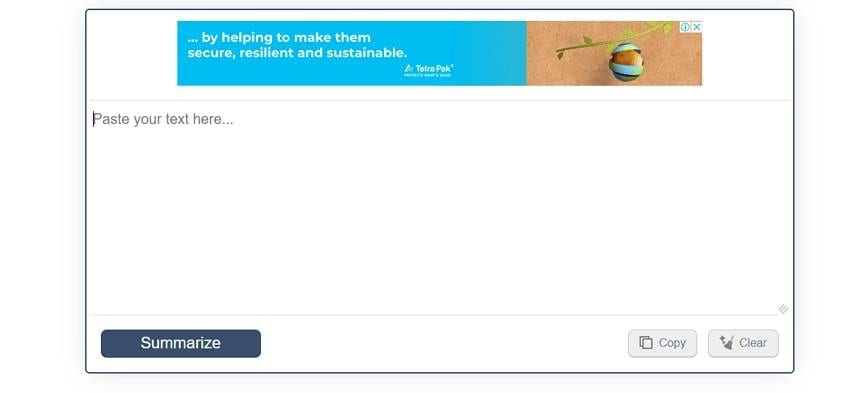
Summary Generator free summarizer tool
Paraphraser: Multilingual Paragraph Summarizer and Rewriter
Paraphraser combines summarizing with rewriting, which helps when the summary needs to sound like your own words. It uses both abstractive and extractive techniques, supports eight or more languages, and lets you choose bullet points, best-line output, or a ranked summary. A length slider adjusts how short the result gets.
Open the summarizer on paraphraser.io.
Paste text or upload a supported file.
Set the summary length with the slider and pick an output mode.
Generate, then switch to the paraphrasing mode if you want a rewritten version.
Weak points: image documents are not supported, the free version has no premium features, and very large files can be slow to process.
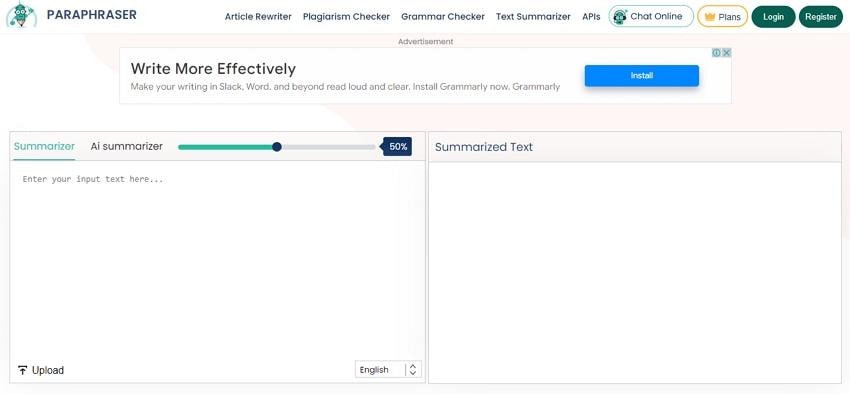
Paraphraser multilingual summarizer and rewriter
QuillBot: Paragraph Summarizer with Adjustable Length
QuillBot is a familiar name for anyone who writes regularly. Its summarizer offers a paragraph mode and a key-sentences mode that outputs bullets, with a slider to control length. Because the AI works from the original context, the condensed text stays faithful to the source.
Go to the QuillBot summarizer page.
Paste an article, essay, or paper into the input area.
Choose Paragraph or Key Sentences mode.
Drag the length slider, then copy the summary.
The free tier is usable but limited, the premium plan costs about $9.95 per month, and scanned or image-based documents are again out of scope.
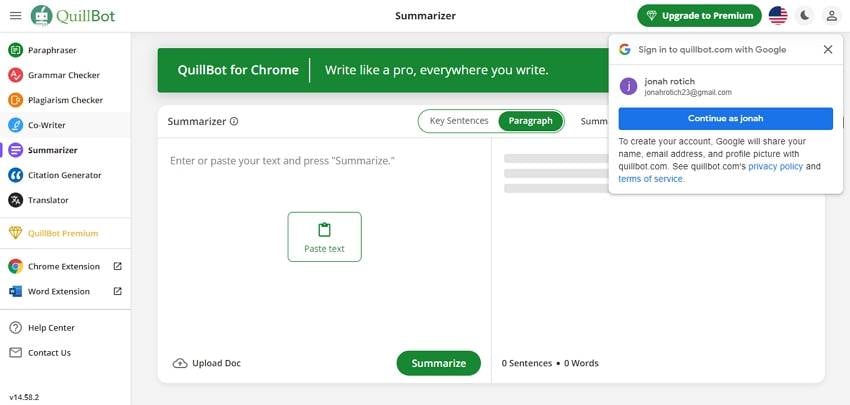
QuillBot paragraph summarizer with length slider
Quick Comparison of Paragraph Summarizer Tools
| Tool | Best For | Input | Free Tier | Main Limitation |
|---|---|---|---|---|
| WPS Writer | Summarizing while editing a document | DOC/DOCX/PDF files | Yes, with account | Requires WPS sign-in; AI limits by plan |
| HiPDF | PDF-heavy workflows | File upload, cloud | Limited free use | No image-only scans |
| TLDR This | Long articles and URLs | Text or URL | Yes | No file upload; pricier paid plans |
| ChatGPT | Flexible, instructed summaries | Pasted text | Yes | No local file/image input; terms may change |
| Summary Generator | Quick one-off jobs | Pasted text | Fully free | No advanced controls |
| Paraphraser | Multilingual rewrite + summary | Text or supported files | Basic free | No image documents; slow on large files |
| QuillBot | Adjustable summary length | Pasted text | Yes | Premium features locked |
Best Alternative to Paragraph Summarizer Tools: WPS Writer
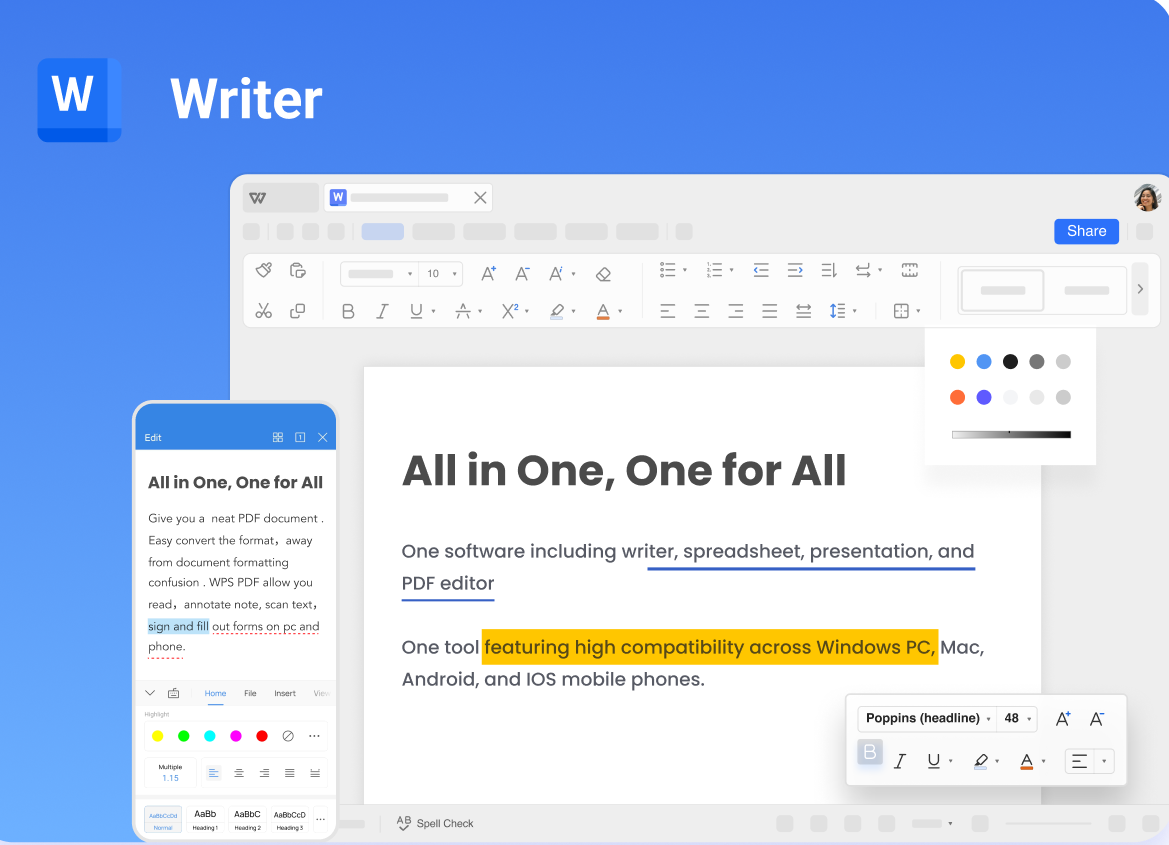
If none of the tools above fits your workflow, the best alternative is to use a summarizer that already lives inside your word processor. WPS Writer, the word processor in the free WPS Office suite, includes a built-in AI paragraph summarizer, so you can condense text without uploading files to a third-party website or juggling browser tabs.
Built-in AI summarizer: Select any paragraph or section and let the AI condense it instantly, right where you are editing.
No copy-paste needed: Unlike online tools, there is no moving text between windows; open the document, summarize, and keep writing in the same file.
Broad format support: Works with DOC, DOCX, PDF, TXT, and other formats, so both documents and reading files are covered in one place.
Online and offline: Local desktop apps let you summarize and edit even without an internet connection, a key difference from browser-only summarizers.
Cross-platform: Available on Windows, macOS, Linux, Android, and iOS, so your documents and summaries follow you across devices.
Free to start: WPS Office is free to download, and the summarizer is part of the same suite rather than a separate subscription.
More than a summarizer: The same AI can rewrite, polish, and expand text, making it easy to turn a summary into a report, a slide outline, or an email.
For anyone who reads and writes in the same tool, WPS Writer turns paragraph summarizing into a one-click step inside the document, rather than a separate stop in the browser.
FAQs
What is a paragraph summarizer?
A paragraph summarizer is a tool that condenses one or more paragraphs into a shorter version while keeping the main ideas. Most modern options use AI to identify key sentences or rewrite the content in compressed form.
Are AI paragraph summaries plagiarism-free?
A summary in the tool's own words is generally not a copy, but you are still relying on someone else's ideas. Cite the original source, and for academic work run the result through a plagiarism checker before submitting it.
Can these tools summarize scanned PDFs?
Most of the tools listed here cannot process image-only or scanned documents. You need OCR to convert the scan into selectable text first, and then paste that text into the summarizer.
Do I need to pay for a paragraph summarizer?
No. Summary Generator, Paraphraser, and QuillBot all offer usable free versions. Paid plans mainly add higher limits, advanced modes, and faster processing for long documents.
Which tool is best for summarizing PDF files?
HiPDF is the strongest fit because it uploads PDFs directly and summarizes them in one workflow. For plain text or web pages, TLDR This or ChatGPT is usually faster.


'%3e%3cpath%20d='M19.9911%204.11386V6.471H18.5894C18.0775%206.471%2017.7322%206.57814%2017.5536%206.79243C17.3751%207.00671%2017.2858%207.32814%2017.2858%207.75671V9.44421H19.9019L19.5536%2012.0871H17.2858V18.8639H14.5536V12.0871H12.2769V9.44421H14.5536V7.49779C14.5536%206.39064%2014.8632%205.53201%2015.4822%204.92189C16.1013%204.31177%2016.9257%204.00671%2017.9554%204.00671C18.8304%204.00671%2019.509%204.04243%2019.9911%204.11386Z'%20fill='%23333333'/%3e%3c/g%3e%3cdefs%3e%3cclipPath%20id='clip0_2938_8199'%3e%3crect%20width='16'%20height='16'%20fill='white'%20transform='translate(8%204.00671)'/%3e%3c/clipPath%3e%3c/defs%3e%3c/svg%3e)
'%3e%3cpath%20d='M17.5237%2010.7813L23.4811%204H22.0699L16.8949%209.88693L12.7648%204H8L14.2469%2012.9029L8%2020.0133H9.4112L14.8725%2013.7952L19.2352%2020.0133H24M9.92053%205.04213H12.0885L22.0688%2019.0224H19.9003'%20fill='%23333333'/%3e%3c/g%3e%3cdefs%3e%3cclipPath%20id='clip0_2938_8200'%3e%3crect%20width='16'%20height='16.0134'%20fill='white'%20transform='translate(8%204)'/%3e%3c/clipPath%3e%3c/defs%3e%3c/svg%3e)


