

'%3e%3cpath%20d='M8%200C12.4183%200%2016%203.58172%2016%208C16%2012.4183%2012.4183%2016%208%2016C3.58172%2016%200%2012.4183%200%208C0%203.58172%203.58172%200%208%200ZM11.6162%204.38379C11.2257%203.99337%2010.5927%203.99338%2010.2021%204.38379L8%206.58594L5.79785%204.38379C5.40732%203.99334%204.77429%203.99329%204.38379%204.38379C3.99331%204.77429%203.99335%205.40733%204.38379%205.79785L6.58594%208L4.38379%2010.2021C3.99348%2010.5927%203.99341%2011.2257%204.38379%2011.6162C4.77426%2012.0066%205.40734%2012.0065%205.79785%2011.6162L8%209.41406L10.2021%2011.6162C10.5927%2012.0066%2011.2257%2012.0067%2011.6162%2011.6162C12.0067%2011.2257%2012.0066%2010.5927%2011.6162%2010.2021L9.41406%208L11.6162%205.79785C12.0066%205.40735%2012.0066%204.77429%2011.6162%204.38379Z'%20fill='%23080E17'%20fill-opacity='0.46'/%3e%3c/g%3e%3cdefs%3e%3cclipPath%20id='clip0_3761_713'%3e%3crect%20width='16'%20height='16'%20fill='white'/%3e%3c/clipPath%3e%3c/defs%3e%3c/svg%3e)




'%3e%3cpath%20fill-rule='evenodd'%20clip-rule='evenodd'%20d='M21.4999%2010.9993C21.4999%205.20009%2016.7986%200.498901%2010.9993%200.498901C5.19994%200.498901%200.498657%205.20009%200.498657%2010.9993C0.498657%2016.2404%204.33858%2020.5844%209.35855%2021.3722V14.0346H6.69238V10.9993H9.35855V8.68594C9.35855%206.05427%2010.9262%204.60062%2013.3248%204.60062C14.4736%204.60062%2015.6753%204.80571%2015.6753%204.80571V7.38979H14.3512C13.0468%207.38979%2012.64%208.19921%2012.64%209.0296V10.9993H15.5523L15.0867%2014.0346H12.64V21.3722C17.66%2020.5844%2021.4999%2016.2404%2021.4999%2010.9993Z'%20fill='%231568EA'/%3e%3c/g%3e%3c/svg%3e)


'%3e%3cpath%20d='M2.42045%2022.1876H6.31818V12.7217L0.75%208.54553V20.5171C0.75%2021.4414%201.49892%2022.1876%202.42045%2022.1876Z'%20fill='%234285F4'/%3e%3cpath%20d='M19.682%2022.1876H23.5797C24.5041%2022.1876%2025.2502%2021.4387%2025.2502%2020.5171V8.54553L19.682%2012.7217'%20fill='%2334A853'/%3e%3cpath%20d='M19.682%205.48293V12.7216L25.2502%208.54543V6.31816C25.2502%204.25236%2022.8921%203.07469%2021.2411%204.31361'%20fill='%23FBBC04'/%3e%3cpath%20d='M6.31824%2012.7217V5.48303L13.0001%2010.4944L19.6819%205.48303V12.7217L13.0001%2017.733'%20fill='%23EA4335'/%3e%3cpath%20d='M0.75%206.31816V8.54543L6.31818%2012.7216V5.48293L4.75909%204.31361C3.10534%203.07469%200.75%204.25236%200.75%206.31816Z'%20fill='%23C5221F'/%3e%3c/g%3e%3cdefs%3e%3cclipPath%20id='clip0_2954_7305'%3e%3crect%20width='24.5'%20height='18.375'%20fill='white'%20transform='translate(0.75%203.8125)'/%3e%3c/clipPath%3e%3c/defs%3e%3c/svg%3e)


Free JPG to PDF tools feel unlimited until a daily cap, file-size wall, or watermark appears mid-batch. Before you commit a team workflow—or burn a free trial—compare what each plan actually unlocks for image-to-PDF work.
This page compares JPG to PDF converters pricing and free trials across Adobe, Smallpdf, iLovePDF, and WPS. Prices and caps change by region; treat numbers as orientation and confirm on each vendor’s pricing page before buying.
Best JPG to PDF Converters Pricing & Free Trials Compared
How to read JPG to PDF converters pricing without surprises
Most vendors sell a suite, not a single convert button. Ask whether JPG→PDF counts toward a shared daily task limit, whether batch jobs need Pro, and whether the “free trial” auto-renews.
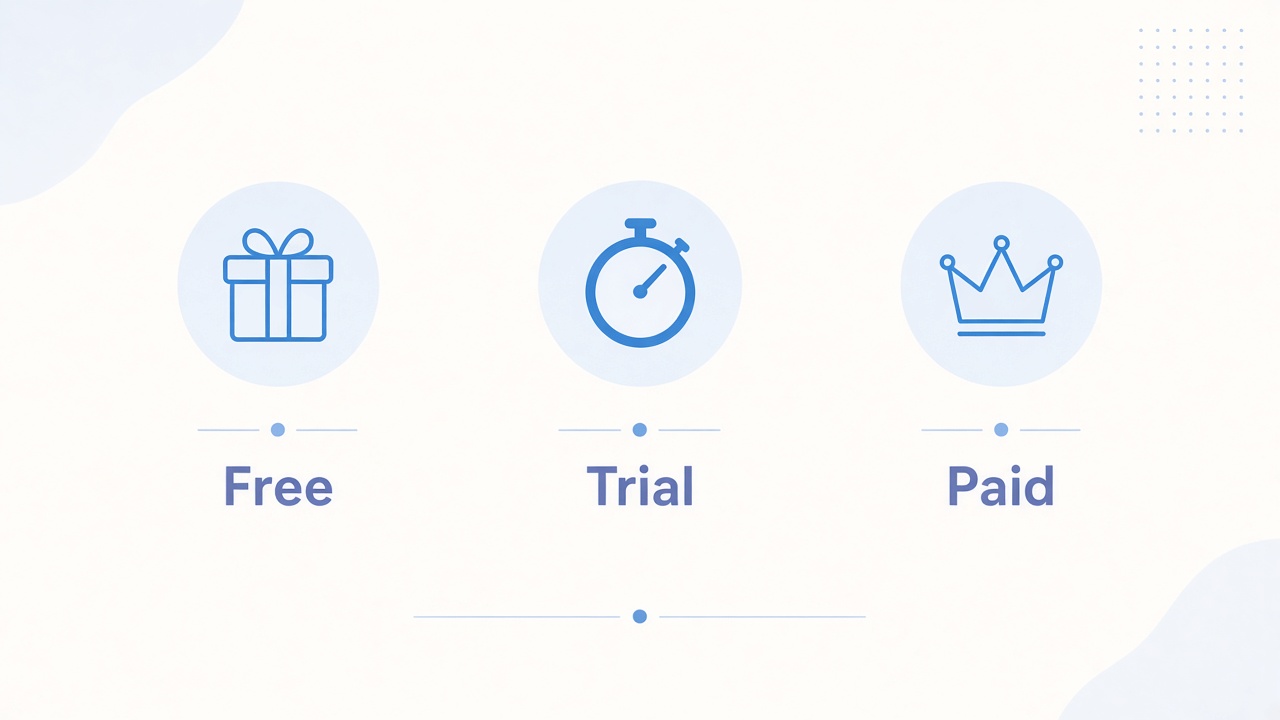
Free tier: daily tasks, max file size, ads, and watermark rules.
Trial: length, card required or not, and cancel window.
Paid: monthly vs annual, seat pricing, OCR/edit extras that matter after conversion.
Free Trial Paid converter pricing tiers


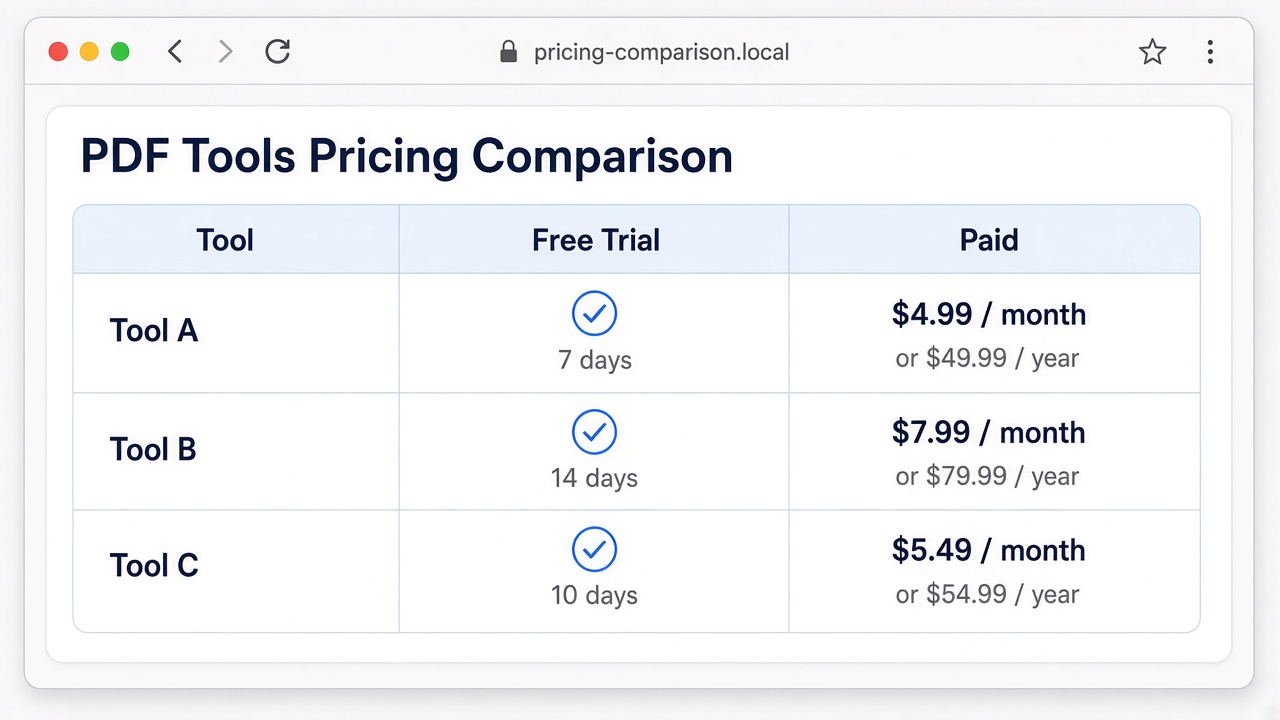
JPG to PDF converters pricing snapshot by product
Figures below reflect publicly listed plans around late 2026 research and may differ by country. For product-fit context beyond cost, start from the best JPG to PDF converter hub.
| Product | Free / trial pattern | Paid orientation | JPG→PDF fit |
|---|---|---|---|
| Adobe Acrobat online / Pro | Limited free online converts; Acrobat Pro often offers a short free trial (commonly 7 days) | Subscription Acrobat plans for unlimited convert, batch, desktop | Best when fidelity and production tools justify cost |
| Smallpdf | Free tier with a low daily task cap; Pro trial commonly about 7 days | Pro monthly/annual; Teams for seats | Good for light web jobs if you stay under free caps |
| iLovePDF | Generous free tools with processing limits | Premium roughly in the single-digit USD/month range on annual billing | Solid for occasional multi-tool PDF chores |
| WPS Office / WPS PDF | Core convert available free on desktop/online paths | Optional premium for advanced PDF needs | Best value when conversion sits inside broader Office work |
JPG to PDF pricing comparison table mockup
Which JPG to PDF pricing plan matches your workload
One-off personal files: stay on free tiers or a desktop free path; see the best free JPG to PDF converters guide.
Weekly batches with caps biting: test a short Pro trial only if cancel reminders are clear.
Print or high-fidelity exports: prioritize tools with page-size control—covered in JPG to PDF converters for print—before paying for brand prestige alone.
Office workflow: prefer WPS so Writer/Spreadsheet/PDF stay in one install after convert.
Batch JPG to PDF conversion workload preview
How to trial a JPG to PDF converter without wasted spend
Run the same three sample jobs on every trial: a phone photo batch, a multi-page scan, and one sensitive file you would rather keep offline. Note task counters, download friction, and whether page size survives export.
Calendar the trial end date the same day you start.
Export one A4 test PDF and check print sharpness if print is a goal.
Compare against WPS desktop so you know the free baseline before paying.
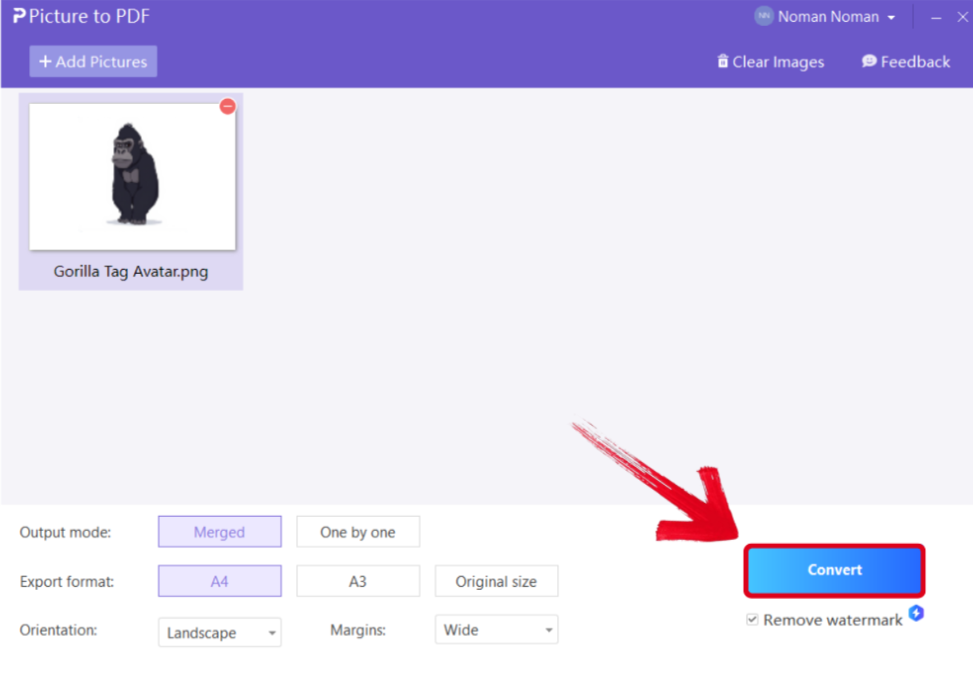
WPS free desktop JPG to PDF trial baseline
The Best Free PDF Alternative: WPS Office
WPS Office keeps JPG to PDF conversion inside a free suite that also edits Word, Excel, PPT, and PDF files. You avoid stacking separate Pro trials when the real need is convert → reorder → share.
Marketing teams that later promote converters can keep product claims honest by linking users to transparent feature pages such as WPS JPG to PDF and the ad creatives guide for online JPG to PDF tools.
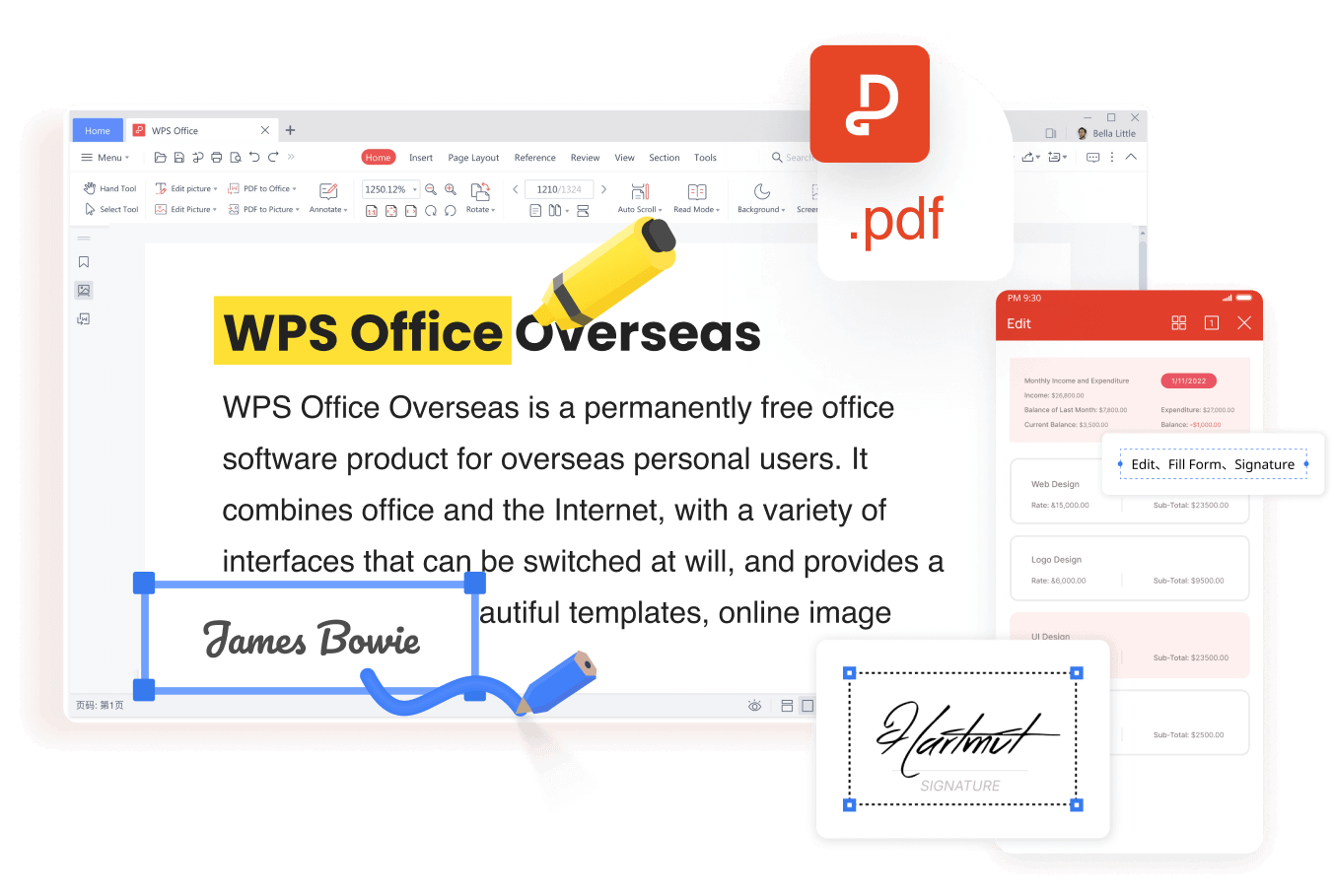
WPS PDF edit and sign product interface
More guides when you need a specific JPG to PDF path
If this page answered one scenario, these related guides cover the rest of the cluster without repeating the same checklist:
FAQs
Which JPG to PDF converter is cheapest for daily use?
If free caps cover your volume, WPS desktop or a generous free web tier costs nothing. Pay only when daily limits or batch needs force a Pro plan.
Do free trials of PDF converters require a credit card?
Many Pro trials collect a card and auto-renew. Read the cancel window before starting Adobe, Smallpdf, or similar trials.
Is Adobe worth the price just to convert JPG to PDF?
Only if you also need Acrobat’s production features. For convert-only jobs, free or mid-tier tools are usually enough.
Can I use WPS JPG to PDF without a paid plan?
Yes for core conversion. Premium unlocks advanced PDF extras when you need them later.
Where should I compare features beyond price?
Use the best JPG to PDF converter hub for scenario picks, then return here for cost trade-offs.


'%3e%3cpath%20d='M19.9911%204.11386V6.471H18.5894C18.0775%206.471%2017.7322%206.57814%2017.5536%206.79243C17.3751%207.00671%2017.2858%207.32814%2017.2858%207.75671V9.44421H19.9019L19.5536%2012.0871H17.2858V18.8639H14.5536V12.0871H12.2769V9.44421H14.5536V7.49779C14.5536%206.39064%2014.8632%205.53201%2015.4822%204.92189C16.1013%204.31177%2016.9257%204.00671%2017.9554%204.00671C18.8304%204.00671%2019.509%204.04243%2019.9911%204.11386Z'%20fill='%23333333'/%3e%3c/g%3e%3cdefs%3e%3cclipPath%20id='clip0_2938_8199'%3e%3crect%20width='16'%20height='16'%20fill='white'%20transform='translate(8%204.00671)'/%3e%3c/clipPath%3e%3c/defs%3e%3c/svg%3e)
'%3e%3cpath%20d='M17.5237%2010.7813L23.4811%204H22.0699L16.8949%209.88693L12.7648%204H8L14.2469%2012.9029L8%2020.0133H9.4112L14.8725%2013.7952L19.2352%2020.0133H24M9.92053%205.04213H12.0885L22.0688%2019.0224H19.9003'%20fill='%23333333'/%3e%3c/g%3e%3cdefs%3e%3cclipPath%20id='clip0_2938_8200'%3e%3crect%20width='16'%20height='16.0134'%20fill='white'%20transform='translate(8%204)'/%3e%3c/clipPath%3e%3c/defs%3e%3c/svg%3e)


