A case study is a critical tool for presenting in-depth analysis,
whether for business or academic work. It’s challenging to structure a
complex report, balancing your qualitative findings with quantitative
data. This often leads to a paper that is hard to follow and fails to
prove its central point. A solid case study template provides the formal, logical structure needed for this kind of analysis.
This guide will share 10 free templates perfect for reports and show you
how to edit them.
Use Word, Excel, and PPT for FREE
Case Study Templates
How to Create a Case Study
You've likely faced challenges while trying to write a compelling
case study. It's common to struggle with balancing a good story with
hard data, or to find it difficult to achieve a truly polished,
professional layout. These issues are not only frustrating, but they can
also lead to a disorganized or unpersuasive document, which almost
always fails to build trust. This is why it’s essential to view your case study template as a formal, persuasive argument,
not just a report. So, learning how to create a case study, let's first
establish what a truly effective case study needs to accomplish.
Here’s what every great case study should include:
The Client and Their Challenge: Introduce the
customer and the specific, relatable problem they were facing.
The Solution You Provided: Detail how your
product or service was implemented to solve that specific
problem.
The Measurable Results: This is the most
important part. Use hard data,
stats, and a positive testimonial to prove it worked.
A Clear Call to Action: End by telling the
reader what to do next, like "Learn more" or "Book a demo."
Once you have this story in mind, you’re ready to choose a template
that presents it clearly.
Top 10 Case Study
Templates [Free Download]
Using a Case Study Template can save you a lot of time and energy, which you should rather spend on
researching and planning your document. These templates are designed for
Word, Excel, and PPT, so you can download them and edit them straight
away. Here are 10 of the best case study examples.
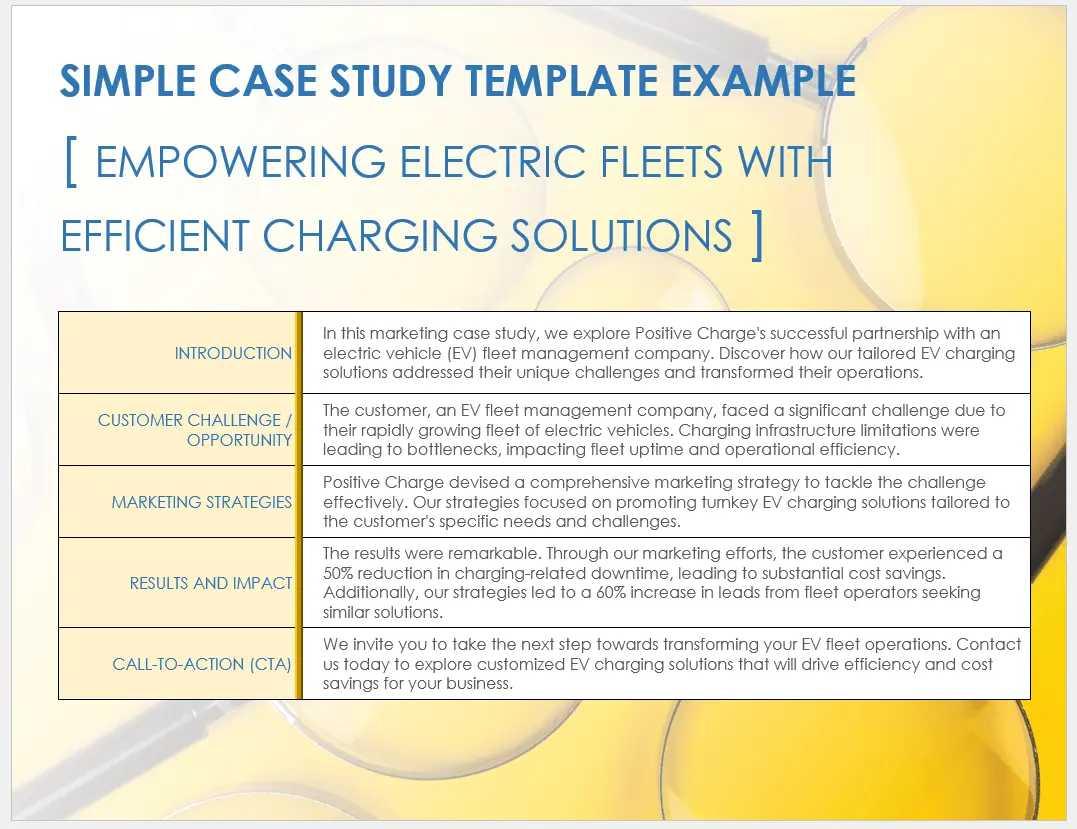
1. Simple Case Study Template
[Word]
This Simple
Case Study Template is a visually engaging, professional
document designed for marketers or businesses needing to showcase a
success story in Word. The layout is defined by its strong header image
and a clean, two-column table that logically guides the reader through
the CUSTOMER CHALLENGE, MARKETING STRATEGIES, and RESULTS AND IMPACT.
Built for persuasion, this structure is perfect for clearly presenting a
client's success story, proving your value with data, and ending with a
strong CALL-TO-ACTION.
Simple Case Study Template
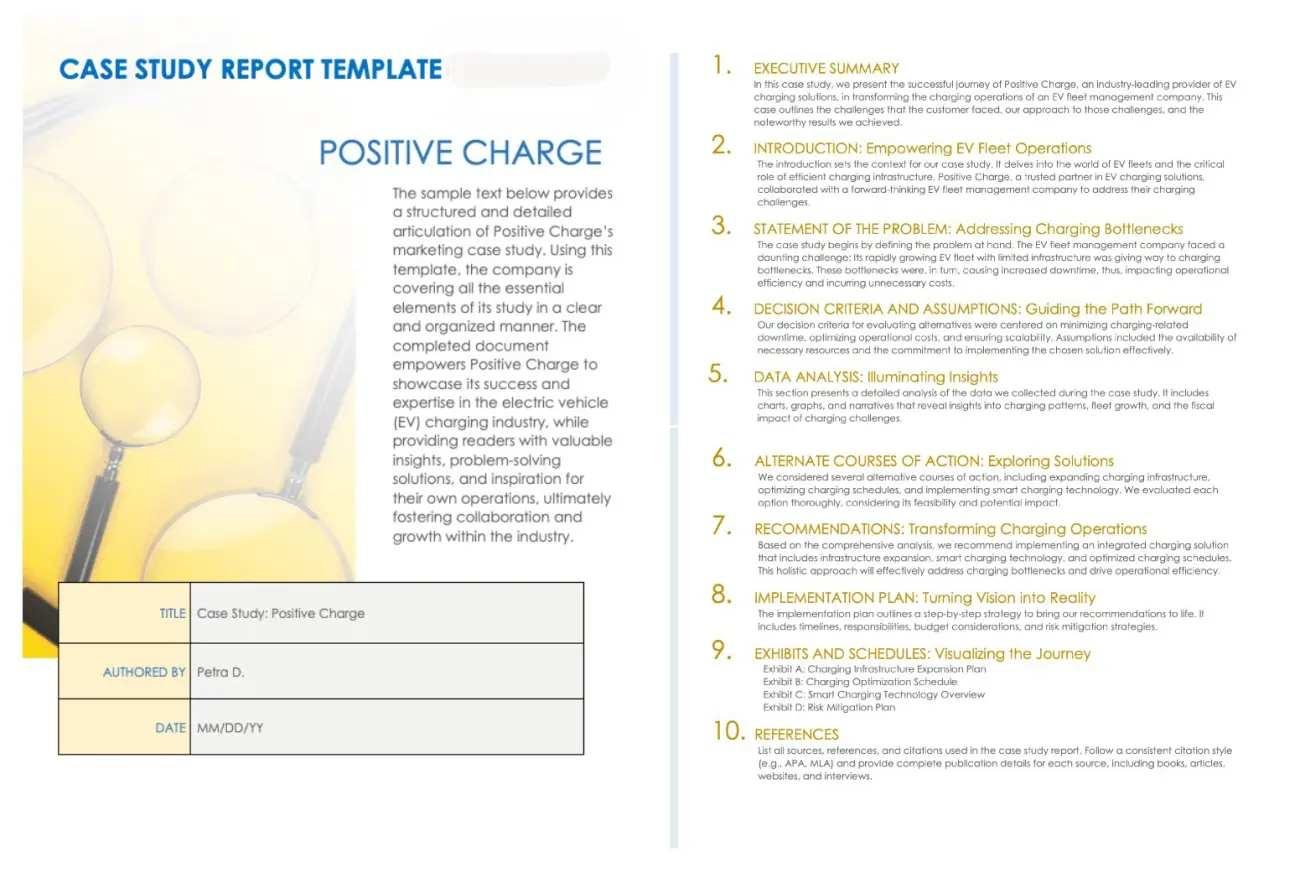
2. Case Study Report Template
[Word]
This Case
Study Report Template is a formal, in-depth document designed
for academic or detailed business analysis. Its layout is defined by a
professional, yellow-themed title page with clear fields for a Title,
Authored By, and Date. Unlike the previous one-page marketing template,
this structure is built for a comprehensive, multi-page report, making
it perfect for students or researchers who need to present a detailed,
organized study.
Case Study Report Template
3. Marketing Case Study
Template [Word]
This Marketing
Case Study Template is a visually engaging, modern document
designed for marketers or sales teams. The layout is defined by its
strong, full-width header image and a bold title section, giving it a
polished, magazine-like feel. Unlike the previous text-heavy report
templates, this structure is built to be persuasive and tell a
compelling story. This makes it perfect for a website's 'success
stories' page or as a high-impact sales document.
Marketing Case Study Template
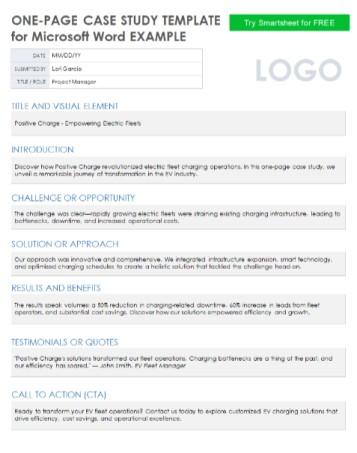
4. One-Page Case Study
Template [Word]
This One-Page
Case Study Template is a highly efficient, text-focused document
designed for busy professionals who need to present a complete story at
a glance. Unlike the multi-page report or the image-heavy marketing
template, this layout is a single, linear page that guides the reader
from the Challenge or Opportunity and Solution straight to the Results
and Benefits. Built for maximum scannability, this structure is perfect
for creating a quick, data-driven summary that you can use as a website
download or a concise PDF handout.
One-Page Case Study Template
5. In-Depth Analysis
Case Study Template [Word]
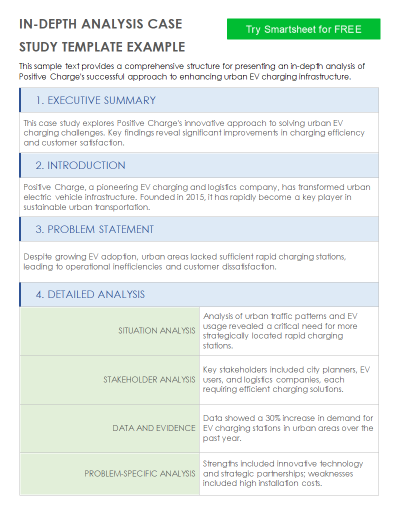
This In-Depth
Analysis Case Study Template is a highly structured,
comprehensive document designed for academic, medical, or technical
business analysis. The layout is defined by its clean, blue-accented
sections that follow a formal report structure, including an Executive
Summary, Problem Statement, and a multi-part Detailed Analysis. Unlike
the previous visual or one-page templates, this structure is built for a
long-form, text-heavy report. This makes it perfect for students or
professionals who need to present a deep, evidence-based
investigation.
In-Depth Analysis Case Study Template
6. Testimonial-Based
Case Study Template [Word]
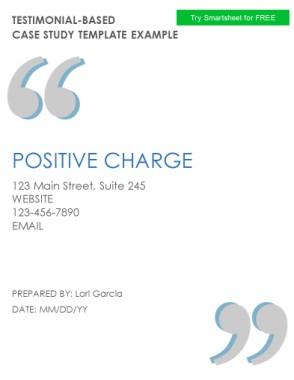
This Testimonial-Based
Case Study Template is a highly persuasive document designed to
put the client's voice front and center, making it ideal for
service-based businesses or consultants. The layout is defined by its
large, bold quotation marks and a clean, minimalist design that frames
the client's story. Unlike the data-heavy or text-heavy report
templates, this structure is built to build trust quickly by focusing on
a powerful quote. This makes it perfect for a website landing page or a
sales proposal
Testimonial-Based Case Study Template
7.
Single-Slide Case Study Presentation Template [PPT]
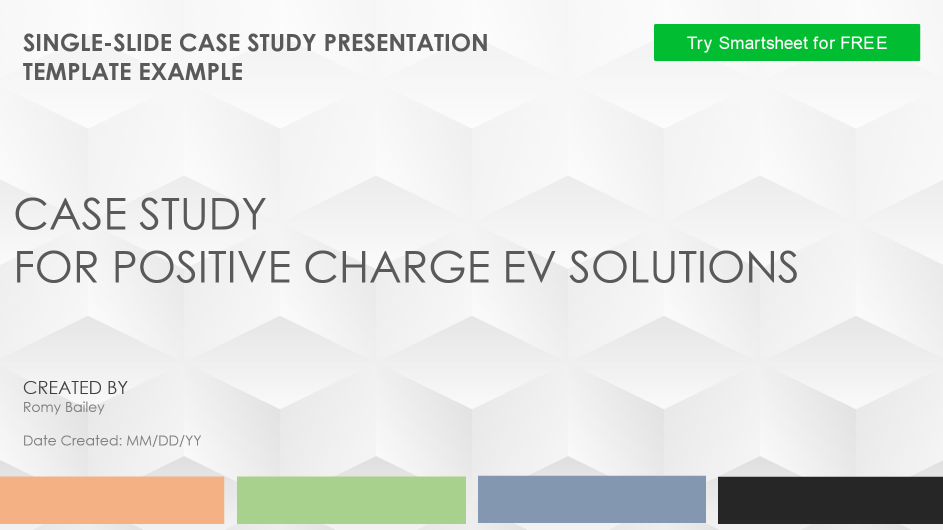
This Single-Slide
Case Study Presentation Template is a sleek, modern document
designed for professionals who need to present their success story in a
meeting or pitch. The layout is defined by its clean, abstract geometric
background and a minimalist title page, setting a very corporate and
high-end tone. Unlike the text-heavy Word documents, this structure is
built to be a concise, single PPT slide. This makes it perfect for
quickly summarizing the Challenge, Solution, and Results in a visually
engaging format.
Single-Slide Case Study Presentation Template
8. Data-Driven Case
Study Template [Word/Excel]
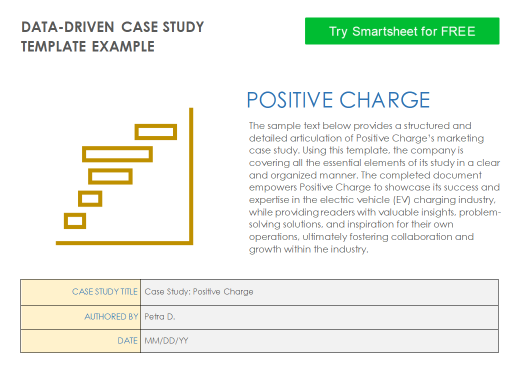
This Data-Driven
Case Study Template is a highly analytical document designed for
professionals or students who need to prove their results with hard
numbers. The layout is clean and minimalist, focusing on a title block
and a placeholder for a key chart, and it's available for both Word and
Excel. Built for demonstrating clear ROI, this structure is perfect for
financial or marketing case studies where charts and data are more
persuasive than just text. You can find the Excel
version as well if you have a lot of data.
Data-Driven Case Study Template
9.
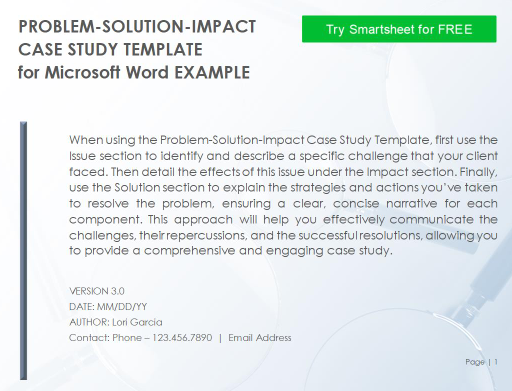
Problem-Solution-Impact Case Study Template [Word/PPT]
This Problem-Solution-Impact
Case Study Template is a classic storytelling document,
available in both Word and PPT, designed for maximum persuasiveness. The
layout is logically structured to guide the reader through a clear
narrative, focusing on the client's problem, yoursolution, and the final impact. Built for sales and
marketing, this is the perfect all-around template for any business blog
post, sales proposal, or presentation. You can also find the PPT
Version of this template.
Problem-Solution-Impact Case Study Template
10.
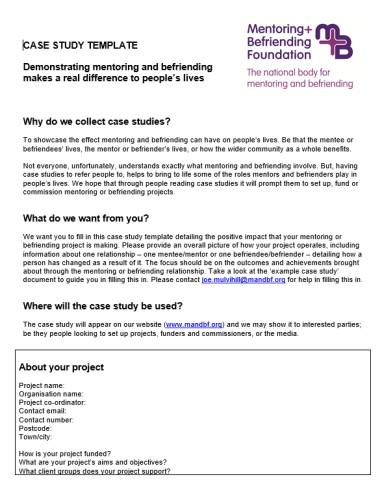
Mentoring and Befriending Case Study Templates [Word]
This Mentoring and
Befriending Case Study Template is a unique, human-focused
document designed for non-profits, HR, or social work programs. The
layout is structured as a questionnaire, with clear sections. The about
your project guides the user to tell a personal story. Unlike all the
previous templates, this structure is built to capture qualitative,
narrative-driven outcomes rather than just quantitative data. This makes
it perfect for organizations that need to demonstrate a program's
real-world difference in people's lives.
Mentoring and Befriending Case Study Template
These 10 templates are some of my favorites for their professional
look and clear structure. But if you're looking for even more options, a
great resource is the full WPS Template website. It has a massive
library of designs where you'll almost certainly find one that suits
your needs. The best part is that you can download them and use them
directly in the software.
How to Edit and Print
Case Study Template
Downloading a great free case study template is the perfect first
step. But as you've probably found, a template is just a skeleton. You
still have to do the hard work of adding your own data, client photos,
and brand colors to make it persuasive. This editing step is where many
people get stuck, especially when juggling the different file types
you've just downloaded, like Word, Excel, and PPT.
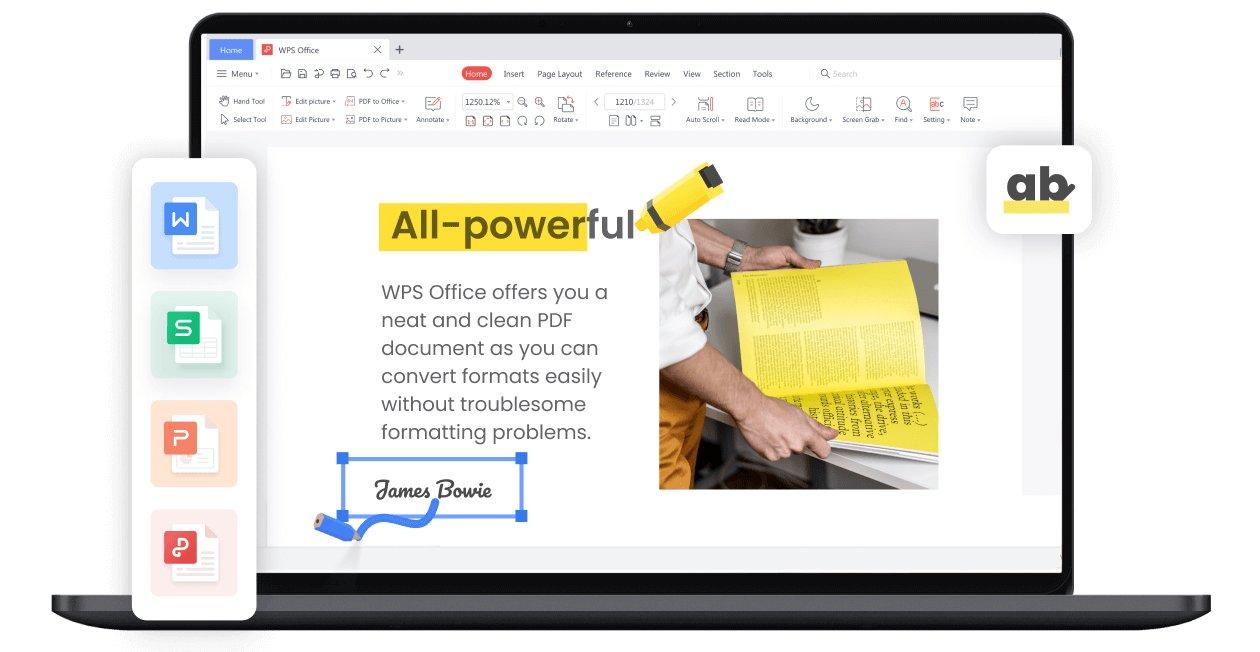
WPS Office
I find WPS
Office is the perfect tool for this part of the job.
It’s a single, free suite that lets you edit all three formats all in one place, unlike other office tools. It’s designed to help you
create that polished, professional document without the frustration.
Here’s a simple guide to get you started.
How to Edit in Word:
Getting started with the WPS Writer is
incredibly straightforward. Here’s how you can edit your Word document
template in WPS Office.
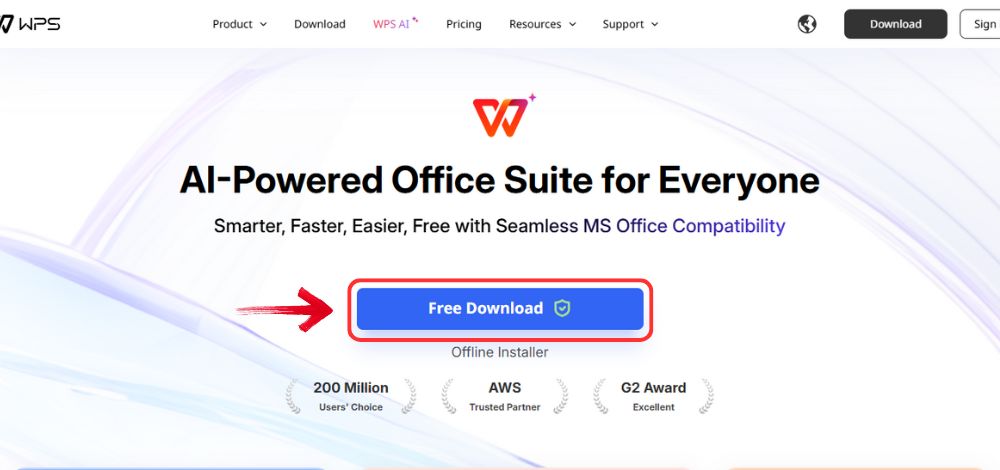
Step 1: Open your browser to visit WPS Office and click the "Free Download" button to start the download.
Download WPS Office
Step 2: The download will finish in a few seconds.
Once done, run the installation file like you would for any other app or
software.
Step 3: WPS Office will show you a few simple terms
and conditions. Accept them, then click the "Install
Now" button to begin the installation.
Install WPS Office
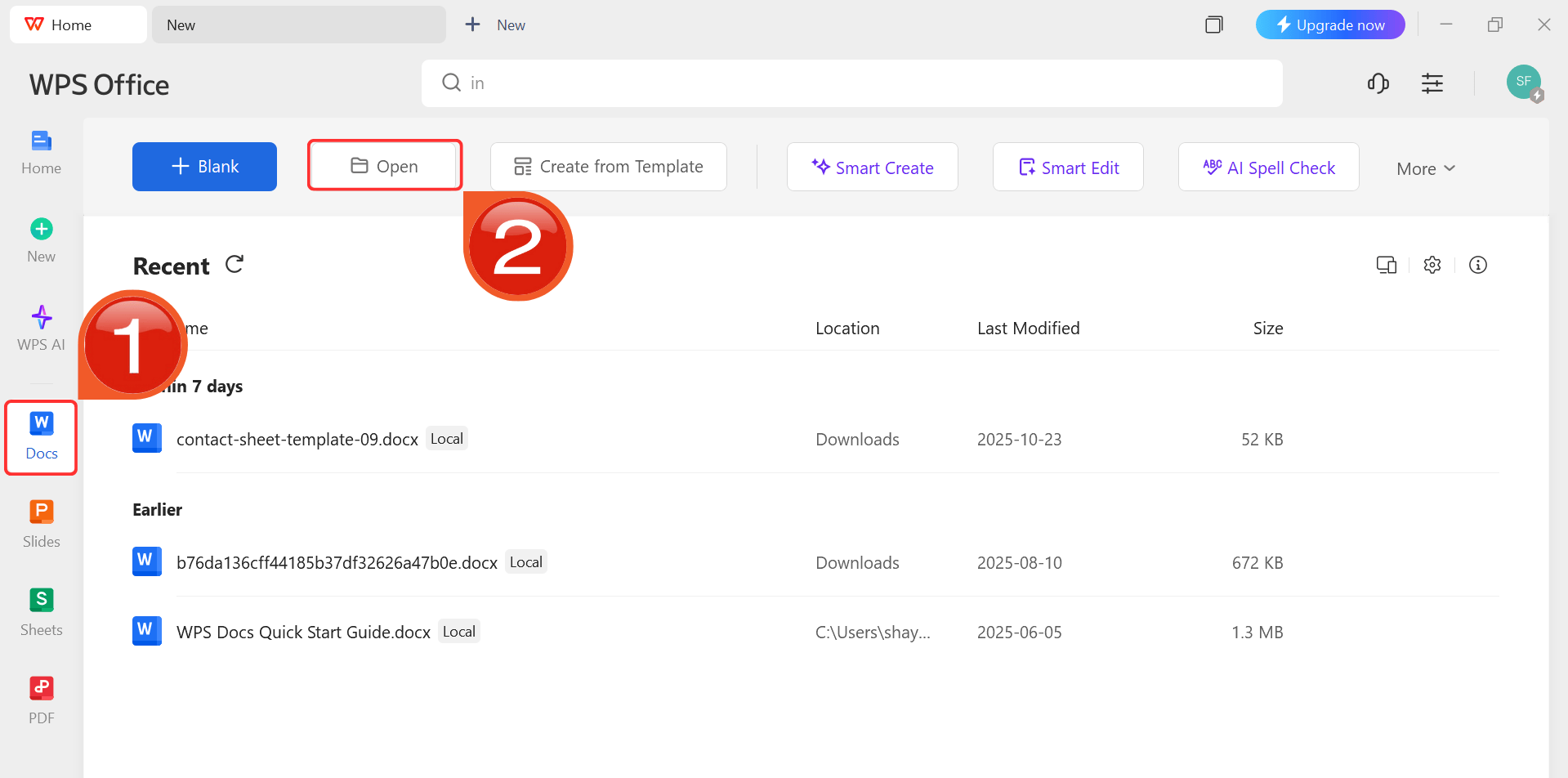
Step 4: After installation, in WPS Office, click “Docs” from the left sidebar and hit “Open” to select your downloaded template or select
from the template library in WPS Office.
WPS Docs Dashboard
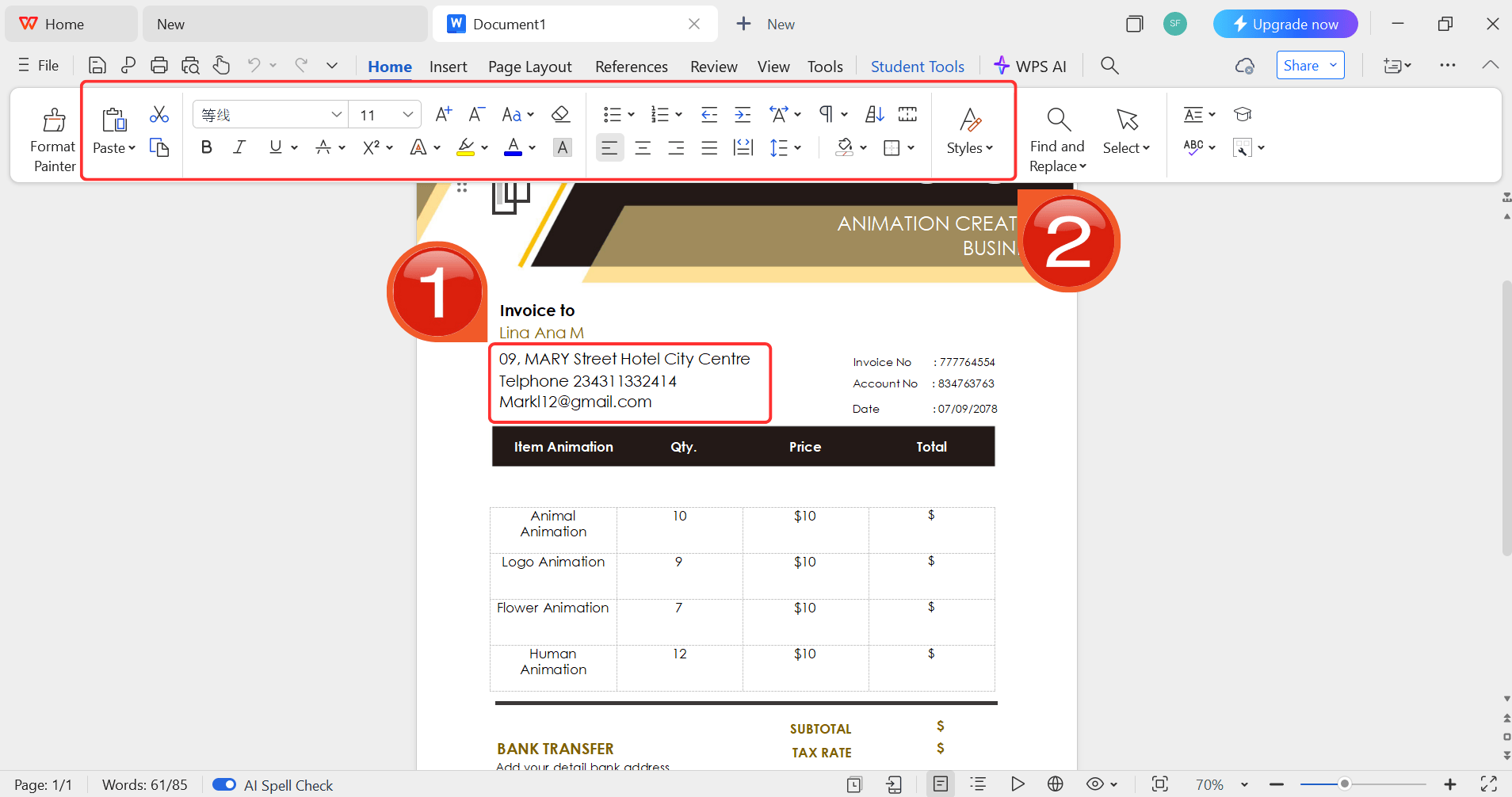
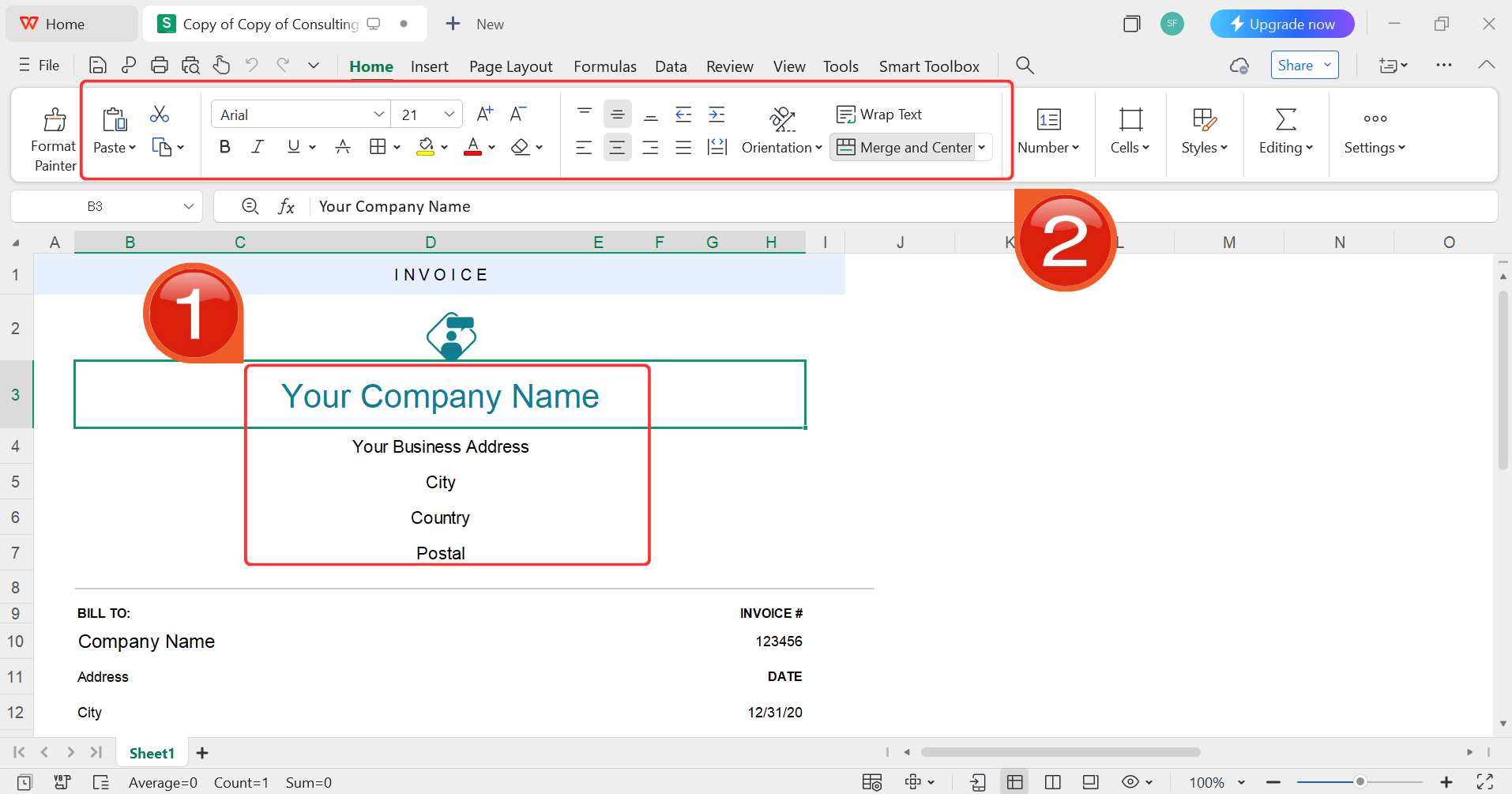
Step 5: Then click on the text you want to modify
and just enter your details within it by using the Ribbon above.
Customize your template
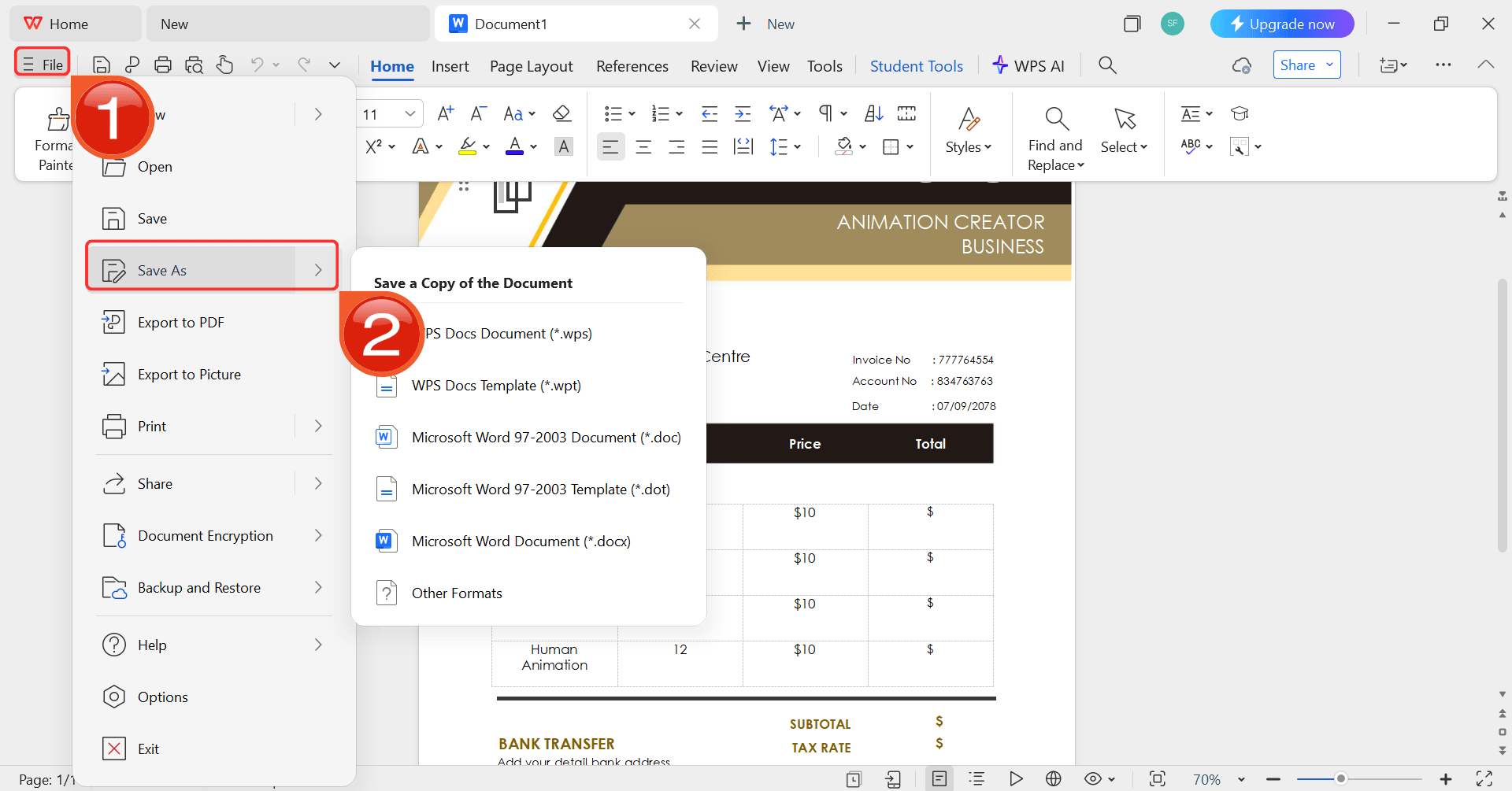
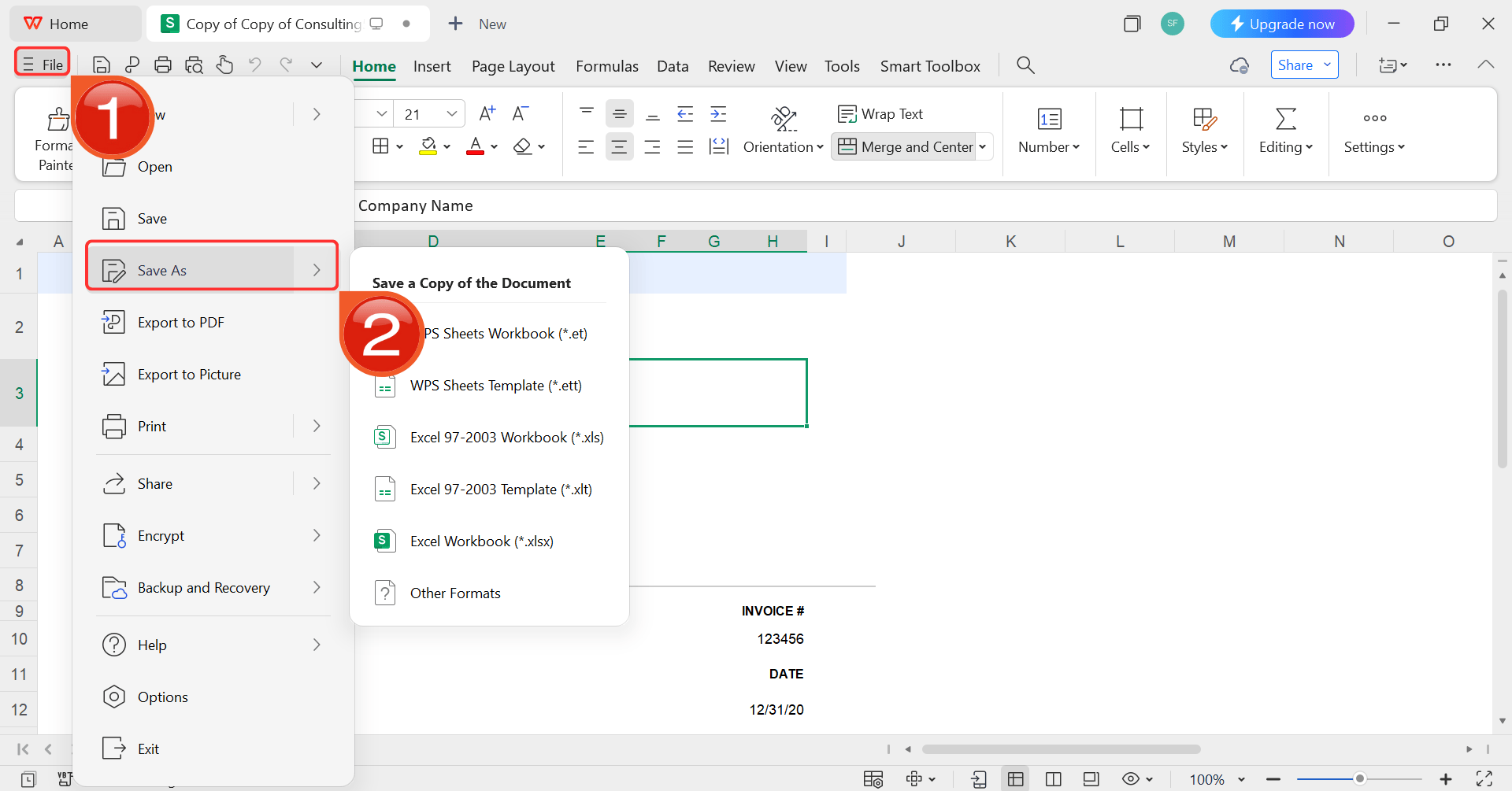
Step 6: After you’re done modifying the template,
head to “File” and choose “Save as” to
save the invoice in your desired format.
Save as
How to Edit in Excel:
I’ve never faced any issues in editing my templates because WPS
Office makes it so easy, especially with its AI. If I’m ever facing any
problem, it resolves it in a matter of seconds. Here’s how to customize
your template in WPS
Sheets:
Step 1: Open your browser to visit WPS Office and click the "Free Download" button to start the download.
Download WPS Office
Step 2: The download will finish in a few seconds.
Once done, run the installation file like you would for any other app or
software.
Step 3: WPS Office will show you a few simple terms
and conditions. Accept them, then click the "Install
Now" button to begin the installation.
Install WPS Office
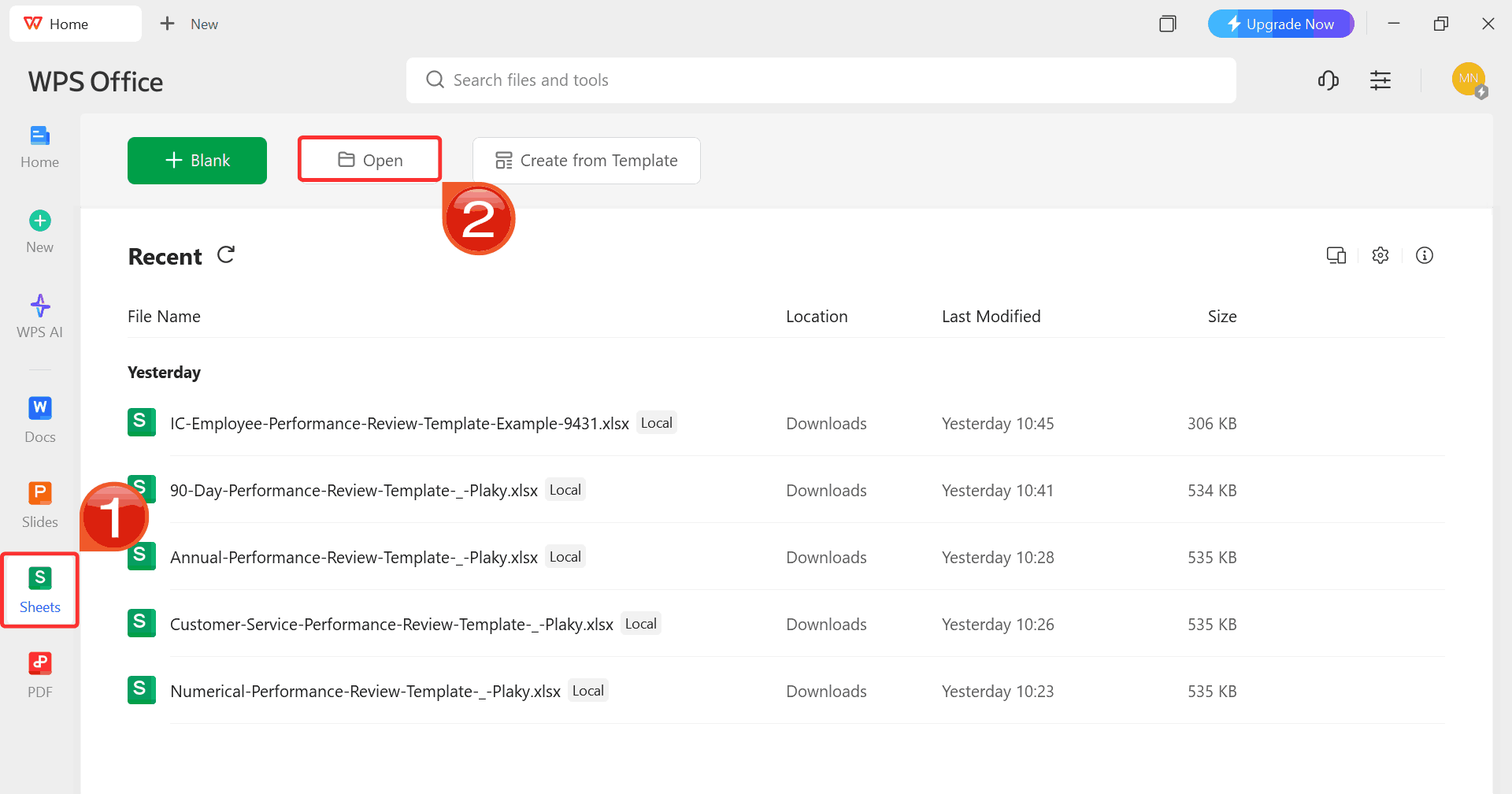
Step 4: After installation, on WPS Office, click “Sheets” from the left sidebar and hit “Open” to select your downloaded template or select
from the template library in WPS Office.
WPS Excel Dashboard
Step 5: Then click on the text you want to modify
and just enter your details within it by using the Ribbon above.
Customize your template
Step 6: After you’re done modifying the template,
head to “File” and choose “Save as” to
save the invoice in your desired format.
Save as
How to Edit in PowerPoint:
Here’s a simple step-by-step guide on how to edit your PPT template
on WPS
presentation and make this template truly yours.
Step 1: Open your browser to visit WPS Office and click the "Free Download" button to start the download.
Download WPS Office
Step 2: The download will finish in a few seconds.
Once done, run the installation file like you would for any other app or
software.
Step 3: WPS Office will show you a few simple terms
and conditions. Accept them, then click the "Install
Now" button to begin the installation.
Install WPS Office
Step 4: After installation, in WPS Office, click “Slides” from the left sidebar and hit “Open” to select your downloaded template or select
from the template library in WPS Office.
WPS Slides Dashboard
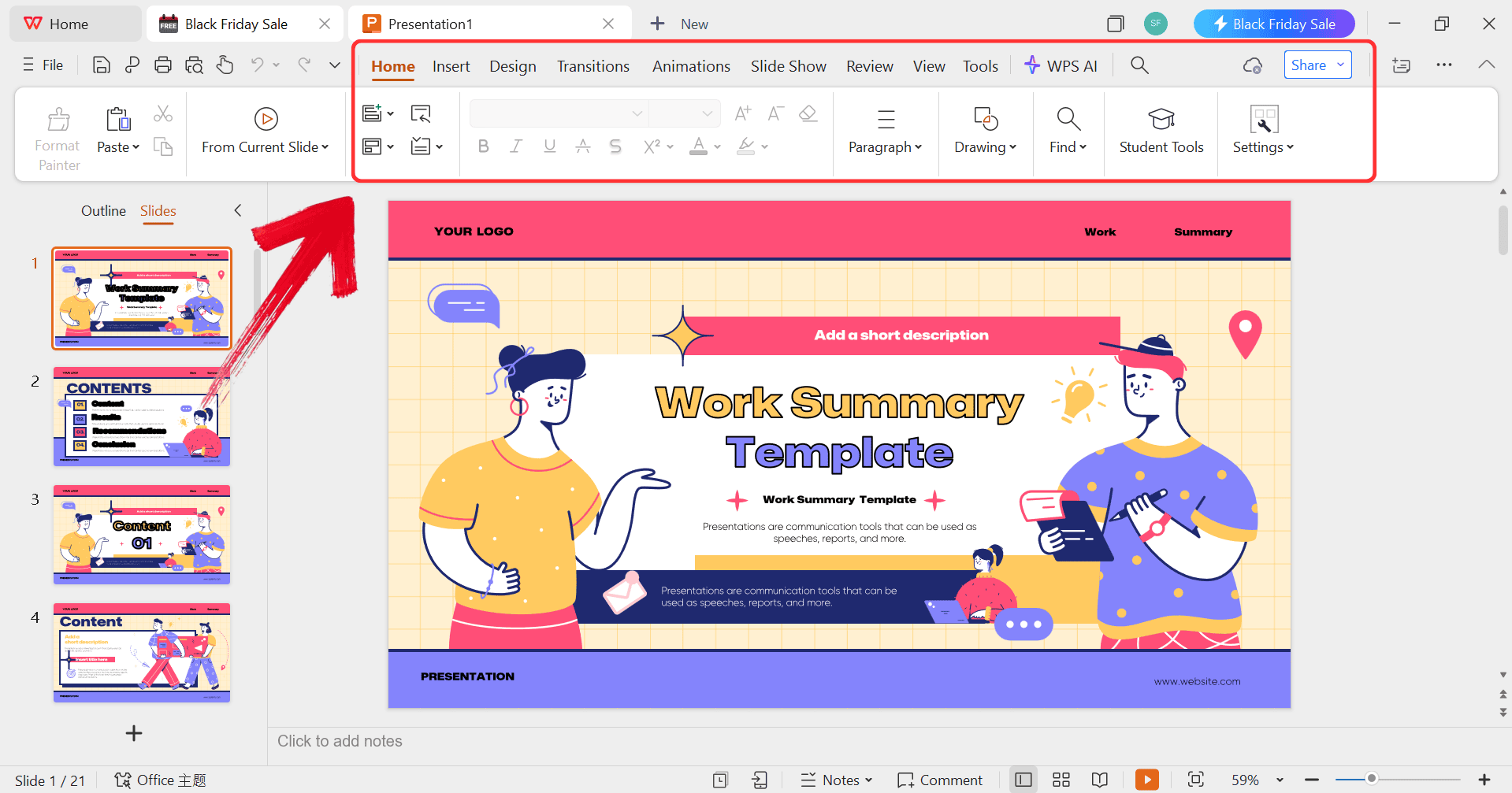
Step 5: Then click on the text you want to modify
and just enter your details within it by using the Ribbon above.
Customize your template
Step 6: After you’re done modifying the template,
head to “File” and choose “Export to
PDF” to save the invoice in your desired format.
Export as PDF
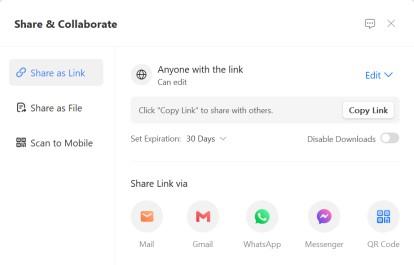
Step 7: You can also share the link to your document
with others to enable collaborative work in case they want to make their
own changes as well.
Share link
Free Office
Suite with Editable Templates & Smart AI
There are many tools out there that you could use to edit these
templates. But one of the biggest challenges can be managingall these different programs for a single project. This is where having
a single, all-in-one suite becomes a huge advantage.
WPS Office
WPS Office is a complete, free office suite, designed as a single solution that
handles documents, spreadsheets, and presentations, making it the
perfect tool for editing all these templates in one place smoothly. Its
built-in Smart
AI can be a massive help too. As you're writing your
case study, you can use the AI to help you rephrase a difficult
paragraph, summarize your key results, or just overcome writer's block,
making the whole process much faster.
Features:
AI-Powered Assistance: Helps you edit, calculate, and even generate content to speed up your writing process.
Free to Use: Get full access to Word, Excel, and PPT compatible tools without any subscription.
Powerful PDF Toolkit: Edit, merge, and convert PDF files directly within the suite, not just save them.
Rich Template Store: Access thousands of built-in free templates directly from the app's dashboard.
Online & Offline Use: Work on your documents in the cloud or download the full app for powerful offline editing.
Shareable Editing: Share a single link to collaborate with your team in real-time.
FAQs
Q1: How long should a case
study be?
The ideal length depends on your audience. For a website, a short
400-800 word case study is often best as it's easily scannable. For a
PDF download, a longer 2-4 page report is common, allowing for more
in-depth data and a richer narrative.
Q2:
Can a case study template be used for a personal brand?
Yes. Templates are not just for companies. They are a great tool for
personal branding, especially for consultants or freelancers. You can
use a template to showcase how you helped an individual client,
highlighting your personal skills and the specific results you
delivered.
Q3: What's
the best way to add data to my case study?
Use clear charts and graphs. Tools like WPS Spreadsheets can turn
your raw numbers into professional-looking visuals that are easy to
understand. This is much more effective than just listing numbers in a
paragraph.
Q4: Can I use a
Figma template for a case study?
Yes, Figma is great for designing a visually unique, web-first case
study. However, I find a Word or PPT template is generally faster for
creating traditional, document-based reports that you might want to
print or email as a PDF.
Q5: Where do I
find a good client testimonial?
The best way is to send your client a short survey or conduct a
15-minute interview after the project. Be sure to ask about the
specific, measurable results they saw and their overall experience
working with you.
My Final Thoughts
Writing a persuasive case study is all about telling a clear, evidence-based story. As we've seen, starting with a professional template is the key to structuring that narrative correctly. You need to focus on the client's problem, your unique solution, and the measurable results you delivered. A great case study template handles the design for you. A complete suite like WPS Office then fits naturally into this workflow, giving you a single, powerful tool to edit, refine, and share your success story across any format.
Khadija Khan is a tech writer who explores office suites and creates content to simplify everyday tools. She teaches and inspires through clear, engaging writing.


'%3e%3cpath%20d='M8%200C12.4183%200%2016%203.58172%2016%208C16%2012.4183%2012.4183%2016%208%2016C3.58172%2016%200%2012.4183%200%208C0%203.58172%203.58172%200%208%200ZM11.6162%204.38379C11.2257%203.99337%2010.5927%203.99338%2010.2021%204.38379L8%206.58594L5.79785%204.38379C5.40732%203.99334%204.77429%203.99329%204.38379%204.38379C3.99331%204.77429%203.99335%205.40733%204.38379%205.79785L6.58594%208L4.38379%2010.2021C3.99348%2010.5927%203.99341%2011.2257%204.38379%2011.6162C4.77426%2012.0066%205.40734%2012.0065%205.79785%2011.6162L8%209.41406L10.2021%2011.6162C10.5927%2012.0066%2011.2257%2012.0067%2011.6162%2011.6162C12.0067%2011.2257%2012.0066%2010.5927%2011.6162%2010.2021L9.41406%208L11.6162%205.79785C12.0066%205.40735%2012.0066%204.77429%2011.6162%204.38379Z'%20fill='%23080E17'%20fill-opacity='0.46'/%3e%3c/g%3e%3cdefs%3e%3cclipPath%20id='clip0_3761_713'%3e%3crect%20width='16'%20height='16'%20fill='white'/%3e%3c/clipPath%3e%3c/defs%3e%3c/svg%3e)




'%3e%3cpath%20fill-rule='evenodd'%20clip-rule='evenodd'%20d='M21.4999%2010.9993C21.4999%205.20009%2016.7986%200.498901%2010.9993%200.498901C5.19994%200.498901%200.498657%205.20009%200.498657%2010.9993C0.498657%2016.2404%204.33858%2020.5844%209.35855%2021.3722V14.0346H6.69238V10.9993H9.35855V8.68594C9.35855%206.05427%2010.9262%204.60062%2013.3248%204.60062C14.4736%204.60062%2015.6753%204.80571%2015.6753%204.80571V7.38979H14.3512C13.0468%207.38979%2012.64%208.19921%2012.64%209.0296V10.9993H15.5523L15.0867%2014.0346H12.64V21.3722C17.66%2020.5844%2021.4999%2016.2404%2021.4999%2010.9993Z'%20fill='%231568EA'/%3e%3c/g%3e%3c/svg%3e)


'%3e%3cpath%20d='M2.42045%2022.1876H6.31818V12.7217L0.75%208.54553V20.5171C0.75%2021.4414%201.49892%2022.1876%202.42045%2022.1876Z'%20fill='%234285F4'/%3e%3cpath%20d='M19.682%2022.1876H23.5797C24.5041%2022.1876%2025.2502%2021.4387%2025.2502%2020.5171V8.54553L19.682%2012.7217'%20fill='%2334A853'/%3e%3cpath%20d='M19.682%205.48293V12.7216L25.2502%208.54543V6.31816C25.2502%204.25236%2022.8921%203.07469%2021.2411%204.31361'%20fill='%23FBBC04'/%3e%3cpath%20d='M6.31824%2012.7217V5.48303L13.0001%2010.4944L19.6819%205.48303V12.7217L13.0001%2017.733'%20fill='%23EA4335'/%3e%3cpath%20d='M0.75%206.31816V8.54543L6.31818%2012.7216V5.48293L4.75909%204.31361C3.10534%203.07469%200.75%204.25236%200.75%206.31816Z'%20fill='%23C5221F'/%3e%3c/g%3e%3cdefs%3e%3cclipPath%20id='clip0_2954_7305'%3e%3crect%20width='24.5'%20height='18.375'%20fill='white'%20transform='translate(0.75%203.8125)'/%3e%3c/clipPath%3e%3c/defs%3e%3c/svg%3e)







'%3e%3cpath%20d='M19.9911%204.11386V6.471H18.5894C18.0775%206.471%2017.7322%206.57814%2017.5536%206.79243C17.3751%207.00671%2017.2858%207.32814%2017.2858%207.75671V9.44421H19.9019L19.5536%2012.0871H17.2858V18.8639H14.5536V12.0871H12.2769V9.44421H14.5536V7.49779C14.5536%206.39064%2014.8632%205.53201%2015.4822%204.92189C16.1013%204.31177%2016.9257%204.00671%2017.9554%204.00671C18.8304%204.00671%2019.509%204.04243%2019.9911%204.11386Z'%20fill='%23333333'/%3e%3c/g%3e%3cdefs%3e%3cclipPath%20id='clip0_2938_8199'%3e%3crect%20width='16'%20height='16'%20fill='white'%20transform='translate(8%204.00671)'/%3e%3c/clipPath%3e%3c/defs%3e%3c/svg%3e)
'%3e%3cpath%20d='M17.5237%2010.7813L23.4811%204H22.0699L16.8949%209.88693L12.7648%204H8L14.2469%2012.9029L8%2020.0133H9.4112L14.8725%2013.7952L19.2352%2020.0133H24M9.92053%205.04213H12.0885L22.0688%2019.0224H19.9003'%20fill='%23333333'/%3e%3c/g%3e%3cdefs%3e%3cclipPath%20id='clip0_2938_8200'%3e%3crect%20width='16'%20height='16.0134'%20fill='white'%20transform='translate(8%204)'/%3e%3c/clipPath%3e%3c/defs%3e%3c/svg%3e)


