

'%3e%3cpath%20d='M8%200C12.4183%200%2016%203.58172%2016%208C16%2012.4183%2012.4183%2016%208%2016C3.58172%2016%200%2012.4183%200%208C0%203.58172%203.58172%200%208%200ZM11.6162%204.38379C11.2257%203.99337%2010.5927%203.99338%2010.2021%204.38379L8%206.58594L5.79785%204.38379C5.40732%203.99334%204.77429%203.99329%204.38379%204.38379C3.99331%204.77429%203.99335%205.40733%204.38379%205.79785L6.58594%208L4.38379%2010.2021C3.99348%2010.5927%203.99341%2011.2257%204.38379%2011.6162C4.77426%2012.0066%205.40734%2012.0065%205.79785%2011.6162L8%209.41406L10.2021%2011.6162C10.5927%2012.0066%2011.2257%2012.0067%2011.6162%2011.6162C12.0067%2011.2257%2012.0066%2010.5927%2011.6162%2010.2021L9.41406%208L11.6162%205.79785C12.0066%205.40735%2012.0066%204.77429%2011.6162%204.38379Z'%20fill='%23080E17'%20fill-opacity='0.46'/%3e%3c/g%3e%3cdefs%3e%3cclipPath%20id='clip0_3761_713'%3e%3crect%20width='16'%20height='16'%20fill='white'/%3e%3c/clipPath%3e%3c/defs%3e%3c/svg%3e)




'%3e%3cpath%20fill-rule='evenodd'%20clip-rule='evenodd'%20d='M21.4999%2010.9993C21.4999%205.20009%2016.7986%200.498901%2010.9993%200.498901C5.19994%200.498901%200.498657%205.20009%200.498657%2010.9993C0.498657%2016.2404%204.33858%2020.5844%209.35855%2021.3722V14.0346H6.69238V10.9993H9.35855V8.68594C9.35855%206.05427%2010.9262%204.60062%2013.3248%204.60062C14.4736%204.60062%2015.6753%204.80571%2015.6753%204.80571V7.38979H14.3512C13.0468%207.38979%2012.64%208.19921%2012.64%209.0296V10.9993H15.5523L15.0867%2014.0346H12.64V21.3722C17.66%2020.5844%2021.4999%2016.2404%2021.4999%2010.9993Z'%20fill='%231568EA'/%3e%3c/g%3e%3c/svg%3e)


'%3e%3cpath%20d='M2.42045%2022.1876H6.31818V12.7217L0.75%208.54553V20.5171C0.75%2021.4414%201.49892%2022.1876%202.42045%2022.1876Z'%20fill='%234285F4'/%3e%3cpath%20d='M19.682%2022.1876H23.5797C24.5041%2022.1876%2025.2502%2021.4387%2025.2502%2020.5171V8.54553L19.682%2012.7217'%20fill='%2334A853'/%3e%3cpath%20d='M19.682%205.48293V12.7216L25.2502%208.54543V6.31816C25.2502%204.25236%2022.8921%203.07469%2021.2411%204.31361'%20fill='%23FBBC04'/%3e%3cpath%20d='M6.31824%2012.7217V5.48303L13.0001%2010.4944L19.6819%205.48303V12.7217L13.0001%2017.733'%20fill='%23EA4335'/%3e%3cpath%20d='M0.75%206.31816V8.54543L6.31818%2012.7216V5.48293L4.75909%204.31361C3.10534%203.07469%200.75%204.25236%200.75%206.31816Z'%20fill='%23C5221F'/%3e%3c/g%3e%3cdefs%3e%3cclipPath%20id='clip0_2954_7305'%3e%3crect%20width='24.5'%20height='18.375'%20fill='white'%20transform='translate(0.75%203.8125)'/%3e%3c/clipPath%3e%3c/defs%3e%3c/svg%3e)


You sign things all the time — delivery slips, rental contracts, employment agreements, permission forms — but few people stop to ask what a signature actually is or why a scribbled name carries legal weight. In this guide, we explain what a signature is, the three main types used today, when a signature is legally binding, and how to create one for your own documents, including free options in WPS Office.
What Is a Signature? Definition, Types, and How to Create One
Types of Signatures: Handwritten, Electronic, and Digital
Today you will encounter three main types of signatures, and each solves a different problem:
Handwritten (wet ink) signature — the traditional pen-on-paper mark. It is universally accepted and still required for a few documents such as some wills, court filings, and notarized deeds, but it needs printing, scanning, or physical delivery.
Electronic signature (e-signature) — any electronic symbol or process attached to a document with intent to sign: typing your name, drawing a signature with a mouse or finger, clicking "I agree," or inserting an image of your handwritten signature. E-signatures are what most everyday business uses.
Digital signature — a specific, cryptography-based type of electronic signature. It uses a certificate issued by a trusted authority to verify the signer's identity and detect any change to the document after signing. If you need this level of protection, see how to create a signature line in a Word document.
A simple way to remember the difference: every digital signature is an electronic signature, but only electronic signatures backed by certificates are digital signatures.
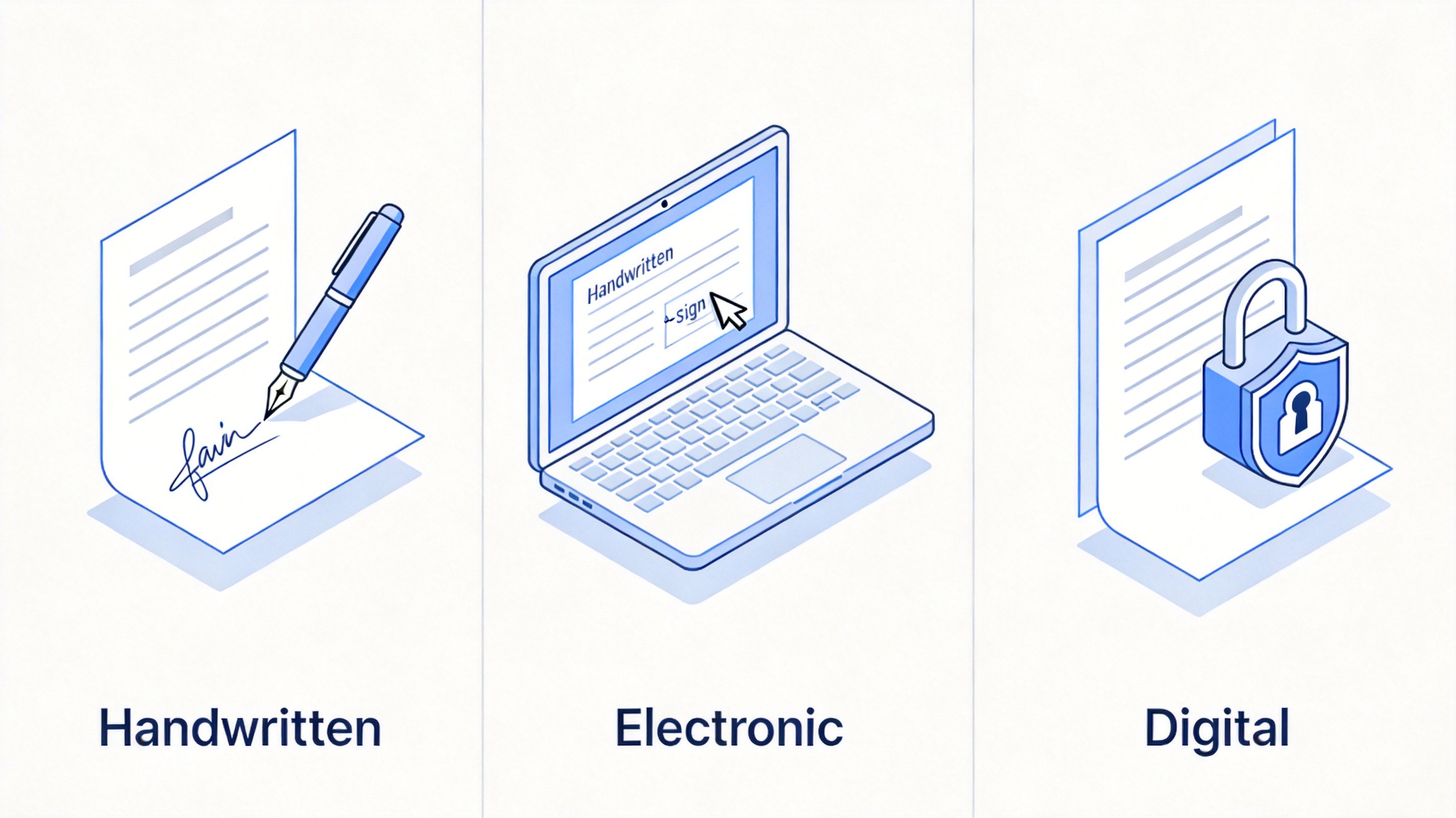
Handwritten electronic and digital signatures compared
Are Signatures Legally Binding?
Yes — in most situations a signature makes a document legally enforceable, provided the underlying agreement is valid and the signer had authority and capacity to sign. For electronic signatures, major jurisdictions have made this explicit: the ESIGN Act (United States, 2000) and the eIDAS regulation (European Union) both state that a signature cannot be denied legal effect simply because it is electronic.
That said, enforceability depends on context more than on ink:
Consent — all parties must intend to sign and agree to conduct the transaction electronically.
Attribution — there must be a reasonable way to tie the signature to the signer (an email account, an audit trail, or an ID check).
Document type — a small number of documents still require wet ink or notarization, such as certain wills, court documents, and property transfers, depending on local law.
For high-stakes contracts, prefer a digital signature or a platform that records an audit trail, so you can prove who signed and when.
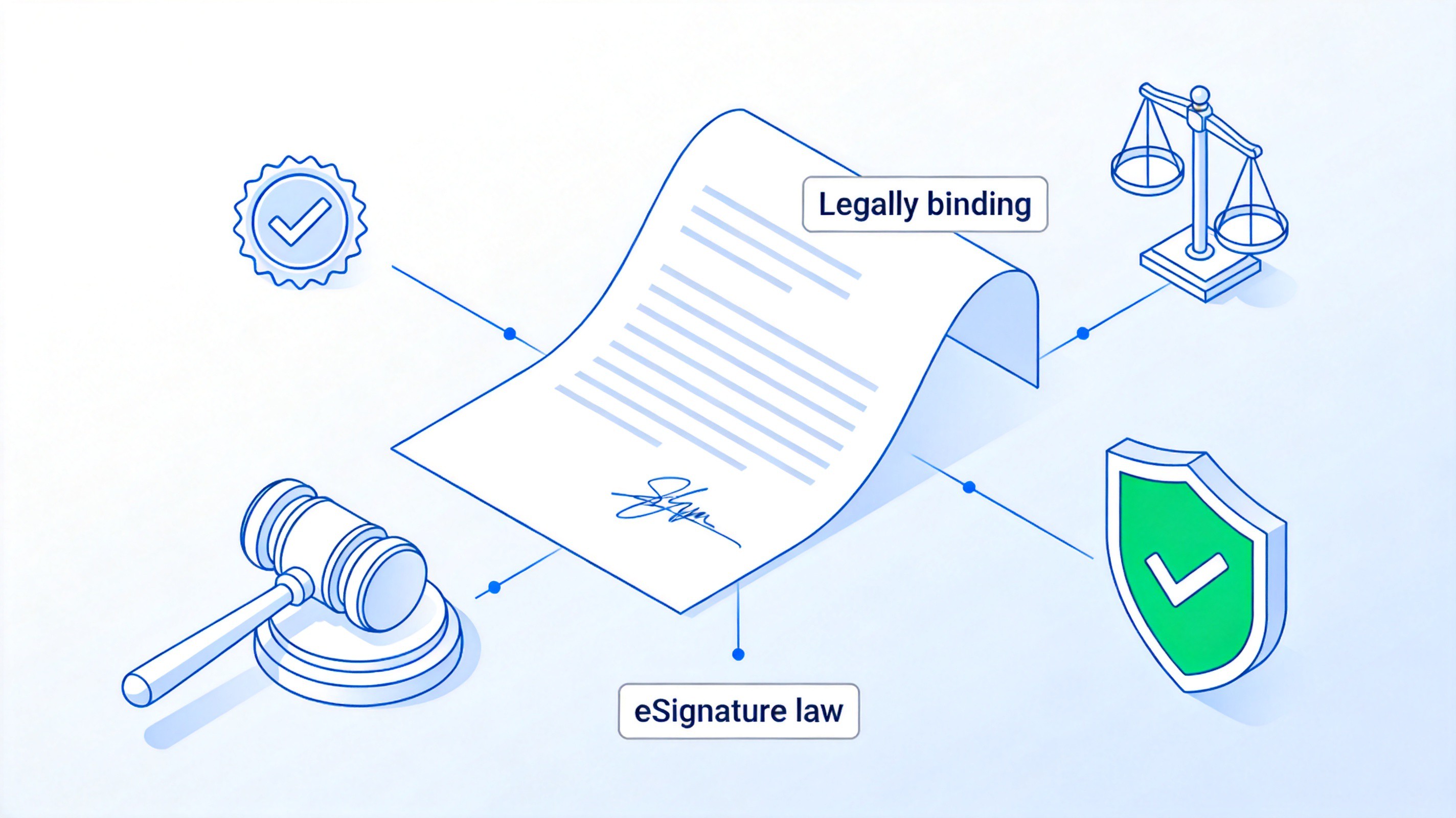
Legally binding signature with eSignature law


How to Create a Signature for Your Documents
You can create a reusable signature in three practical ways. Pick the one that matches how the document will be signed.
Method 1: Draw or scan a handwritten signature image
Sign on white paper with a black or blue pen, using your normal style.
Scan or photograph it and save it as a .png or .jpg on your computer.
Crop the image so only the signature remains, with a clean background.
Insert the image into your document wherever a signature is needed, then resize it to fit the signature line.
This reusable image works in Word, PDF, and email attachments alike. To place it correctly in a file, follow how to add a signature in Word.
Method 2: Type or draw a signature electronically
Open the document in an editor or e-signature tool with a Fill & Sign or Insert Signature feature.
Choose Create Signature and pick Type (a signature font) or Draw (mouse, trackpad, or finger).
Place the signature on the signature line and save the file. For PDFs, the same approach is covered in how to add a signature to a PDF without Adobe.
Method 3: Use a certificate-based digital signature
Obtain a digital certificate from your IT department or a certificate authority.
Insert a signature line in your document, then sign it with the certificate so the file is tamper-evident.
For signing contracts and agreements in a word processor, inserting a prepared signature image is usually the fastest route:
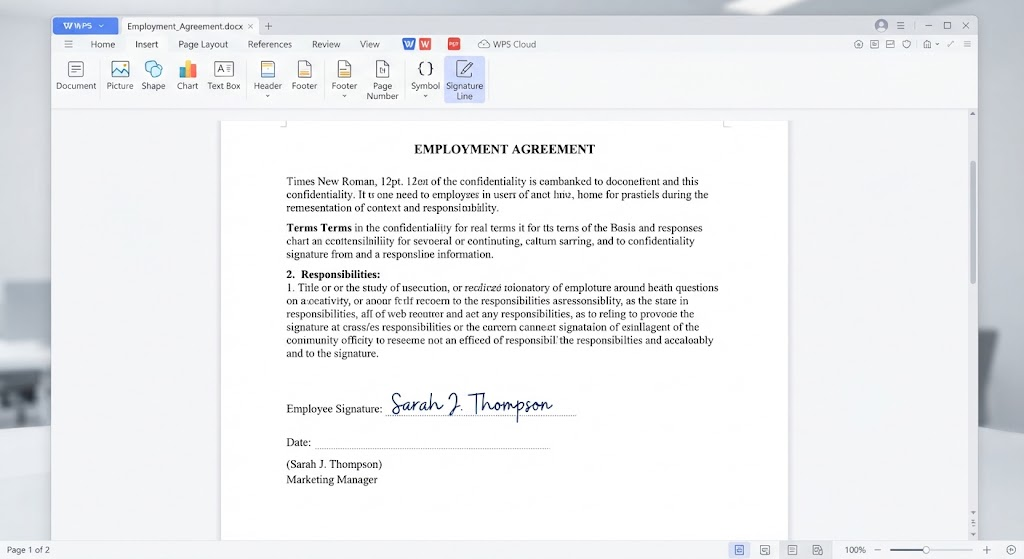
Insert signature picture in WPS Writer
The Best Free Alternative: WPS Office for Signing Documents
Dedicated e-signature platforms charge per envelope or per month, and paid office suites hide their signing tools behind subscriptions. WPS Office gives you a free, all-in-one option: create documents in Writer, insert a signature image or signature line, and fill and sign PDFs with the built-in Fill & Sign tools — on Windows, macOS, and mobile. The Microsoft-like interface means there is almost no learning curve, and the same app handles the contracts, invoices, and forms you sign every week. To see the full workflow in a word processor, check how to write on and sign a PDF.
WPS Office
FAQs
What is the difference between a signature and an initials mark?
A signature covers the whole document and signals full agreement with its contents, while initials are usually placed on individual pages to confirm those specific pages. Contracts often use both: initials per page and a full signature at the end.
Can a typed name count as a signature?
Yes, in most cases. Under laws like the U.S. ESIGN Act and the EU eIDAS regulation, a typed name at the end of an email or in a form field can be a valid electronic signature if the signer intended to sign. For important agreements, a platform with an audit trail is safer evidence.
Does a signature have to be your legal name?
No. A signature is about intent and identity, not a specific spelling. A consistent nickname, a stylized mark, or even a symbol can be valid as long as it is yours and you applied it deliberately. Just keep it consistent so others can recognize it.
Is a photo of my handwritten signature safe to reuse?
It is convenient but not protective: anyone with the image file could paste it onto another document. Use it for low-risk internal documents, and reserve certificate-based digital signatures or e-signature platforms with verification for contracts with real consequences.
When is a wet ink signature still required?
A small set of documents commonly requires traditional ink or notarization, such as certain wills, court filings, powers of attorney, and some real estate transfers, depending on your jurisdiction. Check the local requirement before signing anything significant digitally.


'%3e%3cpath%20d='M19.9911%204.11386V6.471H18.5894C18.0775%206.471%2017.7322%206.57814%2017.5536%206.79243C17.3751%207.00671%2017.2858%207.32814%2017.2858%207.75671V9.44421H19.9019L19.5536%2012.0871H17.2858V18.8639H14.5536V12.0871H12.2769V9.44421H14.5536V7.49779C14.5536%206.39064%2014.8632%205.53201%2015.4822%204.92189C16.1013%204.31177%2016.9257%204.00671%2017.9554%204.00671C18.8304%204.00671%2019.509%204.04243%2019.9911%204.11386Z'%20fill='%23333333'/%3e%3c/g%3e%3cdefs%3e%3cclipPath%20id='clip0_2938_8199'%3e%3crect%20width='16'%20height='16'%20fill='white'%20transform='translate(8%204.00671)'/%3e%3c/clipPath%3e%3c/defs%3e%3c/svg%3e)
'%3e%3cpath%20d='M17.5237%2010.7813L23.4811%204H22.0699L16.8949%209.88693L12.7648%204H8L14.2469%2012.9029L8%2020.0133H9.4112L14.8725%2013.7952L19.2352%2020.0133H24M9.92053%205.04213H12.0885L22.0688%2019.0224H19.9003'%20fill='%23333333'/%3e%3c/g%3e%3cdefs%3e%3cclipPath%20id='clip0_2938_8200'%3e%3crect%20width='16'%20height='16.0134'%20fill='white'%20transform='translate(8%204)'/%3e%3c/clipPath%3e%3c/defs%3e%3c/svg%3e)


