5 Best AI for Excel in 2026
Looking for the best ai for excel in 2026? We tested native copilots, formula assistants, and spreadsheet agents across real workflows—from best ai for excel formulas to best ai for excel data analysis—and narrowed the list to five standouts worth your time.
What AI tools do and why they help
An AI tool helps you to automate your daily data routines, you no longer have to settle for simple external copy-paste utilities. The industry has expanded into native spreadsheet agents capable of performing deep calculations, predictive forecasting, and automated data cleaning right inside your workbook.

Saves time
The best ai for excel turns plain-language requests into working logic in seconds, so you spend less time hunting syntax for best ai for excel spreadsheets and more time finishing reports.
Reduces errors
Tools built as the best ai for excel formulas catch bracket mismatches, bad references, and broken nesting before they break dashboards—especially helpful in models reviewed by finance teams.
Easy for everyone
Whether you need best ai copilots for excel financial workflows or simple lookups, natural-language prompts make advanced spreadsheet work approachable for beginners and power users alike.
Boosts productivity
From best ai for excel data analysis to best ai plugins for excel financial modeling, the right assistant speeds up forecasting, variance checks, and presentation-ready outputs without leaving your workbook.
Top 5 recommended AI tools for excel
Below are the five platforms we rate as the best ai for excel in 2026—covering native copilots, formula builders, computation engines, and modern spreadsheet agents for analysis and finance teams.
At a glance
Jump straight to the tool that matches your workflow, from built-in spreadsheet AI to enterprise-grade automation.
Microsoft Copilot for Excel
The enterprise-grade copilot for teams already standardized on Microsoft 365.

Microsoft Copilot for Excel is among the most visible best ai copilots for excel financial workflows because it lives inside Excel itself. Ask for summaries, draft formulas, build pivot-style views, and explore patterns on tables already in your tenant—ideal when compliance requires data to stay in Microsoft’s ecosystem.
For organizations comparing the best ai for excel, Copilot shines on best ai for excel data analysis over large, well-structured tables and on narrative explanations executives expect. It is less specialized than dedicated best ai for excel formulas sites, but deeply integrated if your company already pays for Copilot licenses.
Best For
Microsoft 365 enterprises needing best ai for excel spreadsheets assistance, executive-ready commentary, and governed best ai plugins for excel financial modeling inside existing workbooks.
Pricing
Requires Microsoft 365 Copilot add-on (typically per user/month on top of base licensing).
What stands out
- In-workbook chat: natural-language help on the active sheet.
- Analysis narratives: strong best ai for excel data analysis storytelling for leadership reviews.
- Enterprise controls: aligns with Microsoft security and compliance policies.
- Table-aware prompts: works best on structured best ai for excel spreadsheets.
Pros
- Native Excel experience—no context switching.
- Trusted for regulated finance and ops teams.
- Helpful for ad-hoc best ai for excel formulas and commentary.
Cons
- Premium pricing versus standalone best ai for excel apps.
- Quality depends on table hygiene and license rollout.
- Less flexible outside the Microsoft stack.
Excel Formula Bot
A specialist for the best ai for excel formulas when you want fast copy-paste outputs for Excel or Google Sheets.
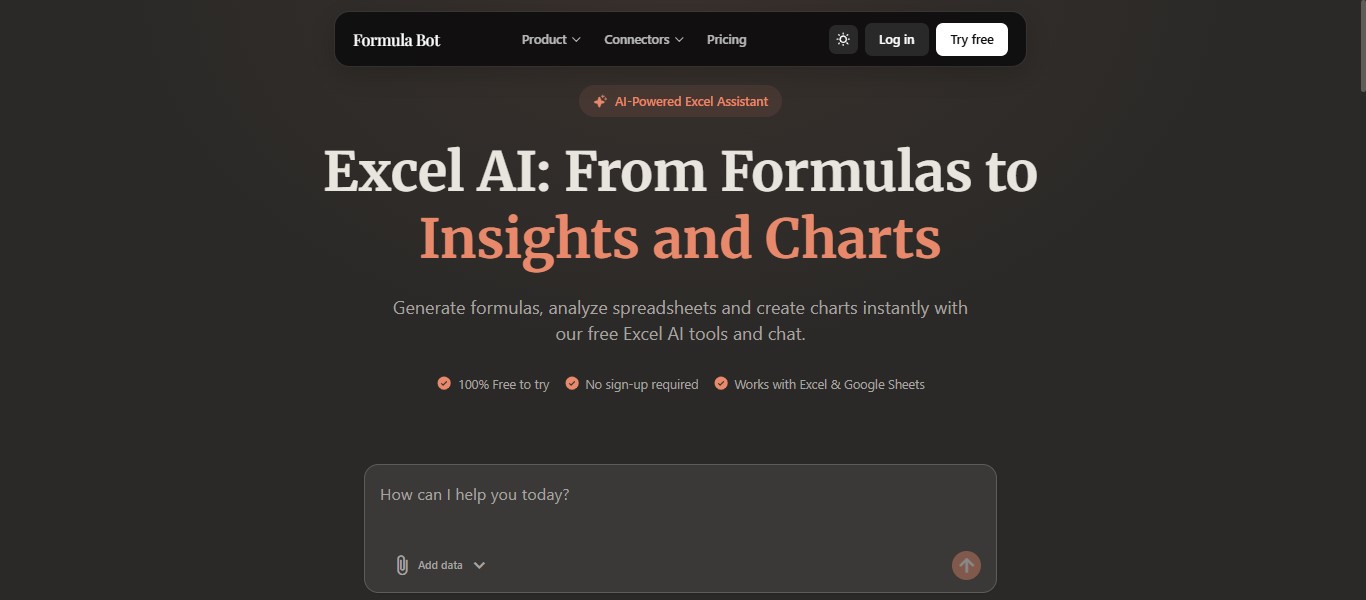
Excel Formula Bot is a focused contender for the best ai for excel formulas: describe the logic once, receive a working expression, and paste it into your workbook. That makes it a practical add-on when your team already has a favorite editor but still wants reliable formula generation on demand.
It also supports light best ai for excel data analysis, formula explanations, and SQL helpers—useful alongside best ai for excel spreadsheets workflows, though you will still switch tabs compared with native best ai for excel suites like WPS AI.
Best For
Users who prioritize speed for best ai for excel formulas and do not mind a browser-first workflow.
Pricing
Monthly packages start at $18/month, with additional tiers at $29/month and $99/month.
What stands out
- Natural Language to Formula Conversion: turn plain-language descriptions into formulas instantly.
- Formula Explainer: paste formulas and get a plain-English breakdown.
- Data Analyzer: upload a spreadsheet and get quick insights.
- SQL Query Generator: create SQL queries from natural language.
- PDF to Excel Converter: convert PDFs into editable spreadsheets.
- Web App and Direct Integration: use it in the browser or connect it directly with Excel and Google Sheets.
Pros
- Easy to use with no learning curve.
- Free plan available with no sign-up required.
- Handles a wide range of formula types, including complex ones.
- Formula explanation is useful for learning and auditing.
Cons
- Requires an internet connection.
- May struggle with highly customized or niche formula logic.
WPS AI
A strong native option for best ai for excel when you want formulas, tables, and analysis without leaving the workbook.
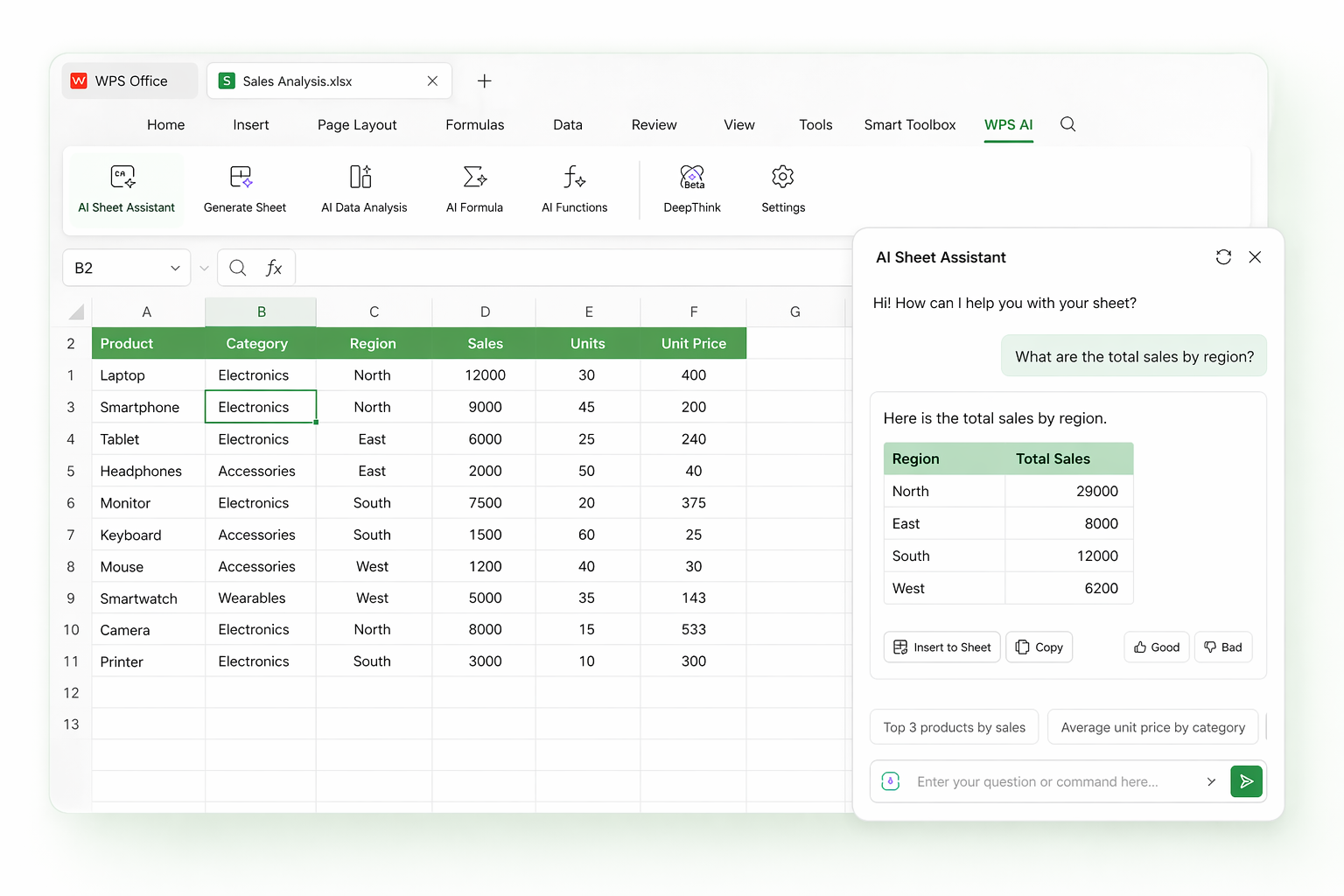
WPS AI is built into WPS Spreadsheets, so it ranks among the best ai for excel options for teams that live inside a workbook all day. Describe a calculation in plain English and get production-ready logic for best ai for excel formulas tasks—lookups, conditionals, aggregations, and nested logic—without opening another tab.
It also covers best ai for excel data analysis: highlight a range, ask questions, and receive summaries plus chart suggestions. Finance users evaluating best ai plugins for excel financial modeling will appreciate scenario-friendly outputs, while operators who want best ai copilots for excel financial workflows get sidebar assistance for batch edits, cleaning, and table builds. Try the dedicated ai excel formula generator for formula-only jobs, or the ai table generator when you need structured layouts fast.
Best For
Anyone who wants the best ai for excel spreadsheets experience—formula writing, explanations, analysis, and in-sheet automation in one native suite.
Pricing
Pro plans from about $14.16/month with AI credits; a free tier covers everyday best ai for excel formulas needs for lighter users.
What stands out
- AI formula writing: top-tier best ai for excel formulas generation from natural-language prompts.
- Formula explainer: decode complex expressions for audit-ready best ai for excel data analysis.
- Range insights: charts and narrative summaries on selected data.
- AI table builder: structured tables via the ai table generator.
- Sheet assistant: merge, format, and extract with conversational commands.
- All-in-one sidebar: a practical copilot for daily best ai for excel spreadsheets work.
Pros
- No copy-paste loop—stays inside the sheet.
- Strong fit for best ai copilots for excel financial workflows.
- Lower cost than many Microsoft 365 AI bundles.
- Free tier plus broad file-format support.
- Learn while you work with built-in formula explanations.
Cons
- AI features need an internet connection.
- Some advanced assistants are Windows-desktop-first today.
- Highly niche functions may still need manual tuning.
Wolfram Alpha
A computational engine when standard best ai for excel formulas are not enough for science, engineering, or advanced math.
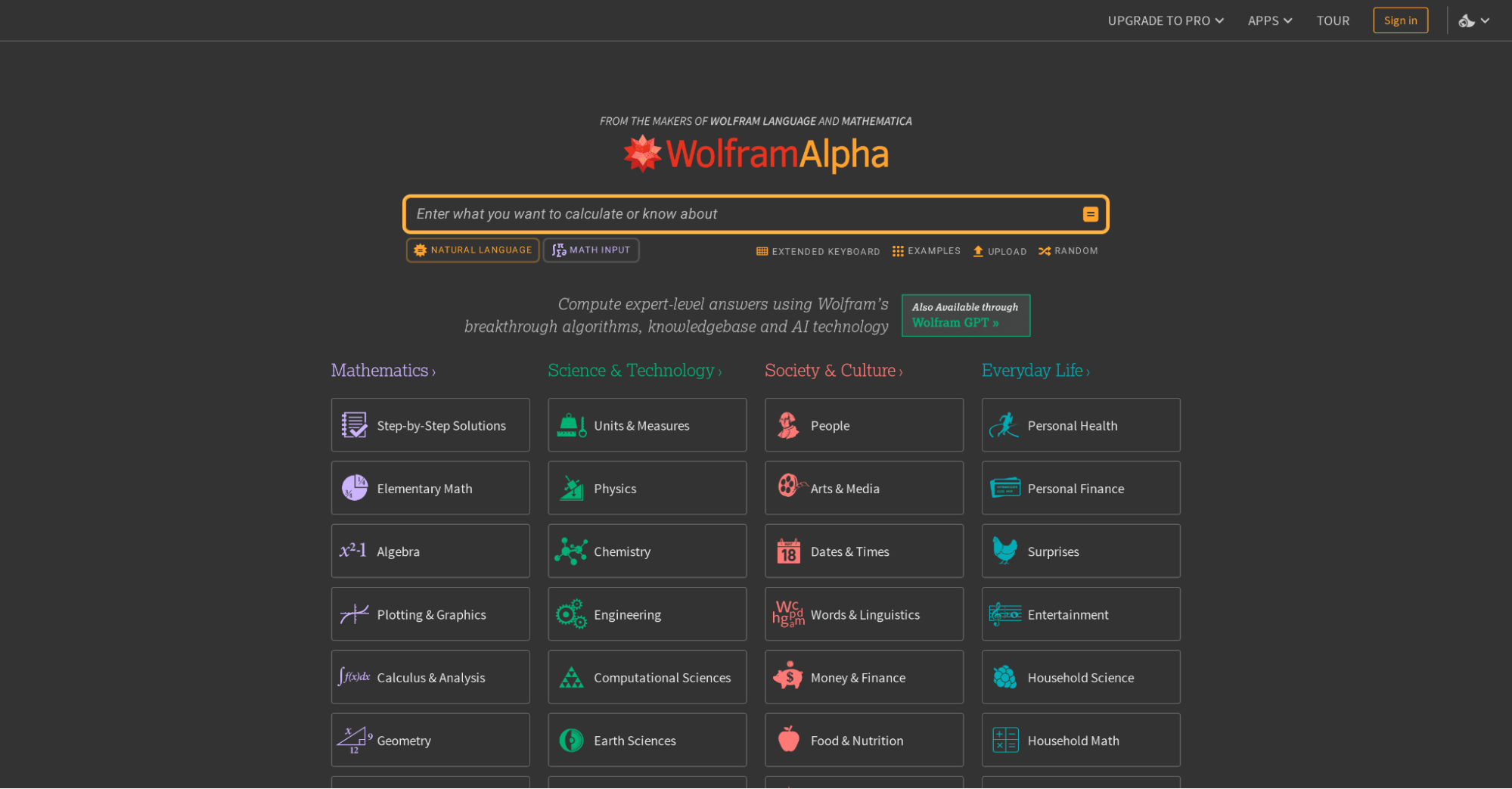
Wolfram Alpha complements any list of the best ai for excel when your work crosses into statistics, calculus, or engineering models. It excels at best ai for excel data analysis problems that outgrow typical cell functions—then you bring results back into best ai for excel spreadsheets manually.
It is not a drop-in best ai copilots for excel financial workflows replacement, but analysts building best ai plugins for excel financial modeling sometimes use it to validate complex calculations before locking a model.
Best For
Researchers and technical teams who need verified math beyond everyday best ai for excel formulas.
Pricing
Free plan available. Pro is $9.99/month, Pro Premium is $12/month, with student and educator discounts available.
What stands out
- Natural Language Query Input: ask mathematical and scientific questions in plain English.
- Step-by-Step Solutions: work through equations, calculus, and statistics in detail.
- Curated Knowledge Base: access verified knowledge across maths, science, finance, and engineering.
- Data Visualization and Charting: turn computed results into charts and graphs.
- Web Apps for Specialized Calculations: use focused tools for conversions, finance, and more.
- API Access and Extended Computation: integrate its engine and run more resource-intensive calculations on paid plans.
Pros
- Exceptionally powerful for complex mathematical and scientific formulas.
- Highly accurate and built on curated, verified knowledge.
- Free tier available with no sign-up required.
- Rated 4.6/5 across major review platforms.
- Useful for students, researchers, and data professionals alike.
Cons
- Not designed specifically for Excel or Google Sheets, so results need manual transfer.
- Step-by-step solutions are locked behind paid plans.
- Can feel overwhelming for users who only need simple spreadsheet formulas.
- Mobile app has reported stability issues.
Rows AI
A modern spreadsheet workspace built around AI for analysis, integrations, and shareable reporting.
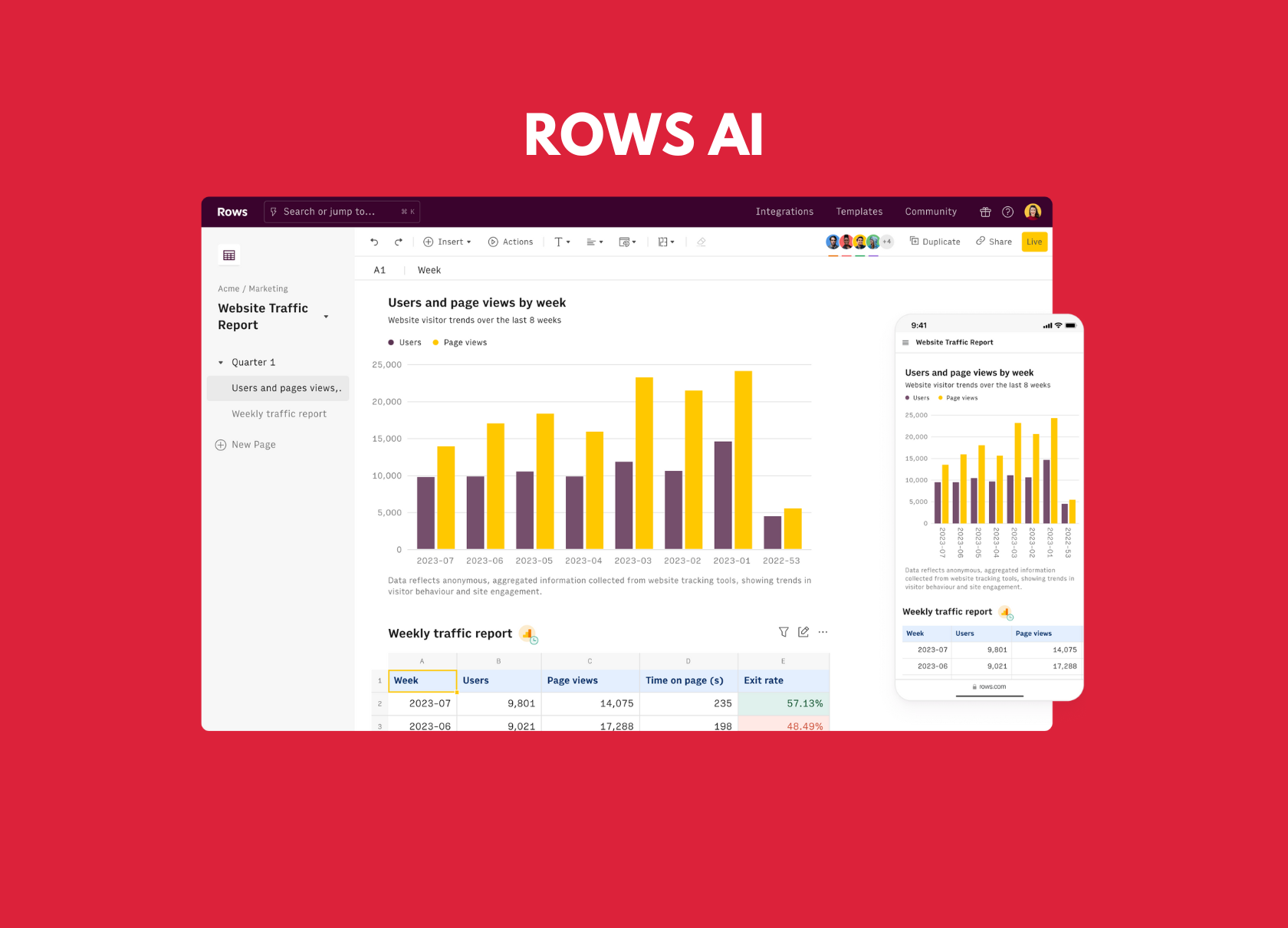
Rows AI reimagines the best ai for excel spreadsheets experience as a cloud-native grid with built-in agents. Pull live data, ask questions in natural language, and publish interactive views—strong for growth, marketing, and ops teams that outgrow static files.
While not a classic Excel add-in, it competes for the best ai for excel title on best ai for excel data analysis and lightweight best ai for excel formulas via AI functions inside cells. Teams exploring best ai plugins for excel financial modeling may still pair Rows with Excel exports for final sign-off.
Best For
Collaborative teams wanting the best ai for excel data analysis style workflows with live connectors and shareable dashboards.
Pricing
Free tier available; paid plans scale with seats, AI usage, and integrations.
What stands out
- AI cells: generate logic and summaries for best ai for excel formulas tasks.
- Live integrations: connect marketing, finance, and product data sources.
- Publishable reports: share boards instead of emailing attachments.
- Team collaboration: a modern alternative to legacy best ai for excel spreadsheets habits.
Pros
- Fresh UX for AI-driven analysis and storytelling.
- Strong connectors reduce manual imports.
- Helpful when you need more than copy-paste best ai copilots for excel financial workflows.
Cons
- Not a native Microsoft Excel add-in.
- Migration effort for heavily macro-based workbooks.
- Advanced modeling may still finish in Excel.
Comparison between tools above
The best tool depends on how closely it fits your workflow, whether you want native spreadsheet AI, a quick external assistant, or a platform built for advanced computation.
| Feature | Microsoft Copilot | Excel Formula Bot | WPS AI | Wolfram Alpha | Rows AI |
|---|---|---|---|---|---|
| AI Type | Native Excel copilot | External assistant | Built-in (native) | Computational engine | Cloud spreadsheet |
| Workflow | In Excel chat | Copy-paste | Direct in-sheet | Manual transfer | Cloud grid + export |
| Primary Purpose | Enterprise copilot | Formula generation | Formulas, tables, analysis | Advanced math & science | Live data & reporting |
| Learning Tool | Yes — narrative help | Yes — formula explainer | Yes — built-in explanations | Partial — steps behind paywall | Yes — AI guidance |
| Platform Support | Microsoft 365 Excel | Excel & Google Sheets | WPS, Excel files | Web / API | Rows cloud + export |
| Ease of Use | Easy (with license) | Easy | Very easy | Moderate | Easy |
| Free Plan | Trial with M365 | Yes (limited) | Yes | Yes (basic) | Yes |
| Paid Pricing | Copilot add-on | From $18/month | From ~$14.16/month | From $9.99/month | Tiered SaaS |
If you want quick formula help
Excel Formula Bot is a strong pick for best ai for excel formulas when you only need occasional copy-paste assistance.
If your work is math-heavy
Wolfram Alpha supports best ai for excel data analysis for science and engineering, with manual transfer into Excel.
If you want the smoothest workflow
WPS AI is our top best ai for excel choice—native formulas, tables, and analysis without leaving the workbook.
Common questions about AI formula tools
Quick answers about the best ai for excel tools in this 2026 roundup—pricing, compatibility, accuracy, and when to choose WPS AI.
Start with WPS AI
This guide started with a simple question: what is the best ai for excel in 2026? Most tools help, but WPS AI removes the annoying extra step by keeping AI inside the spreadsheet—covering best ai for excel spreadsheets, formulas, and analysis at a lower cost than many Microsoft 365 AI bundles.