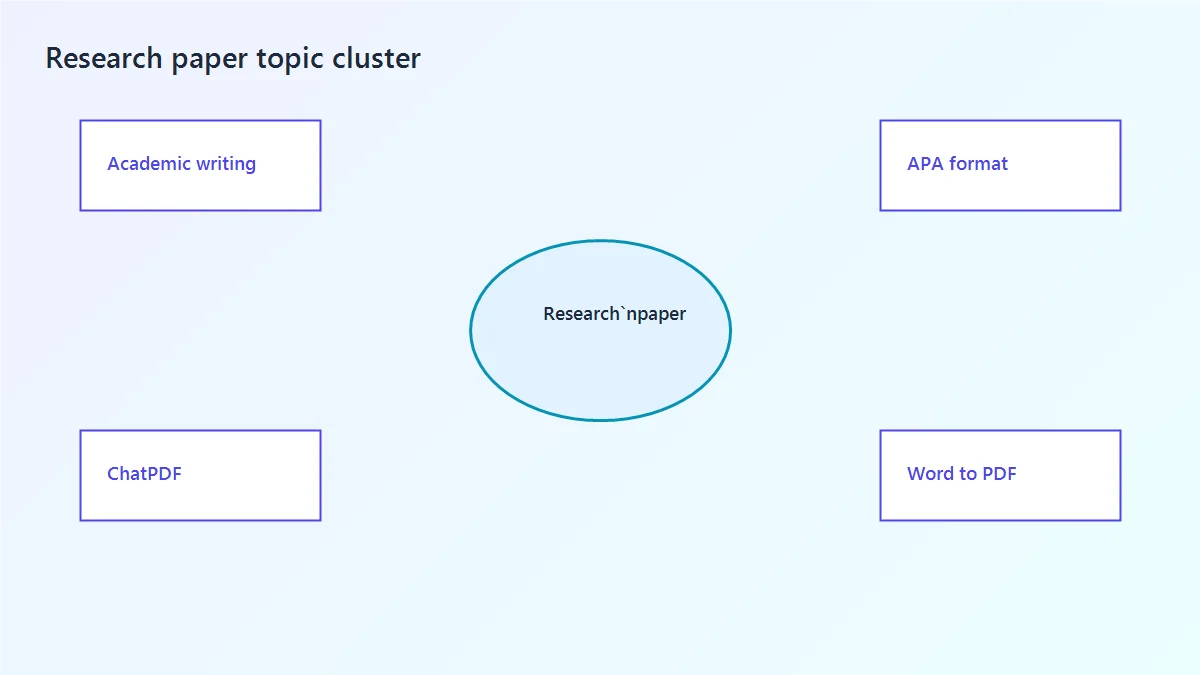
Research paper writing

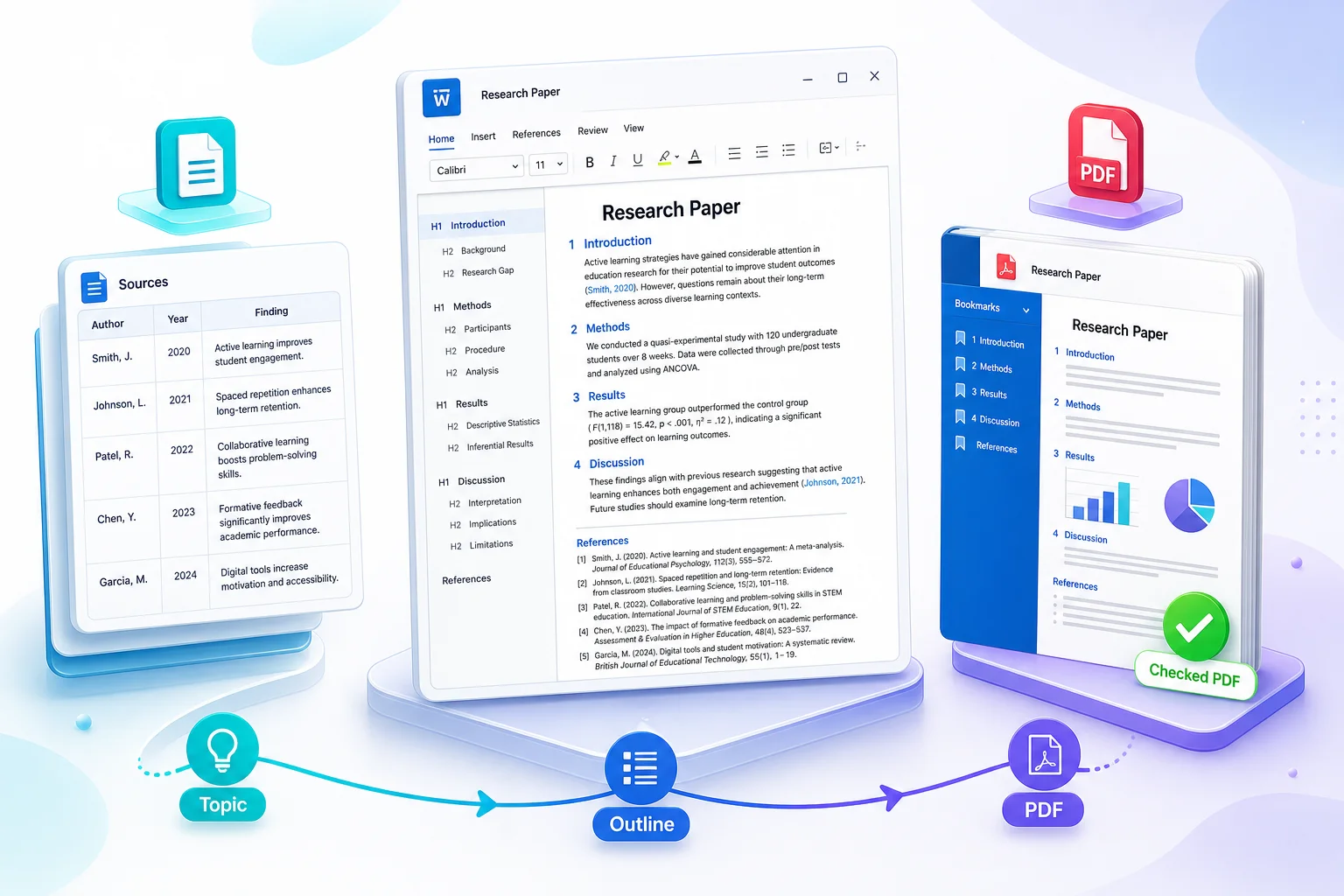
How to Write a Research Paper: From Topic to Final PDF

A research paper answers one question using sources or data someone else can verify. You need a clear outline, citations in every section, and a PDF that still looks correct after upload. This guide walks you through each step.

Free Download Research Paper Tools
How to Write a Research Paper: From Topic to Final PDF

What is a research paper, and how do you start?

A research paper is not a summary of everything you read. It is one answer to one question, backed by sources or data. Start by reading the assignment, then narrow your topic before you search for more material.

What is a research paper?

A research paper presents an original answer to a focused question. It uses evidence from books, journal articles, surveys, experiments, or archives. Every borrowed idea gets a citation. The reference list at the end shows where each idea came from.

It is different from an essay because a research paper expects you to find and evaluate sources, not just state an opinion. It is different from a report because you must explain why your answer matters, not just list facts.

How to start a research paper

Do not open a blank document and start typing. Follow this order on day one:

  1. Read the assignment sheet. Note length, citation style, source count, and upload format.
  2. Pick a topic area, then write one research question your paper can answer.
  3. Sketch a rough outline with 4 to 6 section headings.
  4. Search for 3 to 5 starter sources. Open them in Chat PDF and log what each one says.
  5. Only then start drafting the body sections.

Task word

Analyze, compare, evaluate, or investigate. This word tells you whether your paper argues, reports data, or reviews sources.

Word or page limit

A 2,000-word paper needs a narrower question than a 5,000-word paper. Write the limit down before you outline.

Citation style

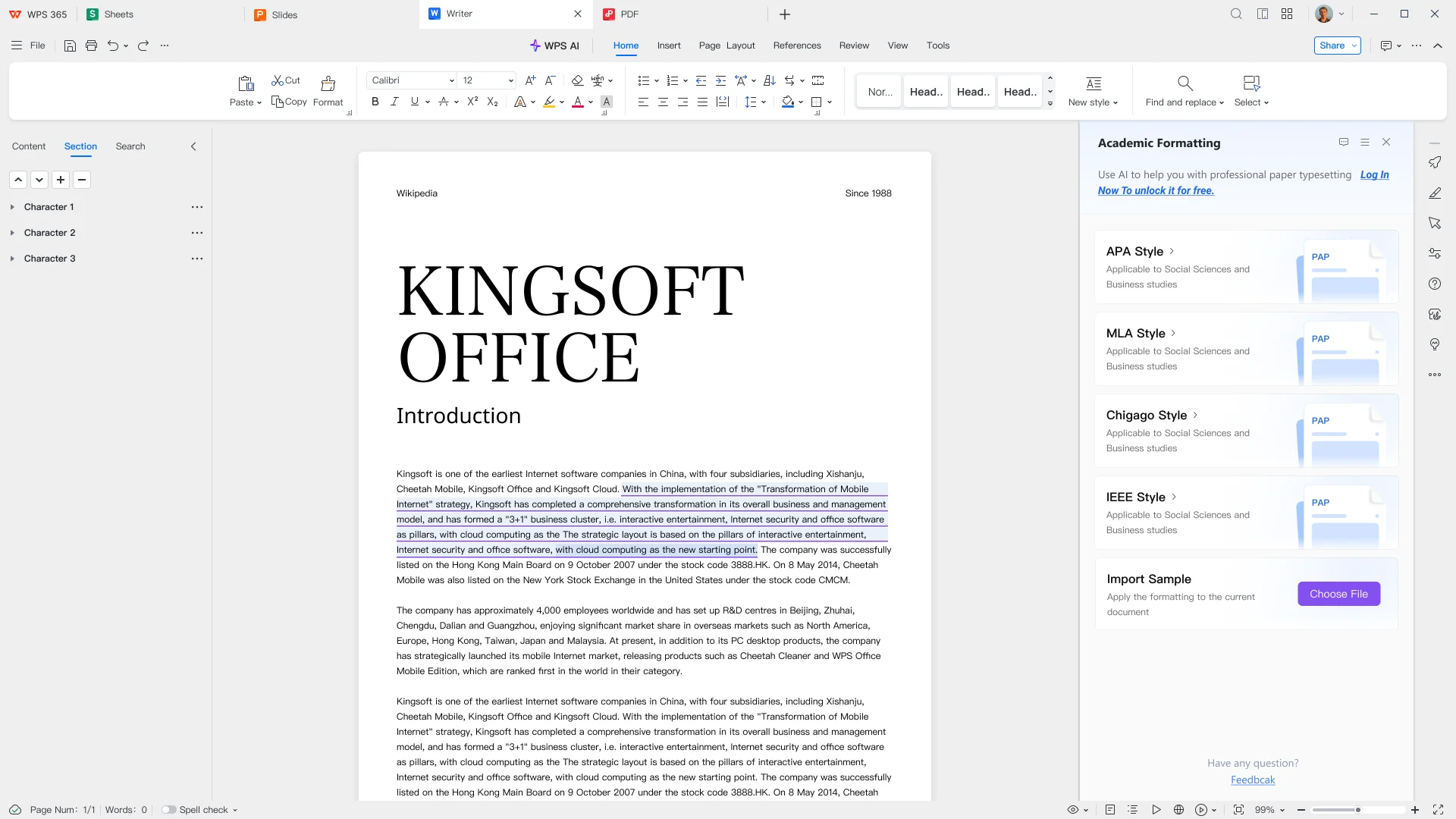
APA, MLA, Chicago, or IEEE. Use one style for the whole file. See the APA format guide if you need APA.

Source rules

Peer-reviewed only, minimum count, or year range. Log each source in a table before you draft.

AI rules

Some courses allow AI for reading and outlining. Others ban it. Follow the syllabus. Never submit a full AI draft as your paper.

Upload format and file name

Word or PDF, plus the name the portal wants. Export to PDF if they ask for PDF.

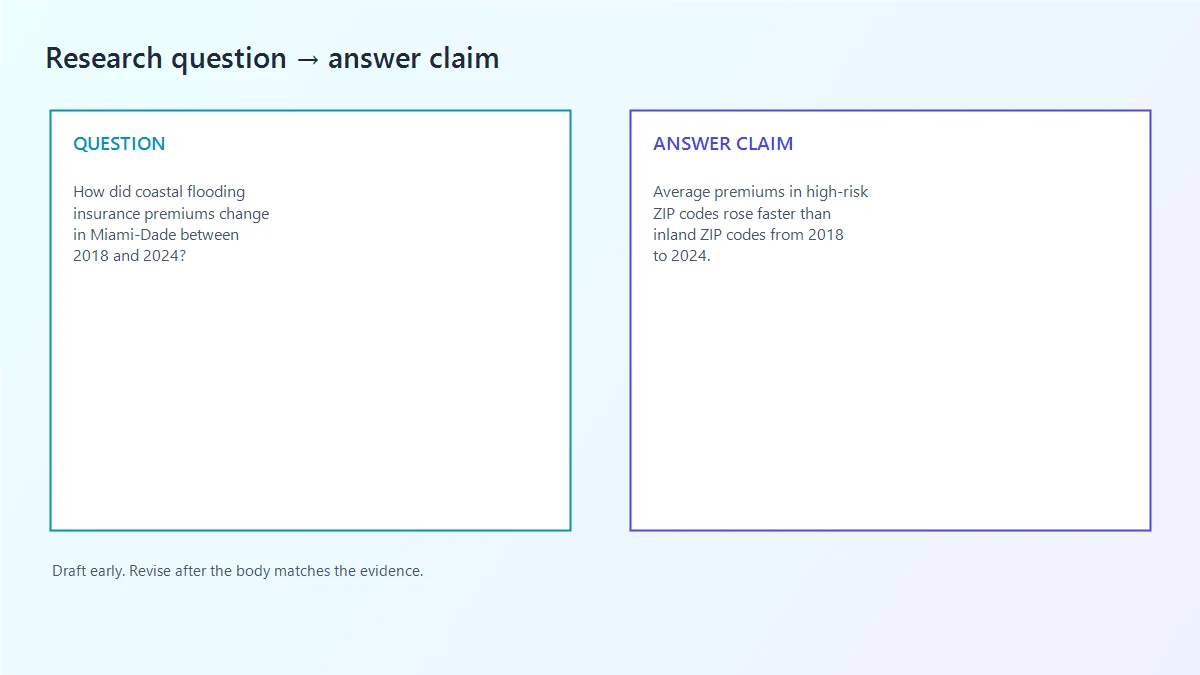
Research question formula

who or what you study + what you measure or compare + where and when + within what limits

If your question still has words like "people," "society," or "technology," it is too broad for one research paper.

Too broad for one paper Ready to research
Climate change effects How did coastal flooding insurance premiums change in Miami-Dade County between 2018 and 2024?
Remote work productivity Did task completion rates differ between hybrid and fully remote software teams at one mid-size company in 2025?
History of the Cold War How did U.S. newspaper editorials in March 1947 frame the Truman Doctrine for domestic readers?
AI in education What policies did the top 20 U.S. universities publish on generative AI use in coursework during 2024?

Do this

Strong research paper habits

Source table before drafting

Log author, year, finding, and how you will use each source before you write paragraphs.

One question controls the paper

Every heading should help answer that one question. Delete the rest.

Cite while you write

Add the citation in the sentence on the same day you use the idea.

One citation style

APA, MLA, Chicago, or IEEE for the whole file. Do not mix them.

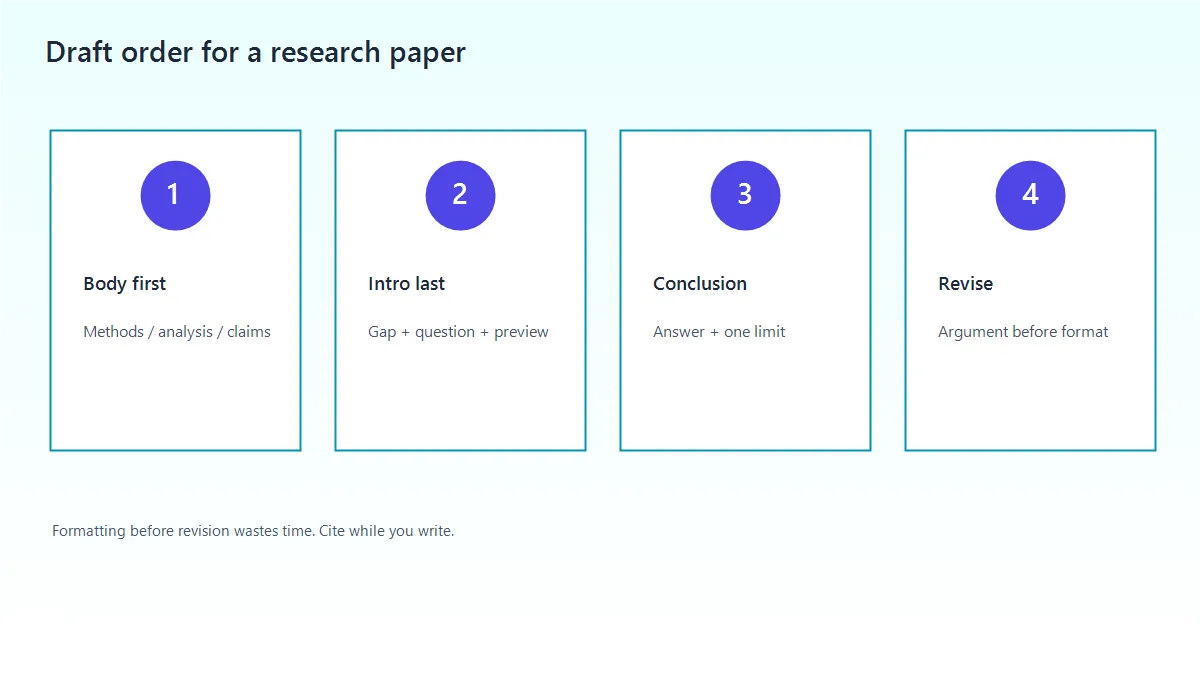
Draft the body first

Write methods, results, or main analysis before the introduction. The intro should match what you actually wrote.

Avoid this

Common early mistakes

Starting with the introduction

You do not know what the paper says yet. Outline and draft the body first.

One paragraph per source

That is a source list, not a research paper. Group ideas by theme or argument.

Saving citations for the end

You will forget where ideas came from. Cite as you draft.

Using only websites

Most assignments require journal articles or books. Check the source rules first.

For broader writing skills beyond research papers, see the academic writing guide.

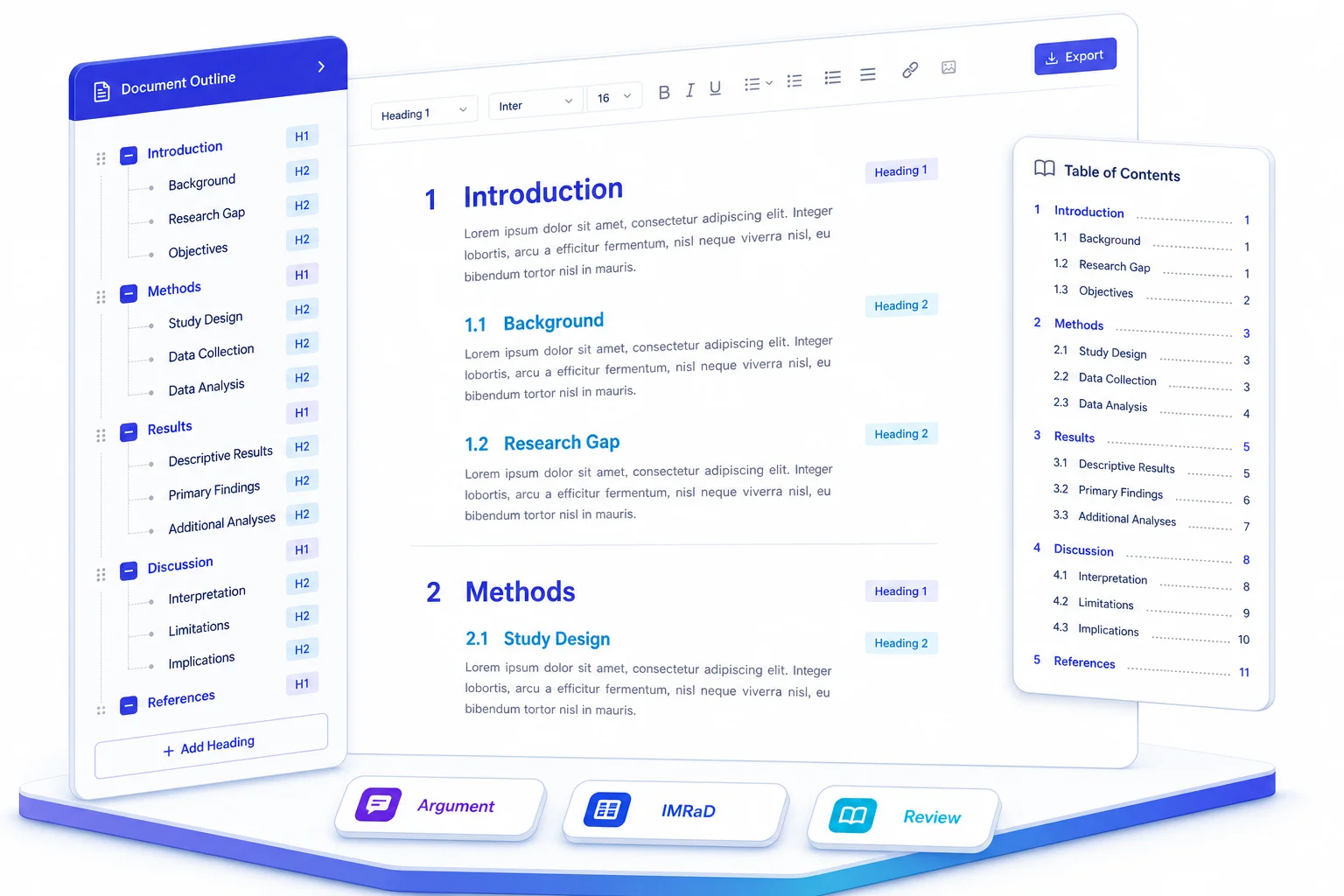
Research paper outline: pick one format

Your research paper outline is the skeleton of the final file. Pick one format below, write real headings, then download a sample that matches your assignment.

Argument outline

Use when the assignment asks you to analyze, evaluate, or take a position on a question.

Sections: title, introduction with thesis, 3 to 4 body sections (one claim each), counterargument if required, conclusion, references.

Intro job: state your answer in one or two sentences, then preview how each section supports it.

IMRaD outline

Use when you collected or analyzed data: lab work, surveys, experiments, or a course study.

Sections: title, abstract if required, Introduction, Methods, Results, Discussion, references.

Rule: Methods = what you did. Results = what you found. Discussion = what it means. Do not mix them.

Review outline

Use for a literature review or source-based research paper. Group sources by theme, not one heading per article.

Sections: title, introduction naming the gap, 3 to 5 theme sections, synthesis paragraph, conclusion, references.

Rule: listing paper A, then B, then C is a bibliography, not a research paper.

Paper type Research paper outline to use Sample download
Argument research paper Argument outline. Thesis plus 3 to 4 supporting sections with citations. Download .docx
Empirical research paper IMRaD outline. Introduction, Methods, Results, Discussion. Download .docx
Thesis / dissertation Match the chapter: methods use IMRaD; discussion uses argument outline. Download .docx
Research proposal Review outline for background, then IMRaD for proposed methods. Download .docx
Literature review paper Review outline. Group sources by theme, not by author. Download .docx
Lab report IMRaD outline. Keep methods, results, and discussion separate. Download .docx
Annotated bibliography Source table before the paper. One row per source. Download .docx

Every research paper format shares two rules

  • Science and social science papers use IMRaD more often. Humanities papers use argument outlines more often.
  • Both still need one research question, real headings, and one citation style.
  • Your research paper format must match the assignment, not a template you found online.

Build your research paper outline in WPS Writer.

Download free

Four steps to write a research paper

From your first sources to a research paper format you can upload. Work through each step before you move to the next.

1

Stage 1

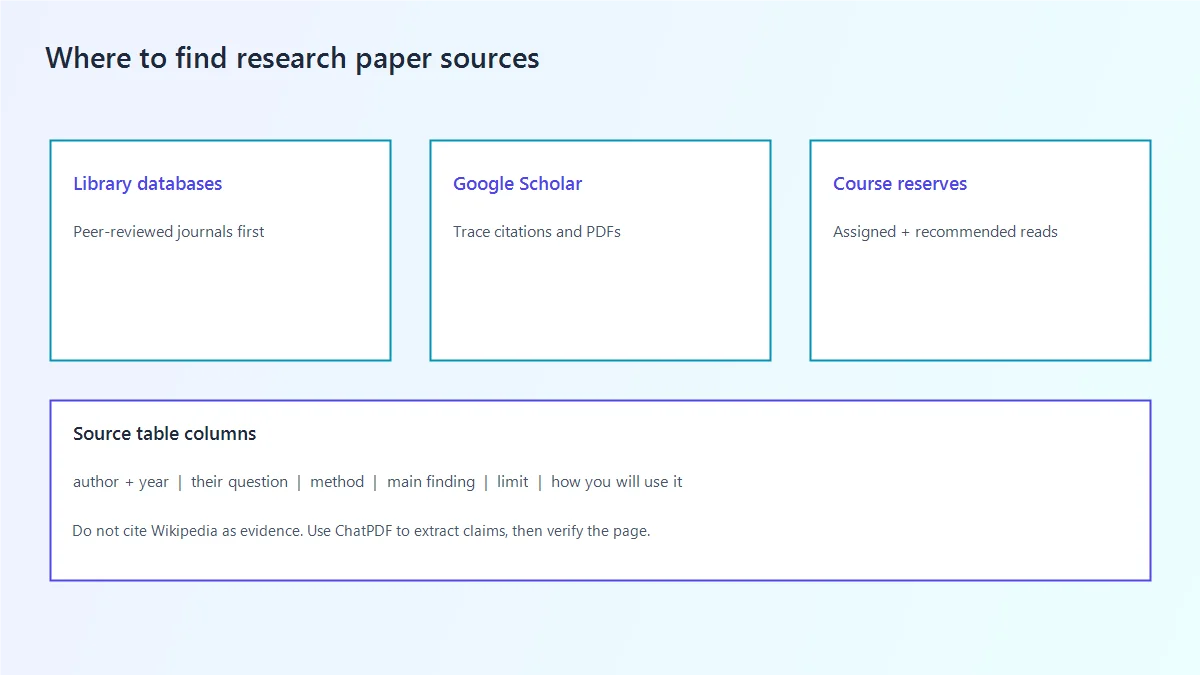
Find sources and log them in a table

Before you draft, collect enough sources to answer your question. Keep a source table so you know what each paper contributes.

Research question formula

Use this: who or what you study + what you measure or compare + where and when + within what limits. If the question still says “people” or “impact,” it is not ready.

Source table columns

Add one row per paper: source (author, year), their question, method, main finding, limit they mention, and how you will use it. If you cannot fill the last column, stop taking notes on that source.

Verify the page

Use ChatPDF to fill the middle columns faster. Then open the page it points to and check. If you cannot see the page, do not cite the claim.
Find sources and log them in a source table for a research paper

Write the draft, then export a PDF you have already checked

Research, outline, cite, format, and export in one workspace.

Free Download

How to write a research paper with WPS Office

From finding sources to uploading the final PDF. Use AI to read faster and outline faster. You still own the question, the sources, and every sentence you submit.

1 Research 2 Outline 3 Draft 4 Polish 5 Translate 6 Paper format 7 PDF 8 Cloud submit
1 Topic research

Start by clarifying your research question and scanning related literature. Use ChatPDF to upload papers, extract key claims, and ask follow-up questions without reading every page line by line. Pair that with WPS Copilot web search to discover recent sources, definitions, and competing viewpoints before you lock the topic.

ChatPDF WPS Copilot web search
Topic research with ChatPDF and Copilot
AI outline generation in WPS
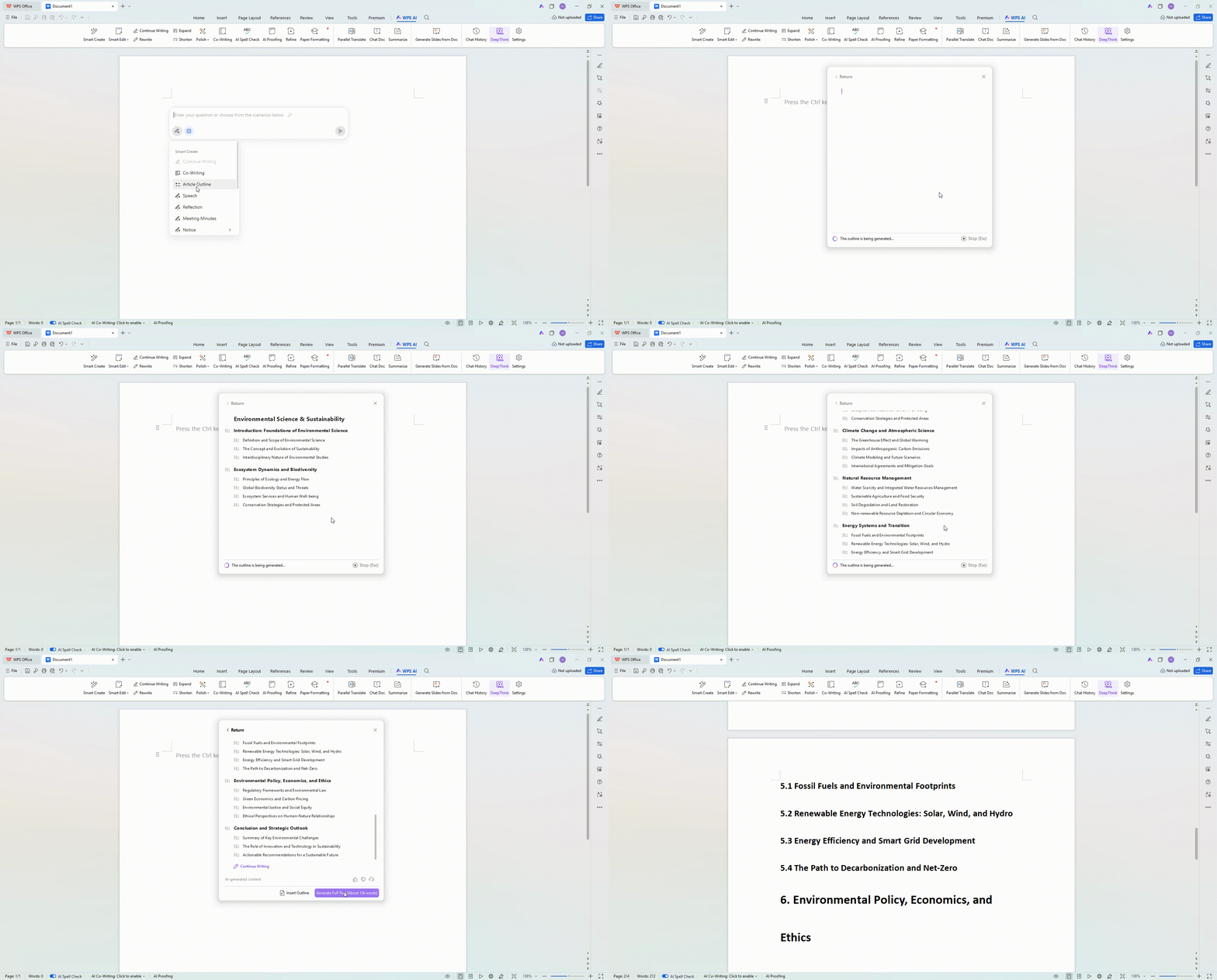
2 AI-generated outline

Turn your topic into a structured plan with AI Writer. Ask it to generate a chapter outline, section headings, and argument flow for the thesis or essay. Review and rearrange the outline so each section supports one clear claim before drafting.

AI Writer Outline generation
3 AI writing & continue writing

Draft section by section with AI Writer. Keep evidence and citations as the backbone of every claim. Delete invented papers, numbers, or quotes. Use AI expand when a point needs more explanation, but do not submit a full generated draft as the paper.

AI Writer Continue writing AI expand
AI drafting and continue writing in WPS
AI polish and spelling check in WPS
4 AI polish & spelling check

Refine tone with AI polish set toward a formal academic voice: clearer sentences, fewer informal phrases, stronger consistency. Use AI shorten for wordy paragraphs, then run grammar checker to catch typos, tense slips, and punctuation issues before peer review.

AI polish AI shorten Grammar checker

Continue the workflow in WPS Writer

Outline, draft, polish, and export without leaving the app.

Free Download
5 AI translation

When you work across languages (reading non-English sources or preparing a bilingual abstract), use document translation for longer passages and selection translation for precise terms, quotes, and definitions. Always re-check terminology against your field’s preferred wording.

AI translation tools in WPS
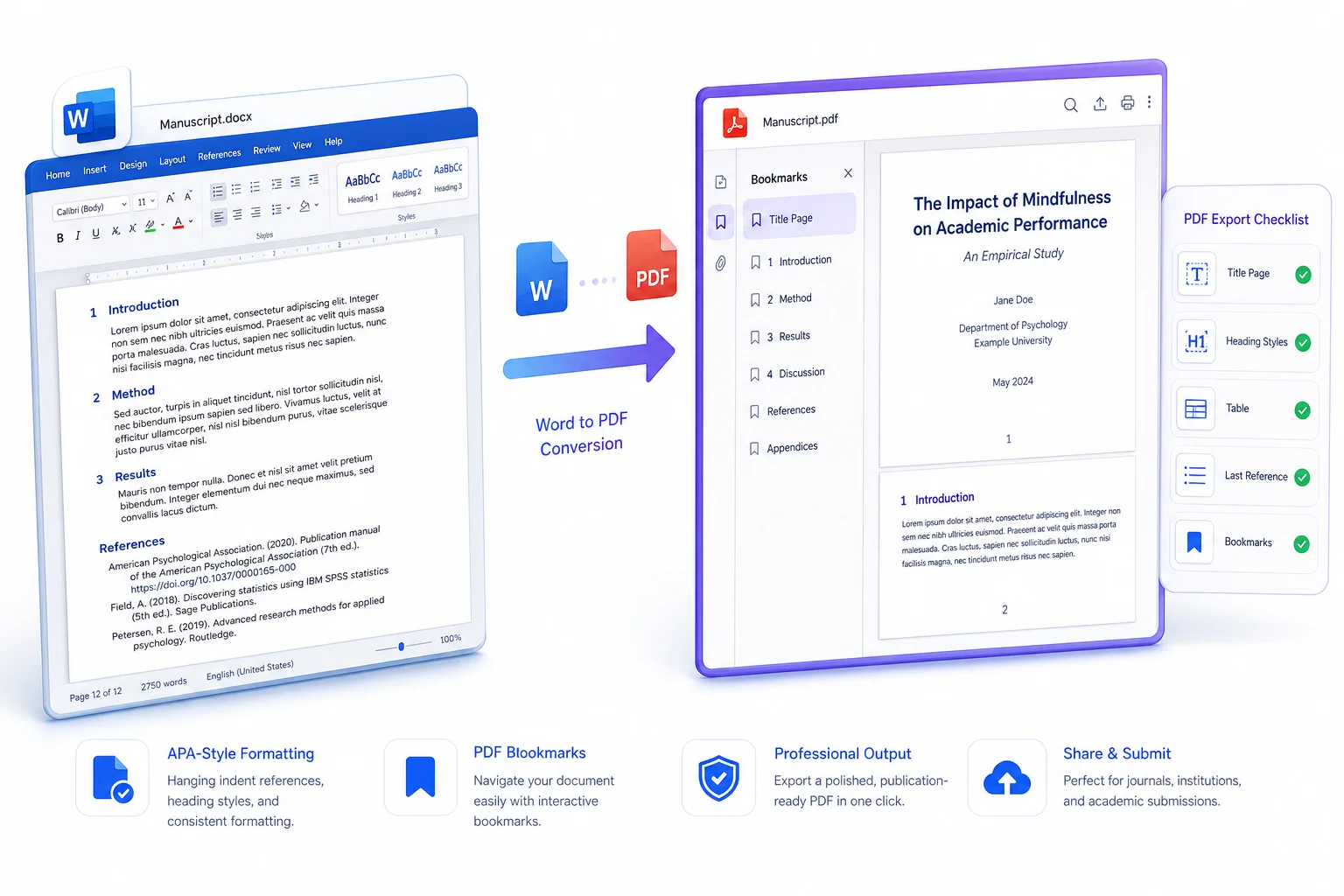
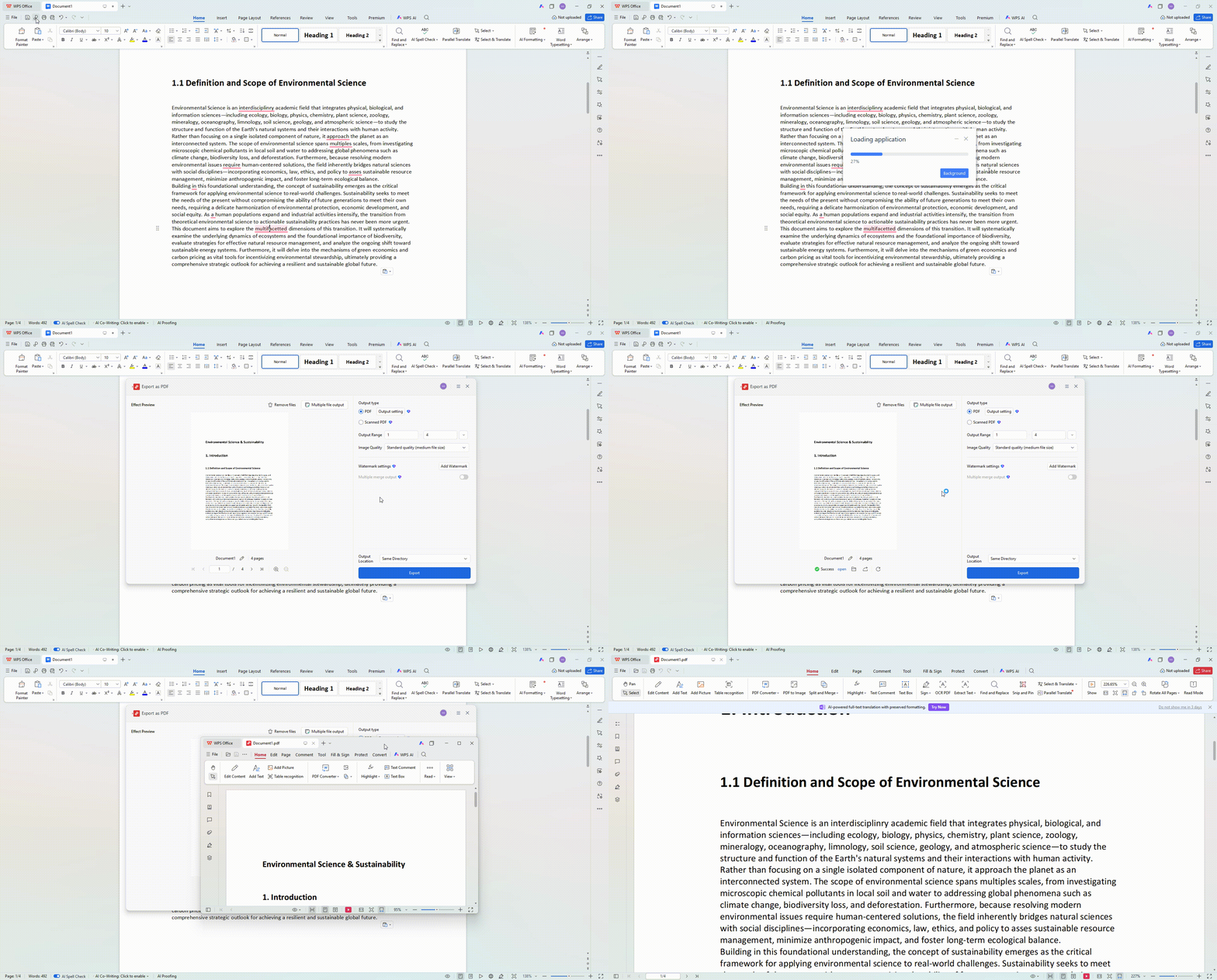
7 Word to PDF & PDF editing

Export the finished manuscript with Word to PDF. Open the PDF and check the bookmarks, title page, first heading, one table, and last reference. If reviewers request small fixes, use PDF editing for targeted updates without rebuilding the entire document.

Word to PDF conversion in WPS
Cloud backup and version history in WPS
8 Cloud backup & submit

Save the working file as a cloud document so drafts stay synced across devices. Use version history to recover earlier outlines or advisor-approved sections, then download the final PDF for submission with confidence that nothing critical was lost in last-minute edits.

Cloud docs Version history

Research paper checklist before upload

Use this research paper checklist before you submit. Tap each item to track progress in this browser.

Progress 0 / 12

Question and outline

Evidence

File

Finish your research paper checklist, then write and submit with WPS Office.

Free Download
FAQ

Common questions

What a research paper is, how to start, outline format, length, AI rules, and citation style.

Finish the research paper you will be graded on

Write your research paper in WPS Writer, apply the required format, and upload a PDF you have already opened and checked.

detail_banner_pc