Microsoft Word 2007 Free Download Icon

Microsoft Word 2007 Free Download

Legacy SoftwarePart of Office 20074.5 (Legacy Rating)

Download the original Microsoft Office 2007 installer (ISO), which includes the classic the Word 2007 free download. Important: Activation requires a valid 25-digit product key for the full suite. If you do not have one, we recommend downloading the free Word 2007 alternative which requires no key.

Secure ISO • For Windows 7/XP
W
No Product Key Needed

WPS Office Writer (Free & Secure)

Opens .doc/.docx files securely. Best for Windows 10/11.

App Previews

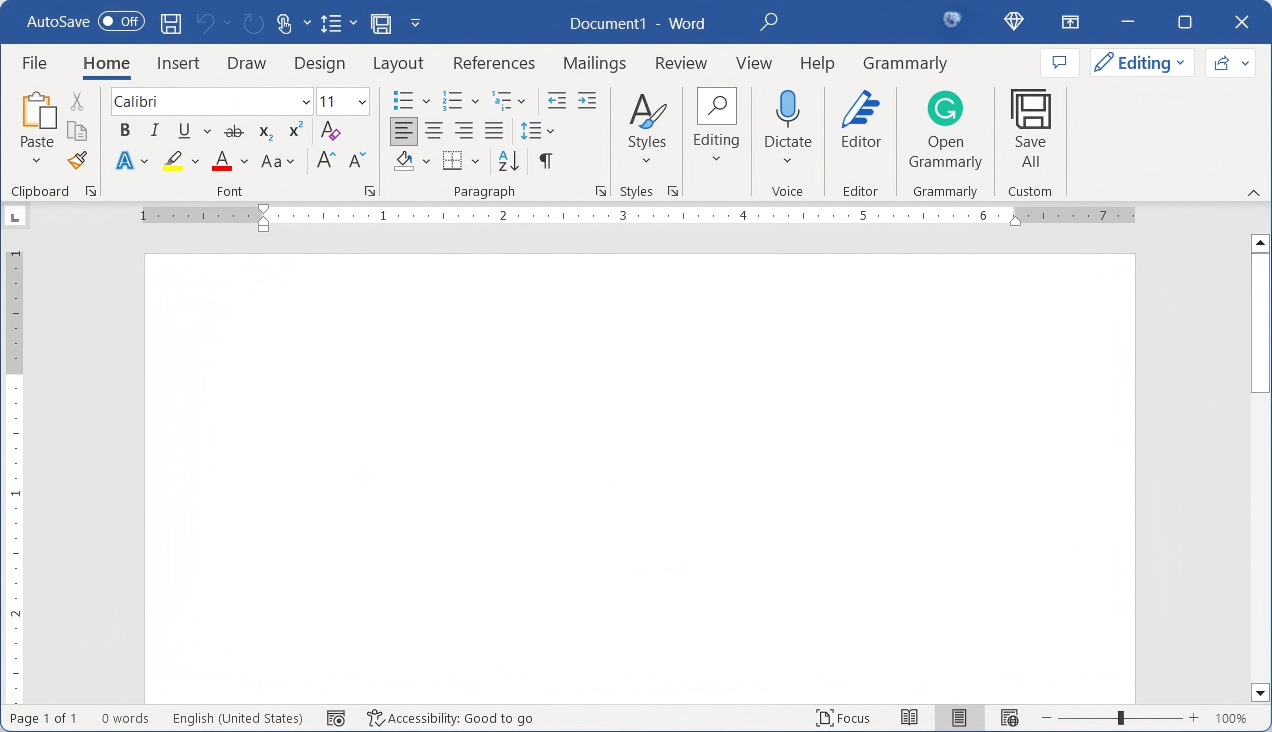
Classic Word 2007 Interface

Classic Word 2007 Interface

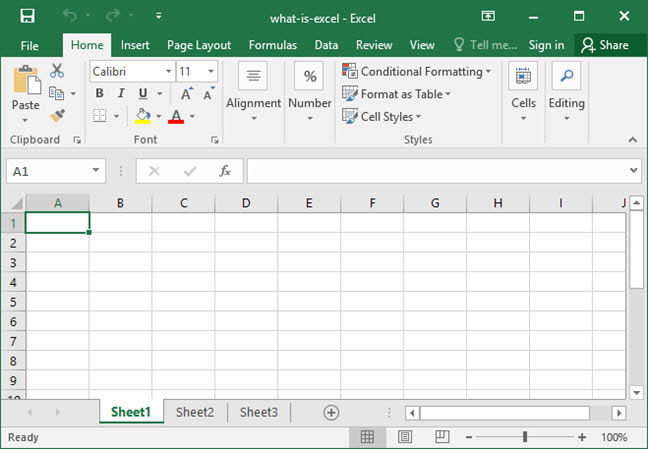
Excel 2007 with Ribbon UI

Excel 2007 with Ribbon UI

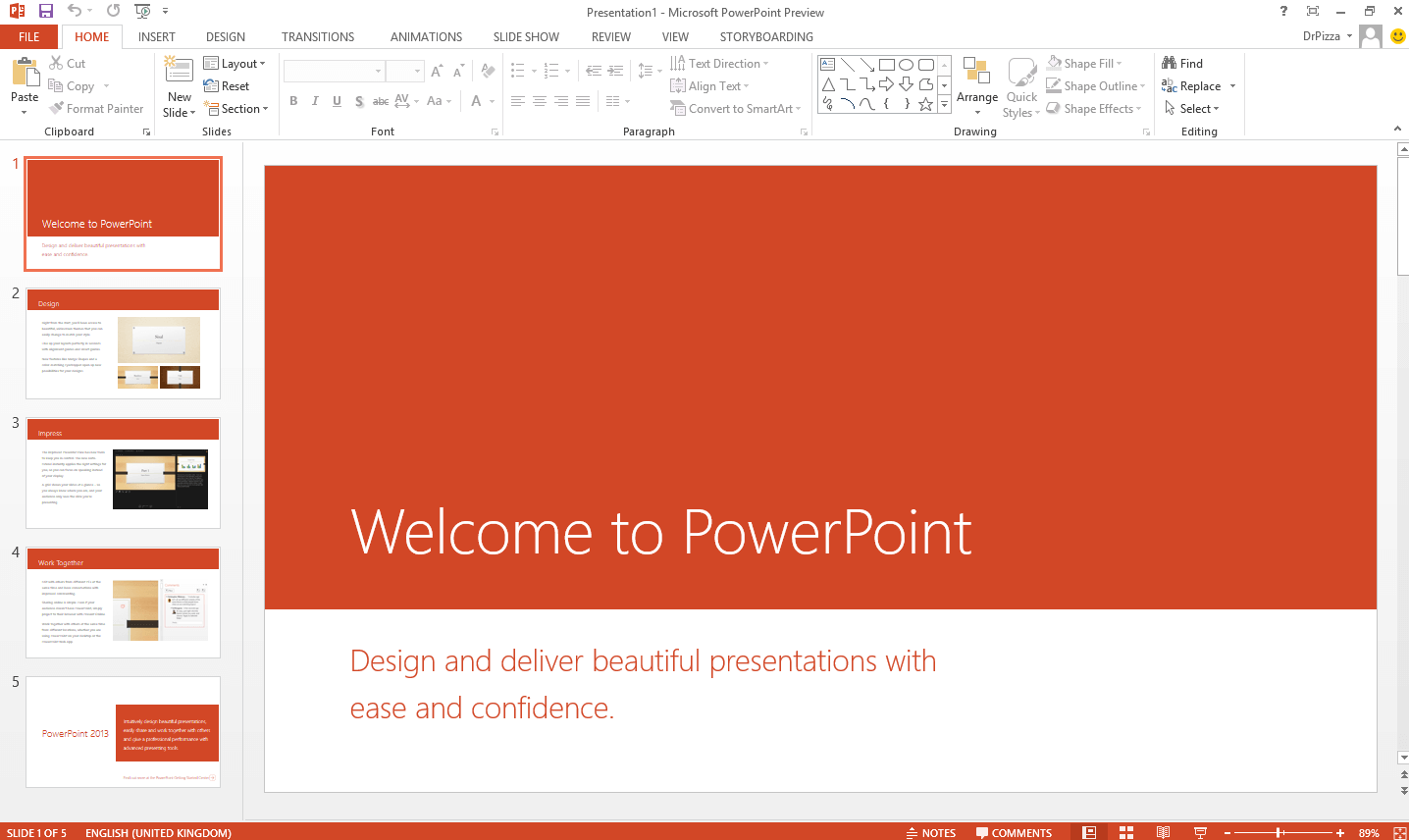
PowerPoint 2007 SmartArt Graphics

PowerPoint 2007 SmartArt Graphics

Office 2007 on Windows 7

Office 2007 on Windows 7

About Microsoft Word 2007 (Included in Office 2007)

Microsoft Word 2007, a core component of the Office 2007 suite, revolutionized word processing with the introduction of the Fluent User Interface (Ribbon) and the new XML-based .docx file format. This version set a new standard for creating and designing documents.

However, Office 2007 reached its End of Life (EOL) in October 2017. This means Microsoft strictly stopped releasing security patches. If you download the suite to use the Word 2007 free download today, you face compatibility issues on Windows 10/11 and significant security risks. For safe document editing, downloading the free WPS Office suite is the recommended modern solution. To compare all Word download options, visit Microsoft Word Free Download for a complete guide across all versions and platforms.


Pros & Cons: Using Word 2007 Today

Lightweight on Old PCs

Ideal for low-spec PCs running Windows XP, Vista, or 7.

No Security Updates

Vulnerable to malware and exploits since 2017.

Classic Ribbon UI

Offers the nostalgic 2007 Ribbon experience many users love.

Activation Required

Requires a discontinued 25-digit product key to work.

Complete Guide to Microsoft Word 2007

Downloading the suite for Microsoft Word 2007 provides a snapshot of a pivotal moment in productivity software history. It is often sought after for its incredibly low system requirements, making it the only viable option for retro computing on hardware running Windows XP or Vista. The installer gives you access to the classic version of Word 2007.

Critical Security Warning: It is crucial to understand that Word 2007 is part of an unsupported software suite. Its end-of-life status means Microsoft no longer patches critical security vulnerabilities. Using it while connected to the internet is dangerous. For any practical, modern use case (especially on Windows 10 or 11), downloading the free and secure WPS Office alternative is the responsible choice to protect your data.

Why Users Still Look for Word 2007

Advantages (Legacy)

  • Extremely lightweight (256MB RAM).
  • No subscription fees (Perpetual).
  • Works completely offline without cloud.
  • Familiar old-school Ribbon UI.

Major Drawbacks

  • Security Risk: No updates since 2017.
  • Compatibility: Fails on Windows 11.
  • Activation: Product keys are scarce.
  • Solution: Use WPS Office (Free).

Key Features of Word 2007

  • The Ribbon InterfaceReplaced complex menus with a visual, tab-based system. This core concept is still used today but has been greatly refined in modern tools like WPS Writer.
  • Office Open XML (.docx) FormatThe introduction of .docx reduced file sizes and improved damage recovery. Modern suites have better compatibility with these formats than the original 2007 release.
  • Live Preview & SmartArtAllowed users to see formatting changes by hovering over options and easily create high-quality diagrams, standard features now available in free alternatives.

Comparison: Word 2007 vs. Modern Free Alternative

FeatureWord 2007WPS Writer (Free)
Security UpdatesNone (Ended 2017)Yes, Continuous
Product KeyRequired (Hard to find)Not Required
Windows 11/10 SupportNo (Unstable)Yes (Optimized)
PlatformOld Windows PCs onlyWin, Mac, Linux, Mobile
PDF EditingNo (Save as PDF only)Yes, Full Editing

Verdict: the Word 2007 free download is a piece of history. For actual work, download WPS Office for a free, secure, and vastly more capable experience without needing a crack or product key.

How to Install Word 2007 (For Archival Purposes)

  1. Download the Office suite installer: Click "Free Download" above to get the legacy ISO setup file. Understand you are downloading unsupported, insecure software.
  2. Run Setup.exe: Double-click the installer and choose which applications (including Word 2007) to install. This should only be done on an old, offline computer.
  3. Enter Product Key: The installation will pause and require a 25-character product key for the Office suite. If you do not own one, you cannot proceed legally.
  4. Use a Modern Tool Instead: Since valid keys are rare and the software is risky, we recommend cancelling the install and using the free WPS Office suite included on this page.

Frequently Asked Questions

How can I download Microsoft Word 2007 for free with a product key?

You can download the Office 2007 installation files here, but Word 2007 is not free software; it requires a valid product key for activation. Microsoft no longer sells these. We recommend using WPS Office Writer, which is free and doesn't need a key.

Is Word 2007 compatible with Windows 11?

No. Word 2007 is not supported on Windows 10 or 11. It was designed for older systems like Windows XP and 7. Using it on a modern OS causes crashes and security issues.

Is Word 2007 still safe to use?

Absolutely not. Support and security updates for Office 2007 ended in 2017. Using it, especially online, exposes your PC to malware. It is unsafe for any practical use today.

Why do I need a product key for Word 2007?

Word 2007 was sold as part of the Office 2007 perpetual license. To verify ownership, Microsoft required a 25-character code for the suite. Without it, the software will lock into "Reduced Functionality Mode."

System Requirements (Legacy)

Processor500 MHz or faster
OSWindows XP SP2, Vista, 7
Memory256 MB RAM
Storage2 GB available disk space
Warning: Not for Windows 10/11. This software is insecure and unsupported.
RECOMMENDED
WPS Office

WPS Office Free

4.9/5SECURE & MODERN

Don't risk your security. Use WPS Office for free. It's fully compatible with Word 2007 files, modern, and safe.

Related Downloads & Alternatives

Microsoft Word 2007

The classic word processor from the Office 2007 suite. (Unsupported)

Download →

Microsoft Excel 2007

Legacy spreadsheet application. (Unsupported)

Download →

Microsoft PowerPoint 2007

Classic presentation software. (Unsupported)

Download →

Microsoft 365

The modern, subscription-based Office suite.

Download →

WPS Office (Free)

Best free, secure, and modern alternative to Office.

Download →

WPS PDF Editor

A powerful and free tool to read, edit, and convert PDFs.

Download →

Guides & Tutorials for Word

Top Free Alternative to Word

WPS Office All-in-One

Why use insecure, outdated software? Get a complete, modern office suite that's fully compatible with all Microsoft Word formats for free. Experience a lightweight, powerful, and secure solution.

Writer
Word Compatible
Spreadsheets
Excel Compatible
Presentation
PPT Compatible
PDF Editor
Free to use

* Basic components (Writer, Spreadsheet, Presentation) are permanently free.

Document1 - WPS Office
WPS

Compatible with Microsoft Word

Open, edit, and save Word, Excel, and PowerPoint files seamlessly.