Microsoft Word 2016 Download Icon

Microsoft Word 2016 Free Download

Perpetual LicenseMainstream Support Ended4.7 (Version Rating)

Download the standalone offline installer for the Microsoft Word 2016 free download (32-bit/64-bit). This version offers classic features like Smart Lookup and improved version history. Important: Activation requires a valid 25-digit product key. If you don't own a key, we recommend downloading the free Word alternative which is modern and requires no key.

Secure ISO • For Windows 7/8/10
W
No Product Key Needed

WPS Writer (Free & Secure)

Opens .docx files perfectly. Best for Windows 10/11.

App Previews

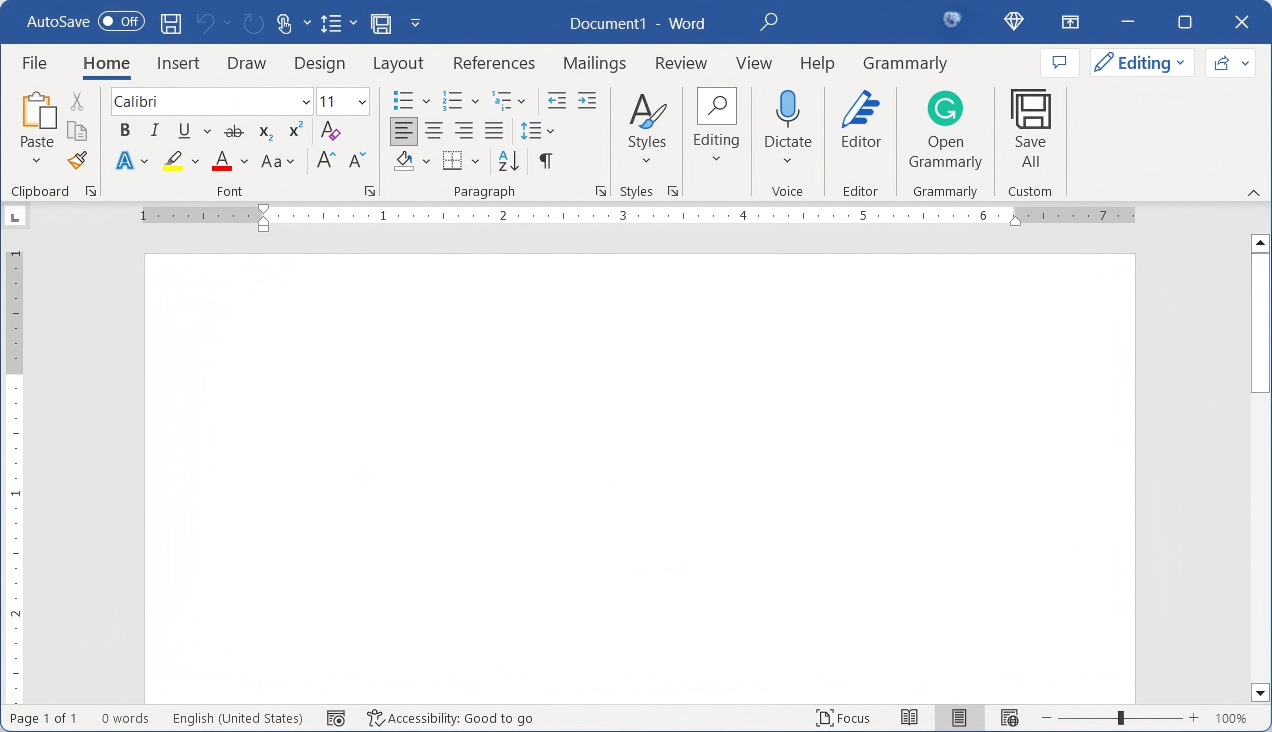
Word 2016's 'Tell Me' smart search feature.

Word 2016's 'Tell Me' smart search feature.

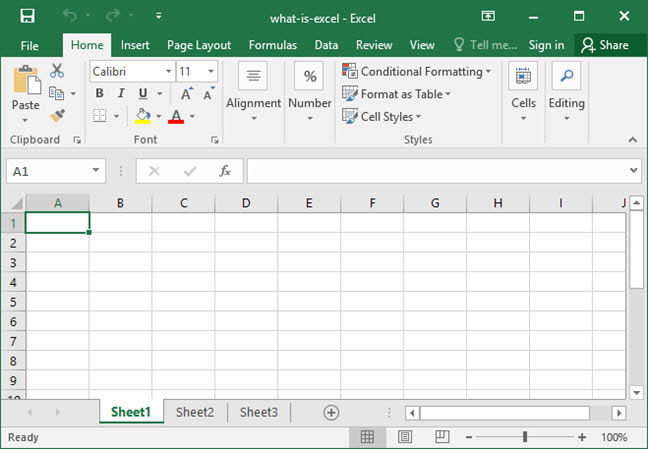
Creating new chart types in Excel 2016.

Creating new chart types in Excel 2016.

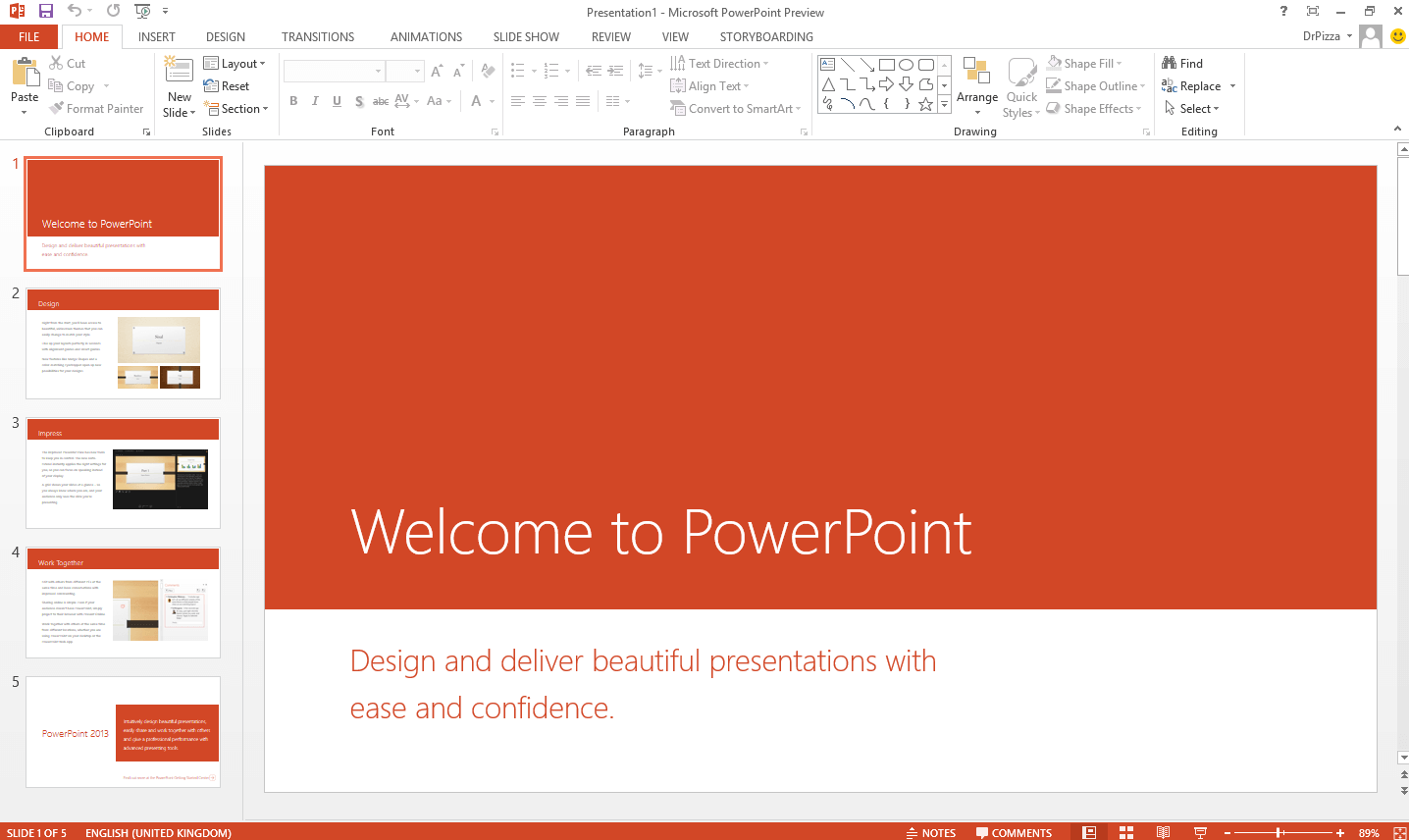
Using the Morph transition in PowerPoint 2016.

Using the Morph transition in PowerPoint 2016.

About Microsoft Word 2016

Microsoft Word 2016 is a powerful word processor that was part of the Office 2016 suite. It introduced key features like real-time co-authoring, the "Tell Me" search box for finding commands, and "Smart Lookup" powered by Bing for contextual information. It represents the last major perpetual license version before Microsoft's shift to the subscription-based Microsoft 365.

While mainstream support ended in October 2020, extended support for Word 2016 also concluded on October 14, 2025. In 2026, it no longer receives security patches and is considered unsupported software. For a future-proof, secure, and free solution, downloading WPS Writer is the recommended path. To compare all Word download options, visit Microsoft Word Free Download for a complete guide across all versions and platforms.

It is also important to note that standalone Word 2016 was never sold — it was only available as part of the Microsoft Office 2016 suite.

Can You Still Use Word 2016 in 2026?

Word 2016 can still run on compatible systems if you already own and have activated it, but Microsoft has officially retired the product — with no customer support, security updates, or new features since October 2025.

Newer versions like Word 2019, Word 2021, and Microsoft 365 offer better compatibility with modern hardware and operating systems. For everyday document work in 2026, a supported alternative like WPS Writer is the smarter choice.

A Deep Dive into Microsoft Word 2016

Downloading the Microsoft Word 2016 free download is a popular choice for users who prefer a one-time purchase over a subscription. It provides a stable and feature-rich environment for document creation without the constant changes of cloud-based services. This download provides the offline installer (ISO) for both 64-bit and 32-bit systems.

Important Support Information: Extended support for Word 2016 ended on October 14, 2025. In 2026, using the software poses a security risk as no new patches will be released. For long-term security and access to modern features, we strongly recommend migrating to a fully supported solution like the free WPS Office suite.

Why You Should Avoid Third-Party Downloads

Because Microsoft no longer sells Office 2016 on its website, some users turn to unofficial sites. These sources may deliver malware, bundled unwanted software, or modified installers. Unauthorized software offers no technical support and may violate licensing terms. Sticking to official Microsoft channels is the only safe approach.

Key Features of Word 2016

  • Smart LookupInstantly get more information from the web about a term in your document without leaving Word.
  • "Tell Me" FeatureA smart search box that helps you find commands and features quickly, streamlining your workflow.
  • Real-time CollaborationWord 2016 introduced the ability for multiple users to co-author a document simultaneously when stored on OneDrive or SharePoint.
  • Redesigned Ribbon & ThemesMultiple document themes, an optimized ribbon interface, and structured table of contents for professional formatting.
  • Format PainterCopy formatting from one element and apply it consistently across your document with a single click.

Comparison: Word 2016 vs. WPS Writer (Free Alternative)

FeatureWord 2016WPS Writer (Free)
Security UpdatesEnded Oct 2025Yes, Continuous
CostHigh one-time costFree
AI FeaturesNoYes, Integrated
Platform SupportWindows, macOSWin, Mac, Linux, Mobile
PDF EditingBasic ConversionYes, Full Editing
Cloud CollaborationLimitedYes, real-time
TemplatesBuilt-inWide library, free
File Format SupportDOC/DOCX, ODFDOC/DOCX/PDF/TXT/ODT

Verdict: Word 2016 was great for its era, but with no updates since 2025, limited cloud features, and no Windows 11 optimization, it is no longer practical for most users in 2026. WPS Writer delivers the same core workflow with modern tools, regular updates, and zero licensing cost.

WPS Writer — Standout Features

Among free alternatives, WPS Writer offers the closest experience to Word 2016 without any licensing cost. Key capabilities include:

Free Word Processor

Create and edit documents efficiently — fully compatible with Google Docs, Microsoft Office, and LibreOffice.

Multiple Templates

Ready-made templates for resumes, letters, reports, and more to speed up document creation.

Rapid PDF Conversion

Convert Word to PDF easily, and export documents in multiple formats without extra tools.

Cross-Platform Support

Works on Windows, Mac, Linux, Android, and iOS — supporting 64 languages and 47 file formats.

Microsoft 365 Word vs. Word 2016

If you are deciding between sticking with Word 2016 or moving to Microsoft's current offering, this side-by-side comparison highlights the key differences.

FeatureMicrosoft 365 WordWord 2016
Licensing ModelSubscription (Regular Updates)One-time Purchase (Obsolete)
Cloud CollaborationYes, real-timeLimited
AI FeaturesEditor AI & Smart ToolsNone
Security & SupportActive Updates & SupportEnded Oct 2025
Multi-Device AccessWin / Mac / iOS / AndroidDesktop Only

Reinstall Word 2016 via Microsoft Account (Existing License Holders)

If you purchased Office 2016 before Microsoft discontinued sales, you can still reinstall Word 2016 through your Microsoft account — no third-party downloads needed. Because standalone Word was not available, you must install the full Office 2016 suite.

1

Visit office.com and sign in with the Microsoft account linked to your original Office 2016 purchase.

2

Click Install Office from your account dashboard.

3

On the Download and install Office pop-up, click the install button to download the setup file.

4

Run the Office Setup file and click Yes when prompted to allow the app to make changes.

5

Wait for installation to complete, then open Word and activate using the license already tied to your account.

Free Microsoft Word Online

Microsoft offers a free browser-based version of Word through Microsoft 365 on the web. It requires no installation and lets you create, view, and edit documents directly in your browser — a legal alternative when you do not have a desktop license.

1

Go to Microsoft 365 Online and sign in with your Microsoft account.

2

Open Word Online and create a new blank document or upload an existing file.

3

Edit and save your document online, or download a copy to your device when finished.

Four Best Alternatives to Word 2016

Word 2016 is now obsolete. If you want to avoid outdated software — or the cost of a Microsoft 365 subscription — these four alternatives cover different needs and budgets.

1. WPS Office Writer

Best free alternative. Fully compatible with Word formats, supports templates, PDF conversion, and real-time collaboration. Works on Windows, Mac, Linux, iOS, and Android.

2. Microsoft 365 Word

Microsoft's latest subscription-based Word with cloud storage, AI tools, and regular updates. Ideal if you need full Microsoft ecosystem integration (paid).

3. ClickUp Docs

Project and document collaboration software with team tagging, comments, and dashboard integration. Free plan available; paid plans from $5/month.

4. Obsidian

Powerful note-taking and knowledge management app with backlinking, graph viewing, and full-text search. Personal plan is free; commercial plans available.

Frequently Asked Questions

Can I get Microsoft Word 2016 for free?

You can download the the Word 2016 free download offline installer, but the software is not free. It requires a 25-character product key for full activation, which Microsoft no longer sells. For a truly free and legal word processor, we recommend WPS Writer.

Is Word 2016 still safe to use in 2026?

No. Extended support ended on October 14, 2025. Word 2016 no longer receives security patches and is vulnerable to exploits discovered after that date. It is unsafe for any modern use case.

What is the difference between Word 2016 and Word in Microsoft 365?

Word 2016 is a perpetual license product, meaning you pay once and own it forever, but it doesn't receive feature updates. Word in Microsoft 365 is a subscription service that is continuously updated with the latest features, AI tools, and cloud integration.

Do I need a product key for Word 2016?

Yes, a valid 25-character product key is required to activate Word 2016 and use all its features. Without a key, it will run in a reduced-functionality mode with most features disabled.

Which version of Microsoft Word is free?

The browser-based version of Microsoft Word through Microsoft 365 on the web is free. The desktop version of Word 2016 requires a purchased license.

Can I install Word 2016 on Mac?

Yes. As long as your Mac meets the minimum system requirements and you own a valid Office 2016 license, you can download and install Word 2016 on macOS.

Can I install Word 2016 on multiple devices?

With an active Microsoft 365 subscription, you can install Word on multiple devices. Without a subscription, you must purchase a separate license for each device running Word 2016.

Is it safe to download Word 2016 from third-party sites?

No. Unofficial sources may contain malware or tampered installers. Always download from Microsoft's official website, and scan files before opening.

Was Word 2016 ever sold as a standalone app?

No. Word 2016 was only available as part of the Microsoft Office 2016 suite. Microsoft no longer sells Office 2016 on its website.

Summary

Microsoft Word 2016 remains a capable word processor for legacy systems, but Microsoft has officially retired it — with no customer support, security updates, or new features since October 2025. If you already own a license, you can reinstall via your Microsoft account. For quick tasks, Word Online offers a free browser-based option. However, for a full-featured, offline-ready experience without subscription fees, WPS Office Writer is the best free alternative: compatible with all Word formats, regularly updated, and available across desktop and mobile platforms.

System Requirements

Processor1 GHz or faster, x86 or x64-bit with SSE2
OSWindows 7 SP1, Windows 8/8.1, Windows 10
Memory1 GB RAM (32-bit); 2 GB RAM (64-bit)
Storage3 GB available disk space
Display1024 × 768 resolution
Note: Does not support Windows 11 officially. Security updates ended October 2025.
RECOMMENDED
WPS Office

WPS Writer Free

4.9/5SECURE & MODERN

Avoid product key hassles and future security risks. Use WPS Writer for free—it's fully compatible, modern, and safe.

Related Downloads & Alternatives

Microsoft Word 2016

The classic word processor you are viewing.

Download →

Microsoft Excel 2016

Powerful spreadsheet app (perpetual license).

Download →

Microsoft PowerPoint 2016

Create stunning presentations (perpetual license).

Download →

Microsoft 365

The modern, subscription-based Office suite with AI.

Download →

WPS Office (Free)

Best free, secure, and modern alternative to Office.

Download →

WPS PDF Editor

A powerful and free tool to read, edit, and convert PDFs.

Download →

Guides & Tutorials

Top Free Alternative

WPS Office All-in-One

Why use outdated software that requires a hard-to-find key? Get a complete, modern office suite that's fully compatible with all Microsoft formats for free. Experience a lightweight, powerful, and secure solution.

Writer
Word Compatible
Spreadsheets
Excel Compatible
Presentation
PPT Compatible
PDF Editor
Free to use

* Basic components (Writer, Spreadsheet, Presentation) are permanently free.

Document1 - WPS Office
WPS

Compatible with Microsoft Office

Open, edit, and save Word, Excel, and PowerPoint files seamlessly.