

'%3e%3cpath%20d='M8%200C12.4183%200%2016%203.58172%2016%208C16%2012.4183%2012.4183%2016%208%2016C3.58172%2016%200%2012.4183%200%208C0%203.58172%203.58172%200%208%200ZM11.6162%204.38379C11.2257%203.99337%2010.5927%203.99338%2010.2021%204.38379L8%206.58594L5.79785%204.38379C5.40732%203.99334%204.77429%203.99329%204.38379%204.38379C3.99331%204.77429%203.99335%205.40733%204.38379%205.79785L6.58594%208L4.38379%2010.2021C3.99348%2010.5927%203.99341%2011.2257%204.38379%2011.6162C4.77426%2012.0066%205.40734%2012.0065%205.79785%2011.6162L8%209.41406L10.2021%2011.6162C10.5927%2012.0066%2011.2257%2012.0067%2011.6162%2011.6162C12.0067%2011.2257%2012.0066%2010.5927%2011.6162%2010.2021L9.41406%208L11.6162%205.79785C12.0066%205.40735%2012.0066%204.77429%2011.6162%204.38379Z'%20fill='%23080E17'%20fill-opacity='0.46'/%3e%3c/g%3e%3cdefs%3e%3cclipPath%20id='clip0_3761_713'%3e%3crect%20width='16'%20height='16'%20fill='white'/%3e%3c/clipPath%3e%3c/defs%3e%3c/svg%3e)



'%3e%3cpath%20fill-rule='evenodd'%20clip-rule='evenodd'%20d='M21.4999%2010.9993C21.4999%205.20009%2016.7986%200.498901%2010.9993%200.498901C5.19994%200.498901%200.498657%205.20009%200.498657%2010.9993C0.498657%2016.2404%204.33858%2020.5844%209.35855%2021.3722V14.0346H6.69238V10.9993H9.35855V8.68594C9.35855%206.05427%2010.9262%204.60062%2013.3248%204.60062C14.4736%204.60062%2015.6753%204.80571%2015.6753%204.80571V7.38979H14.3512C13.0468%207.38979%2012.64%208.19921%2012.64%209.0296V10.9993H15.5523L15.0867%2014.0346H12.64V21.3722C17.66%2020.5844%2021.4999%2016.2404%2021.4999%2010.9993Z'%20fill='%231568EA'/%3e%3c/g%3e%3c/svg%3e)


'%3e%3cpath%20d='M2.42045%2022.1876H6.31818V12.7217L0.75%208.54553V20.5171C0.75%2021.4414%201.49892%2022.1876%202.42045%2022.1876Z'%20fill='%234285F4'/%3e%3cpath%20d='M19.682%2022.1876H23.5797C24.5041%2022.1876%2025.2502%2021.4387%2025.2502%2020.5171V8.54553L19.682%2012.7217'%20fill='%2334A853'/%3e%3cpath%20d='M19.682%205.48293V12.7216L25.2502%208.54543V6.31816C25.2502%204.25236%2022.8921%203.07469%2021.2411%204.31361'%20fill='%23FBBC04'/%3e%3cpath%20d='M6.31824%2012.7217V5.48303L13.0001%2010.4944L19.6819%205.48303V12.7217L13.0001%2017.733'%20fill='%23EA4335'/%3e%3cpath%20d='M0.75%206.31816V8.54543L6.31818%2012.7216V5.48293L4.75909%204.31361C3.10534%203.07469%200.75%204.25236%200.75%206.31816Z'%20fill='%23C5221F'/%3e%3c/g%3e%3cdefs%3e%3cclipPath%20id='clip0_2954_7305'%3e%3crect%20width='24.5'%20height='18.375'%20fill='white'%20transform='translate(0.75%203.8125)'/%3e%3c/clipPath%3e%3c/defs%3e%3c/svg%3e)



Google Slides has become essential for collaboration, but building a strong presentation still takes time and effort. Writing content, choosing layouts, and keeping designs consistent often slow people down.
AI tools are changing this workflow. Today, you can generate structure, content, and design with minimal manual work. The challenge is choosing the right approach. This guide compares the most effective Google Slides AI tools and explains how each one fits different workflows, from quick edits to professional slide creation.


Part 1. Top 5 AI Tools for Google Slides
AI tools designed for Google Slides now cover a wide range of needs, from quick in-app slide generation to advanced, full-suite presentation creation. The tools below represent the most effective options available in 2026, each suited to different presentation styles, skill levels, and productivity goals.
1. WPS AI Slides
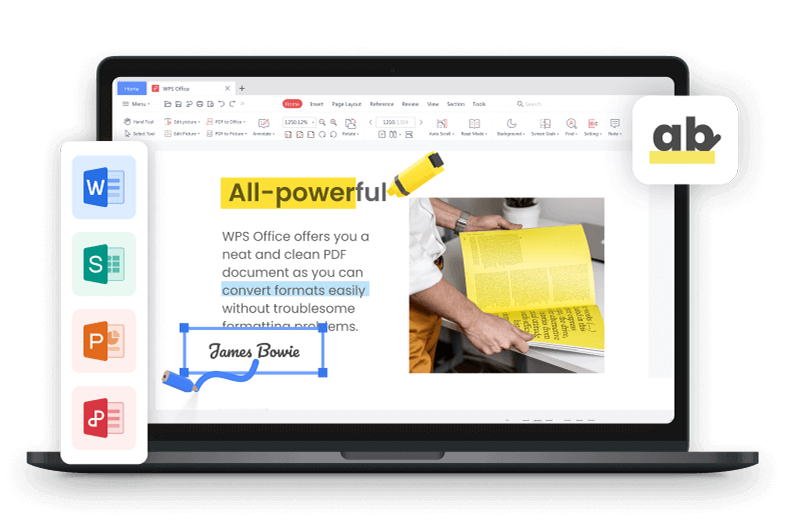
WPS AI Slides delivers a full-featured Google Slides AI experience inside a professional office suite. Instead of acting as a simple add-on, it combines AI content generation, intelligent layout design, and seamless file compatibility in one environment. Presentations created in WPS can be imported into Google Slides without formatting issues, making it a strong choice for users who want power without workflow disruption.

Pricing
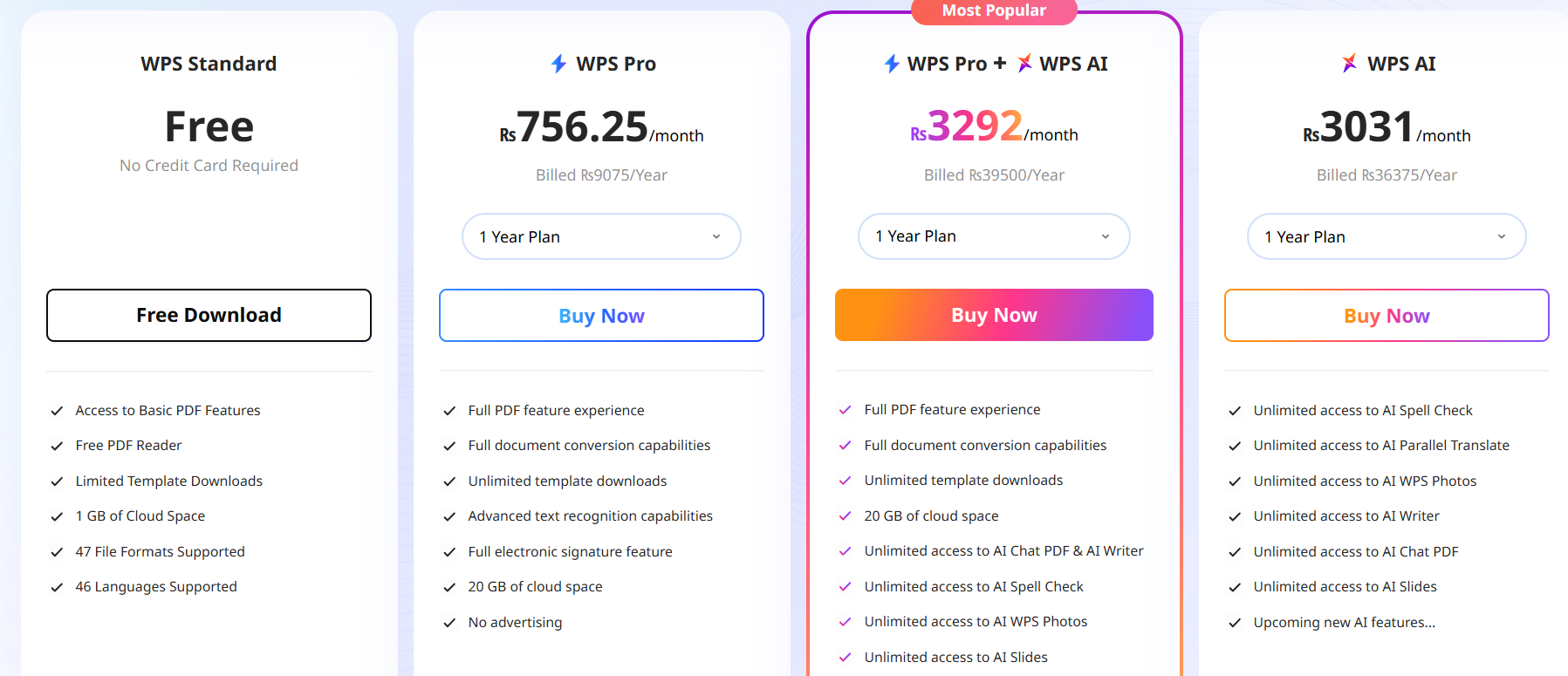
WPS AI Slides is included within the WPS Office ecosystem. A free version is available with core features, while advanced AI tools are part of the premium plan, making it cost-effective compared to standalone AI subscriptions.
Personal Experience
When I tested WPS AI Slides, the biggest advantage was how complete the workflow felt. Unlike lighter Google Slides AI tools, it didn’t stop at slide text. The AI helped shape the structure, suggested layouts based on content length, and kept design consistency across slides. Exporting to Google Slides preserved spacing and visuals, which is usually where problems appear. For users who want a serious Google Slides AI generator rather than a quick shortcut, this tool feels built for long-term use.
2. SlidesAI
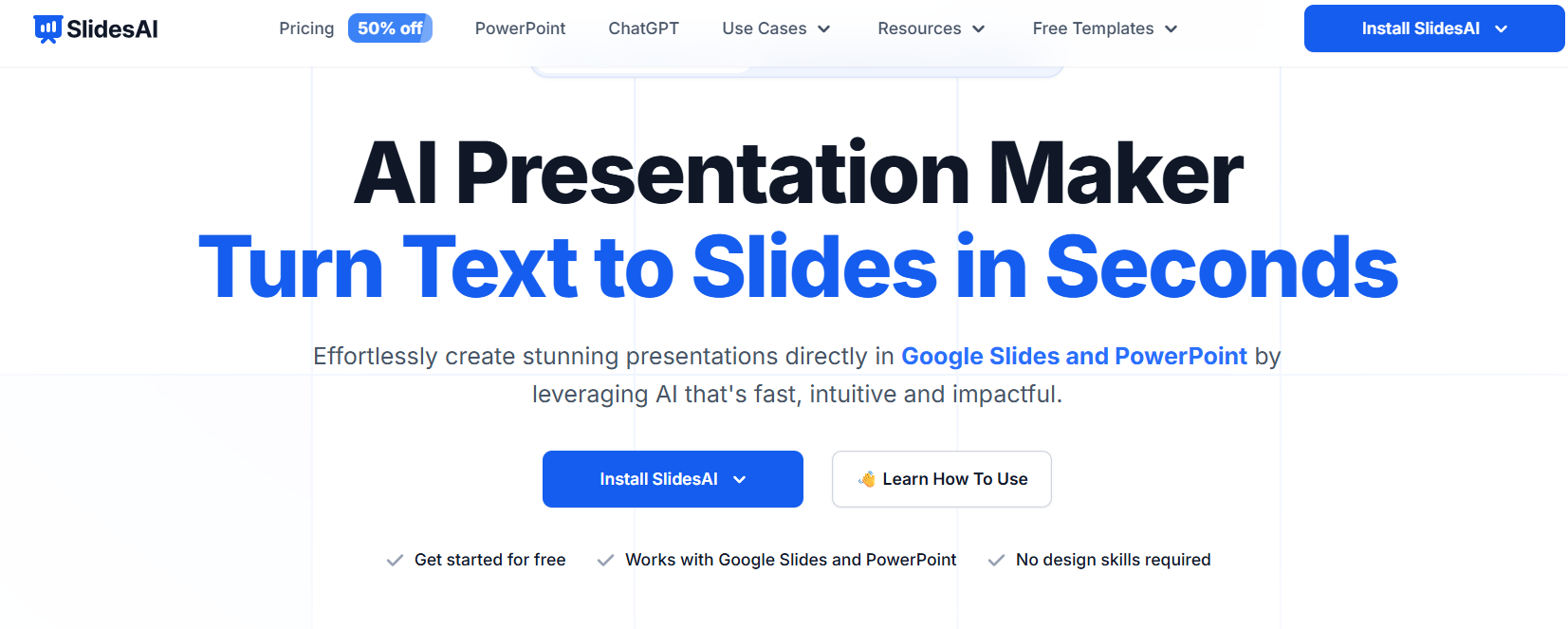
SlidesAI is a lightweight Google Slides AI add-on designed for users who want speed and simplicity. It works directly inside Google Slides, allowing you to generate entire slide decks from text prompts without switching platforms. For users who prefer staying fully within Google Workspace, this tool offers the most direct integration.
Pricing
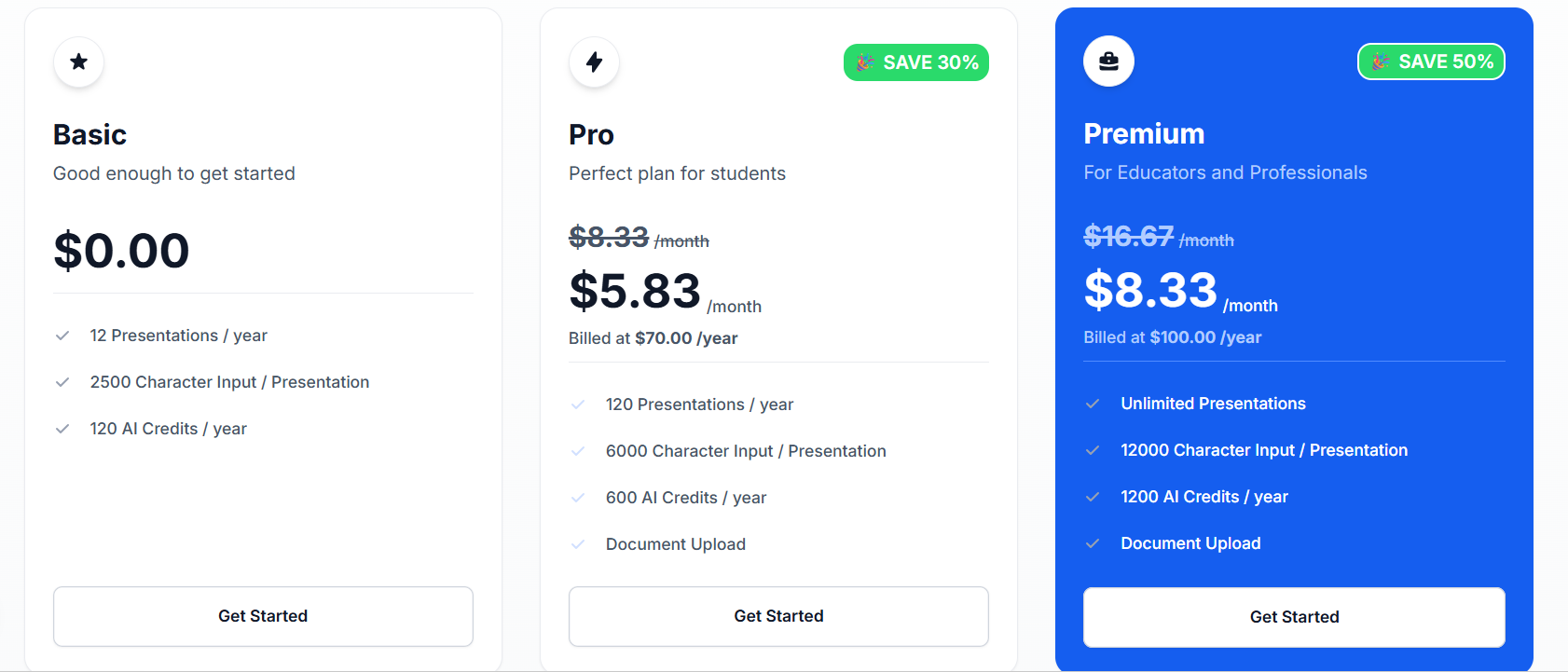
SlidesAI offers a limited free plan for basic use. Paid plans unlock higher slide limits, longer inputs, and more customization, which is suitable for frequent presentation creators.
Personal Experience
In practice, SlidesAI feels like a productivity shortcut rather than a full Google Slides AI generator. It works best when I already have rough notes and just want slides created quickly. However, the AI focuses mainly on converting text into slides, not refining ideas or layouts in depth. Compared to more powerful Google Slides AI platforms, it trades creative control for convenience. For fast turnarounds inside Google Slides, it does exactly what it promises.
3. Gamma
Gamma is a modern, web-based Google Slides AI generator focused on turning rough ideas into polished, visually engaging presentations. Instead of starting with individual slides, it builds structured, scroll-style presentations that can later be exported for use in Google Slides.

Pricing
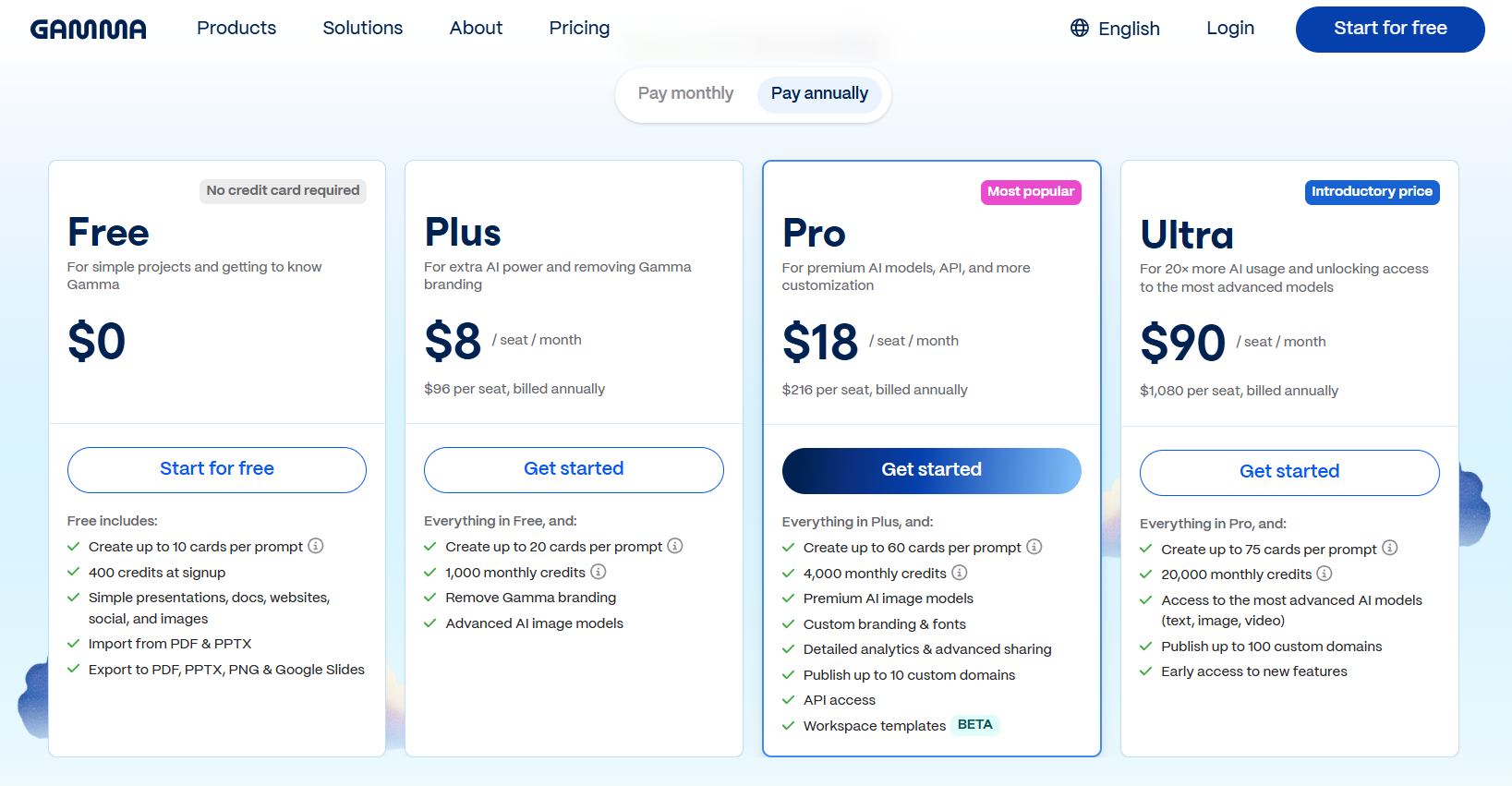
Gamma offers a free plan with limited exports. Paid plans unlock advanced customization, higher export limits, and brand control features.
Personal Experience
Gamma stands out when visual impact matters more than fine control. When I tested it, the AI handled structure and flow surprisingly well, especially for narrative-style presentations. However, once exported into Google Slides, I often needed small adjustments. As a Google Slides AI option, it excels at fast idea development, but it works best when paired with manual refinement afterward.
4. Beautiful.AI
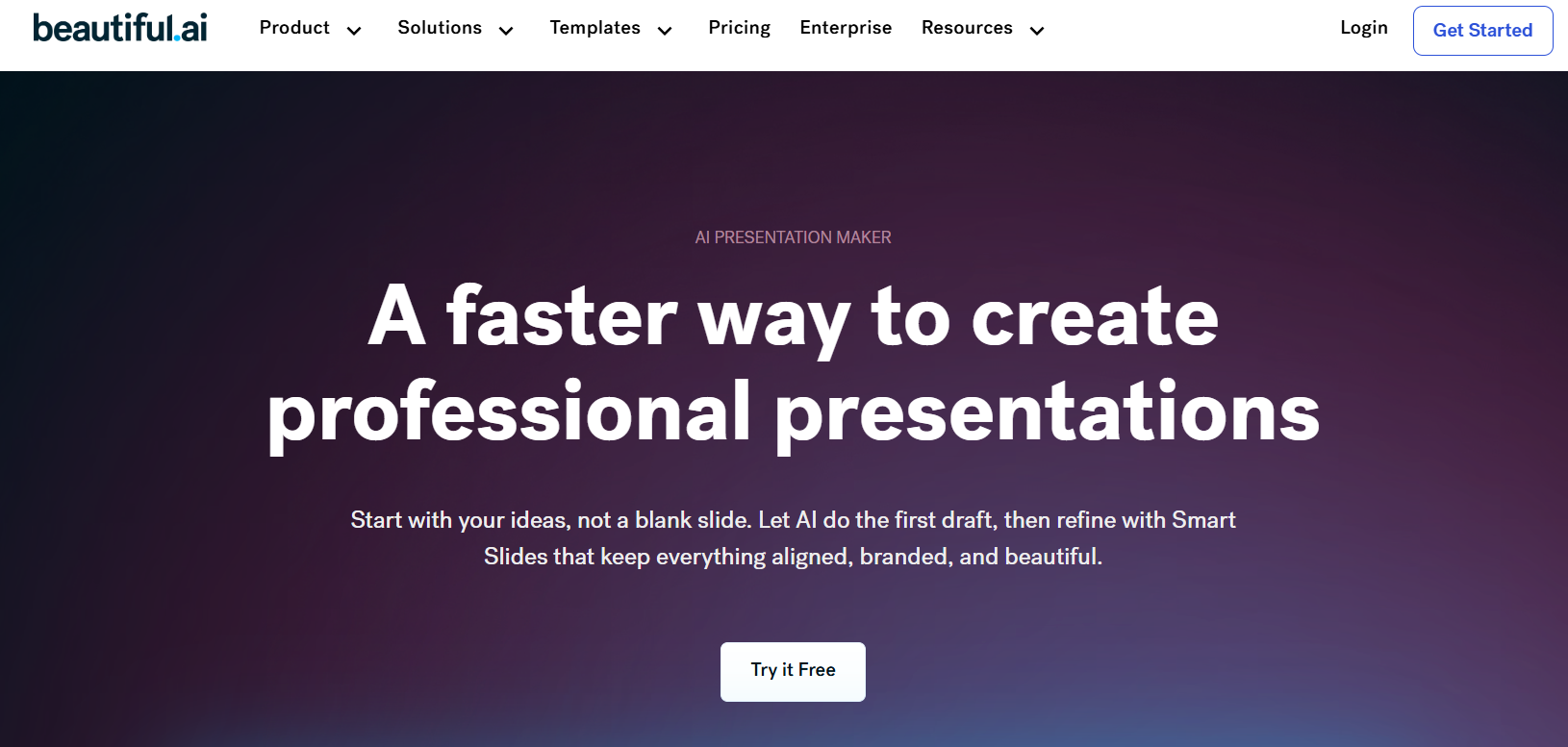
Beautiful.AI positions itself as an automated design assistant rather than a pure content generator. Its strength lies in maintaining visual consistency by applying design rules automatically, which is valuable for teams producing repeatable, on-brand presentations.
Pricing
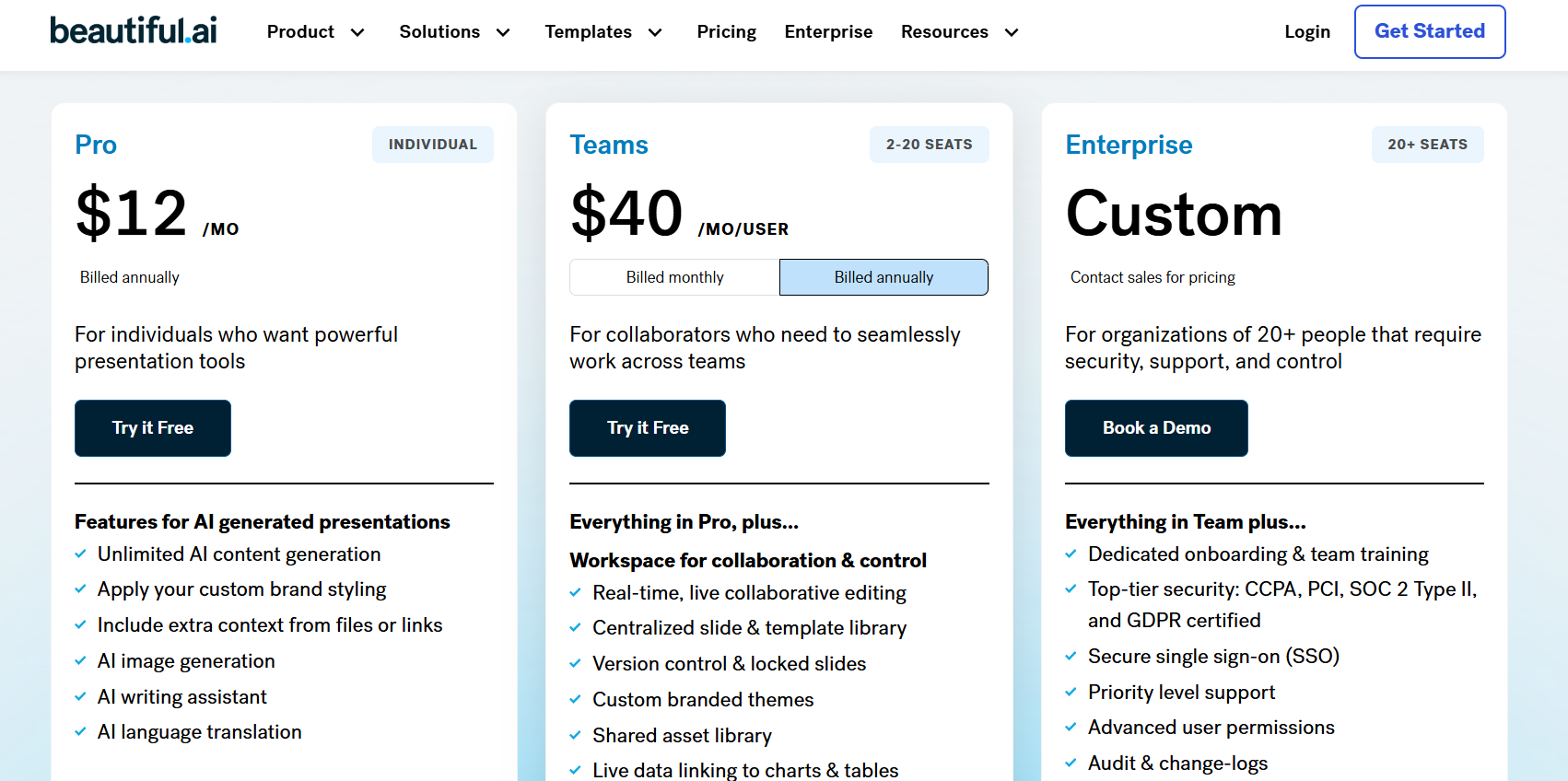
Beautiful.AI operates on a subscription model, with individual and team plans available. Advanced brand and collaboration features are included in higher tiers.
Personal Experience
Beautiful.AI feels like working with a design safety net. While it does not function as a full Google Slides AI generator, it prevents common layout mistakes automatically. In my experience, it works best for teams that already have content and want reliable presentation quality without spending time on design decisions.
5. Matik
Matik is an AI-driven platform designed for automating data-heavy presentations and reports. Rather than manual slide creation, it connects directly to data sources and generates up-to-date presentations that can be formatted for Google Slides.

Pricing
Matik uses custom pricing based on data sources, usage volume, and automation complexity. It is primarily aimed at business and enterprise users.
Personal Experience
Matik is less about creativity and more about reliability. From my testing, it excels in environments where the same reports are generated repeatedly. As a Google Slides AI solution, it serves a specific purpose and does it well, but it is best reserved for structured, data-driven workflows.
Part 2. AI Tools for Google Slides: Comparison Table
| Tool | Core AI Features | Best For | Platform / Integration | Key Strength |
|---|---|---|---|---|
| WPS AI Slides | Smart content generation, layout intelligence, and collaboration | Users needing powerful AI inside a full office suite | WPS Office native; direct Google Slides compatibility | Deep AI features with smooth workflow and strong collaboration |
| SlidesAI | Text-to-slide creation, bulk slide generation | Fast in-app slide creation | Google Workspace add-on | Speed and convenience inside Google Slides |
| Gamma | Outline-to-deck creation, modern auto-design | Visually rich presentations | Web app; export to PPTX | Rapid idea-to-presentation conversion |
| Beautiful.AI | Smart templates, design guardrails, brand kits | Teams needing consistent branding | Web app with team features | Automated design consistency |
| Matik | Data-driven slide automation | Recurring reports and analytics | Web app with data connectors | Full automation from data to slides |
Quick Selection Guide
For in-app speed inside Google Slides:SlidesAI
For powerful AI with office suite integration:WPS AI Slides
For modern visual storytelling: Gamma
For brand-consistent team presentations:Beautiful.AI
For automated, data-driven reports:Matik
Part 3. Best AI Helper to Generate Slide Decks: WPS AI Slides
After comparing all five tools, the difference becomes clear. Some solutions focus on speed, others on visuals, and a few on automation. However, WPS AI Slides stands out by combining content creation, design intelligence, and professional formatting in a single workflow.

While tools like SlidesAI are convenient and Gamma excels visually, WPS AI Slides offers the most balanced Google Slides AI experience. It functions as a full Google Slides AI generator without limiting you to a browser-based add-on or forcing design compromises.
Why WPS AI Slides Is the Best Helper
Seamless Workflow Integration
WPS AI Slides supports bi-directional compatibility with Google Slides formats. Files import and export cleanly, preserving layouts, fonts, and spacing. You can work locally or in the cloud without breaking collaboration workflows.
AI-Powered Creation and Efficiency
The AI goes beyond filling slides with text. It generates structured outlines, refines content, and suggests layouts based on slide intent. Over time, design suggestions adapt to how you edit, making the tool feel more responsive and intelligent.
Cost-Effective Value
Instead of subscribing to multiple tools, WPS AI Slides is part of the WPS Office suite. This makes it a practical option for users who want AI across documents, spreadsheets, and presentations. A capable free version is also available.
Professional-Grade Output
Presentations created with WPS AI Slides are suitable for client meetings, reports, and executive use. Design consistency, spacing, and hierarchy are handled reliably, even for longer decks.
How to Create Slides with WPS AI Slides: Step-by-Step Tutorial
Step 1: Open WPS Presentation
Launch WPS Presentation from the WPS Office suite and sign in to enable AI features.
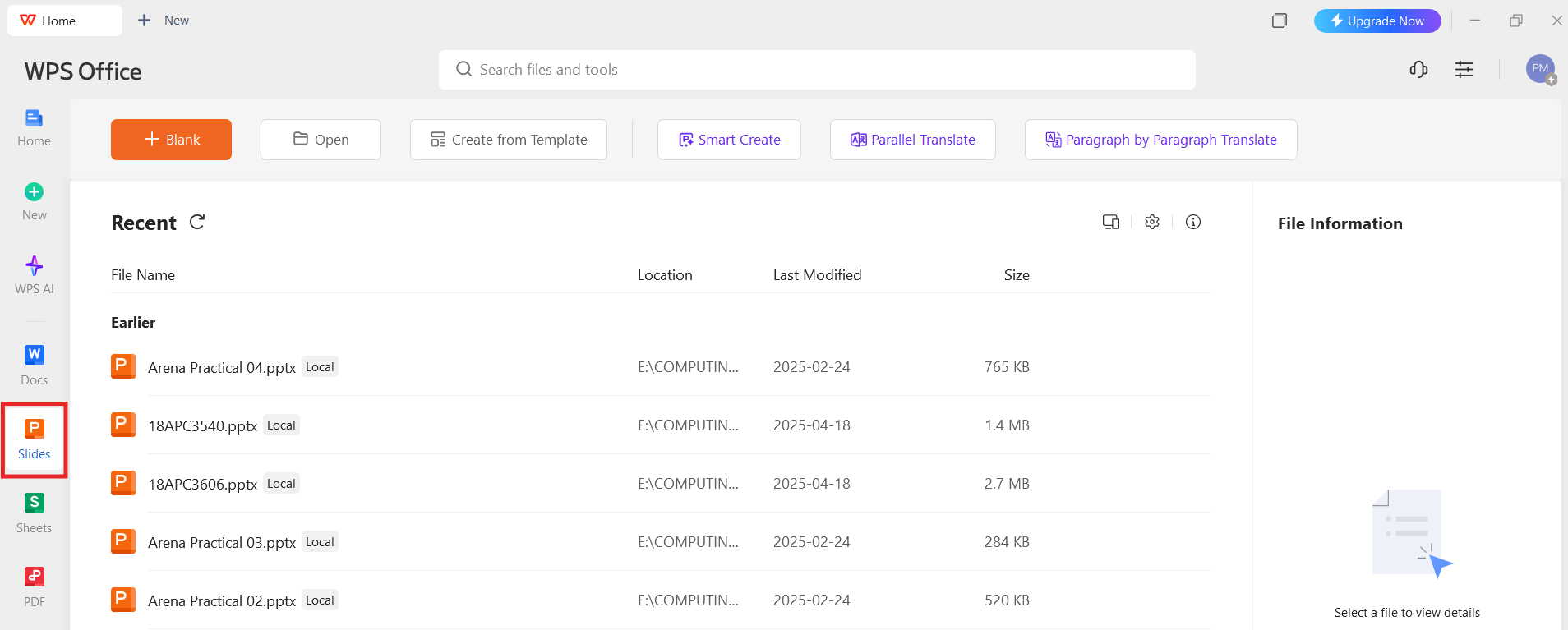
Step 2: Start a New AI Presentation
Choose the AI slide “Smart Create” option.
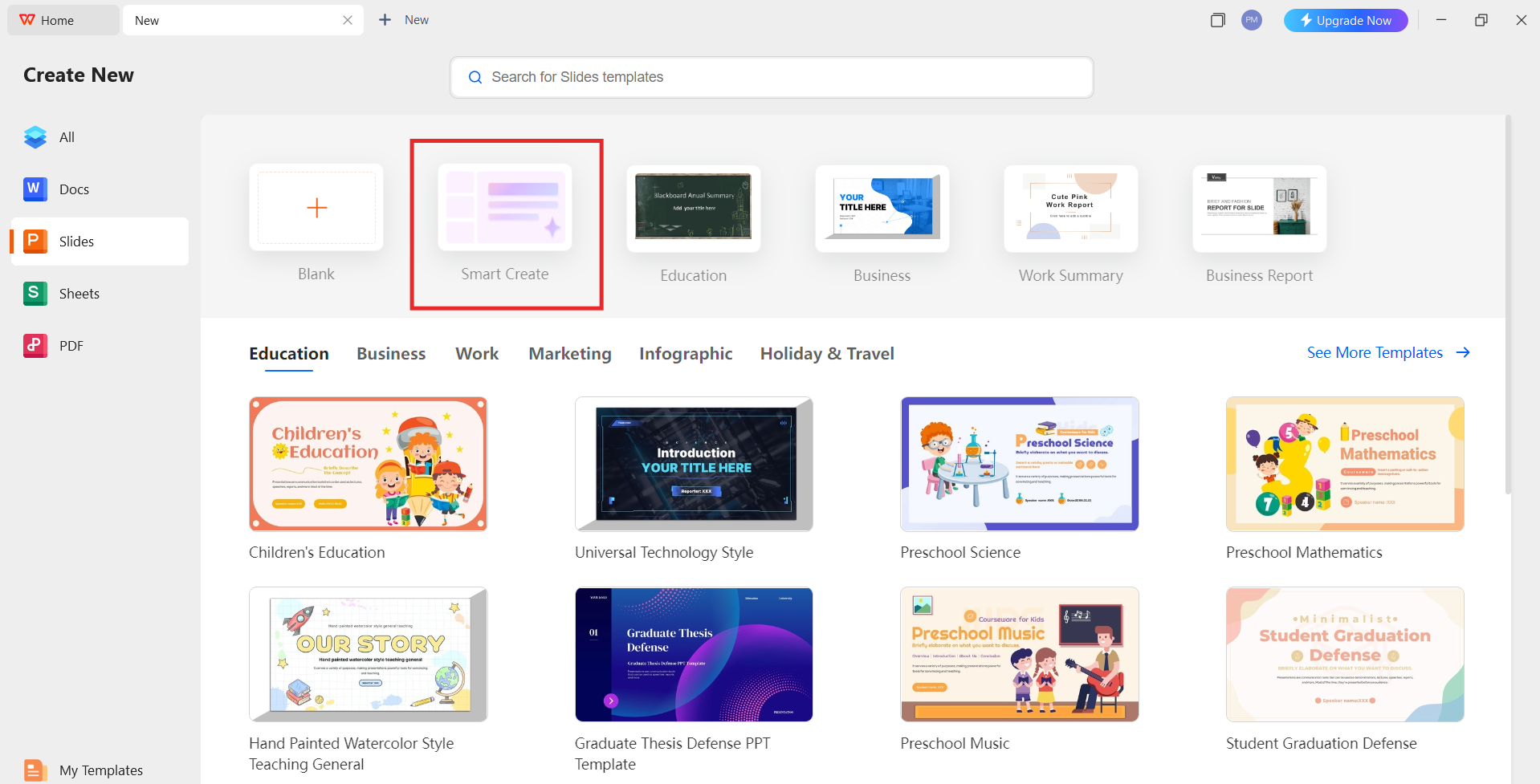
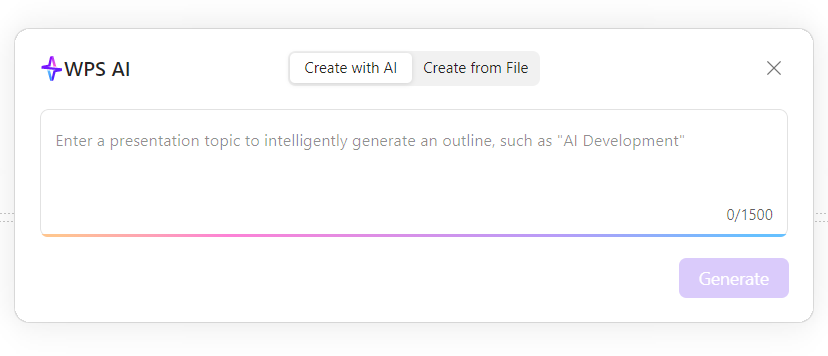
Step 3: Describe the Presentation you want
Enter a topic or brief prompt describing your presentation goal.
Step 4: Review the Generated Outline
WPS AI Slides generates a structured outline. You can adjust sections, add slides, or refine headings before design is applied.
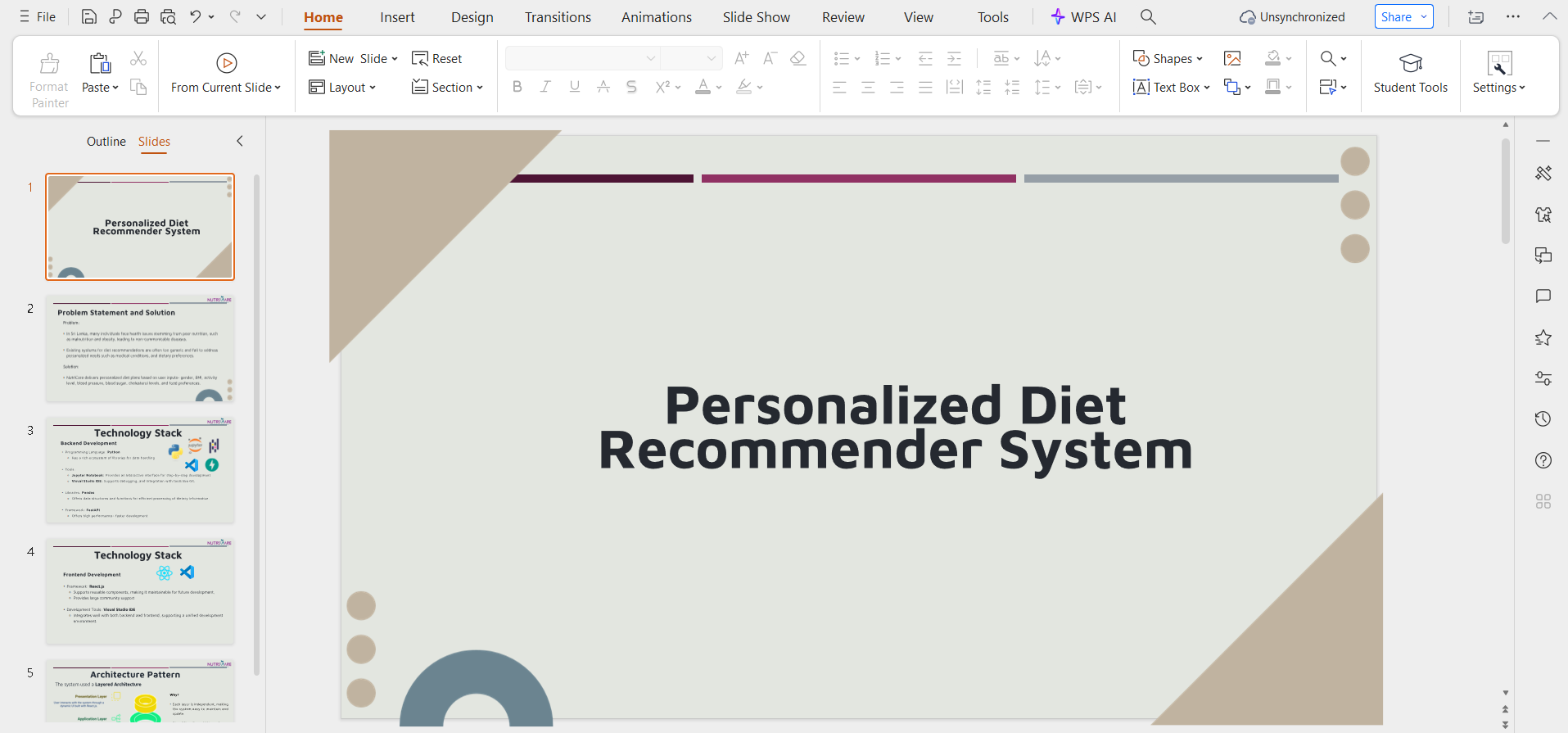
Step 5: Apply Design Suggestions
Select from recommended templates and layouts. The AI adjusts spacing, visuals, and hierarchy automatically.

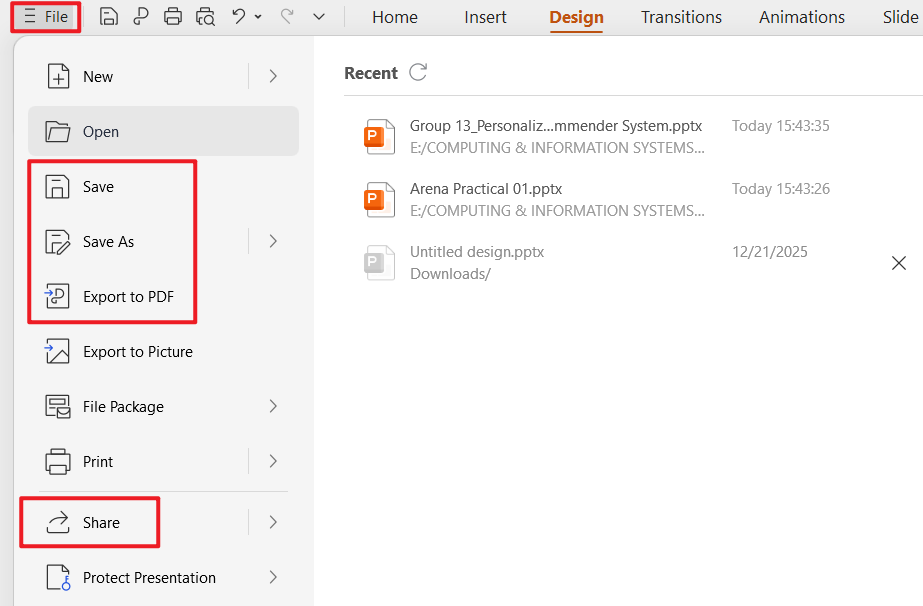
Step 6: Edit and Export to Google Slides
Once finalized, export the file as a PPTX and open it directly in Google Slides for collaboration or sharing.
Personal Experience
When using WPS AI Slides, the biggest time-saver was the outline stage. Instead of starting from a blank slide, the AI produced a logical structure that needed only light refinement. Exporting to Google Slides preserved formatting better than expected, which reduced cleanup work. Compared to lighter Google Slides AI tools, this workflow felt closer to working with a real presentation assistant rather than a simple generator.
FAQs
1. What is the best AI tool that works directly inside Google Slides?
The best option that works directly inside Google Slides is SlidesAI. As a Google Slides AI add-on, it generates slides from text without requiring file exports or external platforms.
2. What is an AI Google Slides maker, and how does it work?
An AI Google Slides maker automates presentation creation for use with Google Slides. Some tools function as add-ons inside Google Slides, while others generate presentations externally and export them as PPTX files compatible with Google Slides.
3. Can I use AI to create presentations directly inside Google Slides?
Yes. Tools like SlidesAI allow direct creation inside Google Slides. For more advanced AI features, using a Google Slides AI generator such as WPS AI Slides or Gamma and exporting afterward often provides better results.
4. Is WPS AI Slides compatible with Google Slides collaboration?
Yes. Presentations created in WPS AI Slides can be exported to Google Slides while preserving layout and structure, allowing teams to collaborate normally within Google Workspace.
5. Which Google Slides AI tool is best for professional presentations?
For professional and client-facing presentations, WPS AI Slides is the strongest option. It combines structured content generation, intelligent design, and reliable Google Slides compatibility.

'%3e%3cpath%20d='M19.9911%204.11386V6.471H18.5894C18.0775%206.471%2017.7322%206.57814%2017.5536%206.79243C17.3751%207.00671%2017.2858%207.32814%2017.2858%207.75671V9.44421H19.9019L19.5536%2012.0871H17.2858V18.8639H14.5536V12.0871H12.2769V9.44421H14.5536V7.49779C14.5536%206.39064%2014.8632%205.53201%2015.4822%204.92189C16.1013%204.31177%2016.9257%204.00671%2017.9554%204.00671C18.8304%204.00671%2019.509%204.04243%2019.9911%204.11386Z'%20fill='%23333333'/%3e%3c/g%3e%3cdefs%3e%3cclipPath%20id='clip0_2938_8199'%3e%3crect%20width='16'%20height='16'%20fill='white'%20transform='translate(8%204.00671)'/%3e%3c/clipPath%3e%3c/defs%3e%3c/svg%3e)
'%3e%3cpath%20d='M17.5237%2010.7813L23.4811%204H22.0699L16.8949%209.88693L12.7648%204H8L14.2469%2012.9029L8%2020.0133H9.4112L14.8725%2013.7952L19.2352%2020.0133H24M9.92053%205.04213H12.0885L22.0688%2019.0224H19.9003'%20fill='%23333333'/%3e%3c/g%3e%3cdefs%3e%3cclipPath%20id='clip0_2938_8200'%3e%3crect%20width='16'%20height='16.0134'%20fill='white'%20transform='translate(8%204)'/%3e%3c/clipPath%3e%3c/defs%3e%3c/svg%3e)


