Autoppt has become one of the most talked about names in the world of
AI presentation tools, and I get why. Everyone wants to turn a few lines
of text into a polished slide deck without spending hours in PowerPoint.
The idea that Autoppt can auto create presentations from text sounds
almost too good to be true. The problem is that not every automatic
PowerPoint generator actually gives you control, flexibility, or results
you can confidently present. In this guide, I will walk you through what
Autoppt really does, how it compares to smarter tools like WPS AI
Slides, and which option makes more sense for real work in 2026.
Autoppt Review
100% secure
Understanding
Autoppt: The Fully Automated Approach
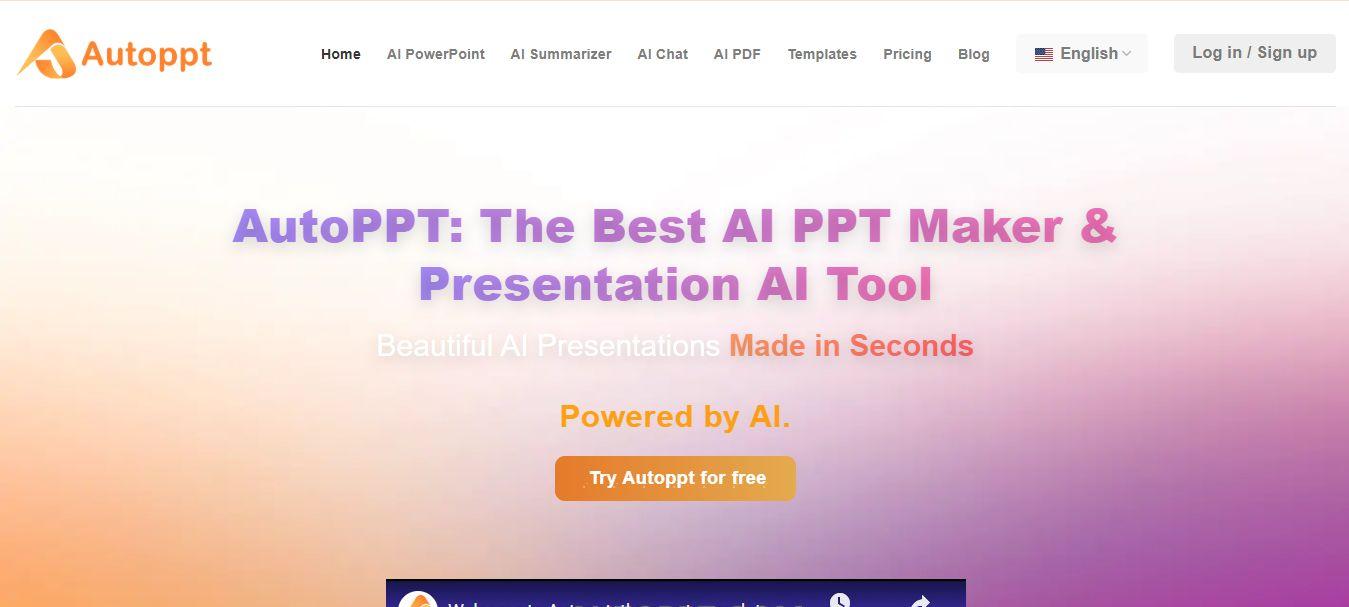
Autoppt is built around a
simple promise. You give it a topic, some text, or a document, and it
gives you back a complete presentation. There is no slide by slide
building, no dragging boxes around, and no worrying about layouts. This
makes Autoppt feel like the purest form of an AI ppt maker free style
tool, especially for people who want something fast.
Autoppt Interface
At its core, Autoppt AI Presentation Creator is designed to remove as
much human input as possible. You type in a subject like “Quarterly
sales report” or upload a PDF, and the system automatically generates an
outline, fills in content, applies a design, and outputs a PowerPoint
file. In many cases, this happens in under a minute, which is impressive
if you are starting from zero.
Key Features
Autoppt offers a few standout capabilities that define its
approach:
Fully automated deck creation that turns a short prompt into a
full slide deck
Document to presentation conversion for PDFs and Word
files
A template driven design system that applies a consistent
theme
Very fast output for basic presentations
Because of this, Autoppt is often used when someone needs a rough
first draft or a quick visual version of a document. Teachers, students,
and business users who just need something to get started can benefit
from this kind of automation.
Autoppt Pros, Cons and
Verdict
From my experience and from what users report, Autoppt is excellent
at one thing above all else, speed.
Pros:
Extremely fast for creating a first draft
Very hands off and simple to use
Great for converting documents into slides
Cons:
Limited design control once the slides are generated
Editing the structure can feel rigid
You end up with a file that you still need to polish in another
program
Verdict:
Autoppt is perfect if your goal is to auto create presentation from
text with as little effort as possible. It works well as a starting
point, but if you care about branding, layout control, or collaboration,
you will probably feel boxed in.
Top
Alternative: WPS AI Slides, Intelligent Automation Within a Full
Suite
While Autoppt takes a fully automated approach, WPS AI
Slides works more like a smart assistant. Instead of handing you
a finished file and stepping away, it stays with you throughout the
process. This makes a big difference if you want automation without
losing control.
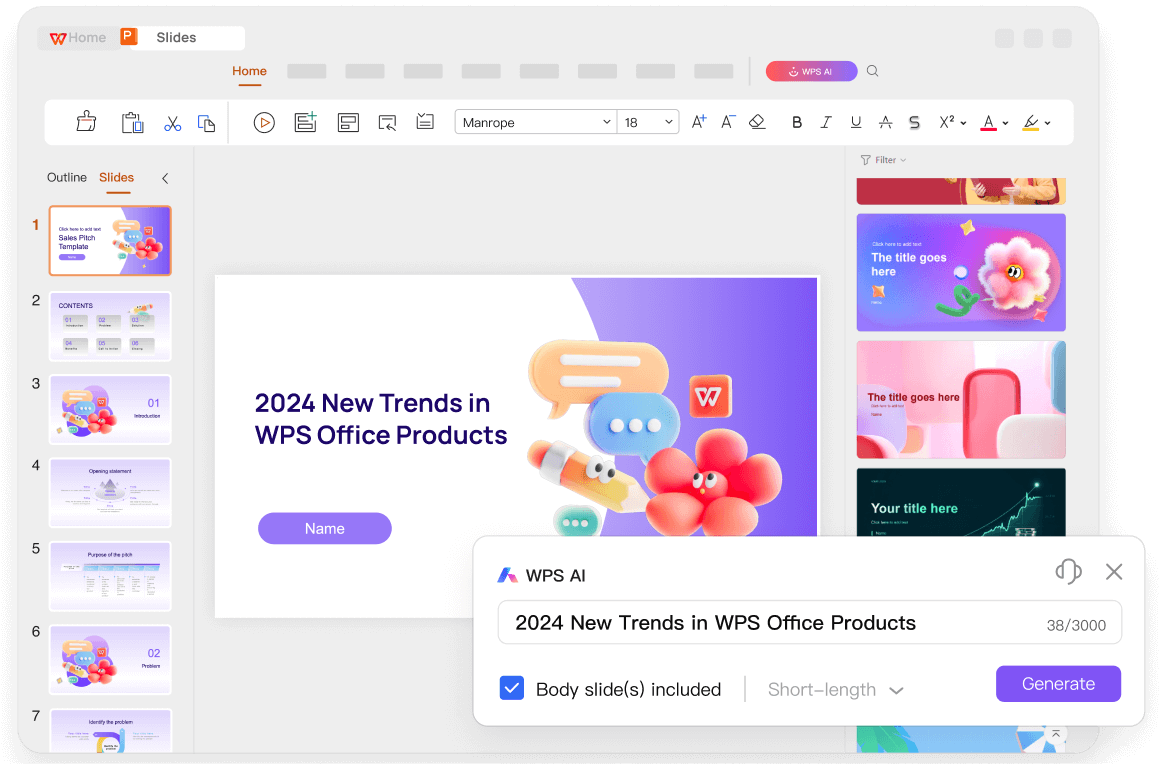
WPS AI Slides
WPS AI Slides is an AI ppt maker free of cost and is built into WPS
Office, which means you are not working in a separate web tool. You are
inside a full presentation editor with AI layered on top.
You can still type, drag, and design like normal, but the AI helps you
with outlines, content, layouts, and visuals along the way.
Key Features
AI co pilot that helps write, rewrite, and structure
slides
Deep integration with WPS Writer, Sheets, and PDFs
Context aware design suggestions for each slide
Support for custom templates and brand styles
Full export to PowerPoint and other formats
This makes WPS AI Slides feel like a more professional version of an
automatic PowerPoint generator. You get speed, but you also get
precision.
How to
Generate a Presentation with WPS AI Slides
Once you decide to use WPS AI Slides as an alternative to Autoppt,
the process becomes much more flexible and interactive. You are not just
generating slides, you are shaping them as the AI builds them with you.
Whether you are starting with a rough idea or an existing document, WPS
AI Slides helps turn that into a clean, professional presentation. The
steps below show you exactly how to move from your first prompt to a
finished set of slides that you can edit, share, and present with
confidence:
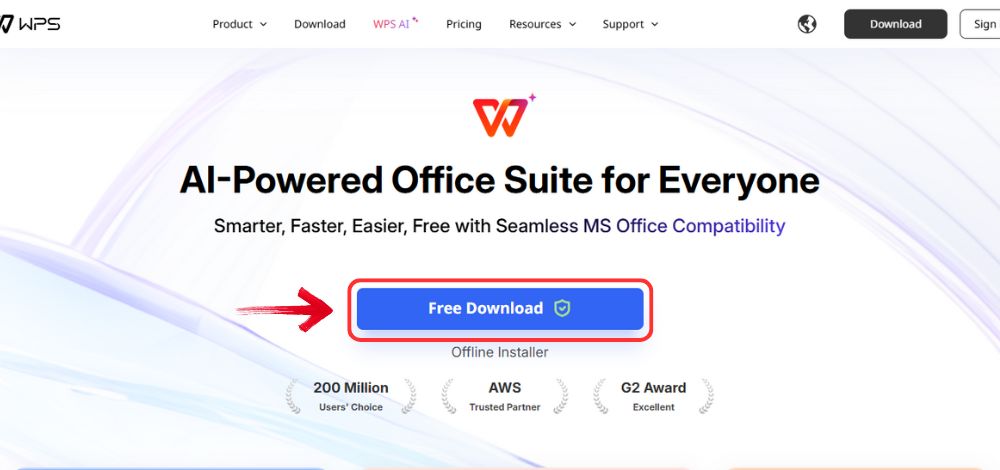
Step 1: Start by visiting the WPS Office website and click the“Free Download” button to get the desktop app. This
will give you access to all WPS tools, including AI Slides.
Download WPS Office
Step 2: After the download finishes, open the
installer file. WPS Office will guide you through the setup, so you can
move forward without dealing with any technical configurations.
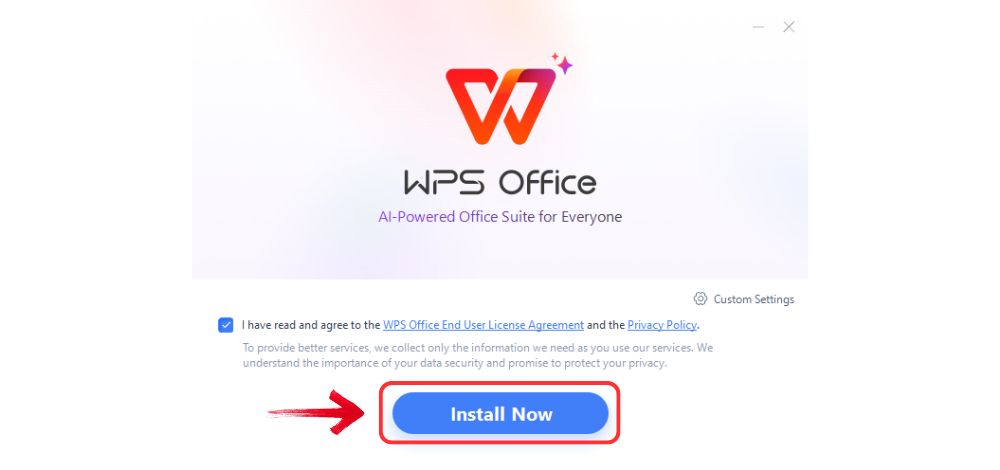
Step 3: Accept the license agreement and choose the
default installation option. In just a few moments, WPS Office will be
fully installed and ready to use.
Install WPS Office
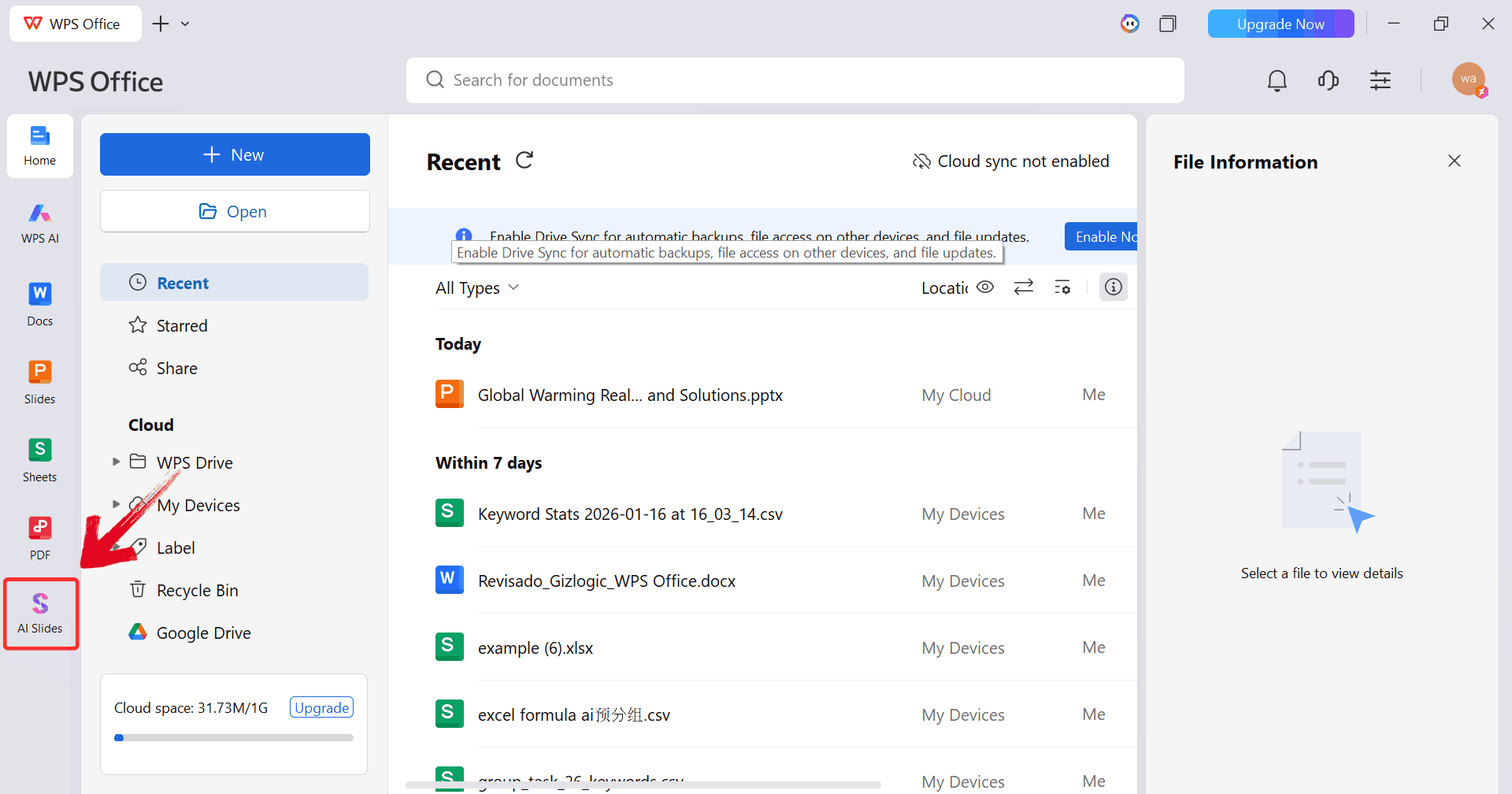
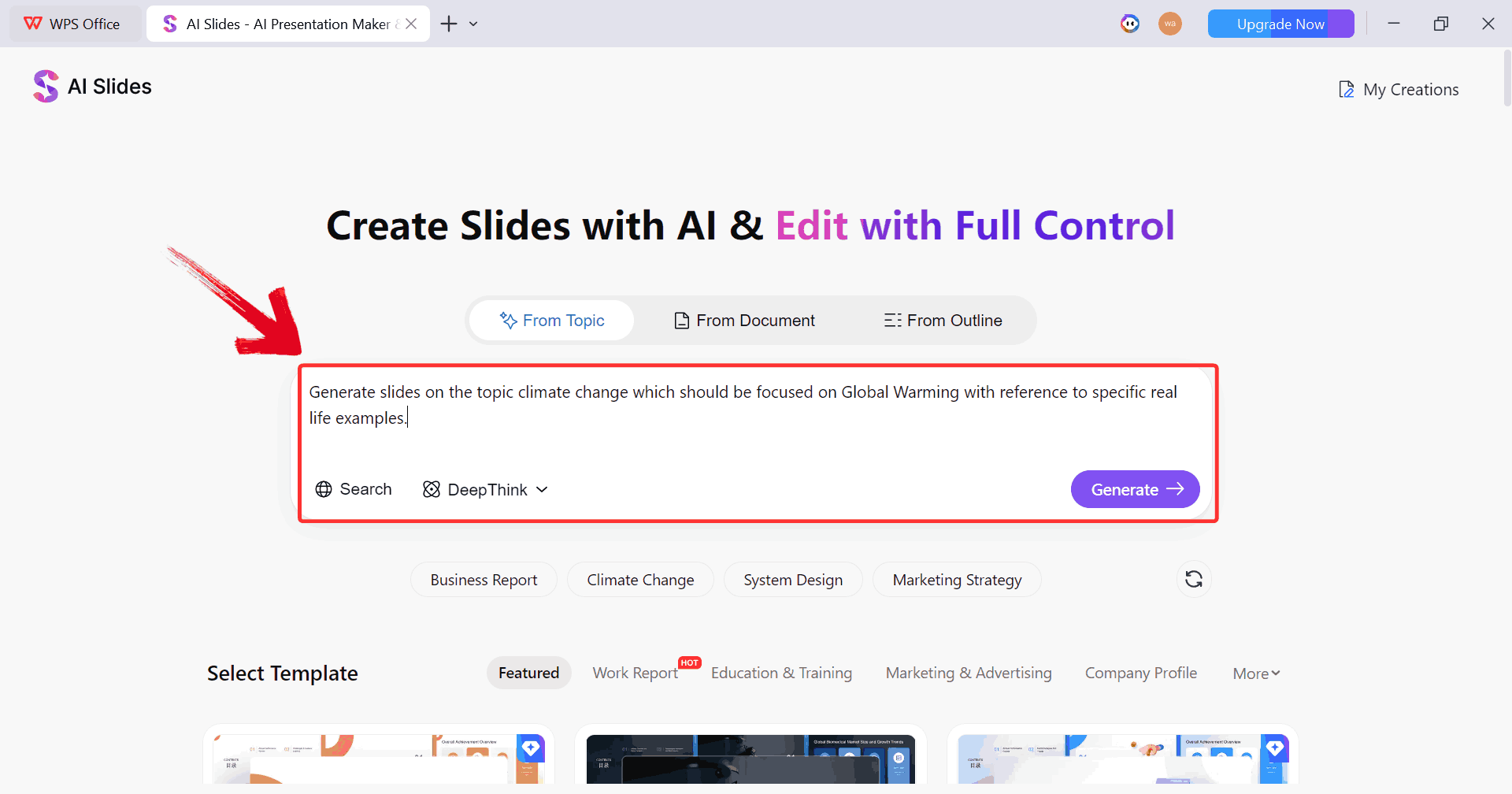
Step 4: Launch WPS Office and look for “AI
Slides” on the main dashboard. Clicking it opens the AI powered
slide creation workspace.
Click AI Slides
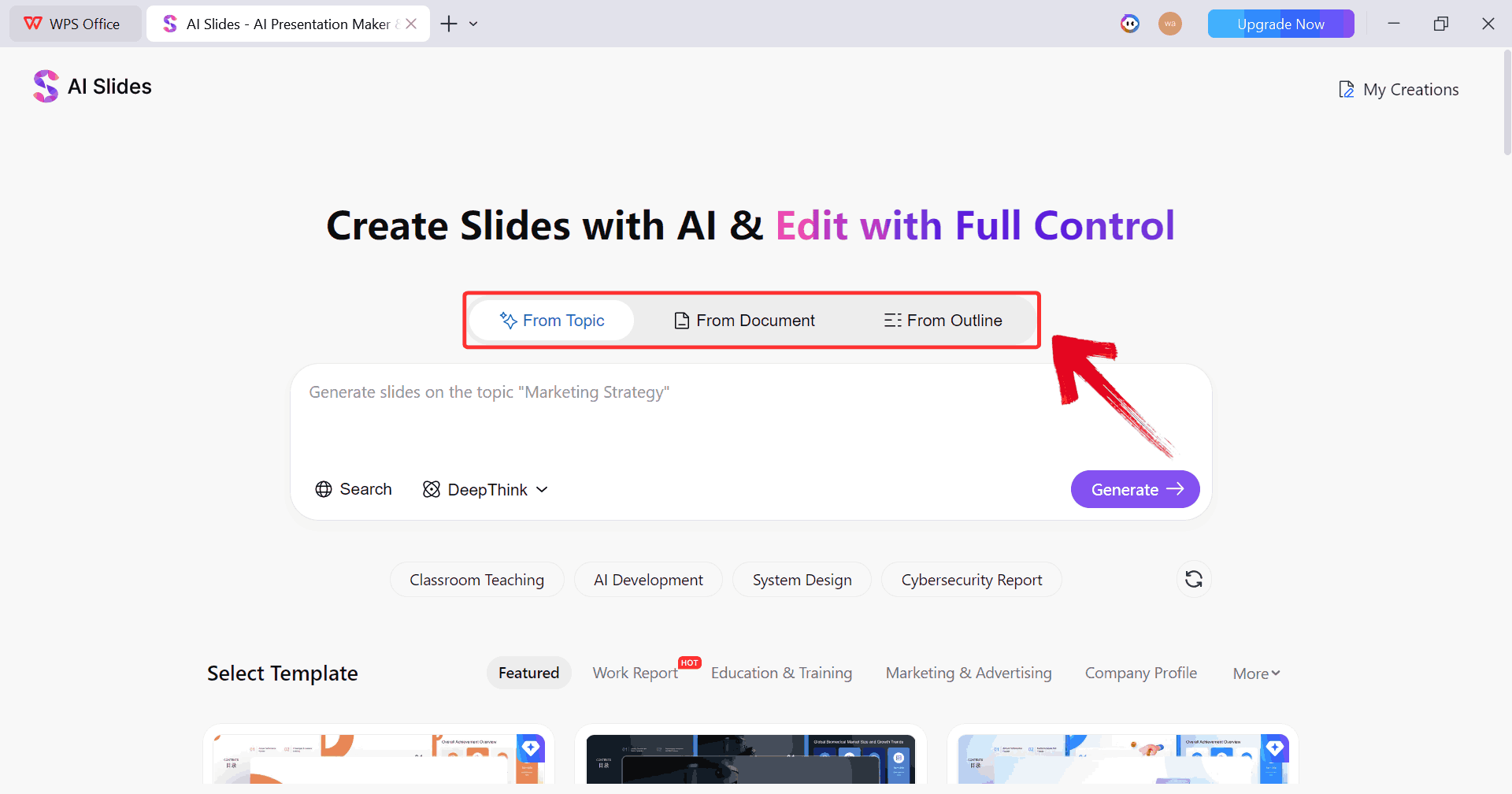
Step 5: You will now see three ways to begin your
presentation. You can start with a topic, an outline, or an existing
document. Choose the option that best matches what you already have
prepared.
Choose Option
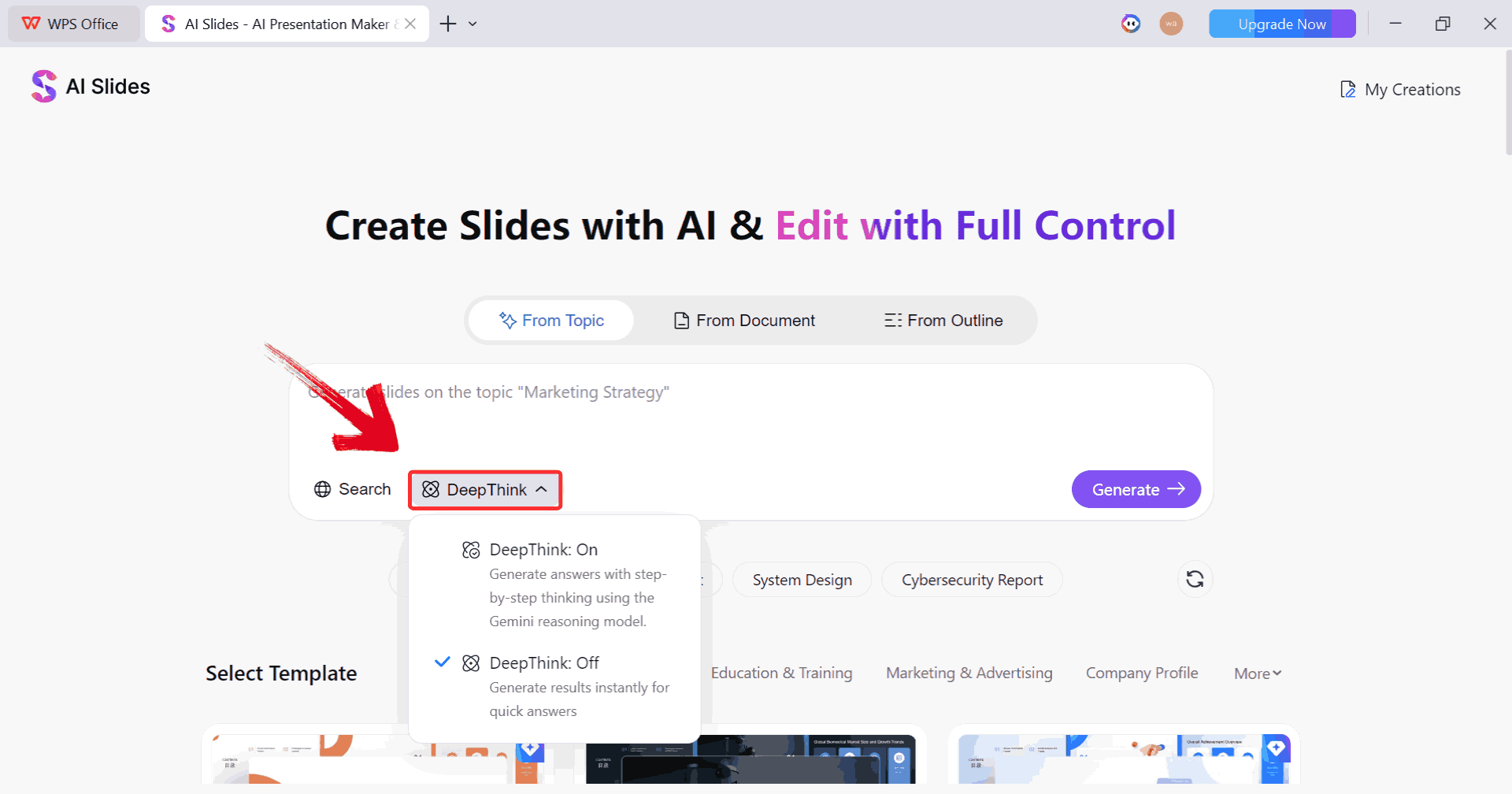
Step 6: If your topic is complex, turn on the“DeepThink” feature. This helps break your idea into
clear, structured points so your slides stay organized and easy to
follow.
DeepThink Feature
Step 7: Enter your prompt describing what you want
your presentation to cover, then click “Generate”. You
can be as detailed or as simple as you like and the AI will adapt to
your input.
Write Prompt
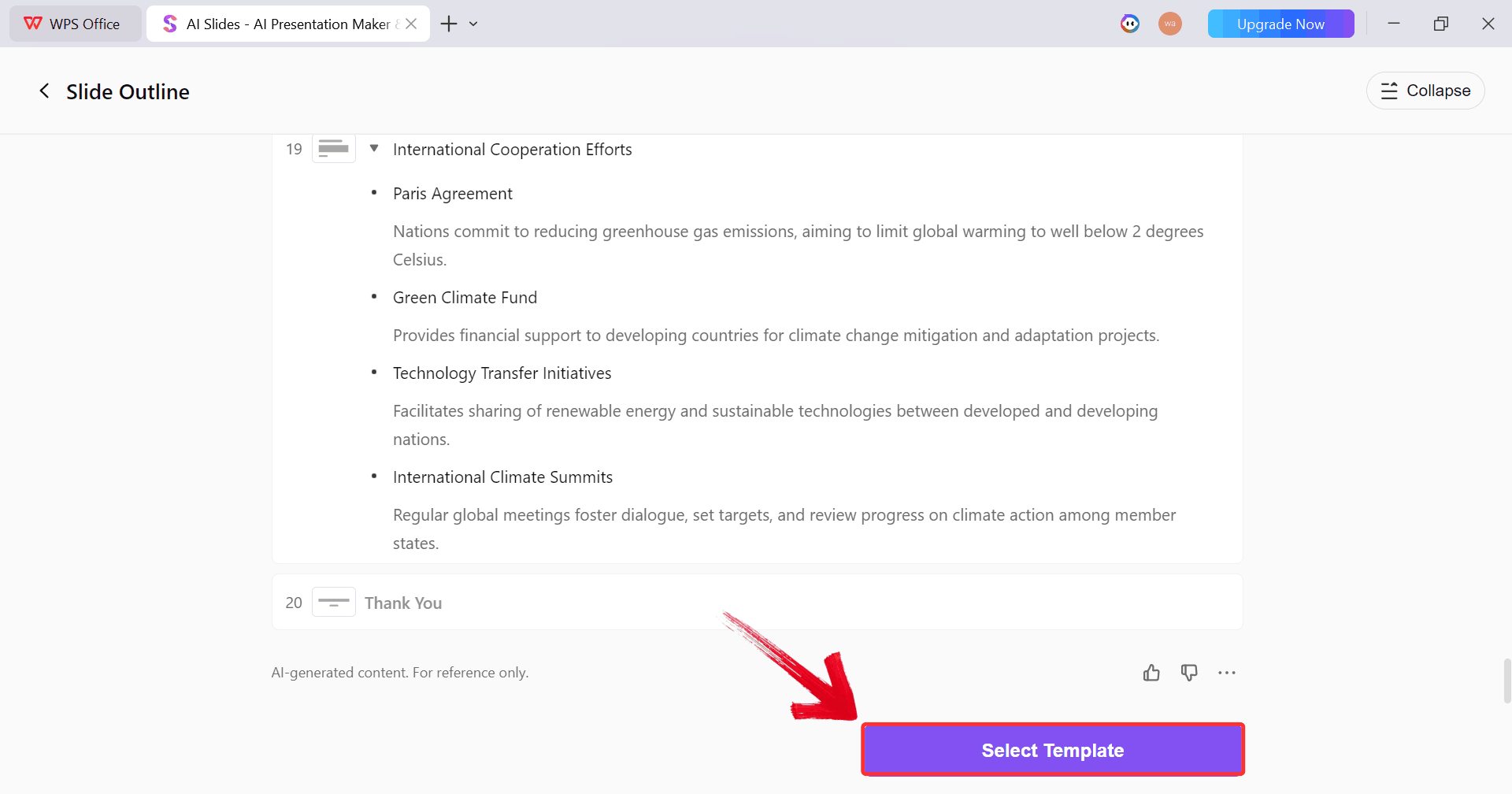
Step 8: AI Slides will now create the draft of your
slide content. After that, click “Select Template” so
you can choose how your slides will look.
Select Purple Button
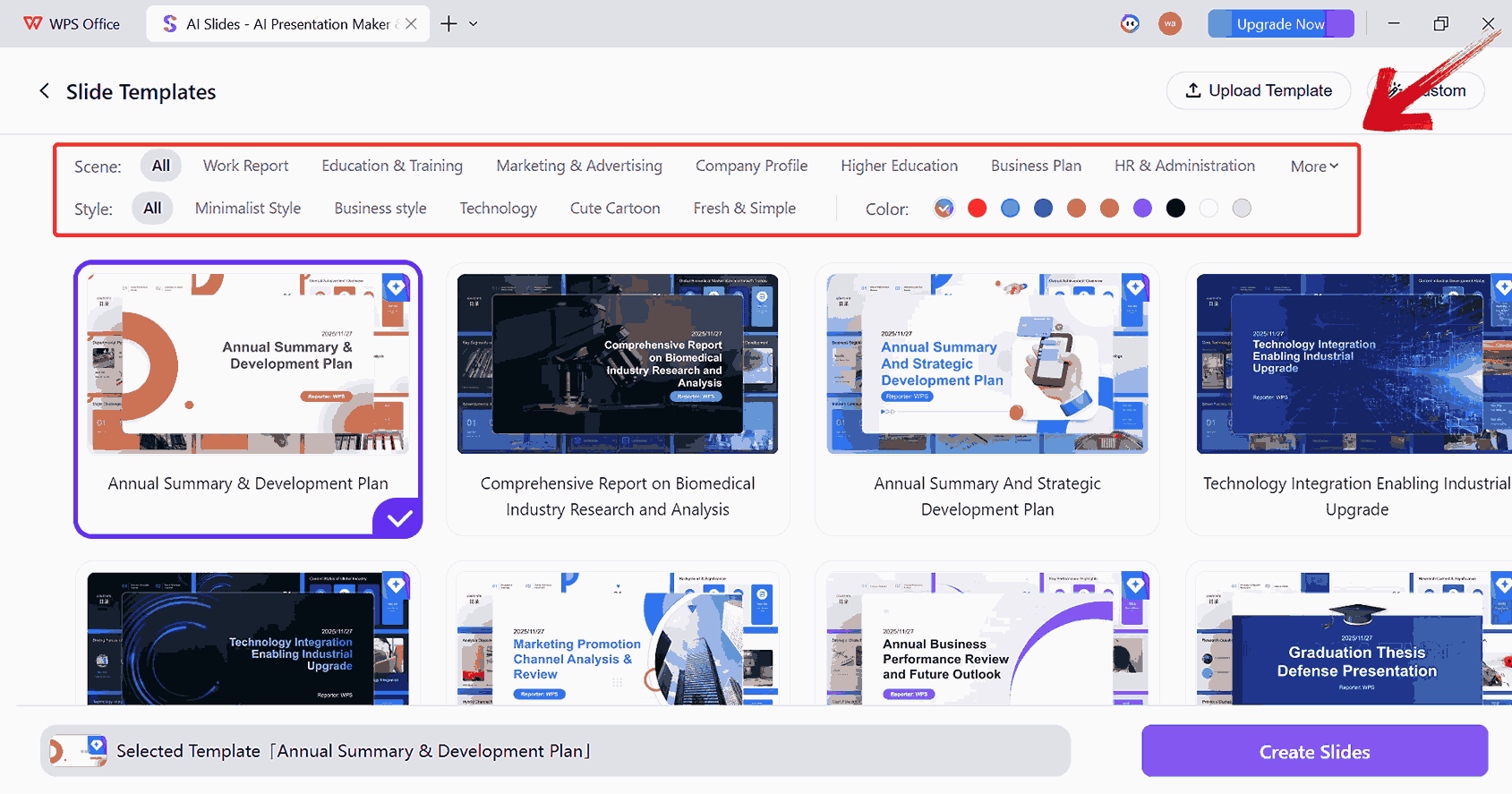
Step 9: Pick a design style that fits your
presentation. You can use one of the built in templates or customize
colors, fonts, and layouts to better match your personal or brand
style.
Adjust Template Scene and Style
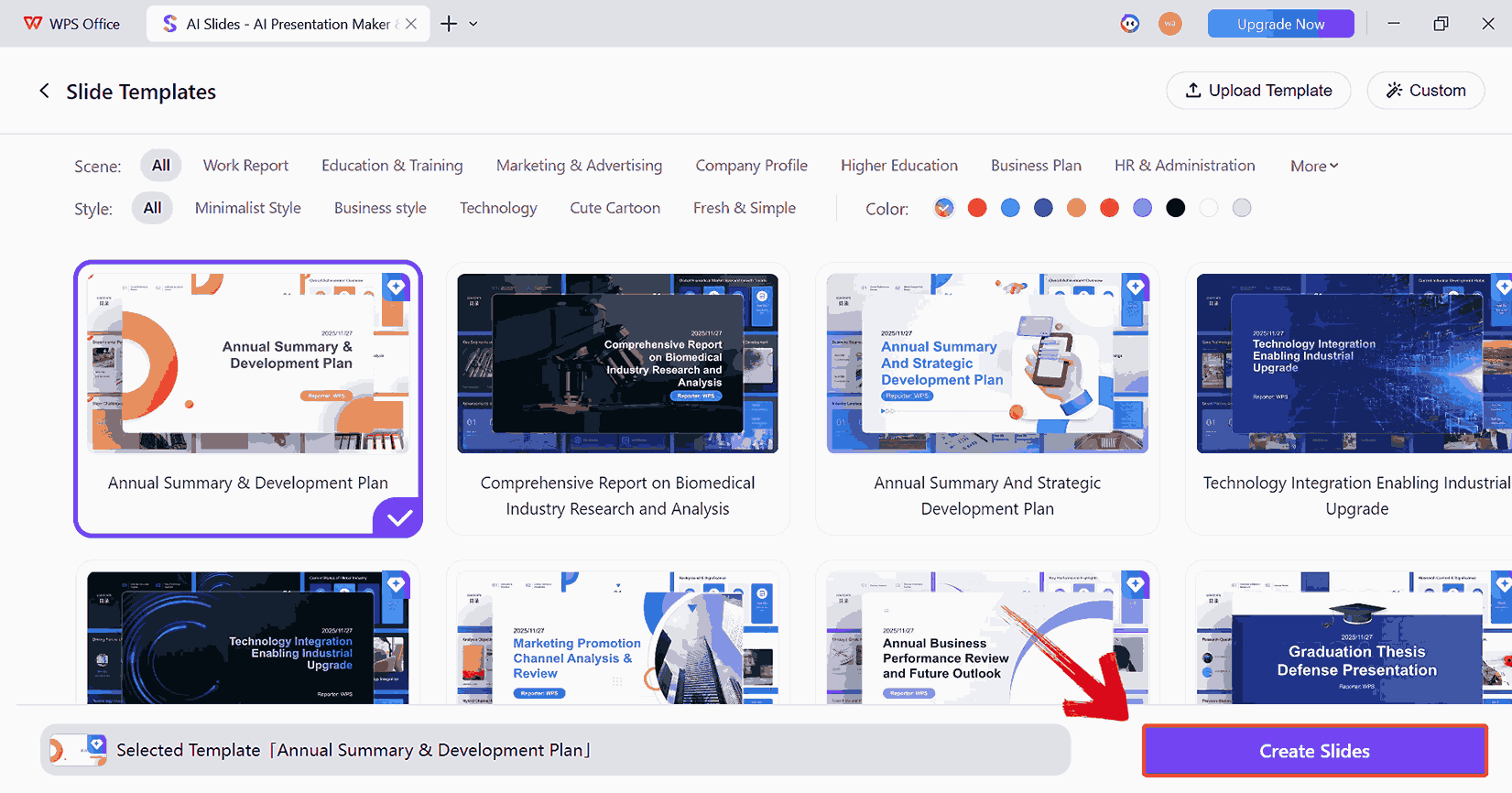
Step 10: Once everything looks right, click“Create Slides”. The AI will generate a complete
presentation using your content and design choices.
Create Slides
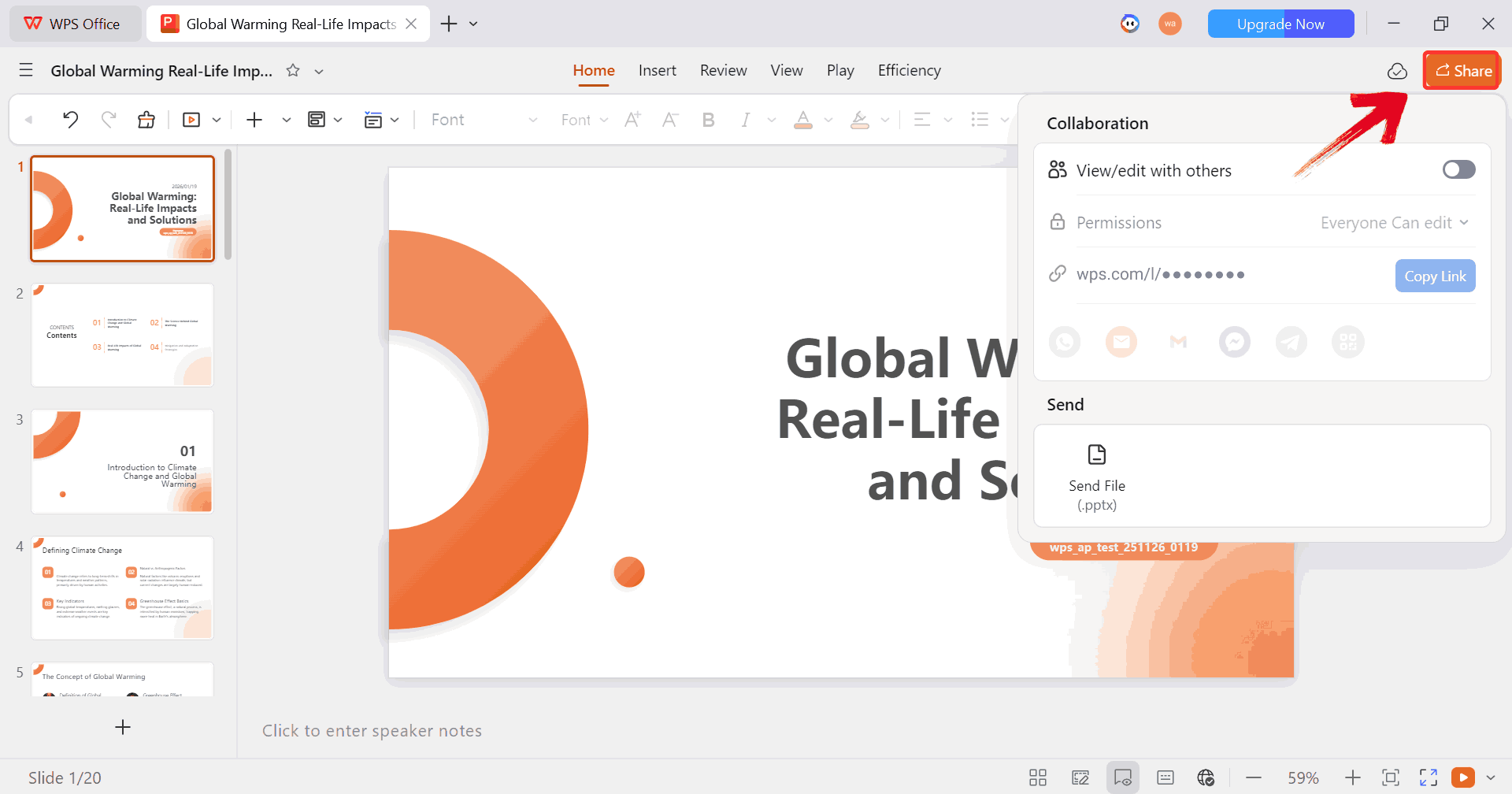
Step 11: Review the finished slides and make any
final edits. When you are satisfied, use the “Share”option to export the presentation, create a shareable link, or download
it as a PowerPoint file.
Share Slides
100% secure
Comparison and Why
Choose WPS AI Slides
Both Autoppt and WPS AI
Slides aim to make presentations faster, but they follow very
different philosophies. Autoppt focuses on auto creating presentations
from text.
It is best when you want a quick draft with no manual work. Whereas, WPS
AI Slides focuses on intelligent assistance. It is best when you want
automation that still fits into a professional workflow.
AI Presentation Tools
Feature Comparison
Feature
Autoppt
WPS AI Slides
Core philosophy
Full automation
Guided co creation
Best for
Getting a basic draft quickly
Users who want control and brand
consistency
Integration
Standalone web app
Built directly into WPS Office
Key strength
Raw speed
Balance of AI and customization
Key Advantages of
the WPS AI Slides Approach
Controlled Creativity
You guide the AI instead of accepting a fixed result
You can refine individual slides without regenerating
everything
Seamless Workflow
You do not need to jump between tools
Files stay compatible with PowerPoint and Google Slides
Cost Effective and Collaborative
AI is part of a full office suite
Teams can work together in real time
This is why many people who start with Autoppt eventually look for
something like WPS AI Slides. It feels more natural for ongoing
work.
FAQs
Q1. What is Autoppt and is
it free?
Autoppt is a standalone AI ppt maker free style tool that creates
presentations from text or documents. It usually offers limited free
use, with paid plans for more features.
Q2. For a
beginner, which AI PPT tool is easier to use?
Autoppt is simpler if you just want something fast. WPS AI Slides is
better if you want to learn and improve your slides with AI
guidance.
Q3. Can I use
Autoppt presentations in PowerPoint?
Yes, Autoppt exports files in PPTX format so you can open and edit
them in PowerPoint.
Q4. Does WPS AI
Slides support custom templates?
Yes, you can upload your own templates and the AI will follow them
when generating slides.
Autoppt and the
Smarter Way to Automate Slides
In this guide, I looked at Autoppt as a fully automatic powerpoint
generator and compared it to WPS AI Slides, a more flexible and
intelligent alternative. Autoppt is great when you need to auto create a
presentation from text as fast as possible, but it can feel limiting
once you want more control. WPS AI Slides offers a better balance,
giving you AI powered speed without taking away your ability to shape
the final result. If you want automation that fits into real workflows
in 2026, WPS AI Slides is the stronger long term choice.
15 years of office industry experience, tech lover and copywriter. Follow me for product reviews, comparisons, and recommendations for new apps and software.


'%3e%3cpath%20d='M8%200C12.4183%200%2016%203.58172%2016%208C16%2012.4183%2012.4183%2016%208%2016C3.58172%2016%200%2012.4183%200%208C0%203.58172%203.58172%200%208%200ZM11.6162%204.38379C11.2257%203.99337%2010.5927%203.99338%2010.2021%204.38379L8%206.58594L5.79785%204.38379C5.40732%203.99334%204.77429%203.99329%204.38379%204.38379C3.99331%204.77429%203.99335%205.40733%204.38379%205.79785L6.58594%208L4.38379%2010.2021C3.99348%2010.5927%203.99341%2011.2257%204.38379%2011.6162C4.77426%2012.0066%205.40734%2012.0065%205.79785%2011.6162L8%209.41406L10.2021%2011.6162C10.5927%2012.0066%2011.2257%2012.0067%2011.6162%2011.6162C12.0067%2011.2257%2012.0066%2010.5927%2011.6162%2010.2021L9.41406%208L11.6162%205.79785C12.0066%205.40735%2012.0066%204.77429%2011.6162%204.38379Z'%20fill='%23080E17'%20fill-opacity='0.46'/%3e%3c/g%3e%3cdefs%3e%3cclipPath%20id='clip0_3761_713'%3e%3crect%20width='16'%20height='16'%20fill='white'/%3e%3c/clipPath%3e%3c/defs%3e%3c/svg%3e)



'%3e%3cpath%20fill-rule='evenodd'%20clip-rule='evenodd'%20d='M21.4999%2010.9993C21.4999%205.20009%2016.7986%200.498901%2010.9993%200.498901C5.19994%200.498901%200.498657%205.20009%200.498657%2010.9993C0.498657%2016.2404%204.33858%2020.5844%209.35855%2021.3722V14.0346H6.69238V10.9993H9.35855V8.68594C9.35855%206.05427%2010.9262%204.60062%2013.3248%204.60062C14.4736%204.60062%2015.6753%204.80571%2015.6753%204.80571V7.38979H14.3512C13.0468%207.38979%2012.64%208.19921%2012.64%209.0296V10.9993H15.5523L15.0867%2014.0346H12.64V21.3722C17.66%2020.5844%2021.4999%2016.2404%2021.4999%2010.9993Z'%20fill='%231568EA'/%3e%3c/g%3e%3c/svg%3e)


'%3e%3cpath%20d='M2.42045%2022.1876H6.31818V12.7217L0.75%208.54553V20.5171C0.75%2021.4414%201.49892%2022.1876%202.42045%2022.1876Z'%20fill='%234285F4'/%3e%3cpath%20d='M19.682%2022.1876H23.5797C24.5041%2022.1876%2025.2502%2021.4387%2025.2502%2020.5171V8.54553L19.682%2012.7217'%20fill='%2334A853'/%3e%3cpath%20d='M19.682%205.48293V12.7216L25.2502%208.54543V6.31816C25.2502%204.25236%2022.8921%203.07469%2021.2411%204.31361'%20fill='%23FBBC04'/%3e%3cpath%20d='M6.31824%2012.7217V5.48303L13.0001%2010.4944L19.6819%205.48303V12.7217L13.0001%2017.733'%20fill='%23EA4335'/%3e%3cpath%20d='M0.75%206.31816V8.54543L6.31818%2012.7216V5.48293L4.75909%204.31361C3.10534%203.07469%200.75%204.25236%200.75%206.31816Z'%20fill='%23C5221F'/%3e%3c/g%3e%3cdefs%3e%3cclipPath%20id='clip0_2954_7305'%3e%3crect%20width='24.5'%20height='18.375'%20fill='white'%20transform='translate(0.75%203.8125)'/%3e%3c/clipPath%3e%3c/defs%3e%3c/svg%3e)




'%3e%3cpath%20d='M19.9911%204.11386V6.471H18.5894C18.0775%206.471%2017.7322%206.57814%2017.5536%206.79243C17.3751%207.00671%2017.2858%207.32814%2017.2858%207.75671V9.44421H19.9019L19.5536%2012.0871H17.2858V18.8639H14.5536V12.0871H12.2769V9.44421H14.5536V7.49779C14.5536%206.39064%2014.8632%205.53201%2015.4822%204.92189C16.1013%204.31177%2016.9257%204.00671%2017.9554%204.00671C18.8304%204.00671%2019.509%204.04243%2019.9911%204.11386Z'%20fill='%23333333'/%3e%3c/g%3e%3cdefs%3e%3cclipPath%20id='clip0_2938_8199'%3e%3crect%20width='16'%20height='16'%20fill='white'%20transform='translate(8%204.00671)'/%3e%3c/clipPath%3e%3c/defs%3e%3c/svg%3e)
'%3e%3cpath%20d='M17.5237%2010.7813L23.4811%204H22.0699L16.8949%209.88693L12.7648%204H8L14.2469%2012.9029L8%2020.0133H9.4112L14.8725%2013.7952L19.2352%2020.0133H24M9.92053%205.04213H12.0885L22.0688%2019.0224H19.9003'%20fill='%23333333'/%3e%3c/g%3e%3cdefs%3e%3cclipPath%20id='clip0_2938_8200'%3e%3crect%20width='16'%20height='16.0134'%20fill='white'%20transform='translate(8%204)'/%3e%3c/clipPath%3e%3c/defs%3e%3c/svg%3e)


