

'%3e%3cpath%20d='M8%200C12.4183%200%2016%203.58172%2016%208C16%2012.4183%2012.4183%2016%208%2016C3.58172%2016%200%2012.4183%200%208C0%203.58172%203.58172%200%208%200ZM11.6162%204.38379C11.2257%203.99337%2010.5927%203.99338%2010.2021%204.38379L8%206.58594L5.79785%204.38379C5.40732%203.99334%204.77429%203.99329%204.38379%204.38379C3.99331%204.77429%203.99335%205.40733%204.38379%205.79785L6.58594%208L4.38379%2010.2021C3.99348%2010.5927%203.99341%2011.2257%204.38379%2011.6162C4.77426%2012.0066%205.40734%2012.0065%205.79785%2011.6162L8%209.41406L10.2021%2011.6162C10.5927%2012.0066%2011.2257%2012.0067%2011.6162%2011.6162C12.0067%2011.2257%2012.0066%2010.5927%2011.6162%2010.2021L9.41406%208L11.6162%205.79785C12.0066%205.40735%2012.0066%204.77429%2011.6162%204.38379Z'%20fill='%23080E17'%20fill-opacity='0.46'/%3e%3c/g%3e%3cdefs%3e%3cclipPath%20id='clip0_3761_713'%3e%3crect%20width='16'%20height='16'%20fill='white'/%3e%3c/clipPath%3e%3c/defs%3e%3c/svg%3e)




'%3e%3cpath%20fill-rule='evenodd'%20clip-rule='evenodd'%20d='M21.4999%2010.9993C21.4999%205.20009%2016.7986%200.498901%2010.9993%200.498901C5.19994%200.498901%200.498657%205.20009%200.498657%2010.9993C0.498657%2016.2404%204.33858%2020.5844%209.35855%2021.3722V14.0346H6.69238V10.9993H9.35855V8.68594C9.35855%206.05427%2010.9262%204.60062%2013.3248%204.60062C14.4736%204.60062%2015.6753%204.80571%2015.6753%204.80571V7.38979H14.3512C13.0468%207.38979%2012.64%208.19921%2012.64%209.0296V10.9993H15.5523L15.0867%2014.0346H12.64V21.3722C17.66%2020.5844%2021.4999%2016.2404%2021.4999%2010.9993Z'%20fill='%231568EA'/%3e%3c/g%3e%3c/svg%3e)


'%3e%3cpath%20d='M2.42045%2022.1876H6.31818V12.7217L0.75%208.54553V20.5171C0.75%2021.4414%201.49892%2022.1876%202.42045%2022.1876Z'%20fill='%234285F4'/%3e%3cpath%20d='M19.682%2022.1876H23.5797C24.5041%2022.1876%2025.2502%2021.4387%2025.2502%2020.5171V8.54553L19.682%2012.7217'%20fill='%2334A853'/%3e%3cpath%20d='M19.682%205.48293V12.7216L25.2502%208.54543V6.31816C25.2502%204.25236%2022.8921%203.07469%2021.2411%204.31361'%20fill='%23FBBC04'/%3e%3cpath%20d='M6.31824%2012.7217V5.48303L13.0001%2010.4944L19.6819%205.48303V12.7217L13.0001%2017.733'%20fill='%23EA4335'/%3e%3cpath%20d='M0.75%206.31816V8.54543L6.31818%2012.7216V5.48293L4.75909%204.31361C3.10534%203.07469%200.75%204.25236%200.75%206.31816Z'%20fill='%23C5221F'/%3e%3c/g%3e%3cdefs%3e%3cclipPath%20id='clip0_2954_7305'%3e%3crect%20width='24.5'%20height='18.375'%20fill='white'%20transform='translate(0.75%203.8125)'/%3e%3c/clipPath%3e%3c/defs%3e%3c/svg%3e)


People search for “Form 1044” after a tax appointment, a letter from an agency, or a template that appeared in a search result. The awkward part is that the IRS does not publish a current form with that number, so a download page labelled “IRS Form 1044” is almost always something else wearing the wrong title.
Filing the wrong document is worse than filing late, so the order matters: identify what the number refers to on your paperwork, confirm it with the issuing agency, then fill the PDF carefully and keep a flattened copy of what you sent.
Form 1044: What It Actually Is and How to Handle the PDF
What Form 1044 usually means
In practice the number shows up in three different places, and each one has a different owner. Which agency is named on your document decides what you are actually filling in.
A mistyped Form 1040. The US individual income tax return is Form 1040, and 1044 is one keystroke away. If the document asks for filing status, dependants, and income lines, you are looking at an income tax return, not a form numbered 1044.
A HUD form. Housing and Urban Development publishes numbered forms in this range, used by housing agencies and programme administrators rather than by the IRS. These are filed with the programme office that sent them.
A state, county, or local form. Several local agencies number their own paperwork independently — property, senior exemption, and permit documents among them. The number alone means nothing outside the office that issued it.
The reliable clue is never the number on its own. It is the agency name, the form title in the top left corner, and the OMB or agency control number printed near it. Search that title, not the number.
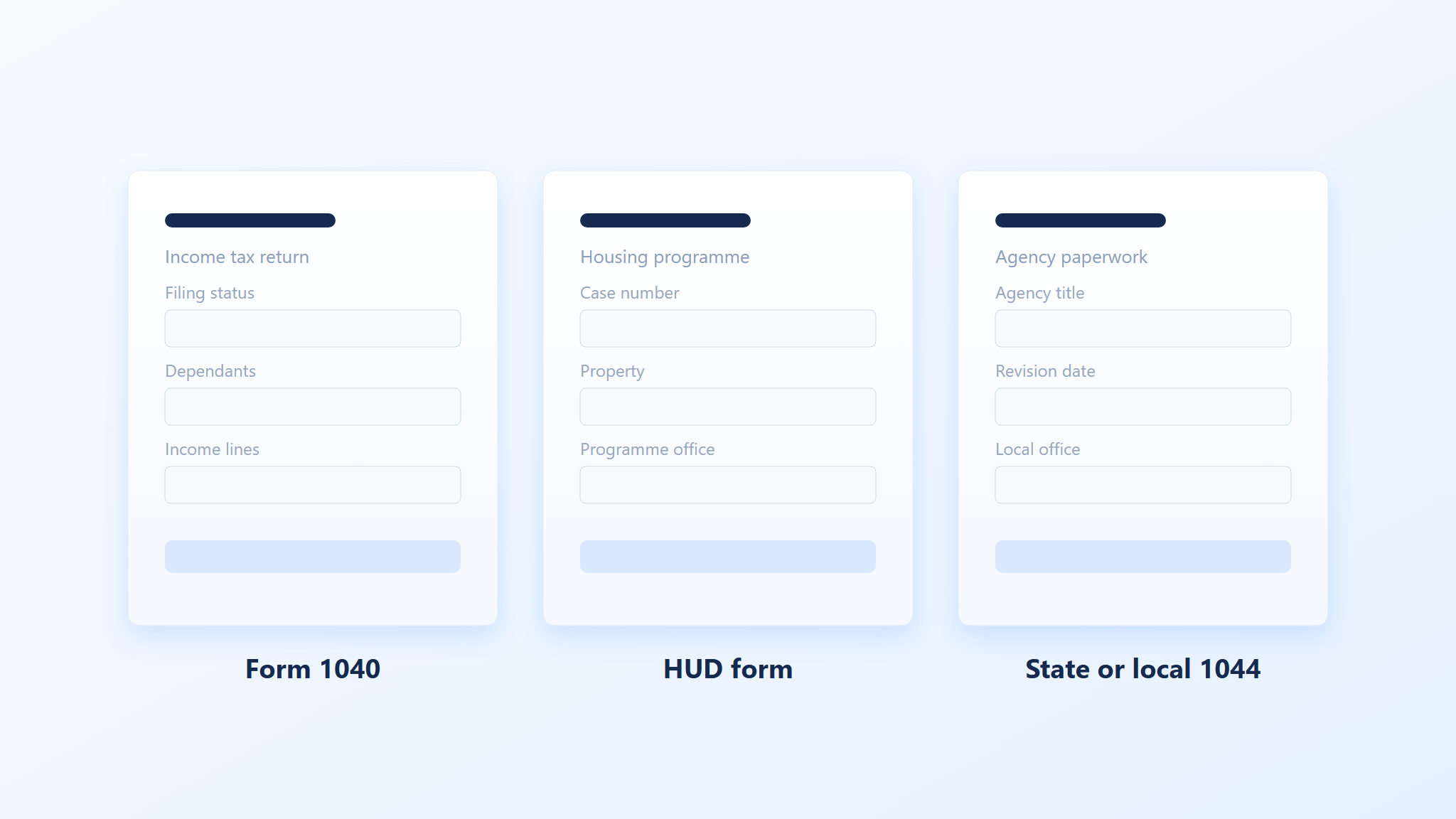
Three documents commonly called Form 1044


Confirm which 1044 you have before filling anything
Before typing in a single field, confirm the document is the current version and that you are its intended filer. Two minutes here saves a rejected submission three weeks later.
Check the revision date in the top right corner of the PDF against the version the agency lists on its own site. Superseded versions get rejected even when the answers are correct.
Match the agency and form title to the letter or email that asked you to file. If they disagree, call the number on the letter and ask which form number they expect.
Read the instructions page for the filing address, the deadline, and whether a signature must be handwritten. Many federal forms now accept an electronic signature; some local ones still do not.
Keep the original PDF untouched in a folder, and work on a copy. You will want the blank version if a correction is needed.
If the form came from a template site rather than an agency, treat it as a layout reference only. Download the official file from the issuing agency before you fill anything that will be submitted.
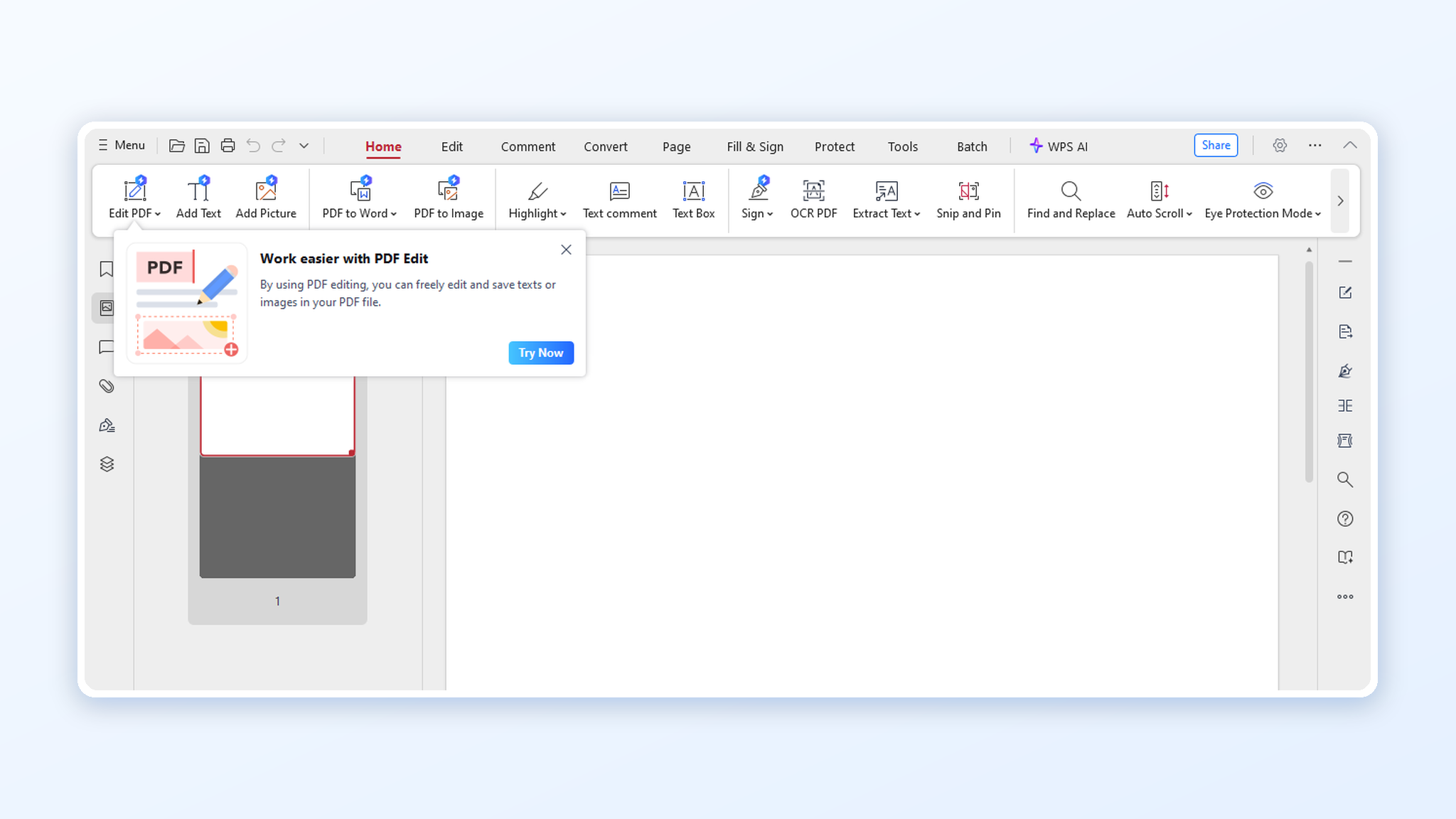
Opening the official PDF in WPS
Keep the record after you file. The flattened copy, the confirmation page or email, and the date you submitted are what an auditor or a programme office will ask for, and most agencies expect you to hold them for at least three years. If the form touches a gift, an estate, or a housing subsidy, have the figure you entered checked by whoever prepares your return before it goes out. The same fill-and-flatten routine works on longer IRS PDFs, and our walkthrough of Form 8606 shows it on a form with far more lines.
Fill, sign, and flatten the PDF in WPS
Once the correct file is confirmed, the work is mechanical. Fill it on screen, sign it, and flatten the result so the fields cannot shift when the recipient opens it.
Open the PDF in WPS PDF and choose Fill & Sign. Click each field and type; Tab moves to the next field without leaving the page.
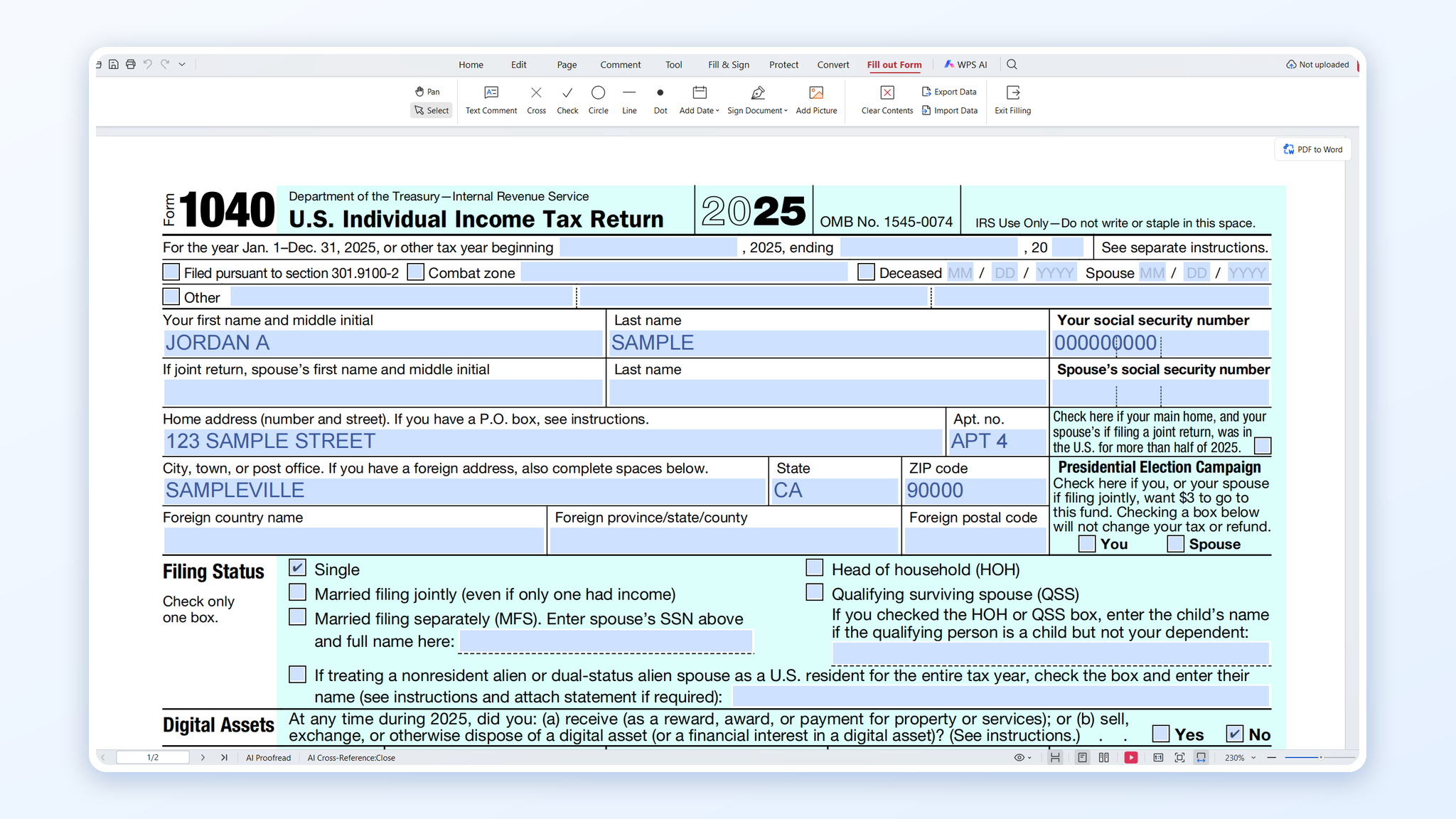
Filling Form 1040 in WPS
Add the signature with Fill & Sign → Signature, drawing it with a mouse, trackpad, or touch screen. Size it to the signature line rather than stretching it across the page.
Attach supporting pages, if the instructions require them, with Page → Insert → From File, then drag the new pages into the correct order.
Flatten the file with Convert → Flatten (or print to PDF) so the typed text becomes part of the page instead of an editable layer.
Save a copy with a clear name, for example
1044-agencyname-YYYY-MM.pdf, and keep the flattened version as the record of what you submitted.
Flattening matters more than it sounds. Unflattened fields can render empty in older viewers, and a form that arrives blank looks like an incomplete filing even when every field was filled.
The Best Free Office Alternative: WPS Office
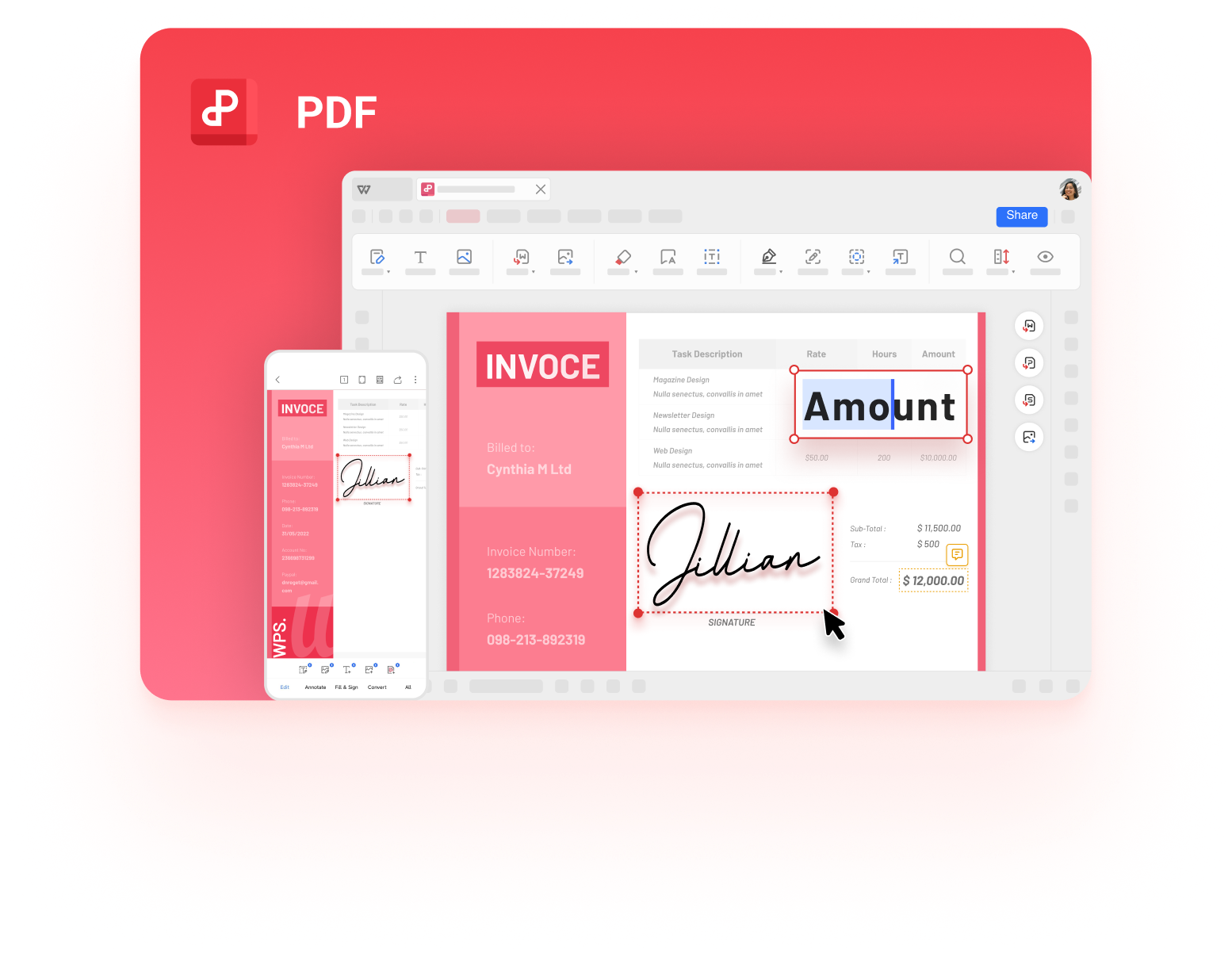
WPS Office handles the whole document side in one free app: PDF fill and sign for the form itself, page tools for combining supporting documents, compression when a portal rejects a large upload, and Writer for the cover letter that goes with it. Files stay in the standard PDF and Microsoft formats the receiving office expects.
WPS PDF document and form tools
FAQs
Is there an IRS Form 1044?
No current IRS form carries that number. Searches for it usually mean Form 1040, a HUD form, or a state or local document numbered 1044.
How do I know which 1044 I have?
Read the agency name and form title in the header, plus the revision date and control number. Confirm them against the agency website or the letter that requested the filing.
Can I fill Form 1044 on a phone?
Yes, with a PDF editor that supports form fields. Flatten the file before sending so the text does not disappear in the recipient's viewer.
Does the form need a handwritten signature?
It depends on the issuing agency. Federal forms generally accept electronic signatures; some local offices still require ink, so check the instructions page first.
Why does my filled form look blank to the recipient?
The fields were probably not flattened. Save a flattened copy, or print the filled form to PDF, and send that version instead.


'%3e%3cpath%20d='M19.9911%204.11386V6.471H18.5894C18.0775%206.471%2017.7322%206.57814%2017.5536%206.79243C17.3751%207.00671%2017.2858%207.32814%2017.2858%207.75671V9.44421H19.9019L19.5536%2012.0871H17.2858V18.8639H14.5536V12.0871H12.2769V9.44421H14.5536V7.49779C14.5536%206.39064%2014.8632%205.53201%2015.4822%204.92189C16.1013%204.31177%2016.9257%204.00671%2017.9554%204.00671C18.8304%204.00671%2019.509%204.04243%2019.9911%204.11386Z'%20fill='%23333333'/%3e%3c/g%3e%3cdefs%3e%3cclipPath%20id='clip0_2938_8199'%3e%3crect%20width='16'%20height='16'%20fill='white'%20transform='translate(8%204.00671)'/%3e%3c/clipPath%3e%3c/defs%3e%3c/svg%3e)
'%3e%3cpath%20d='M17.5237%2010.7813L23.4811%204H22.0699L16.8949%209.88693L12.7648%204H8L14.2469%2012.9029L8%2020.0133H9.4112L14.8725%2013.7952L19.2352%2020.0133H24M9.92053%205.04213H12.0885L22.0688%2019.0224H19.9003'%20fill='%23333333'/%3e%3c/g%3e%3cdefs%3e%3cclipPath%20id='clip0_2938_8200'%3e%3crect%20width='16'%20height='16.0134'%20fill='white'%20transform='translate(8%204)'/%3e%3c/clipPath%3e%3c/defs%3e%3c/svg%3e)


