

'%3e%3cpath%20d='M8%200C12.4183%200%2016%203.58172%2016%208C16%2012.4183%2012.4183%2016%208%2016C3.58172%2016%200%2012.4183%200%208C0%203.58172%203.58172%200%208%200ZM11.6162%204.38379C11.2257%203.99337%2010.5927%203.99338%2010.2021%204.38379L8%206.58594L5.79785%204.38379C5.40732%203.99334%204.77429%203.99329%204.38379%204.38379C3.99331%204.77429%203.99335%205.40733%204.38379%205.79785L6.58594%208L4.38379%2010.2021C3.99348%2010.5927%203.99341%2011.2257%204.38379%2011.6162C4.77426%2012.0066%205.40734%2012.0065%205.79785%2011.6162L8%209.41406L10.2021%2011.6162C10.5927%2012.0066%2011.2257%2012.0067%2011.6162%2011.6162C12.0067%2011.2257%2012.0066%2010.5927%2011.6162%2010.2021L9.41406%208L11.6162%205.79785C12.0066%205.40735%2012.0066%204.77429%2011.6162%204.38379Z'%20fill='%23080E17'%20fill-opacity='0.46'/%3e%3c/g%3e%3cdefs%3e%3cclipPath%20id='clip0_3761_713'%3e%3crect%20width='16'%20height='16'%20fill='white'/%3e%3c/clipPath%3e%3c/defs%3e%3c/svg%3e)



'%3e%3cpath%20fill-rule='evenodd'%20clip-rule='evenodd'%20d='M21.4999%2010.9993C21.4999%205.20009%2016.7986%200.498901%2010.9993%200.498901C5.19994%200.498901%200.498657%205.20009%200.498657%2010.9993C0.498657%2016.2404%204.33858%2020.5844%209.35855%2021.3722V14.0346H6.69238V10.9993H9.35855V8.68594C9.35855%206.05427%2010.9262%204.60062%2013.3248%204.60062C14.4736%204.60062%2015.6753%204.80571%2015.6753%204.80571V7.38979H14.3512C13.0468%207.38979%2012.64%208.19921%2012.64%209.0296V10.9993H15.5523L15.0867%2014.0346H12.64V21.3722C17.66%2020.5844%2021.4999%2016.2404%2021.4999%2010.9993Z'%20fill='%231568EA'/%3e%3c/g%3e%3c/svg%3e)


'%3e%3cpath%20d='M2.42045%2022.1876H6.31818V12.7217L0.75%208.54553V20.5171C0.75%2021.4414%201.49892%2022.1876%202.42045%2022.1876Z'%20fill='%234285F4'/%3e%3cpath%20d='M19.682%2022.1876H23.5797C24.5041%2022.1876%2025.2502%2021.4387%2025.2502%2020.5171V8.54553L19.682%2012.7217'%20fill='%2334A853'/%3e%3cpath%20d='M19.682%205.48293V12.7216L25.2502%208.54543V6.31816C25.2502%204.25236%2022.8921%203.07469%2021.2411%204.31361'%20fill='%23FBBC04'/%3e%3cpath%20d='M6.31824%2012.7217V5.48303L13.0001%2010.4944L19.6819%205.48303V12.7217L13.0001%2017.733'%20fill='%23EA4335'/%3e%3cpath%20d='M0.75%206.31816V8.54543L6.31818%2012.7216V5.48293L4.75909%204.31361C3.10534%203.07469%200.75%204.25236%200.75%206.31816Z'%20fill='%23C5221F'/%3e%3c/g%3e%3cdefs%3e%3cclipPath%20id='clip0_2954_7305'%3e%3crect%20width='24.5'%20height='18.375'%20fill='white'%20transform='translate(0.75%203.8125)'/%3e%3c/clipPath%3e%3c/defs%3e%3c/svg%3e)


Gorilla Tag is a trending VR game known for its innovative gameplay mechanics, and fans love to customize their avatars as their own profile pictures. However, most free PFP makers are unreliable and don’t fully capture the essence of the game. So, which free Gorilla Tag PFP makers are actually worth trying? In this guide, I’ll be reviewing 5 of the best Gorilla Tag avatar makers and showing you how to enhance your final profile avatar using WPS Photo.
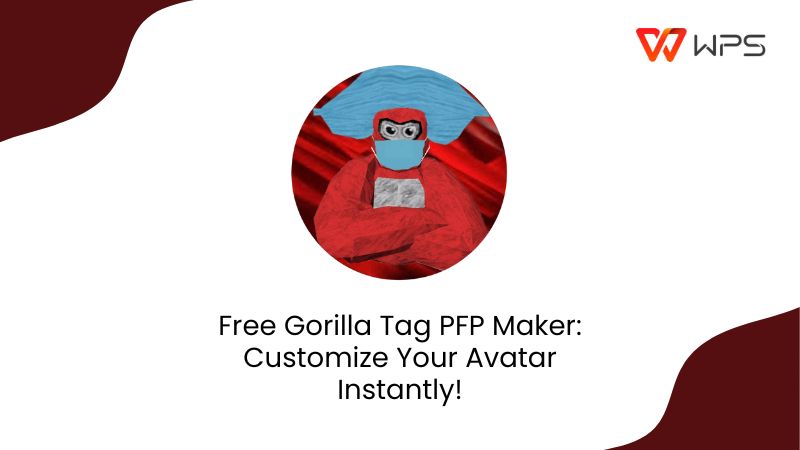
What Is a Gorilla Tag PFP & How It Became Popular
Gorilla Tag is a unique VR gamecreated by the developer Another Axiom, which rose to fame due to its innovative gameplay mechanics that were never seen before. I personally found its movement to be highly immersive, letting players move, jump, and even climb using physical arm swings rather than buttons. It has become a generational phenomenon, attracting players of all ages and creating a strong online community.
Why Players Create Gorilla Tag PFPs
Identity Customization: Players like to use their own customized PFPs to display their unique gorilla appearance on social media platforms.
Community Building: Many VR streamers use their Gorilla Tag avatarsto formulate their own online identity or fan servers.
Artistic Fun: The game’s simple, blocky style makes it incredibly easy to jump in and design creative variations, from neon gorillas to jungle warriors.
Best 5 Tools of Gorilla Tag PFP Maker
If you don’t want to use the default avatars provided by the game, there are many free PFP makers available online. However, most of them offer low-res images and lack features, making them inconvenient to use. I’ve tried many options myself and have narrowed the options down to 5 reliable AI Gorilla Tag PFP generators that helped me make all my avatars with ease. In this section, I’ll be reviewing each one in detail so you can decide which option works best for you.
1. Picrew
Picrewis a well-known avatar-making platform that now allows you to make your own Gorilla Tag PFPs using its built-in generator. I’ve found that it’s the ideal option for casual players or artists who just want a fun tool that allows them to fully express their creativity while making their avatars in a cute, cartoonish appearance.
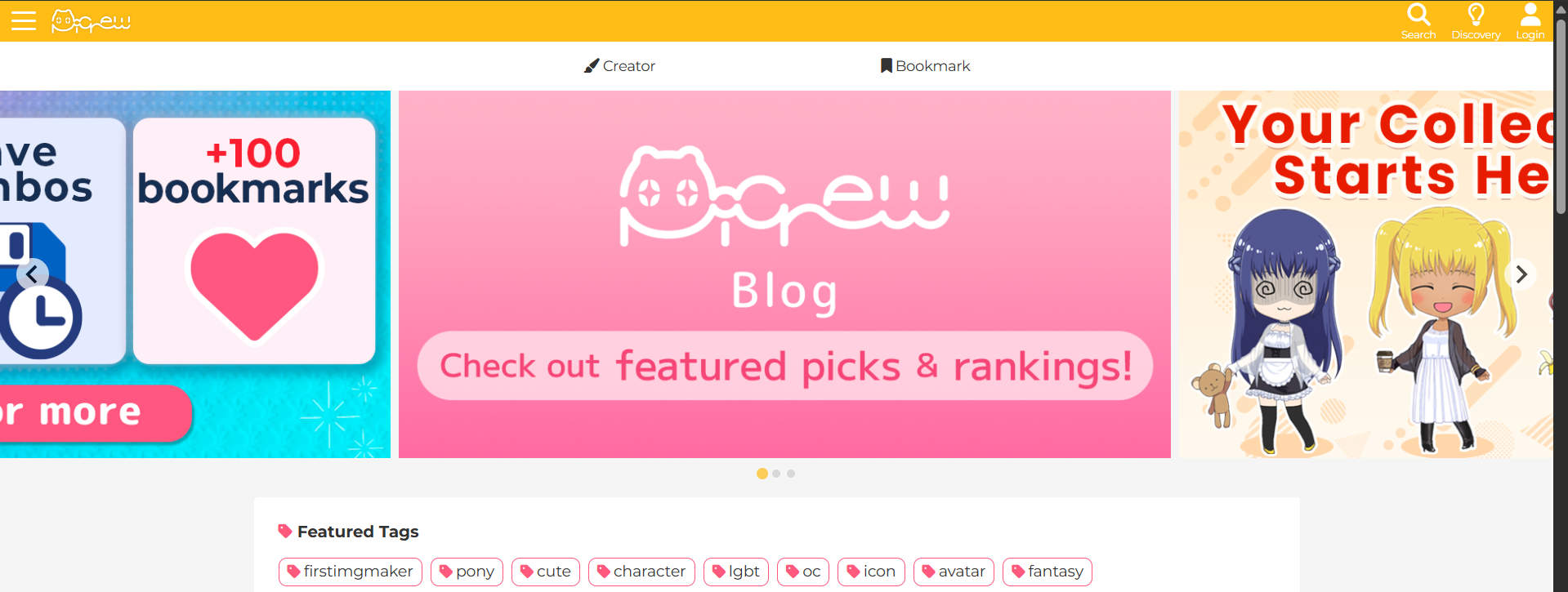
Features
Shape Customization
Wide range of colors to choose from
Headwear and Masks
Simple Backgrounds
Pros
Cartoonish 2D art style that looks very cute
Extremely easy-to-use and beginner-friendly
Completely free; no paywalls
Cons
Limited Realism
No 3D Features
Lack of AI Integration
2. PFPGenerator
The PFPGeneratoris the perfect option if you want something that is made just for creating Gorilla Tag PFPs, built to be used by the Gorilla Tag community. It offers extensive customization features and captures the game’s essence perfectly, making it feel much more authentic than the other options I tried.
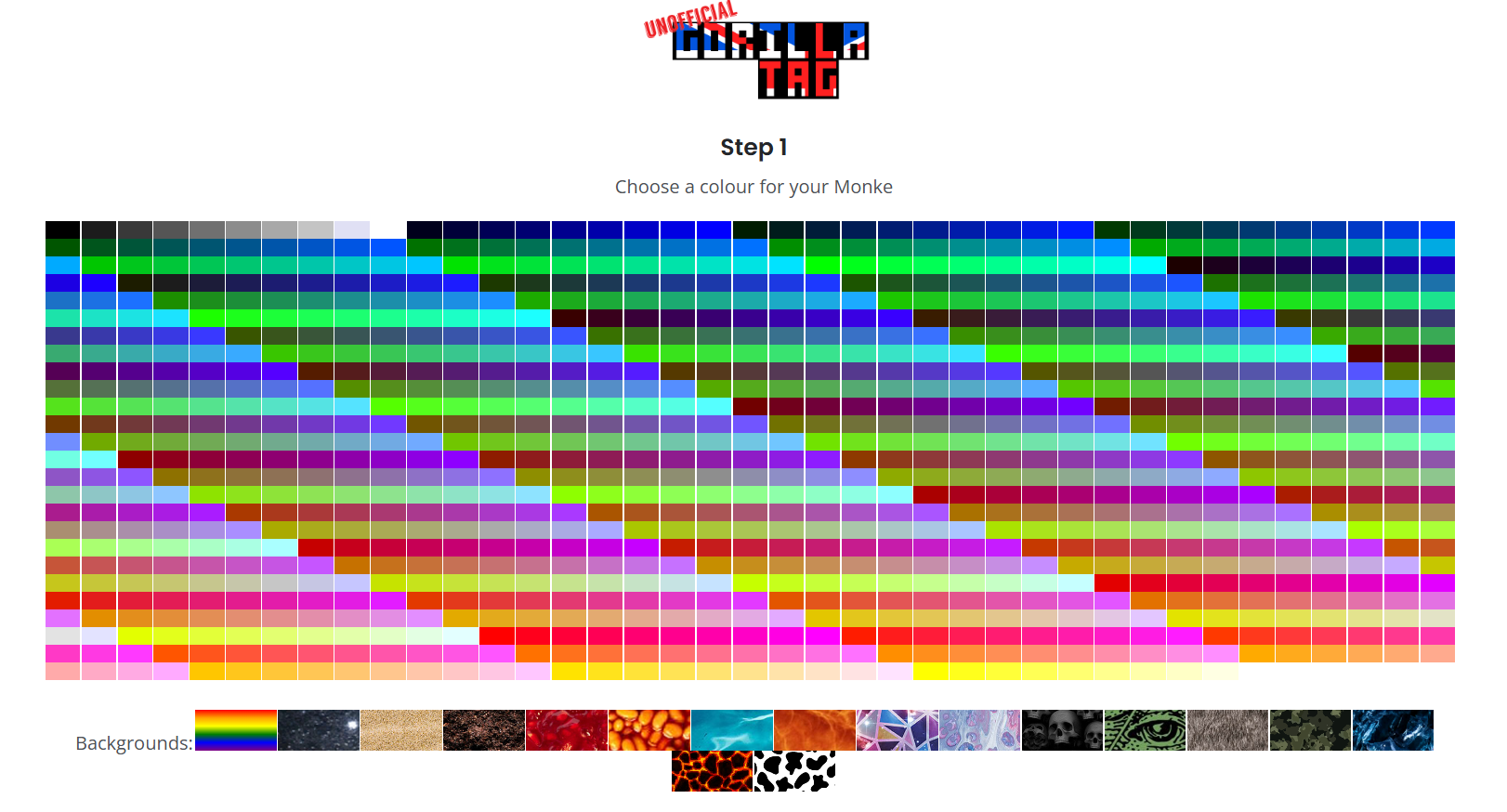
Features
Gorilla Pose Customization
Extensive Background Library
Built-in Color Adjustments
Pros
Specifically designed for Gorilla Tag PFPs
Browser-based; making sure it works across all devices
Completely free
Cons
Low Output Resolution
No AI Enhancement
3. BasedLabs
BasedLabsis an AI Gorilla Tag PFP generator filled with extensive customization features and advanced AI enhancement, allowing me to create polished, high-quality avatars in a few simple steps. The interface is incredibly straightforward and intuitive, making sure there’s no clutter or irrelevant features to slow me down. It’s an ideal choice for users who want a unique and stylish approach to their Gorilla Tag characters.
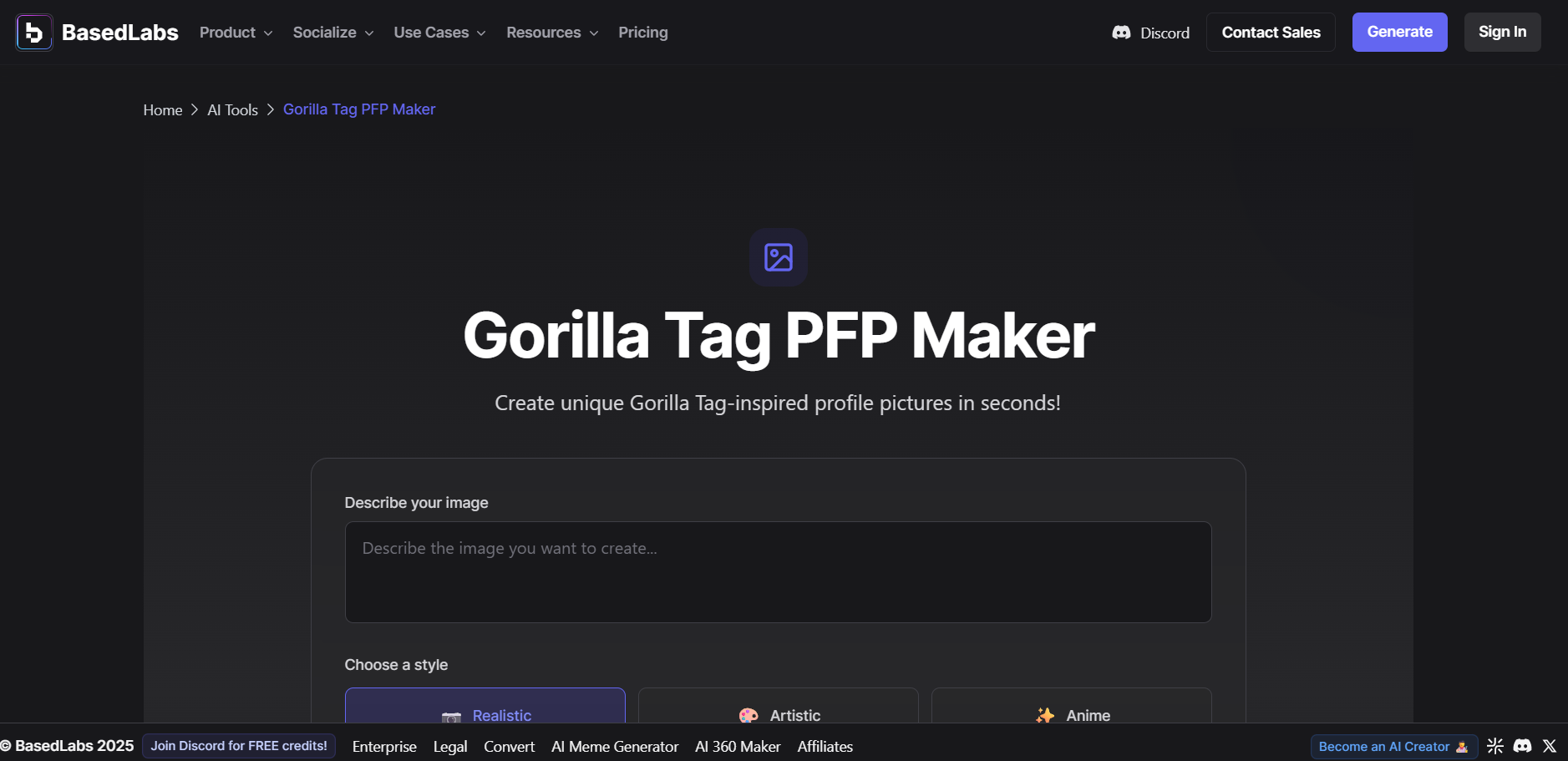
Features
Photo-to-Avatar Conversion
Prompt-Based Avatar Generation
Style Customization
Pros
Fast AI Rendering
Extensive Artistic Customization
Generates realistic and high-quality images
Cons
Some features may be locked behind credit-based paywalls
The results vary based on your prompts
4. Somake
Somakeis a lightweight and reliable AI image generator that supports avatars for many different communities, including Gorilla Tag. The interface is clean and intuitive, giving you enough customization options to have full control over my avatars. I found my experience with it to be very seamless, letting me customize and generate my Gorilla Tag avatar in just a few simple and easy steps.
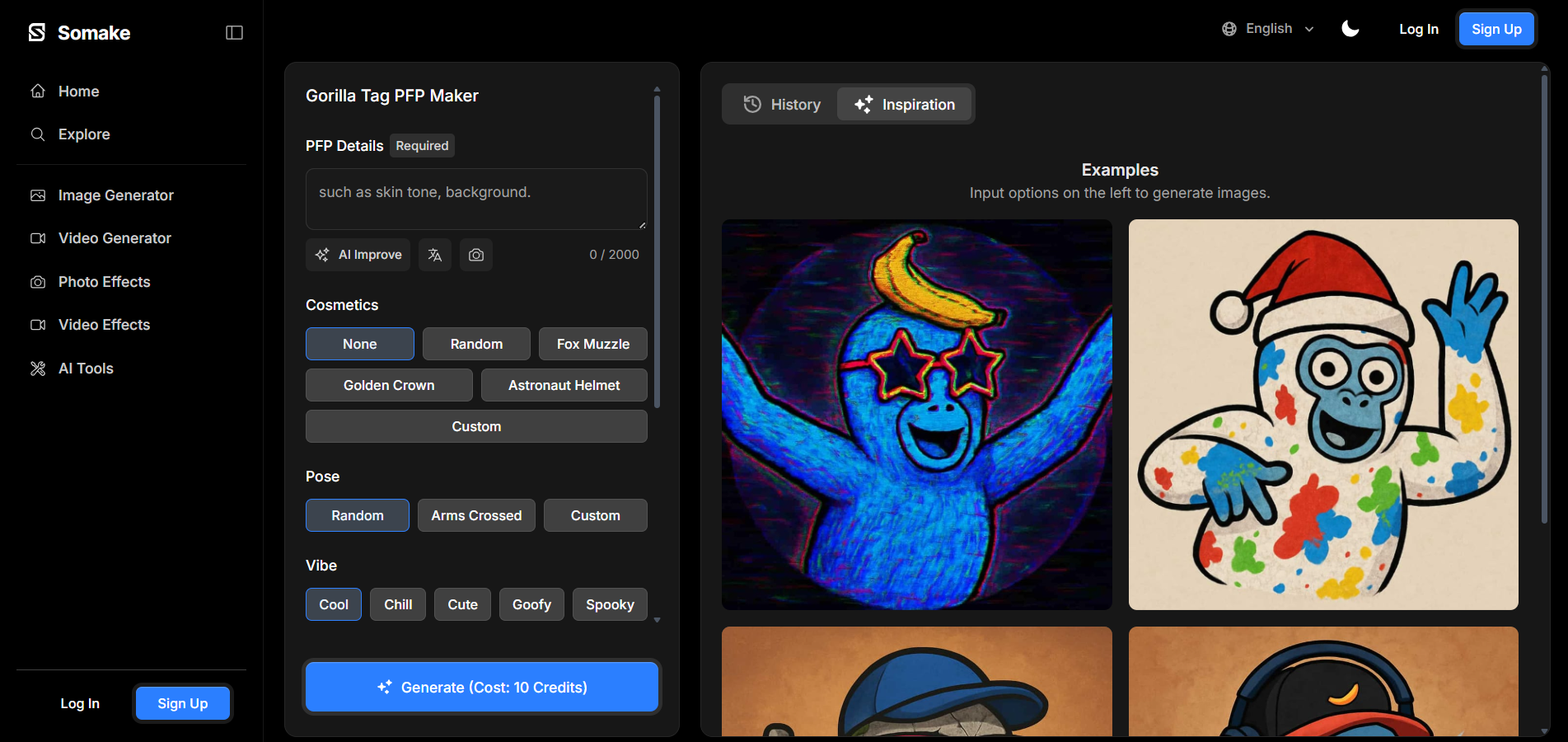
Features
Preset Gorilla Tag Avatar Templates
Automatic Background Customization
Extensive Style Options
Pros
Completely Free
Fast Image Generation
Ideal for social media avatars
Cons
Avatars lack fine detail
Lack of editing tools
5. Vondy
Vondyis a creative platform that offers many useful features for work and education, and even includes a built-in PFP generator for Gorilla Tag Avatars. It stands out for its flexibility and polished interface, which is perfect for creators like me who want a signature look for their Gorilla Tag avatars. It helped me generate clean and attractive PFPs for all my Gorilla Tag accounts, without forcing me to jump through any hoops.
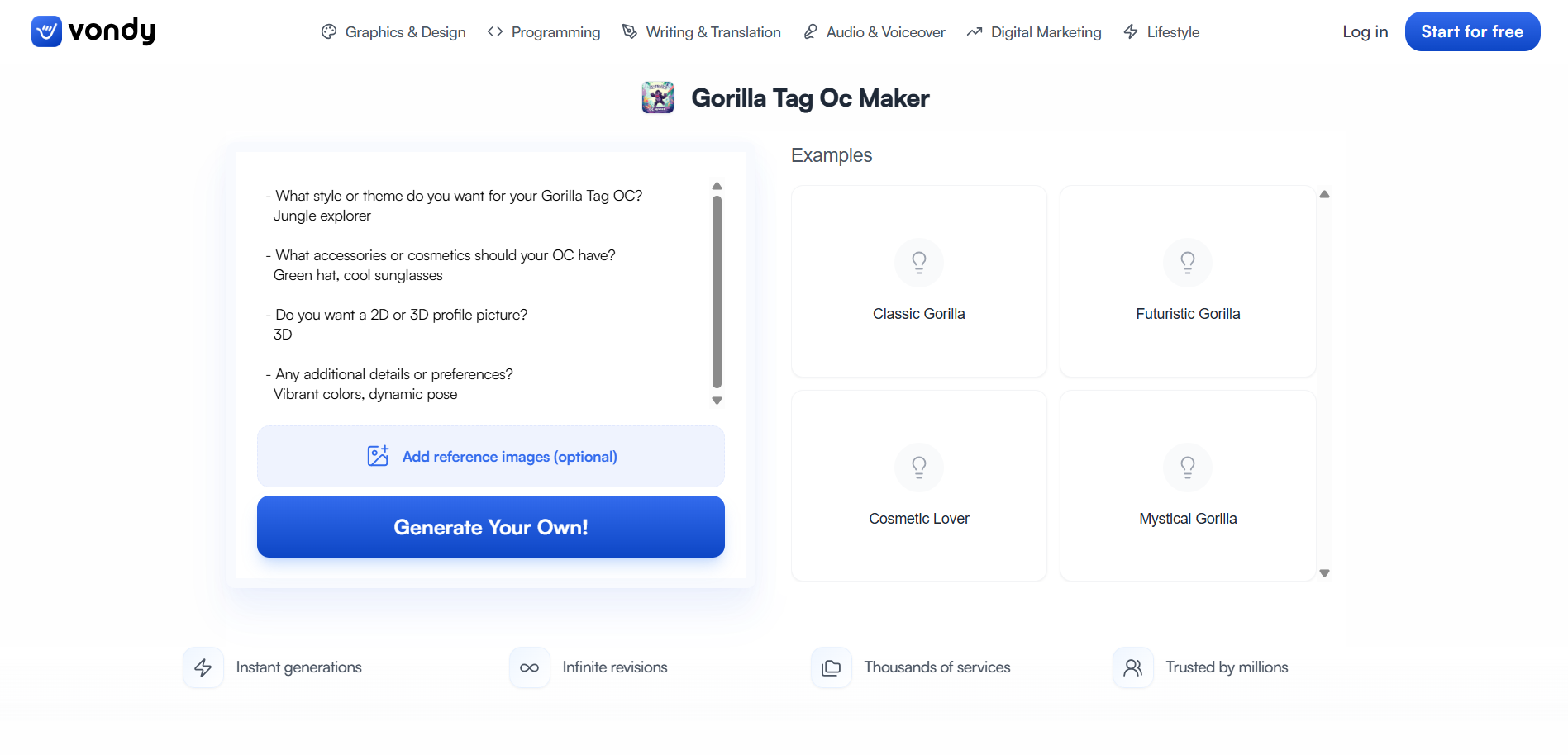
Features
Layered Editing Features
Artistic AI Generation
Pre-Made Examples
Pros
Completely Free
Extensive Customization Options
Beginner-Friendly Interface
Cons
Requires login for saving features
Limited export resolution; with higher quality options locked behind a paywall
Quick Comparison Table of Gorilla Tag PFP Maker Tools
All of these tools have been of great help to me, helping me figure out how to make Gorilla Tag profile pictures with full creativecontrol. Each of them has its own unique strengths and weaknesses that could be improved, making it difficult to choose just one option among them. In this section, I’ll compare all five of them side-by-side to help you decide which one would work better for your own needs.
| Feature | Picrew | PFPgenerator | BasedLabs | Somake | Vondy |
|---|---|---|---|---|---|
| Best For | Anime-style avatars, simple edits | Official Gorilla Tag style PFPs | Realistic 3D-style Gorilla Tag PFPs | AI-generated PFPs with unique traits | Custom OCs and creative versions |
| Customization Level | Medium | High | High | High | Medium |
| AI Features | No | No | Yes (AI render) | Yes (AI image creation) | No |
| Free to Use | Yes | Yes | Partly Free | Partly Free | Yes |
| Output Quality | 4/5 | 4/5 | 5/5 | 5/5 | 3/5 |
| Ease of Use | 5/5 | 4/5 | 4/5 | 4/5 | 5/5 |
Enhance Your Gorilla Tag PFP with WPS AI Photo Editor
Once I’m done generating my Gorilla Tag avatar, the next thing I do is further enhance them using online editing tools. There are many options available online, but most of them tend to be either really unreliable or are locked behind paywalls. This is why I only use WPS AI Photo Editor for all my photo editing needs. It’s completely free and incredibly reliable, making sure I can enhance all my low-res avatars in just a few simple steps.
Features
AI Magic Eraser: Remove any unwanted objects, people, or even text with its built-in AI erasing features.
Instant Background Removal: Remove your background and replace it with your own, making it perfect for social media posts and e-commerce.
One-Click Enhancement: Restore your old pictures with low-quality or too much blur to bring back the original clarity and even the color.
Batch Productivity: Save time by editing multiple photos at the same time using the batch editor.
If you feel like WPS Photos is the right tool for your image enhancement needs, then getting started is incredibly simple. I’ll walk you through each step in detail myself to clear out any confusion you might have.
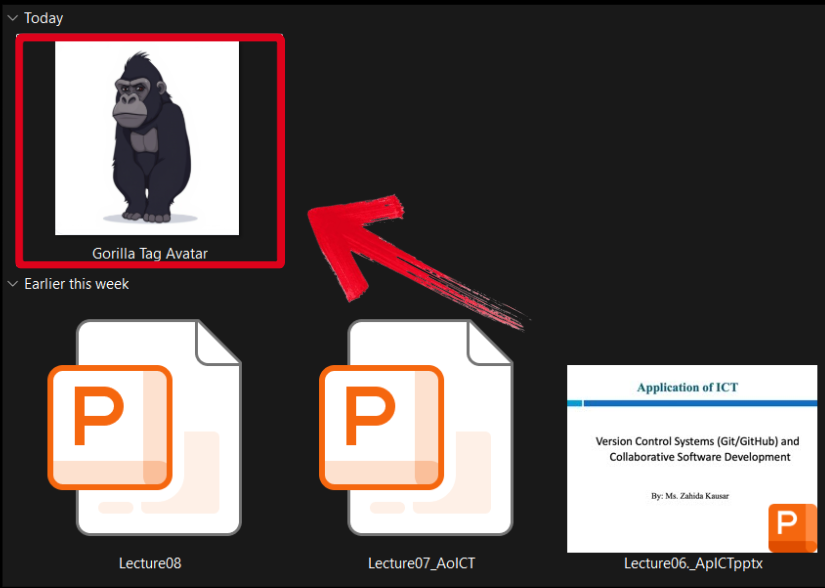
Step 1: Open the downloaded Gorilla Tag avatar through WPS Photos to get started.
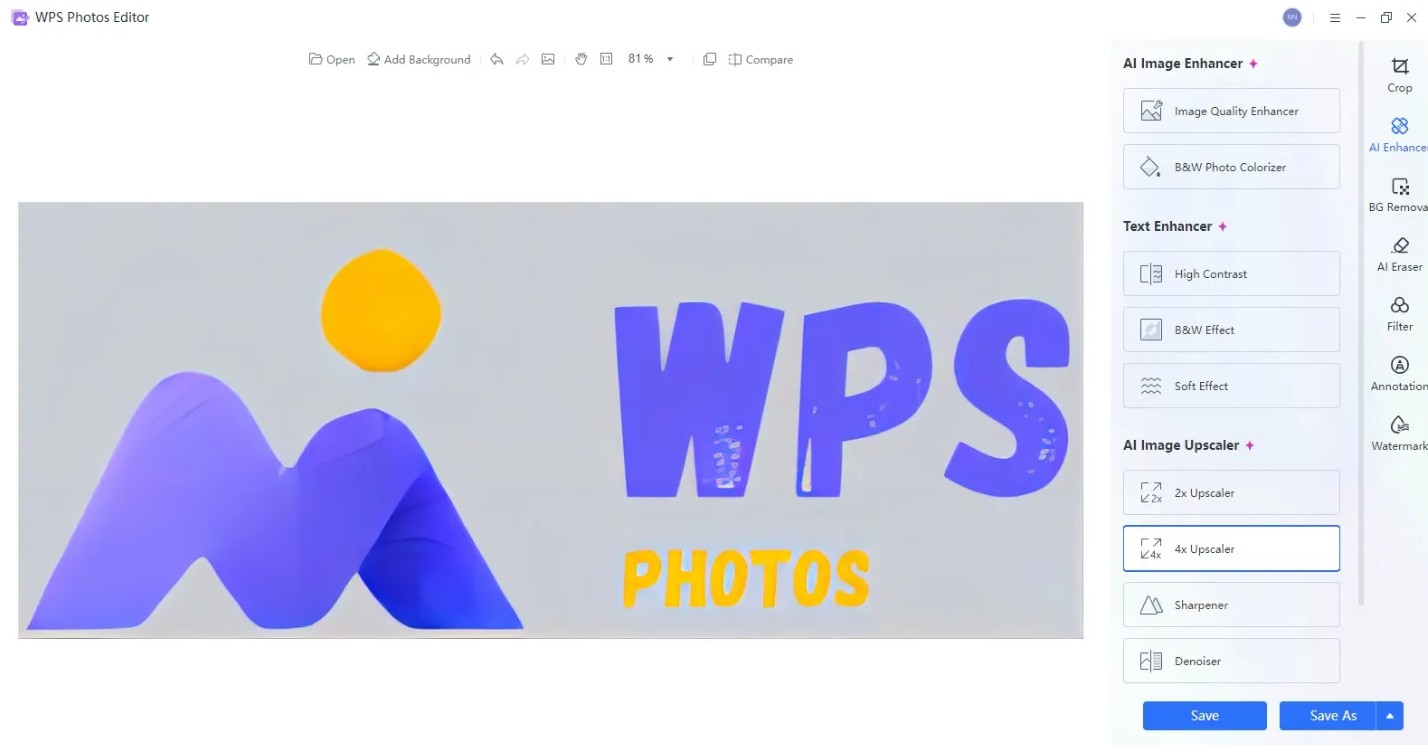
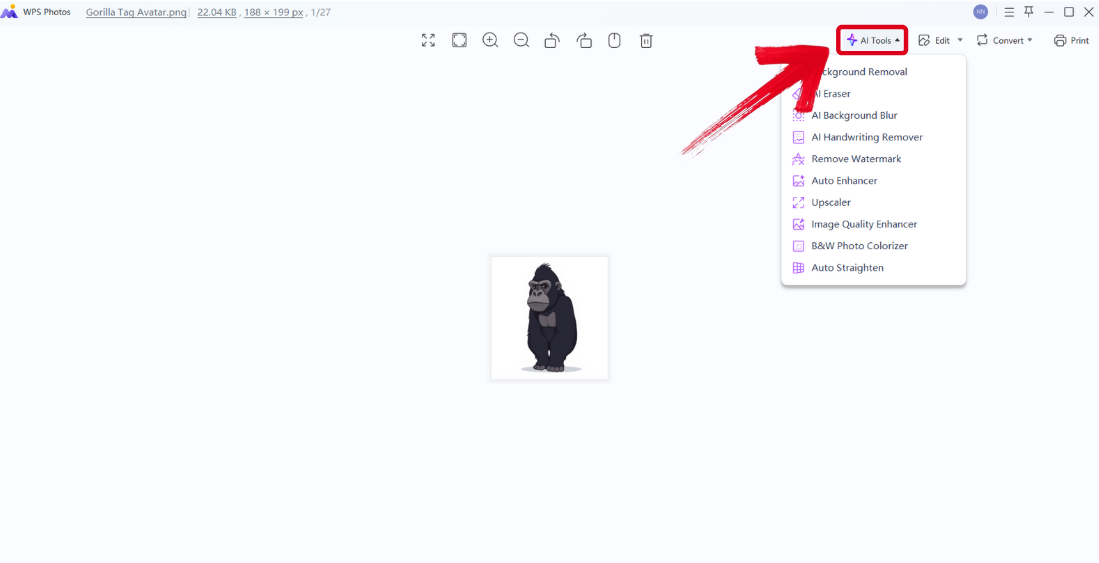
Step 2: In the WPS Photos window, you’ll see a bunch of editing tools given to you, including smart AI Toolsto help you enhance your photos.
AI Image Enhancer: Improve the quality of your image using AI enhancement.
AI Upscaler: Bring life back into old photos by restoring them through the AI upscaler.
AI Watermark Removal: If there are any watermarks on your template, you can elevate the visual appeal with the watermark removal tool.
AI Background Blur: Emphasize focus on the main subjects of your photo by blurring the background.
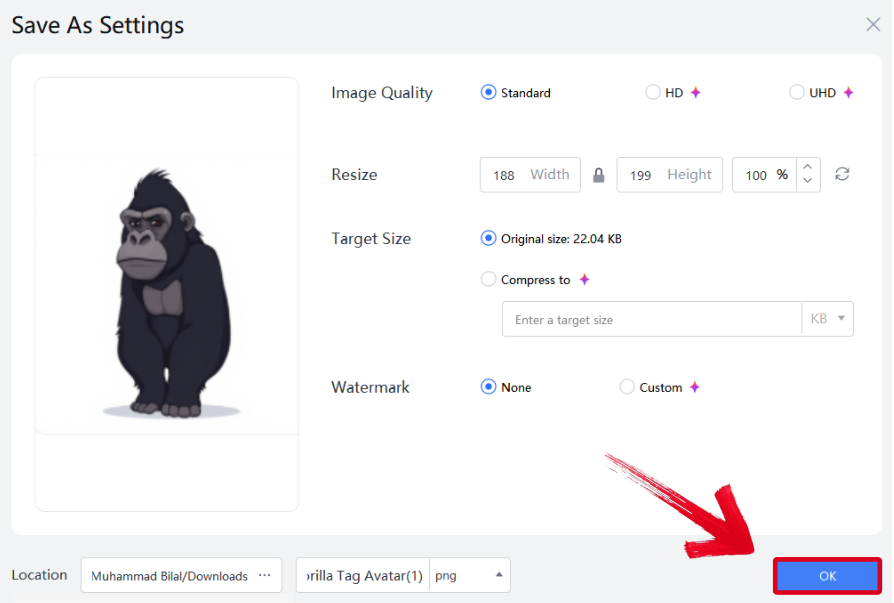
Step 3: Press Ctrl + S to open theSave As window. Adjust the image quality, size, and format, and then press OK to finish.
FAQs
Q1. Can I use Gorilla Tag PFP makers on my phone?
Yes! Most Gorilla Tag PFP makers like Somake and Picrew work directly in mobile browsers. If you’re using AI-based tools such as BasedLabs, it’s best to access them through Chrome or Safari for smoother performance. Once you’ve created your avatar, you can easily enhance it on your phone using WPS Photo.
Q2. What are the best dimensions for a Gorilla Tag PFP?
For most platforms like Discord or YouTube, a 1:1 square ratio (usually 512×512 or 1024×1024 pixels) is ideal. This ensures your Gorilla Tag avatar remains sharp and properly displayed across devices. WPS Photo can help you resize or crop your image to fit these dimensions perfectly.
Q3. How can I make my Gorilla Tag PFP look more professional?
After generating your base avatar, import it into WPS Photo to enhance lighting, colors, and contrast. You can also use AI filters to give it a stylized finish, from neon outlines to jungle-inspired background, making your PFP stand out in the community.
Q4. Which Gorilla Tag PFP maker gives the most customization?
Among the listed tools, Vondy and BasedLabs provide the most flexibility. Vondy lets you mix layers, poses, and accessories manually, while BasedLabs uses AI prompts to interpret creative ideas into custom visuals.
Q5. What should I do if my Gorilla Tag PFP looks blurry or pixelated?
If your generated PFP looks unclear, upload it to WPS Photo and apply the AI Sharpness or Noise Reduction tools. This automatically enhances edge clarity and texture, turning low-resolution Gorilla Tag avatars into crisp, professional-quality profile pictures.
Seamless Avatar Generation
Gorilla Tag avatars are a great way to customize your profile and show your creativity to other users. However, the online image generators available online tend to be very unreliable, leading to disappointing results. I’ve highlighted 5 reliable Gorilla Tag PFP makers I’ve found in this guide, helping you decide the right one for you. You can enhance your avatars further with WPS Photo Editor. It’s completely free, reliable, and equips me with everything you need to enhance and polish your avatars seamlessly.

'%3e%3cpath%20d='M19.9911%204.11386V6.471H18.5894C18.0775%206.471%2017.7322%206.57814%2017.5536%206.79243C17.3751%207.00671%2017.2858%207.32814%2017.2858%207.75671V9.44421H19.9019L19.5536%2012.0871H17.2858V18.8639H14.5536V12.0871H12.2769V9.44421H14.5536V7.49779C14.5536%206.39064%2014.8632%205.53201%2015.4822%204.92189C16.1013%204.31177%2016.9257%204.00671%2017.9554%204.00671C18.8304%204.00671%2019.509%204.04243%2019.9911%204.11386Z'%20fill='%23333333'/%3e%3c/g%3e%3cdefs%3e%3cclipPath%20id='clip0_2938_8199'%3e%3crect%20width='16'%20height='16'%20fill='white'%20transform='translate(8%204.00671)'/%3e%3c/clipPath%3e%3c/defs%3e%3c/svg%3e)
'%3e%3cpath%20d='M17.5237%2010.7813L23.4811%204H22.0699L16.8949%209.88693L12.7648%204H8L14.2469%2012.9029L8%2020.0133H9.4112L14.8725%2013.7952L19.2352%2020.0133H24M9.92053%205.04213H12.0885L22.0688%2019.0224H19.9003'%20fill='%23333333'/%3e%3c/g%3e%3cdefs%3e%3cclipPath%20id='clip0_2938_8200'%3e%3crect%20width='16'%20height='16.0134'%20fill='white'%20transform='translate(8%204)'/%3e%3c/clipPath%3e%3c/defs%3e%3c/svg%3e)


