

'%3e%3cpath%20d='M8%200C12.4183%200%2016%203.58172%2016%208C16%2012.4183%2012.4183%2016%208%2016C3.58172%2016%200%2012.4183%200%208C0%203.58172%203.58172%200%208%200ZM11.6162%204.38379C11.2257%203.99337%2010.5927%203.99338%2010.2021%204.38379L8%206.58594L5.79785%204.38379C5.40732%203.99334%204.77429%203.99329%204.38379%204.38379C3.99331%204.77429%203.99335%205.40733%204.38379%205.79785L6.58594%208L4.38379%2010.2021C3.99348%2010.5927%203.99341%2011.2257%204.38379%2011.6162C4.77426%2012.0066%205.40734%2012.0065%205.79785%2011.6162L8%209.41406L10.2021%2011.6162C10.5927%2012.0066%2011.2257%2012.0067%2011.6162%2011.6162C12.0067%2011.2257%2012.0066%2010.5927%2011.6162%2010.2021L9.41406%208L11.6162%205.79785C12.0066%205.40735%2012.0066%204.77429%2011.6162%204.38379Z'%20fill='%23080E17'%20fill-opacity='0.46'/%3e%3c/g%3e%3cdefs%3e%3cclipPath%20id='clip0_3761_713'%3e%3crect%20width='16'%20height='16'%20fill='white'/%3e%3c/clipPath%3e%3c/defs%3e%3c/svg%3e)




'%3e%3cpath%20fill-rule='evenodd'%20clip-rule='evenodd'%20d='M21.4999%2010.9993C21.4999%205.20009%2016.7986%200.498901%2010.9993%200.498901C5.19994%200.498901%200.498657%205.20009%200.498657%2010.9993C0.498657%2016.2404%204.33858%2020.5844%209.35855%2021.3722V14.0346H6.69238V10.9993H9.35855V8.68594C9.35855%206.05427%2010.9262%204.60062%2013.3248%204.60062C14.4736%204.60062%2015.6753%204.80571%2015.6753%204.80571V7.38979H14.3512C13.0468%207.38979%2012.64%208.19921%2012.64%209.0296V10.9993H15.5523L15.0867%2014.0346H12.64V21.3722C17.66%2020.5844%2021.4999%2016.2404%2021.4999%2010.9993Z'%20fill='%231568EA'/%3e%3c/g%3e%3c/svg%3e)


'%3e%3cpath%20d='M2.42045%2022.1876H6.31818V12.7217L0.75%208.54553V20.5171C0.75%2021.4414%201.49892%2022.1876%202.42045%2022.1876Z'%20fill='%234285F4'/%3e%3cpath%20d='M19.682%2022.1876H23.5797C24.5041%2022.1876%2025.2502%2021.4387%2025.2502%2020.5171V8.54553L19.682%2012.7217'%20fill='%2334A853'/%3e%3cpath%20d='M19.682%205.48293V12.7216L25.2502%208.54543V6.31816C25.2502%204.25236%2022.8921%203.07469%2021.2411%204.31361'%20fill='%23FBBC04'/%3e%3cpath%20d='M6.31824%2012.7217V5.48303L13.0001%2010.4944L19.6819%205.48303V12.7217L13.0001%2017.733'%20fill='%23EA4335'/%3e%3cpath%20d='M0.75%206.31816V8.54543L6.31818%2012.7216V5.48293L4.75909%204.31361C3.10534%203.07469%200.75%204.25236%200.75%206.31816Z'%20fill='%23C5221F'/%3e%3c/g%3e%3cdefs%3e%3cclipPath%20id='clip0_2954_7305'%3e%3crect%20width='24.5'%20height='18.375'%20fill='white'%20transform='translate(0.75%203.8125)'/%3e%3c/clipPath%3e%3c/defs%3e%3c/svg%3e)


Exporting a wide spreadsheet to PDF often ends with the right-hand columns sliced onto a second page. That happens because Excel converts to PDF in portrait orientation by default, and a vertical page is simply too narrow for wide tables. The fix takes under a minute: switch the page orientation to landscape before you export.
This guide shows how to convert Excel to PDF in landscape orientation using WPS Office and Microsoft Excel, and how to scale a wide table so every column fits on a single horizontal page.
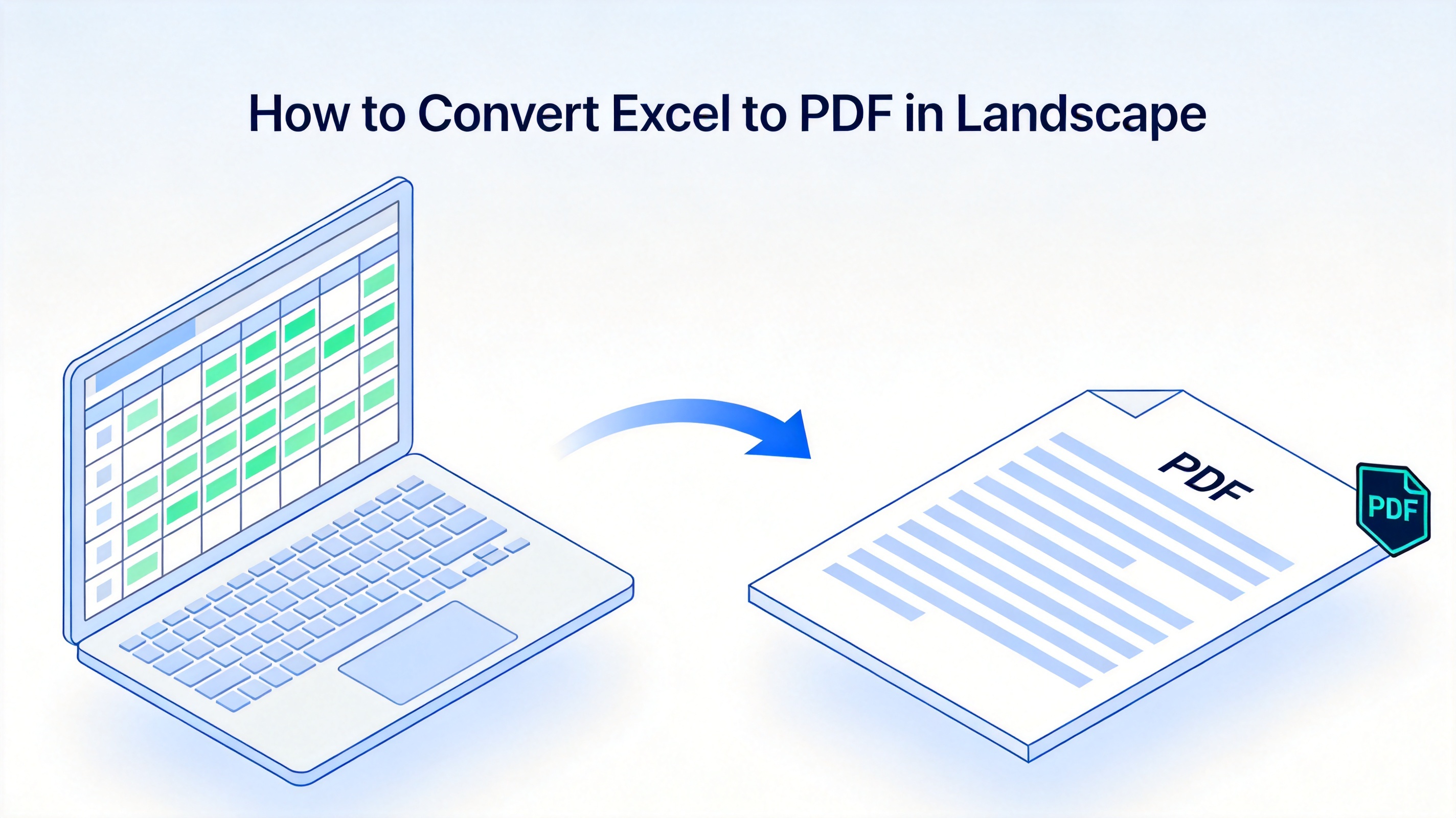
How to Convert Excel to PDF in Landscape
How to Convert Excel to PDF in Landscape Using WPS Office
WPS Spreadsheet is a free desktop program for Windows, macOS, and Linux that opens .xlsx, .xls, and .csv files. You set the page orientation once, then export the whole workbook — or selected sheets — to PDF:
Open your workbook in WPS Spreadsheet and check that the data, column widths, and print area look right.
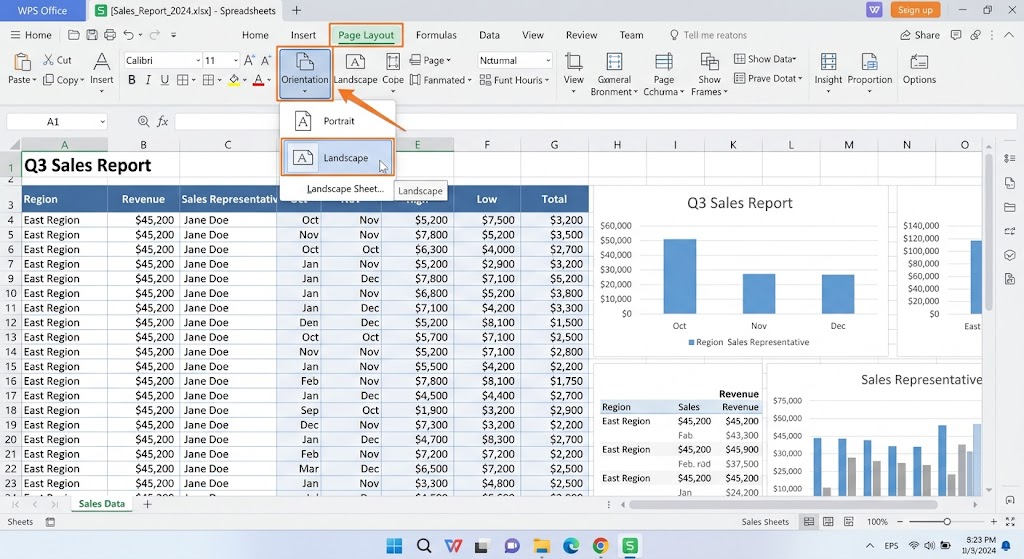
Switch the orientation. Go to Page Layout > Orientation > Landscape so the sheet is laid out horizontally.
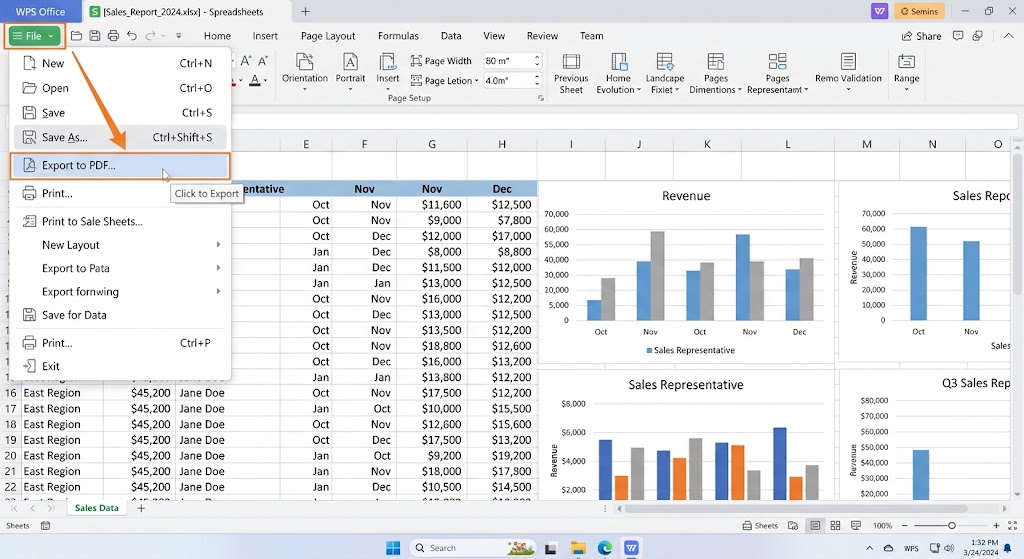
Export the file. Click File > Export to PDF (or File > Save As and choose PDF as the file type).
Set the export range. In the Export to PDF dialog, choose All for every sheet, or limit the output to selected sheets.
Click OK, pick a save location, and the landscape PDF is created locally in seconds.
Because the whole job runs on your computer, sensitive payroll or finance sheets never leave your device — see our guide to converting Excel to PDF offline for more detail.
Excel to PDF landscape conversion flow
How to Convert Excel to PDF in Landscape in Microsoft Excel
If you work in Microsoft Excel, the built-in export handles the same job — the landscape setting lives on the Page Layout tab:
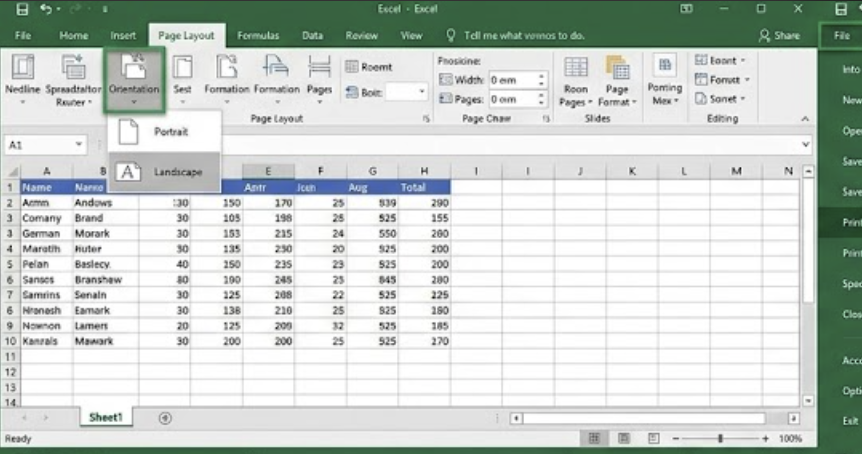
1. Open the workbook and go to Page Layout > Orientation > Landscape. Check the result in Print Preview first — the PDF will match it exactly.
Go to File > Save As (or File > Export > Create PDF/XPS) and choose PDF (*.pdf) as the file type.
Click Options to publish the active sheet only or the whole workbook, then click Save. Your horizontal PDF is ready.
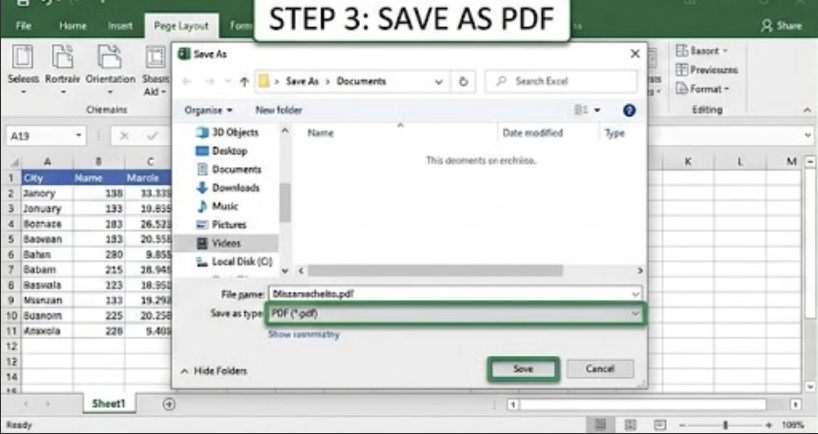
You can also use File > Print with the Microsoft Print to PDF printer on Windows, or Save as PDF in the macOS print dialog — the orientation you set in Page Layout applies there too.
How to Fit All Columns on One Landscape PDF Page
Landscape buys you extra width, but very wide tables can still spill onto a second page. Pair the orientation change with scaling so nothing gets cut off:
Set the print area. Select the cells that matter, then use Page Layout > Print Area > Set Print Area so stray empty columns do not appear in the PDF.
Use Scale to Fit. On the Page Layout tab, set Width to 1 page under Scale to Fit; the columns shrink just enough to sit side by side.
Check Print Preview. If every column shows on one page there, the exported PDF will match it exactly.
If the text becomes too small after scaling, trim the print area or split the table logically instead of forcing everything onto one sheet. Keeping the formatting intact also helps — see how to convert Excel to PDF without losing formatting.
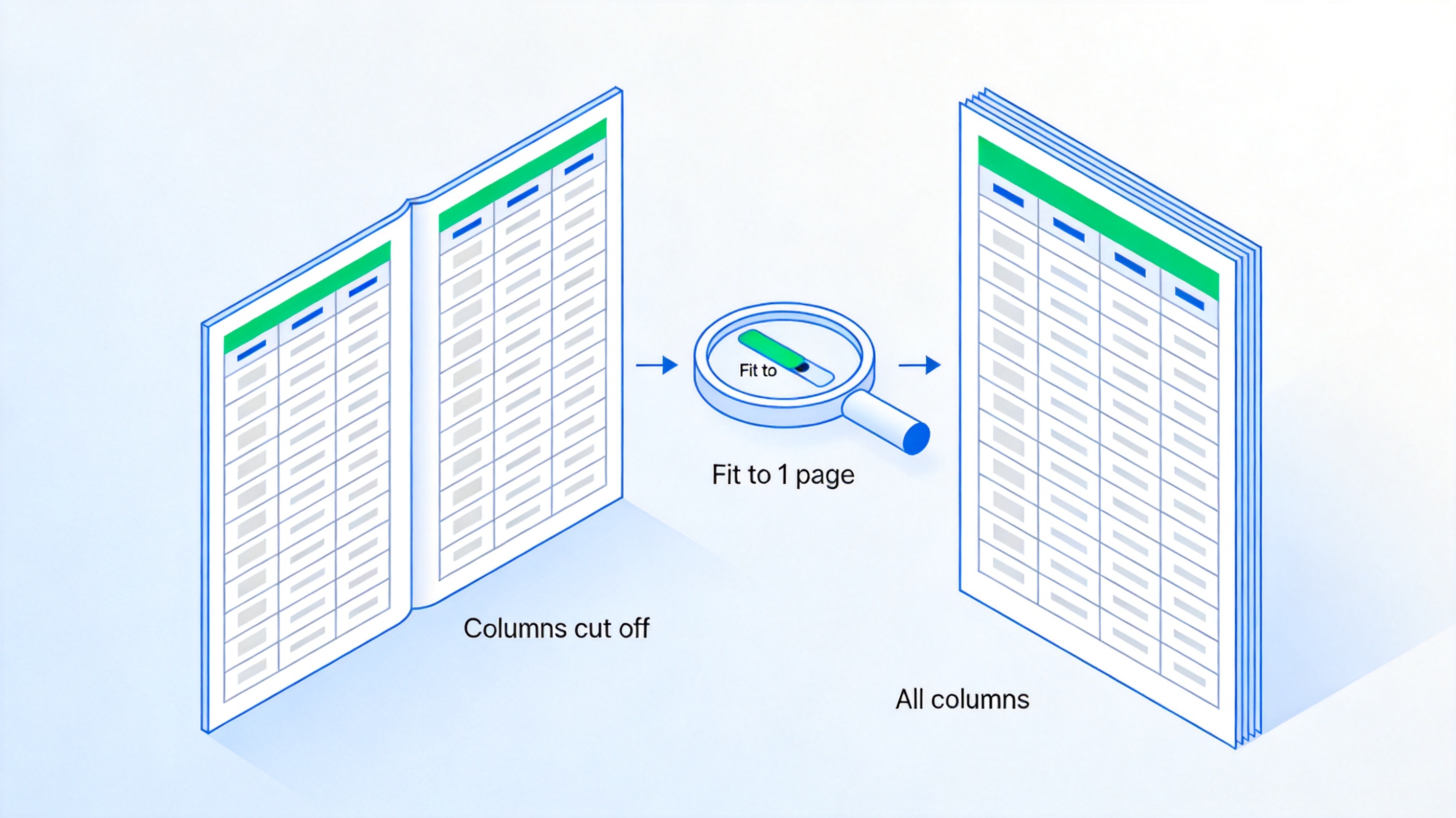
Fit all columns on one page
The Best Free Alternative: WPS Office
WPS Office is a free download that works with Word, Excel, and PowerPoint formats and keeps a Microsoft-like interface, so there is almost no learning curve. In WPS Spreadsheet, the Export to PDF dialog gives you sheet-level control — whole workbook, selected sheets, or a page range — and the landscape orientation you set in Page Layout carries straight into the PDF. Everything runs locally, so wide financial reports, schedules, and Gantt charts convert quickly without uploads or file-size limits.
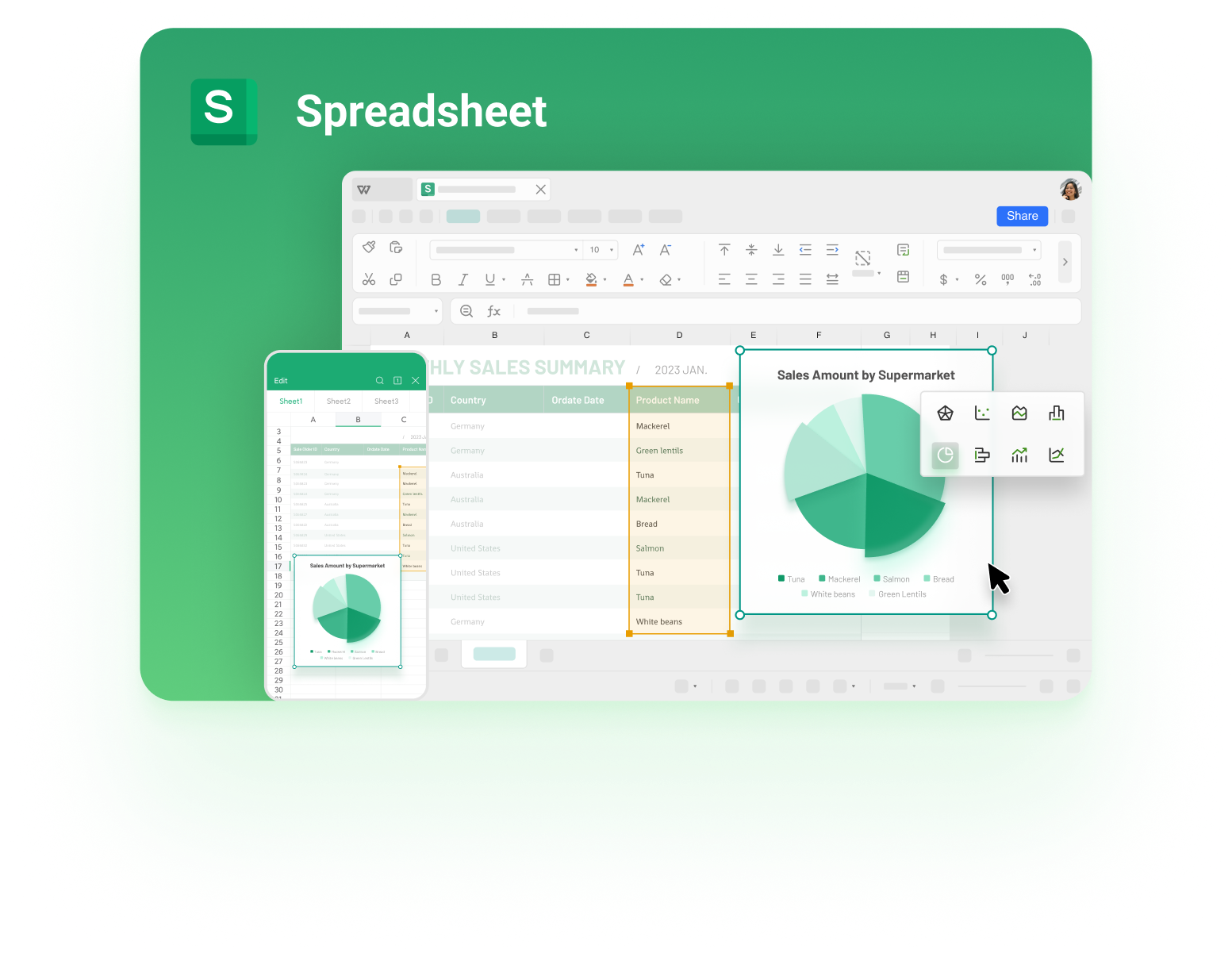
WPS Spreadsheet
FAQs
Why does my Excel to PDF export cut off columns?
The default portrait page is narrower than your table, so anything past the page edge moves to a separate PDF page. Switch to landscape orientation under Page Layout, and set Width to 1 page under Scale to Fit so all columns stay together.
How do I convert Excel to PDF in landscape without Microsoft Excel?
Use a free desktop suite like WPS Office. Open the file in WPS Spreadsheet, set Page Layout > Orientation > Landscape, then use File > Export to PDF. The workflow and output match what Excel produces.
Can I export only one sheet of a workbook as a landscape PDF?
Yes. In WPS Office, choose Selected sheets in the Export to PDF dialog. In Microsoft Excel, click Options in the Save As dialog and publish the active sheet only. The orientation applies per sheet, so set it before exporting.
Will the landscape PDF keep my charts and merged cells?
Both Excel and WPS Spreadsheet preserve charts, merged cells, cell colors, and borders in the exported PDF. Always confirm in Print Preview first, because what you see there is exactly what the PDF contains.
Is converting Excel to PDF in landscape free?
Yes. Microsoft Excel's Save As PDF is built into your existing license, and WPS Office's Export to PDF is free. You do not need a paid converter for standard spreadsheet-to-PDF jobs.



'%3e%3cpath%20d='M19.9911%204.11386V6.471H18.5894C18.0775%206.471%2017.7322%206.57814%2017.5536%206.79243C17.3751%207.00671%2017.2858%207.32814%2017.2858%207.75671V9.44421H19.9019L19.5536%2012.0871H17.2858V18.8639H14.5536V12.0871H12.2769V9.44421H14.5536V7.49779C14.5536%206.39064%2014.8632%205.53201%2015.4822%204.92189C16.1013%204.31177%2016.9257%204.00671%2017.9554%204.00671C18.8304%204.00671%2019.509%204.04243%2019.9911%204.11386Z'%20fill='%23333333'/%3e%3c/g%3e%3cdefs%3e%3cclipPath%20id='clip0_2938_8199'%3e%3crect%20width='16'%20height='16'%20fill='white'%20transform='translate(8%204.00671)'/%3e%3c/clipPath%3e%3c/defs%3e%3c/svg%3e)
'%3e%3cpath%20d='M17.5237%2010.7813L23.4811%204H22.0699L16.8949%209.88693L12.7648%204H8L14.2469%2012.9029L8%2020.0133H9.4112L14.8725%2013.7952L19.2352%2020.0133H24M9.92053%205.04213H12.0885L22.0688%2019.0224H19.9003'%20fill='%23333333'/%3e%3c/g%3e%3cdefs%3e%3cclipPath%20id='clip0_2938_8200'%3e%3crect%20width='16'%20height='16.0134'%20fill='white'%20transform='translate(8%204)'/%3e%3c/clipPath%3e%3c/defs%3e%3c/svg%3e)


