

'%3e%3cpath%20d='M8%200C12.4183%200%2016%203.58172%2016%208C16%2012.4183%2012.4183%2016%208%2016C3.58172%2016%200%2012.4183%200%208C0%203.58172%203.58172%200%208%200ZM11.6162%204.38379C11.2257%203.99337%2010.5927%203.99338%2010.2021%204.38379L8%206.58594L5.79785%204.38379C5.40732%203.99334%204.77429%203.99329%204.38379%204.38379C3.99331%204.77429%203.99335%205.40733%204.38379%205.79785L6.58594%208L4.38379%2010.2021C3.99348%2010.5927%203.99341%2011.2257%204.38379%2011.6162C4.77426%2012.0066%205.40734%2012.0065%205.79785%2011.6162L8%209.41406L10.2021%2011.6162C10.5927%2012.0066%2011.2257%2012.0067%2011.6162%2011.6162C12.0067%2011.2257%2012.0066%2010.5927%2011.6162%2010.2021L9.41406%208L11.6162%205.79785C12.0066%205.40735%2012.0066%204.77429%2011.6162%204.38379Z'%20fill='%23080E17'%20fill-opacity='0.46'/%3e%3c/g%3e%3cdefs%3e%3cclipPath%20id='clip0_3761_713'%3e%3crect%20width='16'%20height='16'%20fill='white'/%3e%3c/clipPath%3e%3c/defs%3e%3c/svg%3e)




'%3e%3cpath%20fill-rule='evenodd'%20clip-rule='evenodd'%20d='M21.4999%2010.9993C21.4999%205.20009%2016.7986%200.498901%2010.9993%200.498901C5.19994%200.498901%200.498657%205.20009%200.498657%2010.9993C0.498657%2016.2404%204.33858%2020.5844%209.35855%2021.3722V14.0346H6.69238V10.9993H9.35855V8.68594C9.35855%206.05427%2010.9262%204.60062%2013.3248%204.60062C14.4736%204.60062%2015.6753%204.80571%2015.6753%204.80571V7.38979H14.3512C13.0468%207.38979%2012.64%208.19921%2012.64%209.0296V10.9993H15.5523L15.0867%2014.0346H12.64V21.3722C17.66%2020.5844%2021.4999%2016.2404%2021.4999%2010.9993Z'%20fill='%231568EA'/%3e%3c/g%3e%3c/svg%3e)


'%3e%3cpath%20d='M2.42045%2022.1876H6.31818V12.7217L0.75%208.54553V20.5171C0.75%2021.4414%201.49892%2022.1876%202.42045%2022.1876Z'%20fill='%234285F4'/%3e%3cpath%20d='M19.682%2022.1876H23.5797C24.5041%2022.1876%2025.2502%2021.4387%2025.2502%2020.5171V8.54553L19.682%2012.7217'%20fill='%2334A853'/%3e%3cpath%20d='M19.682%205.48293V12.7216L25.2502%208.54543V6.31816C25.2502%204.25236%2022.8921%203.07469%2021.2411%204.31361'%20fill='%23FBBC04'/%3e%3cpath%20d='M6.31824%2012.7217V5.48303L13.0001%2010.4944L19.6819%205.48303V12.7217L13.0001%2017.733'%20fill='%23EA4335'/%3e%3cpath%20d='M0.75%206.31816V8.54543L6.31818%2012.7216V5.48293L4.75909%204.31361C3.10534%203.07469%200.75%204.25236%200.75%206.31816Z'%20fill='%23C5221F'/%3e%3c/g%3e%3cdefs%3e%3cclipPath%20id='clip0_2954_7305'%3e%3crect%20width='24.5'%20height='18.375'%20fill='white'%20transform='translate(0.75%203.8125)'/%3e%3c/clipPath%3e%3c/defs%3e%3c/svg%3e)


Sharing an Excel workbook as a PDF locks the layout, fonts, and numbers so they look the same on every device. Doing it offline means the file never leaves your computer — no uploads, no waiting, and no privacy worries. This guide walks you through converting Excel to PDF offline using WPS Office, plus the built-in options in Microsoft Excel, and how to fix common layout problems along the way.
How to Convert Excel to PDF Offline
Why convert Excel to PDF offline
Converting your spreadsheet on your own computer instead of an online converter has three practical benefits:
Privacy. Financial reports, payroll sheets, and client data stay on your machine — nothing is uploaded to a third-party server.
No internet required. You can convert files on a plane, in a secure network, or anywhere the connection is unreliable.
Consistent results. Desktop apps preserve merged cells, charts, and print areas far more reliably than most web converters, and there is no file-size limit.
A PDF also hides your underlying formulas and cell references, which matters when you share quotations or budgets with people who should only see the final numbers.
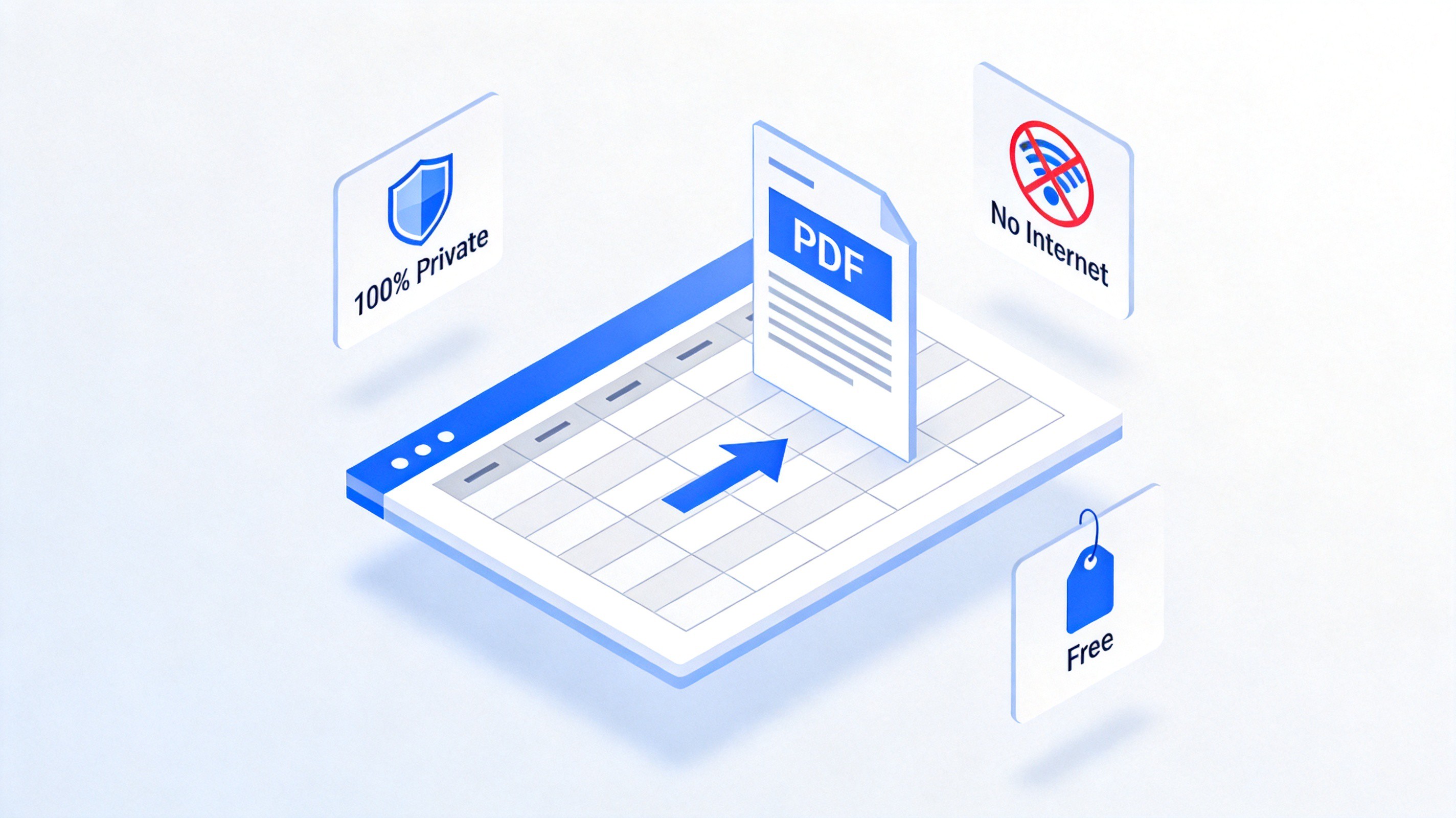
Offline Excel to PDF conversion benefits
How to convert Excel to PDF offline in WPS Office
WPS Office Spreadsheet is a free desktop suite for Windows, macOS, and Linux that opens .xlsx, .xls, and .csv files. It exports an entire workbook — or just selected sheets — to PDF in a few clicks, fully offline.
Open your workbook in WPS Spreadsheet. Check that the print area, column widths, and page orientation look right before exporting.
Click File in the top-left corner, then choose Export to PDF from the dropdown menu. You can also use File > Save As and pick PDF as the file type.
Set the export range. In the Export to PDF dialog, choose All to convert every sheet, or limit the output to selected sheets or pages.
Adjust options if needed. Tick Fit worksheet on one page for wide tables, or include comments if reviewers need them.
Click OK, choose a save location, and name your PDF. The conversion runs locally and finishes in seconds.
The Export to PDF dialog is where you control what goes into the final file — the whole workbook, specific sheets, or a page range:
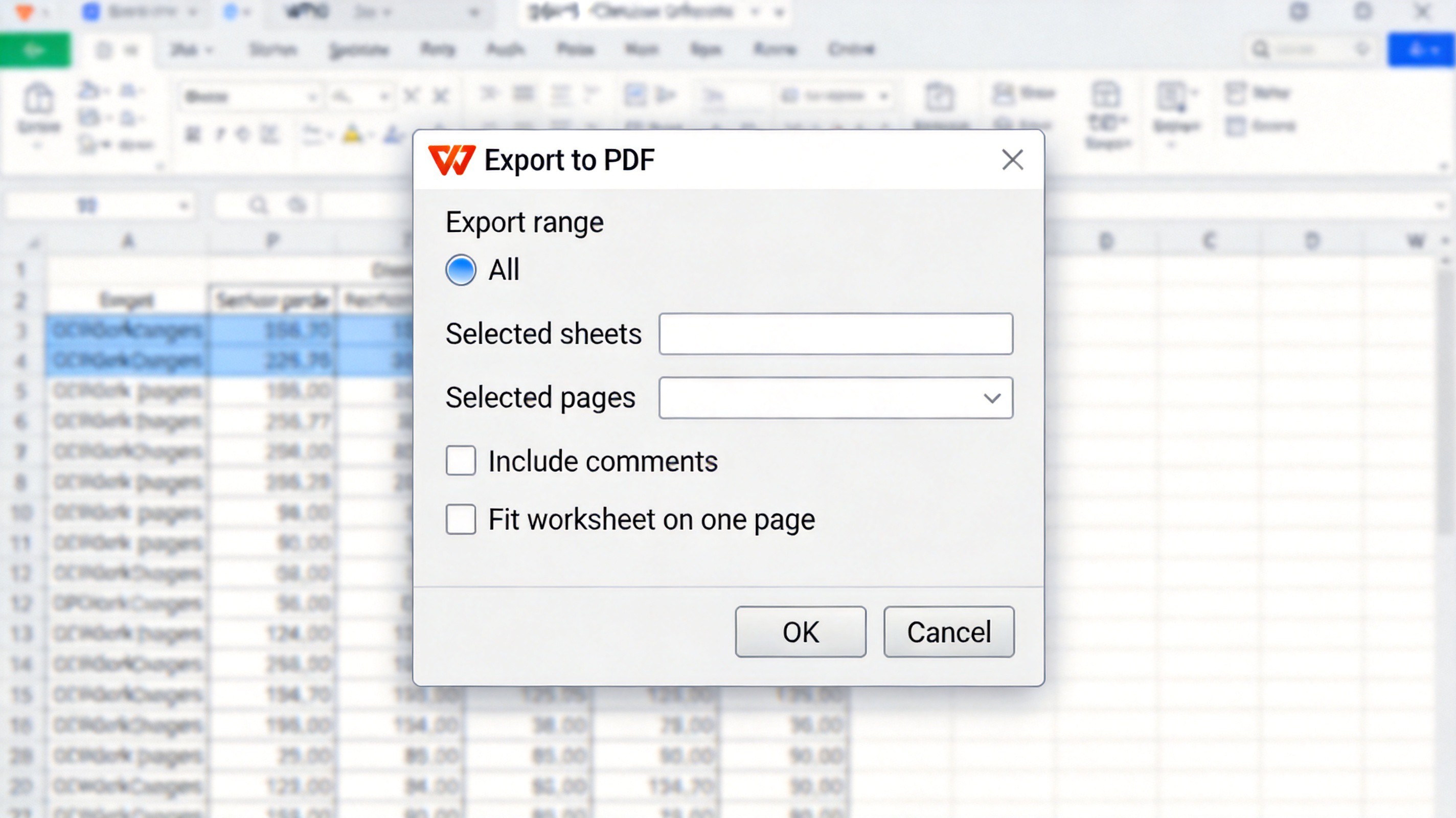
WPS Export to PDF settings dialog
How to convert Excel to PDF offline in Microsoft Excel
If you already have Microsoft Excel installed, its built-in export works offline too:
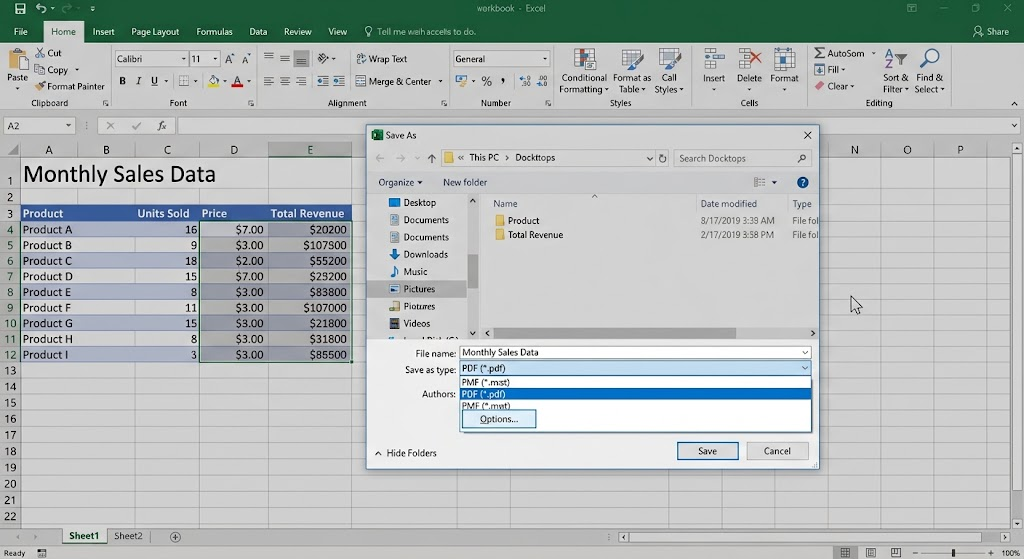
Open the workbook and go to File > Save As (or File > Export > Create PDF/XPS).
Choose PDF (*.pdf) in the Save as type dropdown.
Click Options to pick which sheets to publish, and select Fit Sheet on One Page under Page Setup if your table is wide.
Click Save to create the PDF locally.
Another offline route is File > Print with the Microsoft Print to PDF printer selected on Windows, or Save as PDF in the macOS print dialog. This is handy when you want to combine several sheets into one PDF through the print preview.


How to fix common layout problems before converting
Most "my PDF looks wrong" complaints come from print settings, not the converter. Check these before exporting:
Set the print area. Select the cells you want, then use Page Layout > Print Area > Set Print Area so stray columns don't appear in the PDF.
Switch orientation. Wide tables fit better with Page Layout > Orientation > Landscape.
Use Fit to Page scaling. Set scaling to fit all columns on one page to avoid a table being sliced across multiple pages.
Repeat header rows. In Page Setup, set rows to repeat at the top so every printed page keeps its column headers.
Preview the result in Print Preview first — what you see there is exactly what the PDF will contain.
The Best Free Alternative: WPS Office
If you don't have Microsoft Excel, WPS Office is a free desktop alternative that handles the same job with no internet connection. It fully supports .xlsx and .xls formats, exports PDFs with charts and merged cells intact, and runs on Windows, macOS, and Linux. The Export to PDF dialog gives you sheet-level control that many online converters charge for, and because everything happens locally, sensitive financial data never leaves your device.
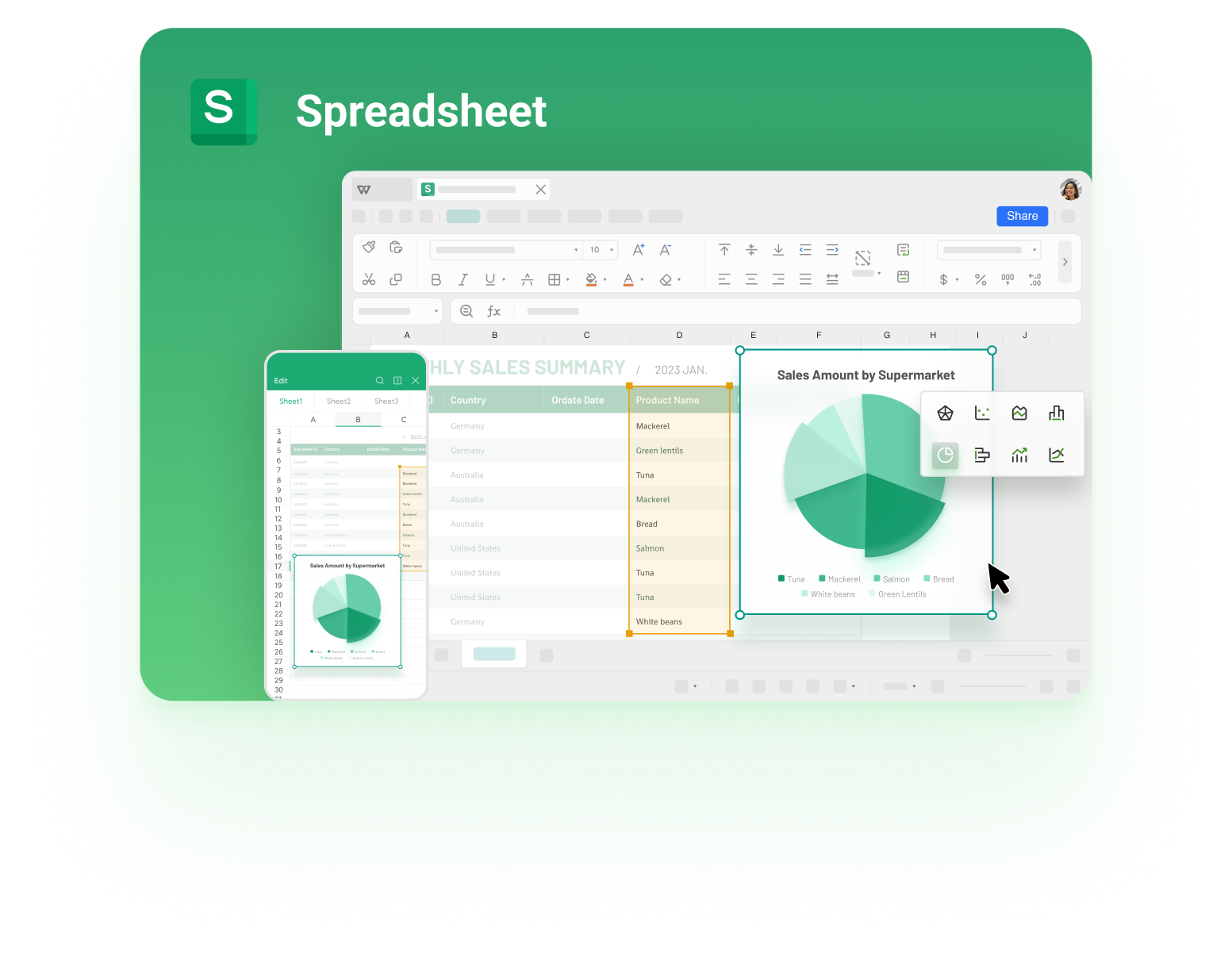
WPS Spreadsheet budget workbook interface
FAQs
Is converting Excel to PDF offline safe for confidential data?
Yes. Offline conversion happens entirely on your computer, so formulas, salaries, or client details are never uploaded to a server. This is the main reason to prefer desktop conversion for financial or personal spreadsheets.
Will the PDF keep my formulas?
The PDF shows the calculated values, not the formulas themselves. Recipients see final numbers and cannot inspect or edit cell references, which protects your work.
Can I convert only one sheet of a workbook to PDF?
Yes. In WPS Office's Export to PDF dialog, choose Selected sheets and pick the tab you need. In Microsoft Excel, use Options in the Save As dialog to publish the active sheet only.
Why is my table cut off in the PDF?
The page is too narrow for your columns. Switch to landscape orientation, enable Fit worksheet on one page in the export options, or reduce the print area to the cells that matter.
Does offline conversion cost anything?
No. WPS Office's PDF export is free, and Microsoft Excel's Save As PDF is built into the license you already have. You don't need a paid converter for standard spreadsheet-to-PDF jobs.

'%3e%3cpath%20d='M19.9911%204.11386V6.471H18.5894C18.0775%206.471%2017.7322%206.57814%2017.5536%206.79243C17.3751%207.00671%2017.2858%207.32814%2017.2858%207.75671V9.44421H19.9019L19.5536%2012.0871H17.2858V18.8639H14.5536V12.0871H12.2769V9.44421H14.5536V7.49779C14.5536%206.39064%2014.8632%205.53201%2015.4822%204.92189C16.1013%204.31177%2016.9257%204.00671%2017.9554%204.00671C18.8304%204.00671%2019.509%204.04243%2019.9911%204.11386Z'%20fill='%23333333'/%3e%3c/g%3e%3cdefs%3e%3cclipPath%20id='clip0_2938_8199'%3e%3crect%20width='16'%20height='16'%20fill='white'%20transform='translate(8%204.00671)'/%3e%3c/clipPath%3e%3c/defs%3e%3c/svg%3e)
'%3e%3cpath%20d='M17.5237%2010.7813L23.4811%204H22.0699L16.8949%209.88693L12.7648%204H8L14.2469%2012.9029L8%2020.0133H9.4112L14.8725%2013.7952L19.2352%2020.0133H24M9.92053%205.04213H12.0885L22.0688%2019.0224H19.9003'%20fill='%23333333'/%3e%3c/g%3e%3cdefs%3e%3cclipPath%20id='clip0_2938_8200'%3e%3crect%20width='16'%20height='16.0134'%20fill='white'%20transform='translate(8%204)'/%3e%3c/clipPath%3e%3c/defs%3e%3c/svg%3e)


