

'%3e%3cpath%20d='M8%200C12.4183%200%2016%203.58172%2016%208C16%2012.4183%2012.4183%2016%208%2016C3.58172%2016%200%2012.4183%200%208C0%203.58172%203.58172%200%208%200ZM11.6162%204.38379C11.2257%203.99337%2010.5927%203.99338%2010.2021%204.38379L8%206.58594L5.79785%204.38379C5.40732%203.99334%204.77429%203.99329%204.38379%204.38379C3.99331%204.77429%203.99335%205.40733%204.38379%205.79785L6.58594%208L4.38379%2010.2021C3.99348%2010.5927%203.99341%2011.2257%204.38379%2011.6162C4.77426%2012.0066%205.40734%2012.0065%205.79785%2011.6162L8%209.41406L10.2021%2011.6162C10.5927%2012.0066%2011.2257%2012.0067%2011.6162%2011.6162C12.0067%2011.2257%2012.0066%2010.5927%2011.6162%2010.2021L9.41406%208L11.6162%205.79785C12.0066%205.40735%2012.0066%204.77429%2011.6162%204.38379Z'%20fill='%23080E17'%20fill-opacity='0.46'/%3e%3c/g%3e%3cdefs%3e%3cclipPath%20id='clip0_3761_713'%3e%3crect%20width='16'%20height='16'%20fill='white'/%3e%3c/clipPath%3e%3c/defs%3e%3c/svg%3e)




'%3e%3cpath%20fill-rule='evenodd'%20clip-rule='evenodd'%20d='M21.4999%2010.9993C21.4999%205.20009%2016.7986%200.498901%2010.9993%200.498901C5.19994%200.498901%200.498657%205.20009%200.498657%2010.9993C0.498657%2016.2404%204.33858%2020.5844%209.35855%2021.3722V14.0346H6.69238V10.9993H9.35855V8.68594C9.35855%206.05427%2010.9262%204.60062%2013.3248%204.60062C14.4736%204.60062%2015.6753%204.80571%2015.6753%204.80571V7.38979H14.3512C13.0468%207.38979%2012.64%208.19921%2012.64%209.0296V10.9993H15.5523L15.0867%2014.0346H12.64V21.3722C17.66%2020.5844%2021.4999%2016.2404%2021.4999%2010.9993Z'%20fill='%231568EA'/%3e%3c/g%3e%3c/svg%3e)


'%3e%3cpath%20d='M2.42045%2022.1876H6.31818V12.7217L0.75%208.54553V20.5171C0.75%2021.4414%201.49892%2022.1876%202.42045%2022.1876Z'%20fill='%234285F4'/%3e%3cpath%20d='M19.682%2022.1876H23.5797C24.5041%2022.1876%2025.2502%2021.4387%2025.2502%2020.5171V8.54553L19.682%2012.7217'%20fill='%2334A853'/%3e%3cpath%20d='M19.682%205.48293V12.7216L25.2502%208.54543V6.31816C25.2502%204.25236%2022.8921%203.07469%2021.2411%204.31361'%20fill='%23FBBC04'/%3e%3cpath%20d='M6.31824%2012.7217V5.48303L13.0001%2010.4944L19.6819%205.48303V12.7217L13.0001%2017.733'%20fill='%23EA4335'/%3e%3cpath%20d='M0.75%206.31816V8.54543L6.31818%2012.7216V5.48293L4.75909%204.31361C3.10534%203.07469%200.75%204.25236%200.75%206.31816Z'%20fill='%23C5221F'/%3e%3c/g%3e%3cdefs%3e%3cclipPath%20id='clip0_2954_7305'%3e%3crect%20width='24.5'%20height='18.375'%20fill='white'%20transform='translate(0.75%203.8125)'/%3e%3c/clipPath%3e%3c/defs%3e%3c/svg%3e)


Many people want to draw, sketch, or add handwritten notes to a Word file in a browser. Word for the web is more limited than desktop Word, so freehand ink tools are not available online. This guide covers what you can draw in Word Online, why freehand is missing, and a free browser option on wps.com if you need pens and annotations.
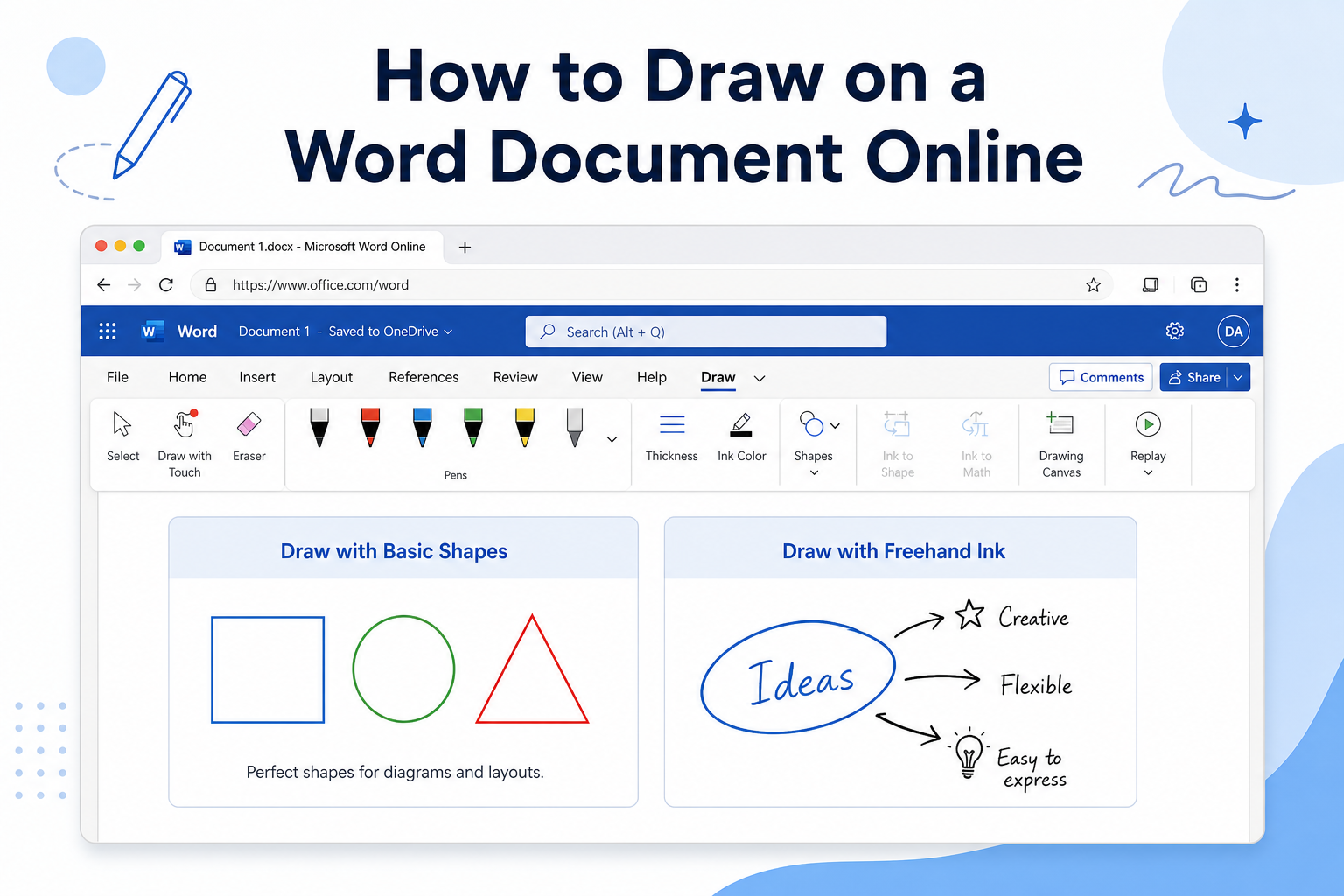
Quick answer: In Word for the web, use Insert → Shapes for lines, arrows, and basic diagrams—there is no Draw tab or freehand ink. For online freehand drawing on a .docx, open the file at wps.com and use the built-in Draw tab, then save or download as .docx.
What Drawing Tools Are Available in Word Online?
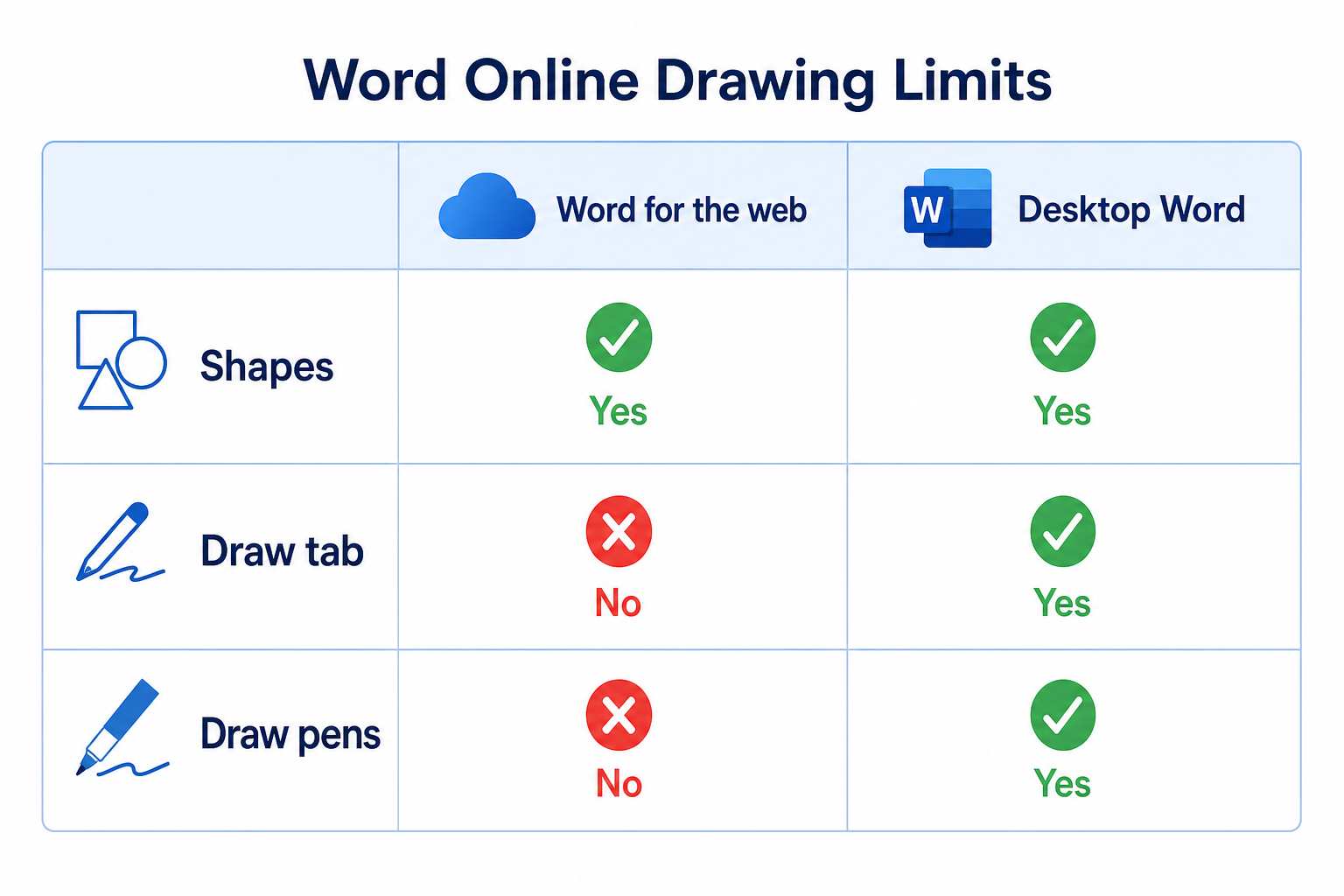
| Feature | Word for the web | Desktop Word |
|---|---|---|
| Insert → Shapes (lines, arrows, rectangles) | Yes | Yes |
| Draw tab / freehand ink pens | No | Yes (most versions) |
| Scribble / handwriting markup | No | Yes |
| Highlighter ink annotations | No | Yes |
Word Online does not support freehand ink pens, a Scribble tool, or a Draw tab. You cannot handwrite, sketch free-form lines, or add ink signatures in the browser version. The main drawing option online is basic shape insertion for simple diagrams.
How to Insert Shapes in Word Online
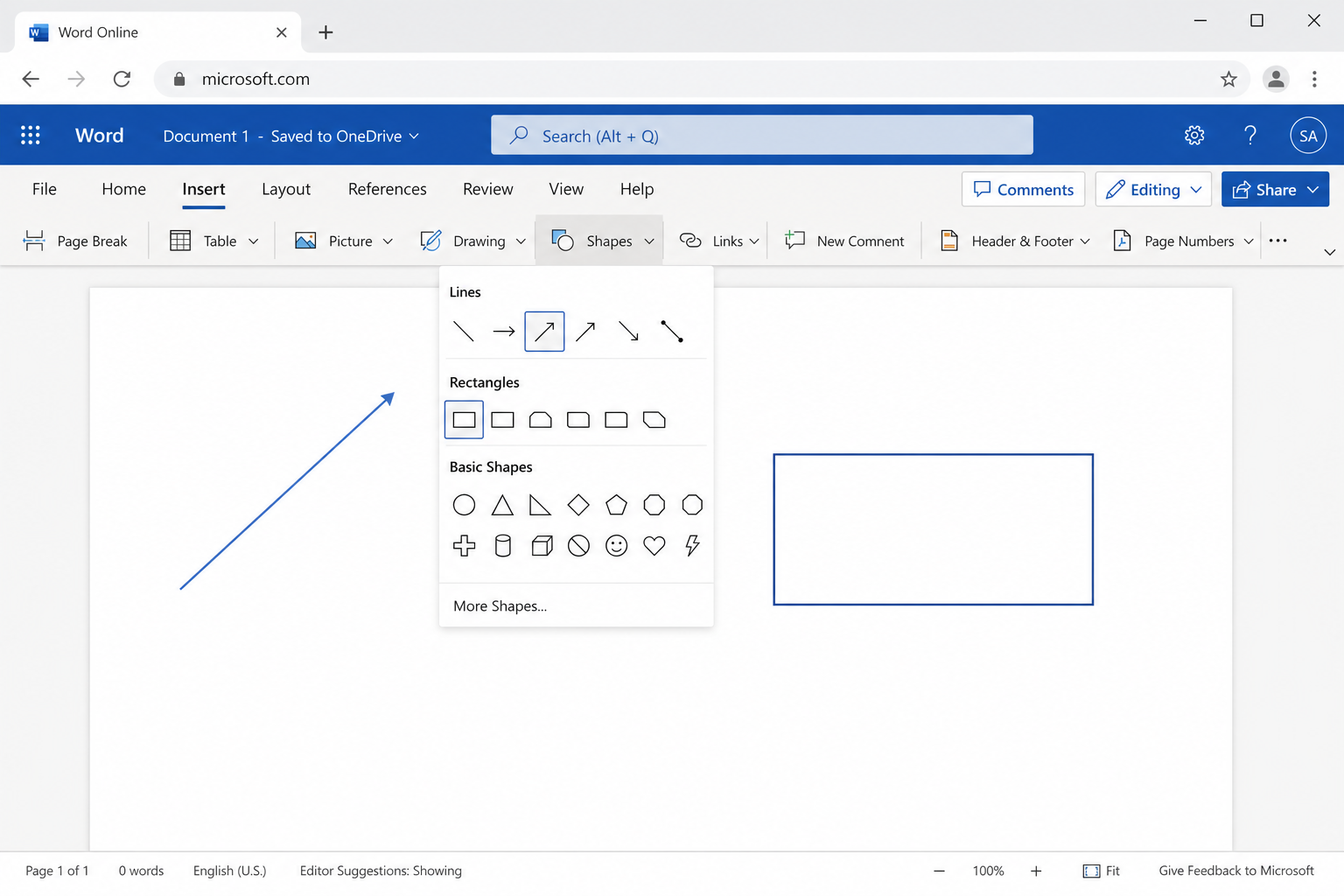
Open your Word file in Word for the web (Microsoft 365 on the web).
Go to Insert → Shapes.
Choose a line, arrow, rectangle, circle, or flowchart shape.
Click and drag on the page to place the shape.
Use the shape formatting options to change fill color, outline, and thickness.
Tip: Hold Shift while dragging when your browser and Word Online build support it, to keep lines straighter and shapes more proportional.
Why You Cannot Freehand Draw in Word Online
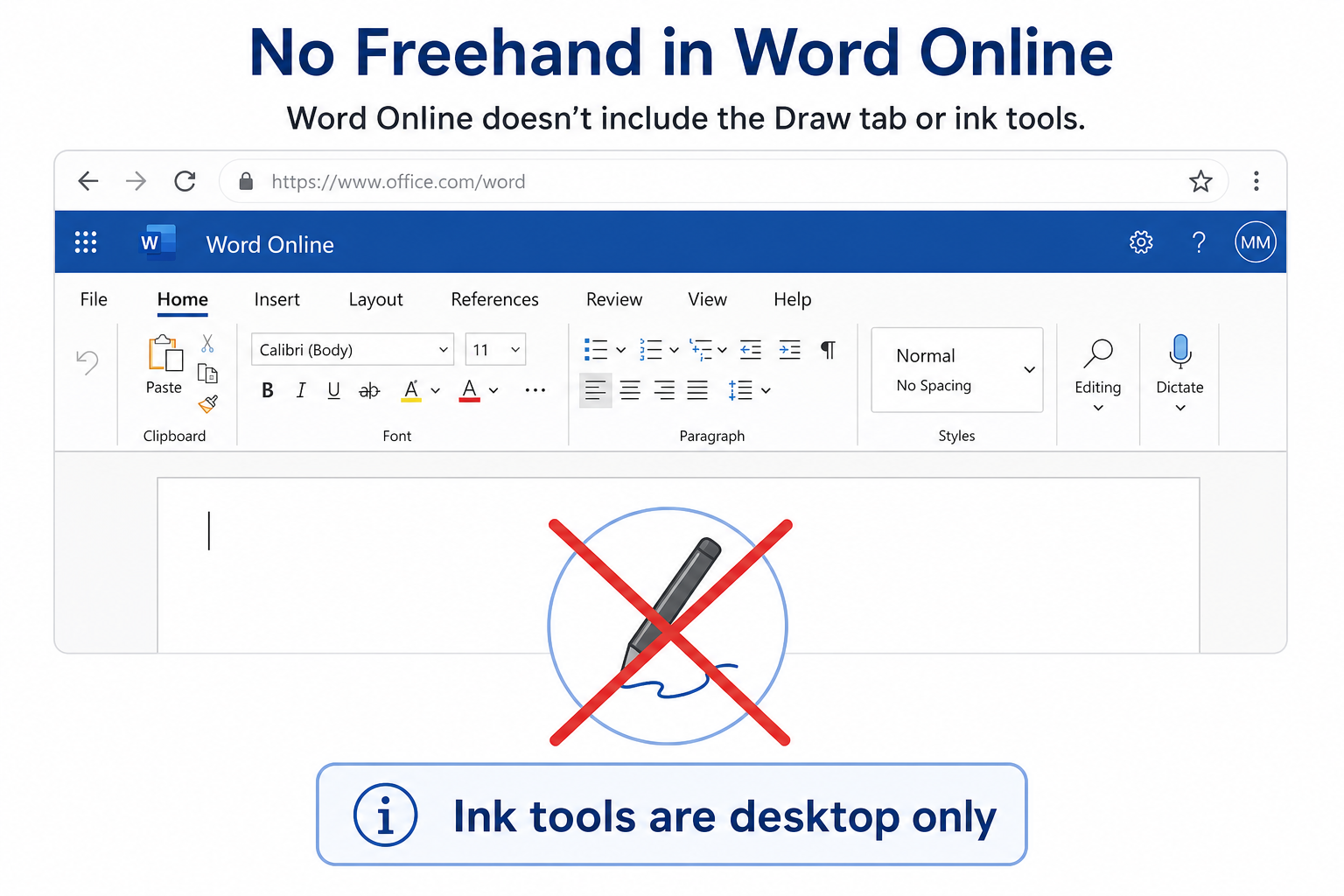
Microsoft’s freehand ink tools live mainly in the desktop Word app. Word for the web focuses on editing, co-authoring, and lighter formatting—so ink drawing is not offered in the browser ribbon today.
If you need handwriting, signatures, or free sketches, use desktop Word with the Draw tab, or an online editor that includes drawing tools for .docx files.
Free Online Option: Draw on Word Files with WPS on wps.com
If you need freehand drawing, handwriting, annotations, or signatures online, Word Online offered by WPS global website is the perfect free replacement for Word for the Web.
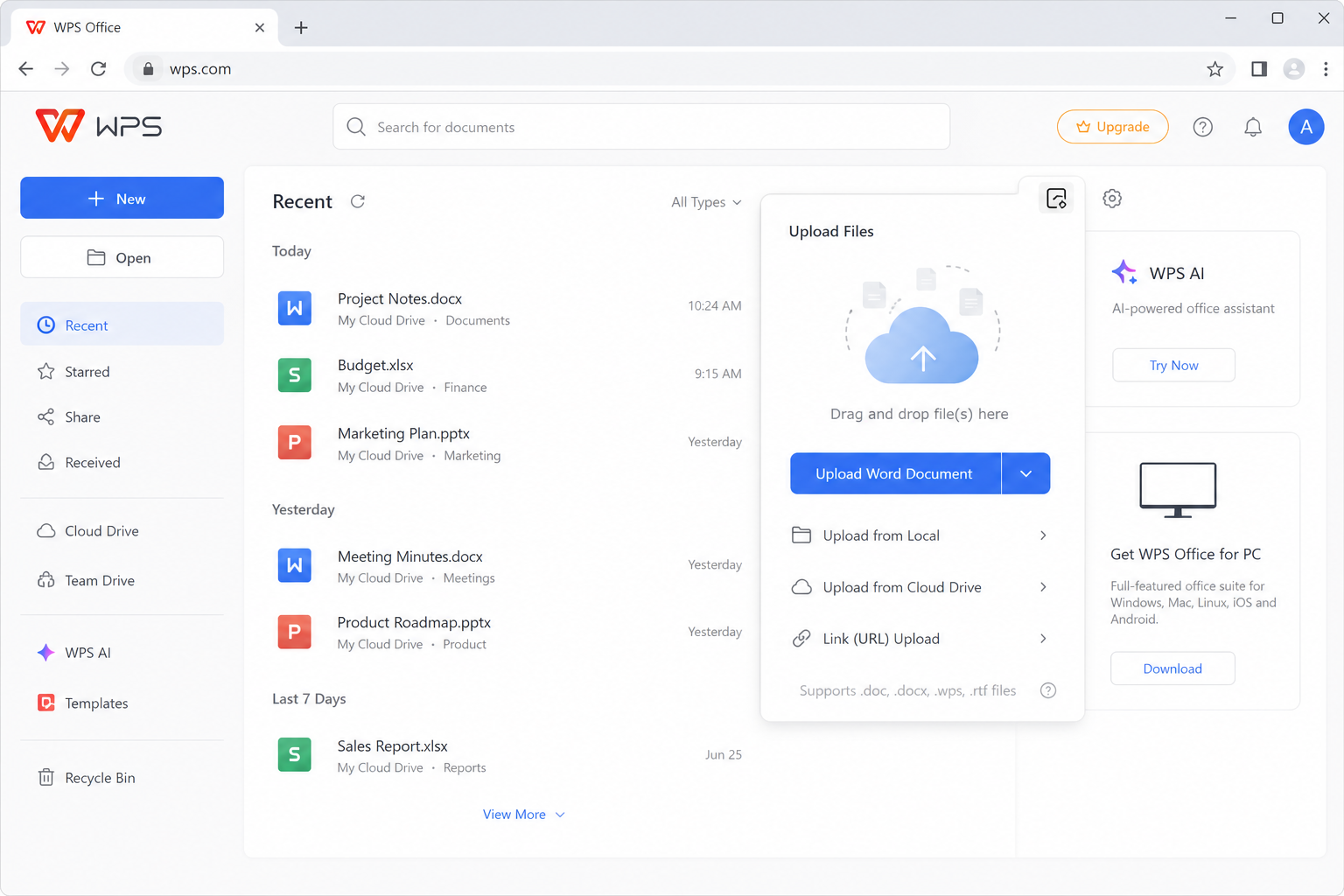
Typical tools you can use online include:
Freehand pens and an eraser
Highlighters for marking text
Shapes and lines for simple diagrams
Handwritten notes and signature-style strokes
Save / download as standard .docx for Microsoft Word
How to Draw on a Word Document Online with WPS (wps.com)
Go to the official international site: wps.com.
Sign in if needed, then upload your Word document to cloud storage (or create a new file).
Open the .docx file. Look for the Draw tab on the top ribbon (often near Insert and Layout).
Select a pen, brush, highlighter, or shape tool and draw on the page.
Save the file, then download it as .docx if you want to reopen it in Microsoft Word.
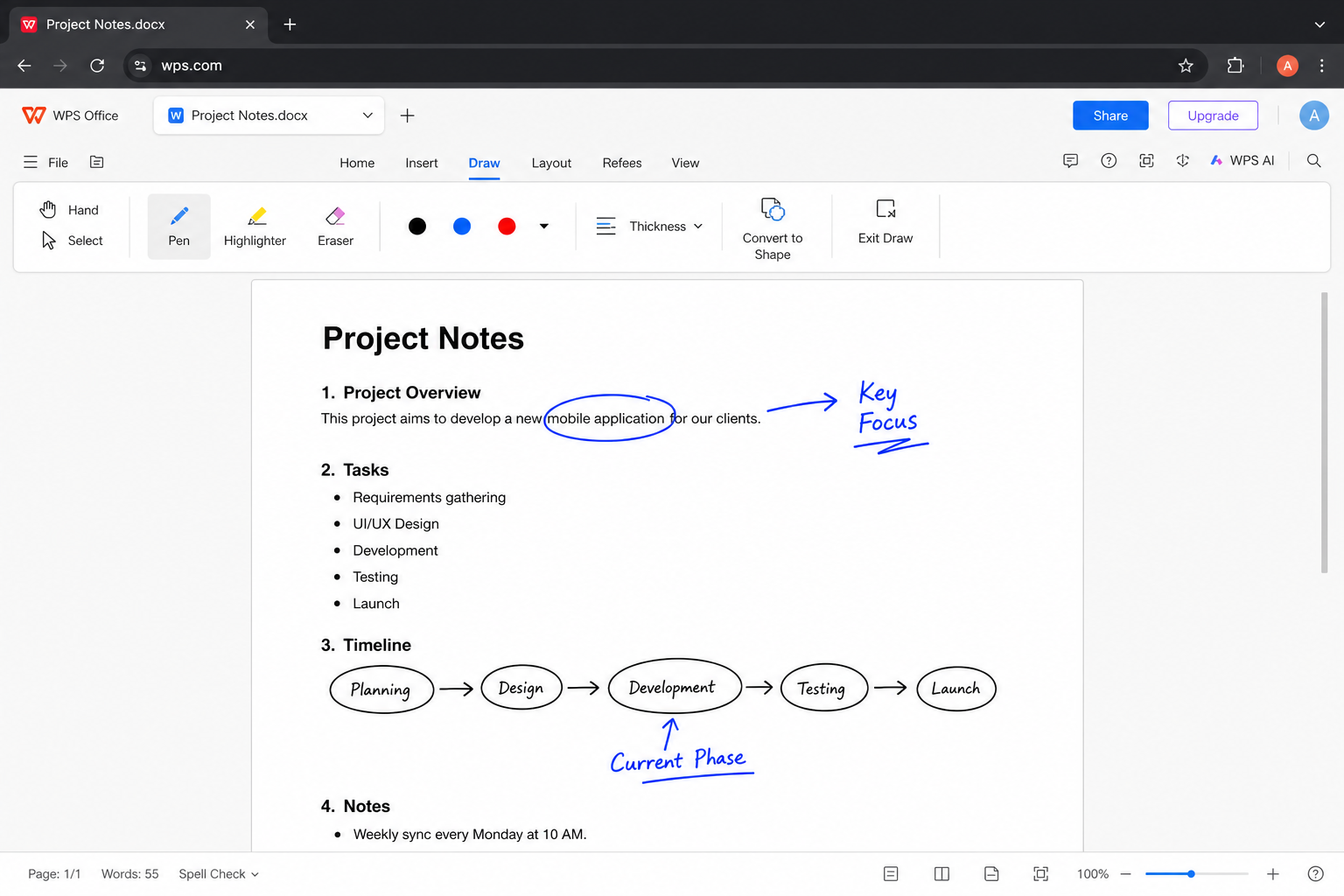
Note: Menu labels can vary slightly by account and browser. If you do not see Draw, refresh the page or confirm you opened the file in the online Writer editor—not a plain preview-only view.
Why People Use WPS Online for Drawing
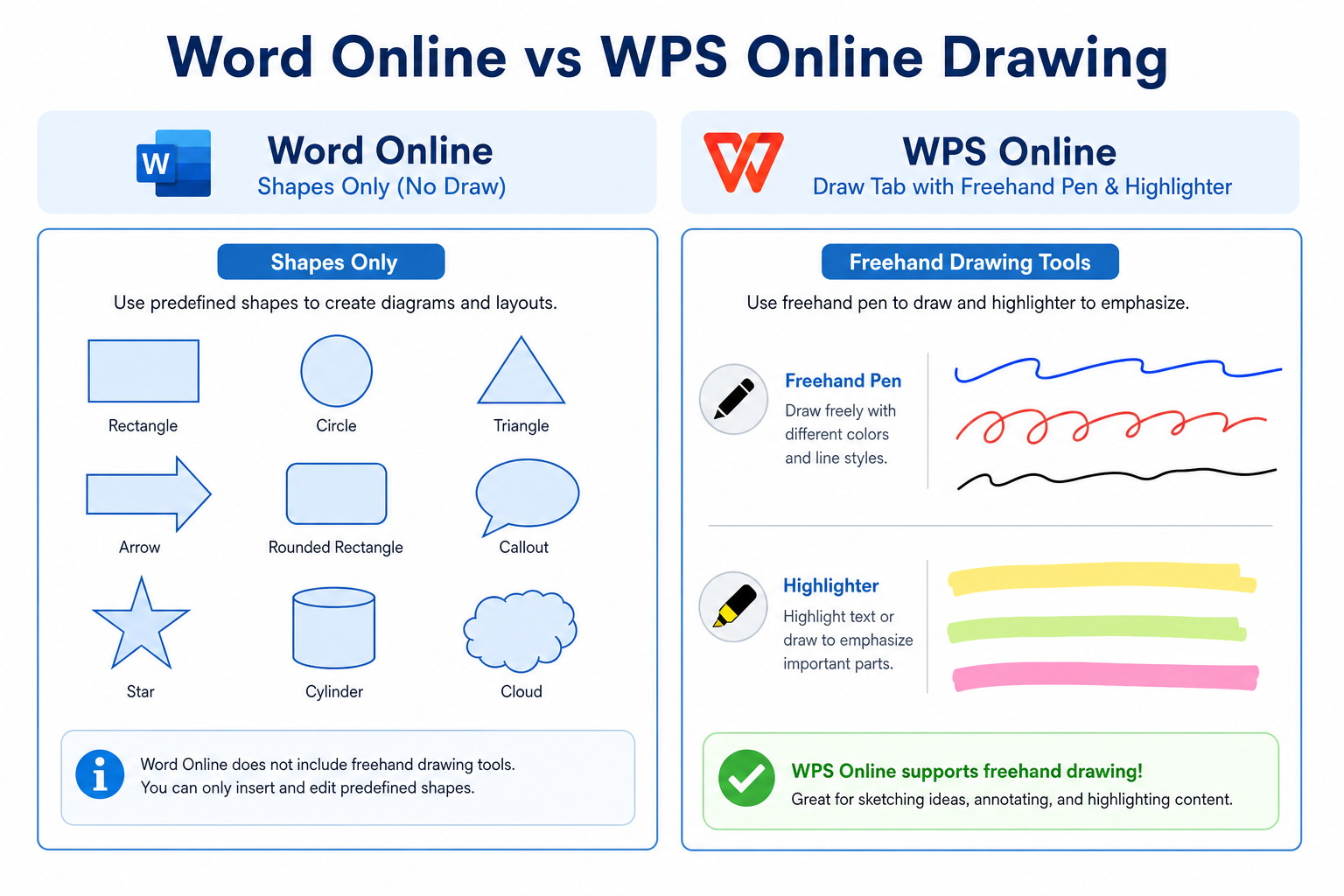
No paid subscription required for core tools — Everyday freehand and shape tools for daily use
Draw toolbar on the ribbon — Usually visible without digging through Options
Strong Word compatibility — Share common .docx files with Microsoft Word users
No desktop install required — Works in a browser on computers and many mobile devices
| Need | Word Online | WPS on wps.com |
|---|---|---|
| Basic shapes and lines | Yes | Yes |
| Freehand ink / Draw tab | No | Yes (online Draw tools) |
| Browser-only workflow | Yes | Yes |
| Export standard .docx | Yes | Yes |
FAQ
Can I freehand draw in Word Online?
No. Word for the web does not offer ink pens or freehand drawing. You can still insert basic shapes under Insert → Shapes.
Why is there no Draw tab in online Word?
Microsoft provides freehand ink mainly in desktop Word. The web app does not include the same Draw ribbon tools.
Where is the Draw tab on the WPS international web version?
Open your Word file on wps.com. The Draw menu usually appears on the top ribbon near Insert and Layout for free accounts.
Do WPS Online drawings work in Microsoft Word?
Yes—when you save or download as a standard .docx, shapes and hand-drawn markup usually open in Microsoft Word with usable formatting.
Conclusion
Word Online supports basic shape drawing for simple diagrams, but it does not include freehand ink tools for annotations, signatures, or sketches. If you need to draw freely on a Word document in a browser, open the file on wps.com and use the online Draw tools, then save as .docx for desktop Word compatibility.



'%3e%3cpath%20d='M19.9911%204.11386V6.471H18.5894C18.0775%206.471%2017.7322%206.57814%2017.5536%206.79243C17.3751%207.00671%2017.2858%207.32814%2017.2858%207.75671V9.44421H19.9019L19.5536%2012.0871H17.2858V18.8639H14.5536V12.0871H12.2769V9.44421H14.5536V7.49779C14.5536%206.39064%2014.8632%205.53201%2015.4822%204.92189C16.1013%204.31177%2016.9257%204.00671%2017.9554%204.00671C18.8304%204.00671%2019.509%204.04243%2019.9911%204.11386Z'%20fill='%23333333'/%3e%3c/g%3e%3cdefs%3e%3cclipPath%20id='clip0_2938_8199'%3e%3crect%20width='16'%20height='16'%20fill='white'%20transform='translate(8%204.00671)'/%3e%3c/clipPath%3e%3c/defs%3e%3c/svg%3e)
'%3e%3cpath%20d='M17.5237%2010.7813L23.4811%204H22.0699L16.8949%209.88693L12.7648%204H8L14.2469%2012.9029L8%2020.0133H9.4112L14.8725%2013.7952L19.2352%2020.0133H24M9.92053%205.04213H12.0885L22.0688%2019.0224H19.9003'%20fill='%23333333'/%3e%3c/g%3e%3cdefs%3e%3cclipPath%20id='clip0_2938_8200'%3e%3crect%20width='16'%20height='16.0134'%20fill='white'%20transform='translate(8%204)'/%3e%3c/clipPath%3e%3c/defs%3e%3c/svg%3e)


