

'%3e%3cpath%20d='M8%200C12.4183%200%2016%203.58172%2016%208C16%2012.4183%2012.4183%2016%208%2016C3.58172%2016%200%2012.4183%200%208C0%203.58172%203.58172%200%208%200ZM11.6162%204.38379C11.2257%203.99337%2010.5927%203.99338%2010.2021%204.38379L8%206.58594L5.79785%204.38379C5.40732%203.99334%204.77429%203.99329%204.38379%204.38379C3.99331%204.77429%203.99335%205.40733%204.38379%205.79785L6.58594%208L4.38379%2010.2021C3.99348%2010.5927%203.99341%2011.2257%204.38379%2011.6162C4.77426%2012.0066%205.40734%2012.0065%205.79785%2011.6162L8%209.41406L10.2021%2011.6162C10.5927%2012.0066%2011.2257%2012.0067%2011.6162%2011.6162C12.0067%2011.2257%2012.0066%2010.5927%2011.6162%2010.2021L9.41406%208L11.6162%205.79785C12.0066%205.40735%2012.0066%204.77429%2011.6162%204.38379Z'%20fill='%23080E17'%20fill-opacity='0.46'/%3e%3c/g%3e%3cdefs%3e%3cclipPath%20id='clip0_3761_713'%3e%3crect%20width='16'%20height='16'%20fill='white'/%3e%3c/clipPath%3e%3c/defs%3e%3c/svg%3e)




'%3e%3cpath%20fill-rule='evenodd'%20clip-rule='evenodd'%20d='M21.4999%2010.9993C21.4999%205.20009%2016.7986%200.498901%2010.9993%200.498901C5.19994%200.498901%200.498657%205.20009%200.498657%2010.9993C0.498657%2016.2404%204.33858%2020.5844%209.35855%2021.3722V14.0346H6.69238V10.9993H9.35855V8.68594C9.35855%206.05427%2010.9262%204.60062%2013.3248%204.60062C14.4736%204.60062%2015.6753%204.80571%2015.6753%204.80571V7.38979H14.3512C13.0468%207.38979%2012.64%208.19921%2012.64%209.0296V10.9993H15.5523L15.0867%2014.0346H12.64V21.3722C17.66%2020.5844%2021.4999%2016.2404%2021.4999%2010.9993Z'%20fill='%231568EA'/%3e%3c/g%3e%3c/svg%3e)


'%3e%3cpath%20d='M2.42045%2022.1876H6.31818V12.7217L0.75%208.54553V20.5171C0.75%2021.4414%201.49892%2022.1876%202.42045%2022.1876Z'%20fill='%234285F4'/%3e%3cpath%20d='M19.682%2022.1876H23.5797C24.5041%2022.1876%2025.2502%2021.4387%2025.2502%2020.5171V8.54553L19.682%2012.7217'%20fill='%2334A853'/%3e%3cpath%20d='M19.682%205.48293V12.7216L25.2502%208.54543V6.31816C25.2502%204.25236%2022.8921%203.07469%2021.2411%204.31361'%20fill='%23FBBC04'/%3e%3cpath%20d='M6.31824%2012.7217V5.48303L13.0001%2010.4944L19.6819%205.48303V12.7217L13.0001%2017.733'%20fill='%23EA4335'/%3e%3cpath%20d='M0.75%206.31816V8.54543L6.31818%2012.7216V5.48293L4.75909%204.31361C3.10534%203.07469%200.75%204.25236%200.75%206.31816Z'%20fill='%23C5221F'/%3e%3c/g%3e%3cdefs%3e%3cclipPath%20id='clip0_2954_7305'%3e%3crect%20width='24.5'%20height='18.375'%20fill='white'%20transform='translate(0.75%203.8125)'/%3e%3c/clipPath%3e%3c/defs%3e%3c/svg%3e)


Retirees and annuity recipients often see a different amount on each monthly check because the payer is guessing how much federal tax to withhold. IRS Form W-4P ends that guesswork: it is the withholding certificate you give to the payer of your periodic pension or annuity payments so federal income tax is withheld at the amount you choose. This guide explains what the form covers, what to have ready, and how to fill out IRS Form W-4P line by line, plus how to complete and sign the official PDF digitally with WPS PDF.
Form W-4P was redesigned for 2022, so it no longer uses withholding allowances. Instead, you enter your filing status, then adjust withholding in Steps 2–4 only if they apply to you, and sign in Step 5. If you submit nothing, most payers must default to the “single with no adjustments” rate, which is often more withholding than you actually need.
How to Fill Out IRS Form W-4P (2026 Guide)
What Is IRS Form W-4P?
Form W-4P, officially the Withholding Certificate for Periodic Pension or Annuity Payments, tells a payer how much federal income tax to withhold from the taxable part of payments you receive in installments over more than one year — for example a monthly pension, a commercial annuity, profit-sharing or stock bonus plan payments, or periodic IRA distributions. You give the completed form to the payer, not to the IRS.
Use W-4P only for periodic payments. Nonperiodic payments, demand IRA distributions, and eligible rollover distributions (including a lump-sum pension payout) use the separate Form W-4R instead, and nonperiodic payments default to a flat 10% withholding. If you also take money from a job, that withholding is controlled by Form W-4 — see our guide to filling out Form 1040 for how everything lands on your tax return.
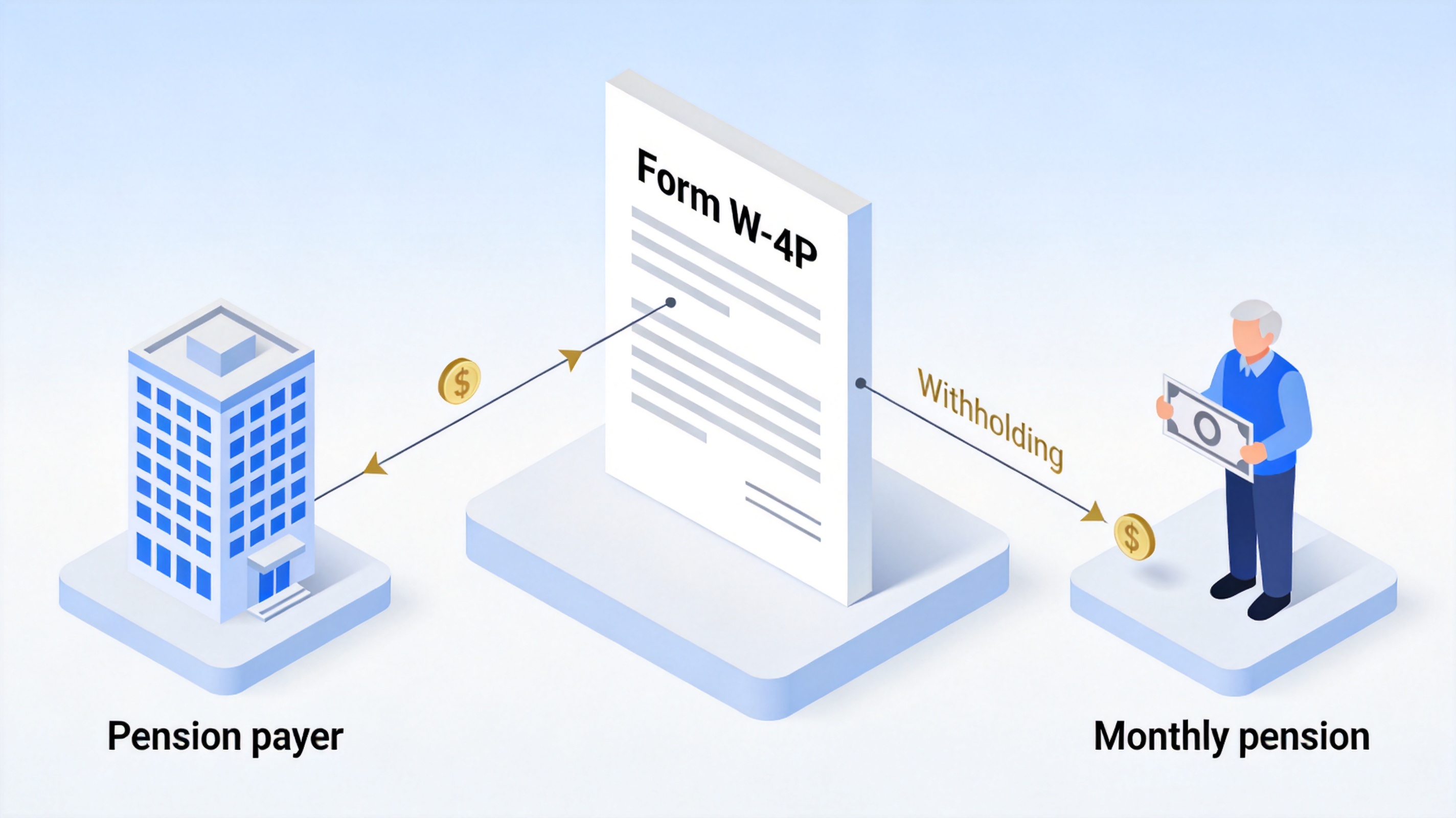
IRS Form W-4P pension withholding basics


What to Prepare Before You Fill Out IRS Form W-4P
Having a few items on hand makes the form a five-minute task and keeps the numbers accurate:
Your Social Security number — the payer needs it to process the form, and claiming certain credits requires an SSN valid for employment.
Current payment statements from this year, so you can estimate the annual taxable amount of the pension or annuity.
Details of other income — jobs, other pensions or annuities, interest, dividends, or taxable Social Security you want withholding to cover.
Your expected deductions and credits (itemized deductions beyond the standard deduction, dependents, education or foreign tax credits).
Your filing status as you expect to file on your next return.
If you are filling the form after the start of the year, or your marital status, dependents, or number of pensions changed, consider running the IRS estimator at www.irs.gov/W4App first. It gives the most accurate withholding figures, especially with multiple income sources.
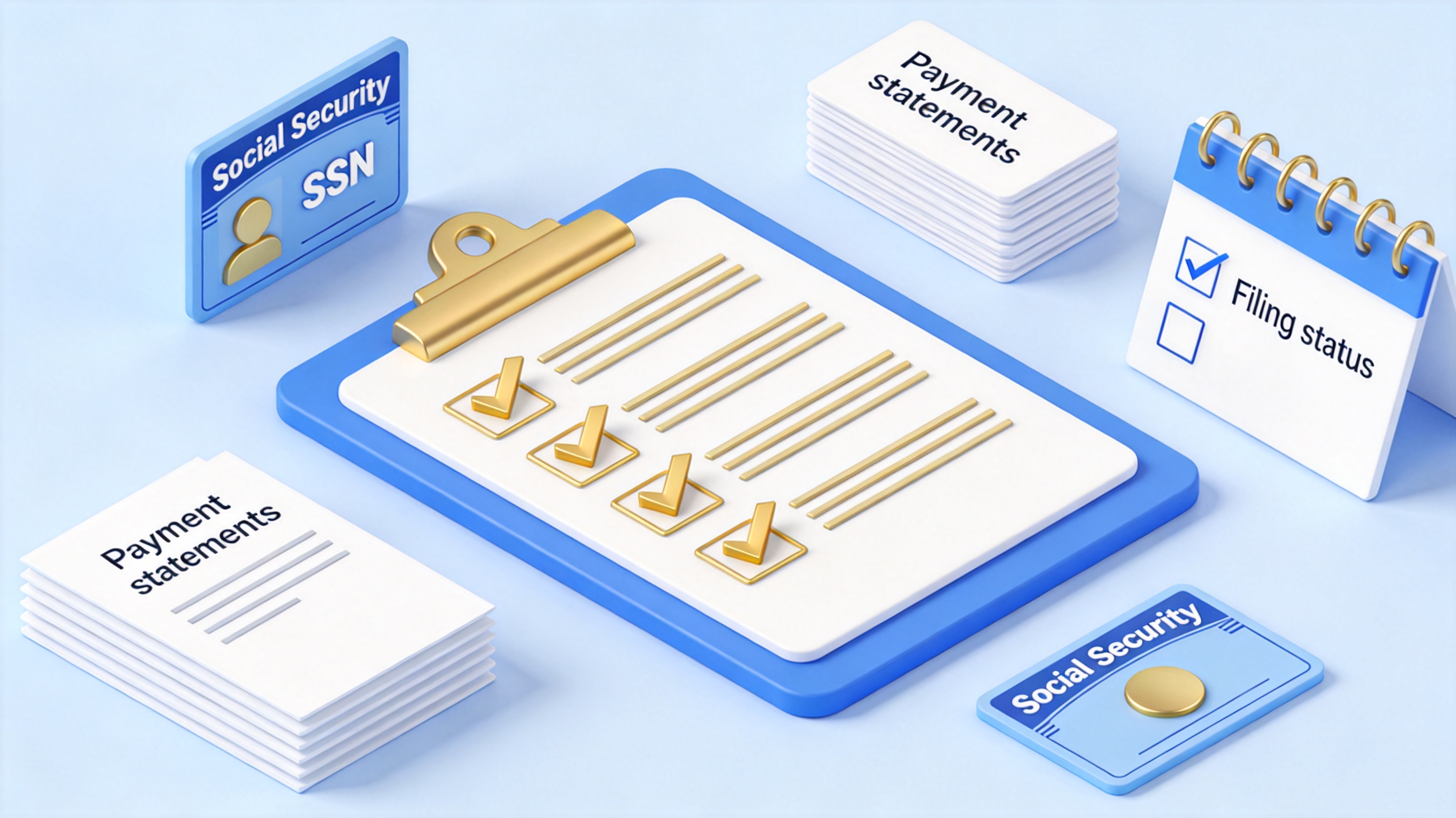
Prepare documents before filling W-4P
Fill Out IRS Form W-4P Step by Step
Download the current-year form from the IRS at irs.gov rather than reusing an old copy. Then work through the five steps.
Step 1: Enter personal information and filing status
Fill in your name, address, and SSN in Step 1(a) and 1(b).
Check one filing status in Step 1(c): Single or Married filing separately, Married filing jointly or Qualifying surviving spouse, or Head of household (only if you are unmarried and pay more than half the cost of keeping up a home for yourself and a qualifying individual).
Step 2: Account for a job or multiple pensions or annuities
Complete this step only if you have income from a job or more than one pension/annuity, or you are married filing jointly and your spouse receives income from a job or pension/annuity. Do one of the following:
Use the IRS estimator at www.irs.gov/W4App for the most accurate result — the IRS recommends this option if you or your spouse have self-employment income.
Or complete items 2(b)(i)–(iii): enter total taxable annual pay from all jobs (adjusted by any Step 4(a) income and 4(b) deductions on your W-4s) in (i), the annual taxable payments from all lower-paying pensions/annuities in (ii), and the sum in (iii).
If this pension pays the most annually and 2(b)(i) is blank, continue to Steps 3–4(b) on this form; otherwise skip them here and update the other forms instead. Payers generally must use the default single, no-adjustments rate on any pension that has no updated W-4P since 2021, so submit a fresh form for each pension.
Step 3: Claim dependent and other credits
If your total income will be $200,000 or less ($400,000 or less if married filing jointly), multiply qualifying children under 17 by $2,000, multiply other dependents by $500, add other credits such as foreign tax or education credits, and enter the total on line 3. Larger credits reduce withholding per payment dollar for dollar.
Step 4: Make other adjustments (optional)
4(a) Other income — enter other income you want tax withheld on, such as interest, dividends, or taxable Social Security.
4(b) Deductions — if you expect deductions other than the basic standard deduction, use the Deductions Worksheet on page 3 and enter the result.
4(c) Extra withholding — enter any additional tax you want withheld from each payment. To stop federal withholding entirely (if your payer permits it), write “No Withholding” in the space below 4(c), then complete only Steps 1(a), 1(b), and 5.
Step 5: Sign and date the form
The form is not valid without your signature and the date. Return it to your pension payer or plan administrator and keep a copy for your records. The image below shows how the five steps line up on the form.
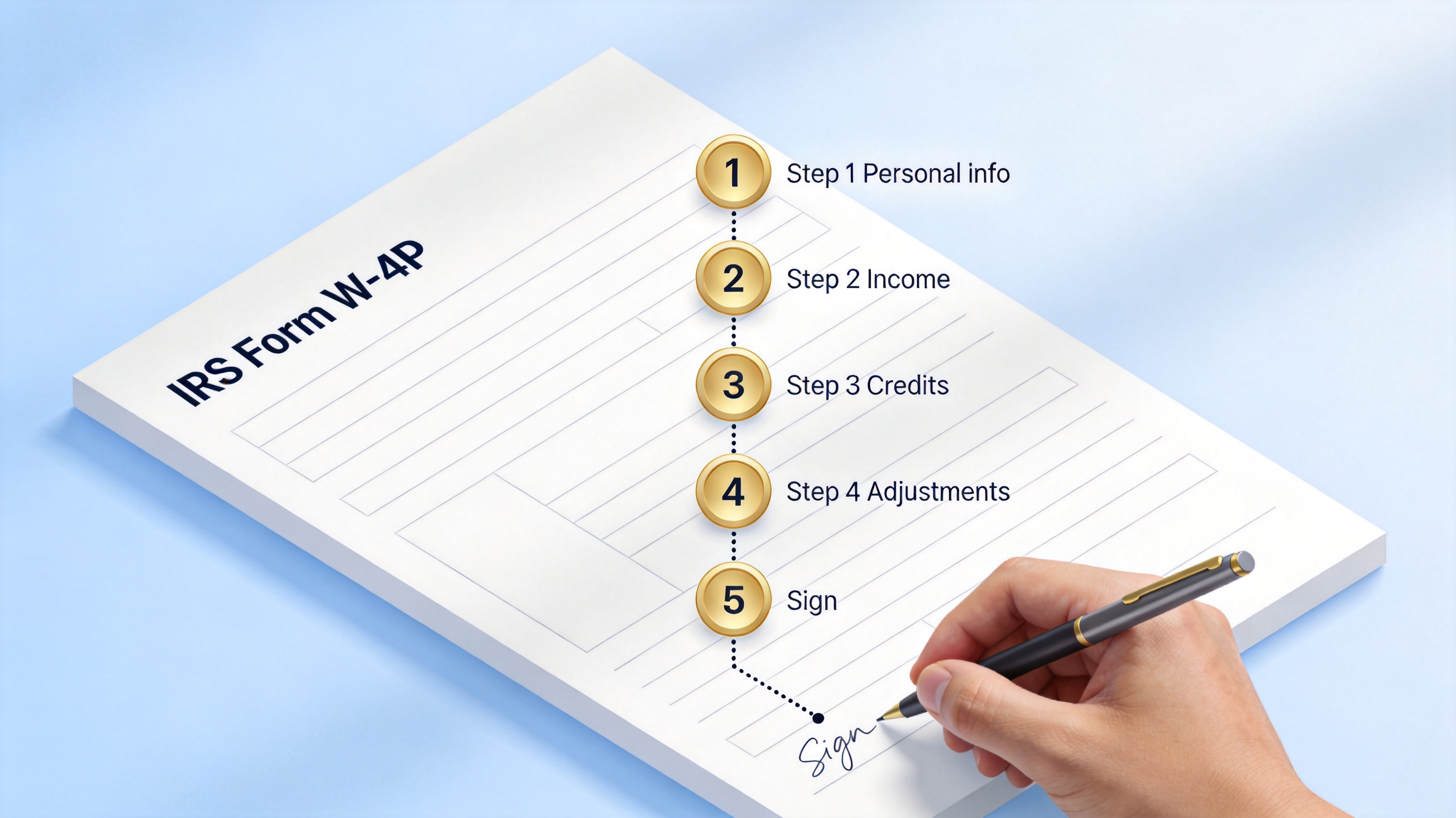
Form W-4P steps one through five
How to Fill and Sign IRS Form W-4P in WPS PDF
The IRS PDF is a fillable form, and WPS Office handles it with the same Fill & Sign tools you would use on any PDF. This is handy if you want to save a dated draft, email the signed copy to your plan administrator, or store it with your other tax documents, the way you might for a W-9.
Download the official W-4P PDF from irs.gov and open it in WPS Office.
Go to the Fill & Sign tab in the PDF toolbar. WPS detects the form fields so you can click into each box.
Enter your information in Step 1, check the filing status checkbox, and type any amounts in Steps 2–4 that apply to you.
Add your signature through Add Signature — type, draw, or insert an image of your signature — then add the date in Step 5.
Save the completed PDF and send it to your pension payer. Keep a copy with your tax records.
If the version you downloaded is a flattened scan instead of a fillable PDF, you can still complete it by adding text boxes over the fields — the same technique used to make any fillable PDF form.
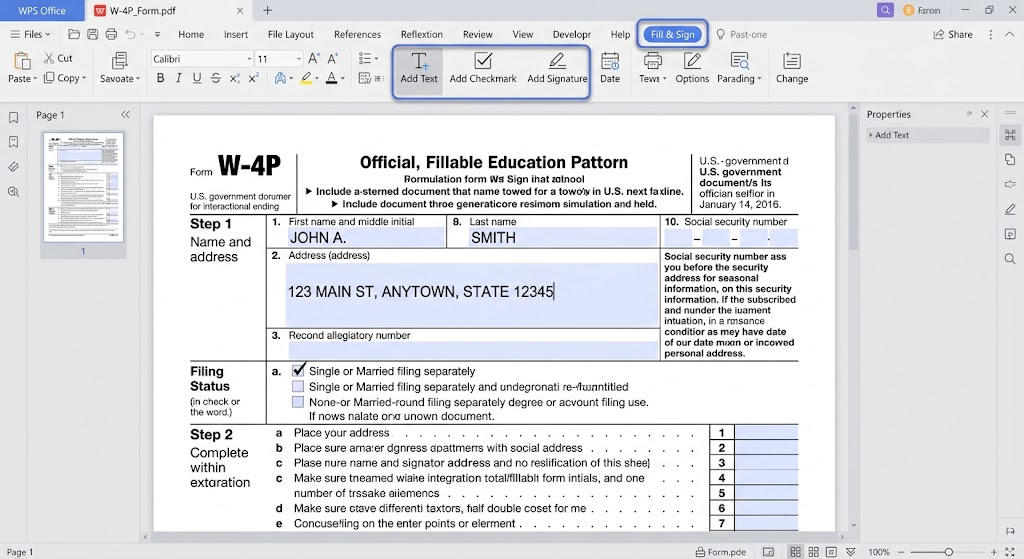
Fill W-4P form in WPS PDF
Common Mistakes When You Fill Out IRS Form W-4P
Checking the wrong filing status — the status drives the whole withholding calculation, and the payer must apply whatever you check.
Leaving out Step 2 when you have a job, a second pension, or a working spouse who files jointly with you — withholding then comes up short and you may owe at tax time.
Forgetting to sign — an unsigned form is invalid and the payer keeps using the default rate.
Using W-4P for a lump sum — rollovers and nonperiodic payments belong on Form W-4R.
Never updating old forms — pre-2022 W-4P elections with allowances are no longer valid inputs; resubmit a current form for each pension.
Recheck your withholding at the start of each year with the IRS estimator, especially after a life change, and submit a new W-4P when the numbers move.
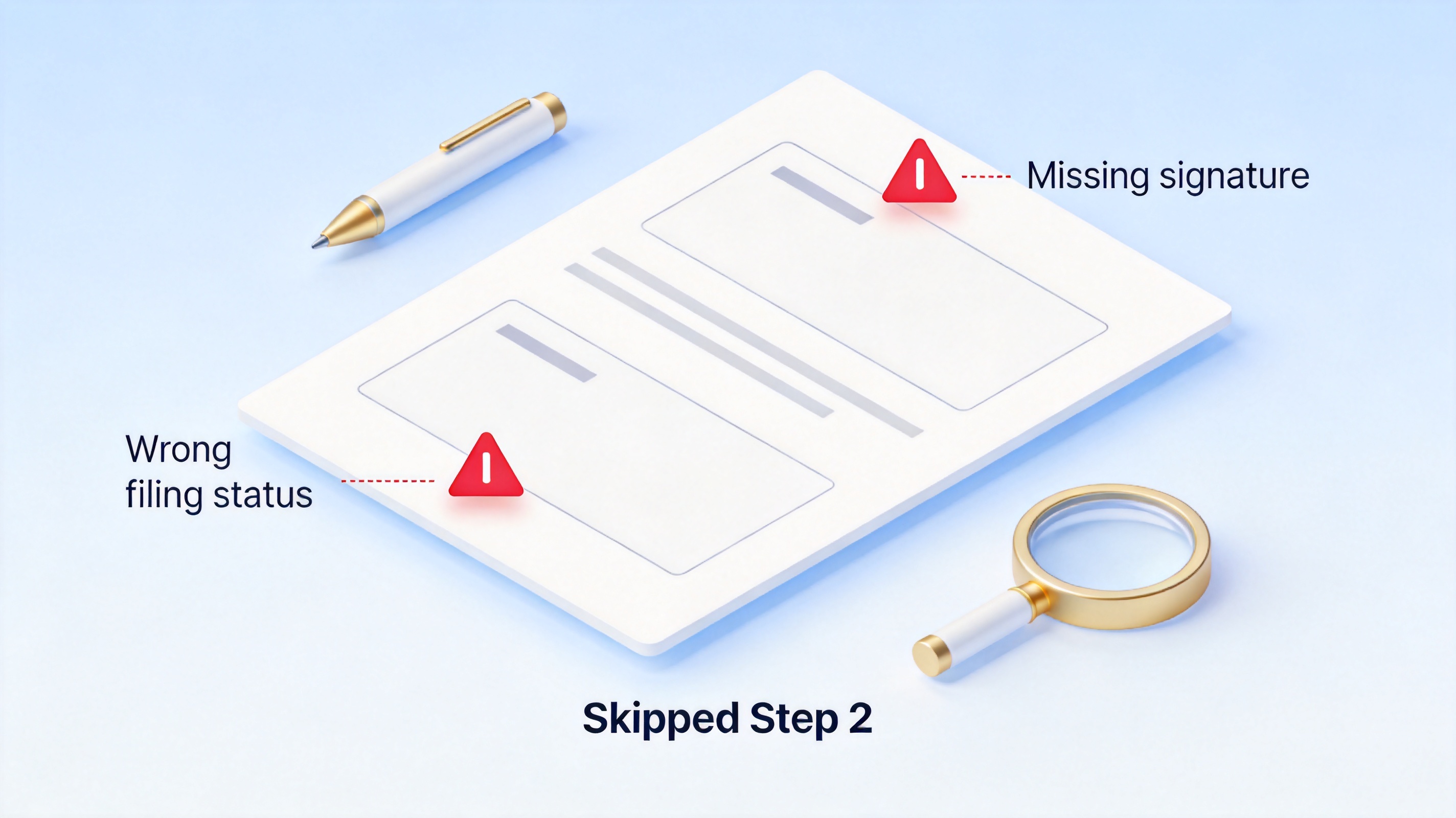
Common mistakes when filling W-4P
The Best Free Alternative: WPS Office for IRS Forms
A dedicated PDF suite is not required to handle W-4P, 1040, W-9, and the rest of your tax paperwork. WPS Office is a free office suite with a full PDF toolkit: fill and sign IRS forms, add text to flattened PDFs, merge or compress files, and keep everything organized alongside its Word, Excel, and PowerPoint-compatible apps.
Fill & Sign plus AI form recognition — WPS detects fields in official IRS PDFs so you type each entry once, then sign digitally.
One suite for the whole tax folder — keep a pension statement spreadsheet, a notes document, and your filled PDFs together instead of switching tools.
Free to start, familiar interface — no subscription needed for everyday form work, and files open cleanly across Windows, Mac, and mobile.
Ready to complete your W-4P without printing? Download WPS Office below and open the IRS PDF in Fill & Sign.
WPS Office free home screen
FAQs
Do I send Form W-4P to the IRS?
No. Give the completed form to the payer of your pension or annuity — your plan administrator, retirement system, or insurance company. They apply the withholding and report it on your Form 1099-R; the IRS only receives the resulting withholding through the payer.
What happens if I do not submit a W-4P?
The payer generally must withhold at the default “single with no adjustments” rate, as if you were single with no other adjustments. That is often more tax than you need to pay during the year, and you wait until your return to get the excess refunded.
Can I choose to have no federal tax withheld from my pension?
Usually yes, if the payments are deliverable in the U.S. Write “No Withholding” in the space below Step 4(c) and complete only Steps 1(a), 1(b), and 5. Confirm your plan permits the election — and remember you may still owe estimated tax payments if the payments are taxable.
What is the difference between Form W-4P and Form W-4R?
W-4P covers periodic pension or annuity payments made in installments over more than one year. W-4R covers nonperiodic payments and eligible rollover distributions, including lump-sum pension payouts, and nonperiodic payments default to 10% withholding if you submit nothing.
How often should I update my W-4P?
Update it whenever your filing status, other income, dependents, or number of pensions changes, and recheck the figures with the IRS estimator at the start of each year. If you have not updated since 2021, resubmit a current form because the old allowance-based elections no longer apply.

'%3e%3cpath%20d='M19.9911%204.11386V6.471H18.5894C18.0775%206.471%2017.7322%206.57814%2017.5536%206.79243C17.3751%207.00671%2017.2858%207.32814%2017.2858%207.75671V9.44421H19.9019L19.5536%2012.0871H17.2858V18.8639H14.5536V12.0871H12.2769V9.44421H14.5536V7.49779C14.5536%206.39064%2014.8632%205.53201%2015.4822%204.92189C16.1013%204.31177%2016.9257%204.00671%2017.9554%204.00671C18.8304%204.00671%2019.509%204.04243%2019.9911%204.11386Z'%20fill='%23333333'/%3e%3c/g%3e%3cdefs%3e%3cclipPath%20id='clip0_2938_8199'%3e%3crect%20width='16'%20height='16'%20fill='white'%20transform='translate(8%204.00671)'/%3e%3c/clipPath%3e%3c/defs%3e%3c/svg%3e)
'%3e%3cpath%20d='M17.5237%2010.7813L23.4811%204H22.0699L16.8949%209.88693L12.7648%204H8L14.2469%2012.9029L8%2020.0133H9.4112L14.8725%2013.7952L19.2352%2020.0133H24M9.92053%205.04213H12.0885L22.0688%2019.0224H19.9003'%20fill='%23333333'/%3e%3c/g%3e%3cdefs%3e%3cclipPath%20id='clip0_2938_8200'%3e%3crect%20width='16'%20height='16.0134'%20fill='white'%20transform='translate(8%204)'/%3e%3c/clipPath%3e%3c/defs%3e%3c/svg%3e)


