

'%3e%3cpath%20d='M8%200C12.4183%200%2016%203.58172%2016%208C16%2012.4183%2012.4183%2016%208%2016C3.58172%2016%200%2012.4183%200%208C0%203.58172%203.58172%200%208%200ZM11.6162%204.38379C11.2257%203.99337%2010.5927%203.99338%2010.2021%204.38379L8%206.58594L5.79785%204.38379C5.40732%203.99334%204.77429%203.99329%204.38379%204.38379C3.99331%204.77429%203.99335%205.40733%204.38379%205.79785L6.58594%208L4.38379%2010.2021C3.99348%2010.5927%203.99341%2011.2257%204.38379%2011.6162C4.77426%2012.0066%205.40734%2012.0065%205.79785%2011.6162L8%209.41406L10.2021%2011.6162C10.5927%2012.0066%2011.2257%2012.0067%2011.6162%2011.6162C12.0067%2011.2257%2012.0066%2010.5927%2011.6162%2010.2021L9.41406%208L11.6162%205.79785C12.0066%205.40735%2012.0066%204.77429%2011.6162%204.38379Z'%20fill='%23080E17'%20fill-opacity='0.46'/%3e%3c/g%3e%3cdefs%3e%3cclipPath%20id='clip0_3761_713'%3e%3crect%20width='16'%20height='16'%20fill='white'/%3e%3c/clipPath%3e%3c/defs%3e%3c/svg%3e)




'%3e%3cpath%20fill-rule='evenodd'%20clip-rule='evenodd'%20d='M21.4999%2010.9993C21.4999%205.20009%2016.7986%200.498901%2010.9993%200.498901C5.19994%200.498901%200.498657%205.20009%200.498657%2010.9993C0.498657%2016.2404%204.33858%2020.5844%209.35855%2021.3722V14.0346H6.69238V10.9993H9.35855V8.68594C9.35855%206.05427%2010.9262%204.60062%2013.3248%204.60062C14.4736%204.60062%2015.6753%204.80571%2015.6753%204.80571V7.38979H14.3512C13.0468%207.38979%2012.64%208.19921%2012.64%209.0296V10.9993H15.5523L15.0867%2014.0346H12.64V21.3722C17.66%2020.5844%2021.4999%2016.2404%2021.4999%2010.9993Z'%20fill='%231568EA'/%3e%3c/g%3e%3c/svg%3e)


'%3e%3cpath%20d='M2.42045%2022.1876H6.31818V12.7217L0.75%208.54553V20.5171C0.75%2021.4414%201.49892%2022.1876%202.42045%2022.1876Z'%20fill='%234285F4'/%3e%3cpath%20d='M19.682%2022.1876H23.5797C24.5041%2022.1876%2025.2502%2021.4387%2025.2502%2020.5171V8.54553L19.682%2012.7217'%20fill='%2334A853'/%3e%3cpath%20d='M19.682%205.48293V12.7216L25.2502%208.54543V6.31816C25.2502%204.25236%2022.8921%203.07469%2021.2411%204.31361'%20fill='%23FBBC04'/%3e%3cpath%20d='M6.31824%2012.7217V5.48303L13.0001%2010.4944L19.6819%205.48303V12.7217L13.0001%2017.733'%20fill='%23EA4335'/%3e%3cpath%20d='M0.75%206.31816V8.54543L6.31818%2012.7216V5.48293L4.75909%204.31361C3.10534%203.07469%200.75%204.25236%200.75%206.31816Z'%20fill='%23C5221F'/%3e%3c/g%3e%3cdefs%3e%3cclipPath%20id='clip0_2954_7305'%3e%3crect%20width='24.5'%20height='18.375'%20fill='white'%20transform='translate(0.75%203.8125)'/%3e%3c/clipPath%3e%3c/defs%3e%3c/svg%3e)


A new client email with “please complete Form W-9” usually means payroll cannot pay you until your legal name and taxpayer ID match IRS records. One wrong digit on the TIN line can trigger backup withholding or a delayed 1099. This guide walks through each W-9 box, shows how to fill and sign the official PDF in WPS, and how to return it without exposing your Social Security number to the wrong recipient.
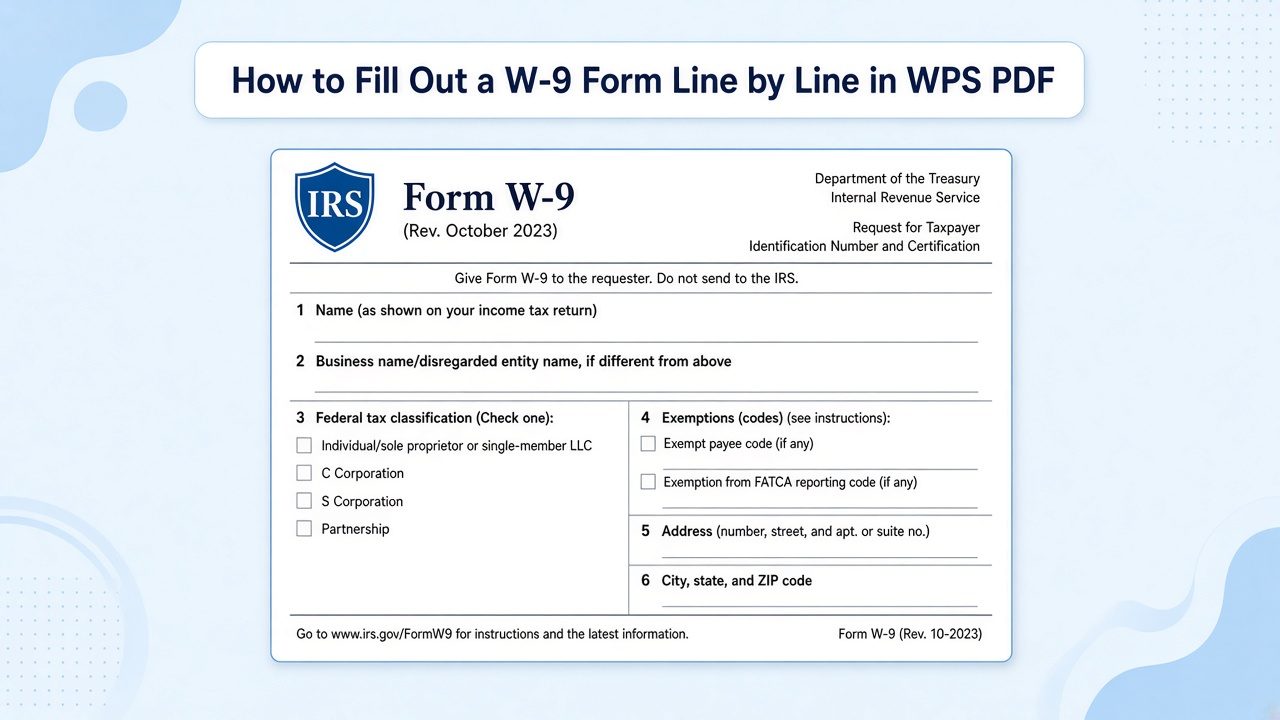
How to Fill Out a W-9 Form Line by Line in WPS PDF (2026 Guide)
When a payer requests a W-9 form
U.S. businesses use IRS Form W-9 to collect your taxpayer identification number before they send certain reportable payments. If you are a freelancer, vendor, or LLC contractor—not an employee on W-2—you will often receive a W-9 before your first invoice is paid.
Payers commonly need a W-9 when they expect to pay you $600 or more in a calendar year for services, though other reportable payments (rent, royalties, prizes, and similar items) can also require one. The form stays with the requester; you do not mail it to the IRS. They use it later to prepare Form 1099-NEC or other 1099 series copies.
Use the current IRS revision (Rev. March 2024) even if someone labels the request “w9 form 2023” in email. For download steps and a printable PDF, see our W-9 PDF download and overview guide.

Download current IRS Form W-9 PDF


W-9 form line-by-line instructions
Match every entry to your tax return. If the name on line 1 does not match the TIN in Part I, the payer may have to start backup withholding.
Lines 1 and 2: Legal name and business name
Line 1 is your legal name as shown on your income tax return—individuals use their personal name; entities use the name on formation documents. Line 2 is optional unless you operate under a trade name or “disregarded entity” name that differs from line 1.
Line 3: Federal tax classification
Check exactly one box: individual/sole proprietor, C corporation, S corporation, partnership, trust/estate, LLC, or other. LLC owners taxed as a disregarded entity usually check “individual/sole proprietor,” not “LLC,” unless instructions for your structure say otherwise.
Lines 5–6: Mailing address
Enter the address where you want information returns mailed. Use a stable mailing address; this is where your 1099 copy is likely to arrive.
Part I: Taxpayer identification number (TIN)
Individuals and sole proprietors typically enter a Social Security number (SSN). Other entities enter an employer identification number (EIN). The TIN must belong to the name on line 1.
Part II: Certification and signature
Sign and date under penalties of perjury. Electronic signatures are widely accepted when the payer allows them. Unsigned or undated forms are incomplete.

IRS Form W-9 name and TIN fields
Fill and sign the W-9 PDF in WPS
After you save the official IRS PDF locally, open it in WPS PDF and use Fill & Sign so fields stay editable and your signature is embedded in the file you return.
Open WPS Office and choose PDF (or open the saved W-9 file directly).
On the ribbon, select Fill & Sign, then click each field to type your name, address, and TIN.
Check the correct tax classification box and complete Part II with your signature and date.
Save a copy for your records before you send the completed PDF to the requester.
If you fill several W-9s per year, you can paste prepared details with AI Form Filler in Fill & Sign, then review every box. See how to fill PDF forms faster in WPS for that workflow.

Open W-9 PDF in WPS PDF editor

Fill W-9 form fields in WPS PDF
Return your W-9 form safely
Treat a W-9 like sensitive identity data. Send it only to a payer you recognize—confirm the company name against your contract or invoice—and use their secure upload portal or encrypted email when available.
Do not reply to unexpected W-9 requests from strangers or social media contacts.
Avoid posting an unsigned blank W-9 on public links.
Store your signed copy offline or in a password-protected folder; you may need it if your address or TIN changes.
WPS PDF lets you add a password to the finished file before you attach it, which adds a layer of protection when email is the only option.
Return completed W-9 through secure channels
How your W-9 form ties to Form 1099
The W-9 is the intake form; Form 1099 is the year-end statement. After you submit a W-9, the payer uses your TIN and legal name to report amounts paid to you. Contractors often receive Form 1099-NEC for nonemployee compensation; other payment types use different 1099 variants.
You do not file the W-9 with your personal return, but you should reconcile 1099 boxes against your own records when tax season arrives. Payers preparing 1099s can follow our 1099 PDF fill guide in WPS, which starts with collecting completed W-9s first.
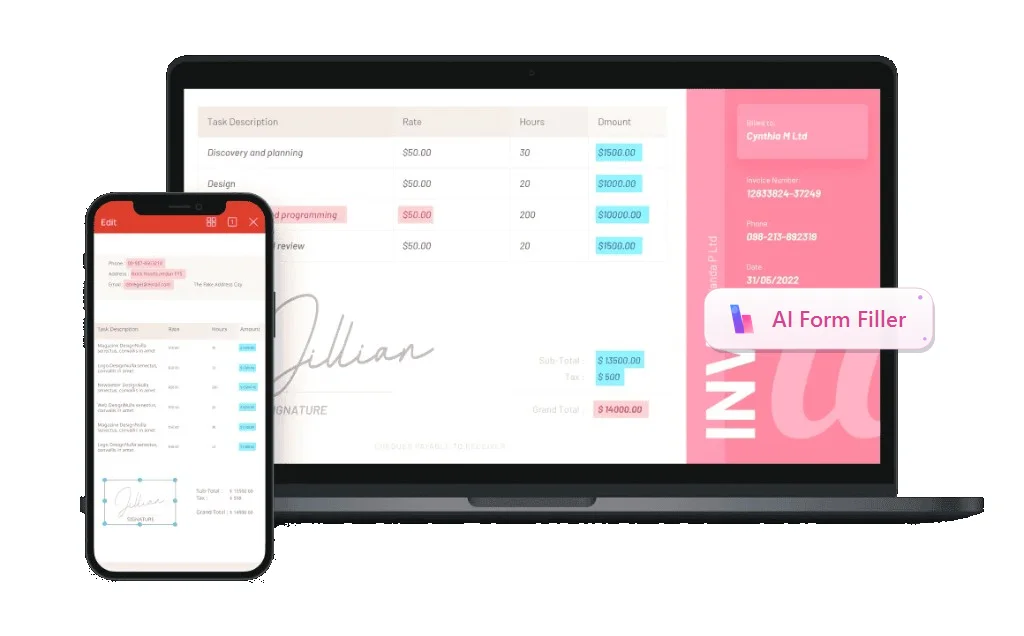
Form 1099 follows payer W-9 records
The Best Free Alternative: WPS Office
W-9 work is PDF work: open the IRS file, fill fields, sign, save, and sometimes password-protect before return. WPS Office bundles PDF edit, Fill & Sign, and optional AI Form Filler with Writer and spreadsheet tools, so contractors and small businesses can handle tax paperwork without a separate Acrobat subscription.
Use the same install to edit contracts, track 1099 totals in a sheet, and archive signed W-9 copies for the year.
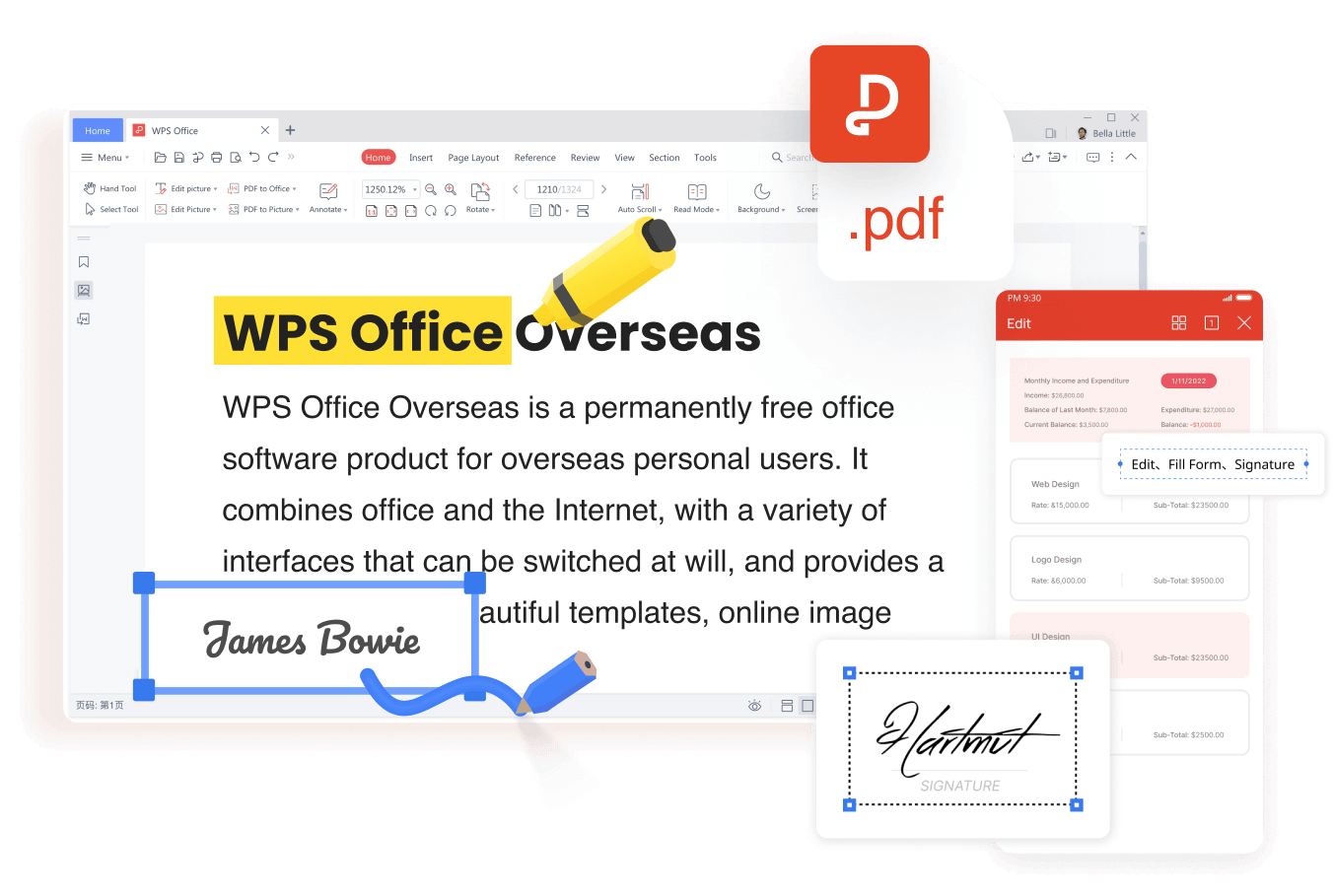
WPS PDF edit fill and sign tools
FAQs
Do I send Form W-9 to the IRS?
No. You return the completed W-9 to the person or business that requested it. They keep it on file and use it to prepare information returns such as Form 1099.
Is a new W-9 required every year?
Not automatically. Submit an updated W-9 when your name, business name, address, TIN, or tax classification changes, or when a new payer asks for one.
What happens if I refuse to sign a W-9?
The payer may be required to withhold backup withholding from future payments until they have a valid form. That reduces the cash you receive up front.
Should an LLC use an SSN or EIN on the W-9?
Most LLCs use the EIN issued to the business. A single-member LLC taxed as a disregarded entity may use the owner’s SSN, but the tax classification box must match how the LLC files.
Can I fill a W-9 form on my phone?
Yes, if you use a PDF app that supports form fields and signatures. On desktop, WPS PDF Fill & Sign gives you a larger view of each line, which helps avoid TIN typos.


'%3e%3cpath%20d='M19.9911%204.11386V6.471H18.5894C18.0775%206.471%2017.7322%206.57814%2017.5536%206.79243C17.3751%207.00671%2017.2858%207.32814%2017.2858%207.75671V9.44421H19.9019L19.5536%2012.0871H17.2858V18.8639H14.5536V12.0871H12.2769V9.44421H14.5536V7.49779C14.5536%206.39064%2014.8632%205.53201%2015.4822%204.92189C16.1013%204.31177%2016.9257%204.00671%2017.9554%204.00671C18.8304%204.00671%2019.509%204.04243%2019.9911%204.11386Z'%20fill='%23333333'/%3e%3c/g%3e%3cdefs%3e%3cclipPath%20id='clip0_2938_8199'%3e%3crect%20width='16'%20height='16'%20fill='white'%20transform='translate(8%204.00671)'/%3e%3c/clipPath%3e%3c/defs%3e%3c/svg%3e)
'%3e%3cpath%20d='M17.5237%2010.7813L23.4811%204H22.0699L16.8949%209.88693L12.7648%204H8L14.2469%2012.9029L8%2020.0133H9.4112L14.8725%2013.7952L19.2352%2020.0133H24M9.92053%205.04213H12.0885L22.0688%2019.0224H19.9003'%20fill='%23333333'/%3e%3c/g%3e%3cdefs%3e%3cclipPath%20id='clip0_2938_8200'%3e%3crect%20width='16'%20height='16.0134'%20fill='white'%20transform='translate(8%204)'/%3e%3c/clipPath%3e%3c/defs%3e%3c/svg%3e)


