

'%3e%3cpath%20d='M8%200C12.4183%200%2016%203.58172%2016%208C16%2012.4183%2012.4183%2016%208%2016C3.58172%2016%200%2012.4183%200%208C0%203.58172%203.58172%200%208%200ZM11.6162%204.38379C11.2257%203.99337%2010.5927%203.99338%2010.2021%204.38379L8%206.58594L5.79785%204.38379C5.40732%203.99334%204.77429%203.99329%204.38379%204.38379C3.99331%204.77429%203.99335%205.40733%204.38379%205.79785L6.58594%208L4.38379%2010.2021C3.99348%2010.5927%203.99341%2011.2257%204.38379%2011.6162C4.77426%2012.0066%205.40734%2012.0065%205.79785%2011.6162L8%209.41406L10.2021%2011.6162C10.5927%2012.0066%2011.2257%2012.0067%2011.6162%2011.6162C12.0067%2011.2257%2012.0066%2010.5927%2011.6162%2010.2021L9.41406%208L11.6162%205.79785C12.0066%205.40735%2012.0066%204.77429%2011.6162%204.38379Z'%20fill='%23080E17'%20fill-opacity='0.46'/%3e%3c/g%3e%3cdefs%3e%3cclipPath%20id='clip0_3761_713'%3e%3crect%20width='16'%20height='16'%20fill='white'/%3e%3c/clipPath%3e%3c/defs%3e%3c/svg%3e)




'%3e%3cpath%20fill-rule='evenodd'%20clip-rule='evenodd'%20d='M21.4999%2010.9993C21.4999%205.20009%2016.7986%200.498901%2010.9993%200.498901C5.19994%200.498901%200.498657%205.20009%200.498657%2010.9993C0.498657%2016.2404%204.33858%2020.5844%209.35855%2021.3722V14.0346H6.69238V10.9993H9.35855V8.68594C9.35855%206.05427%2010.9262%204.60062%2013.3248%204.60062C14.4736%204.60062%2015.6753%204.80571%2015.6753%204.80571V7.38979H14.3512C13.0468%207.38979%2012.64%208.19921%2012.64%209.0296V10.9993H15.5523L15.0867%2014.0346H12.64V21.3722C17.66%2020.5844%2021.4999%2016.2404%2021.4999%2010.9993Z'%20fill='%231568EA'/%3e%3c/g%3e%3c/svg%3e)


'%3e%3cpath%20d='M2.42045%2022.1876H6.31818V12.7217L0.75%208.54553V20.5171C0.75%2021.4414%201.49892%2022.1876%202.42045%2022.1876Z'%20fill='%234285F4'/%3e%3cpath%20d='M19.682%2022.1876H23.5797C24.5041%2022.1876%2025.2502%2021.4387%2025.2502%2020.5171V8.54553L19.682%2012.7217'%20fill='%2334A853'/%3e%3cpath%20d='M19.682%205.48293V12.7216L25.2502%208.54543V6.31816C25.2502%204.25236%2022.8921%203.07469%2021.2411%204.31361'%20fill='%23FBBC04'/%3e%3cpath%20d='M6.31824%2012.7217V5.48303L13.0001%2010.4944L19.6819%205.48303V12.7217L13.0001%2017.733'%20fill='%23EA4335'/%3e%3cpath%20d='M0.75%206.31816V8.54543L6.31818%2012.7216V5.48293L4.75909%204.31361C3.10534%203.07469%200.75%204.25236%200.75%206.31816Z'%20fill='%23C5221F'/%3e%3c/g%3e%3cdefs%3e%3cclipPath%20id='clip0_2954_7305'%3e%3crect%20width='24.5'%20height='18.375'%20fill='white'%20transform='translate(0.75%203.8125)'/%3e%3c/clipPath%3e%3c/defs%3e%3c/svg%3e)


QuillBot's Summarizer condenses any text in two clicks: paste your content or upload a PDF, choose Key Sentences for bullet points or Paragraph for a flowing summary, and drag the length slider. The free plan summarizes up to 1,200 words at a time — fine for articles, tight for research papers. Here is how to use it well, plus what to do when your document is longer or you need the summary inside your document.
How to Use the QuillBot Summarizer (Free Limits and a Better Workflow)
Using the QuillBot Summarizer Step by Step
- Paste or upload — open quillbot.com/summarize, paste text directly, or upload a PDF or DOCX on the paid tier.
- Choose a mode — Paragraph gives a short abstract; Key Sentences returns numbered bullets you can scan in seconds.
- Set the length — the slider controls how much survives. Start at "short" and lengthen only if context is missing.
- Check the citation trap — the summary drops in-text citations; for academic use, match each bullet back to its source before you use it.
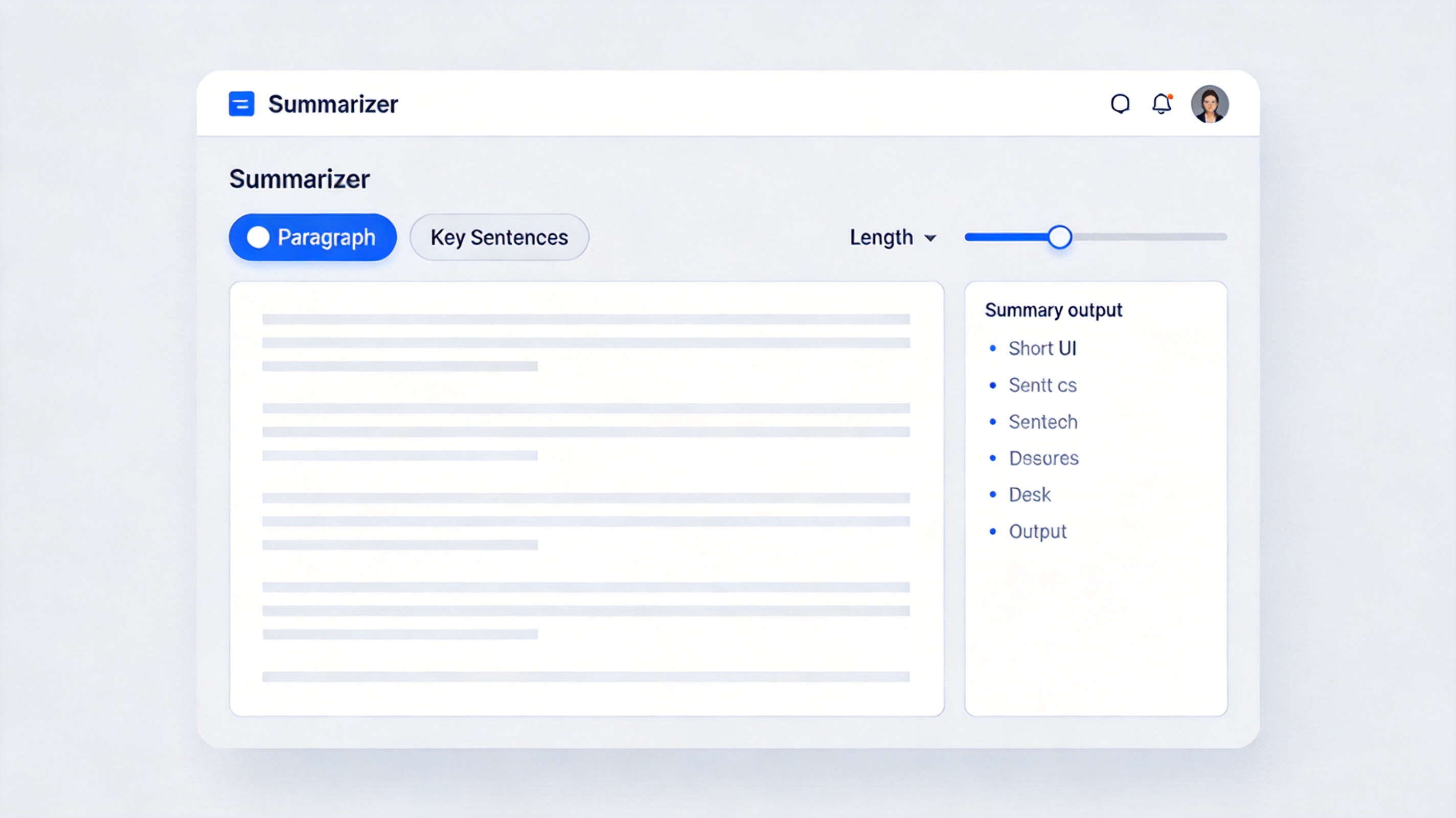
QuillBot summarizer modes and slider
QuillBot's Limits (and Workarounds)
- 1,200-word free cap — split long PDFs into sections and summarize per chapter; the summary quality actually improves.
- PDF upload is a paid feature — free users paste text, which means extracting it first.
- No source formatting — tables and figures vanish; summarize around them, not through them.
For a comparison of the alternatives, our TLDR This review covers the browser-friendly option, and the pipeline in extracting PDF text for AI tools works the same way here.
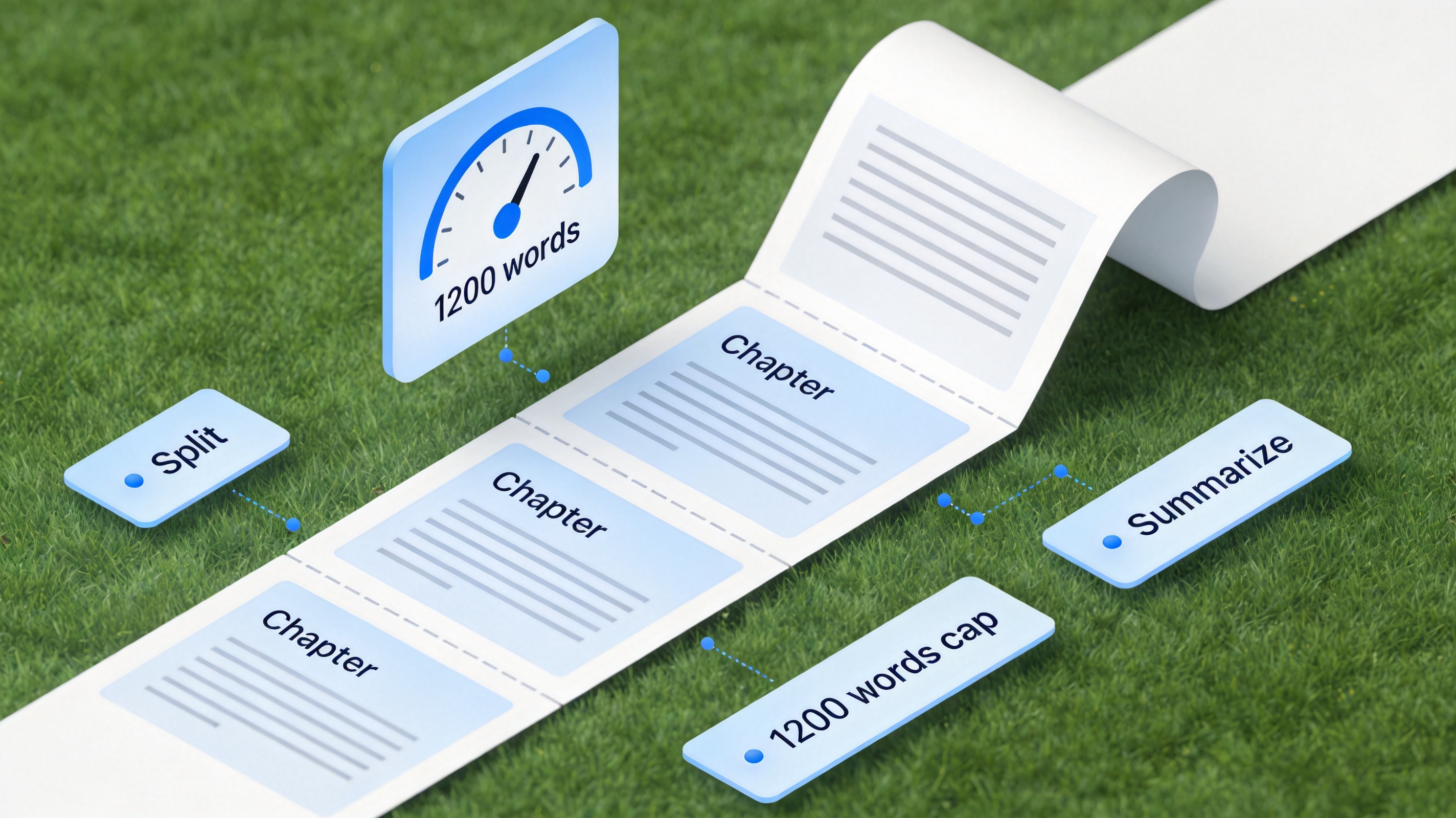
QuillBot free word limit workaround
The Better Workflow for PDFs: WPS AI
The extra step most people miss: if your document is a PDF, you can summarize it without leaving the file. WPS AI, built into WPS Office, reads the open PDF and produces chapter-level summaries with layout intact — no copy-paste, no word cap per session. You can then turn the summary into notes in the same window. WPS Office is free, works on Windows, macOS, and mobile, and bundles the full Office suite. Download WPS Office and try AI summary on your next long PDF.

WPS AI PDF summary interface
FAQs
Is the QuillBot Summarizer free?
Yes, up to 1,200 words per summary with both modes; premium raises limits and unlocks file uploads.
Can QuillBot summarize a PDF?
On premium, by upload. On free, paste the text — extract it from the PDF first, or use WPS AI to summarize the PDF directly.
Which mode should I use?
Key Sentences for research scanning, Paragraph for a quick abstract you can share.
Is an AI summary accurate enough to cite?
Use it as a map, not a source — verify each claim against the original text before citing.
What is a good free QuillBot alternative?
TLDR This for web pages, and WPS AI for summarizing PDFs and documents directly inside your editor.



'%3e%3cpath%20d='M19.9911%204.11386V6.471H18.5894C18.0775%206.471%2017.7322%206.57814%2017.5536%206.79243C17.3751%207.00671%2017.2858%207.32814%2017.2858%207.75671V9.44421H19.9019L19.5536%2012.0871H17.2858V18.8639H14.5536V12.0871H12.2769V9.44421H14.5536V7.49779C14.5536%206.39064%2014.8632%205.53201%2015.4822%204.92189C16.1013%204.31177%2016.9257%204.00671%2017.9554%204.00671C18.8304%204.00671%2019.509%204.04243%2019.9911%204.11386Z'%20fill='%23333333'/%3e%3c/g%3e%3cdefs%3e%3cclipPath%20id='clip0_2938_8199'%3e%3crect%20width='16'%20height='16'%20fill='white'%20transform='translate(8%204.00671)'/%3e%3c/clipPath%3e%3c/defs%3e%3c/svg%3e)
'%3e%3cpath%20d='M17.5237%2010.7813L23.4811%204H22.0699L16.8949%209.88693L12.7648%204H8L14.2469%2012.9029L8%2020.0133H9.4112L14.8725%2013.7952L19.2352%2020.0133H24M9.92053%205.04213H12.0885L22.0688%2019.0224H19.9003'%20fill='%23333333'/%3e%3c/g%3e%3cdefs%3e%3cclipPath%20id='clip0_2938_8200'%3e%3crect%20width='16'%20height='16.0134'%20fill='white'%20transform='translate(8%204)'/%3e%3c/clipPath%3e%3c/defs%3e%3c/svg%3e)


