

'%3e%3cpath%20d='M8%200C12.4183%200%2016%203.58172%2016%208C16%2012.4183%2012.4183%2016%208%2016C3.58172%2016%200%2012.4183%200%208C0%203.58172%203.58172%200%208%200ZM11.6162%204.38379C11.2257%203.99337%2010.5927%203.99338%2010.2021%204.38379L8%206.58594L5.79785%204.38379C5.40732%203.99334%204.77429%203.99329%204.38379%204.38379C3.99331%204.77429%203.99335%205.40733%204.38379%205.79785L6.58594%208L4.38379%2010.2021C3.99348%2010.5927%203.99341%2011.2257%204.38379%2011.6162C4.77426%2012.0066%205.40734%2012.0065%205.79785%2011.6162L8%209.41406L10.2021%2011.6162C10.5927%2012.0066%2011.2257%2012.0067%2011.6162%2011.6162C12.0067%2011.2257%2012.0066%2010.5927%2011.6162%2010.2021L9.41406%208L11.6162%205.79785C12.0066%205.40735%2012.0066%204.77429%2011.6162%204.38379Z'%20fill='%23080E17'%20fill-opacity='0.46'/%3e%3c/g%3e%3cdefs%3e%3cclipPath%20id='clip0_3761_713'%3e%3crect%20width='16'%20height='16'%20fill='white'/%3e%3c/clipPath%3e%3c/defs%3e%3c/svg%3e)




'%3e%3cpath%20fill-rule='evenodd'%20clip-rule='evenodd'%20d='M21.4999%2010.9993C21.4999%205.20009%2016.7986%200.498901%2010.9993%200.498901C5.19994%200.498901%200.498657%205.20009%200.498657%2010.9993C0.498657%2016.2404%204.33858%2020.5844%209.35855%2021.3722V14.0346H6.69238V10.9993H9.35855V8.68594C9.35855%206.05427%2010.9262%204.60062%2013.3248%204.60062C14.4736%204.60062%2015.6753%204.80571%2015.6753%204.80571V7.38979H14.3512C13.0468%207.38979%2012.64%208.19921%2012.64%209.0296V10.9993H15.5523L15.0867%2014.0346H12.64V21.3722C17.66%2020.5844%2021.4999%2016.2404%2021.4999%2010.9993Z'%20fill='%231568EA'/%3e%3c/g%3e%3c/svg%3e)


'%3e%3cpath%20d='M2.42045%2022.1876H6.31818V12.7217L0.75%208.54553V20.5171C0.75%2021.4414%201.49892%2022.1876%202.42045%2022.1876Z'%20fill='%234285F4'/%3e%3cpath%20d='M19.682%2022.1876H23.5797C24.5041%2022.1876%2025.2502%2021.4387%2025.2502%2020.5171V8.54553L19.682%2012.7217'%20fill='%2334A853'/%3e%3cpath%20d='M19.682%205.48293V12.7216L25.2502%208.54543V6.31816C25.2502%204.25236%2022.8921%203.07469%2021.2411%204.31361'%20fill='%23FBBC04'/%3e%3cpath%20d='M6.31824%2012.7217V5.48303L13.0001%2010.4944L19.6819%205.48303V12.7217L13.0001%2017.733'%20fill='%23EA4335'/%3e%3cpath%20d='M0.75%206.31816V8.54543L6.31818%2012.7216V5.48293L4.75909%204.31361C3.10534%203.07469%200.75%204.25236%200.75%206.31816Z'%20fill='%23C5221F'/%3e%3c/g%3e%3cdefs%3e%3cclipPath%20id='clip0_2954_7305'%3e%3crect%20width='24.5'%20height='18.375'%20fill='white'%20transform='translate(0.75%203.8125)'/%3e%3c/clipPath%3e%3c/defs%3e%3c/svg%3e)


A policy change, a hiring update, or a project shift needs one clear, official record—not a twenty-reply email thread. The business memo format gives you that record: a compact, one-page internal document that managers can forward, archive, and act on.
This guide explains how the format works, what belongs in the heading block, how to write a memo step by step, and where to find a ready-made template and example you can adapt.
How to Format a Business Memo: Template & Example
What Is a Business Memo Format and When to Use It
A business memo (short for memorandum) is a short internal document used to inform, persuade, or direct people inside your organization. Unlike a business letter, which goes to outside parties, a memo circulates between departments, managers, and employees.
Use the business memo format when the message is official and needs a fixed record: policy changes, meeting announcements, project updates, or requests that people may reference later. Email handles quick back-and-forth; a memo works when you want a consistent layout and a subject line everyone can search. If you need a non-binding outline between two organizations instead, that is a different document—see our guide on how to write a memorandum of understanding (MOU).
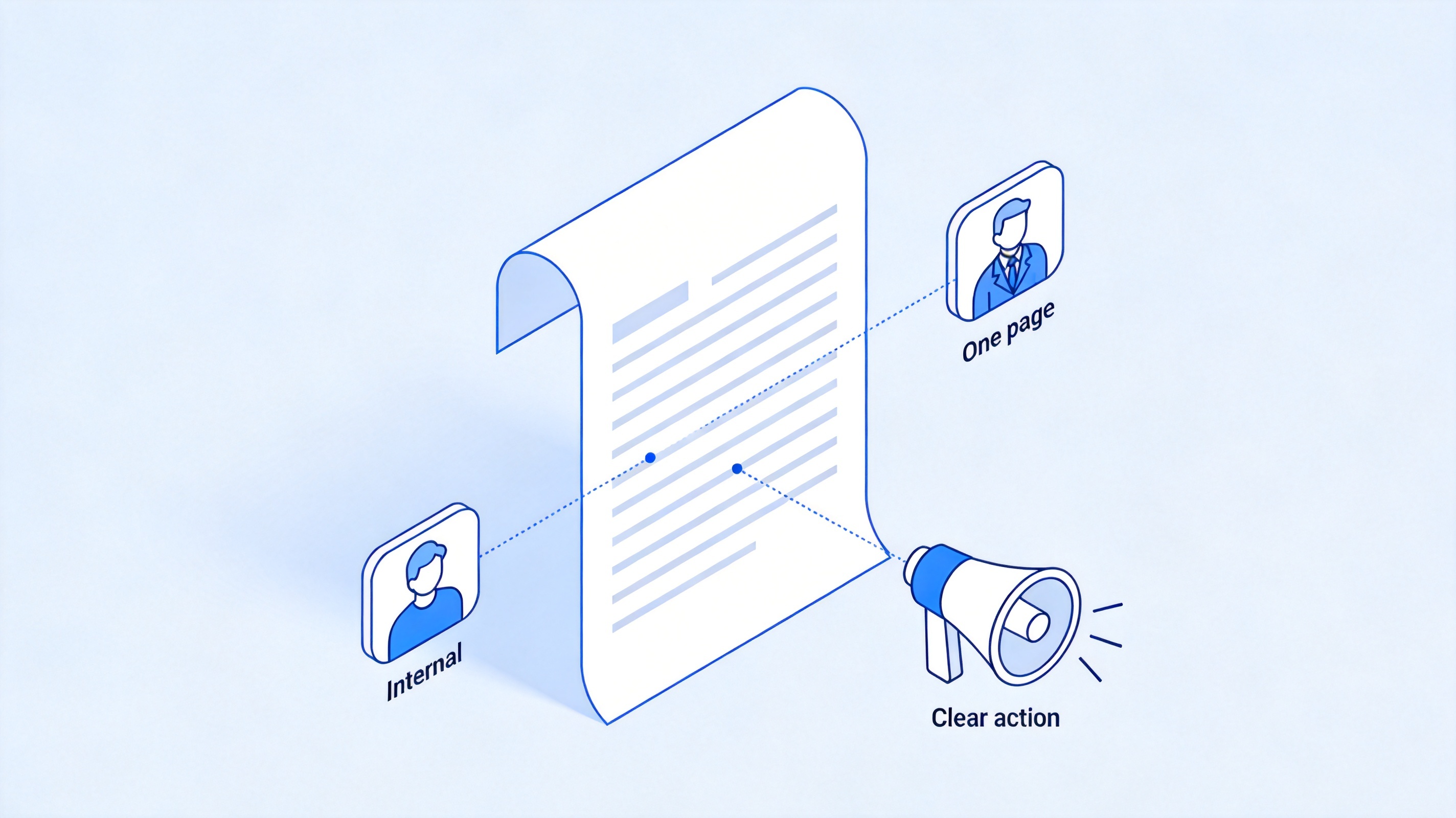
Internal business memo communication uses


Business Memo Format: Standard Heading and Layout
Every standard memo opens with the same heading block, set single-spaced and left-aligned at the top of the page:
To — the recipients, by name or group (for example, All Employees or Finance Team)
From — your name and job title
Date — the full distribution date
Subject — a specific, informative line such as Changes to Q4 travel reimbursement
Above the heading block, many organizations center the word MEMORANDUM in bold capitals. Below it, keep the body to one page: a short opening that states the purpose, the key details, and a clear call to action. Skip greetings like "Dear" and signature blocks—your name is already in the From line. Keep the subject line concrete; Personnel update is vague, while Promotion of Alex Rivera, Director of Marketing tells readers why to keep going.
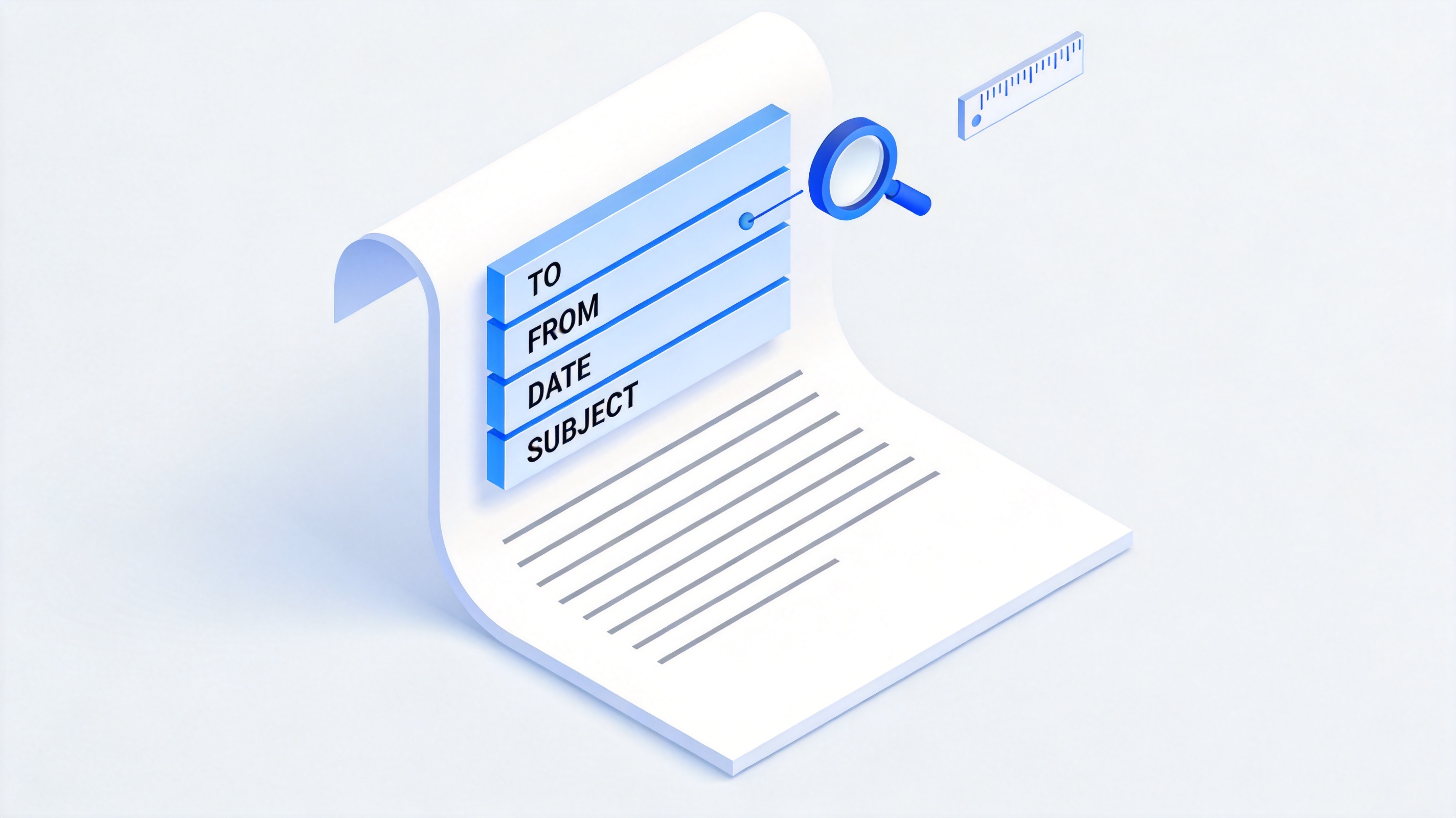
Standard business memo heading block layout
How to Write a Business Memo Step by Step
Once the layout is set, drafting the memo itself takes five short steps:
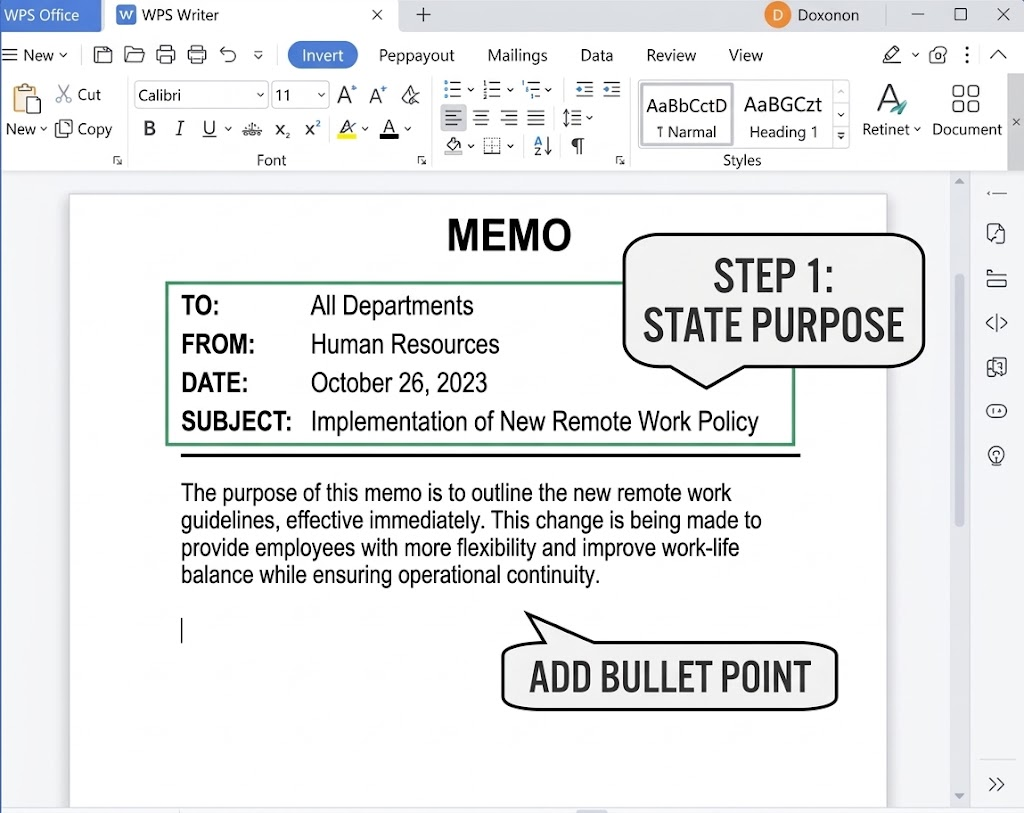
Build the heading. Fill in To, From, Date, and Subject before writing anything else, so the scope and audience are fixed.
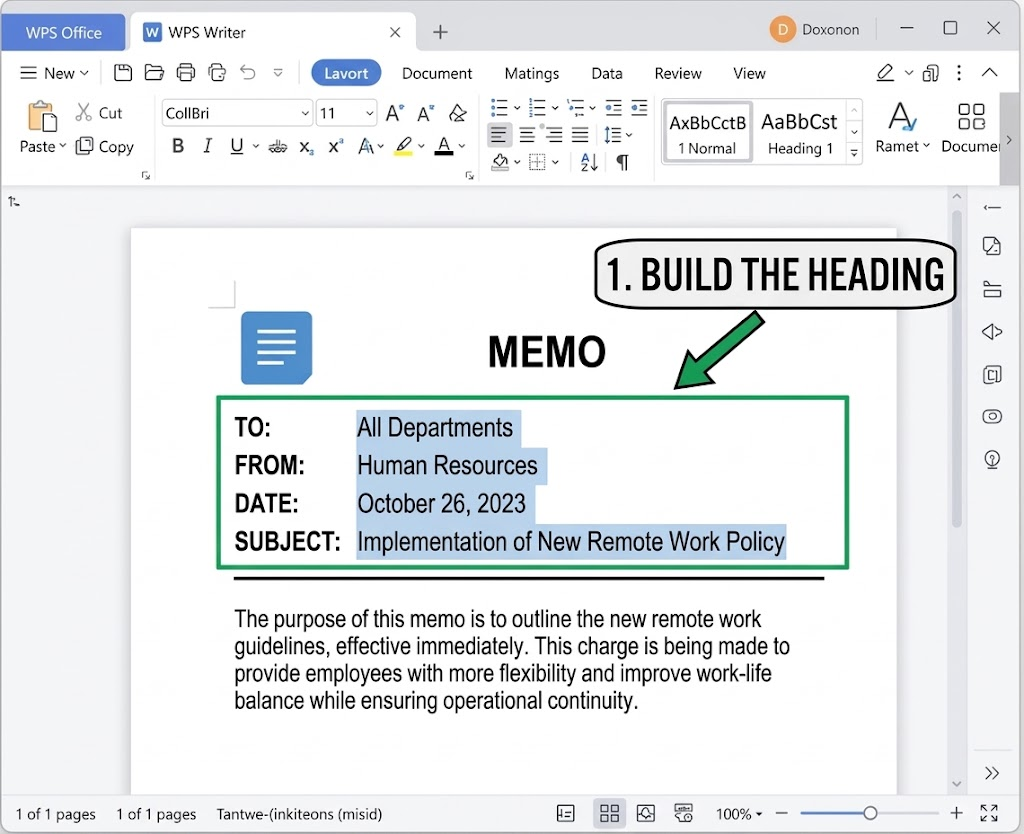
Business memo heading typed in Writer
State the purpose in the opening. Say what is happening and why it matters in the first paragraph—this is the information people scan for.
Add only the necessary background. Use short bullets for timelines, figures, or options, and cut anything that does not help the reader decide or act.
Define the call to action. Tell recipients what to do, who to contact, and by when—or state clearly if no action is required yet.
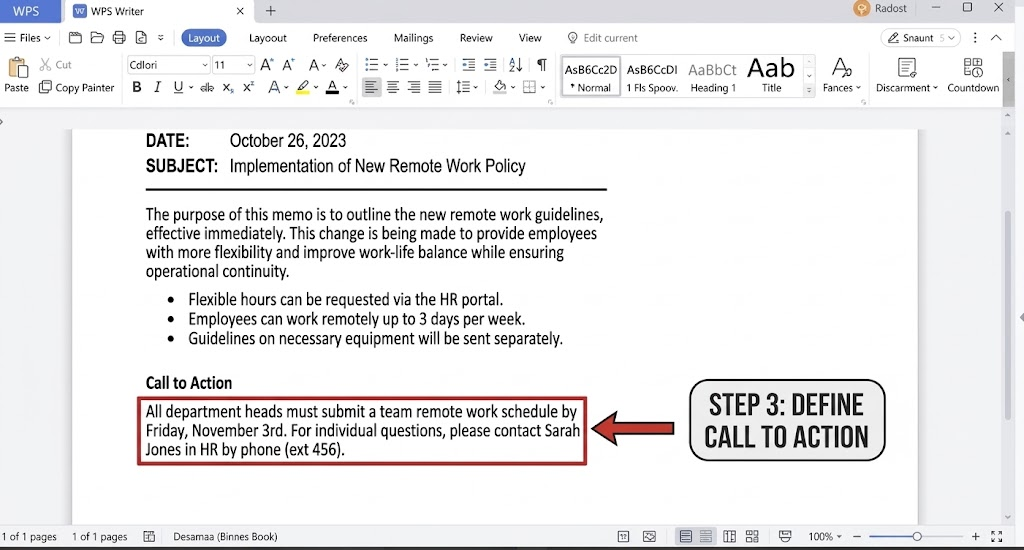
Close courteously. Thank readers, confirm next steps, and invite questions. Keep the whole memo to one page.
Business Memo Example and Free Templates
Here is a business memo example you can copy and adapt to your own announcement:
MEMORANDUM
To: All Team Members
From: Jordan Lee, Operations Manager
Date: October 19, 2026
Subject: Updated remote-work attendance policyStarting November 1, hybrid staff will log in-office days in the HR portal by Friday each week. This change aligns attendance reporting with payroll processing.
Questions should go to your department lead by October 26. Training slides are attached for reference.
Thank you for helping us keep records accurate.
To move faster, start from a template instead of a blank page. In WPS Office, open New Docs, search for business memo, and pick a layout that already has the heading block in place. You can also browse free Word templates, or study our walkthrough of how to write a memorandum in 5 steps for a deeper drafting guide.
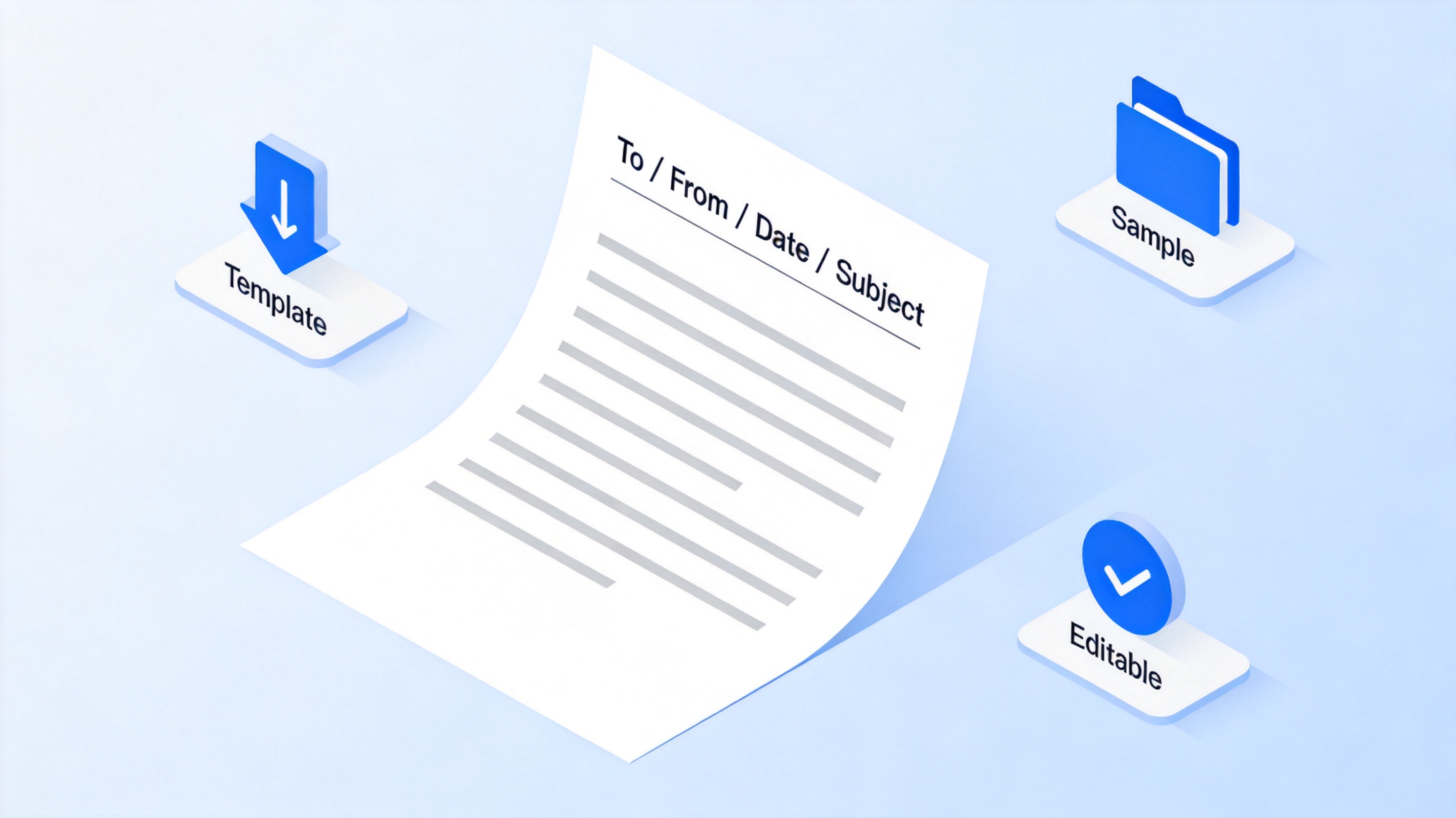
Business memo template with sample layout
The Best Free Alternative: WPS Office for Business Memos
WPS Office keeps memo drafting, template search, spell check, and PDF export in one free workflow, so you spend less time fixing layout and more time tightening the message.
Built-in memo templates. Pick a memo layout, replace the heading placeholders, and your business memo format is done in minutes.
One-click PDF export. Use Menu → Export to PDF when HR or compliance needs an archived copy.
Cross-platform editing. Refine wording on Windows, Mac, or mobile before the deadline.
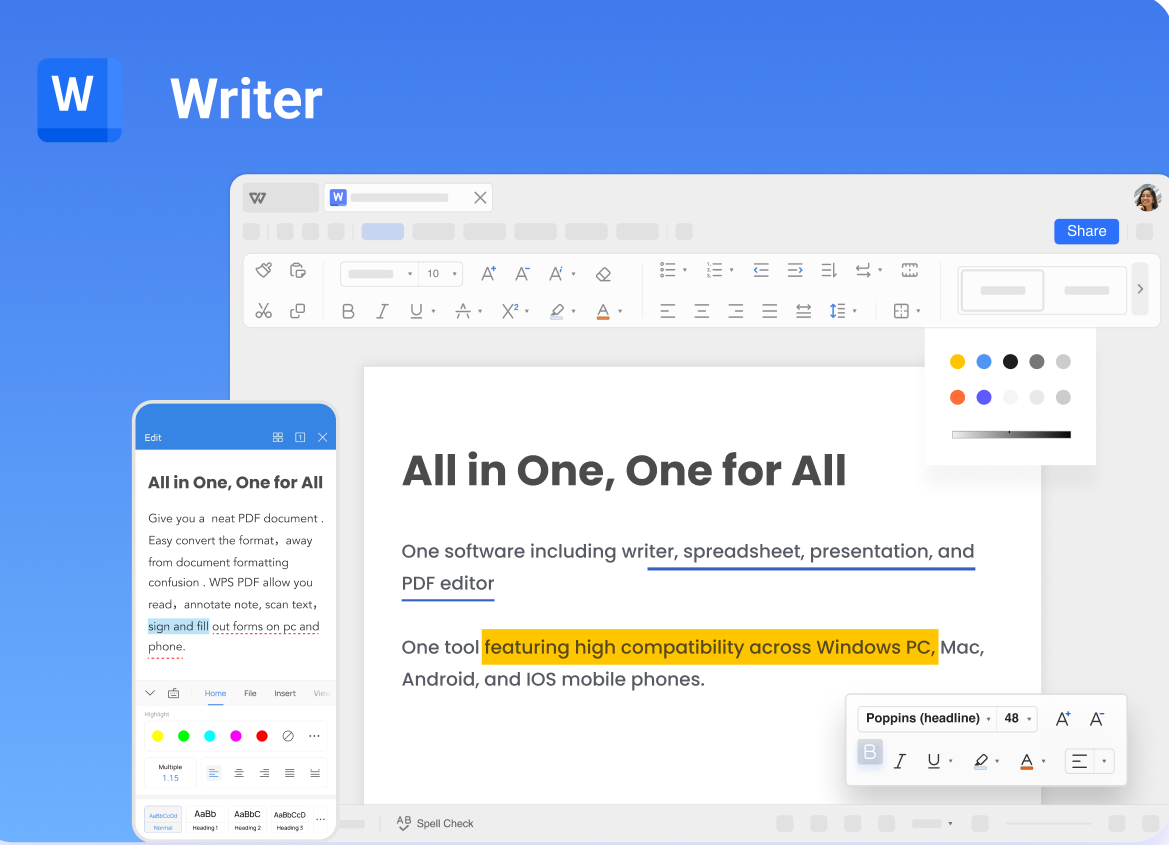
Business memo templates in WPS Office
FAQs
What are the parts of a business memo format?
A heading block (To, From, Date, Subject), a purpose-driven opening paragraph, the key details or background, a clear call to action, and a short courteous close. The whole memo should fit on one page.
How long should a business memo be?
One page with short paragraphs and bullets. If the draft runs longer, move background detail to an attachment and reference it in the body.
Is a business memo the same as an email?
No. A memo is a formal internal record with a fixed heading layout, used for announcements and decisions. Email suits quick conversational exchanges; you can paste a memo into an email body when distributing it.
Should a memo have a signature?
Not typically. Your name and job title in the From line identify the sender. Add a signature block only when your organization's policy requires one.
Where can I find free business memo templates?
WPS Office includes free memo templates—open New Docs and search for business memo. You can also download free Word templates from the WPS blog and adapt the heading block.


'%3e%3cpath%20d='M19.9911%204.11386V6.471H18.5894C18.0775%206.471%2017.7322%206.57814%2017.5536%206.79243C17.3751%207.00671%2017.2858%207.32814%2017.2858%207.75671V9.44421H19.9019L19.5536%2012.0871H17.2858V18.8639H14.5536V12.0871H12.2769V9.44421H14.5536V7.49779C14.5536%206.39064%2014.8632%205.53201%2015.4822%204.92189C16.1013%204.31177%2016.9257%204.00671%2017.9554%204.00671C18.8304%204.00671%2019.509%204.04243%2019.9911%204.11386Z'%20fill='%23333333'/%3e%3c/g%3e%3cdefs%3e%3cclipPath%20id='clip0_2938_8199'%3e%3crect%20width='16'%20height='16'%20fill='white'%20transform='translate(8%204.00671)'/%3e%3c/clipPath%3e%3c/defs%3e%3c/svg%3e)
'%3e%3cpath%20d='M17.5237%2010.7813L23.4811%204H22.0699L16.8949%209.88693L12.7648%204H8L14.2469%2012.9029L8%2020.0133H9.4112L14.8725%2013.7952L19.2352%2020.0133H24M9.92053%205.04213H12.0885L22.0688%2019.0224H19.9003'%20fill='%23333333'/%3e%3c/g%3e%3cdefs%3e%3cclipPath%20id='clip0_2938_8200'%3e%3crect%20width='16'%20height='16.0134'%20fill='white'%20transform='translate(8%204)'/%3e%3c/clipPath%3e%3c/defs%3e%3c/svg%3e)


