

'%3e%3cpath%20d='M8%200C12.4183%200%2016%203.58172%2016%208C16%2012.4183%2012.4183%2016%208%2016C3.58172%2016%200%2012.4183%200%208C0%203.58172%203.58172%200%208%200ZM11.6162%204.38379C11.2257%203.99337%2010.5927%203.99338%2010.2021%204.38379L8%206.58594L5.79785%204.38379C5.40732%203.99334%204.77429%203.99329%204.38379%204.38379C3.99331%204.77429%203.99335%205.40733%204.38379%205.79785L6.58594%208L4.38379%2010.2021C3.99348%2010.5927%203.99341%2011.2257%204.38379%2011.6162C4.77426%2012.0066%205.40734%2012.0065%205.79785%2011.6162L8%209.41406L10.2021%2011.6162C10.5927%2012.0066%2011.2257%2012.0067%2011.6162%2011.6162C12.0067%2011.2257%2012.0066%2010.5927%2011.6162%2010.2021L9.41406%208L11.6162%205.79785C12.0066%205.40735%2012.0066%204.77429%2011.6162%204.38379Z'%20fill='%23080E17'%20fill-opacity='0.46'/%3e%3c/g%3e%3cdefs%3e%3cclipPath%20id='clip0_3761_713'%3e%3crect%20width='16'%20height='16'%20fill='white'/%3e%3c/clipPath%3e%3c/defs%3e%3c/svg%3e)




'%3e%3cpath%20fill-rule='evenodd'%20clip-rule='evenodd'%20d='M21.4999%2010.9993C21.4999%205.20009%2016.7986%200.498901%2010.9993%200.498901C5.19994%200.498901%200.498657%205.20009%200.498657%2010.9993C0.498657%2016.2404%204.33858%2020.5844%209.35855%2021.3722V14.0346H6.69238V10.9993H9.35855V8.68594C9.35855%206.05427%2010.9262%204.60062%2013.3248%204.60062C14.4736%204.60062%2015.6753%204.80571%2015.6753%204.80571V7.38979H14.3512C13.0468%207.38979%2012.64%208.19921%2012.64%209.0296V10.9993H15.5523L15.0867%2014.0346H12.64V21.3722C17.66%2020.5844%2021.4999%2016.2404%2021.4999%2010.9993Z'%20fill='%231568EA'/%3e%3c/g%3e%3c/svg%3e)


'%3e%3cpath%20d='M2.42045%2022.1876H6.31818V12.7217L0.75%208.54553V20.5171C0.75%2021.4414%201.49892%2022.1876%202.42045%2022.1876Z'%20fill='%234285F4'/%3e%3cpath%20d='M19.682%2022.1876H23.5797C24.5041%2022.1876%2025.2502%2021.4387%2025.2502%2020.5171V8.54553L19.682%2012.7217'%20fill='%2334A853'/%3e%3cpath%20d='M19.682%205.48293V12.7216L25.2502%208.54543V6.31816C25.2502%204.25236%2022.8921%203.07469%2021.2411%204.31361'%20fill='%23FBBC04'/%3e%3cpath%20d='M6.31824%2012.7217V5.48303L13.0001%2010.4944L19.6819%205.48303V12.7217L13.0001%2017.733'%20fill='%23EA4335'/%3e%3cpath%20d='M0.75%206.31816V8.54543L6.31818%2012.7216V5.48293L4.75909%204.31361C3.10534%203.07469%200.75%204.25236%200.75%206.31816Z'%20fill='%23C5221F'/%3e%3c/g%3e%3cdefs%3e%3cclipPath%20id='clip0_2954_7305'%3e%3crect%20width='24.5'%20height='18.375'%20fill='white'%20transform='translate(0.75%203.8125)'/%3e%3c/clipPath%3e%3c/defs%3e%3c/svg%3e)


A job portal rejects your application because the address field is malformed, or a card you mailed never arrives because the ZIP code sat on the wrong line. Getting how to write an address right still matters: misformatted lines delay mail, bounce online forms, and make cover letters look careless.
Below are U.S.-style blocks for formal letters and envelopes, the one-line format most web forms expect, and the same layout in WPS Writer when you print or export.
How to Write an Address: Letters, Envelopes and One-Line (2026 Guide)
How to write an address on a formal letter
Business and academic letters place addresses in a predictable stack so reviewers and postal clerks read them in order. Match the spelling on your government ID, keep each line left-aligned unless your template says otherwise, and separate city, state, and ZIP on the last line.
Sender block
Place your name and street address in the top-left or top-right corner—follow your letterhead or school template. Include an apartment or suite on its own line when needed.
Date and recipient block
Leave one blank line under the sender block for the date, then skip two to four lines before the recipient’s name, title, company, street, and final city, state, and ZIP line. End with a formal salutation such as Dear Hiring Manager on the next line.
For longer letters, draft the body in WPS Writer, then export to PDF so line breaks stay intact. Our business letterhead templates include a ready-made header area for sender lines.
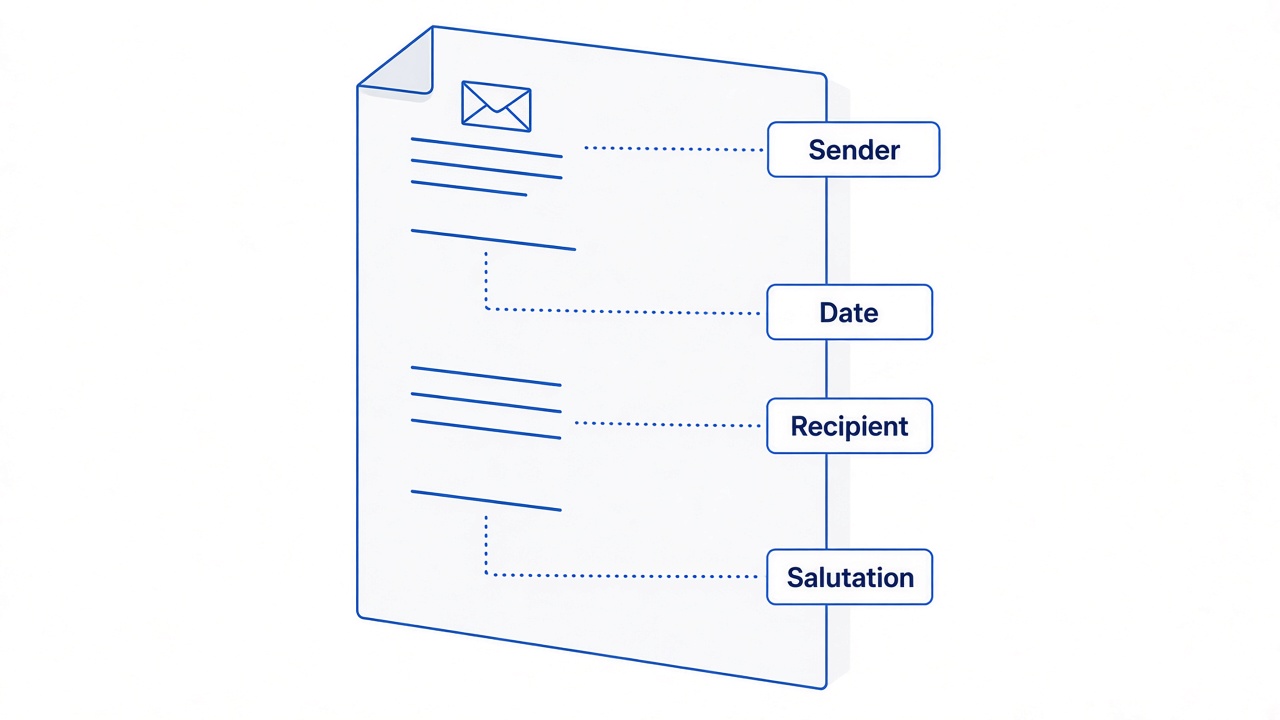
Formal letter sender and recipient address block


How to write an address on an envelope for mailing
Automated mail sorting expects the delivery address in the center of the envelope and a return address in the upper-left corner. Use blue or black ink, print in block letters when you write by hand, and keep punctuation minimal—most U.S. addressing omits commas between lines.
Recipient (center): Full name, street or P.O. Box, city, two-letter state abbreviation, and ZIP+4 when you know it.
Return (upper left): Your name and address so undeliverable mail comes back.
Postage (upper right): Stamp or meter imprint aligned with postal guidelines.
To print envelopes instead of writing by hand, follow the envelope setup steps in our create an envelope in Word guide—the same layout rules apply in WPS Writer.
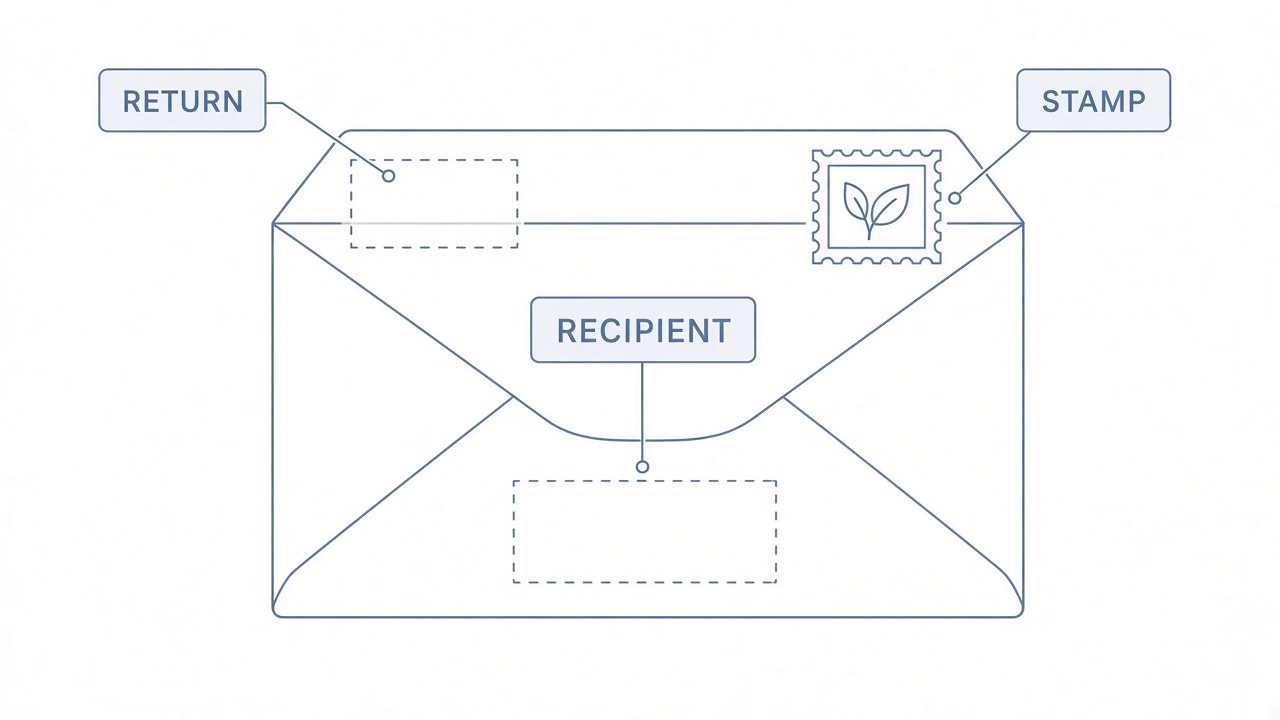
Envelope recipient return and postage placement
How to write an address on one line for forms
Online job boards, checkout screens, and spreadsheet imports often provide a single Address field. Compress the block without losing order: street and unit first, then a comma, city, two-letter state, and ZIP.
Example pattern: 987 Canal Street, Suite 201, San Francisco, CA 94105. Add the country only when the form serves international users or your audience spans multiple regions. Avoid line breaks inside the field; many validators treat them as errors.
For contact lists, keep a one-line column in WPS Spreadsheet and mail-merge when you batch-print labels. Our free address templates help you keep rows consistent.
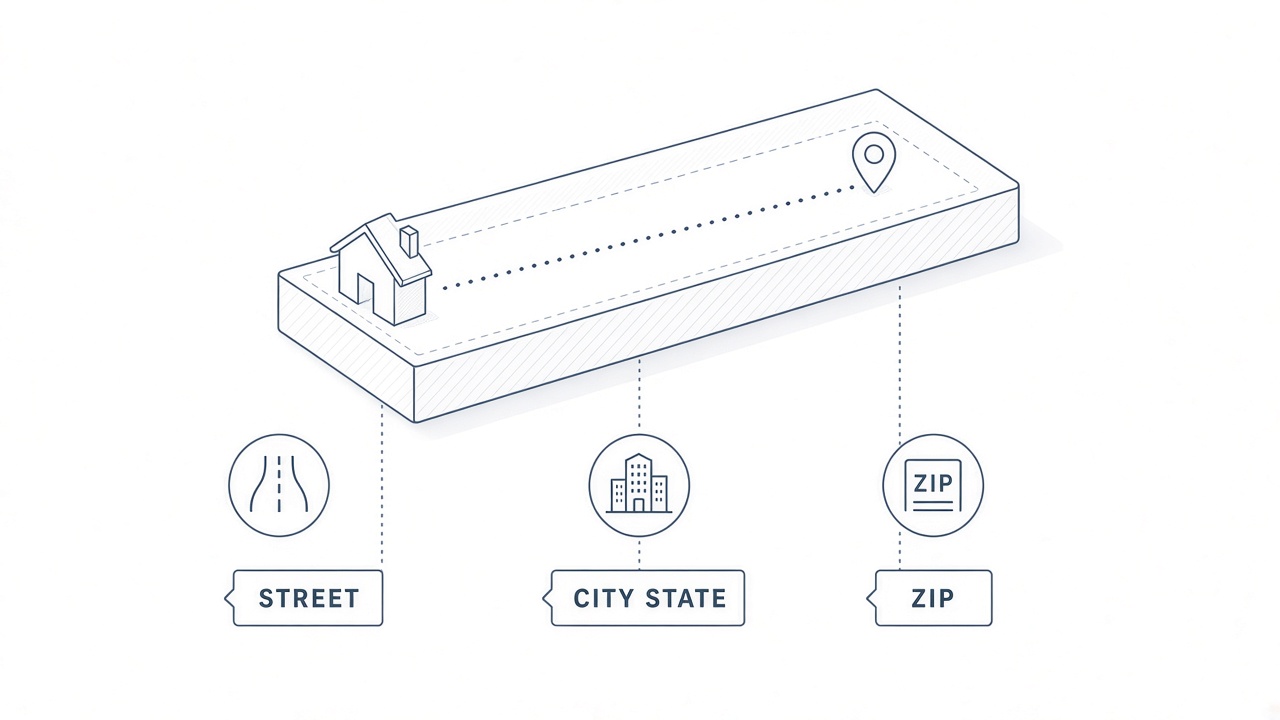
One line street city state ZIP format
How to write an address for PO Box and international mail
When mail goes to a Post Office Box, replace the street line with P.O. Box ### and keep city, state, and ZIP on the final line. For international delivery, follow the destination country’s order—usually recipient, street, locality, postal code, then COUNTRY in uppercase English.
Approved U.S. abbreviations save space on envelopes and labels: St, Ave, Blvd, Apt, Ste, PO Box, and official two-letter state codes. Stick to USPS-style abbreviations rather than inventing your own shorthand.
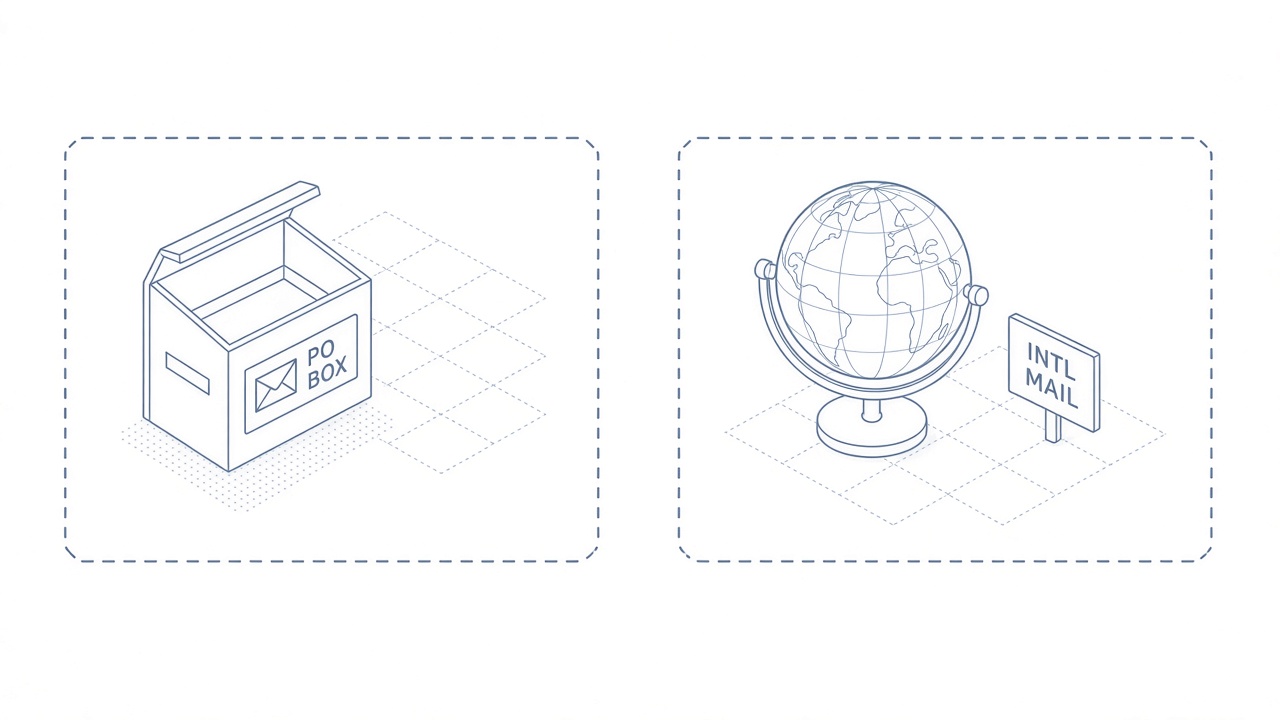
PO Box and international address labels
How to write an address in WPS Writer
When the letter and envelope must match, type the address once in Writer, then reuse it for printing or PDF export.
Open WPS Writer and start from a blank document or a address label template.
Type the sender block, date, and recipient block with separate lines—use Home > Paragraph settings for spacing if your school or employer publishes margin rules.
For envelopes, open Insert > Envelopes, paste the delivery and return addresses, check the preview, and print a test on plain paper first.
Save the letter as .docx or export to PDF so online submissions keep your line breaks.
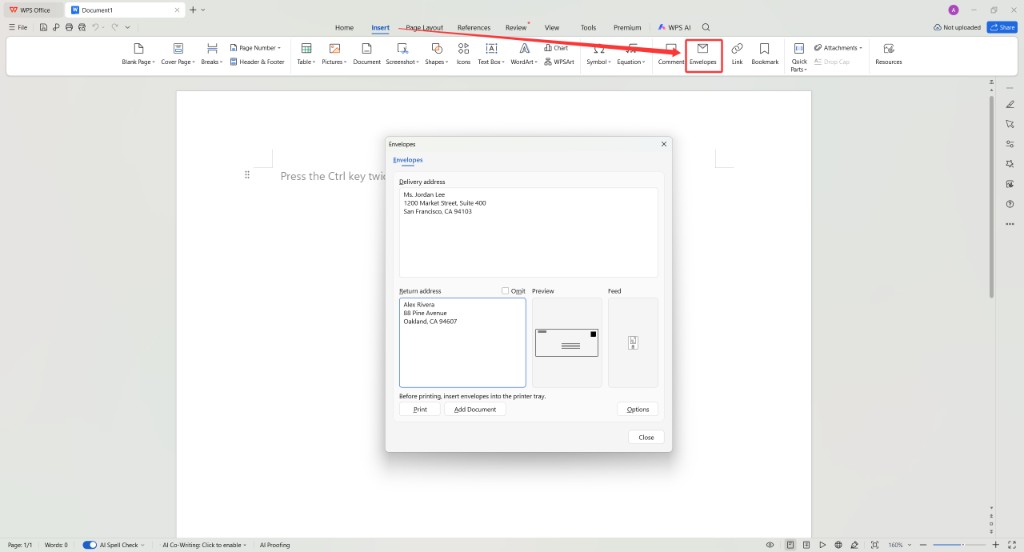
WPS Writer Insert Envelopes dialog
The Best Free Office Alternative: WPS Office
Address formatting touches letters, labels, spreadsheets, and the PDFs you upload to portals. WPS Office bundles Writer, Spreadsheet, Presentation, and PDF tools so you are not switching apps for each step.
Use Writer for letter blocks, Spreadsheet for mail-merge lists, and PDF export when a portal needs a flat file—all in one install on Windows and Mac.
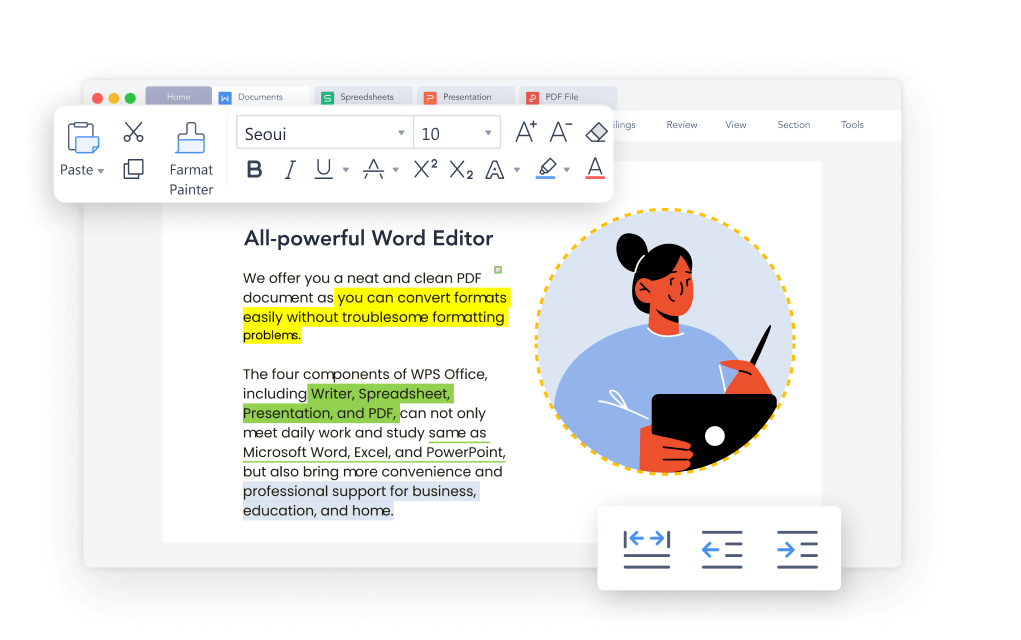
WPS Writer ribbon for correspondence formatting
FAQs
Should I put my full street address on a resume?
Most U.S. employers no longer expect a full street address on a resume. City and state are enough for remote-friendly listings; share a full address only when an employer or form explicitly requires it.
What if an online form requires an apartment number I do not have?
Leave the field blank when optional. If the site forces a value, enter N/A or None only when the help text allows it—never fabricate a unit number.
Can I use uppercase for every address line?
All caps on envelopes and shipping labels can help automated sorting. In letters and email footers, title case is fine as long as city, state, and ZIP stay clear.
How do I write an address for military or diplomatic mail?
APO, FPO, and DPO addresses use special city codes and ZIP ranges. Follow the official addressing guide for the armed forces or embassy mailroom—do not format them like a standard U.S. street address.
Does WPS Writer print envelopes with the same margins as Word?
Yes. WPS Writer includes envelope and label tools with preview panes. Always print a test sheet on plain paper before you load envelopes.


'%3e%3cpath%20d='M19.9911%204.11386V6.471H18.5894C18.0775%206.471%2017.7322%206.57814%2017.5536%206.79243C17.3751%207.00671%2017.2858%207.32814%2017.2858%207.75671V9.44421H19.9019L19.5536%2012.0871H17.2858V18.8639H14.5536V12.0871H12.2769V9.44421H14.5536V7.49779C14.5536%206.39064%2014.8632%205.53201%2015.4822%204.92189C16.1013%204.31177%2016.9257%204.00671%2017.9554%204.00671C18.8304%204.00671%2019.509%204.04243%2019.9911%204.11386Z'%20fill='%23333333'/%3e%3c/g%3e%3cdefs%3e%3cclipPath%20id='clip0_2938_8199'%3e%3crect%20width='16'%20height='16'%20fill='white'%20transform='translate(8%204.00671)'/%3e%3c/clipPath%3e%3c/defs%3e%3c/svg%3e)
'%3e%3cpath%20d='M17.5237%2010.7813L23.4811%204H22.0699L16.8949%209.88693L12.7648%204H8L14.2469%2012.9029L8%2020.0133H9.4112L14.8725%2013.7952L19.2352%2020.0133H24M9.92053%205.04213H12.0885L22.0688%2019.0224H19.9003'%20fill='%23333333'/%3e%3c/g%3e%3cdefs%3e%3cclipPath%20id='clip0_2938_8200'%3e%3crect%20width='16'%20height='16.0134'%20fill='white'%20transform='translate(8%204)'/%3e%3c/clipPath%3e%3c/defs%3e%3c/svg%3e)


