

'%3e%3cpath%20d='M8%200C12.4183%200%2016%203.58172%2016%208C16%2012.4183%2012.4183%2016%208%2016C3.58172%2016%200%2012.4183%200%208C0%203.58172%203.58172%200%208%200ZM11.6162%204.38379C11.2257%203.99337%2010.5927%203.99338%2010.2021%204.38379L8%206.58594L5.79785%204.38379C5.40732%203.99334%204.77429%203.99329%204.38379%204.38379C3.99331%204.77429%203.99335%205.40733%204.38379%205.79785L6.58594%208L4.38379%2010.2021C3.99348%2010.5927%203.99341%2011.2257%204.38379%2011.6162C4.77426%2012.0066%205.40734%2012.0065%205.79785%2011.6162L8%209.41406L10.2021%2011.6162C10.5927%2012.0066%2011.2257%2012.0067%2011.6162%2011.6162C12.0067%2011.2257%2012.0066%2010.5927%2011.6162%2010.2021L9.41406%208L11.6162%205.79785C12.0066%205.40735%2012.0066%204.77429%2011.6162%204.38379Z'%20fill='%23080E17'%20fill-opacity='0.46'/%3e%3c/g%3e%3cdefs%3e%3cclipPath%20id='clip0_3761_713'%3e%3crect%20width='16'%20height='16'%20fill='white'/%3e%3c/clipPath%3e%3c/defs%3e%3c/svg%3e)




'%3e%3cpath%20fill-rule='evenodd'%20clip-rule='evenodd'%20d='M21.4999%2010.9993C21.4999%205.20009%2016.7986%200.498901%2010.9993%200.498901C5.19994%200.498901%200.498657%205.20009%200.498657%2010.9993C0.498657%2016.2404%204.33858%2020.5844%209.35855%2021.3722V14.0346H6.69238V10.9993H9.35855V8.68594C9.35855%206.05427%2010.9262%204.60062%2013.3248%204.60062C14.4736%204.60062%2015.6753%204.80571%2015.6753%204.80571V7.38979H14.3512C13.0468%207.38979%2012.64%208.19921%2012.64%209.0296V10.9993H15.5523L15.0867%2014.0346H12.64V21.3722C17.66%2020.5844%2021.4999%2016.2404%2021.4999%2010.9993Z'%20fill='%231568EA'/%3e%3c/g%3e%3c/svg%3e)


'%3e%3cpath%20d='M2.42045%2022.1876H6.31818V12.7217L0.75%208.54553V20.5171C0.75%2021.4414%201.49892%2022.1876%202.42045%2022.1876Z'%20fill='%234285F4'/%3e%3cpath%20d='M19.682%2022.1876H23.5797C24.5041%2022.1876%2025.2502%2021.4387%2025.2502%2020.5171V8.54553L19.682%2012.7217'%20fill='%2334A853'/%3e%3cpath%20d='M19.682%205.48293V12.7216L25.2502%208.54543V6.31816C25.2502%204.25236%2022.8921%203.07469%2021.2411%204.31361'%20fill='%23FBBC04'/%3e%3cpath%20d='M6.31824%2012.7217V5.48303L13.0001%2010.4944L19.6819%205.48303V12.7217L13.0001%2017.733'%20fill='%23EA4335'/%3e%3cpath%20d='M0.75%206.31816V8.54543L6.31818%2012.7216V5.48293L4.75909%204.31361C3.10534%203.07469%200.75%204.25236%200.75%206.31816Z'%20fill='%23C5221F'/%3e%3c/g%3e%3cdefs%3e%3cclipPath%20id='clip0_2954_7305'%3e%3crect%20width='24.5'%20height='18.375'%20fill='white'%20transform='translate(0.75%203.8125)'/%3e%3c/clipPath%3e%3c/defs%3e%3c/svg%3e)


Running a business is like juggling flaming torches—every letter or email you send has to look sharp to stand out. Starting a letterhead from nothing? That’s a hassle you don’t need when you’re already swamped. You want free business letterhead templates that scream your brand and don’t take hours to tweak. I’ve rounded up 10 free, killer templates and will show you how to make them yours with WPS Office. Let’s make your correspondence pop without stealing your day.


Part 1. Top 10 Free Business Letterhead Templates
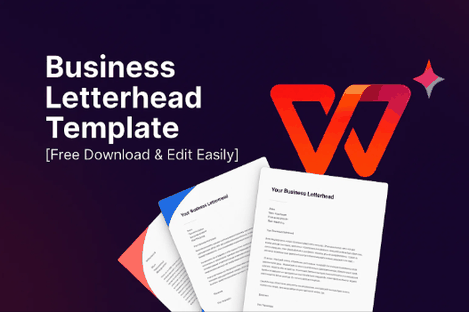
I’ve handpicked 10 free business letterhead templates that’ll give your letters a polished edge. Each free business letterhead template is snappy, professional, and a cinch to edit, whether you’re a one-person show, a startup, or a corporate bigwig. I tried them all myself and jotted down what makes each one special. These business letterhead design Word templates are ready to carry your brand’s personality. Grab one that feels right and get started.
1. Modern Minimalist Letterhead

This template’s like a crisp, clean shirt—simple but makes you look put-together. It’s great for freelancers or startups who want a sleek, no-drama style. You’ve got space for your logo and contact details without any fluff. I used it for emails, and it gave my messages a slick, pro touch without trying too hard.
2. Formal Business Letter Template
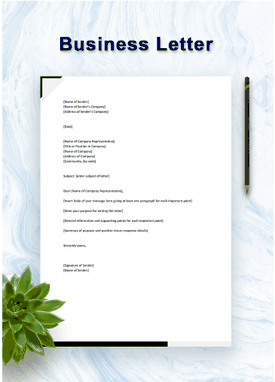
Think of this as your trusty blazer—formal, reliable, and perfect for serious moments. It’s awesome for corporate gigs or small businesses needing a professional vibe. The layout’s clean, with room for your logo and info. I threw it into a client proposal, and it made my words feel like they carried extra weight.
3. Microsoft Eighties Letterhead
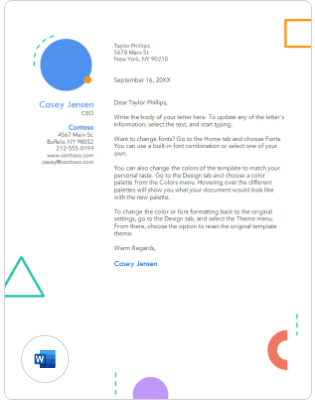
This one’s like popping on a retro playlist that still feels cool today—bright colors with an ‘80s twist. It’s perfect for creative businesses wanting a fun yet professional look. There’s space for your branding to stand out. I used it for a pitch, and it added a playful spark without losing the serious stuff.
4. Microsoft Corporate Recommendation Letter
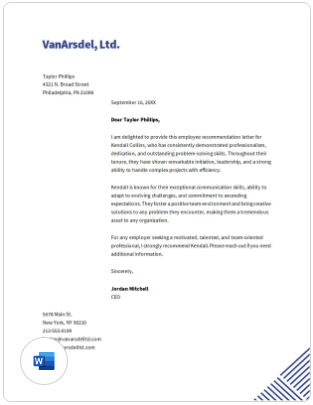
This template’s like a firm handshake on paper—clean, corporate, and all business. It’s ideal for writing recommendations or endorsements. You can slot in your logo and contact details easily. I used it for a reference letter, and it looked so sharp it practically sealed the deal on its own.
5. Microsoft Geometric Letterhead
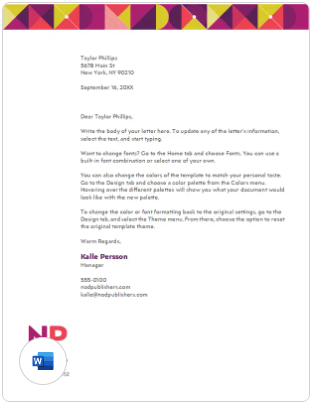
This template’s like a bold mural, with geometric shapes that shout confidence. It’s great for startups or creative agencies looking to make a statement. Your logo and details stay front and center. I tossed it into a pitch, and it gave my brand a fresh, modern kick.
6. Post Interview Thank You Letter
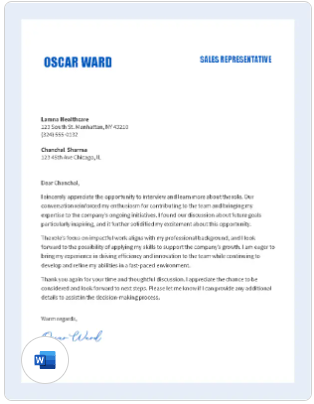
This one feels like a heartfelt thank-you note after a great coffee chat—warm but professional. It’s perfect for freelancers or job seekers wanting to leave a good impression. The design’s simple yet effective. I sent one post-interview, and it felt personal, like a friendly nudge that still meant business.
7. Retro Vibes Professional Cover Letter
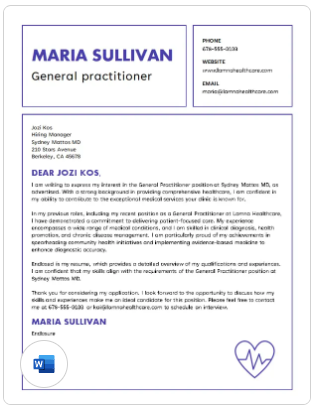
This template’s like a vintage jacket with a modern fit—retro charm with pro polish. It’s great for creative businesses or freelancers who want to stand out. There’s room for your logo and details. I used it for a cover letter, and it gave my pitch a quirky, memorable spin.
8. Modern Shapes Business Thank You Letter
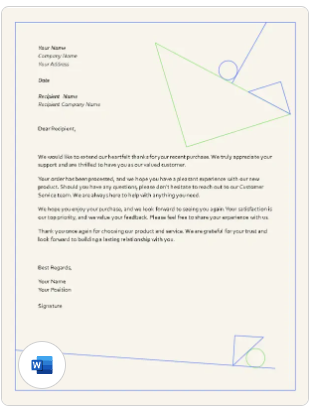
This template’s like a cool breeze in your office, with sleek shapes that keep your letters looking fresh and current. It’s perfect for startups or design-savvy companies, with spots for your logo and contact info. I used it for thank-you notes, and it made them stand out like nobody’s business.
9. Bold & Geometric Letterhead
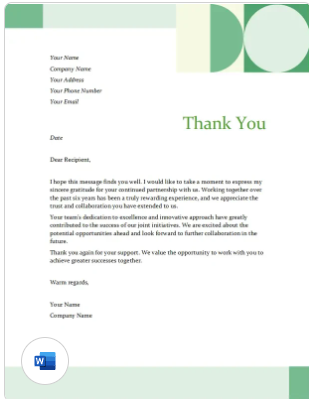
This one’s like a confident high-five, with bold geometric patterns that say, “We’re here to shake things up!” It’s perfect for creative agencies or startups looking to grab attention. I used it for a client proposal, and it turned heads with its gutsy vibe.
10. Simple & Professional Letterhead
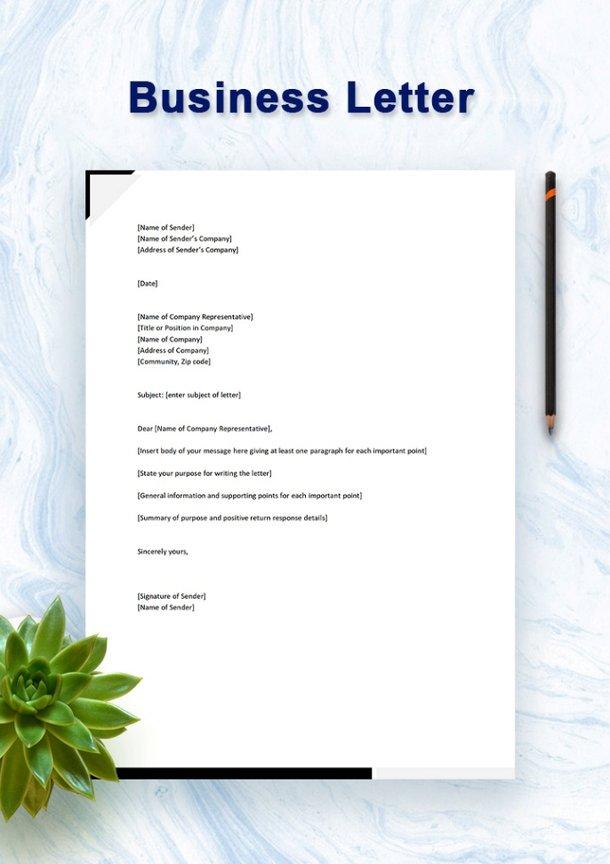
This template’s like your go-to coffee shop—simple, cozy, and always delivers. It’s great for small businesses or corporate settings needing a clean, no-fuss look. I used it for a corporate letter, and it looked so polished it saved me time when I was slammed.
Part 2. How to Use & Edit Business Letterhead Templates in WPS Word
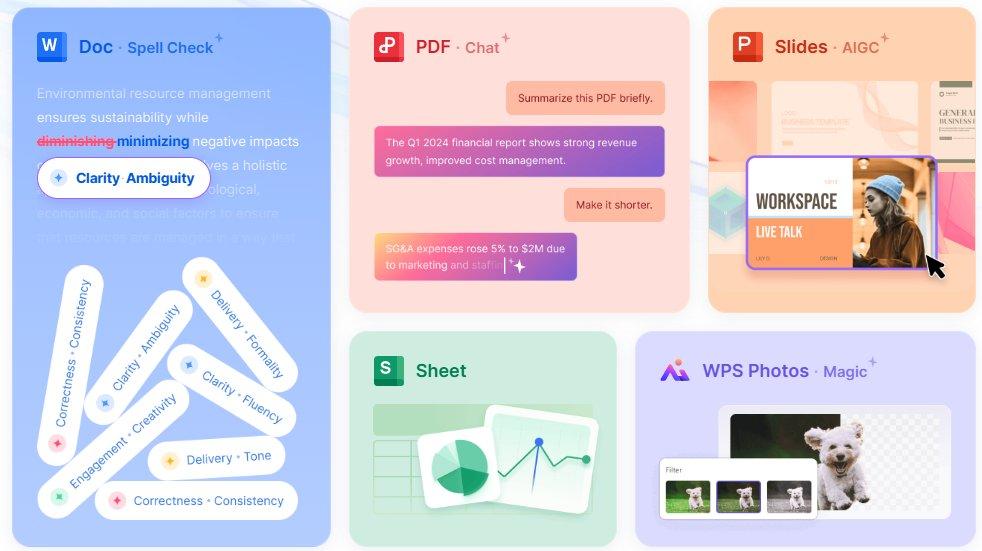
Customizing a business letterhead design Word template is like tossing together a quick salad—simple, satisfying, and looks great with the right ingredients. WPS Office makes it a snap, and I’ve laid out the steps below with screenshots to keep it clear. Whether you’re a solo entrepreneur or running a big team, you’ll have a sharp customizable business letterhead in no time.
Steps to Edit in WPS Word
Step 1: Open Template in WPS Word
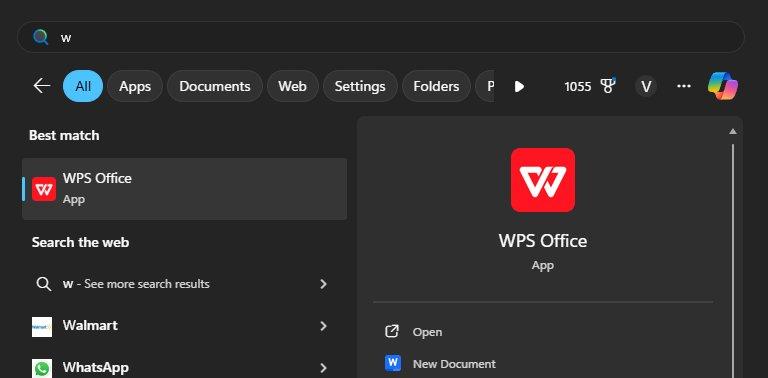
Pick a template, like the Modern Minimalist Letterhead, from the links above. Open it in WPS Word via WPS Office from wps.com. It’s got that Microsoft Word feel but won’t cost you a penny. Choose a design that matches your brand’s personality.
Step 2: Make It Your Own
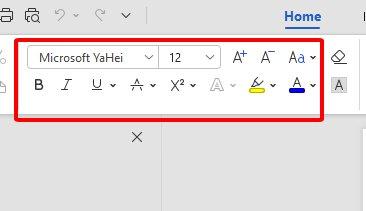
Click on text fields to add your company name, address, phone, email, or a catchy tagline. Drop in your logo with Insert > Picture and drag it to fit just right. Play with fonts or colors in the toolbar to nail your brand’s look. Save every few minutes so you don’t lose your groove.
Step 3: Save and Print
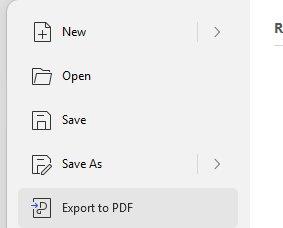
Hit File > Export to PDF for emails or digital sharing. For printing, go to File > Print and pick A4 or US Letter size. Check the print preview to make sure it’s perfect. I always grab some nice paper to give my letters that extra bit of polish.
WPS Word made tweaking my business letterhead template feel like a quick coffee break. Adding my logo and messing with colors was so easy, I didn’t break a sweat. It’s free, works just like Microsoft Word, and saved me from design stress. My letters looked like they came straight from a pro, leaving me time to tackle my to-do list.
Part 3. Benefits of Using Editable Letterhead Templates
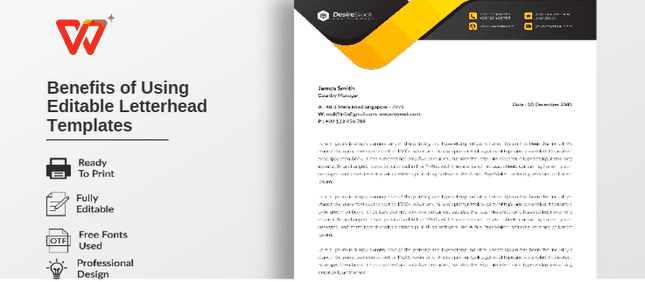
Using a customizable business letterhead is like having a secret weapon—it saves you time, keeps your brand looking tight, and makes you seem like a pro without the hassle. Pre-made templates are a total lifesaver, cutting out the guesswork so you can focus on your work instead of playing designer. Here’s why they’re a game-changer:
Saves time and keeps your brand on point: Pop in your details, and your logo, colors, and fonts stay consistent every time—no effort needed.
Looks pro but crazy easy to tweak: They’re designed by experts, but you don’t need to be one to make them yours.
Fits any business, big or small: Freelancers, startups, or big companies—there’s a letterhead that’s got your vibe.
Works for all your docs: Use them for invoices, proposals, or cover letters, keeping your brand sharp across the board.
These templates were like my personal design sidekick, saving me hours while keeping my brand consistent. Customizing them was so simple, I didn’t need to dig out any design skills. They worked for everything from client pitches to invoices. It felt like I had a pro designer on call, but without the hefty bill.
Part 4. Free Office Suite: Design Stunning Templates
WPS Office is like that friend who always comes through—free, dependable, and makes your work look awesome. This all-in-one suite handles Word, Excel, PPT, and PDF, perfect for whipping up a customizable business letterhead. Its tiny 200MB size runs smoothly on Windows, Mac, Linux, Android, and iOS. With a huge template stash and cloud sync, it’s a dream for busy folks. You’ll spend more time growing your business than fighting with software.
The AI writing tools are like having a buddy proofread your text, making it sharp in seconds. The template library is loaded with free business letterhead templates, from clean to bold. Cloud sync lets you edit on your phone and share with clients in a flash. It’s as easy as Microsoft Office but free, making it ideal for killer letterheads. WPS Office is safe, stable, and your shortcut to pro documents.
Key Advantages:
Free with no pesky ads or subscriptions.
Stuffed with editable letterhead templates.
Easy PDF export and printing support.
Drag-and-drop interface that’s a breeze to use.
Web and mobile versions for editing anywhere.
WPS Office was my go-to for crafting a business letterhead template that impressed clients. The templates gave me a head start, and the AI tools polished my text like magic. Sharing via cloud sync was a lifesaver for quick feedback. It’s free, super easy, and made my letters look like I hired a fancy designer.
FAQs
1. Are business letterhead templates free to use on WPS Office?
Totally—WPS Office has a bunch of free business letterhead templates you can grab and edit. Some premium ones might need a login, but there’s tons of great free options.
2. Can I edit letterheads in WPS on my phone?
Yup, WPS Office has apps for Android and iOS, so you can tweak your letterhead anywhere, no laptop required.
3. What should I include in a business letterhead?
Toss in your company name, logo, address, phone, email, and website. A tagline or registration number can add a nice touch if it fits your brand.
4. Can I convert a letterhead to PDF for emailing?
You bet—WPS Office lets you export your letterhead to PDF for clean, pro-looking emails.
5. Can I use these templates for other documents?
Absolutely, they’re perfect for invoices, cover letters, or any branded doc you want to look sharp.

'%3e%3cpath%20d='M19.9911%204.11386V6.471H18.5894C18.0775%206.471%2017.7322%206.57814%2017.5536%206.79243C17.3751%207.00671%2017.2858%207.32814%2017.2858%207.75671V9.44421H19.9019L19.5536%2012.0871H17.2858V18.8639H14.5536V12.0871H12.2769V9.44421H14.5536V7.49779C14.5536%206.39064%2014.8632%205.53201%2015.4822%204.92189C16.1013%204.31177%2016.9257%204.00671%2017.9554%204.00671C18.8304%204.00671%2019.509%204.04243%2019.9911%204.11386Z'%20fill='%23333333'/%3e%3c/g%3e%3cdefs%3e%3cclipPath%20id='clip0_2938_8199'%3e%3crect%20width='16'%20height='16'%20fill='white'%20transform='translate(8%204.00671)'/%3e%3c/clipPath%3e%3c/defs%3e%3c/svg%3e)
'%3e%3cpath%20d='M17.5237%2010.7813L23.4811%204H22.0699L16.8949%209.88693L12.7648%204H8L14.2469%2012.9029L8%2020.0133H9.4112L14.8725%2013.7952L19.2352%2020.0133H24M9.92053%205.04213H12.0885L22.0688%2019.0224H19.9003'%20fill='%23333333'/%3e%3c/g%3e%3cdefs%3e%3cclipPath%20id='clip0_2938_8200'%3e%3crect%20width='16'%20height='16.0134'%20fill='white'%20transform='translate(8%204)'/%3e%3c/clipPath%3e%3c/defs%3e%3c/svg%3e)


