

'%3e%3cpath%20d='M8%200C12.4183%200%2016%203.58172%2016%208C16%2012.4183%2012.4183%2016%208%2016C3.58172%2016%200%2012.4183%200%208C0%203.58172%203.58172%200%208%200ZM11.6162%204.38379C11.2257%203.99337%2010.5927%203.99338%2010.2021%204.38379L8%206.58594L5.79785%204.38379C5.40732%203.99334%204.77429%203.99329%204.38379%204.38379C3.99331%204.77429%203.99335%205.40733%204.38379%205.79785L6.58594%208L4.38379%2010.2021C3.99348%2010.5927%203.99341%2011.2257%204.38379%2011.6162C4.77426%2012.0066%205.40734%2012.0065%205.79785%2011.6162L8%209.41406L10.2021%2011.6162C10.5927%2012.0066%2011.2257%2012.0067%2011.6162%2011.6162C12.0067%2011.2257%2012.0066%2010.5927%2011.6162%2010.2021L9.41406%208L11.6162%205.79785C12.0066%205.40735%2012.0066%204.77429%2011.6162%204.38379Z'%20fill='%23080E17'%20fill-opacity='0.46'/%3e%3c/g%3e%3cdefs%3e%3cclipPath%20id='clip0_3761_713'%3e%3crect%20width='16'%20height='16'%20fill='white'/%3e%3c/clipPath%3e%3c/defs%3e%3c/svg%3e)




'%3e%3cpath%20fill-rule='evenodd'%20clip-rule='evenodd'%20d='M21.4999%2010.9993C21.4999%205.20009%2016.7986%200.498901%2010.9993%200.498901C5.19994%200.498901%200.498657%205.20009%200.498657%2010.9993C0.498657%2016.2404%204.33858%2020.5844%209.35855%2021.3722V14.0346H6.69238V10.9993H9.35855V8.68594C9.35855%206.05427%2010.9262%204.60062%2013.3248%204.60062C14.4736%204.60062%2015.6753%204.80571%2015.6753%204.80571V7.38979H14.3512C13.0468%207.38979%2012.64%208.19921%2012.64%209.0296V10.9993H15.5523L15.0867%2014.0346H12.64V21.3722C17.66%2020.5844%2021.4999%2016.2404%2021.4999%2010.9993Z'%20fill='%231568EA'/%3e%3c/g%3e%3c/svg%3e)


'%3e%3cpath%20d='M2.42045%2022.1876H6.31818V12.7217L0.75%208.54553V20.5171C0.75%2021.4414%201.49892%2022.1876%202.42045%2022.1876Z'%20fill='%234285F4'/%3e%3cpath%20d='M19.682%2022.1876H23.5797C24.5041%2022.1876%2025.2502%2021.4387%2025.2502%2020.5171V8.54553L19.682%2012.7217'%20fill='%2334A853'/%3e%3cpath%20d='M19.682%205.48293V12.7216L25.2502%208.54543V6.31816C25.2502%204.25236%2022.8921%203.07469%2021.2411%204.31361'%20fill='%23FBBC04'/%3e%3cpath%20d='M6.31824%2012.7217V5.48303L13.0001%2010.4944L19.6819%205.48303V12.7217L13.0001%2017.733'%20fill='%23EA4335'/%3e%3cpath%20d='M0.75%206.31816V8.54543L6.31818%2012.7216V5.48293L4.75909%204.31361C3.10534%203.07469%200.75%204.25236%200.75%206.31816Z'%20fill='%23C5221F'/%3e%3c/g%3e%3cdefs%3e%3cclipPath%20id='clip0_2954_7305'%3e%3crect%20width='24.5'%20height='18.375'%20fill='white'%20transform='translate(0.75%203.8125)'/%3e%3c/clipPath%3e%3c/defs%3e%3c/svg%3e)


You need everyone on the same page about a policy change, a product launch, or a security update, but a long email thread will bury the details. A memorandum gives you a short, official internal record that managers can forward, archive, and act on without rereading twenty replies.
This guide shows how to write a memorandum in five clear steps, what belongs in the heading block, and how to turn your draft into a polished one-page memo you can reuse.
How to Write a Memorandum in 5 Steps
When to write a memorandum instead of an email
Reach for a memorandum when the message is official, needs a fixed record, and may be referenced later. Typical triggers include personnel announcements, process changes, financial updates, event notices, and product or marketing launches.
Email works for quick back-and-forth. A memorandum works when you want a consistent format, a clear subject line everyone can search, and language that reads like company correspondence. If you are drafting a non-binding partnership outline between organizations, that is a different document—see our guide on how to write a memorandum of understanding (MOU).
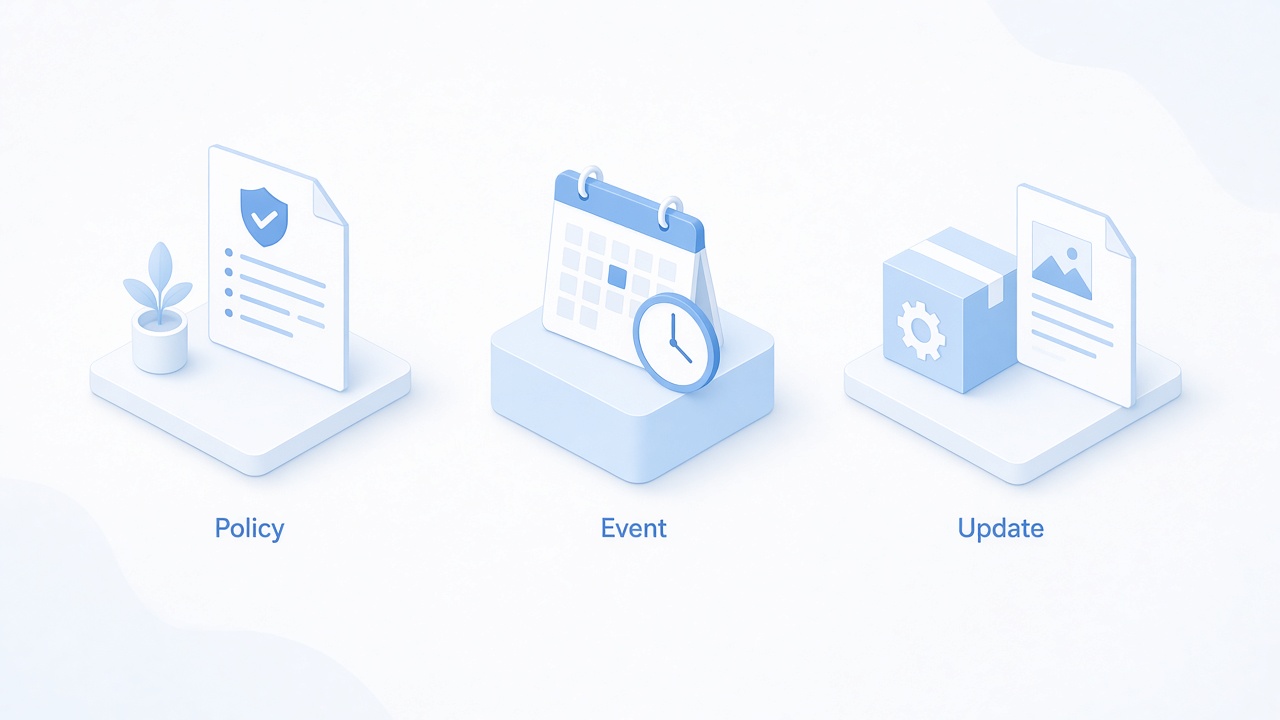
Common internal memorandum use cases


Memorandum format: what to include before you write
Before you write a memorandum, set up a heading block every reader expects. Use single-spaced, left-aligned lines at the top:
To — audience (for example, All Employees or Finance Team)
From — your name and title
Date — distribution date
Subject — specific topic (for example, Changes to Q1 performance review dates)
Keep the subject line concrete. Personnel update is vague; Promotion of Alex Rivera, Director of Marketing tells people why they should keep reading.
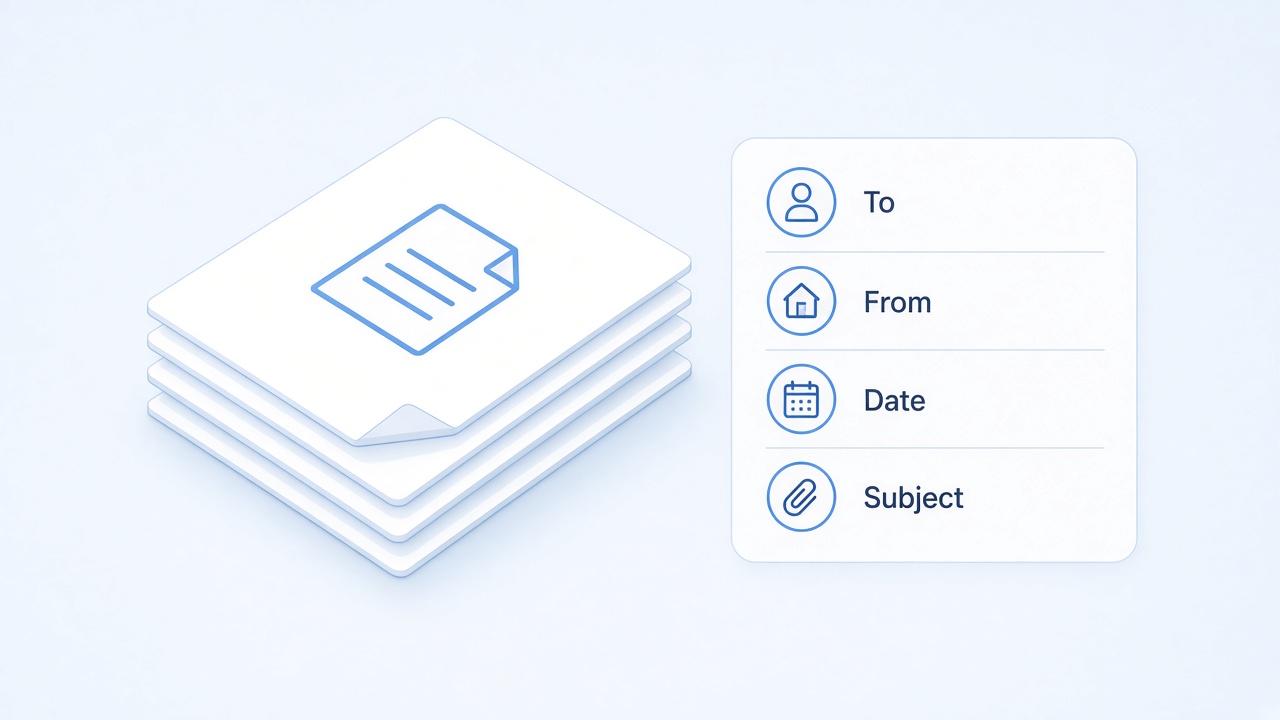
Standard business memorandum heading block
How to write a memorandum in 5 steps
Professional memos stay courteous, factual, and short. Follow these five parts in order:
Write a clear heading. Include To, From, Date, and Subject even if you paste the memo into email later.
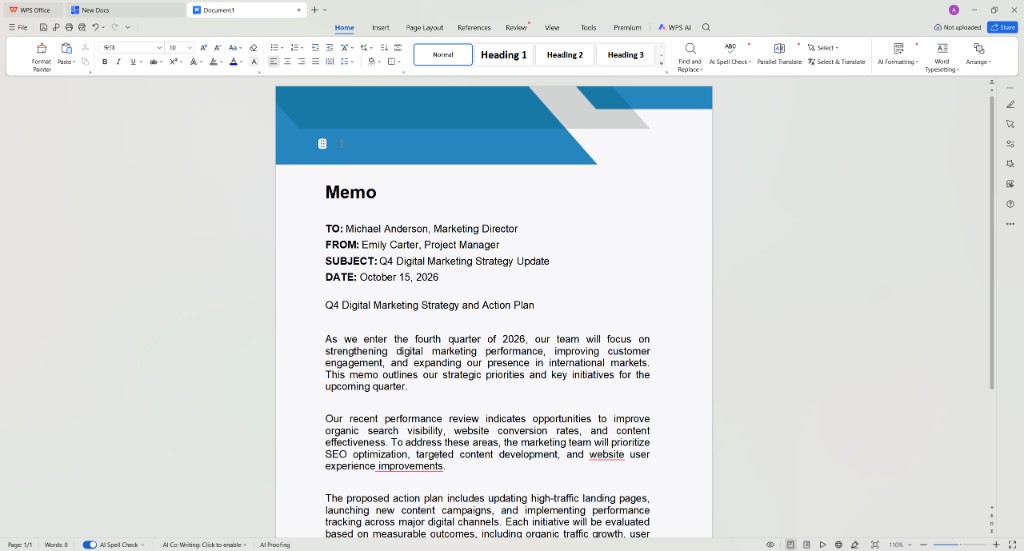
Business memorandum draft in Writer
State the purpose in the opening. Summarize what is happening and why in the first paragraph. This is the most important information.
Add background only where needed. Use bullets for timelines, evidence, or options. Cut anything that does not help the reader decide or act.
Define the call to action. Tell recipients what to do, who to contact, and the deadline—or say clearly if no action is required yet.
Close courteously. Thank people when appropriate, confirm next steps, and invite questions. Memos do not need a handwritten signature because your name is already in the heading.
Aim for one page. If you need attachments, reference them in the body instead of hiding the memo inside a separate file.
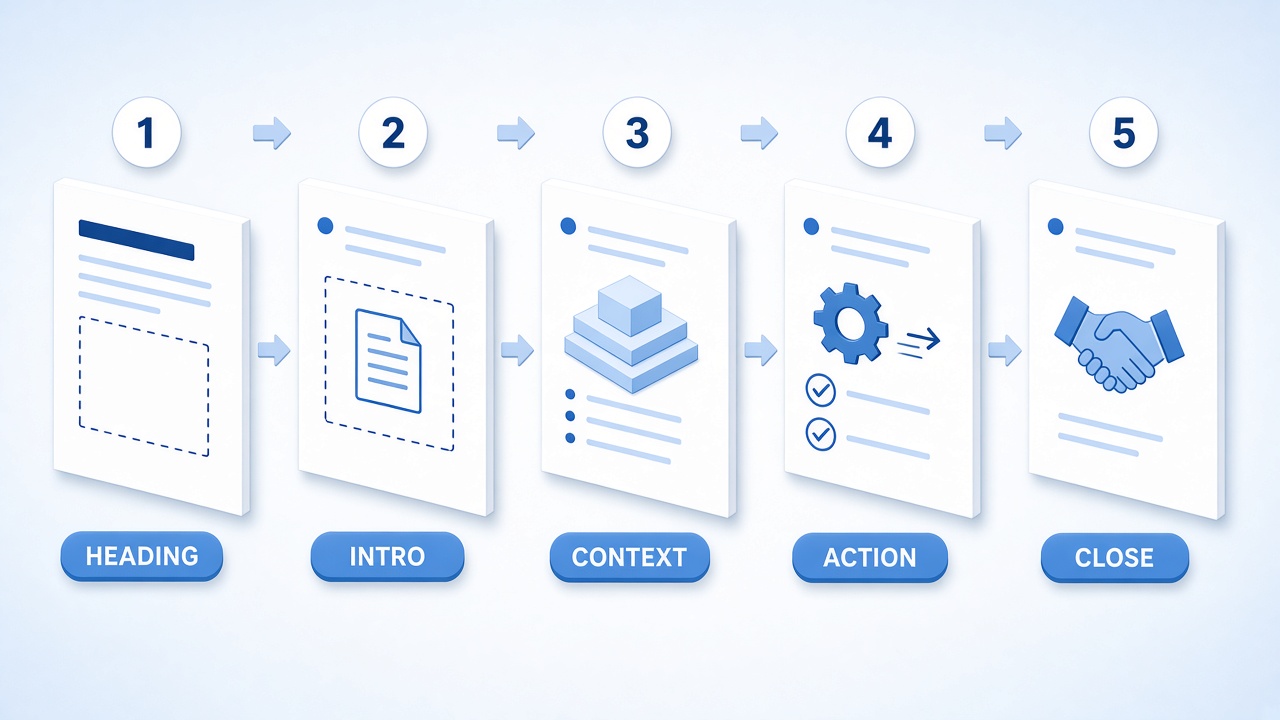
Five steps to write a memorandum
Memorandum examples and templates in WPS Writer
Use this general memorandum skeleton and adapt the sample below:
To: All Team Members
From: Jordan Lee, Operations Manager
Date: October 15, 2026
Subject: Updated remote-work attendance policyStarting November 1, hybrid staff will log in-office days in the HR portal by Friday each week. This change aligns attendance reporting with payroll processing.
Questions should go to your department lead by October 22. Training slides are attached.
Thank you for helping us keep records accurate.
In WPS Writer, open New Docs, search for business memo, and pick a memo template. You can also start from free Word templates or adapt structure from cover letter samples when you need a formal tone.
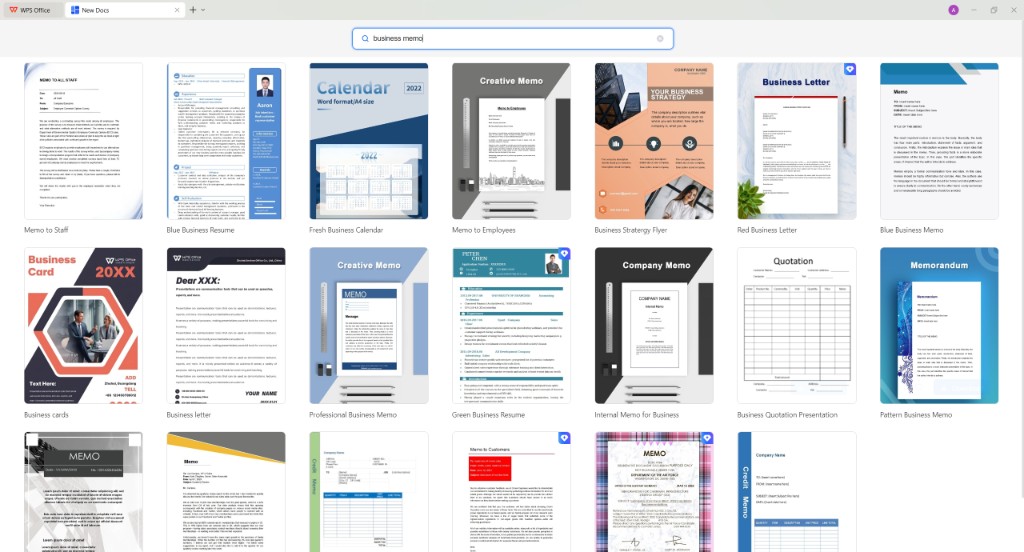
Search business memo templates in WPS
The Best Free Alternative: WPS Office
WPS Office keeps memorandum drafting, template search, spell check, and PDF export in one free workflow—so you spend less time fixing layout and more time tightening the message.
Built-in templates. Open WPS Writer, pick a memo or letter template, and replace the heading placeholders.
One-click PDF export. Open Menu → Export to PDF to share a stable PDF when HR or compliance needs an archived copy.
Cross-platform editing. Update wording on Windows, Mac, or mobile before a deadline.
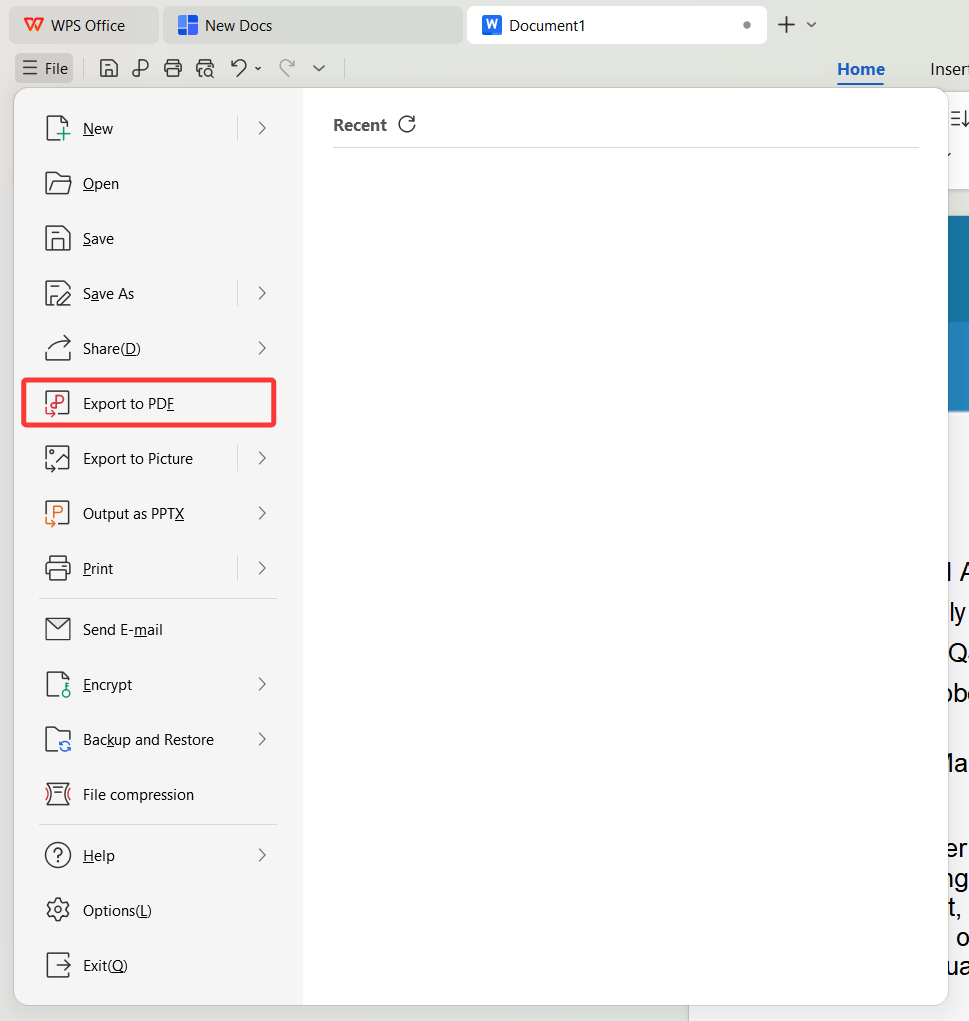
WPS Writer Export to PDF menu
FAQs
What are the five parts of a memorandum?
Heading, introduction, supporting details, call to action, and a short conclusion. Each part should stay brief so the memo fits on one page.
Is a memorandum the same as an MOU?
No. A business memorandum communicates internal updates. A memorandum of understanding (MOU) records intent between parties and is used in partnerships or negotiations.
Should a memorandum be an email attachment?
Usually not. Paste the memo into the email body so recipients read it immediately. Attach separate files only when you reference forms or reports.
How long should a memorandum be?
One page with short paragraphs and bullets. If you exceed a page, remove background that does not change the decision or action.
Does a memorandum need a signature?
Not typically. Your name and title in the From line identify the sender. Use a signature block only when your organization requires it.


'%3e%3cpath%20d='M19.9911%204.11386V6.471H18.5894C18.0775%206.471%2017.7322%206.57814%2017.5536%206.79243C17.3751%207.00671%2017.2858%207.32814%2017.2858%207.75671V9.44421H19.9019L19.5536%2012.0871H17.2858V18.8639H14.5536V12.0871H12.2769V9.44421H14.5536V7.49779C14.5536%206.39064%2014.8632%205.53201%2015.4822%204.92189C16.1013%204.31177%2016.9257%204.00671%2017.9554%204.00671C18.8304%204.00671%2019.509%204.04243%2019.9911%204.11386Z'%20fill='%23333333'/%3e%3c/g%3e%3cdefs%3e%3cclipPath%20id='clip0_2938_8199'%3e%3crect%20width='16'%20height='16'%20fill='white'%20transform='translate(8%204.00671)'/%3e%3c/clipPath%3e%3c/defs%3e%3c/svg%3e)
'%3e%3cpath%20d='M17.5237%2010.7813L23.4811%204H22.0699L16.8949%209.88693L12.7648%204H8L14.2469%2012.9029L8%2020.0133H9.4112L14.8725%2013.7952L19.2352%2020.0133H24M9.92053%205.04213H12.0885L22.0688%2019.0224H19.9003'%20fill='%23333333'/%3e%3c/g%3e%3cdefs%3e%3cclipPath%20id='clip0_2938_8200'%3e%3crect%20width='16'%20height='16.0134'%20fill='white'%20transform='translate(8%204)'/%3e%3c/clipPath%3e%3c/defs%3e%3c/svg%3e)


