

'%3e%3cpath%20d='M8%200C12.4183%200%2016%203.58172%2016%208C16%2012.4183%2012.4183%2016%208%2016C3.58172%2016%200%2012.4183%200%208C0%203.58172%203.58172%200%208%200ZM11.6162%204.38379C11.2257%203.99337%2010.5927%203.99338%2010.2021%204.38379L8%206.58594L5.79785%204.38379C5.40732%203.99334%204.77429%203.99329%204.38379%204.38379C3.99331%204.77429%203.99335%205.40733%204.38379%205.79785L6.58594%208L4.38379%2010.2021C3.99348%2010.5927%203.99341%2011.2257%204.38379%2011.6162C4.77426%2012.0066%205.40734%2012.0065%205.79785%2011.6162L8%209.41406L10.2021%2011.6162C10.5927%2012.0066%2011.2257%2012.0067%2011.6162%2011.6162C12.0067%2011.2257%2012.0066%2010.5927%2011.6162%2010.2021L9.41406%208L11.6162%205.79785C12.0066%205.40735%2012.0066%204.77429%2011.6162%204.38379Z'%20fill='%23080E17'%20fill-opacity='0.46'/%3e%3c/g%3e%3cdefs%3e%3cclipPath%20id='clip0_3761_713'%3e%3crect%20width='16'%20height='16'%20fill='white'/%3e%3c/clipPath%3e%3c/defs%3e%3c/svg%3e)




'%3e%3cpath%20fill-rule='evenodd'%20clip-rule='evenodd'%20d='M21.4999%2010.9993C21.4999%205.20009%2016.7986%200.498901%2010.9993%200.498901C5.19994%200.498901%200.498657%205.20009%200.498657%2010.9993C0.498657%2016.2404%204.33858%2020.5844%209.35855%2021.3722V14.0346H6.69238V10.9993H9.35855V8.68594C9.35855%206.05427%2010.9262%204.60062%2013.3248%204.60062C14.4736%204.60062%2015.6753%204.80571%2015.6753%204.80571V7.38979H14.3512C13.0468%207.38979%2012.64%208.19921%2012.64%209.0296V10.9993H15.5523L15.0867%2014.0346H12.64V21.3722C17.66%2020.5844%2021.4999%2016.2404%2021.4999%2010.9993Z'%20fill='%231568EA'/%3e%3c/g%3e%3c/svg%3e)


'%3e%3cpath%20d='M2.42045%2022.1876H6.31818V12.7217L0.75%208.54553V20.5171C0.75%2021.4414%201.49892%2022.1876%202.42045%2022.1876Z'%20fill='%234285F4'/%3e%3cpath%20d='M19.682%2022.1876H23.5797C24.5041%2022.1876%2025.2502%2021.4387%2025.2502%2020.5171V8.54553L19.682%2012.7217'%20fill='%2334A853'/%3e%3cpath%20d='M19.682%205.48293V12.7216L25.2502%208.54543V6.31816C25.2502%204.25236%2022.8921%203.07469%2021.2411%204.31361'%20fill='%23FBBC04'/%3e%3cpath%20d='M6.31824%2012.7217V5.48303L13.0001%2010.4944L19.6819%205.48303V12.7217L13.0001%2017.733'%20fill='%23EA4335'/%3e%3cpath%20d='M0.75%206.31816V8.54543L6.31818%2012.7216V5.48293L4.75909%204.31361C3.10534%203.07469%200.75%204.25236%200.75%206.31816Z'%20fill='%23C5221F'/%3e%3c/g%3e%3cdefs%3e%3cclipPath%20id='clip0_2954_7305'%3e%3crect%20width='24.5'%20height='18.375'%20fill='white'%20transform='translate(0.75%203.8125)'/%3e%3c/clipPath%3e%3c/defs%3e%3c/svg%3e)


Google Sheets will not open an Excel Binary Workbook (.xlsb) the way it opens XLSX or CSV. If you drag the binary file into Drive or try File > Import, the upload usually fails or the sheet never appears. The fix is simple: convert the workbook to XLSX first, then import that copy.
This guide shows how to open XLSB in Google Sheets by converting with WPS Spreadsheet, uploading the XLSX file, and checking what changes after the move. You will also see Excel and LibreOffice as backups when WPS is not available.
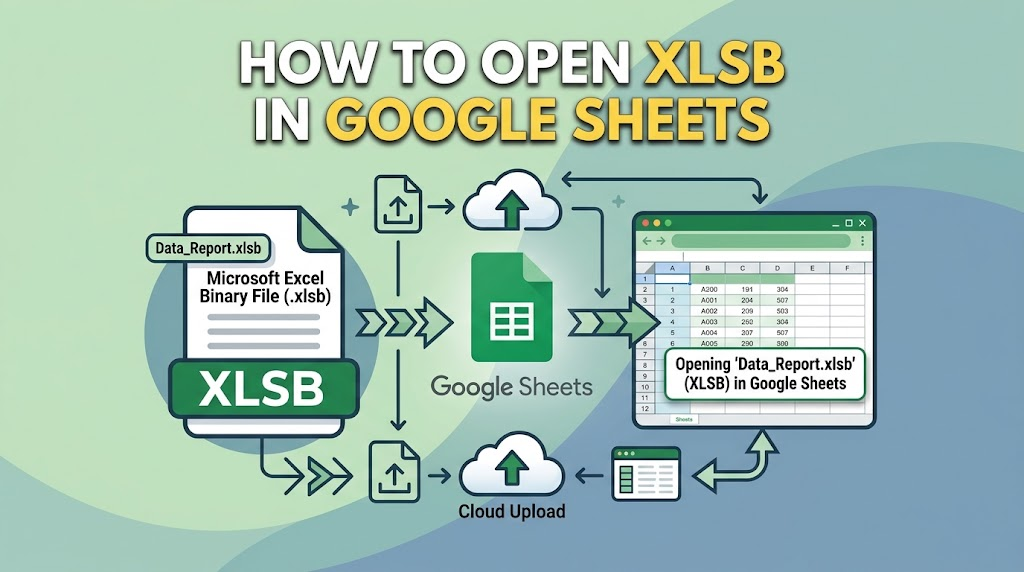
Why you cannot open XLSB in Google Sheets directly
An .xlsb file is Microsoft’s Excel Binary Workbook. It still holds sheets, formulas, and charts, but the parts inside the ZIP package are binary BIFF12 records instead of the XML used by XLSX. Google’s importer is built for formats such as .xlsx, .xls, .csv, .ods, and .tsv. Binary workbooks are not on that list, which is why the same file opens in Excel or WPS yet stalls in Sheets.
Two more limits matter once you do convert:
VBA macros do not travel. Google Sheets uses Apps Script, not Excel VBA. Any macros in the original .xlsb are dropped or inert after you move to Sheets.
Some Excel-only features soften. Complex PivotTables, Power Query connections, and a few specialty functions may show #NAME? errors or look slightly different.
So the goal is not a one-click open. It is a clean XLSX handoff that Sheets can import with your values and everyday formulas intact. For background on the format itself, see what an XLSB file is and how to convert it.
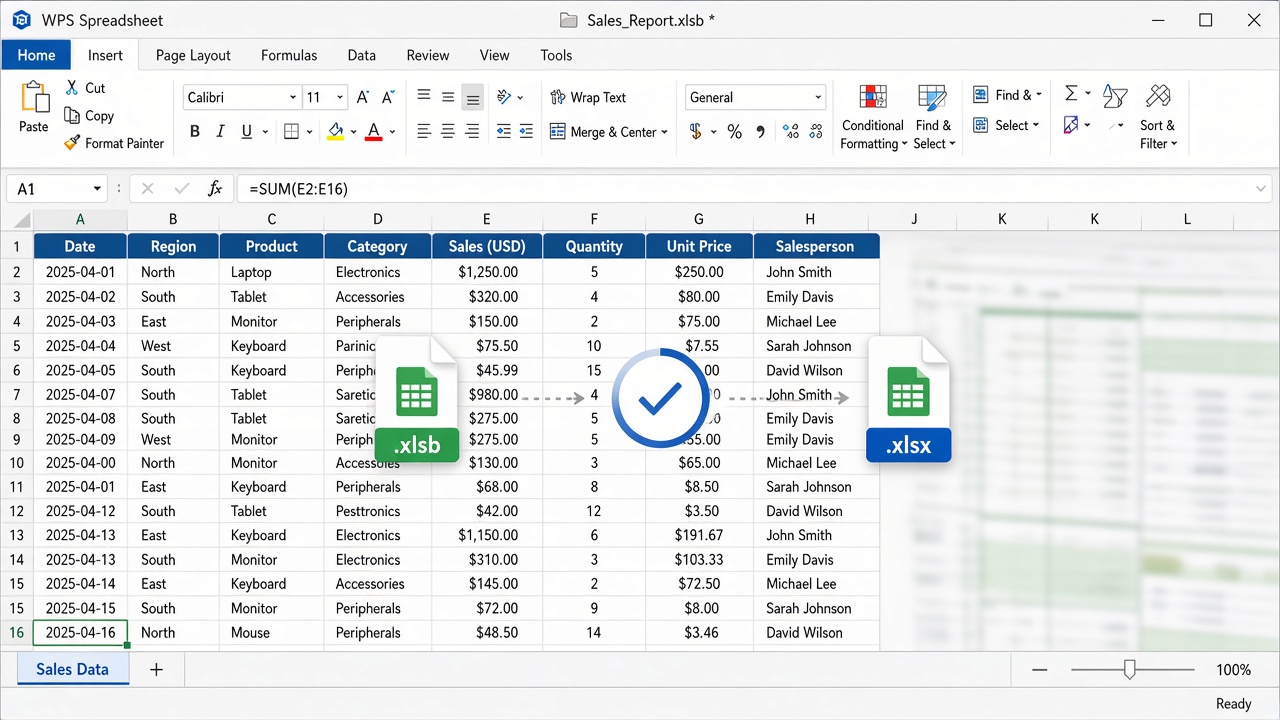
WPS Spreadsheet converts xlsb file


Convert in WPS so you can open XLSB in Google Sheets
WPS Spreadsheet opens .xlsb workbooks on the desktop and can Save As XLSX locally. That keeps payroll files, customer lists, and other sensitive sheets off random online converters.
Install WPS Spreadsheet if it is not already on the computer.
Double-click the .xlsb file, or choose File > Open and set the type filter to Excel Binary Workbook (*.xlsb).
Select the workbook and click Open. Leave macros disabled unless you trust the sender.
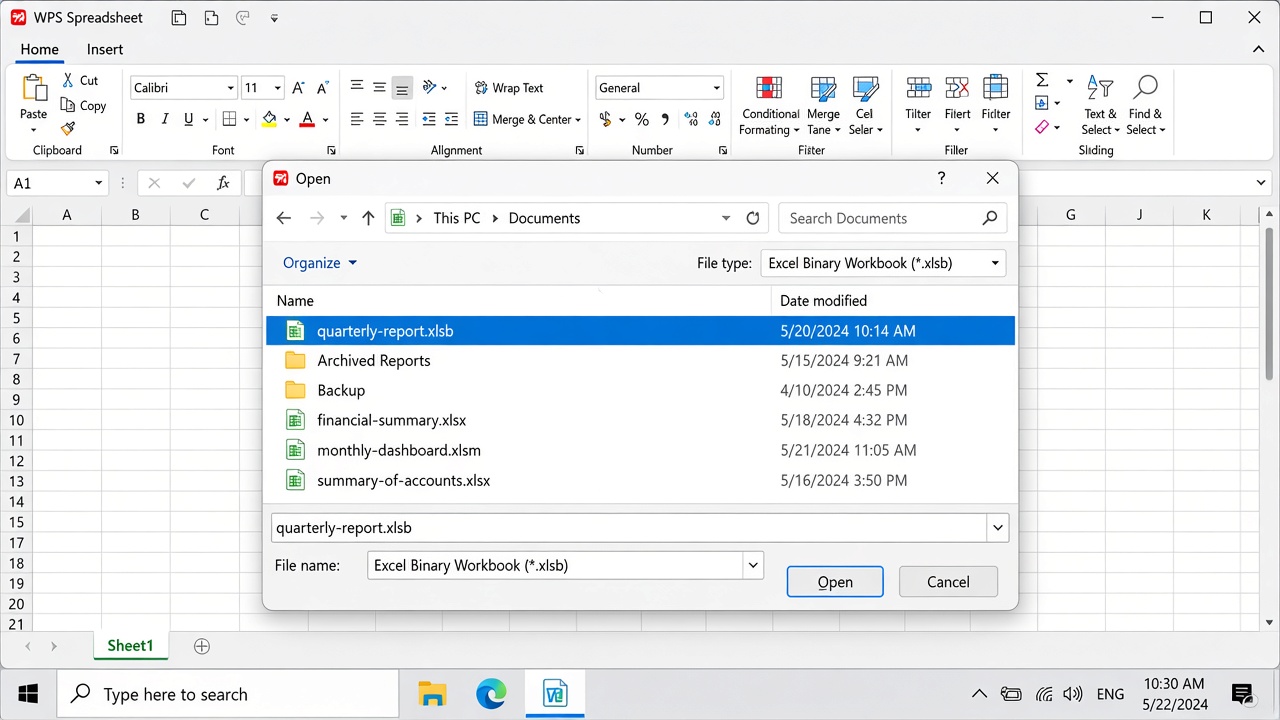
Open xlsb file in WPS
Choose File > Save As.
In Save as type, pick Excel Workbook (*.xlsx). If the file must keep VBA for Excel users, also keep an Excel Macro-Enabled Workbook (*.xlsm) copy—Google Sheets will still not run those macros.
Click Save, then reopen the XLSX and spot-check a few formulas, charts, and frozen panes before you upload.
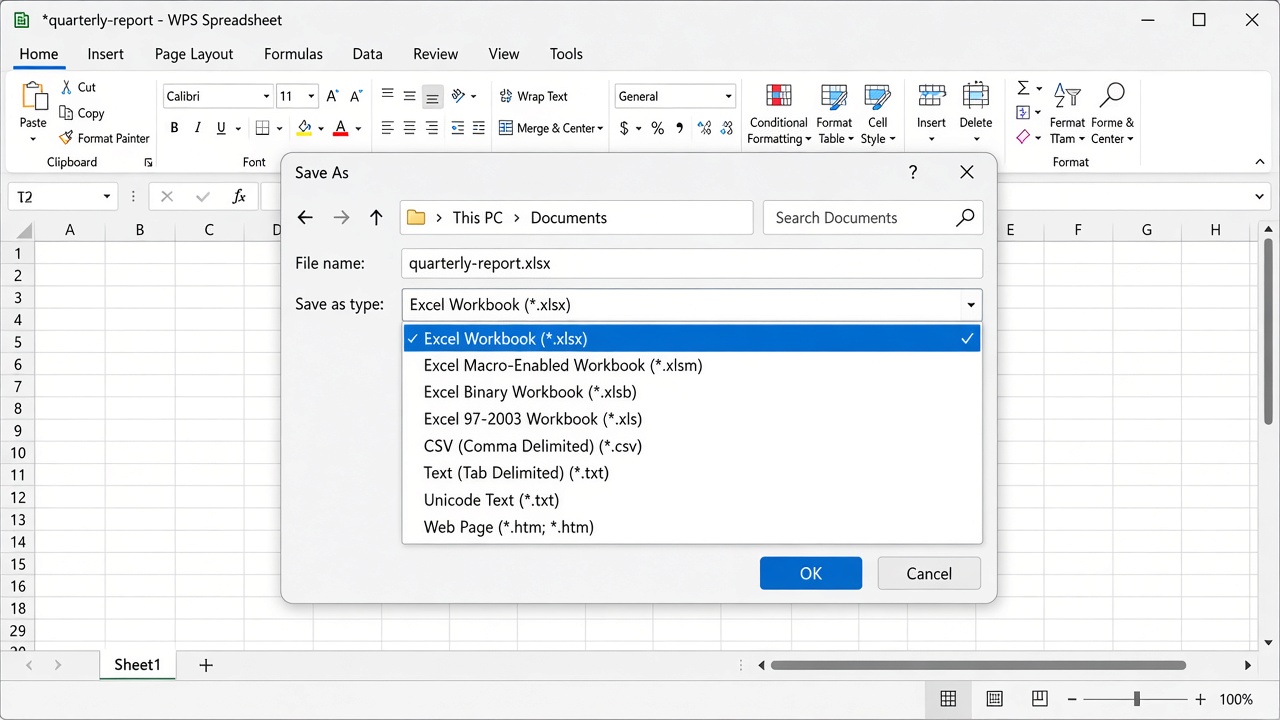
WPS Save As xlsx dialog
After this step you have a Sheets-friendly file. The next section covers the import itself so you can finish the path to open XLSB in Google Sheets without guessing menu names.
Upload XLSX and open XLSB in Google Sheets as a sheet
Once the XLSX copy exists, Google Sheets can treat it like any other Excel workbook.
Go to Google Sheets and open a blank spreadsheet, or open Drive and click New > File upload.
In Sheets, choose File > Import > Upload, then select the .xlsx file you saved from WPS.
Pick how to place the data (create a new spreadsheet, insert new sheet(s), or replace the current sheet) and confirm the import.
If you uploaded to Drive first, right-click the file and choose Open with > Google Sheets.
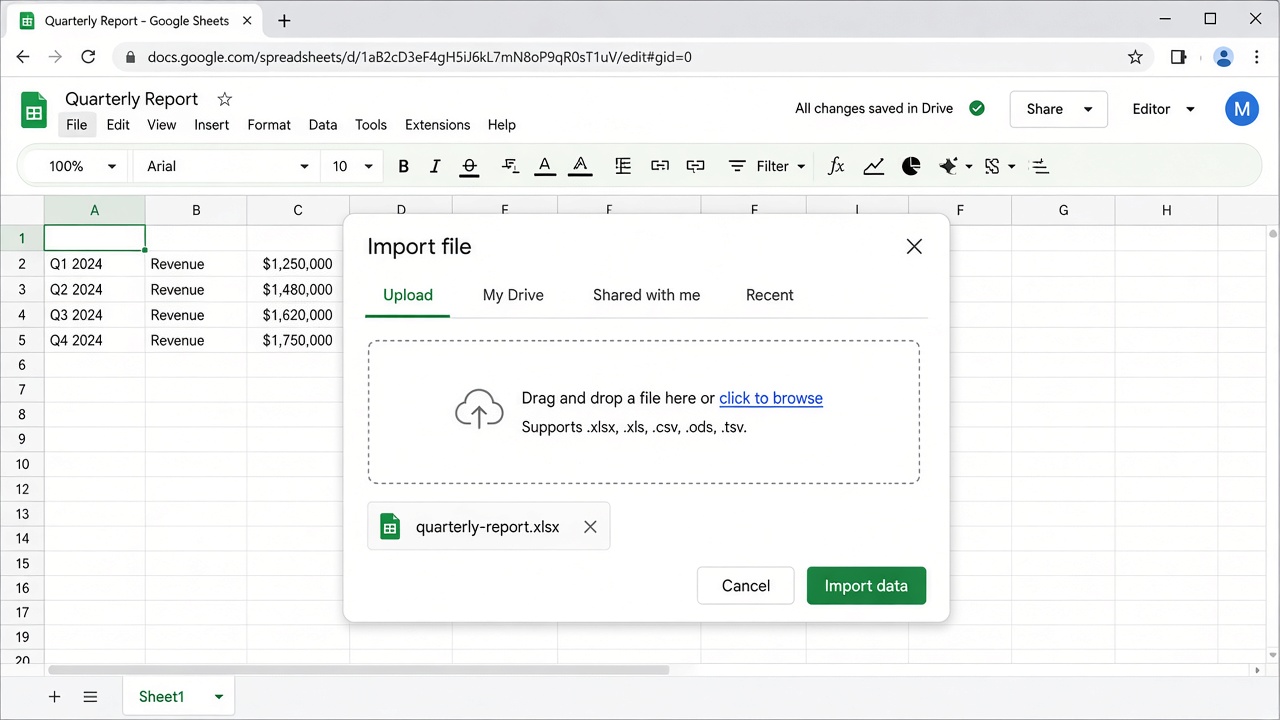
Import xlsx into Google Sheets
That import is the practical answer when people search how to open XLSB in Google Sheets: convert locally, then bring in the XLSX. Keep the original .xlsb if you still need Excel-side macros or faster open/save on a large model.
What to check after you open XLSB in Google Sheets
Conversion is usually smooth for tables and standard formulas, but a short review saves support tickets later.
Formulas: Re-test SUM, VLOOKUP/XLOOKUP equivalents, and any nested IF statements on a few known rows.
Formatting: Fonts, borders, and chart styles can shift slightly because Sheets renders them differently.
Named ranges and pivots: Confirm labels still point where you expect.
Macros: Plan an Apps Script rewrite only if automation is required in Sheets; otherwise leave automation in Excel or WPS.
Permissions: Share the Google Sheet intentionally. Do not leave a sensitive workbook sitting as “anyone with the link” by mistake.
If a column of dates looks wrong, set the column format in Sheets and verify regional settings. Number formats and locale differences are a common false alarm after import.
Other options when you need to open XLSB in Google Sheets
WPS is the path this article focuses on, but the same convert-then-import pattern works elsewhere.
Microsoft Excel: Open the .xlsb, then File > Save As > Excel Workbook (*.xlsx), and upload that file to Sheets.
LibreOffice Calc: Open the binary workbook and export or Save As XLSX when Excel or WPS is not installed.
Ask the sender: If a colleague still has the source file, request an XLSX (or CSV for a single sheet). That is often fastest for one-off handoffs.
Online converters: Use only for non-sensitive sample data. Avoid uploading payroll, IDs, or client lists to unknown websites.
Apps Script cannot convert .xlsb inside Drive for you—Google’s supported import types simply do not include it—so a desktop Save As remains the reliable bridge.
FAQs about how to open XLSB in Google Sheets
Can Google Sheets open an .xlsb file natively?
No. Convert to XLSX (or another supported type) first, then import. That is the standard answer whenever you need to open XLSB in Google Sheets.
Will converting remove my formulas?
Save As to XLSX keeps formulas, most charts, and ordinary formatting. What you lose is VBA if you save as XLSX instead of XLSM, plus any Excel-only feature Sheets never supported.
Is WPS Spreadsheet enough without Microsoft Excel?
Yes for typical data workbooks. Open the .xlsb in WPS, save as XLSX, then upload. Complex Power Query models or protected workbooks may still need Excel or a new export from the sender.
Should I use CSV instead of XLSX?
CSV is fine for a single sheet of values with no formulas. Prefer XLSX when you need multiple sheets, formulas, or basic formatting to survive the trip into Sheets.


'%3e%3cpath%20d='M19.9911%204.11386V6.471H18.5894C18.0775%206.471%2017.7322%206.57814%2017.5536%206.79243C17.3751%207.00671%2017.2858%207.32814%2017.2858%207.75671V9.44421H19.9019L19.5536%2012.0871H17.2858V18.8639H14.5536V12.0871H12.2769V9.44421H14.5536V7.49779C14.5536%206.39064%2014.8632%205.53201%2015.4822%204.92189C16.1013%204.31177%2016.9257%204.00671%2017.9554%204.00671C18.8304%204.00671%2019.509%204.04243%2019.9911%204.11386Z'%20fill='%23333333'/%3e%3c/g%3e%3cdefs%3e%3cclipPath%20id='clip0_2938_8199'%3e%3crect%20width='16'%20height='16'%20fill='white'%20transform='translate(8%204.00671)'/%3e%3c/clipPath%3e%3c/defs%3e%3c/svg%3e)
'%3e%3cpath%20d='M17.5237%2010.7813L23.4811%204H22.0699L16.8949%209.88693L12.7648%204H8L14.2469%2012.9029L8%2020.0133H9.4112L14.8725%2013.7952L19.2352%2020.0133H24M9.92053%205.04213H12.0885L22.0688%2019.0224H19.9003'%20fill='%23333333'/%3e%3c/g%3e%3cdefs%3e%3cclipPath%20id='clip0_2938_8200'%3e%3crect%20width='16'%20height='16.0134'%20fill='white'%20transform='translate(8%204)'/%3e%3c/clipPath%3e%3c/defs%3e%3c/svg%3e)


