

'%3e%3cpath%20d='M8%200C12.4183%200%2016%203.58172%2016%208C16%2012.4183%2012.4183%2016%208%2016C3.58172%2016%200%2012.4183%200%208C0%203.58172%203.58172%200%208%200ZM11.6162%204.38379C11.2257%203.99337%2010.5927%203.99338%2010.2021%204.38379L8%206.58594L5.79785%204.38379C5.40732%203.99334%204.77429%203.99329%204.38379%204.38379C3.99331%204.77429%203.99335%205.40733%204.38379%205.79785L6.58594%208L4.38379%2010.2021C3.99348%2010.5927%203.99341%2011.2257%204.38379%2011.6162C4.77426%2012.0066%205.40734%2012.0065%205.79785%2011.6162L8%209.41406L10.2021%2011.6162C10.5927%2012.0066%2011.2257%2012.0067%2011.6162%2011.6162C12.0067%2011.2257%2012.0066%2010.5927%2011.6162%2010.2021L9.41406%208L11.6162%205.79785C12.0066%205.40735%2012.0066%204.77429%2011.6162%204.38379Z'%20fill='%23080E17'%20fill-opacity='0.46'/%3e%3c/g%3e%3cdefs%3e%3cclipPath%20id='clip0_3761_713'%3e%3crect%20width='16'%20height='16'%20fill='white'/%3e%3c/clipPath%3e%3c/defs%3e%3c/svg%3e)




'%3e%3cpath%20fill-rule='evenodd'%20clip-rule='evenodd'%20d='M21.4999%2010.9993C21.4999%205.20009%2016.7986%200.498901%2010.9993%200.498901C5.19994%200.498901%200.498657%205.20009%200.498657%2010.9993C0.498657%2016.2404%204.33858%2020.5844%209.35855%2021.3722V14.0346H6.69238V10.9993H9.35855V8.68594C9.35855%206.05427%2010.9262%204.60062%2013.3248%204.60062C14.4736%204.60062%2015.6753%204.80571%2015.6753%204.80571V7.38979H14.3512C13.0468%207.38979%2012.64%208.19921%2012.64%209.0296V10.9993H15.5523L15.0867%2014.0346H12.64V21.3722C17.66%2020.5844%2021.4999%2016.2404%2021.4999%2010.9993Z'%20fill='%231568EA'/%3e%3c/g%3e%3c/svg%3e)


'%3e%3cpath%20d='M2.42045%2022.1876H6.31818V12.7217L0.75%208.54553V20.5171C0.75%2021.4414%201.49892%2022.1876%202.42045%2022.1876Z'%20fill='%234285F4'/%3e%3cpath%20d='M19.682%2022.1876H23.5797C24.5041%2022.1876%2025.2502%2021.4387%2025.2502%2020.5171V8.54553L19.682%2012.7217'%20fill='%2334A853'/%3e%3cpath%20d='M19.682%205.48293V12.7216L25.2502%208.54543V6.31816C25.2502%204.25236%2022.8921%203.07469%2021.2411%204.31361'%20fill='%23FBBC04'/%3e%3cpath%20d='M6.31824%2012.7217V5.48303L13.0001%2010.4944L19.6819%205.48303V12.7217L13.0001%2017.733'%20fill='%23EA4335'/%3e%3cpath%20d='M0.75%206.31816V8.54543L6.31818%2012.7216V5.48293L4.75909%204.31361C3.10534%203.07469%200.75%204.25236%200.75%206.31816Z'%20fill='%23C5221F'/%3e%3c/g%3e%3cdefs%3e%3cclipPath%20id='clip0_2954_7305'%3e%3crect%20width='24.5'%20height='18.375'%20fill='white'%20transform='translate(0.75%203.8125)'/%3e%3c/clipPath%3e%3c/defs%3e%3c/svg%3e)


Older intranet pages and saved emails often arrive as MHT or .mhtml web archive files. Browsers still open them, but sharing is easier when an MHT to PDF converter produces one PDF colleagues can annotate.
WPS PDF tools focus on common office paths—Word, Excel, images—while MHT is a niche format. Practical workflow: open the archive in a browser or Word-compatible app, print or export to PDF, then polish the PDF in WPS if pages break across sections.
Keep the original MHT until the PDF passes visual check. Archived HTML can embed images with relative paths; a bad export shows empty frames you can fix only from the source.
Legal and HR teams archive MHT exports from legacy portals. Converting to PDF before long-term storage avoids browsers dropping MHT support in future OS releases.
Some ticketing systems export tickets as MHT with inline CSS for status colors. PDF preserves those colors for auditors; plain-text copy-paste does not.
MHT to PDF Converter: Save Web Archives as PDF
What Is an MHT Web Archive?
MHT (MIME HTML) bundles HTML, images, and CSS into one file. Internet Explorer popularized saving pages “as a single file.” You still see MHT attachments from legacy ticketing systems and compliance exports.
.mht and .mhtml extensions usually mean the same container.
Why convert: PDF is easier to email, stamp, and archive in document management systems.
Why not edit MHT directly: Few modern editors treat it like .docx; conversion is faster than hand-fixing HTML.
Scan the file with your security tools before opening archives from unknown senders. MHT can reference external scripts even when it looks like a static page.
Email clients that block MHT attachments may force a zip rename. Unzip only after scanning; the inner file should still carry the .mht extension for the steps below.
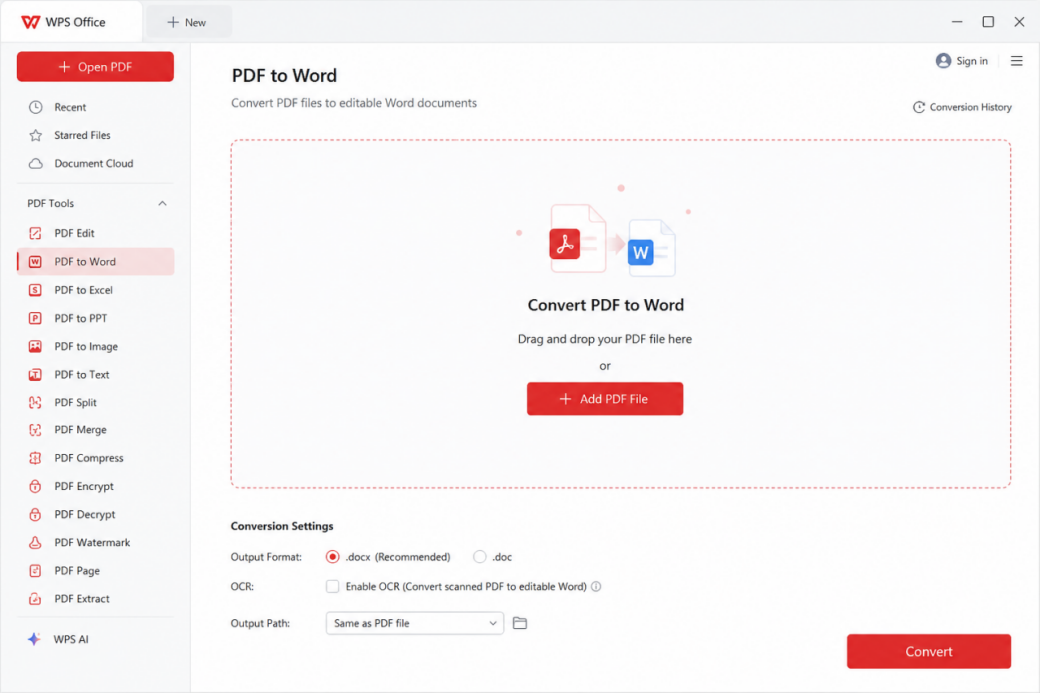
MHT web archive opened in browser
MHT to PDF on Windows with Print to PDF
Right-click the
.mhtfile and open with Microsoft Edge or another browser that still renders MHT.Press Ctrl+P and choose Microsoft Print to PDF or Save as PDF.
Set margins and background graphics so colored headers print.
Save the PDF and open it in WPS PDF to verify page breaks.
Multi-page archives may need scale at 100% and “print background colors” enabled or logos disappear.
Long threads saved as one MHT may paginate awkwardly. Print selected page ranges to separate PDFs when each section needs a different retention label.
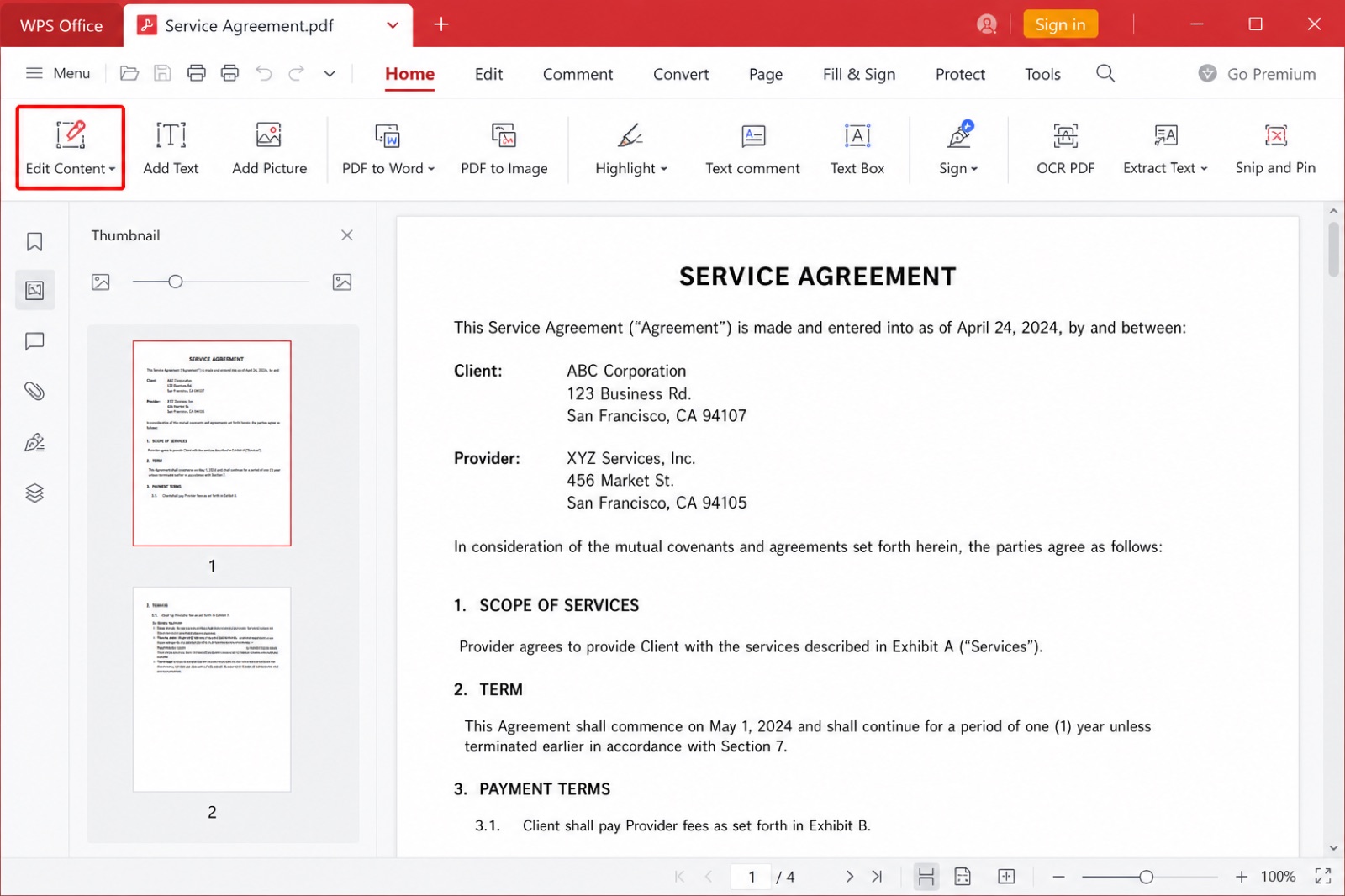
WPS PDF tools home screen
Open MHT in Word or WPS Writer Then Export
Some builds open MHT through Word-compatible import:
Open WPS Writer and use File → Open, select the MHT if the filter allows.
If layout looks wrong, return to the browser print path above.
When the page displays correctly, use File → Export to PDF or File → Print → PDF.
Split oversized exports with WPS PDF split tools if the archive was a long thread.
Complex CSS may reflow. Compare the PDF to the browser view side by side before you delete the MHT.
Embedded fonts in MHT rarely transfer perfectly to Writer. When typography matters—annual report branding—browser print often preserves layout better than an import filter.
Clean Up the PDF After MHT Conversion
Blank images: Re-print from browser with background graphics on.
Cut-off tables: Switch to landscape for that print job only.
Hyperlinks: PDF may keep clickable links; test one before publishing externally.
File size: Compress in WPS PDF when email limits block send.
Redact sensitive headers in the PDF layer if the MHT contained internal URLs you do not want forwarded.
Store both MHT and PDF when retention policy requires source and presentation copies.
Accessibility teams may ask for tagged PDF after conversion. Run WPS PDF accessibility checks if your compliance checklist references WCAG for archived intranet pages.
Batch folders of MHT exports from litigation holds should log source path and conversion date in a spreadsheet column. Auditors compare PDF hashes months later; consistent naming beats heroic memory.
When IT Blocks Online MHT to PDF Tools
Enterprise proxies often forbid upload converters even when the file is already public on an intranet. Local print-to-PDF keeps the archive inside policy while still producing a shareable PDF.
Virtual desktop environments may lack a default PDF printer. Ask IT to enable Microsoft Print to PDF or an approved WPS PDF printer in the pooled image before you rely on this workflow daily.
Air-gapped machines can still open MHT from removable media in an approved browser, print to PDF on that machine, and hand off the PDF through your normal transfer process.
Archive MHT Email Threads as PDF Packets
Saved MHT files from Outlook or webmail often bundle inline images. Printing the whole archive to one PDF preserves the reading order better than copying HTML into a blank Writer document.
Split PDFs by date range when retention rules require yearly buckets. WPS PDF split tools name output files from page ranges you choose after the initial print job.
Redact email addresses in the PDF layer if you publish excerpts externally; MHT sources may still contain headers you should not forward.
Compare file size after compression. Heavy image archives may need quality settings tuned so text stays sharp while photos shrink for email.
Stamp the PDF footer with conversion date when compliance asks for a chain of custody from MHT source to archived PDF.
Test hyperlinks after PDF export; broken anchors may mean the browser print engine skipped a base URL that the live MHT page still had.
The Best Free Office Alternative: WPS Office
An MHT to PDF converter workflow ends in a PDF you can mark up—WPS keeps that step inside your office suite.
| WPS PDF + Writer export | Online MHT to PDF converter | |
|---|---|---|
| Sensitive intranet pages | Stay on your PC through print/export. | Upload may violate IT policy. |
| Layout control | Retry print settings locally. | Black-box conversion quality. |
| Batch | Script print jobs per folder if IT allows. | Often one file at a time. |
| Edit after | Annotate and compress in WPS PDF. | Download only; edit elsewhere. |
| Cost | Included in free desktop PDF starter tools. | Paid tiers for large files. |
PDF print, merge, and compress after browser export.
Writer opens some web archives when filters allow.
Same install as Word and Excel for mixed office mailrooms.
See WPS PDF tools to compress or split the PDF you created from MHT.
FAQs
Can WPS convert MHT to PDF directly?
Often you open MHT in a browser or Writer, then export or print to PDF; direct MHT import depends on your build filters.
Why does my MHT look blank in PDF?
Enable background graphics and try another browser engine before printing.
Is MHT the same as HTML?
MHT packages HTML and assets in one file; HTML is usually a single page plus a folder of resources.
Will links work in the PDF?
Many print-to-PDF paths keep hyperlinks; test before you send compliance packets.
Can I batch convert many MHT files?
Use scripted printing or IT-approved tools; verify output per file because CSS varies. Log filename, operator, and date in a spreadsheet so legal can reproduce the conversion path during discovery.
Summary
Open MHT in a capable browser or Writer, print or export to PDF, then verify layout in WPS PDF.
Keep originals until graphics and tables match, and prefer local conversion for intranet content.

'%3e%3cpath%20d='M19.9911%204.11386V6.471H18.5894C18.0775%206.471%2017.7322%206.57814%2017.5536%206.79243C17.3751%207.00671%2017.2858%207.32814%2017.2858%207.75671V9.44421H19.9019L19.5536%2012.0871H17.2858V18.8639H14.5536V12.0871H12.2769V9.44421H14.5536V7.49779C14.5536%206.39064%2014.8632%205.53201%2015.4822%204.92189C16.1013%204.31177%2016.9257%204.00671%2017.9554%204.00671C18.8304%204.00671%2019.509%204.04243%2019.9911%204.11386Z'%20fill='%23333333'/%3e%3c/g%3e%3cdefs%3e%3cclipPath%20id='clip0_2938_8199'%3e%3crect%20width='16'%20height='16'%20fill='white'%20transform='translate(8%204.00671)'/%3e%3c/clipPath%3e%3c/defs%3e%3c/svg%3e)
'%3e%3cpath%20d='M17.5237%2010.7813L23.4811%204H22.0699L16.8949%209.88693L12.7648%204H8L14.2469%2012.9029L8%2020.0133H9.4112L14.8725%2013.7952L19.2352%2020.0133H24M9.92053%205.04213H12.0885L22.0688%2019.0224H19.9003'%20fill='%23333333'/%3e%3c/g%3e%3cdefs%3e%3cclipPath%20id='clip0_2938_8200'%3e%3crect%20width='16'%20height='16.0134'%20fill='white'%20transform='translate(8%204)'/%3e%3c/clipPath%3e%3c/defs%3e%3c/svg%3e)


