Microsoft Office 365 Logo

Microsoft Office 365 Free Download

Premium SubscriptionAI Powered4.9 (1.5M votes)
Reviewed byAlgirdas Jasaitis2025-10-04

Log in to access the full power of Microsoft 365 (formerly the Office 365 free download). Get the latest AI-enabled versions of Word, Excel, and PowerPoint, plus 1TB of OneDrive cloud storage. Start your free trial today. Prefer a free office suite without subscriptions? Download the fully compatible WPS Office below.

Secure Download • Windows & Mac
W
Best Free Alternative

WPS Office (Free All-in-One)

No Subscription Required. 100% Compatible with M365 files.

App Previews

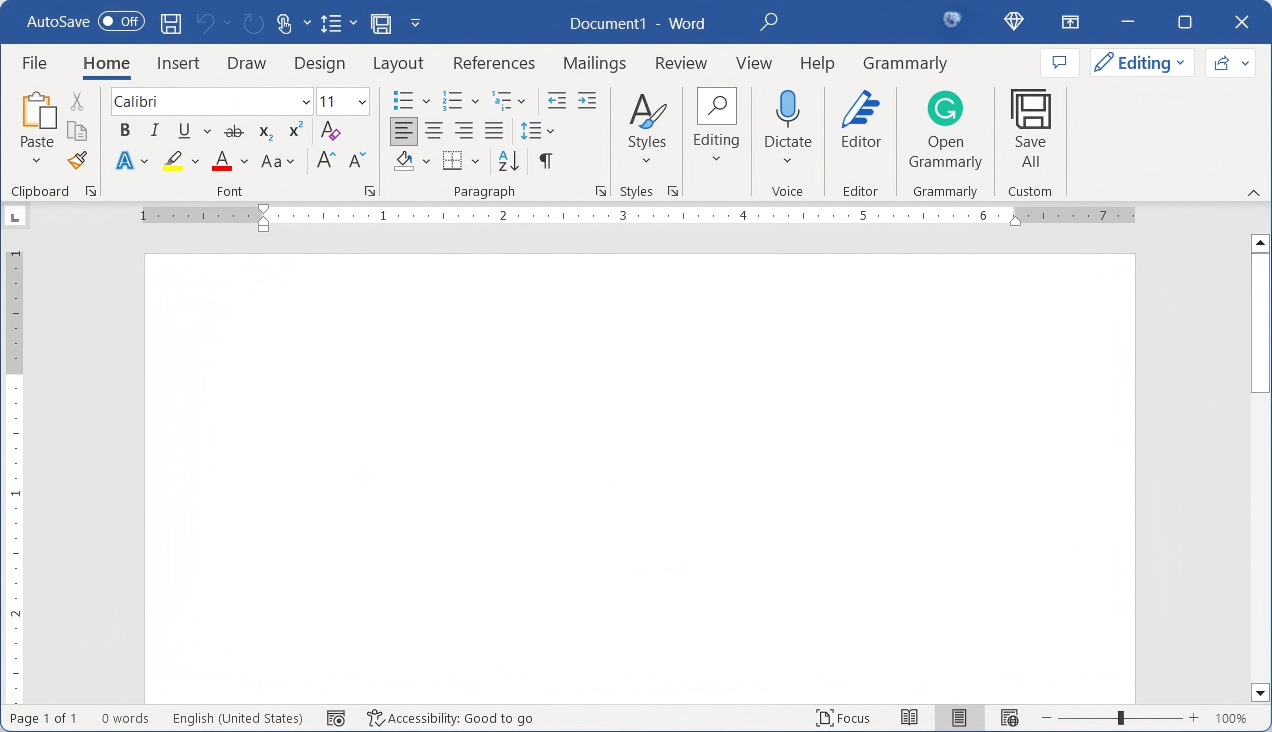
Microsoft 365 Word Interface

Microsoft 365 Word Interface

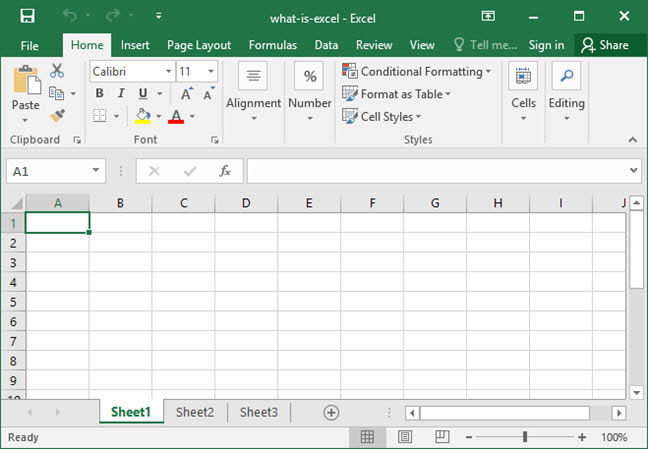
Excel with Cloud Collaboration

Excel with Cloud Collaboration

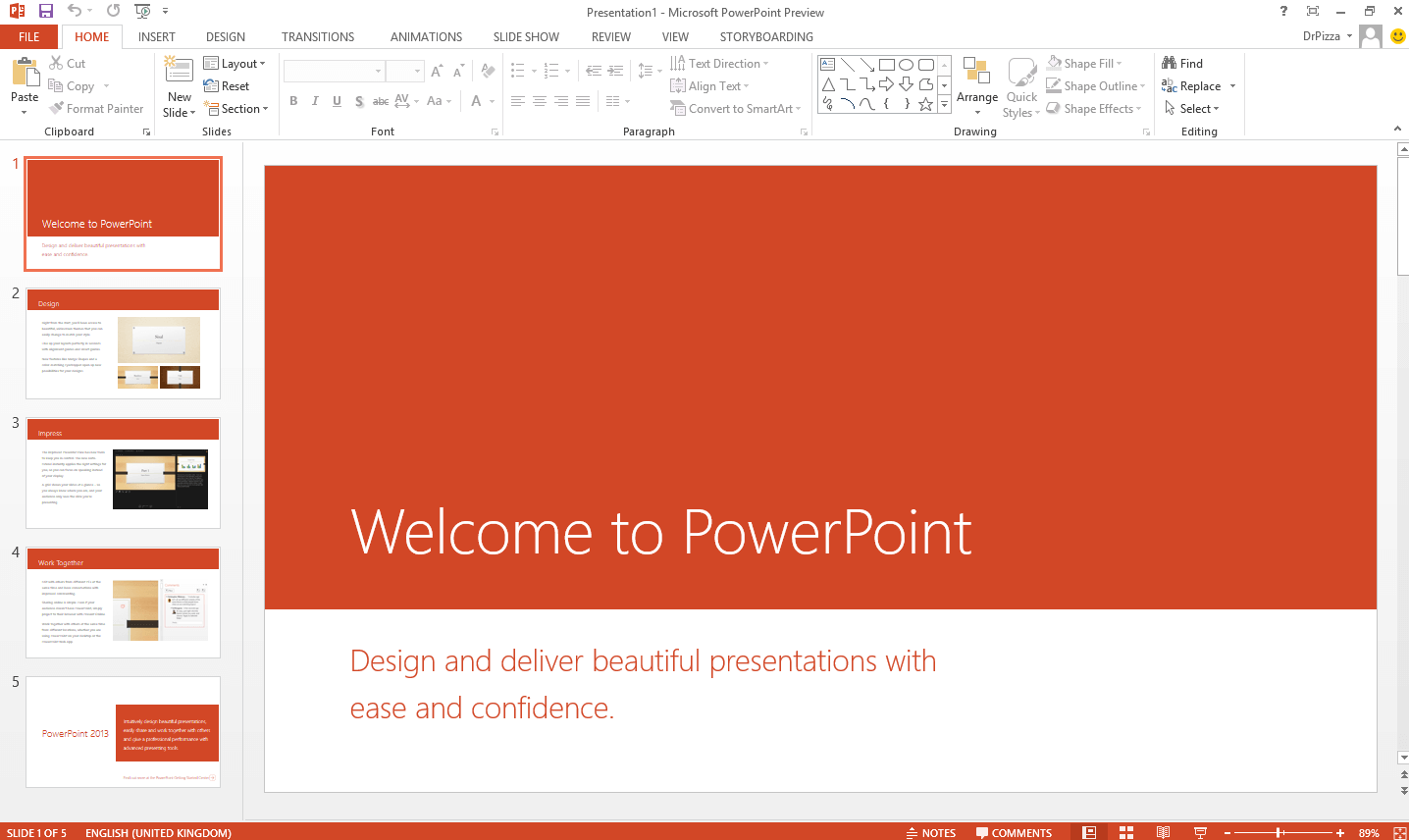
PowerPoint Designer AI

PowerPoint Designer AI

Outlook Calendar Integration

Outlook Calendar Integration

About Microsoft 365 (formerly Office 365)

Microsoft 365 is the premier productivity cloud that brings together best-in-class Office apps with powerful cloud services, device management, and advanced security. Unlike the traditional Office 2021 which is a one-time purchase, Microsoft 365 is a subscription service that ensures you always have the latest up-to-date modern productivity tools from Microsoft.

With a valid login, you gain access to premium versions of Word, Excel, PowerPoint, Outlook, and OneNote on up to 5 devices simultaneously (PC, Mac, iPhone, iPad, and Android). However, for users seeking a powerful office suite without the recurring monthly costs, the free WPS Office is a highly recommended alternative that offers seamless compatibility. To compare all Office download options, visit Microsoft Office Free Download for a complete guide across all versions and platforms.


Exclusive Features

Real-Time Sync

Changes saved instantly to OneDrive. Switch devices without missing a beat.

Cross-Platform

Install on Windows, macOS, iOS, and Android with one account.

1TB Cloud Storage

Securely store photos, videos, and documents with ransomware detection.

Microsoft Copilot

Unlock AI-powered assistance to draft, summarize, and create content.

Always Up-to-Date

Automatic feature and security updates are included — no upgrade fees ever.

Dedicated Support

Access Microsoft's premium support channels and comprehensive documentation library.

Microsoft 365: The Ultimate Productivity Cloud

By choosing to download Microsoft 365, you are accessing the industry standard for productivity. It allows you to create, share, and collaborate from anywhere. The integration of Outlook, Teams, and OneDrive creates a seamless workflow that keeps your life and work organized.

The "Login" feature is central to the experience. Your Microsoft account connects your settings, documents, and preferences across all devices. However, for users who prefer not to manage a subscription or require a strictly offline tool, free alternatives like WPS Office provide a compelling, cost-effective solution with excellent compatibility.

Free Microsoft Office Crack Product Key

With Office 365 installed on your machine, the next step is activation. Pick any key from the list below and enter it exactly as shown — a correct key is all it takes to unlock the full suite:

16KTFN-PQH9H T8MMB-YG8K4-367TX
2KBDNM-R8CD9-RK366-WFM3X-C7GXK
3MH2KN-96KYR-GTRD4-KBKP4-Q9JP9
42MNJP-QY9KX-MKBKM-9VFJ2-CJ9KK
5N4M7D-PD46X-TJ2HQ-RPDD7-T28P9
6NK8R7-8VXCQ 3M2FM-8446R-WFD6X
7FBFPP-2XG5Y-FG9VH-DVQ2Z-QJRCH
8P8TFP-JGFMM-XPV3X-3FQM2-8K4RP
92MHJR-V4MR2-V4Z2Y-72MQ7-KC6XK
10H746C-BM4VK-TZBB8-MVZH8-FXR32
116PMNJ-Q33T3-VJQFJ-23D3H-6XVTX
12MT7YN-TMV9C-7DDX9-64W77-B7R4D
13DJKSE-DFJS93-DFJKD94JD-DJKD94JD
14DJD94-DFKD9-FJD94JD894-FJKD94JD

Microsoft 365 Plans: Which One Is Right for You?

Not all Microsoft 365 subscriptions are equal. Whether you're a solo professional, a family looking to share costs, or a growing business, there's a plan designed for your exact needs in 2026.

Metric / DimensionM365 PersonalM365 FamilyM365 Business
Target AudienceIndividuals, freelancers, and students.Families, friends, and co-sharing groups.Businesses, startups, and professional studios.
Number of Users1 User onlyUp to 6 UsersPer user, per license (scalable to thousands).
Standard Pricing (Annual)$99.99 / Year
(or $9.99 / Month)
$129.99 / Year
(or $12.99 / Month)
~$72 to $288 / User / Year
(~$6.00 to $24.00 / user / month)
Cost Per Person$99.99 / User / YearAs low as ~$21.66 / User / Year
(split among 6 users)
Linear scaling based on headcount.
Total Cloud Storage1 TB OneDriveUp to 6 TB total
(1 TB per user)
1 TB Enterprise OneDrive per user.
Email DomainPersonal domain
(@outlook.com)
Personal domain
(@outlook.com)
Custom Business Domain
(@yourcompany.com)
Core Selling PointFull premium suite for one individual.Maximum value; ultimate cost-saving for groups.Corporate compliance, team collaboration & IT management.

Comparison: Microsoft 365 vs. Office 2021 vs. WPS

FeatureMicrosoft 365Office 2021WPS Office (Free)
Payment ModelSubscriptionOne-time FeeFree
UpdatesAlways LatestSecurity OnlyContinuous
DevicesUp to 51 PC/MacUnlimited
Cloud Storage1 TB OneDriveNoneFree Cloud
PDF ToolsBasicRead OnlyFull Edit & Convert
AI FeaturesCopilot (Paid Add-on)NoneWPS AI (Free Built-in)
Annual Price$99.99 / year~$249.99 one-timeFree

Verdict: Microsoft 365 is best for power users who need cloud storage and AI. WPS Office is the best choice for free, high-quality document editing.

How to use the Microsoft Office Product Key?

If you have purchased Microsoft Office through the Microsoft Store, here is how you can enter your product key:

1

Start by opening your web browser and typing in www.microsoftstore.com in the search bar. Once the website loads, go to the upper right corner of the screen and click on "Sign In." Enter the user ID and password associated with your Office purchase when prompted.

Microsoft Office Sign-In screenshot
2

Once you have successfully signed in, you will see your name displayed in the upper right corner. Click on your name, and then select "Order History" to access your Microsoft Office product key through your Microsoft account.

3

In the Order History section, locate either the Office one-time purchase or the individual Office application that you want to install. Click on the "Install Office" option to view your product key. It's important to note that this step does not actually install Office on your device.

Microsoft Office product key screenshot
4

When the window displaying your product key appears, click on "Install Office" to proceed with the installation process through your Microsoft account.

5

You will then be directed to a page that greets you with "Hi. Let's Get started." Follow the on-screen instructions provided to associate your product key with your Microsoft Account and initiate the installation process.

Microsoft Office Enter Key screenshot
6

By following these steps, you can easily enter your product key and begin the installation of Microsoft Office purchased through the Microsoft Store.

WPS Office: See It in Action

A fully-featured, free alternative to Microsoft 365 — compatible with every .docx, .xlsx, and .pptx file you already own.

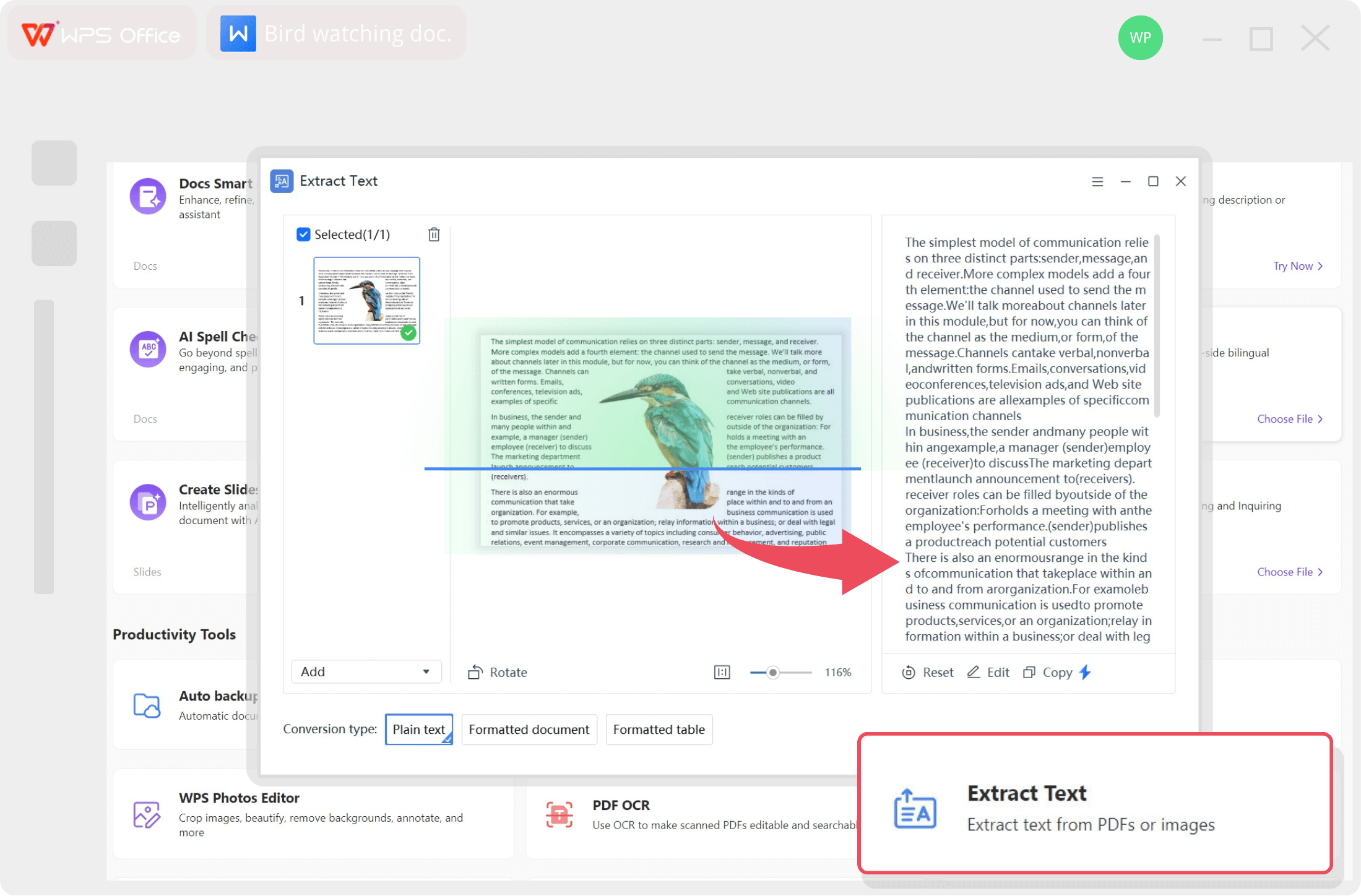
WPS Office All-in-One Suite Interface

All-in-One Office Suite

Writer, Spreadsheet, Presentation & PDF unified in one app.

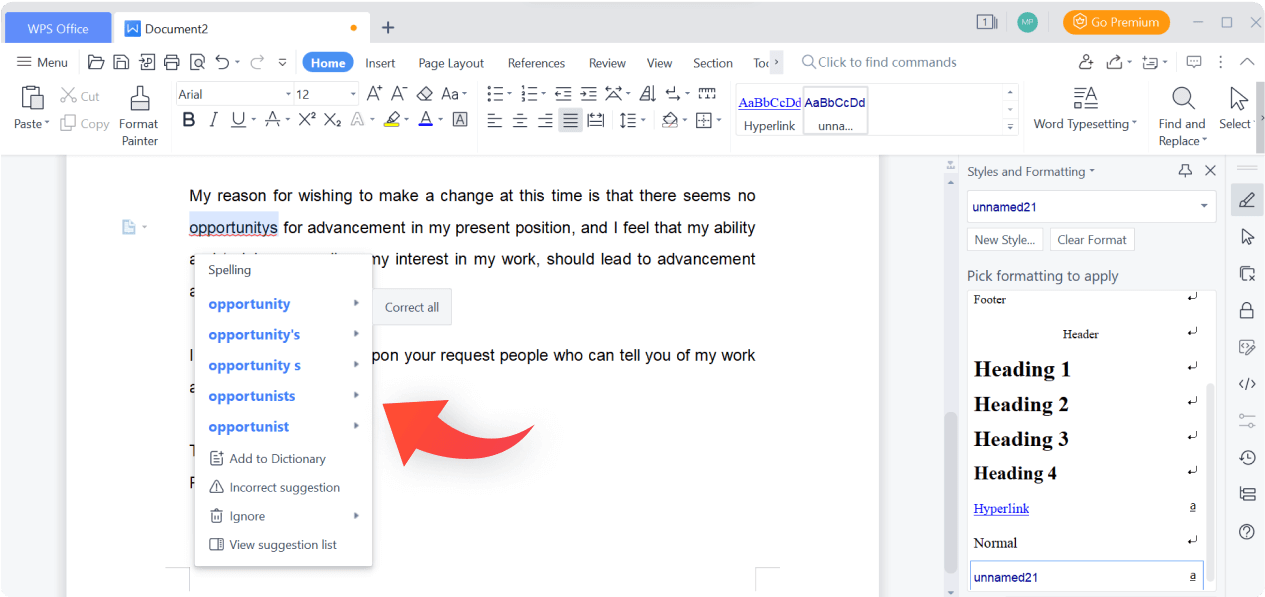
WPS AI Writing Assistant

WPS AI Writing Assistant

Draft, rewrite, and polish documents with built-in AI tools.

WPS Microsoft 365 File Compatibility

Seamless M365 Compatibility

Open and edit .docx, .xlsx, .pptx files without formatting loss.

Word 365 Frequently Asked Questions

Algirdas Jasaitis - WPS Blog Author

15 years of office industry experience, tech lover and copywriter. Follow me for product reviews, comparisons, and recommendations for new apps and software.

System Requirements

Processor1.6 GHz 2-core (PC) / Intel or Apple Silicon (Mac)
OSWin 10/11, macOS (latest 3)
Memory4 GB RAM
Storage10 GB available disk space
Note: Internet access is required to install and activate.
RECOMMENDED
WPS Office

WPS Office Free

4.9/5FREE LICENSE

Don't want to pay monthly? Use WPS Office. It's free and fully compatible with Microsoft 365 formats.

Download WPS and Get All These MS Office 365 Features — For Free

Every feature that makes Microsoft 365 worth paying for is already built into WPS Office — completely free, no subscription required.

Real-Time Sync

Changes saved instantly to the cloud. Switch devices without missing a beat — just like OneDrive in MS 365.

Download →

Cross-Platform

Install on Windows, macOS, iOS, Android, and Linux with one account — everywhere MS 365 goes, WPS goes too.

Download →

1TB Cloud Storage

Securely store photos, videos, and documents with WPS Cloud — matching the OneDrive storage you get with MS 365.

Download →

AI Writing Assistant

WPS AI helps you draft, summarize, and create content — the same AI-powered productivity as Microsoft Copilot, for free.

Download →

Always Up-to-Date

Automatic feature and security updates included — no upgrade fees, ever. Same promise as MS 365.

Download →

Dedicated Support

Access WPS support channels and comprehensive documentation — full support without a premium subscription.

Download →

Guides & Tutorials

Top Free Alternative

WPS Office All-in-One

Why pay more? Get the complete office suite that's fully compatible with Microsoft formats. Experience a lightweight, powerful, and free solution for your daily workflow.

Writer
Word Compatible
Spreadsheets
Excel Compatible
Presentation
PPT Compatible
PDF Editor
Only $2/mo

* Basic components (Writer, Spreadsheet, Presentation) are permanently free.

Document1 - WPS Office
WPS

Compatible with Microsoft 365

Open, edit, and save Word, Excel, and PowerPoint files seamlessly.