

'%3e%3cpath%20d='M8%200C12.4183%200%2016%203.58172%2016%208C16%2012.4183%2012.4183%2016%208%2016C3.58172%2016%200%2012.4183%200%208C0%203.58172%203.58172%200%208%200ZM11.6162%204.38379C11.2257%203.99337%2010.5927%203.99338%2010.2021%204.38379L8%206.58594L5.79785%204.38379C5.40732%203.99334%204.77429%203.99329%204.38379%204.38379C3.99331%204.77429%203.99335%205.40733%204.38379%205.79785L6.58594%208L4.38379%2010.2021C3.99348%2010.5927%203.99341%2011.2257%204.38379%2011.6162C4.77426%2012.0066%205.40734%2012.0065%205.79785%2011.6162L8%209.41406L10.2021%2011.6162C10.5927%2012.0066%2011.2257%2012.0067%2011.6162%2011.6162C12.0067%2011.2257%2012.0066%2010.5927%2011.6162%2010.2021L9.41406%208L11.6162%205.79785C12.0066%205.40735%2012.0066%204.77429%2011.6162%204.38379Z'%20fill='%23080E17'%20fill-opacity='0.46'/%3e%3c/g%3e%3cdefs%3e%3cclipPath%20id='clip0_3761_713'%3e%3crect%20width='16'%20height='16'%20fill='white'/%3e%3c/clipPath%3e%3c/defs%3e%3c/svg%3e)




'%3e%3cpath%20fill-rule='evenodd'%20clip-rule='evenodd'%20d='M21.4999%2010.9993C21.4999%205.20009%2016.7986%200.498901%2010.9993%200.498901C5.19994%200.498901%200.498657%205.20009%200.498657%2010.9993C0.498657%2016.2404%204.33858%2020.5844%209.35855%2021.3722V14.0346H6.69238V10.9993H9.35855V8.68594C9.35855%206.05427%2010.9262%204.60062%2013.3248%204.60062C14.4736%204.60062%2015.6753%204.80571%2015.6753%204.80571V7.38979H14.3512C13.0468%207.38979%2012.64%208.19921%2012.64%209.0296V10.9993H15.5523L15.0867%2014.0346H12.64V21.3722C17.66%2020.5844%2021.4999%2016.2404%2021.4999%2010.9993Z'%20fill='%231568EA'/%3e%3c/g%3e%3c/svg%3e)


'%3e%3cpath%20d='M2.42045%2022.1876H6.31818V12.7217L0.75%208.54553V20.5171C0.75%2021.4414%201.49892%2022.1876%202.42045%2022.1876Z'%20fill='%234285F4'/%3e%3cpath%20d='M19.682%2022.1876H23.5797C24.5041%2022.1876%2025.2502%2021.4387%2025.2502%2020.5171V8.54553L19.682%2012.7217'%20fill='%2334A853'/%3e%3cpath%20d='M19.682%205.48293V12.7216L25.2502%208.54543V6.31816C25.2502%204.25236%2022.8921%203.07469%2021.2411%204.31361'%20fill='%23FBBC04'/%3e%3cpath%20d='M6.31824%2012.7217V5.48303L13.0001%2010.4944L19.6819%205.48303V12.7217L13.0001%2017.733'%20fill='%23EA4335'/%3e%3cpath%20d='M0.75%206.31816V8.54543L6.31818%2012.7216V5.48293L4.75909%204.31361C3.10534%203.07469%200.75%204.25236%200.75%206.31816Z'%20fill='%23C5221F'/%3e%3c/g%3e%3cdefs%3e%3cclipPath%20id='clip0_2954_7305'%3e%3crect%20width='24.5'%20height='18.375'%20fill='white'%20transform='translate(0.75%203.8125)'/%3e%3c/clipPath%3e%3c/defs%3e%3c/svg%3e)


The demand for personalized art grows every day. Converting a memorable photo into a coloring page is a unique and innovative gift for a loved one. However, getting high-quality conversion results can feel incredibly difficult, especially as a beginner. So, is there any free and reliable tool you can use to simplify this process? In this guide, I’ll walk you through 5 of the best turn picture into coloring page tools and show you how to use and enhance them.
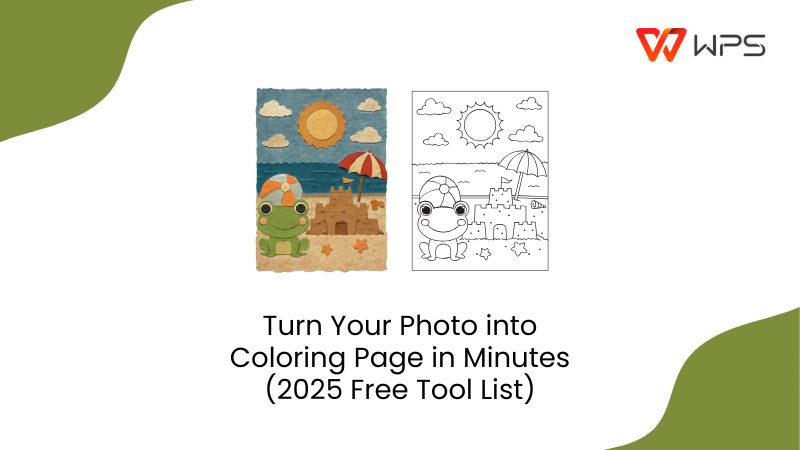
Best 5 Tools to Turn Picture into Coloring Page
Learning how to turn pictureinto coloring pagescan be a great way to give a mindful and heartfelt gift to a loved one. However, most conversion tools available online are either extremely unreliable or lock their functionality behind hefty paywalls, which can be frustrating. I’ve gone through my fair share of different AI turn picture into coloring page tools and have narrowed them down to 5 of the most reliable options. In this section, I’ll be highlighting each one in detail so you can evaluate which one fits your needs the best.
1. Colorify AI
Colorify AI is an artistic, AI-powered platform filled with various tools that allow you to express your creativity, which include a built-in photo-to-coloring-page converter. It’s completely free and gives me a wide range of options to choose from for my coloring pages, making sure I can get the exact version I want using just a prompt or a single picture.
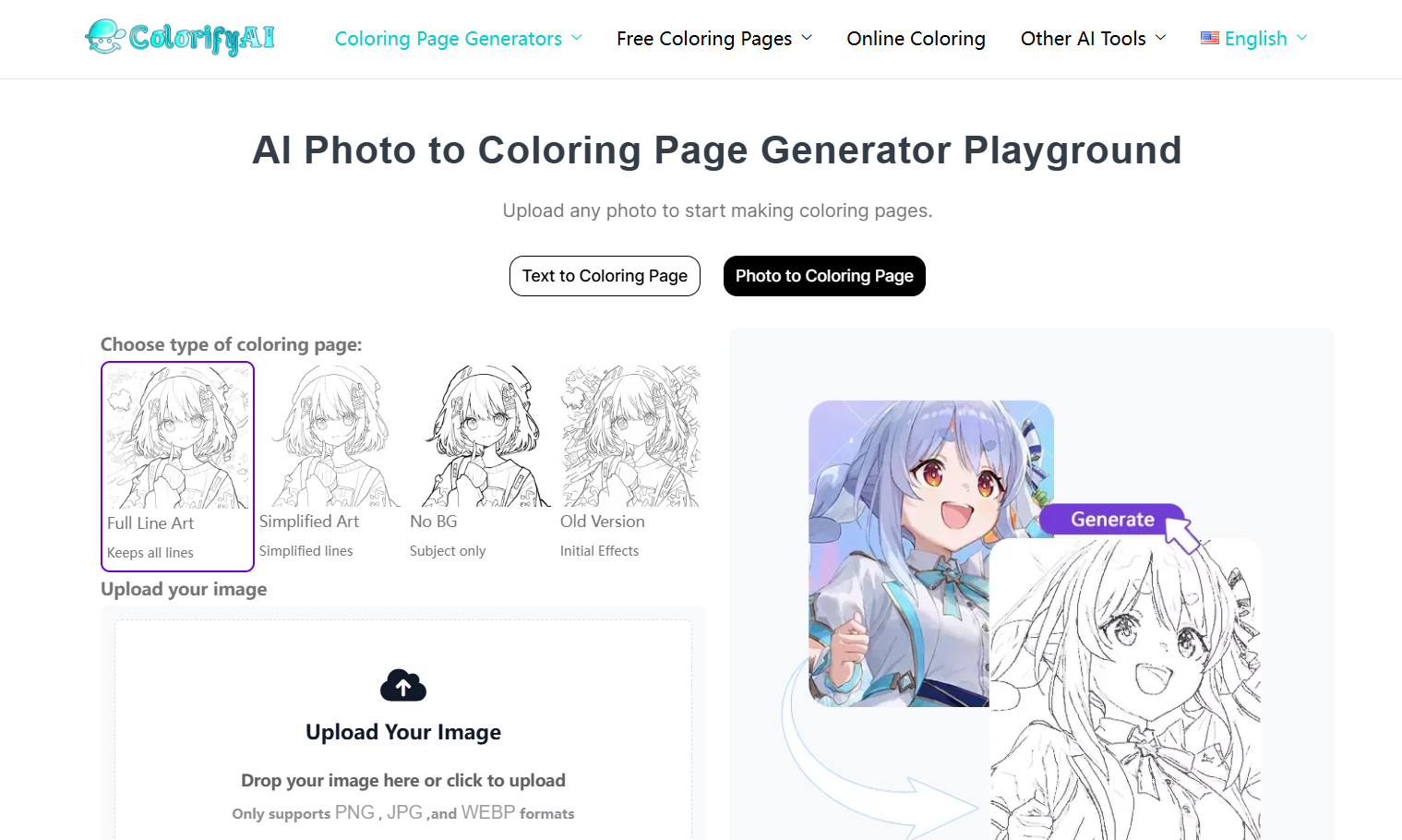
Features
Text to Coloring Page Conversion
Multiple Art Styles
Instant Downloading and Printing
Pros
High-Quality Results
Beginner-Friendly and Intuitive Interface
Provides creative suggestions to help you channel your ideas
Cons
Frequent Crashes and Errors
Risk of Plagiarism Flagging
Expensive Pricing Plans
If Colorify AI sounds like the right choice for your photo-to-coloring page conversion needs, then these are the steps you need to follow to get your results.
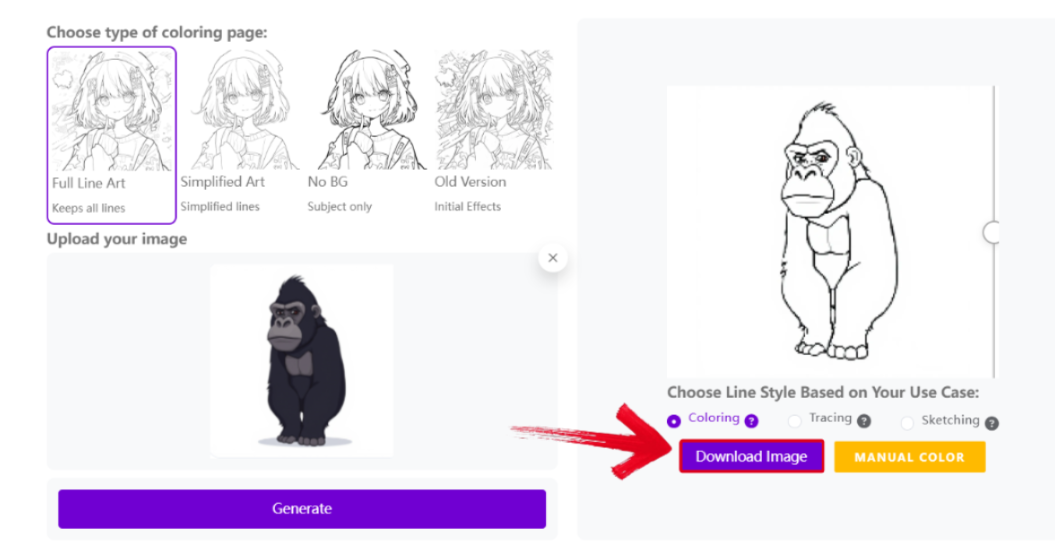
Step 1: Visit Colorify AI and upload the image you want to convert to a coloring page.
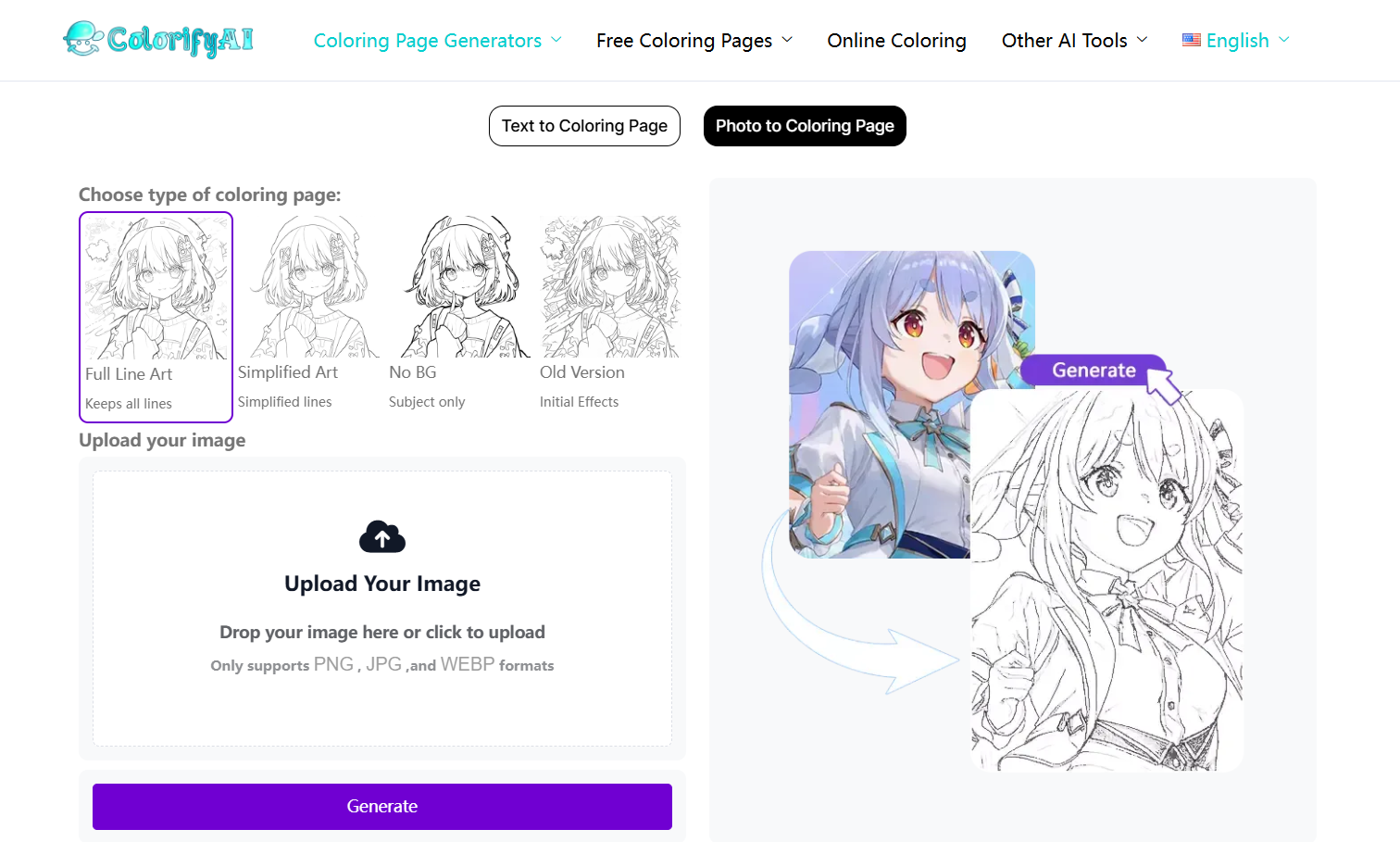
Step 2: Once your image has been uploaded, pressGenerate to start the conversion.
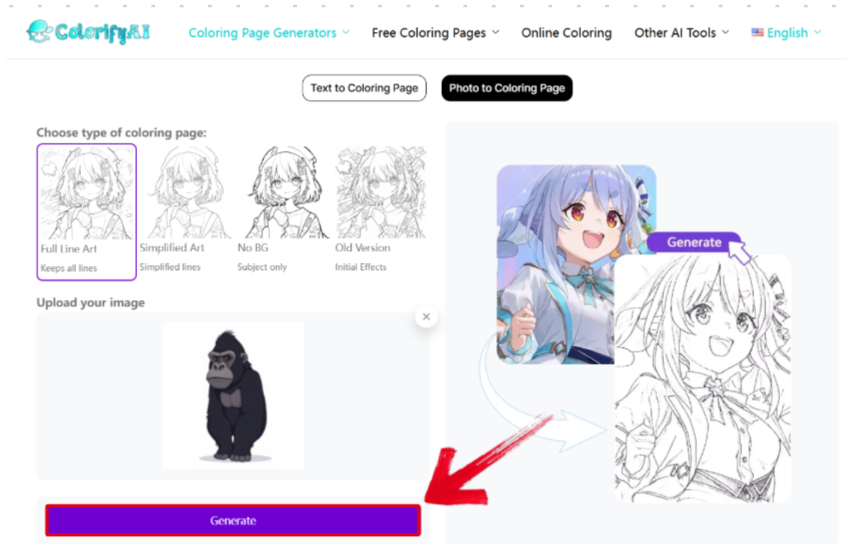
Step 3: After the image is done converting, press the Download Image button to export it to your device.
2. iColoring AI
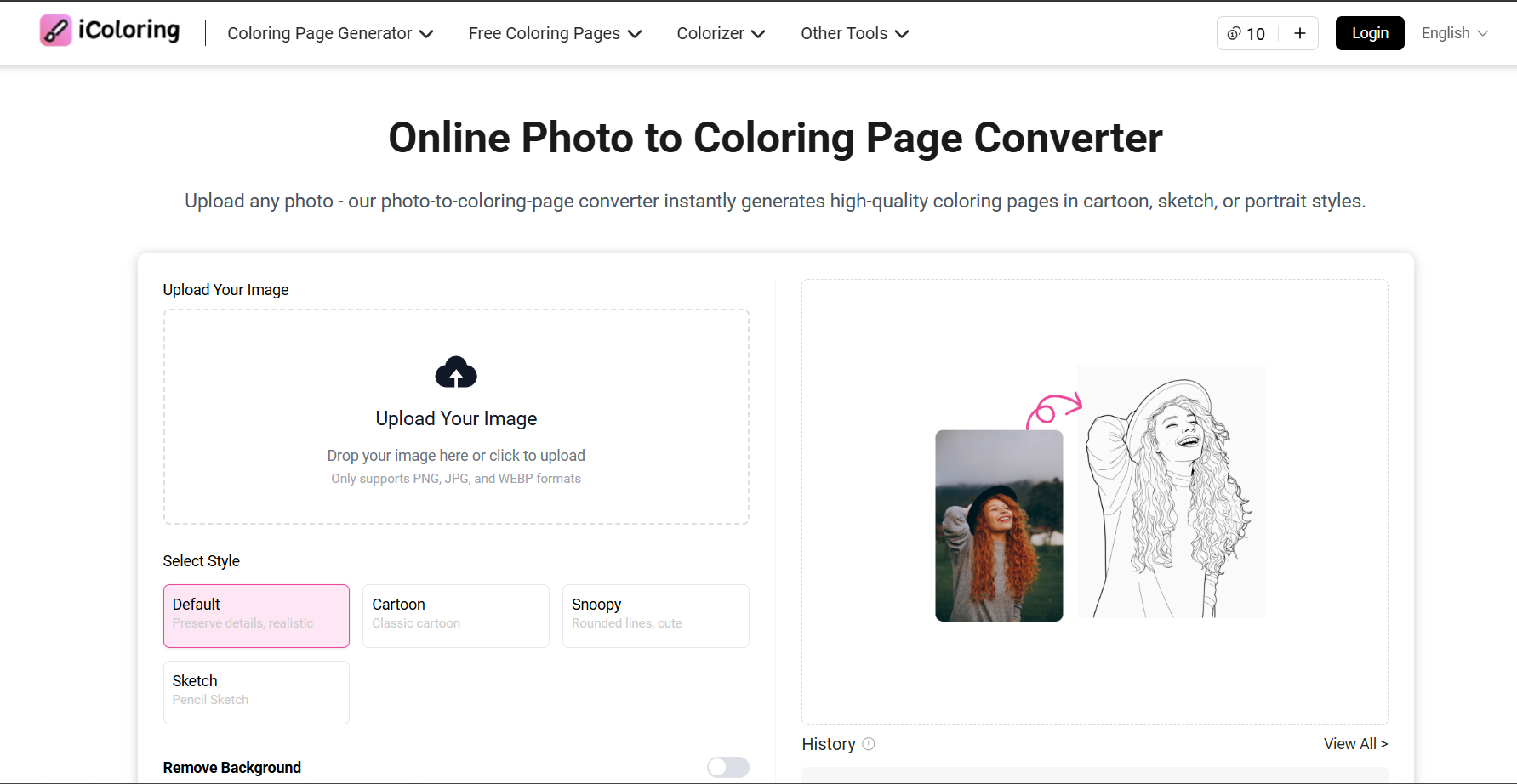
iColoring AI is a free online platform filled with many smart AI features to help you generate your coloring pages, including a high-quality online photo-to-coloring-page converter. The interface is visually pleasing, and my experience with it was very smooth. All my images were converted into high-res coloring pages, without any blurs or cutoffs.
Features
Text to Coloring Page Conversion
Multiple Art Styles
Background Remover
Image Enhancer
Pros
Intuitive Interface
Fast Processing Speeds
High-Quality Image Generation
Cons
Limited Free Uses
Lack of Editing Tools
Limited Export Options
If iColoring AI seems like the right fit for you, then the conversion process is incredibly simple, and these are the steps you need to follow to get your coloring pages.
Step 1: Open iColoring AI’s official website and upload your image to get started.
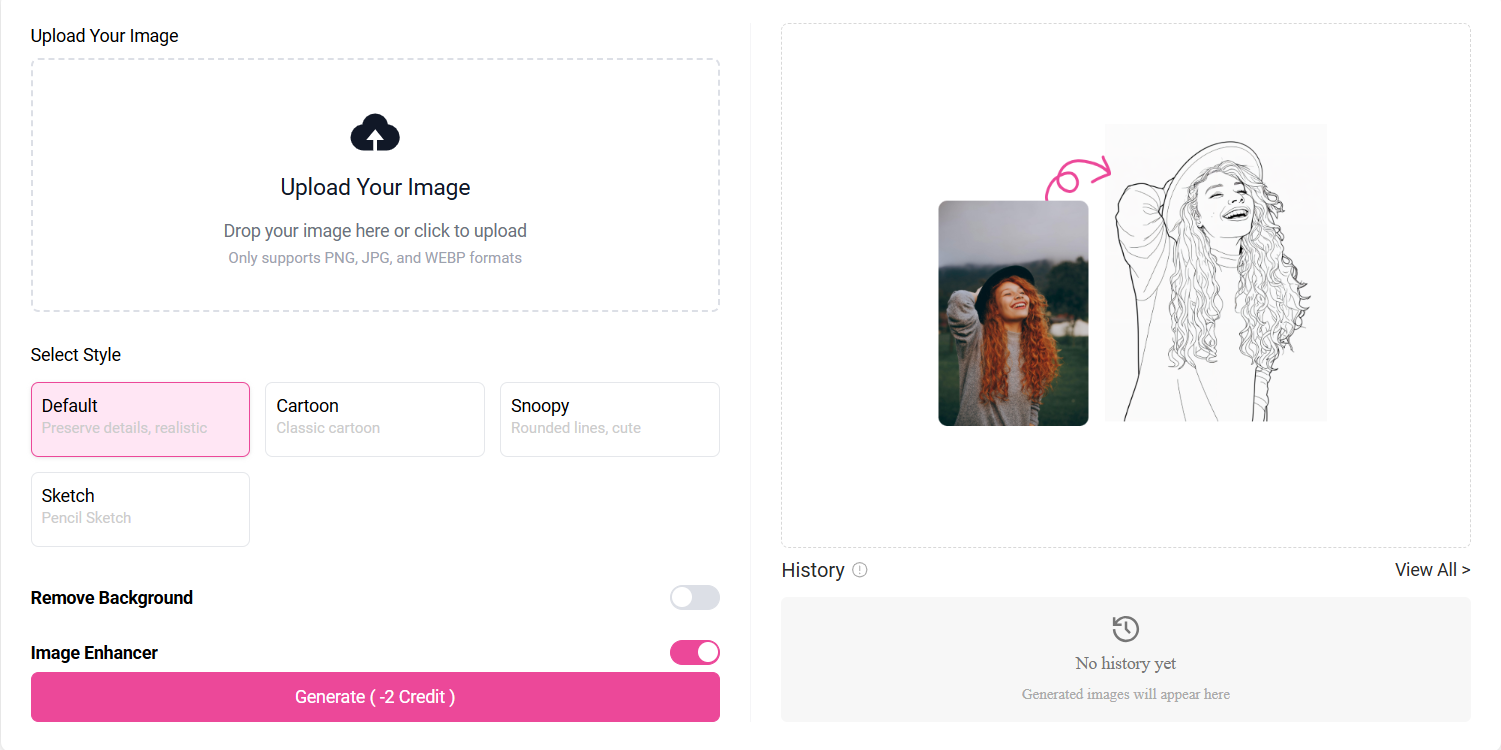
Step 2: Once the image uploads completely, select the style you want your coloring page in and pressGenerate.
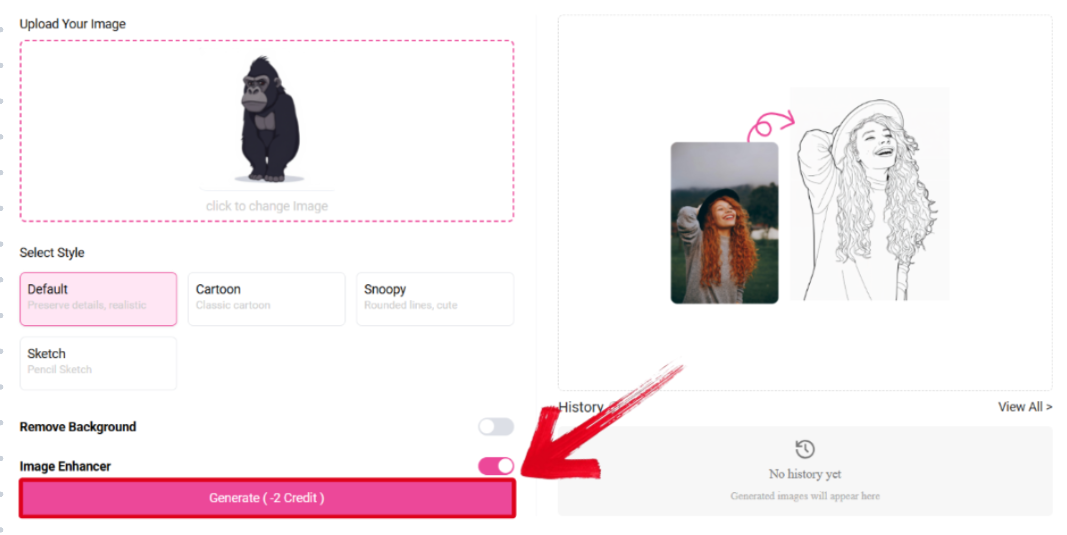
Step 3: After the coloring page is done generating, select the format you want to download it and press the Download Button to export the converted page.
3. ColorBliss
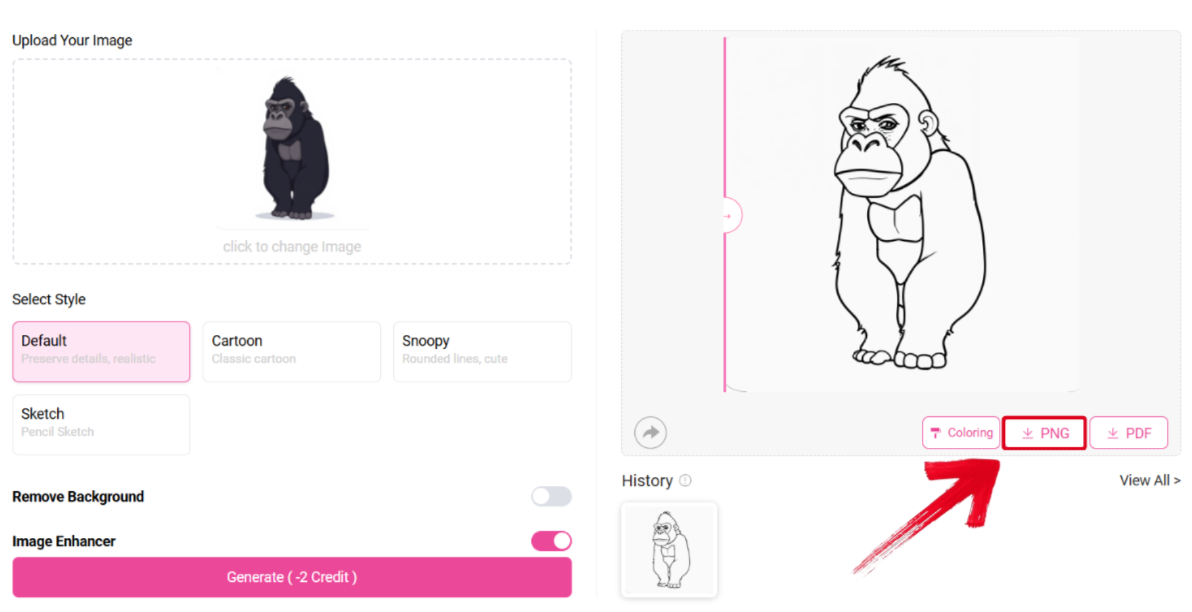
ColorBliss is an innovative AI-powered platform that equips me with many creative features to help me in my workflow, including a powerful AI that turn picture into coloring page tool. It’s completely free and allows me to generate coloring pages for any image I want in just a few simple steps.
Features
Advanced Word Art Generator
Prompt Coloring Page Generator
Wide Range of Style Options
Quality Customization
Pros
Extensive Customization Features
Precise Results with Fine Details
High-Quality Image Generation
Cons
Limited Free Uses
Full functionality is locked behind a paywall
The result varies significantly depending on your input
If ColorBliss sounds like the right choice for your coloring page conversion needs, then these are the steps you need to follow.
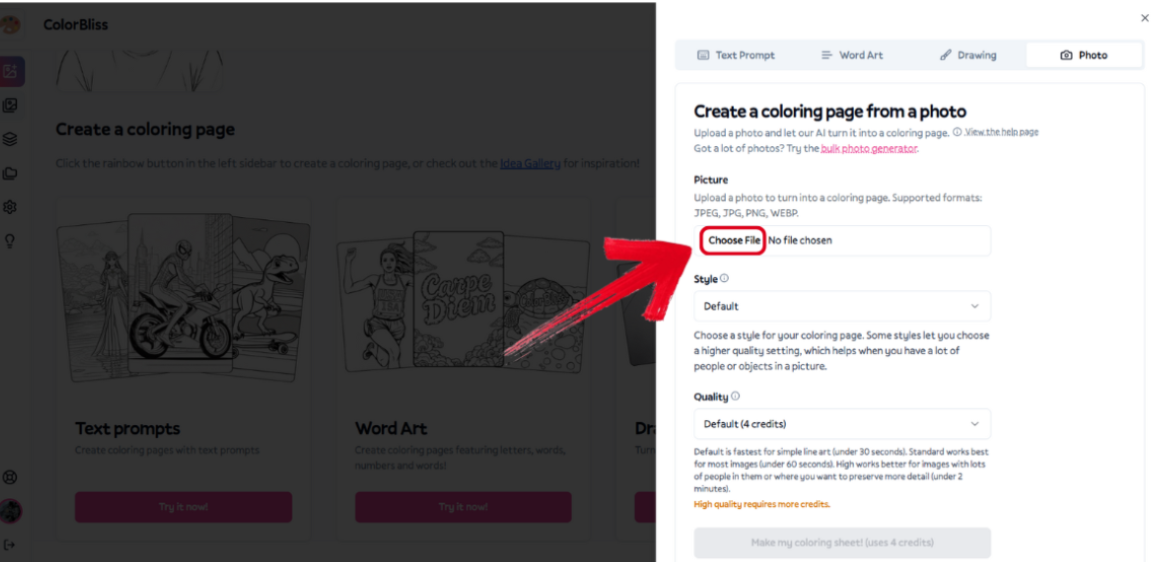
Step 1: Visit ColorBliss and pressChoose File to upload the image you want to convert.
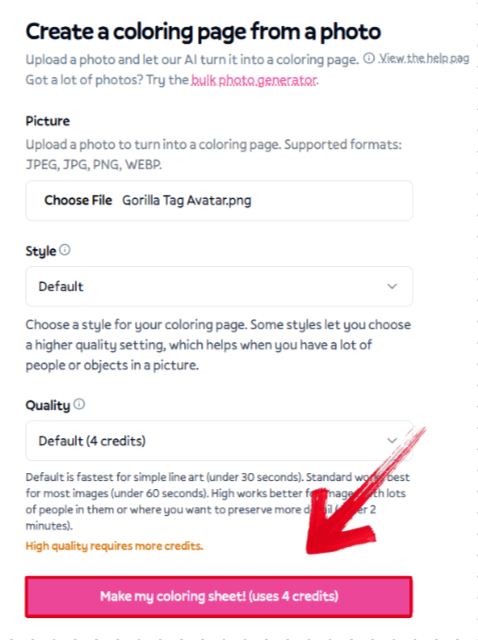
Step 2: Select the style you want to use for your coloring page, then press Make my coloring sheet! to start converting.
Step 3: Once the image has been converted successfully, press the Download Button to export it to your device.

4. Fotor
Fotoris a professional image editing tool that offers a wide range of different features, including helpful AI tools like the photo-to-coloring-page converter, to help you generate polished and high-quality outputs. The processing speeds were fast, and the interface was incredibly straightforward, making sure I knew what to do even as a first-time user.
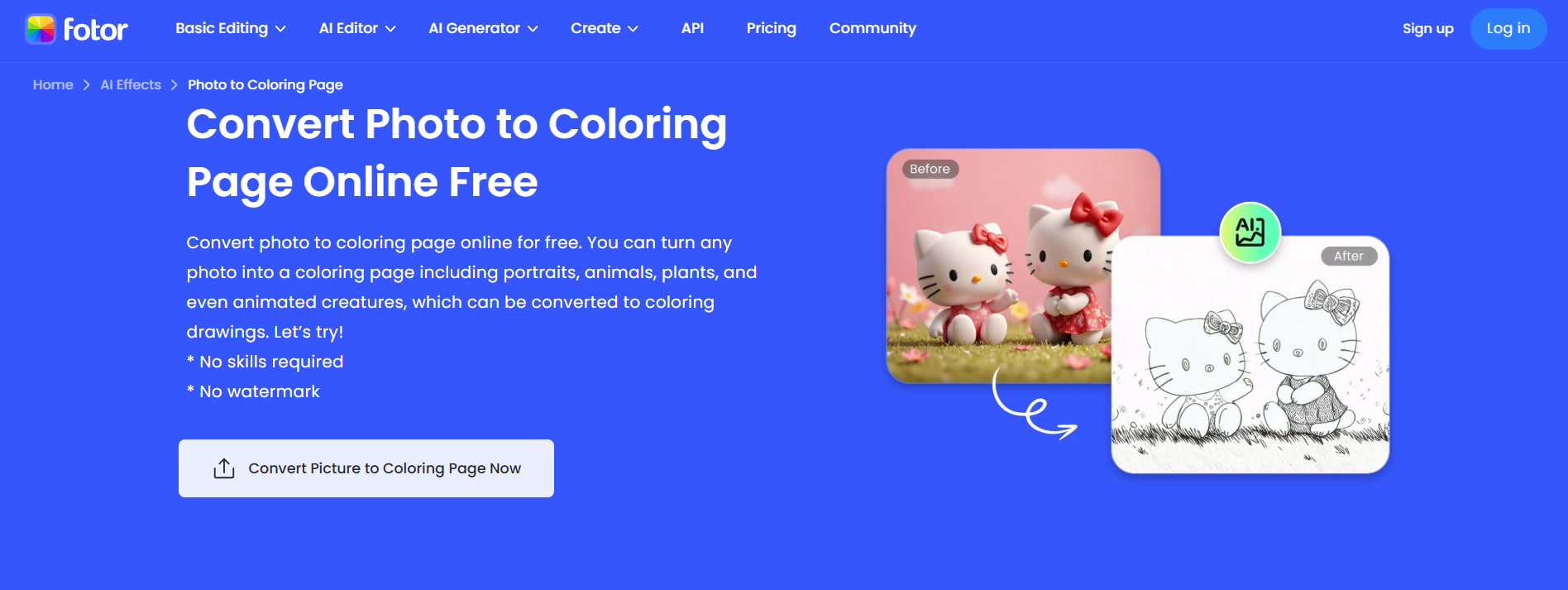
Features
AI Photo to Coloring Page Converter
Adjustable Outline Thickness
Printable Download Option
Pros
Fast AI Conversion
Good Detail Preservation
Free Basic Features
Cons
Limited Style Variety
Requires Login for Full Access
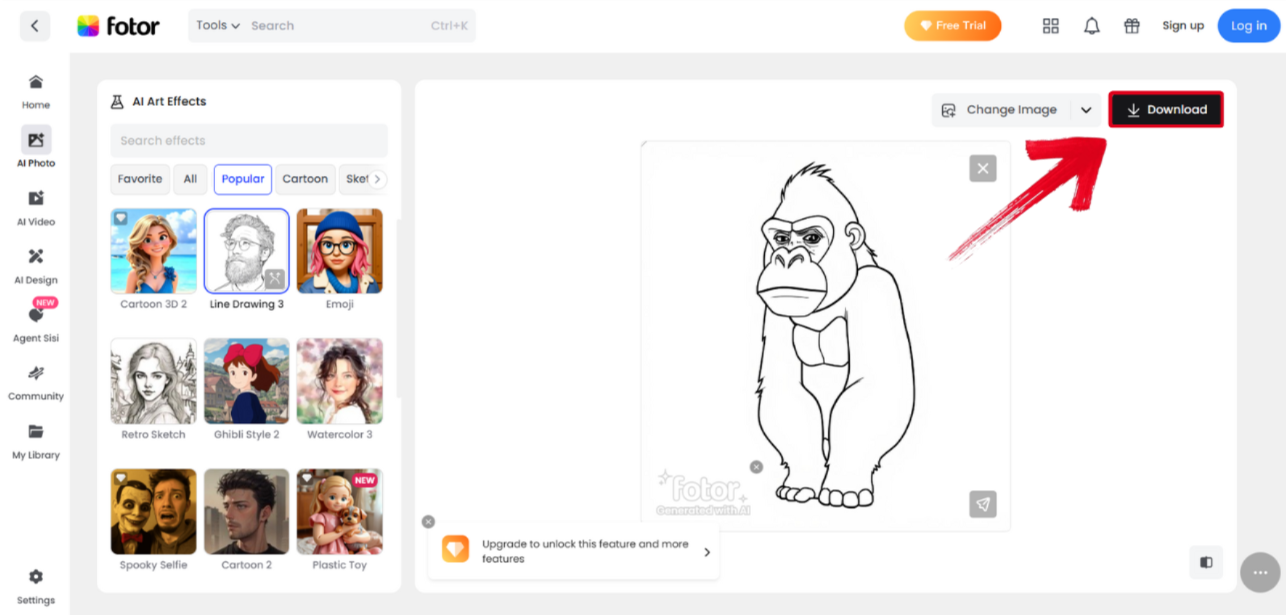
If Fotor sounds like the right choice for your needs, then you can simply follow these steps to get your coloring pages.
Step 1: Visit Fotoron your web browser and upload the image you want to convert.
Step 2: Once the image has been converted to a coloring page successfully, just press Download to export it.
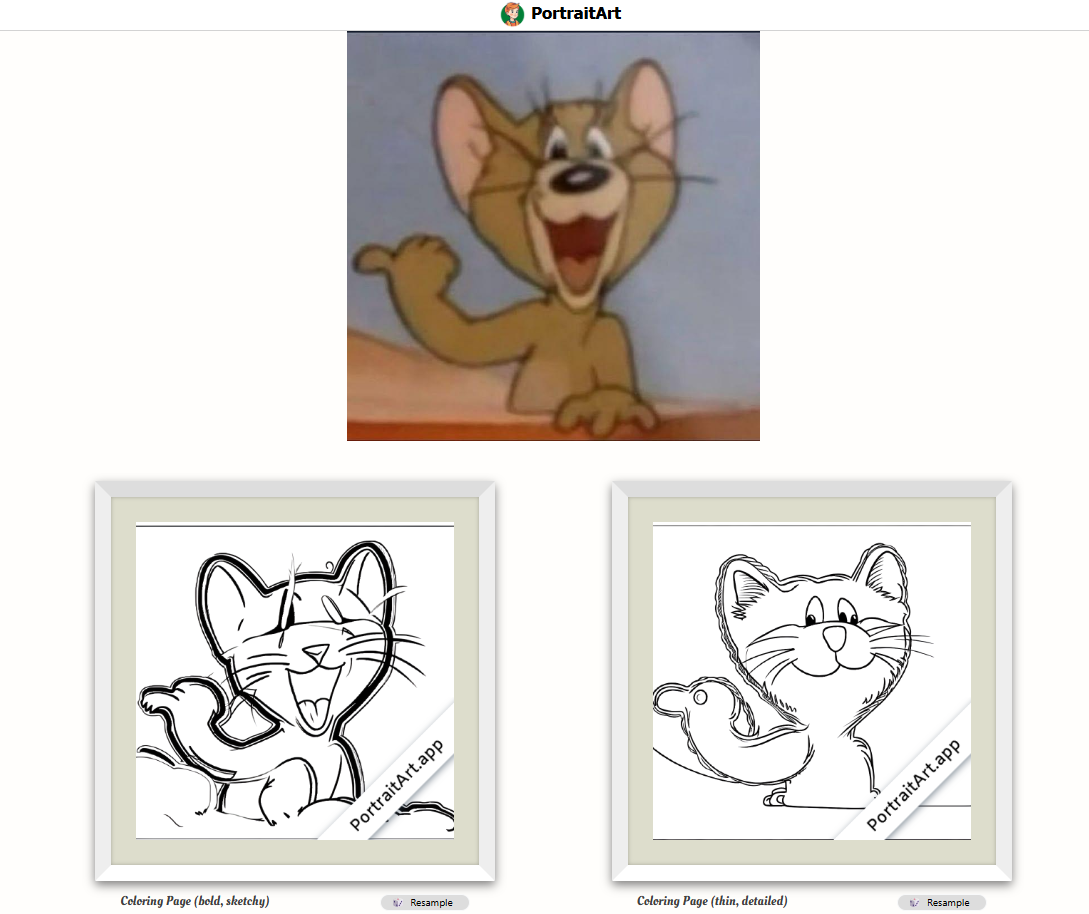
5. PortraitArt
If you’re looking for an artistic tool that helps you generate coloring pages with just a single image or drawing of yours, PortraitArtis a tool you should definitely try. It includes a wide range of styles and image options, which helped me convert all kinds of photos to coloring pages without going through any hassle. It proved to be a really reliable and straightforward tool that helped me simplify the process of generating coloring pages.
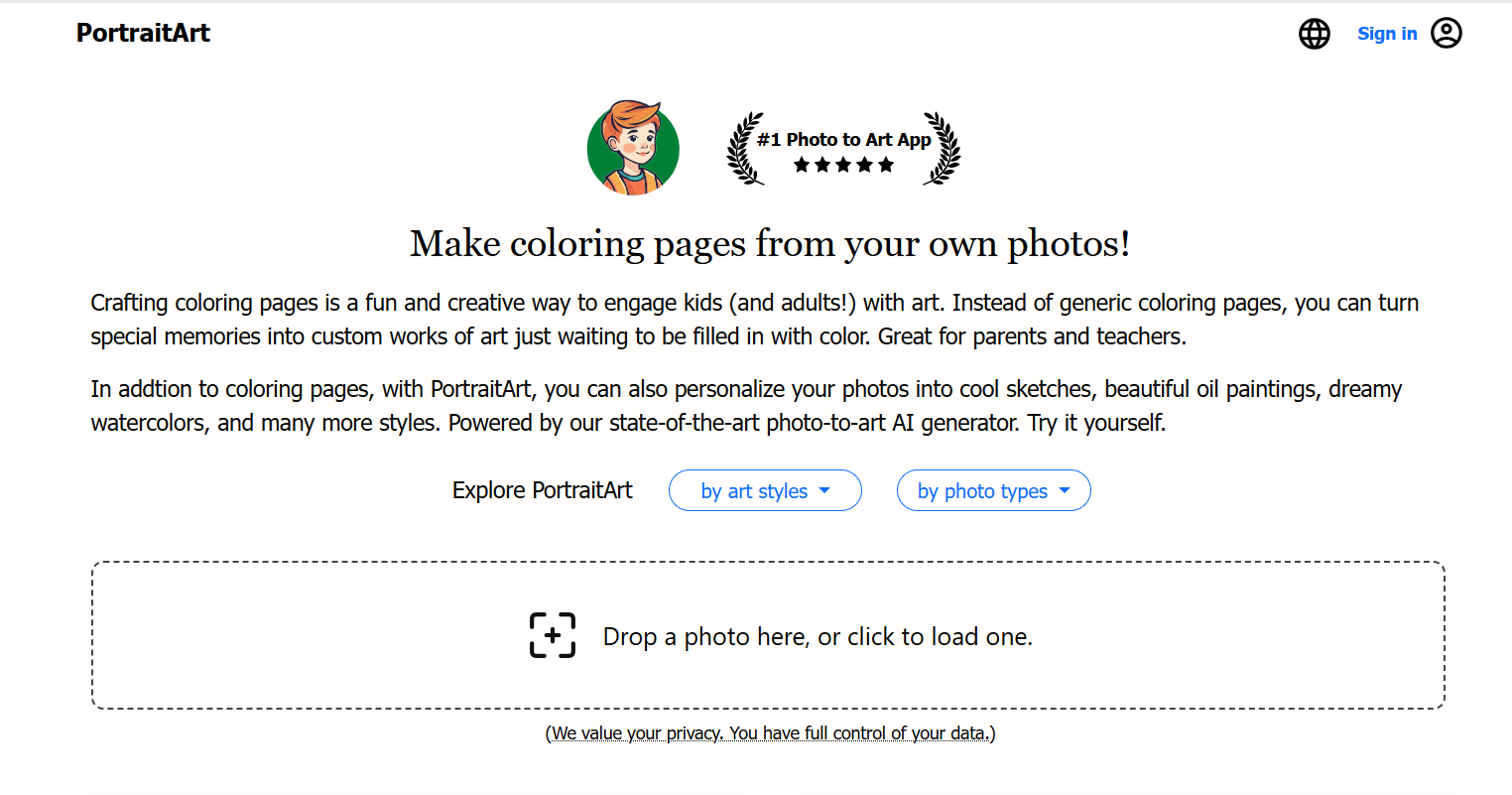
Features
Supports Portraits, Pets, and Scenery Options
Multiple Art Styles
Privacy-Focused Processing
Pros
Personalized Coloring Pages
Wide Range of Supported Formats
Easy Conversion Process
Cons
Some Styles Require Payment
Complex Backgrounds May Lose Detail
If PortraitArt sounds like the right choice for your photo-to-coloring page conversion needs, then you can simply follow these steps to get your high-quality results.
Step 1: Visit PortraitArton your web browser and upload your image to get started.
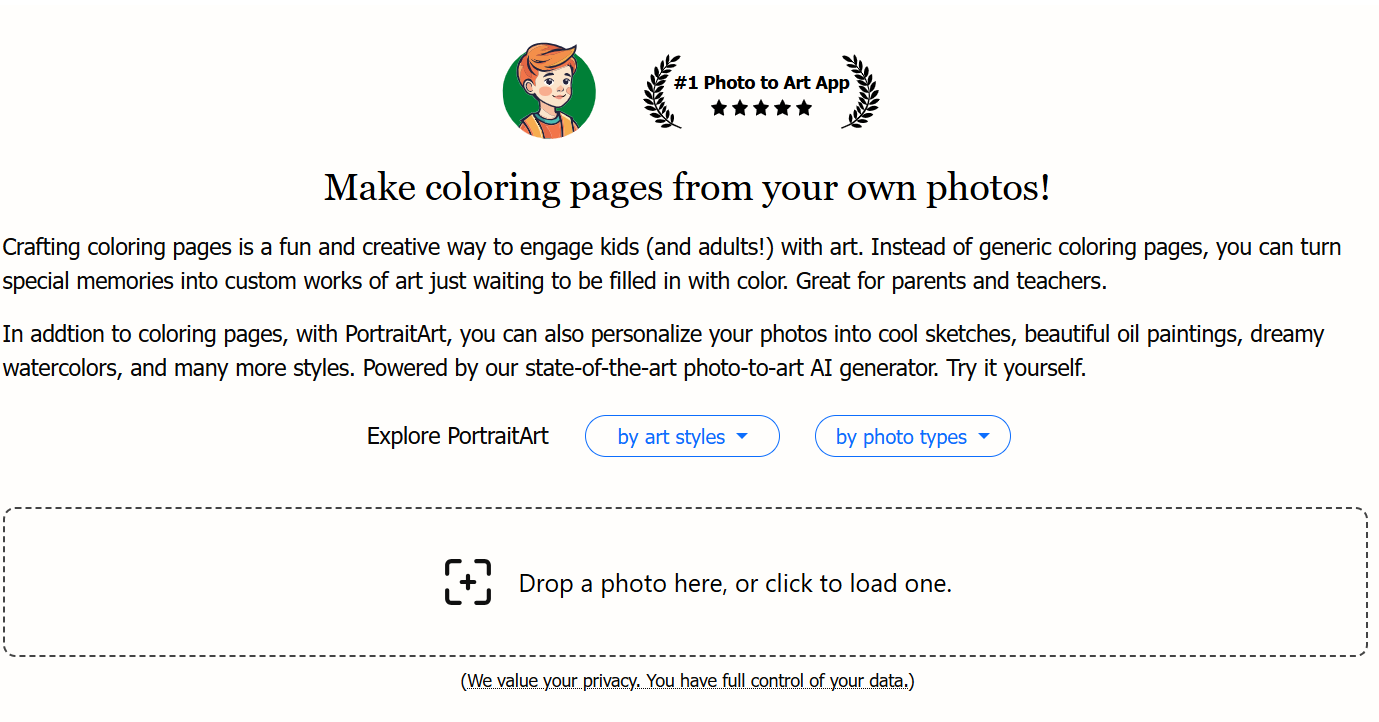
Step 2: Once your image has been processed successfully, choose the styles you want to use and download them to your device.
Quick Comparison Table of the 5 Tools to Turn Picture into Coloring Page
Every tool I’ve covered in this guide has been extensively tried and tested by me, and all of them proved to be reliable tools with their own unique strengths and weaknesses they lacked in. But choosing one option out of all of these may seem confusing, as all of them seem equally useful. This is why I’ll be breaking down the strengths and weaknessesof each in this side-by-side comparison table, helping you decide which one would work better for your needs.
| Feature | Colorify AI | iColoring AI | ColorBliss | Fotor | PortraitArt |
|---|---|---|---|---|---|
| Best For | Creative coloring pages | Fast AI conversions | Advanced customization | Quick line art | Personalized pages |
| Customization Level | High | Medium | Very High | Medium | Medium |
| Key Strength | Text & prompt-based coloring creation | Smooth, high-res image output | Fine detail control & artistic presets | Clean outlines with quick export | Privacy-safe, lifelike line art |
| Free to Use | Partly | Partly | Partly | Partly | Partly |
| Output Quality | 5/5 | 5/5 | 5/5 | 4/5 | 4/5 |
| Ease of Use | 4/5 | 5/5 | 4/5 | 5/5 | 4/5 |
Refine the Line Art by WPS Photo Editor
After I’ve converted my favourite image to a coloring page, the next thing I always do is further enhance the fine details using online tools. There are many options available online, but they are either incredibly slow or lock their features behind registration, which can be really frustrating. WPS Photo Editor allows me to skip all that hassle and get straight to work, without any further slowdowns or delays. It’s free, lightweight, and allows me to polish my coloring pages with ease, no registration or payment required.
Features
AI Photo Enhancer: Enhance your image clarity and resolution easily with the AI-powered enhancer.
AI Background Remover: Automatically removes photo backgrounds without any cutoffs or lost details.
Basic Edit Tools: Crop, rotate, adjust colors, add filters, annotations, and watermarks.
Full Privacy & Local Processing: All edits happen directly on your device, keeping your images safe and secure.
If you feel like WPS Photos is the right tool for your image enhancement needs, then getting started is incredibly simple. I’ll walk you through each step in detail myself to clear out any confusion you might have.
Step 1: Open the downloaded coloring page through WPS Photos to get started.
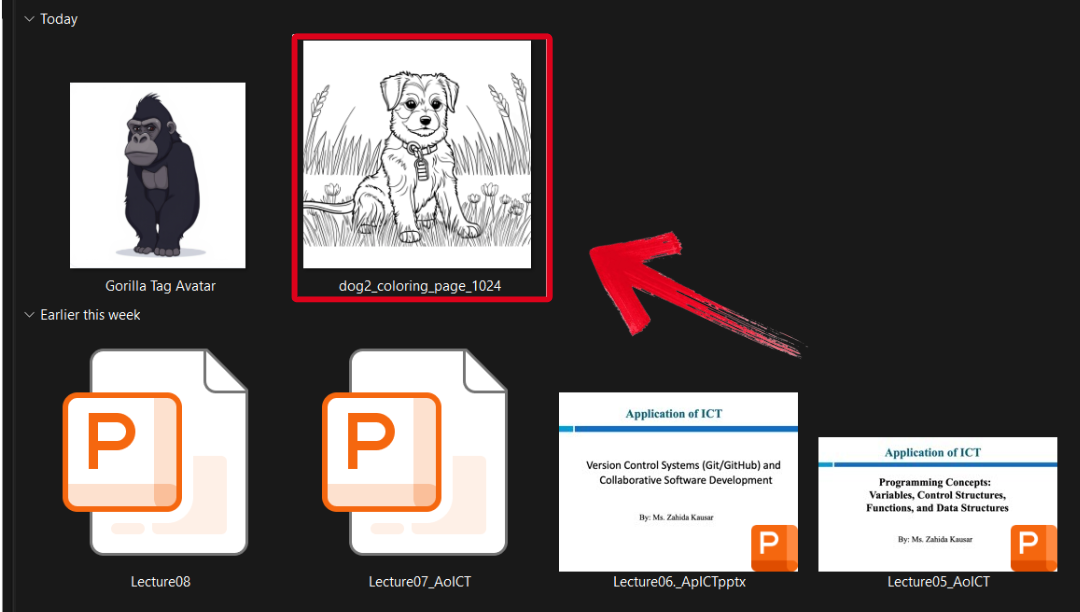
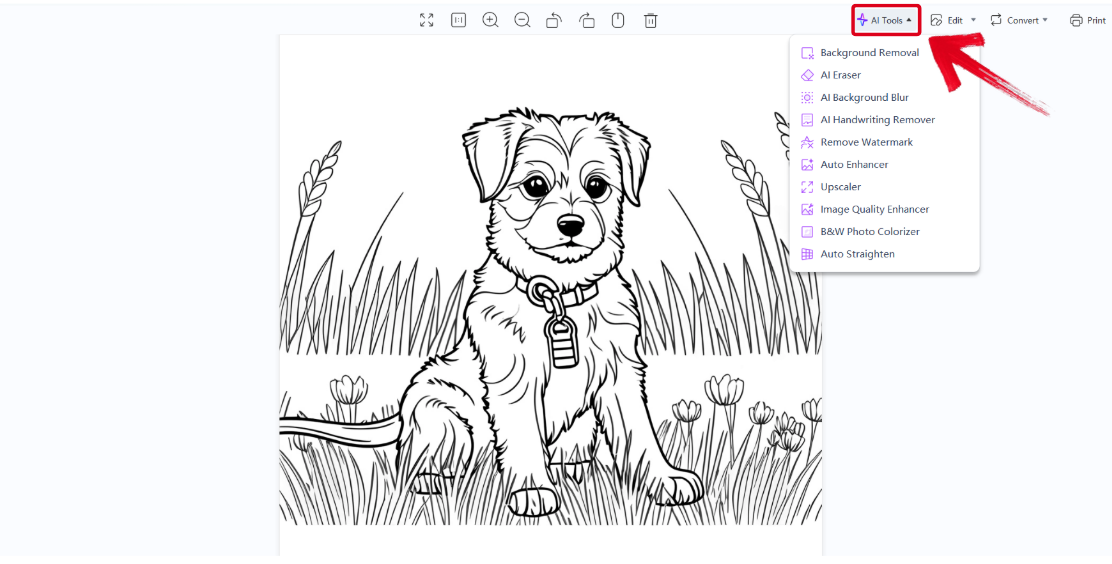
Step 2: In the WPS Photos window, you’ll see a bunch of editing tools given to you, including smart AI Toolsto help you enhance your photos.
AI Image Enhancer: Improve the quality of your image using AI enhancement.
AI Upscaler: Bring life back into old photos by restoring them through the AI upscaler.
AI Watermark Removal: If there are any watermarks on your template, you can elevate the visual appeal with thewatermarkremoval tool.
AI Background Blur: Bring focus to the main objects of your photo by blurring the background.
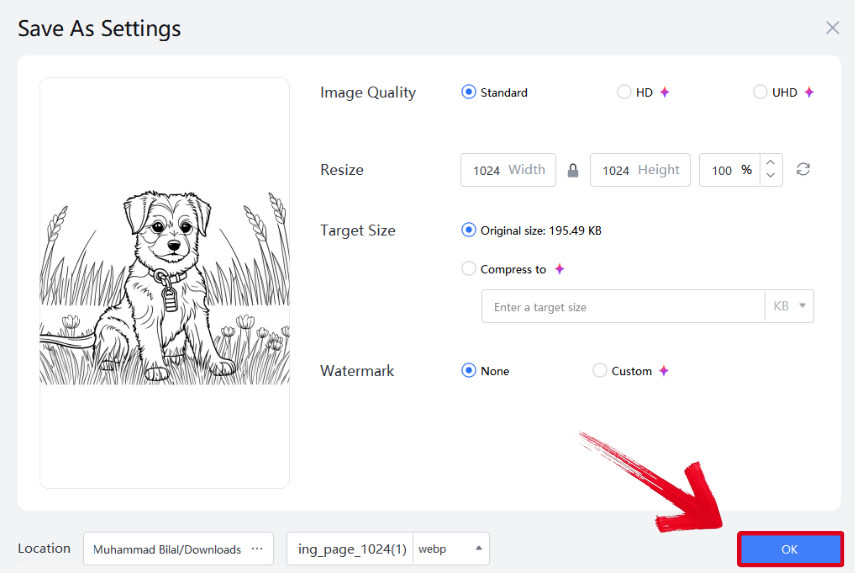
Step 3: Press Ctrl + S to open theSave As window. Adjust the image quality, size, and format, and then press OK to finish.
FAQs
Q1: Why does my converted coloring page look blurry or messy after the basic transformation?
This is a common issue caused by complex backgrounds or low-resolution source photos. Such images often lead to unclean outlines, excessive noise, and blurred edges. To fix this, use a specialized tool for post-conversion refinement, such as WPS Photo’s AI tools, which can sharpen and clean the lines effectively.
Q2: What is the best type of picture to convert into a coloring page?
The best photos are those with simple, clean backgrounds and high contrast between the subject and background. Avoid dark, blurry, or cluttered images, as the AI may struggle to define clear outlines.
Q3: Do I need drawing skills or complex software like Photoshop to create a high-quality coloring page?
No. Modern AI tools automatically handle outline extraction and detail refinement. With simple editors like WPS Photo, you can enhance, clean, and sharpen the image without needing any advanced design knowledge.
Q4: Can I turn group or pet photos into coloring pages too?
Yes, but it’s best to use images where the subjects are well-lit and separated from the background. For pets or groups, increase contrast and clarity before conversion to ensure crisp, recognizable outlines.
Q5: How can I make my coloring pages printable in high quality?
After converting your image, use WPS Photo Editor or a similar tool to enhance resolution and remove excess background noise. Then, export in PNG or high-resolution PDF for sharp, print-ready results.
Easy Coloring Page Conversion
Converting your favourite memories into cute coloring pages can be a unique and innovative gift to give to your loved one. In this guide, I’ve covered 5 reliable tools you can use to turn picture into coloring page and broken them down by their strengths and weaknesses, so you can choose the one that works best for you. You can further enhance your coloring pages using WPS Photo Editor. It’s free and lightweight, equipping you with all the tools you need to polish your coloring pages with ease.

'%3e%3cpath%20d='M19.9911%204.11386V6.471H18.5894C18.0775%206.471%2017.7322%206.57814%2017.5536%206.79243C17.3751%207.00671%2017.2858%207.32814%2017.2858%207.75671V9.44421H19.9019L19.5536%2012.0871H17.2858V18.8639H14.5536V12.0871H12.2769V9.44421H14.5536V7.49779C14.5536%206.39064%2014.8632%205.53201%2015.4822%204.92189C16.1013%204.31177%2016.9257%204.00671%2017.9554%204.00671C18.8304%204.00671%2019.509%204.04243%2019.9911%204.11386Z'%20fill='%23333333'/%3e%3c/g%3e%3cdefs%3e%3cclipPath%20id='clip0_2938_8199'%3e%3crect%20width='16'%20height='16'%20fill='white'%20transform='translate(8%204.00671)'/%3e%3c/clipPath%3e%3c/defs%3e%3c/svg%3e)
'%3e%3cpath%20d='M17.5237%2010.7813L23.4811%204H22.0699L16.8949%209.88693L12.7648%204H8L14.2469%2012.9029L8%2020.0133H9.4112L14.8725%2013.7952L19.2352%2020.0133H24M9.92053%205.04213H12.0885L22.0688%2019.0224H19.9003'%20fill='%23333333'/%3e%3c/g%3e%3cdefs%3e%3cclipPath%20id='clip0_2938_8200'%3e%3crect%20width='16'%20height='16.0134'%20fill='white'%20transform='translate(8%204)'/%3e%3c/clipPath%3e%3c/defs%3e%3c/svg%3e)


