Excel template · .xlt file

What Is an XLT File?

An XLT file is an Excel 97–2003 template. Open it in WPS Spreadsheets, review the starter layout, then Save As XLSX when you need a real workbook copy—not a renamed extension.

Open XLT without paid Excel Windows · Mac · Linux · Mobile Save real XLSX / XLS copies
Sales-Report-Template.xlt
Template file — open first, then Save As XLSX for your working copy
fx =SUM(C2:C5)
A B C D
1 Region Rep Orders Revenue
2 East Jordan 128 $19,633
3 West Miller 95 $14,339
4 Central Patel 112 $16,880
5 South Reed 87 $12,410
Template Data Summary

WPS Spreadsheet XLT template concept preview

Pain → Solution

Why XLT template files confuse people and how WPS helps

The common issue is not the file itself. It is knowing how to open the template, avoid bad renaming tricks, and save the right working copy.

No Excel Installed

A template arrives as .xlt, but you do not have Microsoft Excel available on this device.

  • WPS solution: Open XLT templates directly in WPS Spreadsheets on desktop or mobile.
  • No paid Microsoft 365 seat required to review the starter layout.
  • One app handles XLT, XLSX, XLS, and CSV in the same workflow.
XLT Desktop Mobile
WPS Spreadsheets · open .xlt template
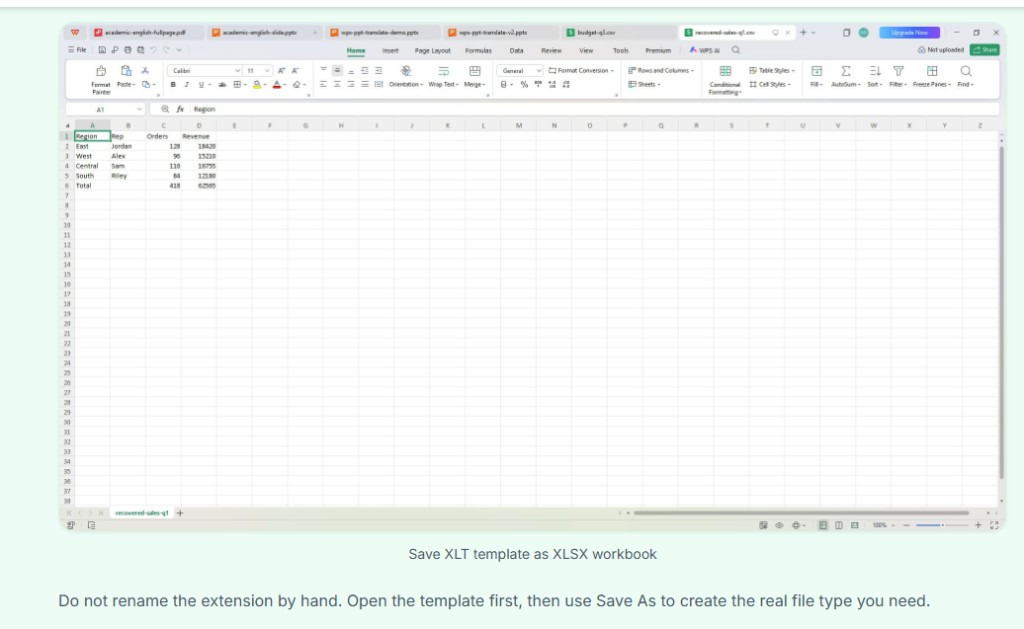
Open XLT template in WPS Spreadsheets without Excel installed
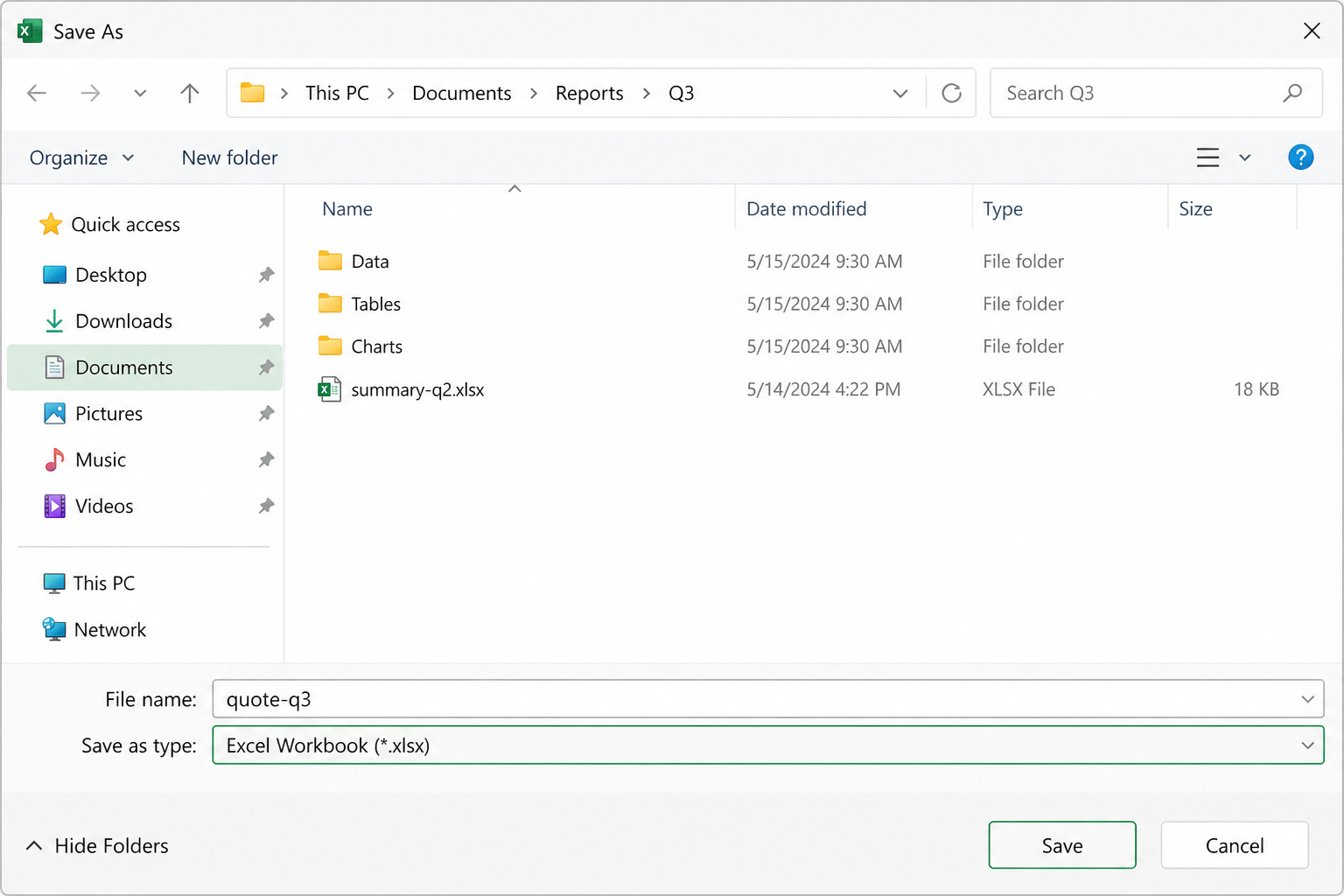
Save As · Excel Workbook (*.xlsx)
Save XLT template as XLSX workbook in WPS Spreadsheets

Template vs Workbook Confusion

People often expect the template itself to behave like the final workbook they will share.

  • WPS solution: Open the template first, then Save As XLSX or XLS when you need a normal editable file.
  • Templates stay separate until you deliberately create a workbook copy.
  • Export to PDF when the completed sheet needs a fixed final version.
XLSX XLS PDF

Bad Rename Advice

Renaming .xlt to .xlsx by hand looks easy, but it is not the same as saving a true workbook copy.

  • WPS solution: Use Save As inside the spreadsheet app so the output file is real, not a relabeled extension.
  • Avoid extension-only renames that break compatibility for coworkers.
  • Get a proper XLSX structure that others can open without errors.
Save As XLSX Compatibility
Rename vs Save As
Windows · Mac · mobile
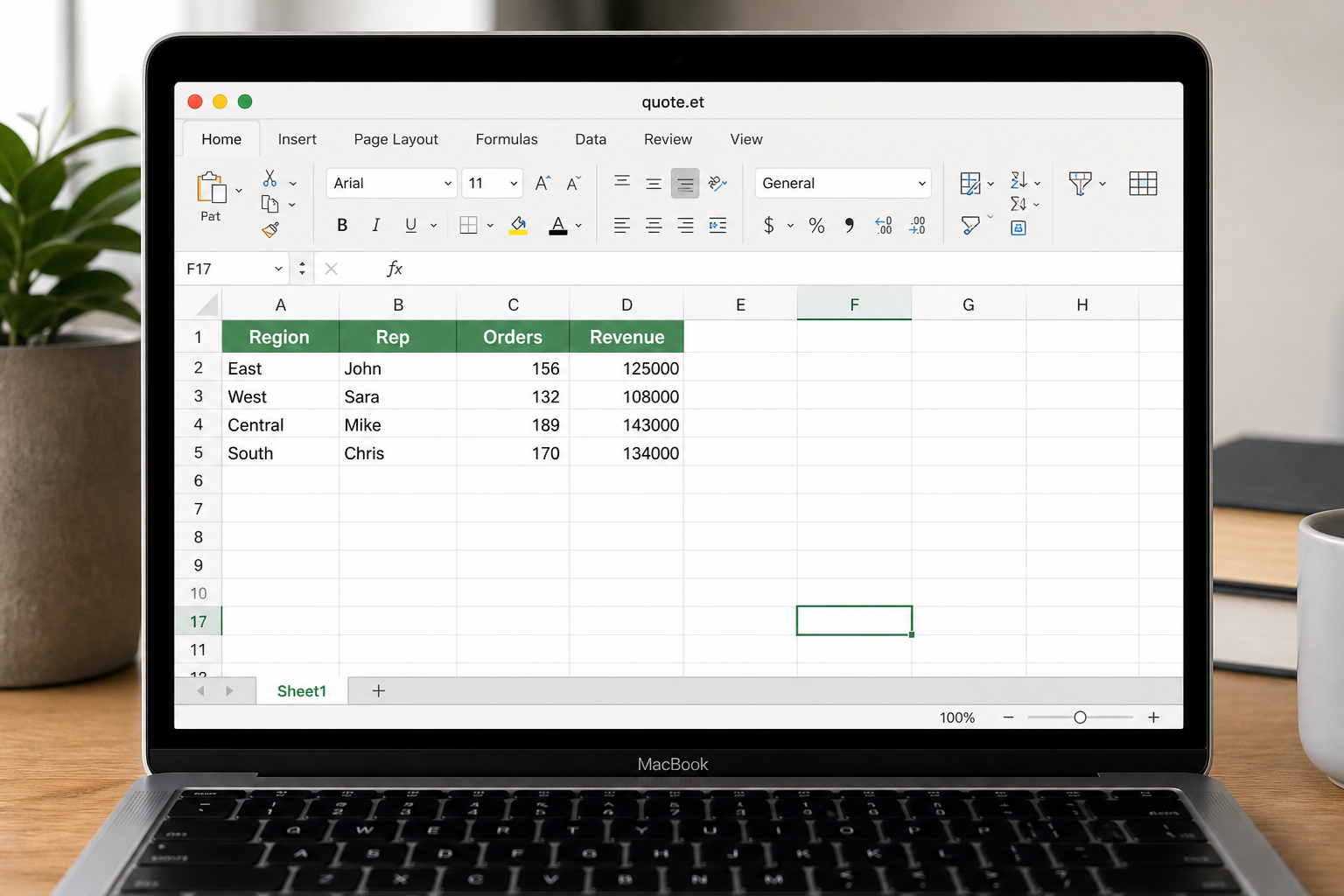
Open XLT template on Mac and mobile with WPS

Wrong Device at the Wrong Time

The XLT file lands on a MacBook or phone, not on the Windows machine where Excel usually lives.

  • WPS solution: One workflow for Windows, Mac, and mobile makes template review more practical.
  • Review starter tables before creating the final workbook copy.
  • Stay in one suite when the work expands into document or PDF sharing.
Windows macOS Mobile
Built into WPS Spreadsheet

Download a free XLT file opener in WPS Office

Open old Excel templates, review the starter sheet, and save a real workbook copy without hunting for a single-purpose viewer.

  • Open XLT templates locally
  • Save As XLSX, XLS, or PDF
  • One installer for Spreadsheet + Writer + PDF
Free Download
Open Sales-Report-Template.xlt in WPS Spreadsheets

Open XLT templates in WPS Spreadsheets

Key Features of WPS Spreadsheets for XLT Files

Open Excel templates without paid Office—keep layout and formulas intact, save real workbook copies, and review XLT files on every device.

Open XLT Templates with Spreadsheet Structure Intact

Template files are useful only when the layout, formulas, and starter cells survive the open process.

  • Keep template formatting, starter formulas, and table structure readable.
  • Open older Excel template files without depending on a paid Microsoft 365 seat.
  • Use the same suite for XLT, XLSX, XLS, and CSV.
Templates Formulas Formatting
WPS Spreadsheets · .xlt template open
Open XLT template with workbook structure intact in WPS Spreadsheets
Save As · Excel Workbook (*.xlsx)
Save XLT template as XLSX workbook in WPS Spreadsheets

Turn Template Files into Normal Workbooks

The main workflow is open the template first, then save the real workbook file you want to send or edit.

  • Use Save As to create a real XLSX or XLS file.
  • Avoid fake extension renames that only change the label.
  • Export to PDF when the completed template needs a fixed final copy.
XLSX XLS PDF

Review XLT Files Across Windows, Mac & Mobile

Template files do not always arrive on the device where Excel is installed, so a cross-platform workflow matters.

  • Open the same XLT file on Windows, macOS, and phone.
  • Review starter tables and sheet content before creating the final workbook copy.
  • Stay in one suite when the work expands into document or PDF sharing.
Windows macOS Mobile
Windows · Mac · mobile
Open XLT template on Mac and mobile with WPS
3 Steps

How to use an XLT file in WPS Spreadsheets

Open the template, review the starter sheet, then save the workbook format you actually need.

  1. 1

    Open the XLT template

    Launch WPS Spreadsheets and open the .xlt file the same way you would open another Excel-format spreadsheet.

  2. 2

    Review layout, starter formulas, and placeholders

    Check the template structure before you type over it, especially if it contains repeated sections, totals, or print layout.

  3. 3

    Save a real workbook copy

    Use Save As to create an .xlsx or .xls version for editing and sharing. Do not just rename the extension.

FAQ

Straight answers to the searches around an XLT file.

Open XLT files in free WPS Spreadsheets

Review Excel templates, save working copies as XLSX or XLS, and export shareable files without relying only on Microsoft Excel.

Free Download

XLT file workflow

.xlt

Excel template

WPS

Open & review

.xlsx

Workbook copy

Open the template in WPS Spreadsheets, then Save As a real XLSX or XLS file—do not just rename the extension.