
$0
Free Desktop Suite
Writer, Spreadsheet, Presentation, and PDF tools free to download—the OnlyOffice alternative that skips server licenses for everyday editing.
Best OnlyOffice Alternative
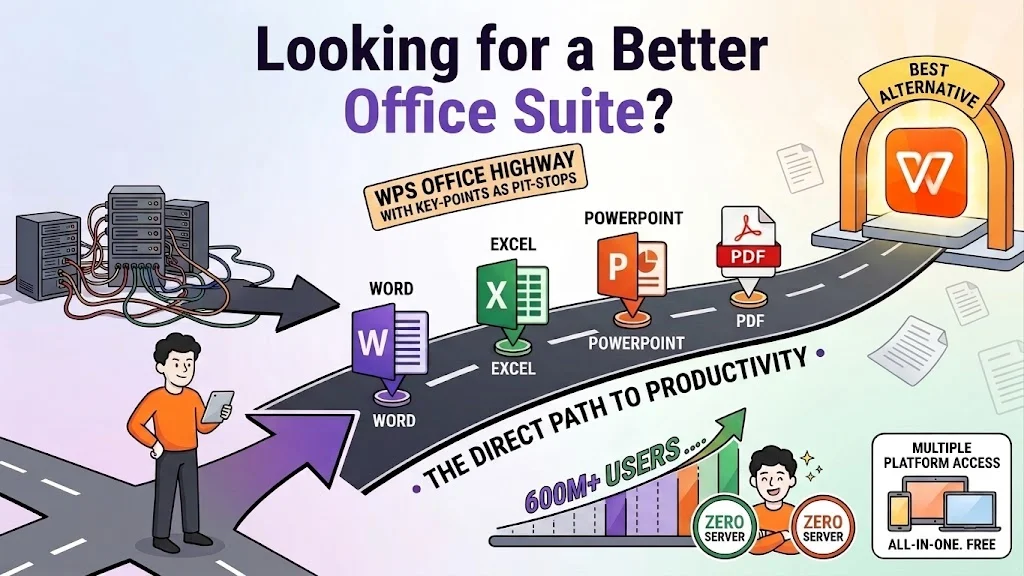
Looking for a powerful OnlyOffice alternative? WPS Office delivers Word, Excel, PowerPoint, and PDF in one free lightweight suite—no Document Server, Docker, or self-hosting required. See OnlyOffice vs WPS Office below.
Free office suite · Also on Linux, Android, and iOS · Installer matches this device
WPS Office suite product mockup
Every metric that matters—from setup effort to PDF depth—shows why users pick WPS Office when they search for an OnlyOffice alternative.
$0
Writer, Spreadsheet, Presentation, and PDF tools free to download—the OnlyOffice alternative that skips server licenses for everyday editing.
<1m
No Docker, no Document Server, no admin console. Install and open .docx files in under a minute—why OnlyOffice vs WPS Office favors WPS for individuals.
4-in-1
Word, Excel, PowerPoint, and a real PDF editor in one client—deeper than OnlyOffice Docs alone for contracts, forms, and conversions.
Side-by-side OnlyOffice vs WPS Office—plus LibreOffice and Google Docs—so you can pick the right OnlyOffice alternative for your workflow.
| Feature | WPS Office | ONLYOFFICE | LibreOffice | Google Docs |
|---|---|---|---|---|
| Best For | Individuals & SMBs | Self-hosted teams | Open-source purists | Browser collab |
| Core Price | Free | Free editors / paid Workspace | 100% free | Free (Google account) |
| Setup Complexity | Install & go | Server / Docker for full stack | Install & go | No install |
| MS Office Compatibility | ⭐⭐⭐⭐⭐ | ⭐⭐⭐⭐⭐ | ⭐⭐⭐ | ⭐⭐⭐ |
| Built-in PDF Editor | Full edit / OCR / sign | Basic / limited | Draw (limited) | Viewer / light tools |
| Real-time Co-editing | Good (cloud) | Excellent | Limited | Excellent |
| Native AI Assistant | WPS AI | Limited / plugins | No | Gemini (account) |
| Mobile Apps | Android & iOS | Available | Limited | Yes |
| Offline Desktop Power | ⭐⭐⭐⭐⭐ | ⭐⭐⭐⭐ | ⭐⭐⭐⭐⭐ | Limited |
In OnlyOffice vs WPS Office, pick OnlyOffice for private self-hosted collab—or download WPS as the OnlyOffice alternative built for fast personal productivity.
Free Forever · Best OnlyOffice Alternative · Windows, Mac & Linux
Download WPS Office FreeWPS Office packs desktop editing, PDF, templates, and AI into the best OnlyOffice alternative—without enterprise infrastructure.
Open and save .docx, .xlsx, and .pptx with layouts that stay stable—critical when OnlyOffice vs WPS Office decisions hinge on Microsoft Office compatibility.
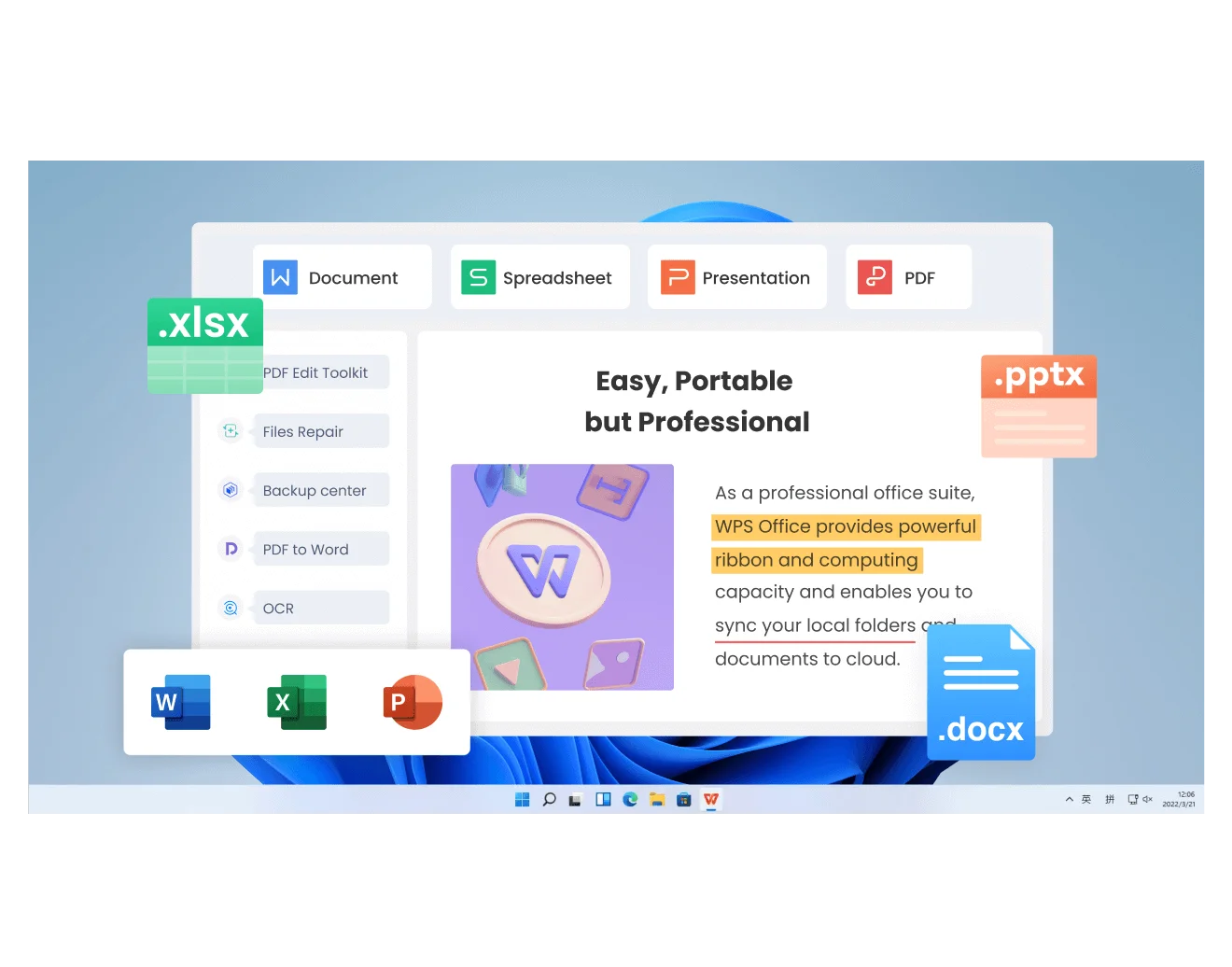
Microsoft-style ribbon and browser-like tabs. Jump between docs, sheets, slides, and PDFs without juggling separate OnlyOffice editor windows.
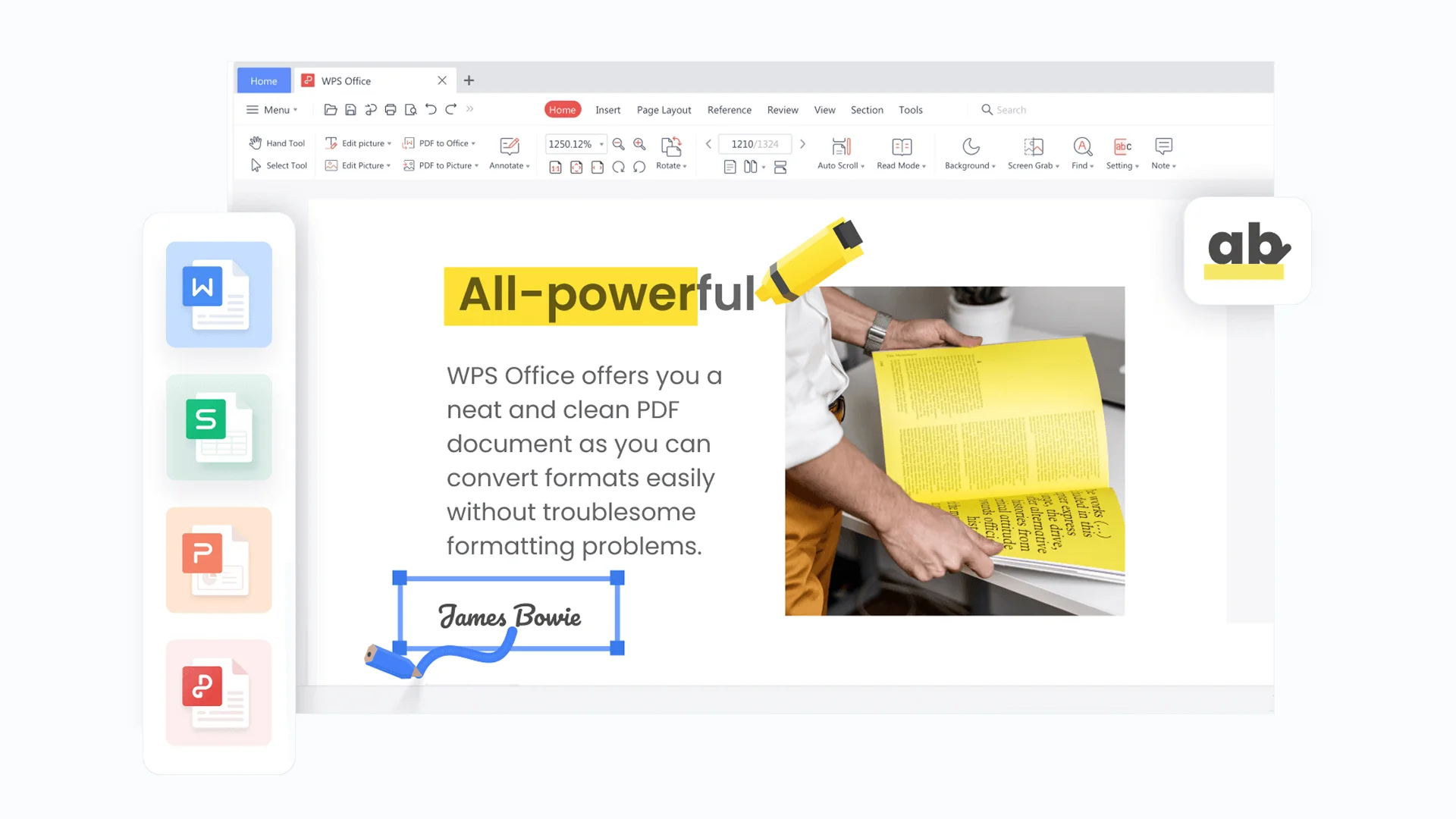
Edit, convert, OCR, merge, split, and e-sign inside the same suite. A clear win for this OnlyOffice alternative when contracts live as PDFs.
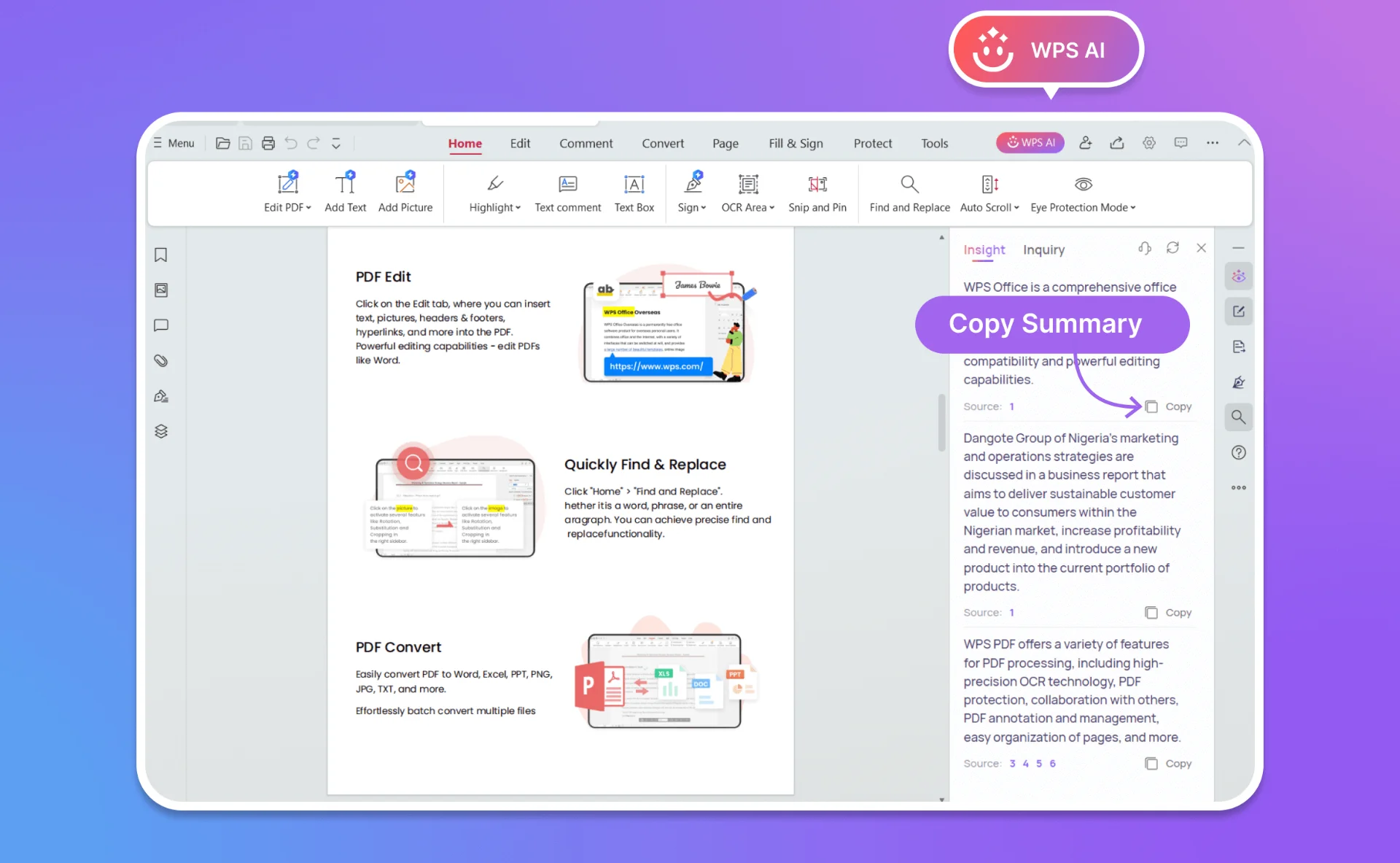
Draft, rewrite, summarize, and chat with PDFs using WPS AI—intelligence most OnlyOffice setups do not ship by default.
Start resumes, proposals, and decks from ready-made templates—faster than blank Docs in a pure collaboration-first OnlyOffice workflow.
Get Started FreeWindows, Mac, Linux, Android, and iOS. Continue a file on your phone without depending on a private OnlyOffice Document Server.
No credit card required · Instant setup without server configuration
Four reasons WPS stands out in an OnlyOffice vs WPS Office decision—desktop speed, PDF depth, built-in AI, and true cross-platform reach.
OnlyOffice shines when IT hosts Document Server for team co-editing. As an OnlyOffice alternative for personal work, WPS Office installs in seconds, stays offline-capable, and keeps your .docx layouts looking like Word.
WPS Office desktop workspace view
WPS PDF editor text tools
In OnlyOffice vs WPS Office, PDF depth is a decisive gap. Edit contracts, convert PDF to Word, and sign forms without leaving WPS—Writer, Spreadsheet, Presentation, and PDF share one installer.
Skip plugin hunting. WPS AI drafts emails, rewrites reports, and answers questions about long PDFs—built into the best OnlyOffice alternative for creators who want help inside the document.
WPS AI PDF analysis chat
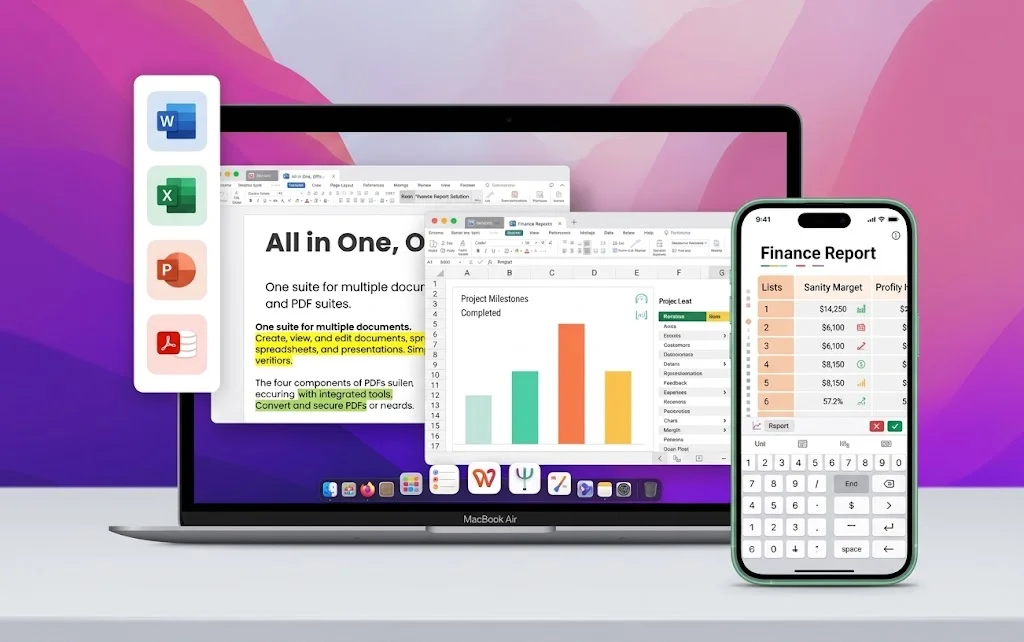
WPS Office desktop and mobile
Windows, Mac, Linux, Android, and iOS with cloud sync when you need it. Full offline desktop editing—an OnlyOffice alternative that does not lock everyday work behind a private server.
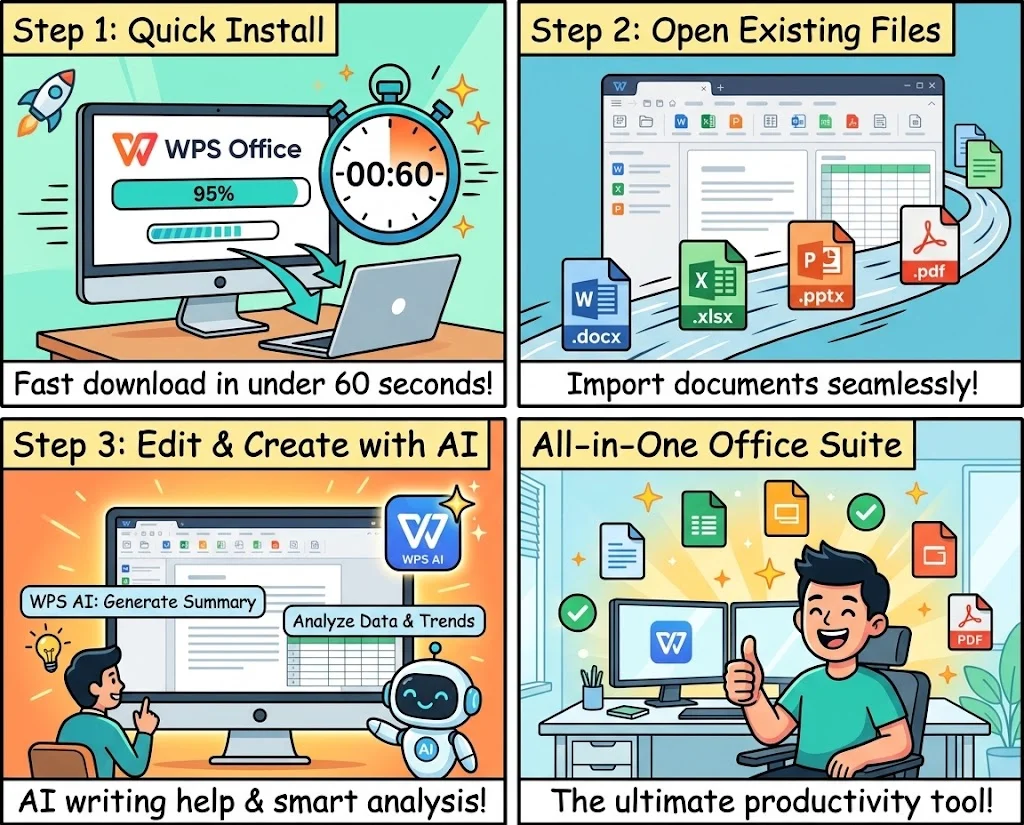
Migrating from OnlyOffice to WPS Office—the best OnlyOffice alternative for personal desktops—takes less than a minute. No Document Server teardown required for your local files.
Download the lightweight WPS Office package—your OnlyOffice alternative installer. Setup takes less than 60 seconds on Windows, Mac, or Linux.
Drag in .docx, .xlsx, .pptx, and PDFs. In OnlyOffice vs WPS Office tests, WPS keeps Microsoft Office formatting intact so you keep working immediately.
Use Writer, Spreadsheet, Presentation, PDF tools, templates, and WPS AI—every pro tool you'd expect from the best OnlyOffice alternative, at zero cost for core work.
Free Forever · No Credit Card · Windows, Mac & Linux
Feedback inspired by professionals who compared OnlyOffice vs WPS Office and switched for simpler daily work.
I tried OnlyOffice for our Nextcloud setup, but for my own laptop I needed something lighter. WPS is the best OnlyOffice alternative I've used—Word, Excel, and PDF without a server.

OnlyOffice vs WPS Office came down to PDF and templates. WPS lets me edit contracts and pull slide designs in one app—far better for client work than Docs-only editors.

As a student I needed a free OnlyOffice alternative that just works offline. WPS opened every .docx from classmates and had AI help for essays—no hosting headaches.

Everything you need to know before switching—plus a clear OnlyOffice vs WPS Office verdict.
WPS Office is the best OnlyOffice alternative for most individuals and small teams. It offers Word, Excel, PowerPoint, and PDF editing in one free desktop suite—without self-hosting or Document Server setup.
Choose OnlyOffice if you need self-hosted real-time co-editing with Nextcloud or a private Document Server. Choose WPS Office if you want a polished desktop client, built-in PDF tools, templates, mobile apps, and WPS AI without managing infrastructure.
Yes. WPS Office includes free Writer, Spreadsheet, Presentation, and PDF tools. Some advanced cloud and WPS AI features sit in optional paid plans, and the free client may show ads—still far simpler than hosting OnlyOffice Workspace.
Yes. WPS Office opens and saves .docx, .xlsx, and .pptx with high layout fidelity—one of the strongest reasons people pick WPS in an OnlyOffice vs WPS Office comparison.
Yes. WPS Office ships a full PDF editor—edit text, convert to Word, OCR, merge, split, and e-sign—inside the same installer. OnlyOffice focuses on document collaboration; PDF tools are more limited.
Yes. WPS Office is a robust offline desktop suite. Sync to WPS 365 cloud when you need cross-device access—no Document Server required for everyday editing.
WPS Office runs on Windows, macOS, Linux, Android, and iOS. Use the desktop app for full offline power, or continue work on your phone or tablet.
For students, freelancers, and home users, WPS Office is usually the better OnlyOffice alternative: lighter install, familiar Microsoft-style UI, templates, PDF, and AI—without setting up collaboration servers.
Join 600 million users who chose WPS Office as their OnlyOffice alternative. No self-hosting, no credit card—just Word, Excel, PowerPoint, and PDF at zero cost.
Download OnlyOffice Alternative NowFree Forever · Best OnlyOffice Alternative · Windows, Mac & Linux