
Tax Return PDFs
Prepare and File Tax Documents Quickly
- Scan & organize receipts. Turn phone photos into clean PDFs before tax season piles up.
- Fill PDF tax forms accurately. Map totals from OCR/Excel into form fields—less retyping, fewer mismatches.
- Sign, merge, and package safely. Compress and encrypt the packet before you file taxes or share with an accountant.
Free download · Edit PDF & Excel · Scan, fill, sign, and package in one workflow
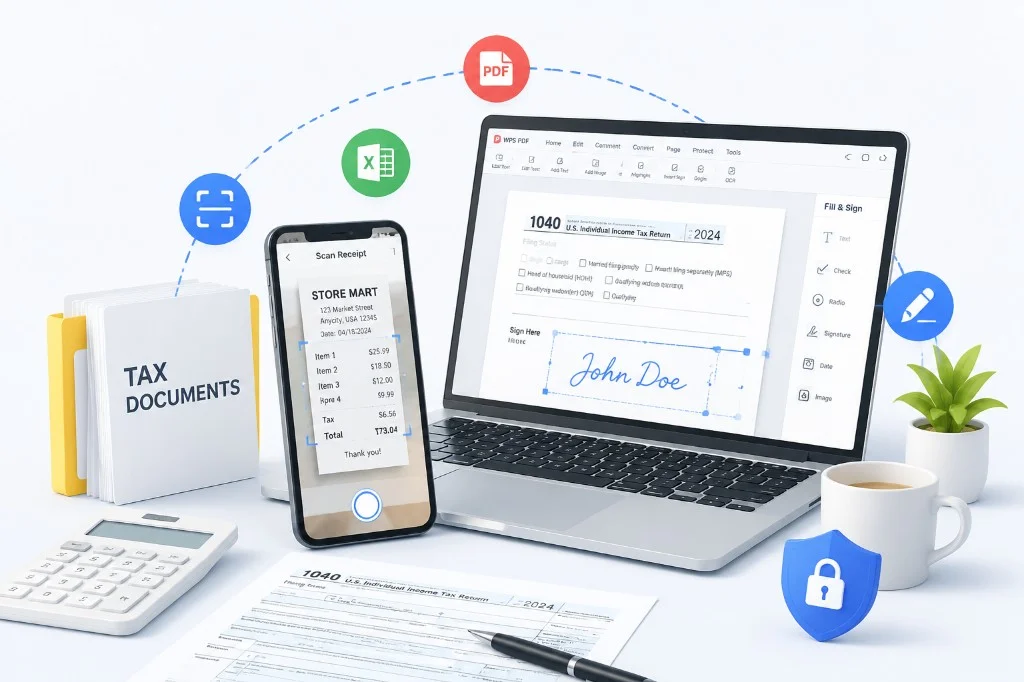
Tax season friction
Real pain points when people fill a tax return
Surveys and filing-season feedback keep pointing to the same blockers: receipts live everywhere, manual retyping invites errors, income numbers do not match, and forms, signatures, and packets scatter right when you need a clean tax forms PDF.
Receipts live everywhere
Phone photos, thermal slips, inbox PDFs, and platform CSVs never sit in one place. Freelancers lose April hunting Schedule C evidence across PayPal, Stripe, and camera rolls.
Manual retyping invites errors
Box amounts, SSNs, and EINs get mistyped into long PDF forms—small typos that turn into rejected e-files and mismatch notices.
Income numbers do not match
1099-NEC / 1099-K totals disagree with books and form lines. IRS matching flags inconsistencies fast when deposits and worksheets diverge.
Forms, signatures, and packets scatter
Print-sign-rescan loops, oversized uploads, and unprotected email forwards stall the finish. You need merge, compress, and encrypt before the portal or accountant.
How WPS can help
How WPS can help you go from receipt photo to a ready-to-submit tax PDF
Follow this end-to-end tax preparation journey—from the first scan receipt photo to a signed packet—using jpg to pdf, image to text, jpg to excel, fill pdf form, sign pdf, merge pdf, and compress pdf so you can file taxes with less friction. More scan tips: PDF Scan and OCR.
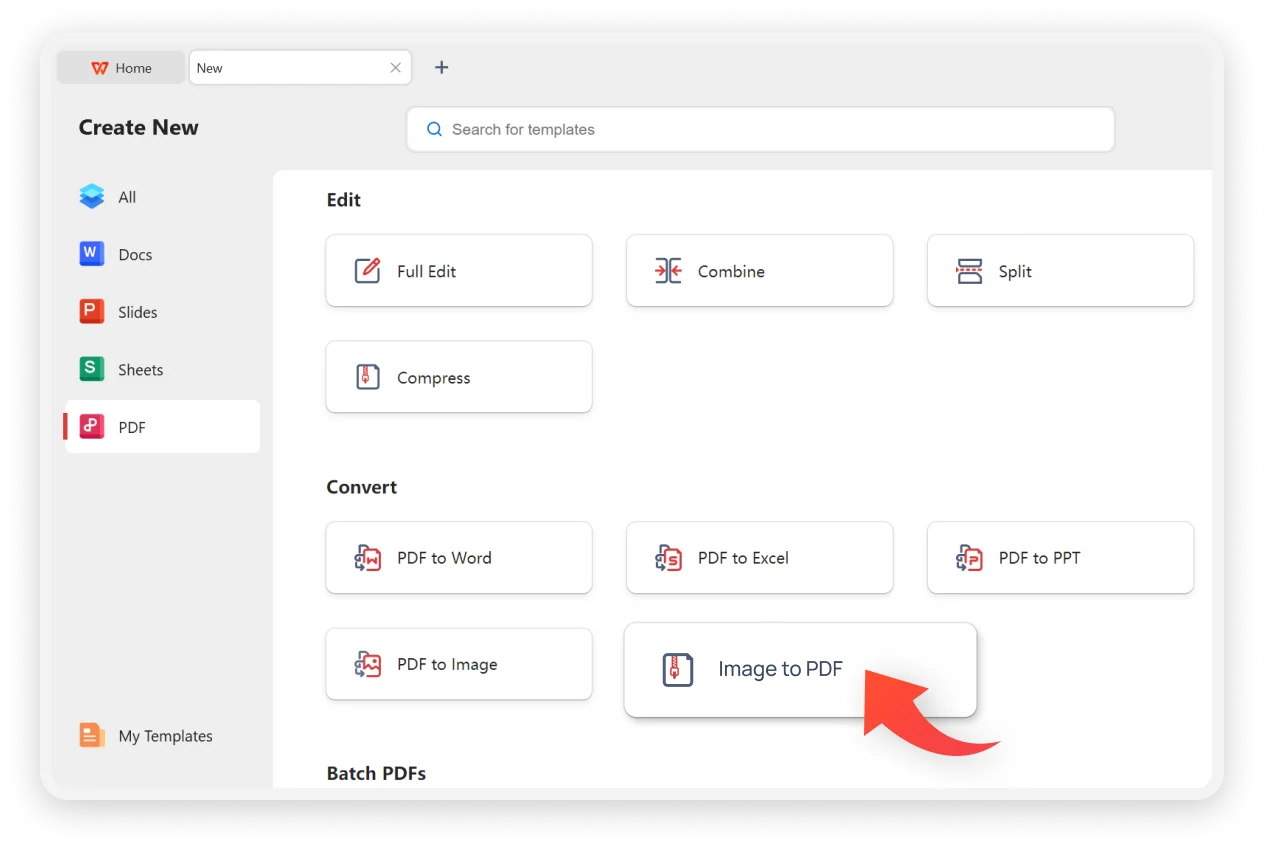
Scan or photograph receipts
Start by clarifying what you need to keep: invoices, paper receipts, and statements. Capture them while ink is still clear, then convert photos into PDFs you can search and attach later.
Scan receipt photos on phone or scanner while ink is still clear.
Convert photos with jpg to pdf tools into searchable tax document PDFs.
Clear scans reduce rework later in tax preparation.
OCR to text or Excel
Once scans exist, extract the facts you will need on tax forms: amounts, vendors, and dates. OCR turns images into editable text; Excel helps you total categories before you fill fields.
Use OCR PDF and image to text to extract amounts and vendor names.
Convert receipt tables with jpg to excel for income and expense totals.
Build deduction summaries before you fill tax forms.

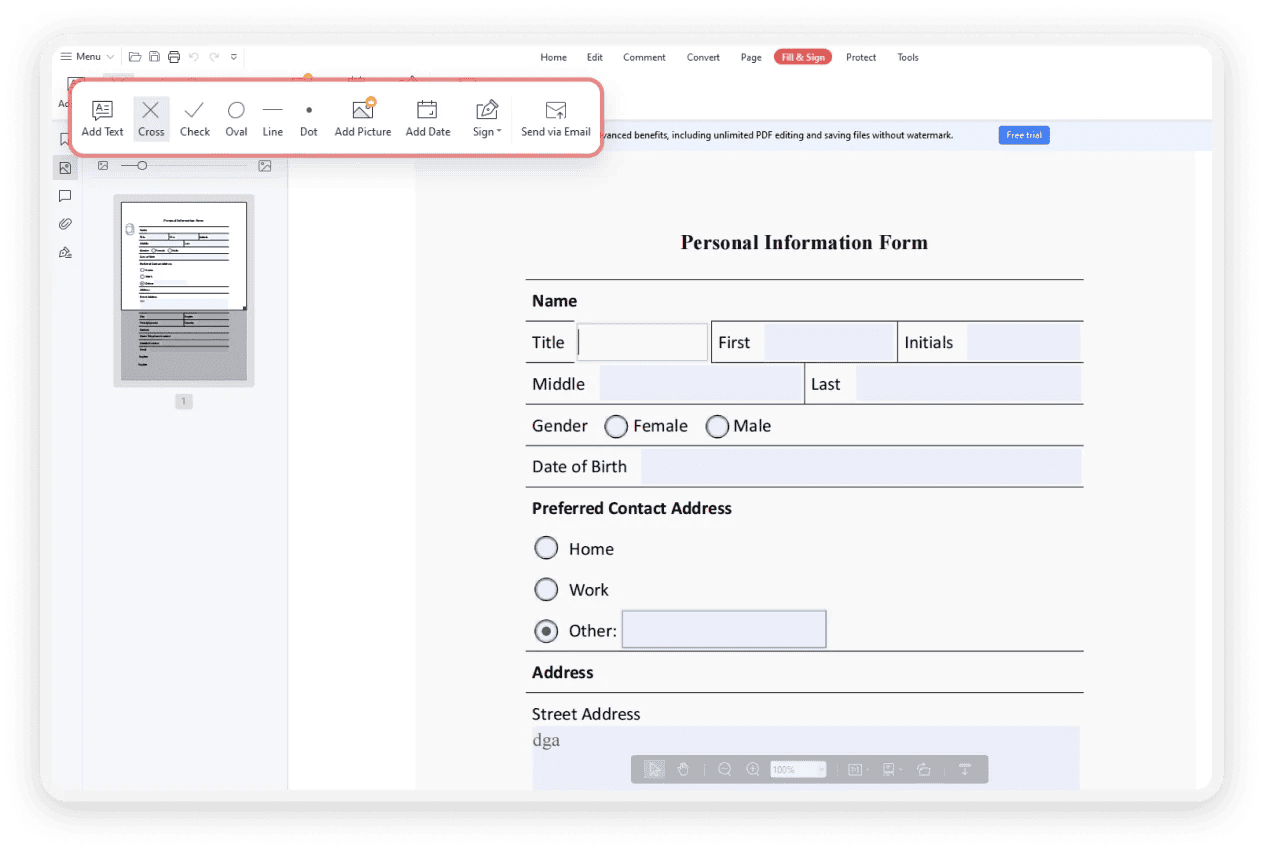
Organize and fill tax forms
Open the official tax forms PDF in WPS and complete fields digitally. Keep supporting schedules nearby so every number you enter can be traced back to a receipt or spreadsheet total.
Open tax forms PDF in WPS and complete fields with fill pdf form tools.
Keep supporting schedules together in one workspace.
Use AI extraction and spreadsheet formulas to summarize tax totals.
Sign, pack, encrypt, and submit
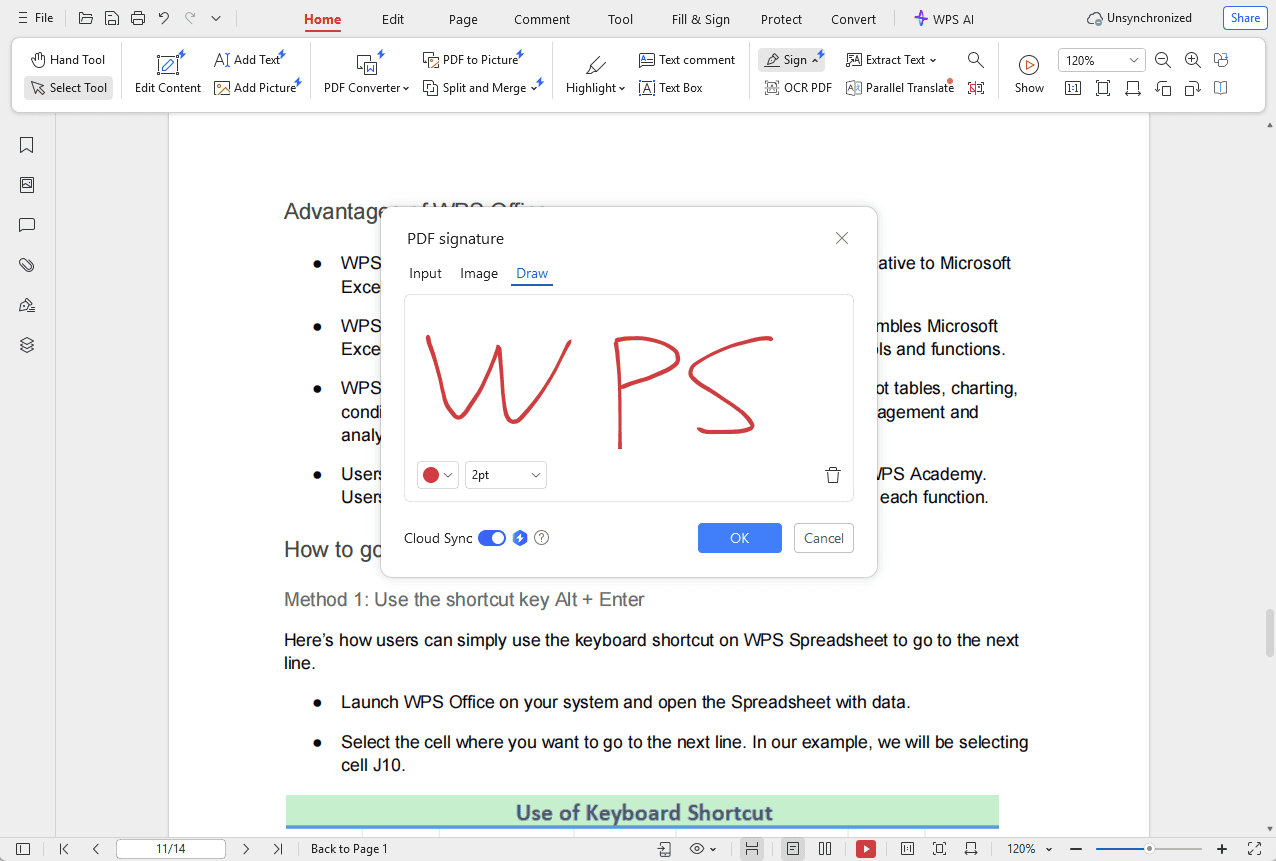
Finish with approvals and packaging: add signatures, merge related files, compress oversized scans, encrypt sensitive pages, then submit through the portal or accountant channel you use.
Sign pdf yourself or request a signature from others.
Merge pdf packets, compress pdf oversized files, and encrypt sensitive returns.
Submit through your accountant portal or authorized channel to file taxes.
Common tax-form scenarios we help you unblock
Filing season gets stuck on the same document moments. Spot your bottleneck on the left—then use the product card to start with a free WPS download and AI Smart Form.
- 1
Receipts still living in your camera roll?
Digitize early so OCR and form filling stay accurate later.
- 2
Confused which totals belong on which PDF line?
Excel summaries first, then fill fields beside the schedule.
- 3
Long application / tax forms eating your evening?
Fill PDF digitally—and use AI extract when source info is ready.
- 4
Need signatures from a partner before the deadline?
Sign PDF or request sign without printing and rescanning.
- 5
Portal rejecting a huge scan packet?
Merge, compress, then encrypt sensitive returns before upload.
- 6
Freelancing or cross-border paperwork?
Keep invoices, forms, and protected PDFs in one WPS workspace.
One workspace for receipts, tax PDFs, and signatures
Match the scenarios on the left: capture on phone, extract with AI Smart Form, finish Fill & Sign on desktop.
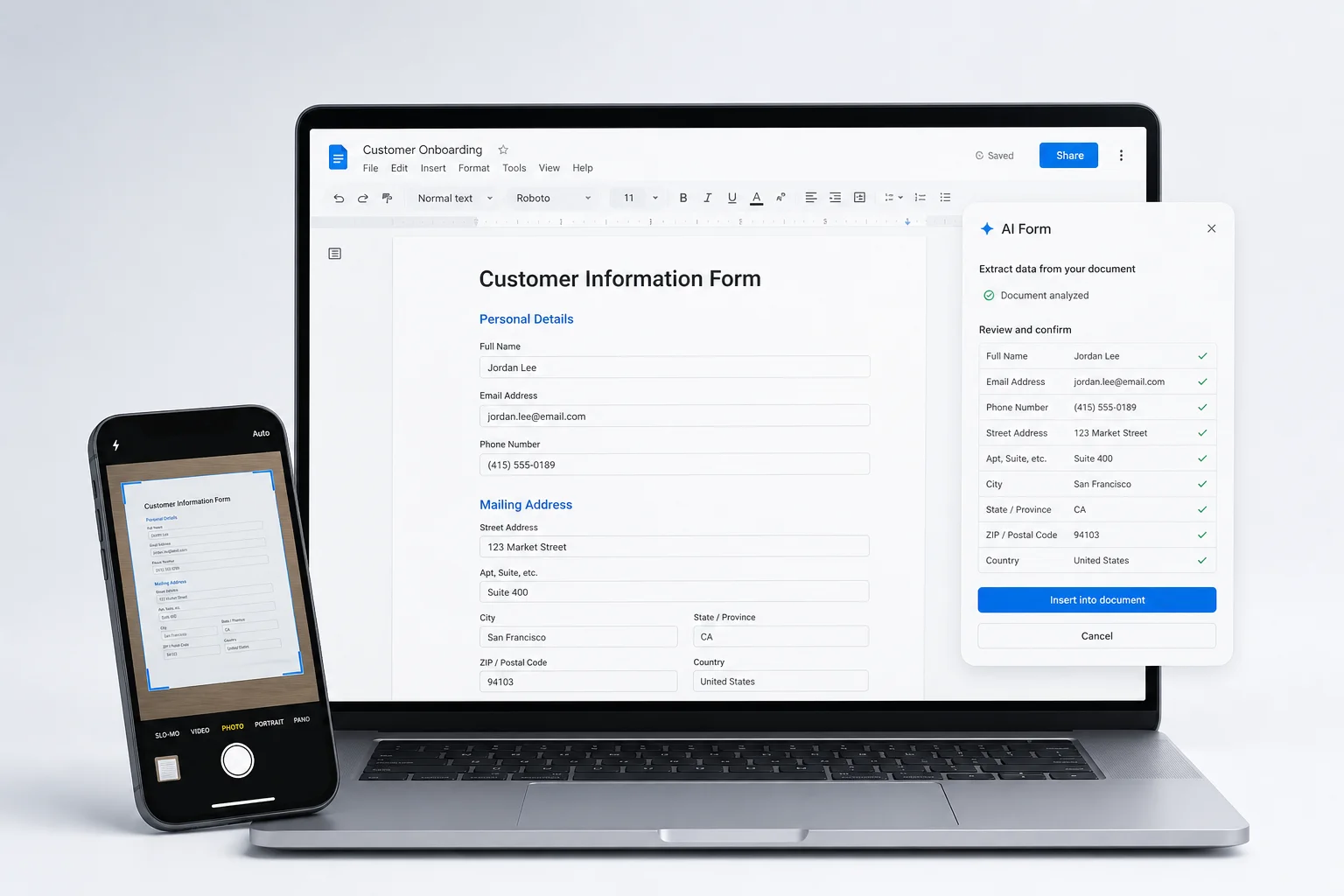
Free WPS Office · AI Form Filler · Fill & Sign
How to fill your tax forms faster
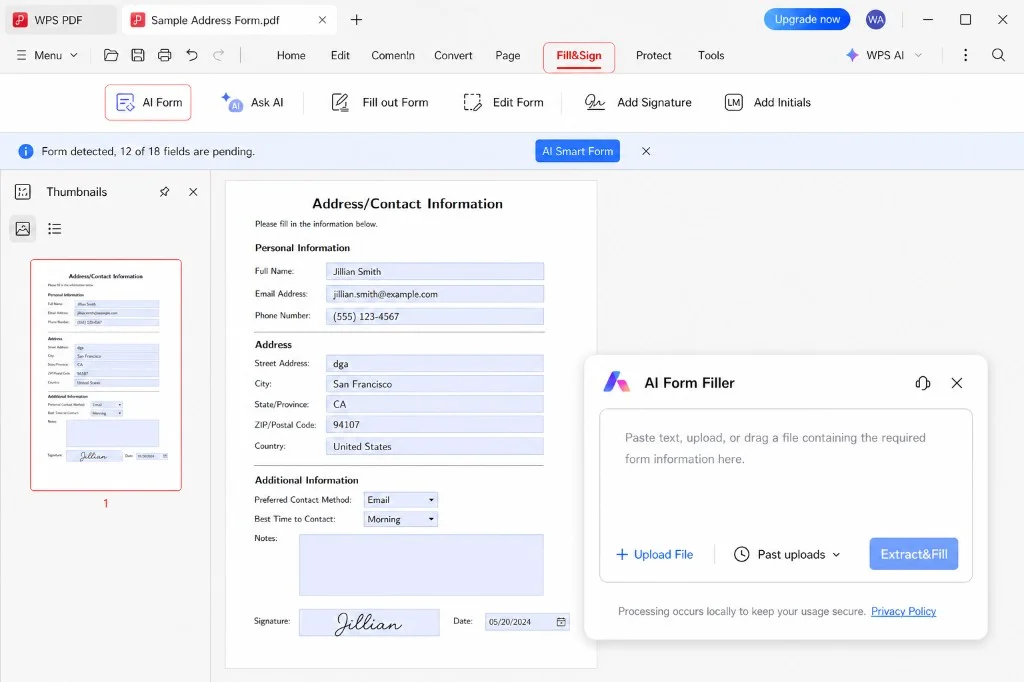
Tax season usually stalls on data entry—not finding the PDF. Names, addresses, income, and deductions get retyped field by field. WPS AI Smart Form (AI Form Filler) reads the details you already prepared, maps them into matching form fields, and leaves you to review key numbers before you sign and save.
- 1
Open your tax PDF
Open Form 1040, W-9, or other tax PDFs in WPS Office, then go to Fill & Sign.
- 2
Paste details, then Extract & Fill
Start AI Smart Form, paste identity and amount notes into the dialog, and let AI place matching values into fields.
- 3
Review, sign, and export
Double-check SSN/EIN, income totals, and bank details, then sign with Fill & Sign and save or encrypt before sharing.
Best for: tax returns, W-9s, and long applications · Always review critical tax fields before you file
Download the tax forms you need
Picked for freelancers and small teams on this page: open any form in WPS, then fill with AI Smart Form or Fill & Sign. Links go to the current IRS.gov PDF.
Sources: IRS.gov official PDFs · Tax year revisions update on IRS; always confirm the latest form before filing · WPS is not a tax advisor and does not file returns for you
Watch & learn
Prepare tax PDFs on desktop, web, or mobile
Same tax preparation goals - scan receipt, image to text, fill pdf form, sign pdf, merge pdf, and compress pdf - across three places you already work. Pick the platform that fits how you file taxes.
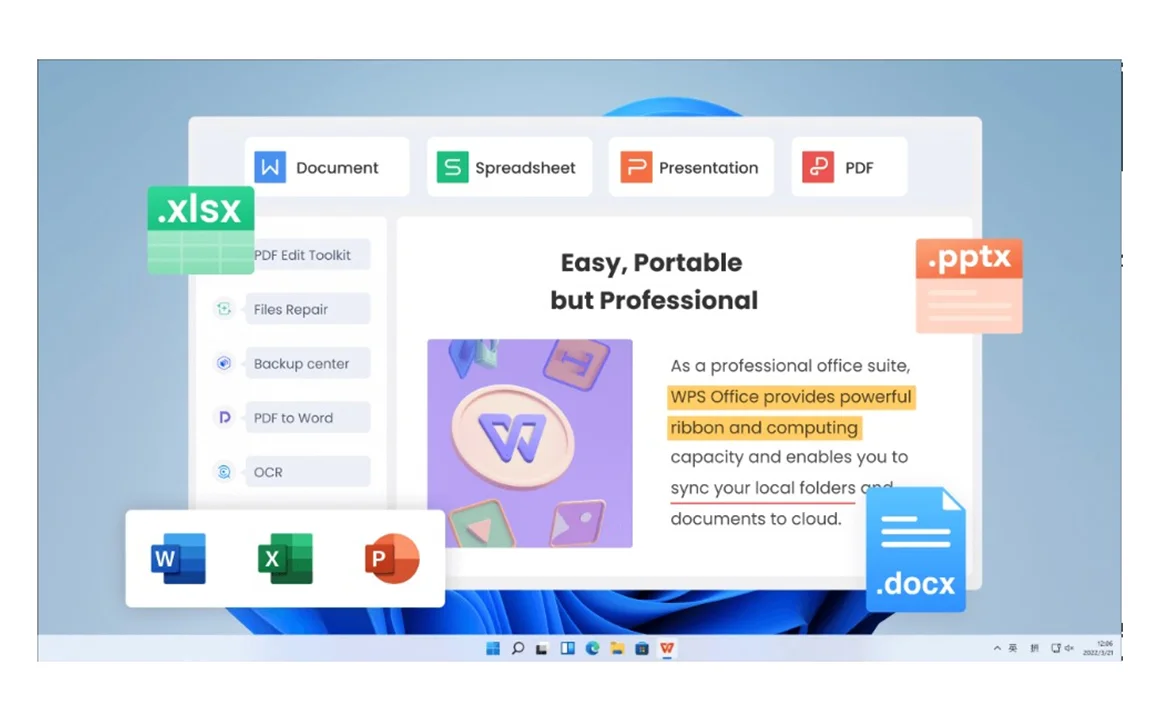
Desktop: full tax preparation in WPS Office
Best for deep tax return work - jpg to pdf, jpg to excel, fill pdf form, sign pdf, merge pdf, and compress pdf in one Windows workspace. Open Fill & Sign and keep schedules beside your tax forms.
Explore WPS for Windows
Web: fill tax forms in the browser
When you only need to fill pdf form fields and sign pdf quickly, use WPS PDF Filler online - upload tax forms, complete the return, then download to file taxes without installing software first.
Open PDF Filler
Mobile: scan receipt and finish on the go
Capture a scan receipt with your phone, turn photos into PDFs, then continue tax preparation on Android - ideal when paper piles show up away from your desk before you file taxes.
Get WPS for AndroidAlso useful: Fill and Sign PDF tutorial · WPS for iOS
Support capabilities in WPS
Choose the right tool for each tax document task
Do not force every step into one feature. First identify the job—scan, OCR, fill, sign, or package—then open the matching WPS capability. The cards below map high-intent searches such as tax return, scan receipt, fill PDF form, sign PDF, merge PDF, and compress PDF to concrete actions.
JPG to PDF / scan receipt
Turn phone photos and paper scans into clean tax document PDFs ready for review. Capture receipts while they are still readable so OCR and form filling stay accurate later.
OCR PDF / image to text
Make scanned receipts searchable and copy amounts into your tax worksheets. Searchable PDFs also help accountants find vendor names and dates without retyping every line.
JPG to Excel
Extract receipt tables into spreadsheets for expense and deduction summaries. Use formulas to group categories before you transfer totals into tax form fields.
Fill PDF form
Complete tax forms PDF fields digitally—text, checkboxes, dates, and more. Keep supporting schedules open beside the form so numbers stay consistent across pages.
Sign PDF / request sign
Add your e-signature or request signatures before you file taxes. Capture approvals from partners or clients without printing, scanning, and re-uploading paper.
Merge PDF
Combine forms, W-2s, receipts, and statements into one filing packet. A single ordered PDF is easier to upload to portals and easier for reviewers to navigate.
Compress PDF
Shrink large scan packets for email or portal upload limits. Keep enough clarity for amounts and signatures while staying under common file-size caps.
Encrypt & secure share
Password-protect returns with SSNs and bank details before transmission. Share credentials separately so sensitive tax PDFs are not left open in transit.
AI extract & formulas
Use AI data extraction and spreadsheet formulas to summarize tax amounts faster. Let automation surface totals, then verify key figures before you sign and submit.
Why prepare tax PDFs in WPS
One office suite for scan → fill → sign → submit
Use WPS Office to draft worksheets, refine PDF forms, review signatures, and keep tax documents organized in one clean workspace—so you spend less time switching tools and more time checking numbers.
End-to-end workflow
PDF, OCR, Excel, and AI tools sit in one product—so you do not bounce between apps during tax preparation. That continuity reduces version mistakes when forms, receipts, and totals must stay aligned.
Fewer paper handoffs
Digitize receipts early, fill forms on screen, and keep a clean audit trail of signed PDFs. Reviewers can follow each number from source scan to final field without hunting through email threads.
Safer final delivery
Compress, encrypt, and share finished tax return PDFs with accountants or portals without leaking sensitive data. Treat the last mile of delivery as carefully as the math on the forms.
Visual workflow map
Tap a circle on the wave — Scan · Fill · Sign · Submit
Step help
Photograph invoices and paper receipts while ink is clear, then convert with JPG to PDF so evidence is searchable before tax season piles up.
scan → fill → sign → submit · keep every tax return file in one WPS workspace
Paper tax prep vs. digital tax prep in WPS
| Step | Paper-heavy process | With WPS Office |
|---|---|---|
| Receipts | Shoebox photos and loose pages | Scan to PDF + OCR + Excel totals |
| Tax forms | Print, handwriting, rescan | Fill PDF forms on screen |
| Signatures | Wet ink and courier delays | Sign PDF / request signature |
| Submission packet | Mixed file sizes and formats | Merge, compress, encrypt, then submit |
FAQ
Common questions about tax return PDFs
For tax return prep, WPS keeps scan, fill, sign, and submit in one workflow
If your tax season starts with receipts and ends with signed PDFs, WPS Office covers the middle: OCR, Excel summaries, form filling, signatures, merge/compress, and secure sharing—so filing taxes takes fewer tools and fewer paper steps.
Start your tax document workflow
Download WPS Office for PDF tax prep
Scan receipts, fill tax forms, sign PDFs, and package secure files for submission—free to download on desktop and mobile.
