

'%3e%3cpath%20d='M8%200C12.4183%200%2016%203.58172%2016%208C16%2012.4183%2012.4183%2016%208%2016C3.58172%2016%200%2012.4183%200%208C0%203.58172%203.58172%200%208%200ZM11.6162%204.38379C11.2257%203.99337%2010.5927%203.99338%2010.2021%204.38379L8%206.58594L5.79785%204.38379C5.40732%203.99334%204.77429%203.99329%204.38379%204.38379C3.99331%204.77429%203.99335%205.40733%204.38379%205.79785L6.58594%208L4.38379%2010.2021C3.99348%2010.5927%203.99341%2011.2257%204.38379%2011.6162C4.77426%2012.0066%205.40734%2012.0065%205.79785%2011.6162L8%209.41406L10.2021%2011.6162C10.5927%2012.0066%2011.2257%2012.0067%2011.6162%2011.6162C12.0067%2011.2257%2012.0066%2010.5927%2011.6162%2010.2021L9.41406%208L11.6162%205.79785C12.0066%205.40735%2012.0066%204.77429%2011.6162%204.38379Z'%20fill='%23080E17'%20fill-opacity='0.46'/%3e%3c/g%3e%3cdefs%3e%3cclipPath%20id='clip0_3761_713'%3e%3crect%20width='16'%20height='16'%20fill='white'/%3e%3c/clipPath%3e%3c/defs%3e%3c/svg%3e)




'%3e%3cpath%20fill-rule='evenodd'%20clip-rule='evenodd'%20d='M21.4999%2010.9993C21.4999%205.20009%2016.7986%200.498901%2010.9993%200.498901C5.19994%200.498901%200.498657%205.20009%200.498657%2010.9993C0.498657%2016.2404%204.33858%2020.5844%209.35855%2021.3722V14.0346H6.69238V10.9993H9.35855V8.68594C9.35855%206.05427%2010.9262%204.60062%2013.3248%204.60062C14.4736%204.60062%2015.6753%204.80571%2015.6753%204.80571V7.38979H14.3512C13.0468%207.38979%2012.64%208.19921%2012.64%209.0296V10.9993H15.5523L15.0867%2014.0346H12.64V21.3722C17.66%2020.5844%2021.4999%2016.2404%2021.4999%2010.9993Z'%20fill='%231568EA'/%3e%3c/g%3e%3c/svg%3e)


'%3e%3cpath%20d='M2.42045%2022.1876H6.31818V12.7217L0.75%208.54553V20.5171C0.75%2021.4414%201.49892%2022.1876%202.42045%2022.1876Z'%20fill='%234285F4'/%3e%3cpath%20d='M19.682%2022.1876H23.5797C24.5041%2022.1876%2025.2502%2021.4387%2025.2502%2020.5171V8.54553L19.682%2012.7217'%20fill='%2334A853'/%3e%3cpath%20d='M19.682%205.48293V12.7216L25.2502%208.54543V6.31816C25.2502%204.25236%2022.8921%203.07469%2021.2411%204.31361'%20fill='%23FBBC04'/%3e%3cpath%20d='M6.31824%2012.7217V5.48303L13.0001%2010.4944L19.6819%205.48303V12.7217L13.0001%2017.733'%20fill='%23EA4335'/%3e%3cpath%20d='M0.75%206.31816V8.54543L6.31818%2012.7216V5.48293L4.75909%204.31361C3.10534%203.07469%200.75%204.25236%200.75%206.31816Z'%20fill='%23C5221F'/%3e%3c/g%3e%3cdefs%3e%3cclipPath%20id='clip0_2954_7305'%3e%3crect%20width='24.5'%20height='18.375'%20fill='white'%20transform='translate(0.75%203.8125)'/%3e%3c/clipPath%3e%3c/defs%3e%3c/svg%3e)


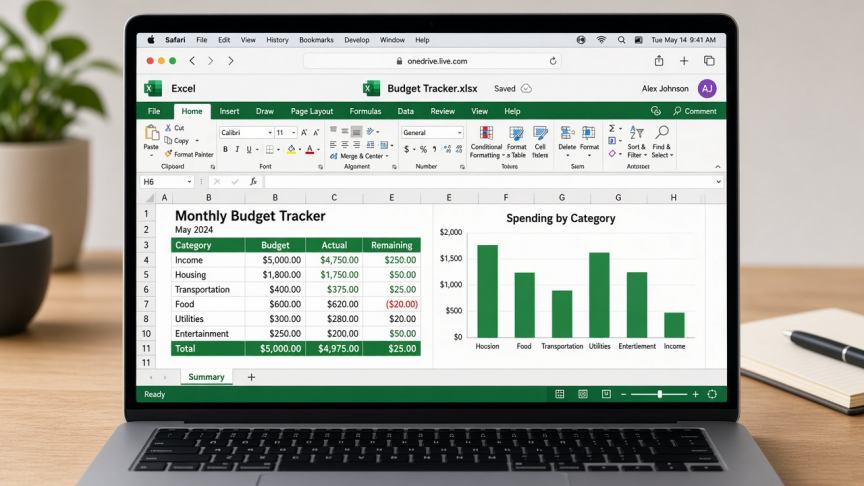
If you searched for how to download Excel for Mac free as a student, you usually want coursework-ready spreadsheets without paying for a personal Microsoft 365 plan. The honest answer depends on your school license, not on a cracked installer.
Quick answer: Start with your school email on Microsoft's Education page. Office 365 A1-style access is typically web Excel (and other web apps). Desktop Excel for Mac usually needs an A3/A5-class institution license or another qualifying plan. If you are not eligible, use Excel for the web with a free Microsoft account, install WPS Spreadsheet for Mac for offline .xlsx work, or open files in Apple Numbers.
This guide is the student decision map (Education vs web vs free desktop alternatives). For general Mac install paths, see how to download Excel for Mac. For free-only methods without the student lens, see how to get Excel on Mac for free.
Choose your free Excel path as a Mac student
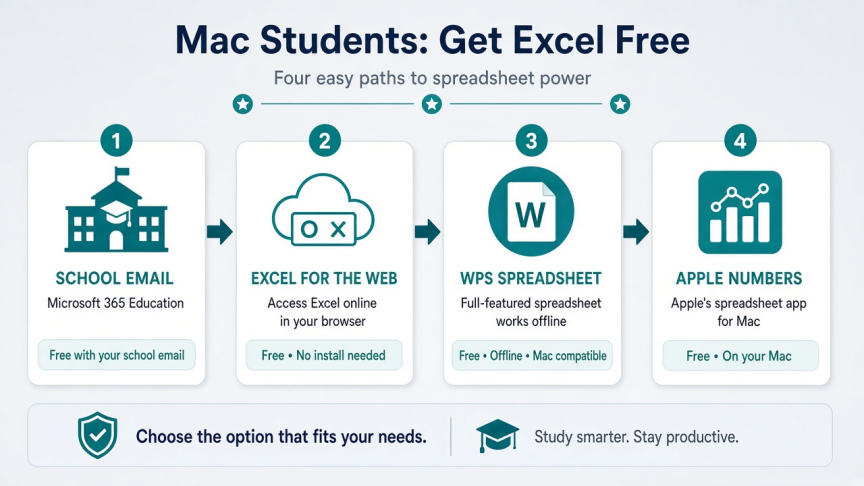
Have a school email / campus Microsoft license: try Microsoft Education first
Need official Excel without installing desktop Office: Excel for the web
Need free offline .xlsx editing on a Mac: WPS Spreadsheet
Prefer Apple's built-in app for light sheets: Numbers
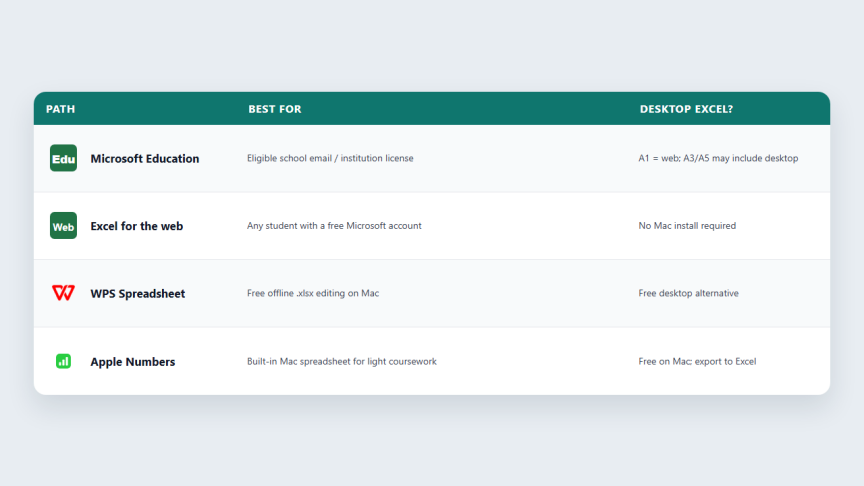
| Path | Cost | Mac install? | Offline | Best for |
|---|---|---|---|---|
| Microsoft Education | Free if eligible | Depends on plan | Desktop plans only | School-managed Excel access |
| Excel for the web | Free Microsoft account | No | Limited | Official Excel in the browser |
| WPS Spreadsheet | Free core | Yes | Yes | Offline coursework .xlsx files |
| Apple Numbers | Free on Mac | Yes | Yes | Light Apple-first sheets |
Skip "free Excel key" and cracked Office sites. They are not a safe student download path.
1. Microsoft Education: check school eligibility first
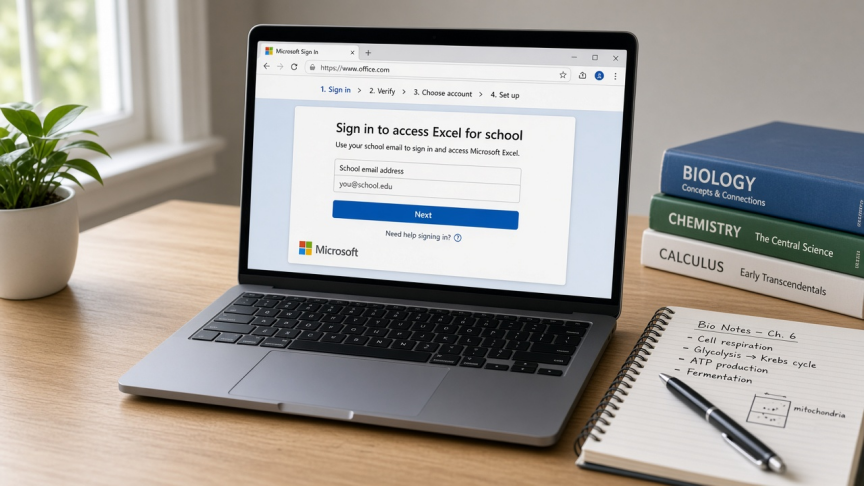
For many students, the real free Excel path is institutional, not a personal purchase. Eligible schools can provide Office 365 / Microsoft 365 Education access. The important detail: free A1-style access is commonly web apps (Excel in the browser). Desktop Excel for Mac installs usually come with higher education plans such as A3/A5, or when the school separately licenses desktop apps.
Best for: students with a school email or campus portal that already includes Microsoft apps.
Watch-outs: eligibility and plan features vary by institution. Do not assume every ".edu" address unlocks desktop Excel forever. Confirm what your school IT page lists (web only vs Install apps).
Go to Microsoft's Education / Office for Education page and enter your school email (start at microsoft.com/education/products/office).
Follow the prompts. If your school already has Microsoft 365, you may be redirected to sign in with your school account.
Open office.com, sign in, and launch the Excel tile for web Excel.
If your plan includes desktop apps, use Install apps / Install Office from your Microsoft 365 account page, then run the Mac installer and sign in to activate.
If the portal only offers web apps, stay on Excel for the web or use WPS/Numbers for offline Mac work.
Need a longer click-by-click Education walkthrough? See WPS's related Excel for Mac free for students step-by-step guide, then verify every screen against your school's current portal (Microsoft UI labels change).
2. Excel for the web: free official Excel without a Mac install
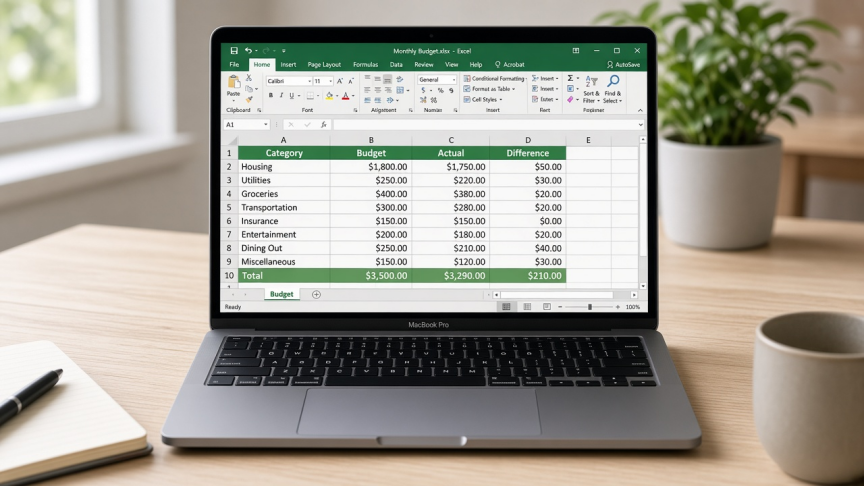
If Education eligibility fails, or your A1-style license is web-only, Excel for the web is still official Microsoft Excel in Safari or Chrome. Sign in with a free Microsoft account, save to OneDrive, and download .xlsx copies when you need to submit files.
Best for: homework that needs Excel formulas and sharing without buying desktop Office.
Watch-outs: needs internet for normal use. Advanced desktop-only tools and many macros still require paid or institution desktop Excel.
Open office.com and sign in (or create a free Microsoft account).
Click the Excel app tile.
Create a workbook or upload a class .xlsx file.
Download a local .xlsx from File when your professor wants an attachment.
3. WPS Spreadsheet: free Excel-compatible desktop app for Mac students
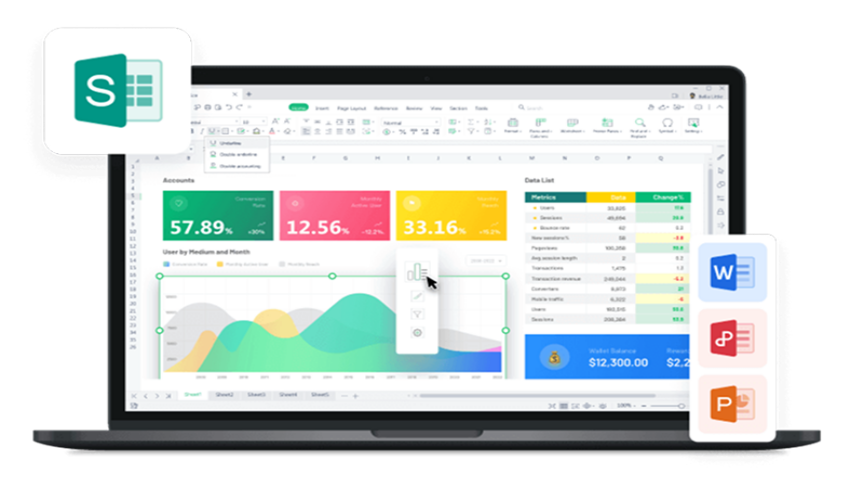
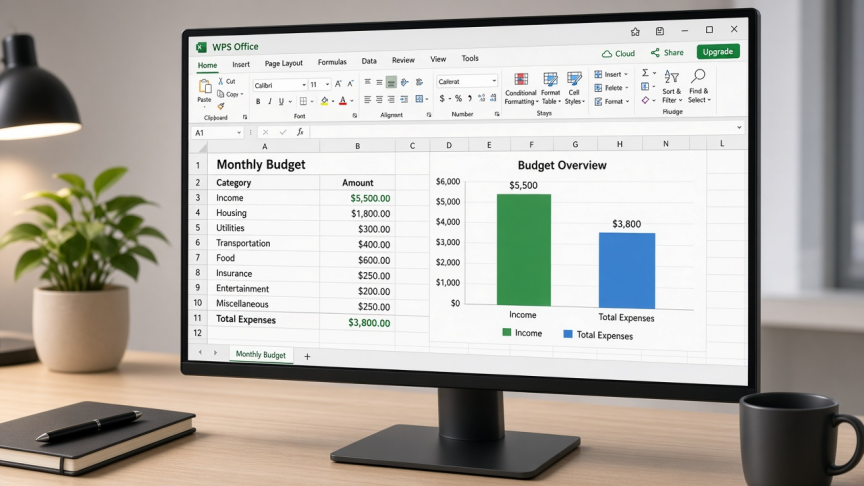
When students say "download Excel free," they often mean "download something that opens Excel files offline on my Mac." WPS Spreadsheet is that path. It is part of WPS Office for Mac, opens common Excel formats (.xlsx, .xls, .csv), and uses a familiar ribbon-style layout for formulas, charts, and tables.
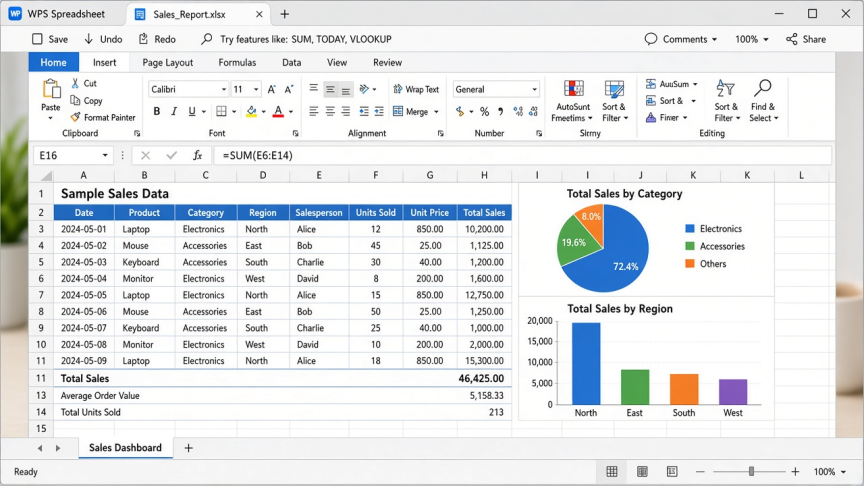
For career and campus work, the suite bonus matters: Writer and Presentation help with reports and slides, and PDF tools help with readings and submissions. Core spreadsheet editing is available on the free plan; some advanced PDF, template, cloud, or AI extras may require Pro.
Best for: offline labs, commute study sessions, and .xlsx handoffs when you do not have desktop Excel.
Watch-outs: WPS Spreadsheet is not Microsoft Excel. Spot-check complex graded workbooks (heavy VBA, unusual add-ins) before submission day.
Open the WPS Office for Mac download page.
Download the free Mac installer and complete installation.
Launch WPS Office and open Spreadsheet.
Use File → Open on your class .xlsx / .xls / .csv file.
Save as Excel (.xlsx) when sharing with professors or Windows classmates.
4. Apple Numbers: free built-in option for light student sheets
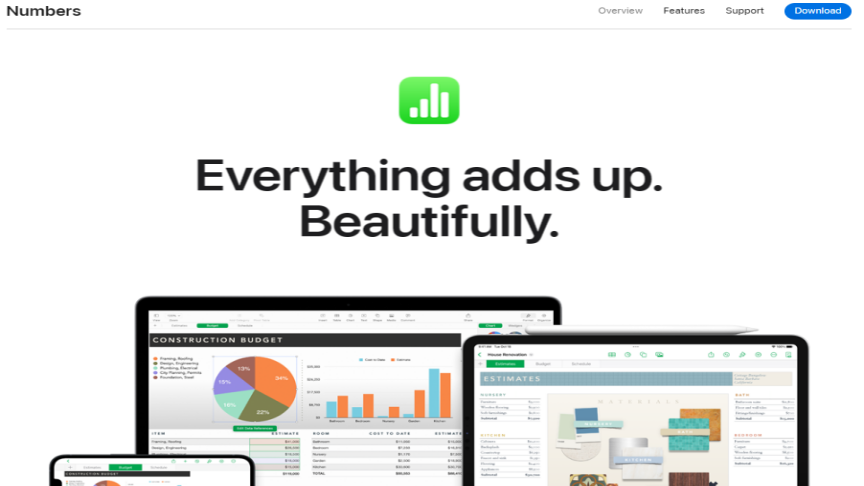
Numbers is free on Mac and can import Excel files. It is fine for personal budgets, simple lab tables, and Apple-first notes. It is not Excel, so advanced templates and some formulas can shift. Export back to Excel before you upload to a learning management system that expects .xlsx.
Best for: light coursework inside Apple's apps.
Watch-outs: review exported .xlsx files before graded submissions.
Open Numbers (install from the Mac App Store if missing).
Choose File → Open and select an Excel workbook.
Edit in Numbers, then use File → Export To → Excel… when you need .xlsx.
Which student path should you pick?
School offers Microsoft desktop apps: install Excel from your Education account
School offers web-only A1-style access: use Excel for the web; add WPS for offline Mac work
No Education eligibility: Excel for the web + WPS Spreadsheet is the practical free combo
Simple Apple-only sheets: Numbers, then export to Excel when required
For career projects that mix reports, slides, and PDFs on one Mac, WPS Office covers more than a spreadsheet-only workflow.
FAQ
Can students download Excel for Mac for free? Sometimes. Eligible Education licenses can include free Excel access. Free A1-style plans are often web Excel. Desktop Excel for Mac usually needs a plan that includes desktop apps, such as many A3/A5 deployments. Otherwise use Excel for the web, WPS Spreadsheet, or Numbers.
Is Office 365 A1 the same as desktop Excel on Mac? No. A1-style Education access is commonly online apps. Desktop installs are a separate entitlement.
Is WPS Spreadsheet the same as Microsoft Excel? No. It is an Excel-compatible spreadsheet in WPS Office. It opens common Excel formats for free offline work, but it is a different product.
What if my school email is not accepted? Use Excel for the web with a personal Microsoft account, or install WPS Spreadsheet / Numbers for Mac. Ask campus IT whether Microsoft apps are provided another way (portal, software center, or lab machines).
Is it safe to use free Excel key sites? No. Stick to Microsoft Education, office.com, the Mac App Store, and official alternative downloads like WPS.
Final verdict
Check Microsoft Education first. Use Excel for the web when you need official Excel online. Download WPS Spreadsheet when you need free offline .xlsx editing on a Mac. Use Numbers for light Apple-first sheets.
If your next assignment is an Excel file and you need a free Mac desktop editor today, install WPS Office and open the workbook in Spreadsheet.

'%3e%3cpath%20d='M19.9911%204.11386V6.471H18.5894C18.0775%206.471%2017.7322%206.57814%2017.5536%206.79243C17.3751%207.00671%2017.2858%207.32814%2017.2858%207.75671V9.44421H19.9019L19.5536%2012.0871H17.2858V18.8639H14.5536V12.0871H12.2769V9.44421H14.5536V7.49779C14.5536%206.39064%2014.8632%205.53201%2015.4822%204.92189C16.1013%204.31177%2016.9257%204.00671%2017.9554%204.00671C18.8304%204.00671%2019.509%204.04243%2019.9911%204.11386Z'%20fill='%23333333'/%3e%3c/g%3e%3cdefs%3e%3cclipPath%20id='clip0_2938_8199'%3e%3crect%20width='16'%20height='16'%20fill='white'%20transform='translate(8%204.00671)'/%3e%3c/clipPath%3e%3c/defs%3e%3c/svg%3e)
'%3e%3cpath%20d='M17.5237%2010.7813L23.4811%204H22.0699L16.8949%209.88693L12.7648%204H8L14.2469%2012.9029L8%2020.0133H9.4112L14.8725%2013.7952L19.2352%2020.0133H24M9.92053%205.04213H12.0885L22.0688%2019.0224H19.9003'%20fill='%23333333'/%3e%3c/g%3e%3cdefs%3e%3cclipPath%20id='clip0_2938_8200'%3e%3crect%20width='16'%20height='16.0134'%20fill='white'%20transform='translate(8%204)'/%3e%3c/clipPath%3e%3c/defs%3e%3c/svg%3e)


