



'%3e%3cpath%20fill-rule='evenodd'%20clip-rule='evenodd'%20d='M21.4999%2010.9993C21.4999%205.20009%2016.7986%200.498901%2010.9993%200.498901C5.19994%200.498901%200.498657%205.20009%200.498657%2010.9993C0.498657%2016.2404%204.33858%2020.5844%209.35855%2021.3722V14.0346H6.69238V10.9993H9.35855V8.68594C9.35855%206.05427%2010.9262%204.60062%2013.3248%204.60062C14.4736%204.60062%2015.6753%204.80571%2015.6753%204.80571V7.38979H14.3512C13.0468%207.38979%2012.64%208.19921%2012.64%209.0296V10.9993H15.5523L15.0867%2014.0346H12.64V21.3722C17.66%2020.5844%2021.4999%2016.2404%2021.4999%2010.9993Z'%20fill='%231568EA'/%3e%3c/g%3e%3c/svg%3e)


'%3e%3cpath%20d='M2.42045%2022.1876H6.31818V12.7217L0.75%208.54553V20.5171C0.75%2021.4414%201.49892%2022.1876%202.42045%2022.1876Z'%20fill='%234285F4'/%3e%3cpath%20d='M19.682%2022.1876H23.5797C24.5041%2022.1876%2025.2502%2021.4387%2025.2502%2020.5171V8.54553L19.682%2012.7217'%20fill='%2334A853'/%3e%3cpath%20d='M19.682%205.48293V12.7216L25.2502%208.54543V6.31816C25.2502%204.25236%2022.8921%203.07469%2021.2411%204.31361'%20fill='%23FBBC04'/%3e%3cpath%20d='M6.31824%2012.7217V5.48303L13.0001%2010.4944L19.6819%205.48303V12.7217L13.0001%2017.733'%20fill='%23EA4335'/%3e%3cpath%20d='M0.75%206.31816V8.54543L6.31818%2012.7216V5.48293L4.75909%204.31361C3.10534%203.07469%200.75%204.25236%200.75%206.31816Z'%20fill='%23C5221F'/%3e%3c/g%3e%3cdefs%3e%3cclipPath%20id='clip0_2954_7305'%3e%3crect%20width='24.5'%20height='18.375'%20fill='white'%20transform='translate(0.75%203.8125)'/%3e%3c/clipPath%3e%3c/defs%3e%3c/svg%3e)


If Ctrl+C and Ctrl+V suddenly stop working in Excel on a Windows 11 PC, you may be hitting the Windows 11 Excel copy paste bug that followed a September 2026 Office security update. Paste can fail with no beep and no error dialog, so it looks like nothing happened.
This guide explains the confirmed KB5002914 issue, the fastest Paste Special workarounds, how to update or roll back Office, and what to check when the problem is a normal clipboard conflict instead. You will also see how WPS Spreadsheet can keep sheet work moving while you wait for a clean Excel fix.
Windows 11 Excel Copy Paste Bug: Causes and Fixes
What the Windows 11 Excel copy paste bug looks like
Microsoft describes the failure clearly: in Excel 2024, 2021, 2019, and 2016, paste may fail silently. The source cells stay selected, the destination does not change, and Excel gives no beep or message. That is why many Windows 11 users think the keyboard shortcut is broken when the real problem is the paste path.
Common signs of the Windows 11 Excel copy paste bug:
Ctrl+C appears to copy, but Ctrl+V does nothing.
The marching ants stay on the source range after paste.
Right-click Paste or the ribbon Paste button also fails.
Fill handle drag or autofill may stop working at the same time.
Paste Special options such as Values still work for some users.
If copy and paste still work in Notepad, Word, or a browser, the Windows clipboard itself is usually fine. The fault is often inside Excel after the Office update.
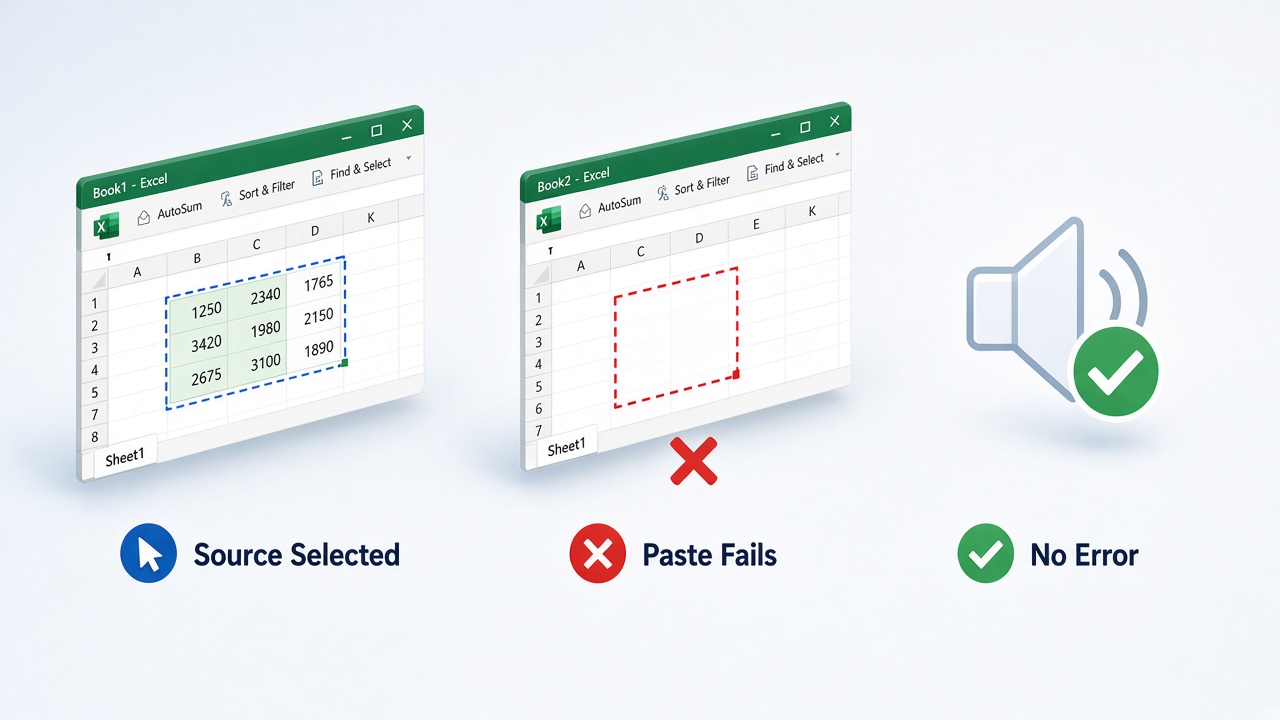
Excel silent paste failure signs


Why the Windows 11 Excel copy paste bug happens
The current wave of reports is tied to Office security update KB5002914, released on September 8, 2026. Microsoft later added a known issue to the update notes: paste might fail silently in Excel 2024, 2021, 2019, and 2016.
Important clarification for Windows 11 searches: the bug is an Office / Excel update problem, not a proven Windows 11 OS clipboard failure. It shows up often on Windows 11 PCs because that is where many people installed the September Patch Tuesday Office updates.
What we know from Microsoft and field reports:
Affected perpetual Excel builds include 2016, 2019, 2021, and 2024 (MSI and Click-to-Run).
LTSC builds have also been reported by users.
Microsoft listed Paste Special routes as temporary options while it investigates.
Uninstalling or rolling past the broken build restores paste for many users.
Before you remove updates, check File > Account > About Excel. Note whether your install says Click-to-Run or shows an MSI-style version string. That choice decides which fix path is safe.
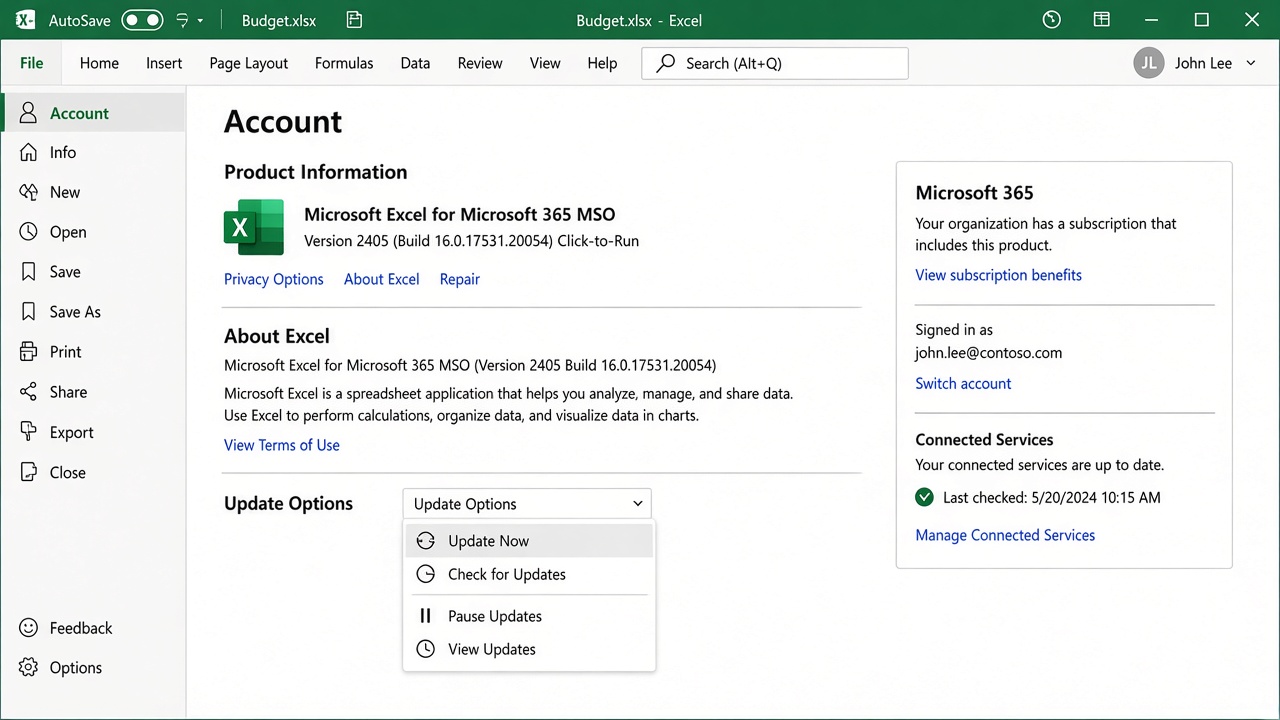
Excel Account Update Options page
Quick workarounds for the Windows 11 Excel copy paste bug
If you need to move data right now, Microsoft’s own known-issue note points to Paste Special. These options often succeed when normal paste fails. For a broader troubleshooting path, You can continue reading, or see this step-by-step guide to fixing Excel copy and paste not working.
Select the source cells and press Ctrl+C.
Click the destination cell.
Press Ctrl+Alt+V, or right-click and choose Paste Special.
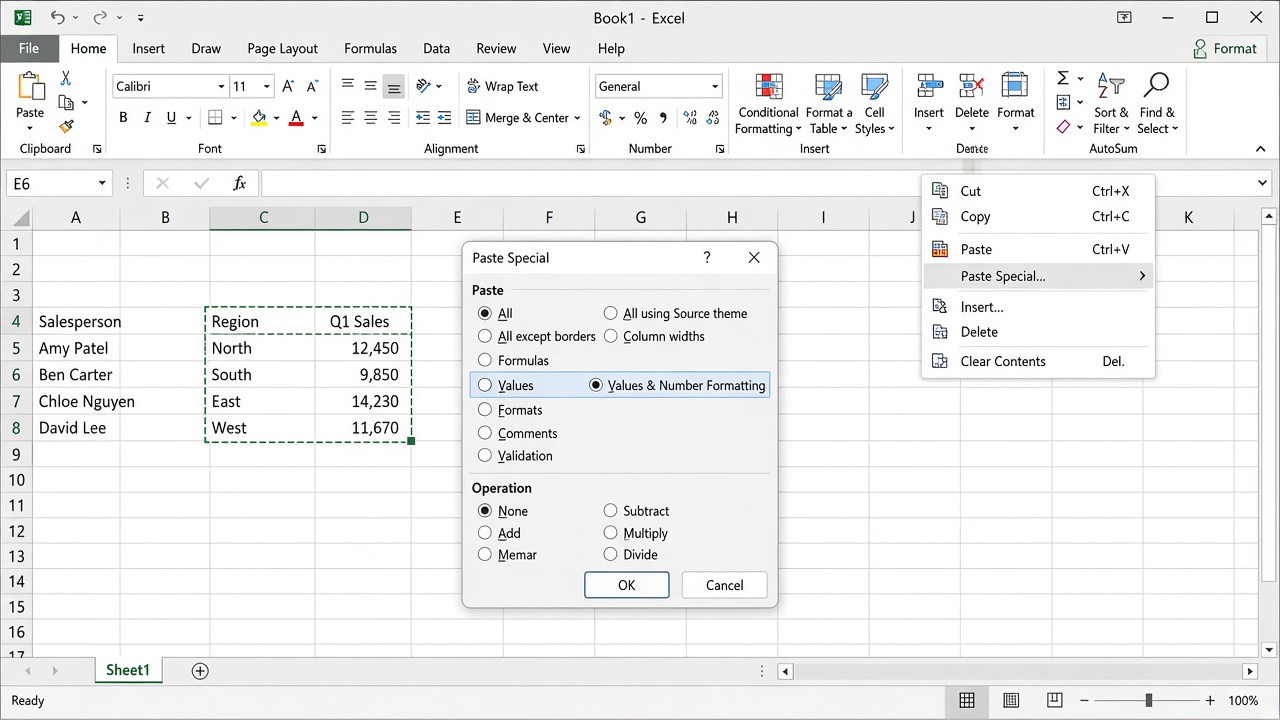
Excel Paste Special Values dialog
Try one of these Microsoft-listed options: Formulas, Formulas & Number Formatting, Values, Values & Number Formatting, or Link.
Click OK and confirm the destination changed.
Paste Values is the fastest path when you only need numbers or text. It will not keep formulas or full formatting, so treat it as a temporary bridge, not the final fix.
Other short-term tips:
Copy one small range first to confirm Paste Special works.
If you need exact formulas later, keep the original workbook open until you apply a lasting Office fix.
For value-only paste habits in general, see how to copy numbers in Excel without formula.
How to fix the Windows 11 Excel copy paste bug
Use the least disruptive path first. Prefer an Office update when available; uninstall or roll back only if paste is still broken and you understand the security trade-off.
Step 1: Check for a newer Office update
Open Excel and go to File > Account.
Open Update Options and choose Update Now.
Restart Excel and test Ctrl+C / Ctrl+V again.
Some Click-to-Run users report that a later Office build restores paste. Always verify on your own PC after updating, because build numbers change by channel.
Step 2: MSI installs — remove KB5002914
If About Excel does not say Click-to-Run, you may be on an MSI-based Office 2016 install that can remove the patch.
Close Excel and other Office apps.
Open an elevated Command Prompt.
Use Microsoft’s Office patch tools or the KB uninstall path for your language pack. Community-confirmed commands for removing KB5002914 include
Oarpmany.exe /removereleaseinpatchfor Office 2016 MSI.Restart Windows if prompted, then retest paste.
On some Windows 11 systems, the Settings UI no longer lists every Office patch for uninstall. That is why command-line removal is commonly used. Save your work first, and only remove the patch you identified.
Step 3: Click-to-Run installs — update or roll back the Office build
Click-to-Run cannot uninstall a single KB the same way MSI can. You either take a newer fixed build or roll the whole Office client to a known good version with OfficeC2RClient.exe.
Confirm Click-to-Run under File > Account > About Excel.
Try Update Now first.
If paste is still broken and your IT policy allows it, roll back with an elevated
OfficeC2RClient.exe /update user updatetoversion=...command for your channel’s last working build.After paste works again, decide whether to pause updates until Microsoft’s corrected build reaches your channel.
Do not replace excel.exe by hand with an older file. That workaround leaves mismatched Office files and is a security risk. For update-specific cases, see what happened when KB5002914 broke Excel copy and paste silently, follow the focused guide for Excel copy paste not working after KB5002914, or use the Windows 11 checklist for Excel copy-paste bug causes and fixes.
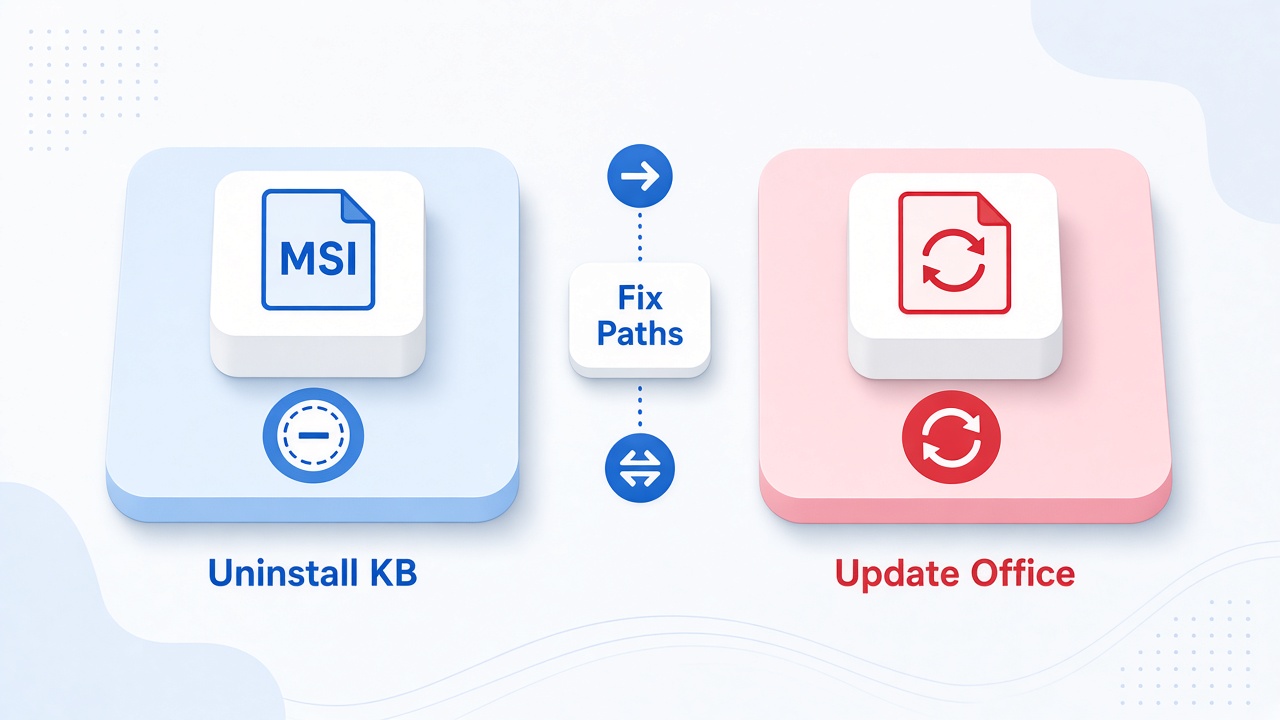
MSI uninstall and Office update paths
The Best Free Office Alternative: WPS Office
When an Excel update blocks everyday paste work, you still need to move tables, clean values, and finish reports. WPS Office is a practical free alternative: Writer, Spreadsheet, Presentation, and PDF tools sit in one lightweight suite that opens common .xlsx files.
WPS Spreadsheet keeps copy and paste close to the sheet you are editing. You can use the Home Paste menu for Values, Formulas, or Formatting without waiting on a broken Office channel. That matters for Windows 11 users who need to ship a workbook today while IT decides whether to uninstall KB5002914 or wait for Microsoft’s corrected build.
Microsoft Excel remains the app many workplaces standardize on, but the September 2026 paste regression shows how a single Office security update can stop a basic workflow with no on-screen warning. WPS Office focuses on a familiar ribbon, free everyday access, and fewer blockers when you just need to edit the sheet.
| Capability | Microsoft Excel on Windows 11 | WPS Spreadsheet |
|---|---|---|
| Quick access / UI friction | Normal paste can fail silently after KB5002914; users must hunt for Paste Special or update settings. | Paste menu stays available on the Home ribbon for Values, Formulas, and Formatting. |
| Preset and design flexibility | Strong Paste Special gallery when the bug is not active. | Common paste modes for values-only, formulas, and format reuse without leaving the sheet. |
| All-in-one capabilities | Excel is separate from Word, PowerPoint, and PDF tooling unless you buy the full Office stack. | Spreadsheet plus Writer, Presentation, and PDF in one free suite. |
| Export and reuse | Works well with .xlsx when paste is healthy; broken paste blocks editing before export. | Open and save common Excel formats so you can continue work and share the file. |
| Pricing and accessibility | Desktop Excel usually needs Microsoft 365 or a paid perpetual license. | Free to start from the WPS download page. |
Key Advantages of WPS Office
Keep working during an Excel regression: Open the .xlsx file and paste values or formulas in Spreadsheet while you wait for a clean Office build.
Familiar sheet workflow: Home ribbon paste options cover the everyday cases without a nested Account update hunt.
One free suite: Finish the table, write the report, and export a PDF without buying Microsoft 365 first.
Quick start in WPS Spreadsheet:
Open your .xlsx file in WPS Spreadsheet.
Select the range and press Ctrl+C.
Click the destination cell, open Home > Paste, and choose Values or another mode you need.
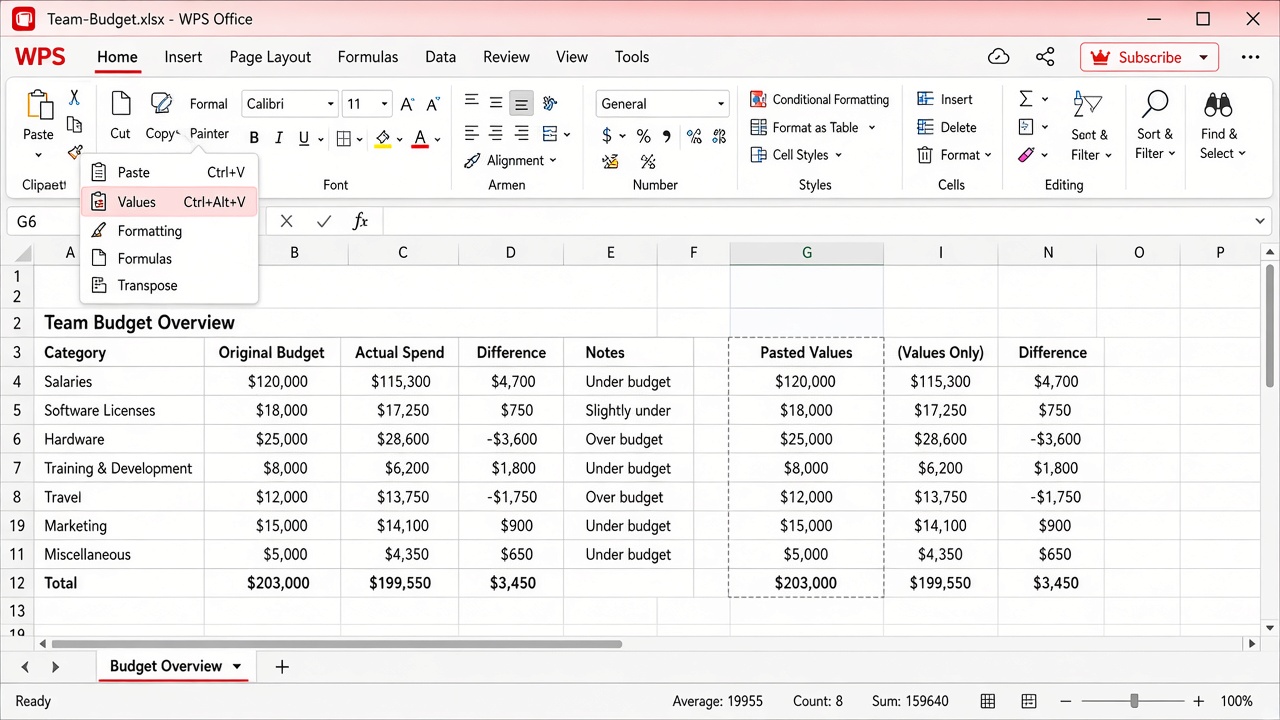
WPS Spreadsheet Paste Values menu
Save the workbook and retest later in Excel after you install Microsoft’s fixed update.
For clipboard basics inside WPS apps, see how to use the clipboard in WPS Office.
FAQs
Is the Windows 11 Excel copy paste bug caused by Windows Update or Office?
The confirmed September 2026 issue is tied to Office security update KB5002914, not a proven Windows 11 clipboard OS bug. It appears on many Windows 11 PCs because that is where the Office update was installed.
Which Excel versions are affected?
Microsoft lists Excel 2024, 2021, 2019, and 2016. User reports also mention LTSC editions. Always check File > Account > About Excel on your PC.
Does Paste Special always work?
Microsoft recommends Paste Special options such as Values or Formulas as temporary workarounds. Many users recover paste that way, but it may drop formatting or formulas depending on the option you choose.
Should I uninstall KB5002914?
Only if paste is broken, your install type supports removal, and your organization accepts the security trade-off. Prefer a newer Office update when available. Click-to-Run users usually update or roll back the full Office build instead of uninstalling one KB.
Can WPS Spreadsheet open my Excel file while paste is broken?
Yes. WPS Spreadsheet opens common .xlsx workbooks, so you can keep editing tables and use Paste Values or other paste modes while you wait for a fixed Microsoft Excel build.


'%3e%3cpath%20d='M19.9911%204.11386V6.471H18.5894C18.0775%206.471%2017.7322%206.57814%2017.5536%206.79243C17.3751%207.00671%2017.2858%207.32814%2017.2858%207.75671V9.44421H19.9019L19.5536%2012.0871H17.2858V18.8639H14.5536V12.0871H12.2769V9.44421H14.5536V7.49779C14.5536%206.39064%2014.8632%205.53201%2015.4822%204.92189C16.1013%204.31177%2016.9257%204.00671%2017.9554%204.00671C18.8304%204.00671%2019.509%204.04243%2019.9911%204.11386Z'%20fill='%23333333'/%3e%3c/g%3e%3cdefs%3e%3cclipPath%20id='clip0_2938_8199'%3e%3crect%20width='16'%20height='16'%20fill='white'%20transform='translate(8%204.00671)'/%3e%3c/clipPath%3e%3c/defs%3e%3c/svg%3e)
'%3e%3cpath%20d='M17.5237%2010.7813L23.4811%204H22.0699L16.8949%209.88693L12.7648%204H8L14.2469%2012.9029L8%2020.0133H9.4112L14.8725%2013.7952L19.2352%2020.0133H24M9.92053%205.04213H12.0885L22.0688%2019.0224H19.9003'%20fill='%23333333'/%3e%3c/g%3e%3cdefs%3e%3cclipPath%20id='clip0_2938_8200'%3e%3crect%20width='16'%20height='16.0134'%20fill='white'%20transform='translate(8%204)'/%3e%3c/clipPath%3e%3c/defs%3e%3c/svg%3e)


