

'%3e%3cpath%20d='M8%200C12.4183%200%2016%203.58172%2016%208C16%2012.4183%2012.4183%2016%208%2016C3.58172%2016%200%2012.4183%200%208C0%203.58172%203.58172%200%208%200ZM11.6162%204.38379C11.2257%203.99337%2010.5927%203.99338%2010.2021%204.38379L8%206.58594L5.79785%204.38379C5.40732%203.99334%204.77429%203.99329%204.38379%204.38379C3.99331%204.77429%203.99335%205.40733%204.38379%205.79785L6.58594%208L4.38379%2010.2021C3.99348%2010.5927%203.99341%2011.2257%204.38379%2011.6162C4.77426%2012.0066%205.40734%2012.0065%205.79785%2011.6162L8%209.41406L10.2021%2011.6162C10.5927%2012.0066%2011.2257%2012.0067%2011.6162%2011.6162C12.0067%2011.2257%2012.0066%2010.5927%2011.6162%2010.2021L9.41406%208L11.6162%205.79785C12.0066%205.40735%2012.0066%204.77429%2011.6162%204.38379Z'%20fill='%23080E17'%20fill-opacity='0.46'/%3e%3c/g%3e%3cdefs%3e%3cclipPath%20id='clip0_3761_713'%3e%3crect%20width='16'%20height='16'%20fill='white'/%3e%3c/clipPath%3e%3c/defs%3e%3c/svg%3e)




'%3e%3cpath%20fill-rule='evenodd'%20clip-rule='evenodd'%20d='M21.4999%2010.9993C21.4999%205.20009%2016.7986%200.498901%2010.9993%200.498901C5.19994%200.498901%200.498657%205.20009%200.498657%2010.9993C0.498657%2016.2404%204.33858%2020.5844%209.35855%2021.3722V14.0346H6.69238V10.9993H9.35855V8.68594C9.35855%206.05427%2010.9262%204.60062%2013.3248%204.60062C14.4736%204.60062%2015.6753%204.80571%2015.6753%204.80571V7.38979H14.3512C13.0468%207.38979%2012.64%208.19921%2012.64%209.0296V10.9993H15.5523L15.0867%2014.0346H12.64V21.3722C17.66%2020.5844%2021.4999%2016.2404%2021.4999%2010.9993Z'%20fill='%231568EA'/%3e%3c/g%3e%3c/svg%3e)


'%3e%3cpath%20d='M2.42045%2022.1876H6.31818V12.7217L0.75%208.54553V20.5171C0.75%2021.4414%201.49892%2022.1876%202.42045%2022.1876Z'%20fill='%234285F4'/%3e%3cpath%20d='M19.682%2022.1876H23.5797C24.5041%2022.1876%2025.2502%2021.4387%2025.2502%2020.5171V8.54553L19.682%2012.7217'%20fill='%2334A853'/%3e%3cpath%20d='M19.682%205.48293V12.7216L25.2502%208.54543V6.31816C25.2502%204.25236%2022.8921%203.07469%2021.2411%204.31361'%20fill='%23FBBC04'/%3e%3cpath%20d='M6.31824%2012.7217V5.48303L13.0001%2010.4944L19.6819%205.48303V12.7217L13.0001%2017.733'%20fill='%23EA4335'/%3e%3cpath%20d='M0.75%206.31816V8.54543L6.31818%2012.7216V5.48293L4.75909%204.31361C3.10534%203.07469%200.75%204.25236%200.75%206.31816Z'%20fill='%23C5221F'/%3e%3c/g%3e%3cdefs%3e%3cclipPath%20id='clip0_2954_7305'%3e%3crect%20width='24.5'%20height='18.375'%20fill='white'%20transform='translate(0.75%203.8125)'/%3e%3c/clipPath%3e%3c/defs%3e%3c/svg%3e)


Staring at an empty formula bar, trying to remember whether it's INDEX/MATCH or XLOOKUP — and which order the arguments go — is where most spreadsheet sessions lose their momentum. A good formula bot ends that: you describe what you want in plain English, and it writes the formula, explains an old one, or builds the whole analysis for you. The catch is that these tools have multiplied fast, and they are not interchangeable.
We compared the best formula bots for Excel and Google Sheets in 2026, focusing on what actually matters: formula accuracy, whether the tool works inside your spreadsheet or off to the side, what it costs per month, and whether it can grow from "write me a SUMIF" into real analysis. Here are our top picks.
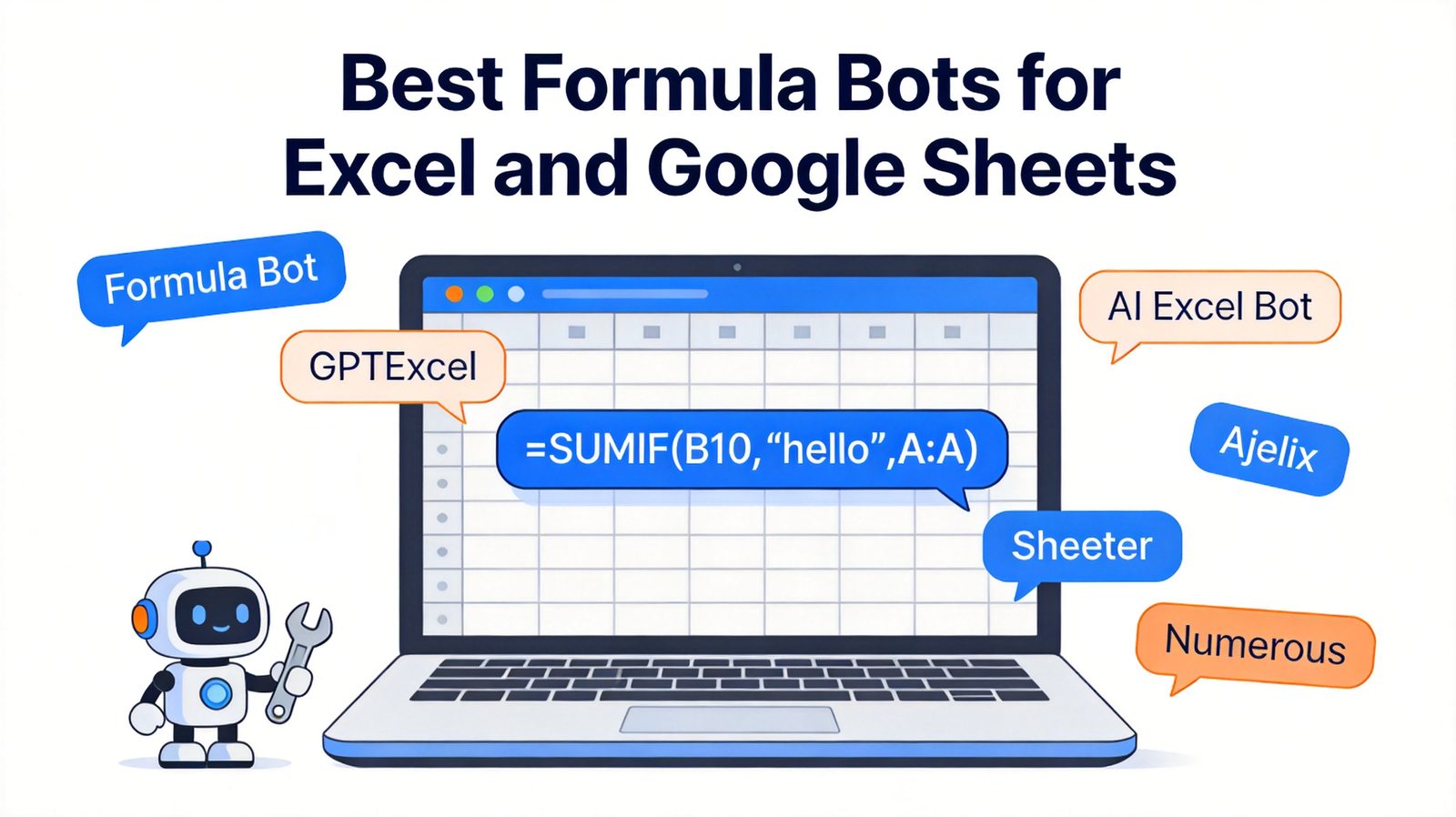
TL;DR: Quick Answer for the Best Formula Bot in 2026
"For most people, Formula Bot is the best overall AI formula bot — it writes accurate Excel and Google Sheets formulas from plain English and has grown into a full AI data analysis platform."
If you also need VBA scripts and SQL queries, choose GPTExcel. For the cheapest way to generate formulas inside Excel itself, AI Excel Bot wins. For a simple Google Sheets formula generator, use Sheeter. Ajelix is the best affordable all-in-one toolkit, and Numerous.ai is the strongest for bulk AI operations across hundreds of rows.
Best overall: Formula Bot (free plan; Starter from $20/month)
Best free built-in AI: WPS Spreadsheet (AI formula generator free inside WPS Office)
Best for formulas + scripts + SQL: GPTExcel (free 90 credits; Pro $19.9/month)
Best budget pick inside Excel: AI Excel Bot (free 5 uses/month)
Best simple Google Sheets generator: Sheeter.ai (one-time pricing)
Best affordable all-in-one toolkit: Ajelix (from $7/month)
Best for bulk row operations: Numerous.ai ($15/month)
What Is a Formula Bot and When Should You Use One
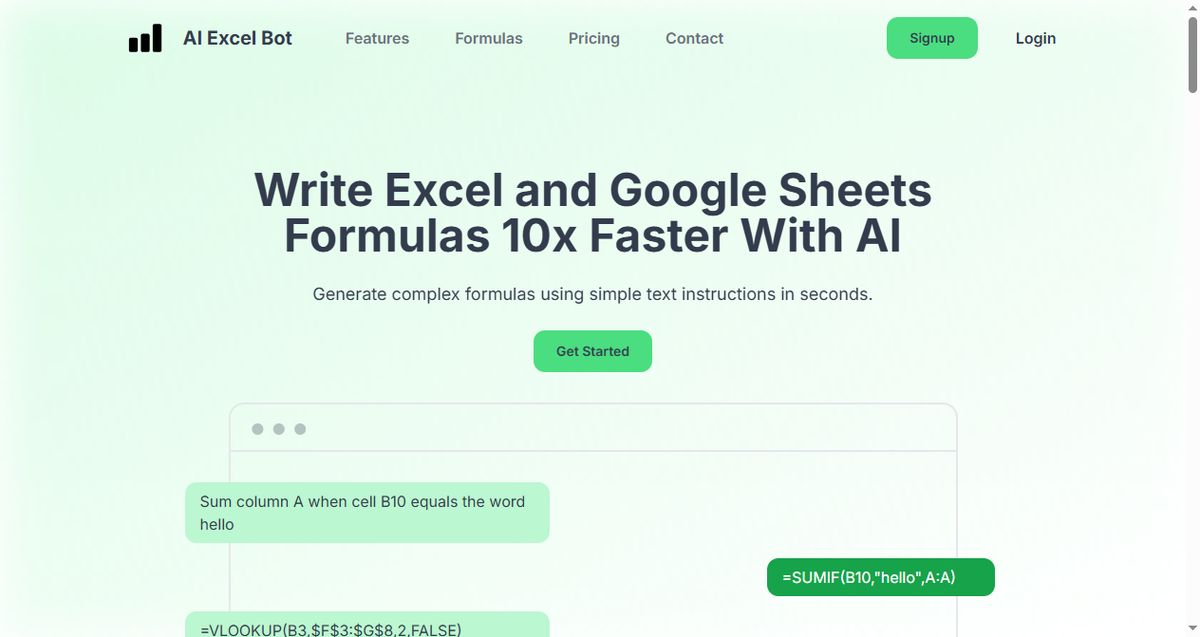
A formula bot is an AI tool that converts plain-language requests into working spreadsheet formulas. Instead of memorizing syntax, you type something like "sum column A where B10 says hello" and the bot returns =SUMIF(B10,"hello",A:A) — with an explanation, ready to paste. Most tools have quietly grown far beyond that: they now explain formulas you don't understand, write VBA scripts and SQL queries, clean data, and even run full analyses on uploaded files.
That said, a formula bot is not always the right answer. It shines when you:
Know what you want but not how to write it. Nested conditionals, date math, and array formulas are where bots save the most time.
Inherit someone else's spreadsheet. Formula explanation features decode the terrifying nested formula left behind by a former colleague in seconds.
Do repetitive row-level work. Classifying, extracting, or translating hundreds of rows is bot territory, not manual territory.
But for large, high-stakes financial models, you still want to verify every generated formula against your data — treat the bot as a fast junior analyst, not an oracle. And if you just need a formula once a month, a free tool (or the AI features built into your spreadsheet app) may be all you need.


Quick Comparison: Best Formula Bots in 2026
| Tool | Best For | Works In | Free Plan | Starting Price |
|---|---|---|---|---|
| Formula Bot (Better Analyst) | Overall formulas + AI data analysis | Web app + Excel/Sheets add-ons | Yes (10 messages/mo) | $20/month (Starter) |
| WPS Spreadsheet | Free built-in AI formula generator | Native in WPS Spreadsheet (Windows/Mac/Linux/iOS/Android) | Yes (free AI features) | Free (Pro ~$29/year) |
| GPTExcel | Formulas, VBA, SQL, Regex in one tool | Web app, Excel & Sheets | Yes (90 credits/mo) | $19.9/month (Pro) |
| AI Excel Bot | Budget formula generation inside Excel | Chrome extension in Excel/Sheets | Yes (5 uses/mo) | Low-cost Pro tier |
| Sheeter.ai | Simple formula generation | Web + Sheets/Excel add-on | Trial | One-time license (~$100) |
| Ajelix | Affordable all-in-one AI toolkit | Web app + Excel/Sheets add-ins | Limited free tier | $7/month |
| Numerous.ai | Bulk AI operations across rows | Google Sheets & Excel add-on | Free trial | $15/month |
1. Formula Bot: Best Overall AI Formula Bot
Formula Bot — now rebranded as Better Analyst — started life as an Excel formula generator and has grown into a full AI analytics platform. Its formula generator remains excellent: describe what you need, and it returns working Excel or Google Sheets formulas with plain-English explanations. But its real strength in 2026 is range — you can upload a file, ask questions about your data in chat, generate dashboards, schedule automated reports, and even connect live data sources.
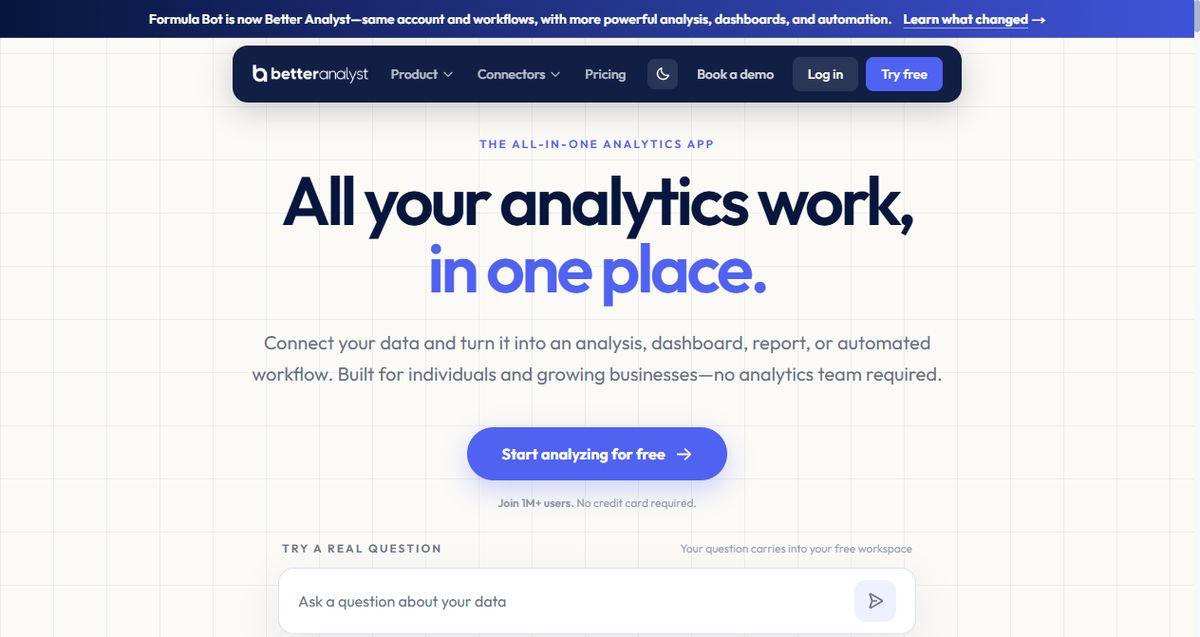
Key capabilities:
Generates Excel and Google Sheets formulas from plain English with explanations
AI chat that analyzes uploaded files and connected data sources
Premium AI models, scheduled reports, and automated dashboards on paid tiers
Excel and Google Sheets add-ons for in-app use
Best for: Anyone who wants one AI tool that grows from formula generation into full data analysis.
Pricing: Free plan (10 messages, 25 AI actions per month); Starter $20/month ($14/month billed yearly); Max $40/seat/month for teams.
Trade-offs: The rebrand means the formula generator you may have used before now lives inside a bigger platform, and the free plan's 10-message limit runs out quickly during a real workday.
2. WPS Spreadsheet: Best Free Built-In AI Formula Generator
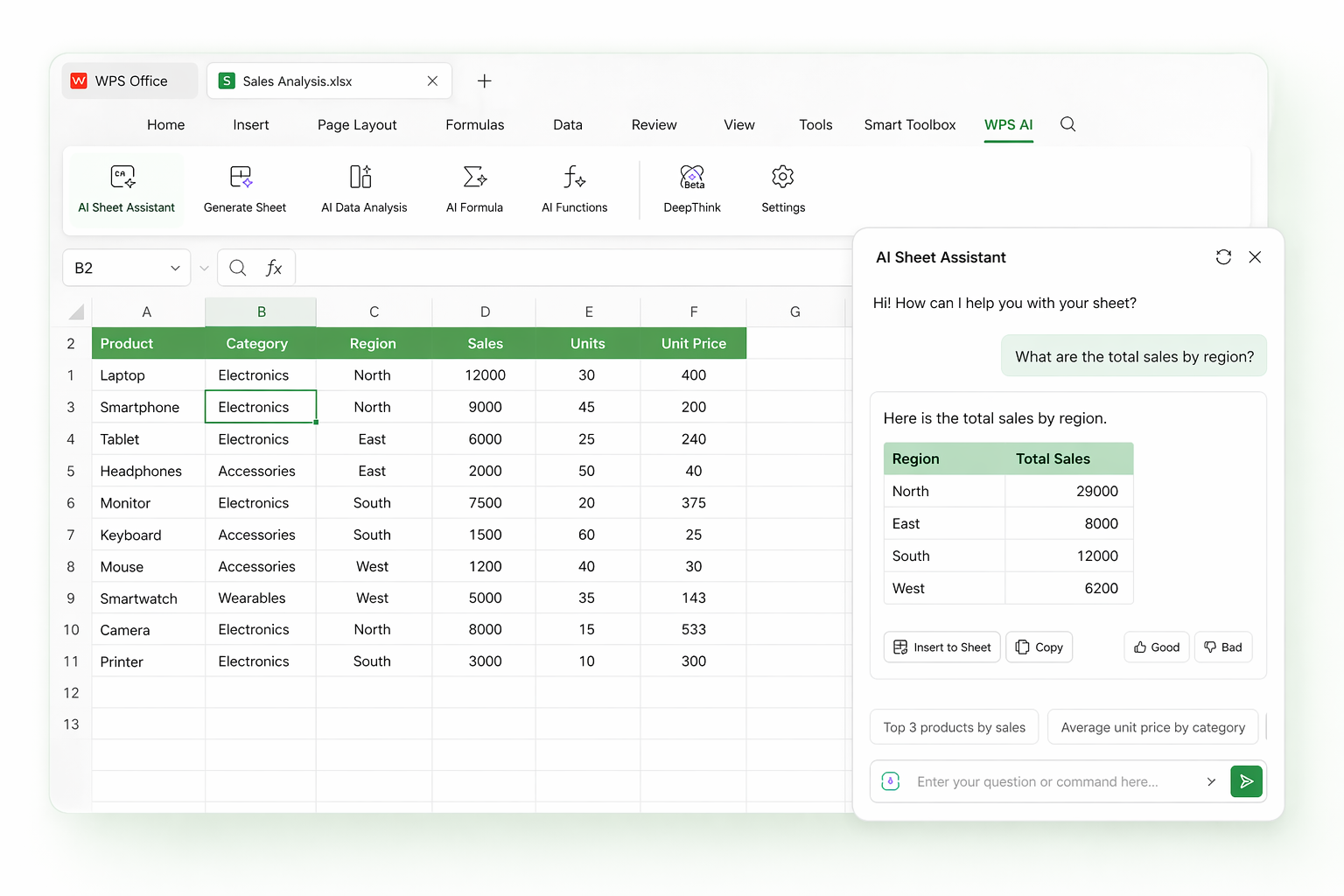
WPS Spreadsheet's AI formula generator is the only option in this list where the formula bot is already inside your office suite — no extension, no separate website, no subscription. Chat with the AI in plain English and it writes the formula into your cell: "sum column C where column A says Sales" becomes a working SUMIF in seconds. It also explains inherited formulas, debugs errors like #N/A and #VALUE!, and covers the full Excel and Google Sheets function set from basic SUM to nested VLOOKUP.
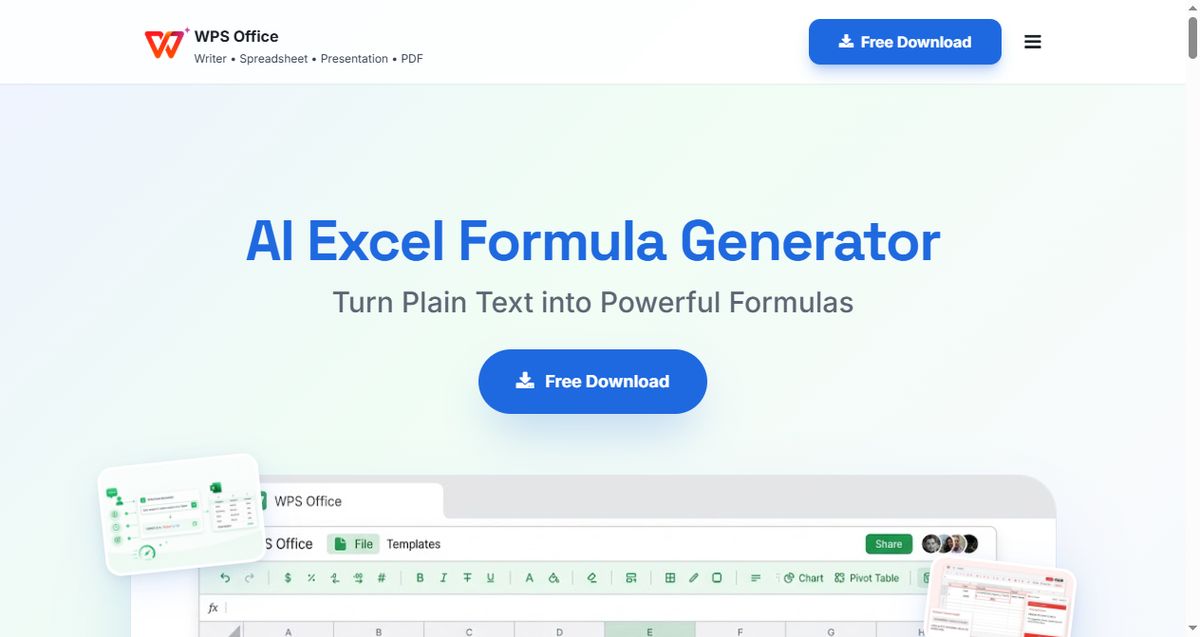
Key capabilities:
AI chat that generates Excel and Google Sheets formulas inside the spreadsheet itself
Formula explanation and smart debugging for #N/A, #VALUE!, and other errors
Full function support: SUM, VLOOKUP, INDEX/MATCH, and nested formulas
100% Excel-compatible suite with pivot tables, charts, and PDF tools included
Best for: Anyone who wants a free formula bot built directly into their spreadsheet app.
Pricing: Free — the AI formula generator works in WPS Office at no cost (roughly 80% of features are free; WPS Pro is ~$29/year for premium AI).
Trade-offs: Its AI stays focused on formulas and spreadsheet tasks — for dashboards or scheduled reports you would still pair it with a platform like Formula Bot.
3. GPTExcel: Best for Formulas, Scripts, and SQL in One Tool
GPTExcel is the swiss-army knife of this list: it generates spreadsheet formulas, VBA and Apps Script code, SQL queries, and even regular expressions from natural-language prompts. The generous free tier (about 90 credits per month via daily check-in) makes it the easiest way to try AI formula generation seriously, and a lifetime plan exists for buyers allergic to subscriptions.
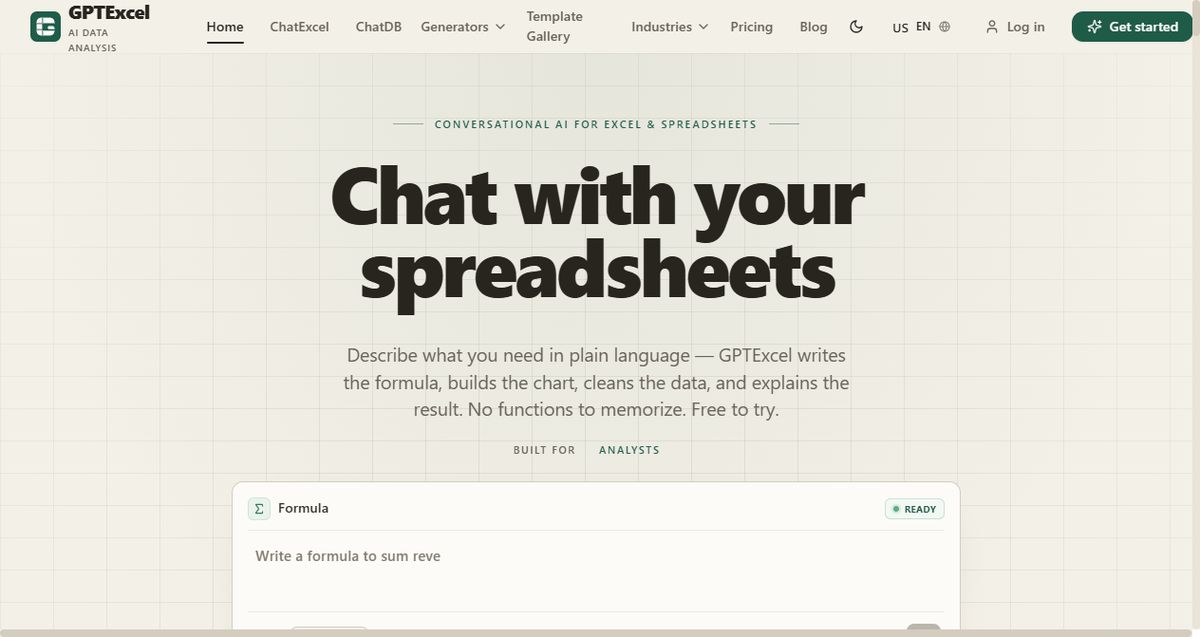
Key capabilities:
Formula generator for Excel, Google Sheets, and Airtable
VBA, Apps Script, SQL, and Regex generators in the same interface
Formula explanation feature for decoding inherited spreadsheets
Multilingual support and a genuine free tier
Best for: Power users who want one subscription covering formulas, macros, and database queries.
Pricing: Free (~90 credits/month with daily check-in); Pro $19.9/month (300 credits); Max unlimited; Lifetime one-time option.
Trade-offs: The credit system takes a weekend to understand, and its interface is more utilitarian than the newer chat-first tools.
4. AI Excel Bot: Best Budget Formula Generator Inside Excel
AI Excel Bot does one thing and does it cheaply: it writes Excel and Google Sheets formulas from simple text instructions, directly inside your spreadsheet via a Chrome extension. You never break flow to visit a separate website — highlight a cell, type what you want, and the formula lands in your sheet. It also explains complex formulas and writes VBA, covering the essentials.
Key capabilities:
Generates Excel and Google Sheets formulas from text prompts in seconds
Chrome extension works inside Excel and Google Sheets without switching apps
Explains complex formulas in plain English
VBA code generation and explanation
Best for: Budget-conscious users who want formula generation without leaving Excel.
Pricing: Free plan (5 generations per month); affordable Pro tier for unlimited use.
Trade-offs: The free tier's 5 monthly uses disappear in one afternoon, and the tool's scope stays narrow — no data analysis or dashboards.
5. Sheeter.ai: Best Simple Formula Generator for Google Sheets
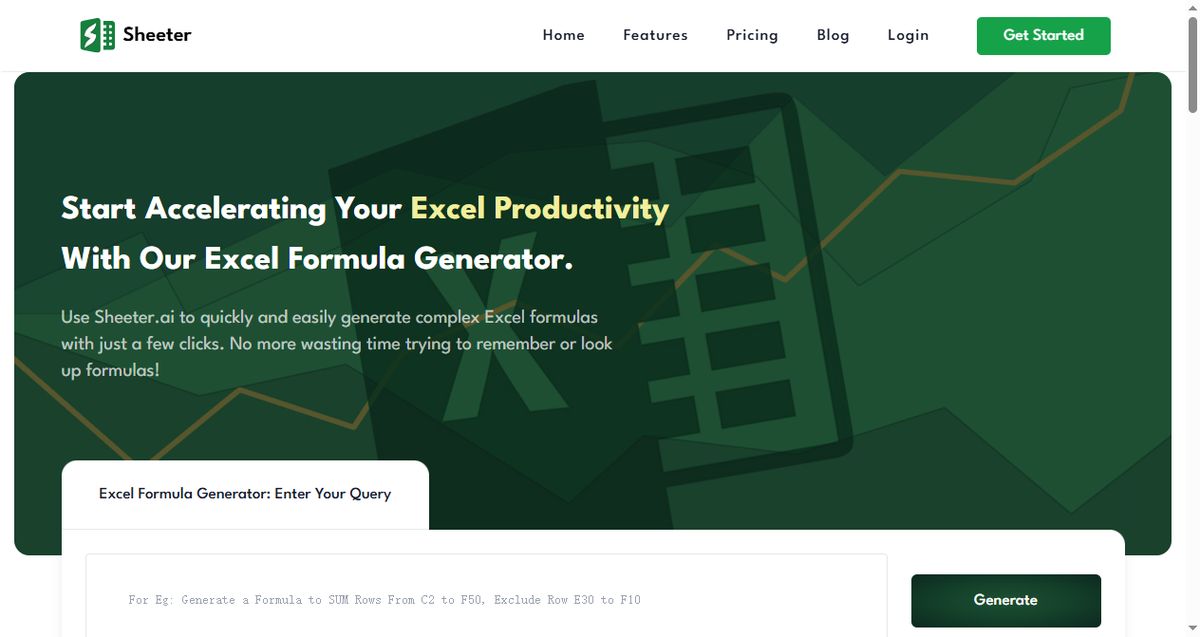
Sheeter.ai is the minimalist of the group: type what you want ("get the sum of A:C rows", "extract the domain from each URL"), and it returns the exact formula to copy or insert with one click. There is no platform to learn and no features you will never open — just a fast formula generator with an optional add-on for Sheets and Excel.
Key capabilities:
Natural-language formula generation for Excel and Google Sheets
Handles conditional sums, date calculations, and text extraction
Add-on for one-click insertion into your spreadsheet
Best for: Users who want a focused, no-learning-curve formula generator.
Pricing: Paid, with a one-time license option (around $100) — unusual and attractive versus monthly subscriptions.
Trade-offs: No meaningful free tier, and the narrow feature set means no analysis, scripts, or dashboards.
6. Ajelix: Best Affordable All-in-One AI Toolkit
Ajelix bundles a formula generator with more than a dozen spreadsheet utilities — Excel and Google Sheets add-ins, VBA tools, data visualization, and file converters — at one of the lowest entry prices in the category. No single feature leads the market, but the breadth-per-dollar is hard to beat if your spreadsheet needs are varied rather than deep.

Key capabilities:
AI formula writer plus script generator for Excel and Google Sheets
Over 10 companion tools: translators, converters, data cleaning utilities
Excel and Google Sheets add-ins included in the plan
Best for: Casual spreadsheet users who want many small AI utilities under one cheap subscription.
Pricing: From $7/month with a limited free tier.
Trade-offs: Each individual tool is shallower than the dedicated specialists, and heavy users will hit plan limits.
7. Numerous.ai: Best for Bulk AI Operations in Sheets
Numerous.ai approaches the formula bot problem from the row, not the cell: you write one instruction — classify these tickets, extract every domain, categorize this expense list — and it fills the entire column using ChatGPT inside Google Sheets or Excel. It also generates formulas, but its superpower is applying AI at scale across hundreds or thousands of rows without copy-pasting anything.

Key capabilities:
=AI() style functions that fill entire columns with ChatGPT output
Bulk classify, extract, format, and translate operations across rows
Formula generation as a secondary feature
Works in both Google Sheets and Excel
Best for: Marketers, sales ops, and anyone processing long lists with repeated AI operations.
Pricing: From $15/month with a free trial.
Trade-offs: Requires an internet connection for every operation, and per-row costs add up on very large datasets.
How to Choose the Right Formula Bot
Match the tool to where your spreadsheet lives and how deep your needs go:

Want formulas plus full analysis in one platform? Formula Bot is the strongest overall bet.
Want a formula bot that is free and already in your spreadsheet? WPS Spreadsheet — nothing to install beyond the suite itself.
Need VBA scripts and SQL alongside formulas? GPTExcel, especially with its lifetime option.
On a tight budget and live inside Excel? AI Excel Bot's extension is the cheapest workflow upgrade.
Just want a clean formula generator for Google Sheets? Sheeter's one-time license is refreshingly simple.
Want many small utilities for little money? Ajelix at $7/month.
Running AI over hundreds of rows? Numerous.ai, no contest.
Whichever you pick, remember that a formula bot works best when your data is clean to begin with — see our guide to the best spreadsheet software for data analysis for the foundation, and our rundown of the best easy-to-use CSV editors if your raw data starts life as exports.
The Best Free Formula Workflow: WPS Spreadsheet
As covered above, WPS Spreadsheet's AI formula generator puts a formula bot directly in your spreadsheet for free — which makes it the most cost-effective daily workflow. Here is how to get started:
Download WPS Office and open your spreadsheet in WPS Spreadsheet — formulas, pivot tables, and charts all behave like Excel.
Use the built-in AI to write formulas. Describe what you need in plain language and let the AI generate the formula in the cell, then explain what it does.
Verify and clean up. Check the result against your data, use the formula explanation feature to decode inherited workbooks, and fix issues with conditional formatting.
Level up when needed. For bulk row operations or scheduled reports, pair WPS with one of the dedicated bots above — but many users never have to.
Once your formulas are in place, make the results legible — our guide to changing axis labels in a chart helps the output speak for itself, and our walkthrough of ChatGPT for Excel use cases shows what else AI can do in a spreadsheet.

FAQs
What is a formula bot?
A formula bot is an AI tool that converts plain-language requests into working spreadsheet formulas. You describe the calculation — "sum column A where B10 equals hello" — and the bot generates the exact formula, usually with an explanation. Many now also write VBA scripts, SQL queries, and run data analysis.
Is there a free formula bot for Excel?
Yes. WPS Spreadsheet includes a built-in AI formula generator that is free to use, GPTExcel offers about 90 free credits per month, AI Excel Bot allows 5 free generations per month, and Formula Bot has a free plan with 10 messages per month.
Can AI formula bots make mistakes?
Yes. Bots occasionally misread column references or produce formulas that run but return the wrong result. Always test the output against a few known values before trusting it in an important workbook — treat the bot as a fast assistant, not an oracle.
Which is better: Formula Bot or GPTExcel?
Choose Formula Bot if you want formula generation plus full AI data analysis, dashboards, and file chat in one platform. Choose GPTExcel if you mainly need formulas, VBA scripts, and SQL queries and value its generous free tier and lifetime license option.
Do formula bots work with Google Sheets as well as Excel?
Yes — all six tools in this guide support Google Sheets. Some (Formula Bot, GPTExcel, AI Excel Bot, Ajelix) work across both Excel and Sheets, Numerous.ai fills rows in either, and Sheeter covers both with its add-on.
Summary
The best formula bot depends on where you work and how far you want AI to go. Formula Bot is the best overall platform, WPS Spreadsheet is the best free built-in option, GPTExcel is the multi-tool for formulas and scripts, AI Excel Bot is the budget pick that lives inside Excel, Sheeter keeps things simple, Ajelix offers the cheapest breadth, and Numerous.ai dominates bulk row operations. Start with a free tier, verify the outputs, and you will never again lose an afternoon to a forgotten VLOOKUP argument order.
'%3e%3cpath%20d='M19.9911%204.11386V6.471H18.5894C18.0775%206.471%2017.7322%206.57814%2017.5536%206.79243C17.3751%207.00671%2017.2858%207.32814%2017.2858%207.75671V9.44421H19.9019L19.5536%2012.0871H17.2858V18.8639H14.5536V12.0871H12.2769V9.44421H14.5536V7.49779C14.5536%206.39064%2014.8632%205.53201%2015.4822%204.92189C16.1013%204.31177%2016.9257%204.00671%2017.9554%204.00671C18.8304%204.00671%2019.509%204.04243%2019.9911%204.11386Z'%20fill='%23333333'/%3e%3c/g%3e%3cdefs%3e%3cclipPath%20id='clip0_2938_8199'%3e%3crect%20width='16'%20height='16'%20fill='white'%20transform='translate(8%204.00671)'/%3e%3c/clipPath%3e%3c/defs%3e%3c/svg%3e)
'%3e%3cpath%20d='M17.5237%2010.7813L23.4811%204H22.0699L16.8949%209.88693L12.7648%204H8L14.2469%2012.9029L8%2020.0133H9.4112L14.8725%2013.7952L19.2352%2020.0133H24M9.92053%205.04213H12.0885L22.0688%2019.0224H19.9003'%20fill='%23333333'/%3e%3c/g%3e%3cdefs%3e%3cclipPath%20id='clip0_2938_8200'%3e%3crect%20width='16'%20height='16.0134'%20fill='white'%20transform='translate(8%204)'/%3e%3c/clipPath%3e%3c/defs%3e%3c/svg%3e)


