
Merge PDF Documents
Combine and Organize Your PDFs Quickly
- Merge PDFs Without Limits - Combine multiple PDF files into one seamless document.
- Custom Merge Options - Choose specific pages or ranges from different PDFs to create perfect documents.
- High Quality Merging - Maintain original quality without compromising images or text clarity.
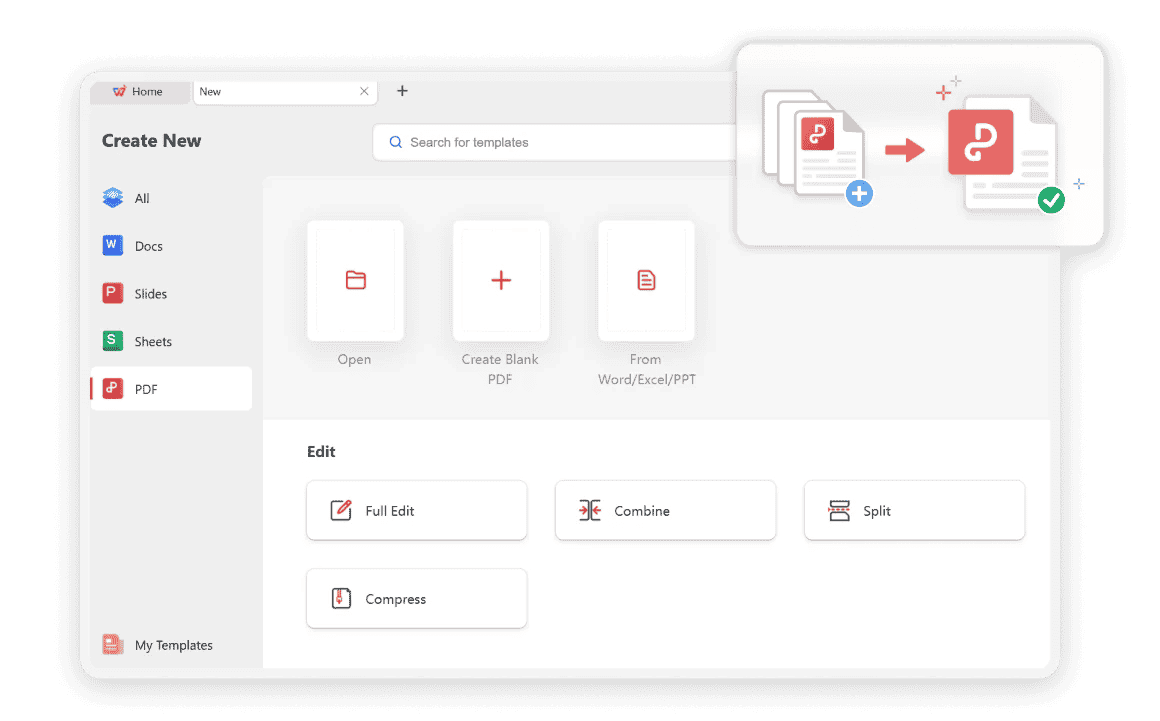
Unlock the Full Potential of PDF Merge Software
Discover how a reliable merge PDF workflow helps you combine files faster—without losing control of pages, quality, or privacy.
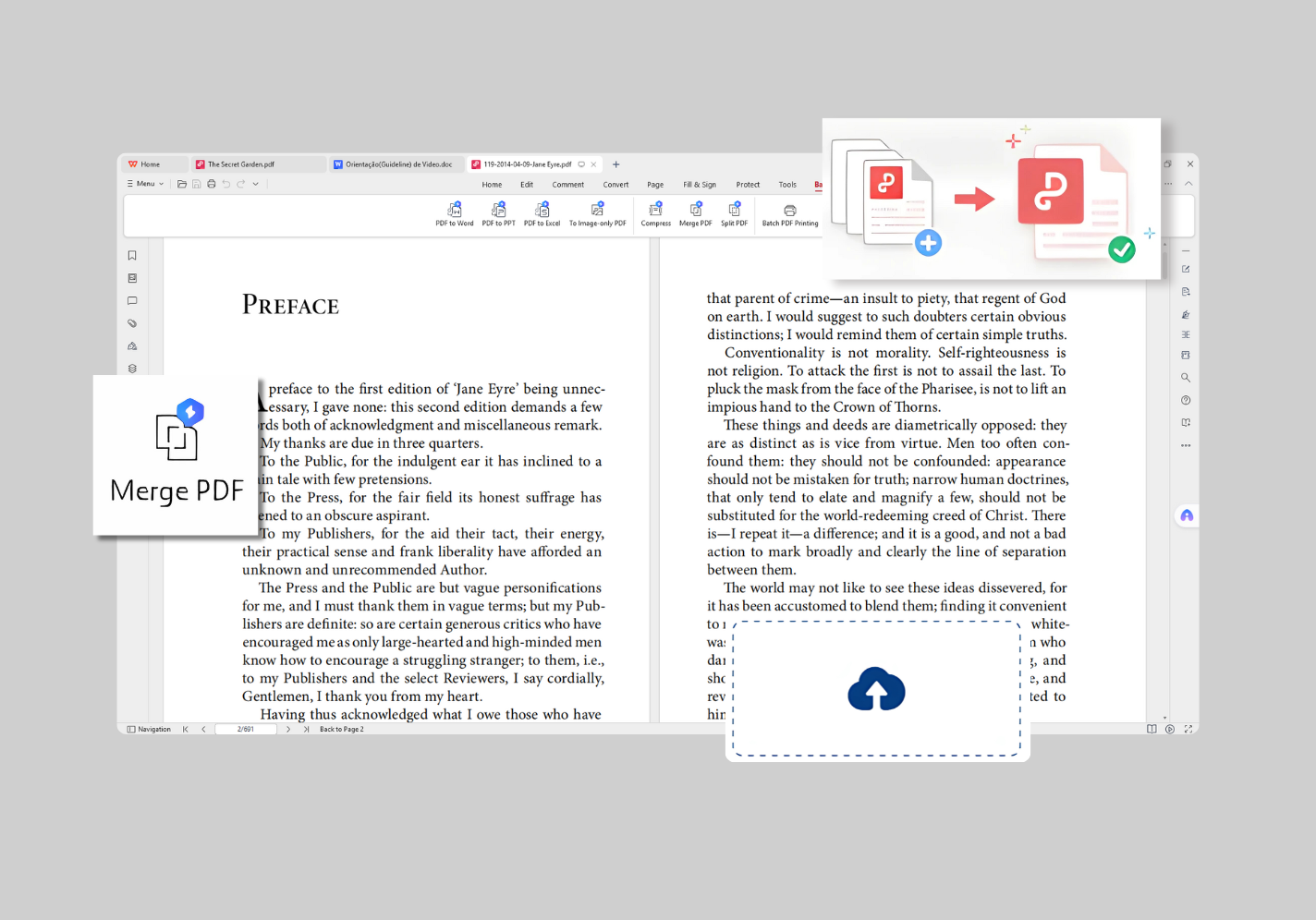
Simple Drag & Drop Interface
Start a merge PDF job the simple way: drag files from your device into the workspace, preview what you added, and keep the flow free of cluttered menus. Whether you are combining two reports or a longer set of attachments, the same clear layout helps you finish a merge PDF task without hunting through settings.
Beyond putting whole files together, you can also manage page counts during the merge—select the pages you need, drop extras, and build the exact sequence before you confirm. That means one merge PDF pass can turn scattered documents into a single, correctly ordered file ready to share.
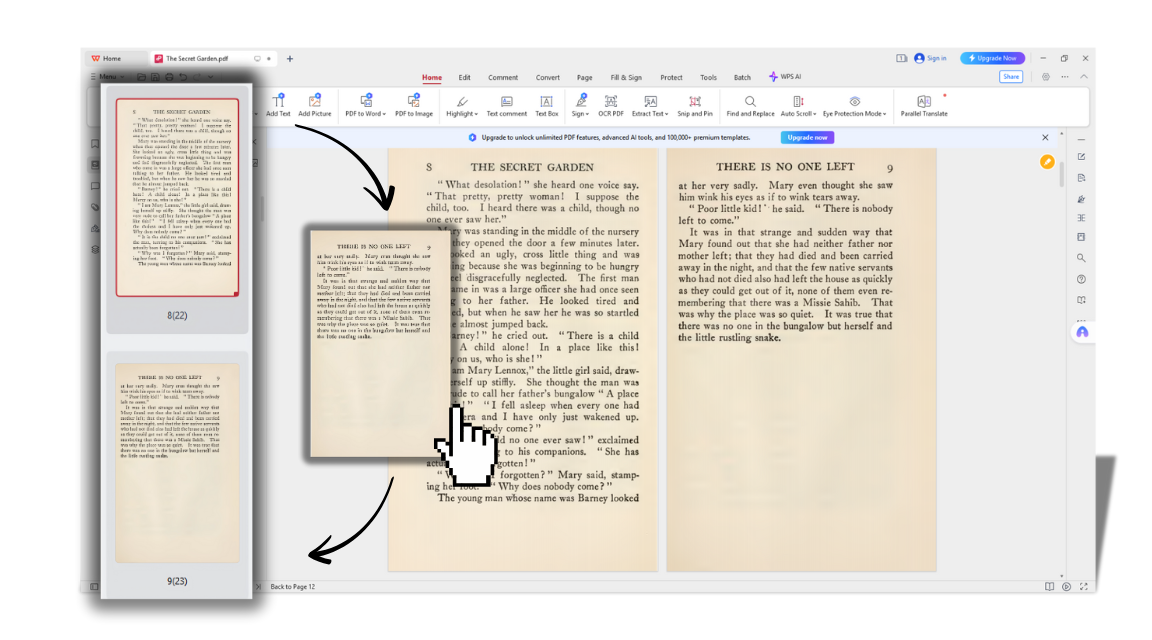
Rearrange & Compress Files Easily
After you merge PDF files, fine-tune the result by dragging thumbnails to reorder pages, adding late files to the queue, or removing pages you no longer need. This keeps the final document structured the way your reader expects—chapters first, appendices last, or forms grouped together—without starting the merge PDF process from scratch.
When the combined file is still too large to send, follow up with compress PDF to shrink the volume while keeping text and images readable. You can also adjust page layout for free—such as placing 2 pages or 4 pages onto 1 page—so handouts and review packs stay compact after you merge PDF content.
Secure & Private Merging
In everyday life, a merge PDF task often involves sensitive materials—ID scans for a visa or school form, bank statements for an application, or medical and insurance papers that should stay confidential. WPS helps you combine those files into one organized packet so you can submit what is required without scattering personal details across many separate uploads.
The same care applies when you merge PDF pages for a creative or professional portfolio: keep drafts, certificates, and project samples in one private file until you are ready to share. With secure handling and a private workspace focus, you can finish a merge PDF package for real-world scenarios while keeping control over who sees the final document.
Unlimited Merges
Combine several PDFs into one without restrictions on the number.
Cross-Platform Access
Use our PDF combiner on any device, including Windows, Mac, and Linux.
High-Quality Output
Your merged PDF will retain the original quality, formatting, and layout of your source files.
Why People Love Our Merge PDF Freeware
See how individuals and teams use our PDF merge tool for seamless file combining.

Sarah J.
University Student
"This PDF merger is a lifesaver! I combine all my lecture notes and research papers into one file for each exam. It's so easy and saves me so much time."

Michael B.
Account Manager
"I needed to combine several client reports into a single PDF for a presentation. WPS PDF Merger did it in seconds, without any loss of quality. Highly recommended!"

Linda Chen
Office Administrator
"Merging invoices and receipts used to be a tedious task. Now I just drag, drop, and merge. It has streamlined our monthly accounting process significantly."
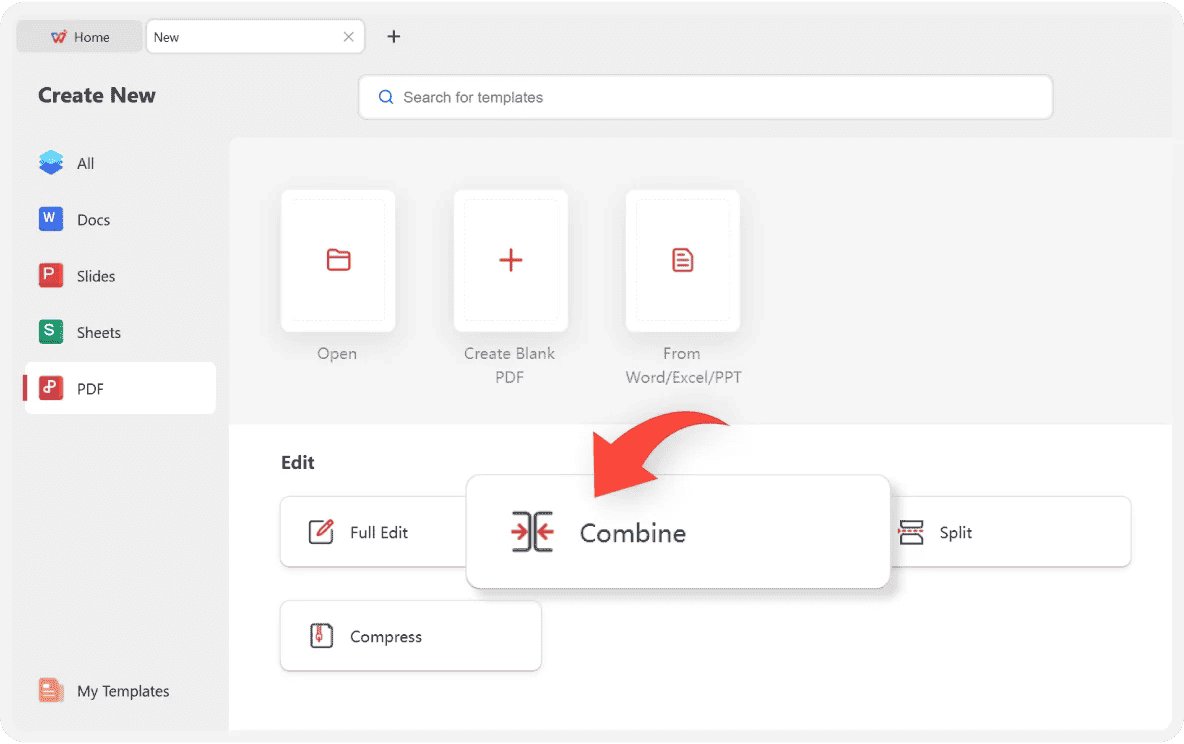
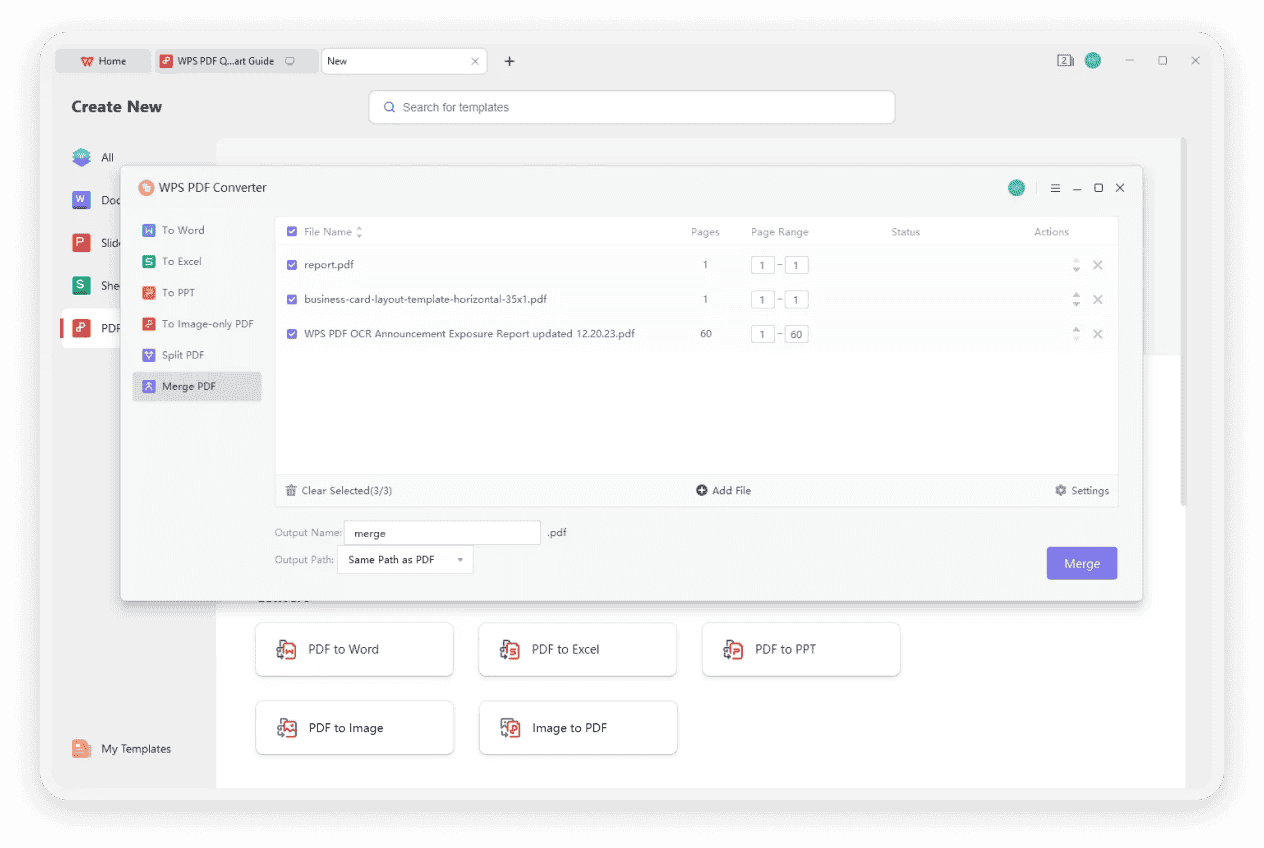
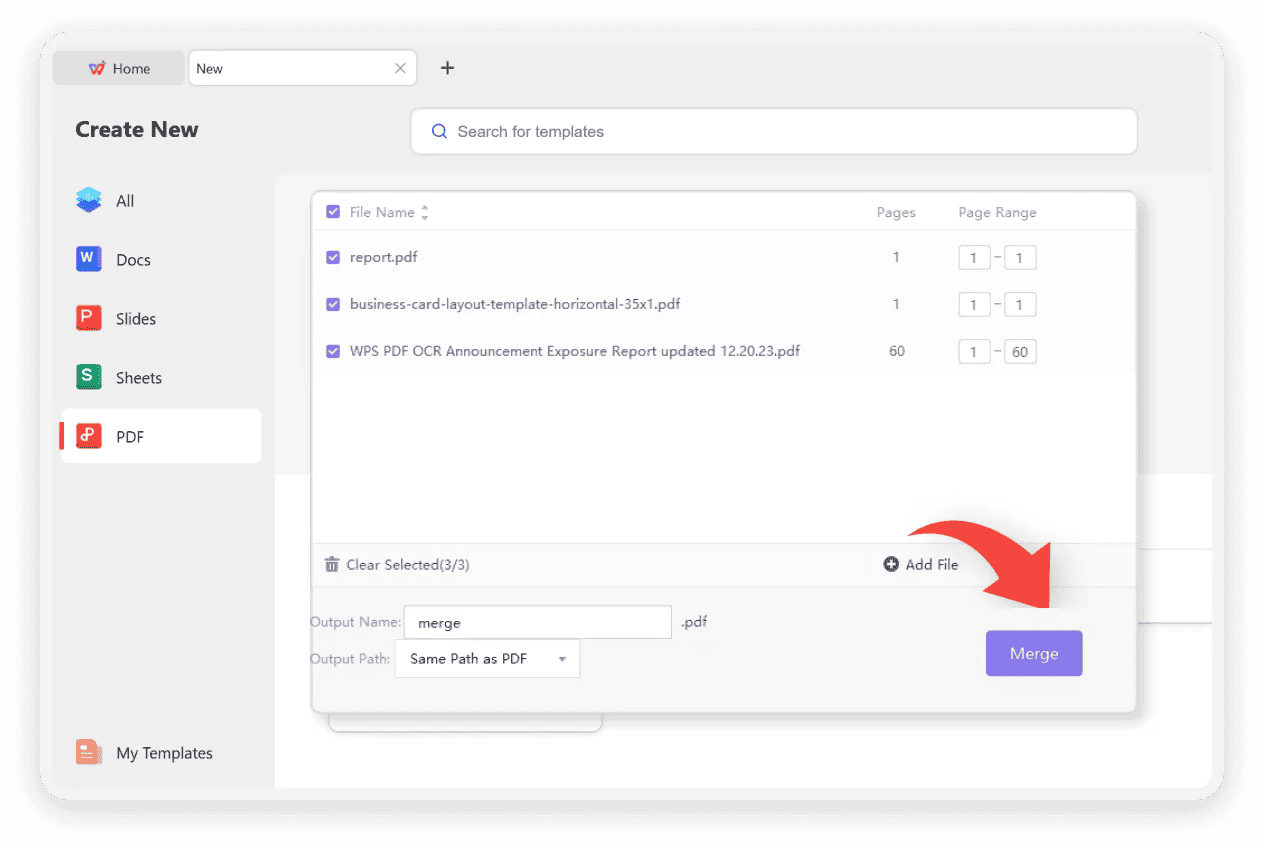
How to Merge PDF Files in 3 Easy Steps
Combine your PDF documents into a single file in under a minute.
Why We Choose WPS PDF Editor
A practical recommendation when you need merge PDF tools plus a full office workflow—with fewer day-to-day limits.
All-in-One Office, Not Merge-Only
WPS is more than a single merge PDF utility. You also get Word and Excel capabilities in the same suite, so drafting, tables, and PDF combine work stay connected. With desktop, online, and mobile versions, you can start a merge PDF on one device and continue editing elsewhere—an integrated office setup instead of juggling separate apps for each format.
Fewer Limits, Longer Track Record
Many online PDF helpers and office tools gate core actions behind plans, quotas, or feature caps. WPS keeps a broad set of everyday tools—including merge PDF—available with fewer interruptions for common tasks, so you spend less time switching workarounds. Backed by decades of product history and a large global user base, it is a practical, trusted choice when you want dependable free-friendly productivity without giving up flexibility.
Explore More Free PDF Tools
WPS Office offers a full suite of tools to handle all your PDF needs beyond just merging.
Compress PDF
Reduce PDF file size for easy sharing and storage while maintaining quality.
Learn moreRead PDF
View, annotate, and search your PDF documents with a powerful and user-friendly reader.
Learn moreChat PDF
Interact with your PDFs using AI to ask questions, get summaries, and find information instantly.
Learn morePDF OCR
Convert scanned PDFs and images into searchable and editable text with Optical Character Recognition.
Learn morePDF Translation
Translate your PDF documents into multiple languages while preserving the original layout.
Learn moreTop Tips to Merge More PDFs into One File
Ready to Combine Your PDFs?
Get started now with our powerful and easy-to-use PDF merger. It's completely free and integrated within WPS Office for maximum convenience.
Fast & Efficient
Combine PDFs in seconds with optimized processing.
100% Secure
Your files are encrypted and automatically deleted.
No Installation
Merge PDFs directly within WPS Office suite.