



'%3e%3cpath%20fill-rule='evenodd'%20clip-rule='evenodd'%20d='M21.4999%2010.9993C21.4999%205.20009%2016.7986%200.498901%2010.9993%200.498901C5.19994%200.498901%200.498657%205.20009%200.498657%2010.9993C0.498657%2016.2404%204.33858%2020.5844%209.35855%2021.3722V14.0346H6.69238V10.9993H9.35855V8.68594C9.35855%206.05427%2010.9262%204.60062%2013.3248%204.60062C14.4736%204.60062%2015.6753%204.80571%2015.6753%204.80571V7.38979H14.3512C13.0468%207.38979%2012.64%208.19921%2012.64%209.0296V10.9993H15.5523L15.0867%2014.0346H12.64V21.3722C17.66%2020.5844%2021.4999%2016.2404%2021.4999%2010.9993Z'%20fill='%231568EA'/%3e%3c/g%3e%3c/svg%3e)


'%3e%3cpath%20d='M2.42045%2022.1876H6.31818V12.7217L0.75%208.54553V20.5171C0.75%2021.4414%201.49892%2022.1876%202.42045%2022.1876Z'%20fill='%234285F4'/%3e%3cpath%20d='M19.682%2022.1876H23.5797C24.5041%2022.1876%2025.2502%2021.4387%2025.2502%2020.5171V8.54553L19.682%2012.7217'%20fill='%2334A853'/%3e%3cpath%20d='M19.682%205.48293V12.7216L25.2502%208.54543V6.31816C25.2502%204.25236%2022.8921%203.07469%2021.2411%204.31361'%20fill='%23FBBC04'/%3e%3cpath%20d='M6.31824%2012.7217V5.48303L13.0001%2010.4944L19.6819%205.48303V12.7217L13.0001%2017.733'%20fill='%23EA4335'/%3e%3cpath%20d='M0.75%206.31816V8.54543L6.31818%2012.7216V5.48293L4.75909%204.31361C3.10534%203.07469%200.75%204.25236%200.75%206.31816Z'%20fill='%23C5221F'/%3e%3c/g%3e%3cdefs%3e%3cclipPath%20id='clip0_2954_7305'%3e%3crect%20width='24.5'%20height='18.375'%20fill='white'%20transform='translate(0.75%203.8125)'/%3e%3c/clipPath%3e%3c/defs%3e%3c/svg%3e)


Need to merge 2 pages into 1 page PDF online free? Whether you want a 2-up handout, a space-saving export, or a quick print layout, this guide shows the mainstream methods first—then a balanced free option that avoids the usual traps.
You will learn how Adobe Acrobat and popular online tools (Sejda / iLovePDF) handle N-up / 2-up layouts, why those paths often hit paywalls or privacy limits, and how WPS Office lets you finish the same job online or offline—including how to merge 4 pages into 1 page PDF online when you need a tighter 4-up grid.
How to Merge 2 or 4 Pages into 1 Page PDF Online Free using Sejda / iLovePDF
Browser tools are popular when you want to merge 2 pages into 1 page PDF online free without installing software. Sejda’s N-Up / 2-Up style tools and similar options on iLovePDF let you upload a PDF and place multiple pages on one sheet.
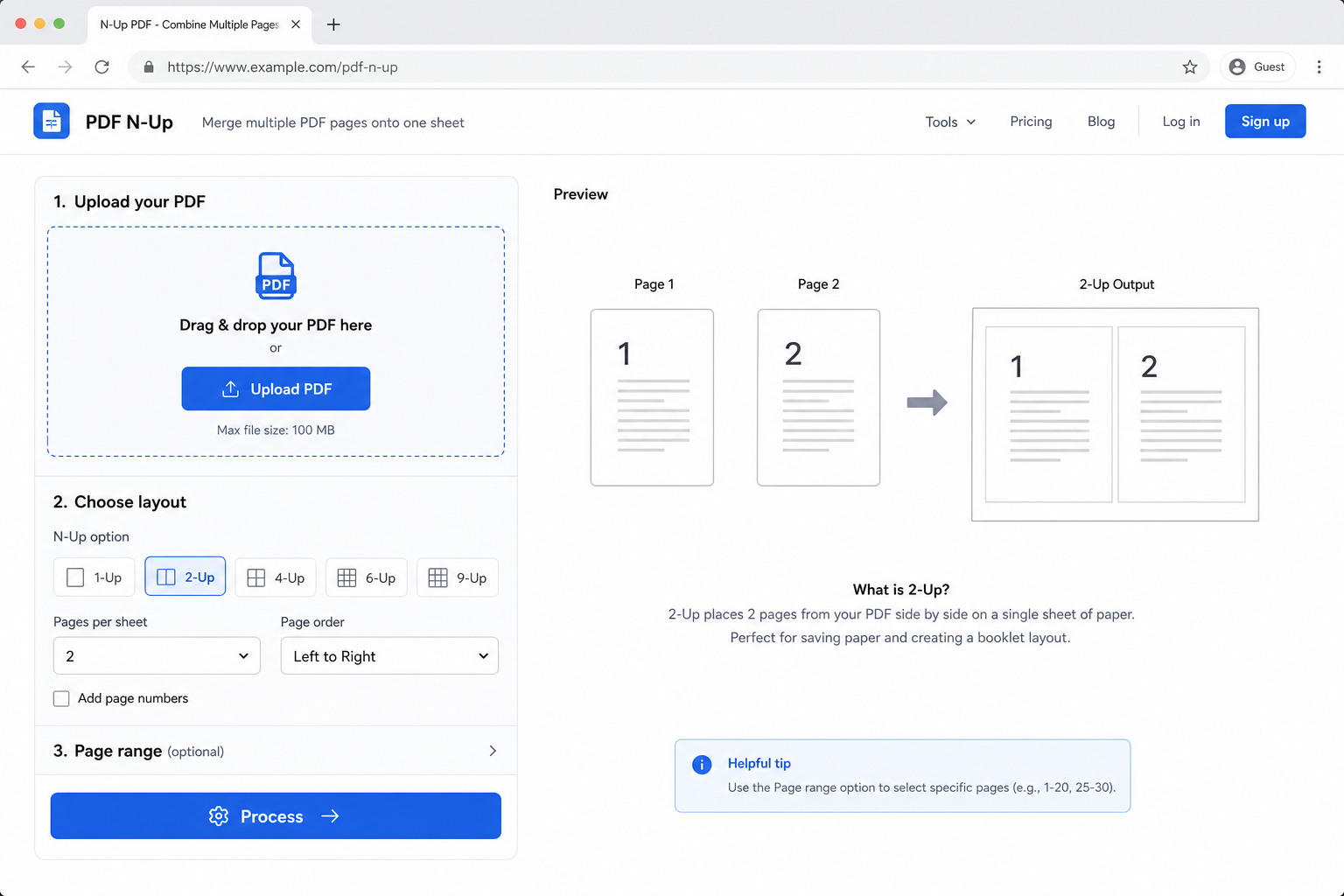
Typical online N-up steps:
Open Sejda (N-Up PDF) or iLovePDF in your browser.
Upload the PDF you want to rearrange.
Choose 2-up / N-up (2 pages per sheet). For denser layouts, look for 4-up if available.
Process the file and download the result.
Pros: No install, quick drag-and-drop, good for one-off jobs.
Cons: Free tiers often cap file size (for example around 15–20 MB), limit daily jobs, and require uploading documents to a third-party cloud. That is risky for contracts, invoices, HR files, or anything confidential.


How to Merge 2 or 4 Pages into 1 Page PDF Using Adobe Acrobat Pro (Professional)
Adobe Acrobat is still the industry-standard PDF editor. For combining pages onto one sheet, the reliable path is the print workflow—not a vague “merge files” button.
How to put 2 pages on 1 sheet in Acrobat:
Open your PDF in Adobe Acrobat Pro.
Go to File > Print.
Find Page Sizing & Handling (wording varies by version) and choose Multiple / Multiple pages per sheet.
Set Pages per sheet to 2 (for 2-up). Preview the layout.
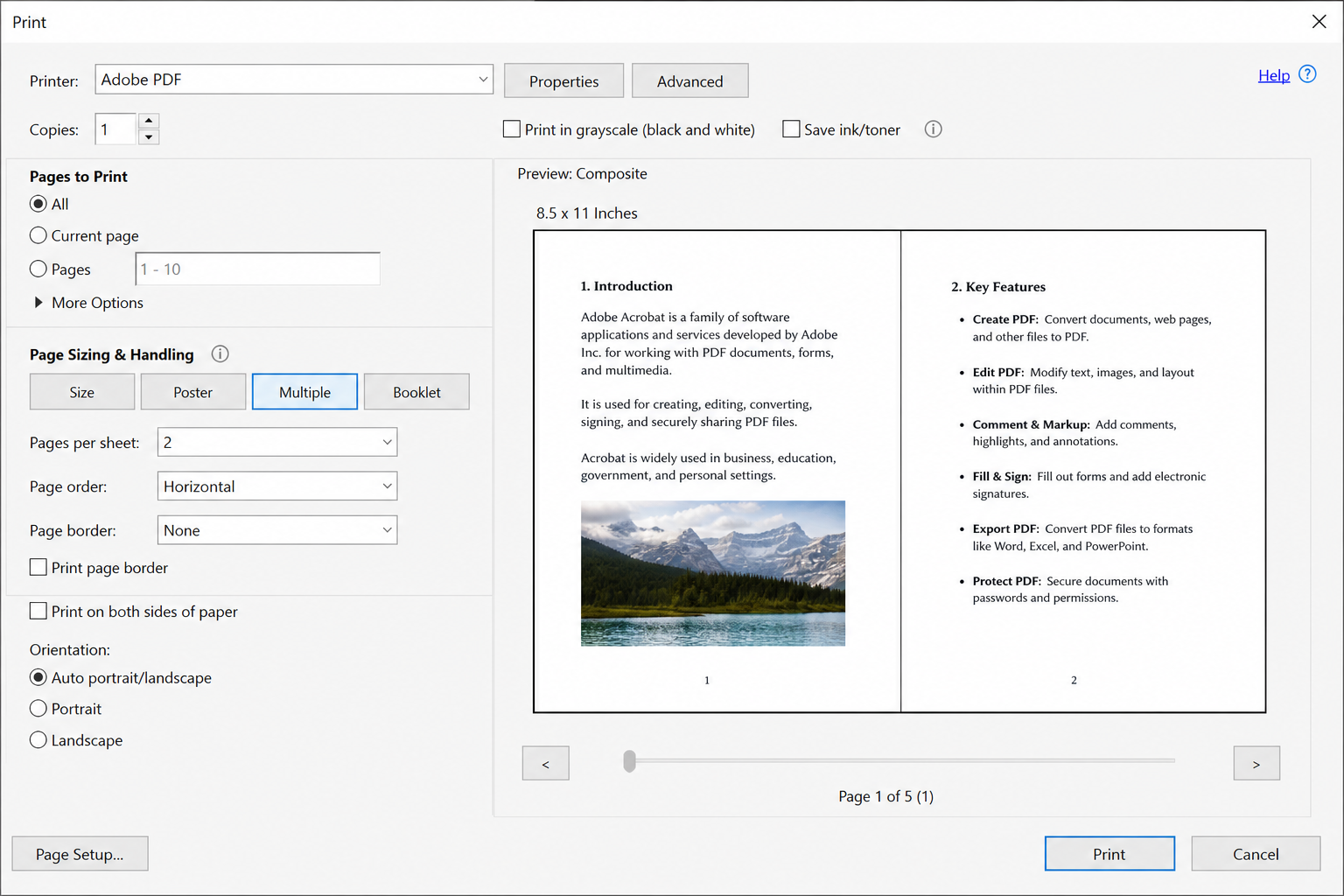
Adobe Acrobat multiple pages per sheet Select a PDF printer / Adobe PDF / Save as PDF as the printer destination, then print/export to create the new multi-up PDF.
Pros: Precise control, familiar to enterprise teams, strong preview quality.
Cons: Adobe merge PDF usually requires a costly monthly subscription. If you only need to merge 2 pages into 1 page PDF online free for occasional handouts, the price is hard to justify.
The Hidden Limits Most People Hit When They Merge 2 or 4 Pages into 1 Page PDF
When you try Adobe or random online platforms to merge 2 pages into 1 page PDF online free, the same friction shows up again and again:
Paywalls on large files — the free plan works until your PDF is too big.
Privacy hesitation — you do not want sensitive pages sitting on someone else’s server.
Adobe subscription cost — professional power, but too expensive for light users.
Daily quotas — online tools stop mid-workflow when you hit the free daily limit.
If your real goal is a free, repeatable way to build 2-up (and sometimes 4-up) PDFs, you need something that keeps the free online convenience without giving up local security.
Why WPS Office Is the Better Balanced Free Option
After comparing common desktop and online approaches, WPS Office sits in the middle: free enough for everyday N-up work, offline when privacy matters, and flexible enough when you need to merge 4 pages into 1 page PDF online or on desktop.
Keeps the free / low-friction advantage of web tools.
Adds Adobe-like strengths: local offline processing, stronger privacy, and no tiny upload size caps for desktop work.
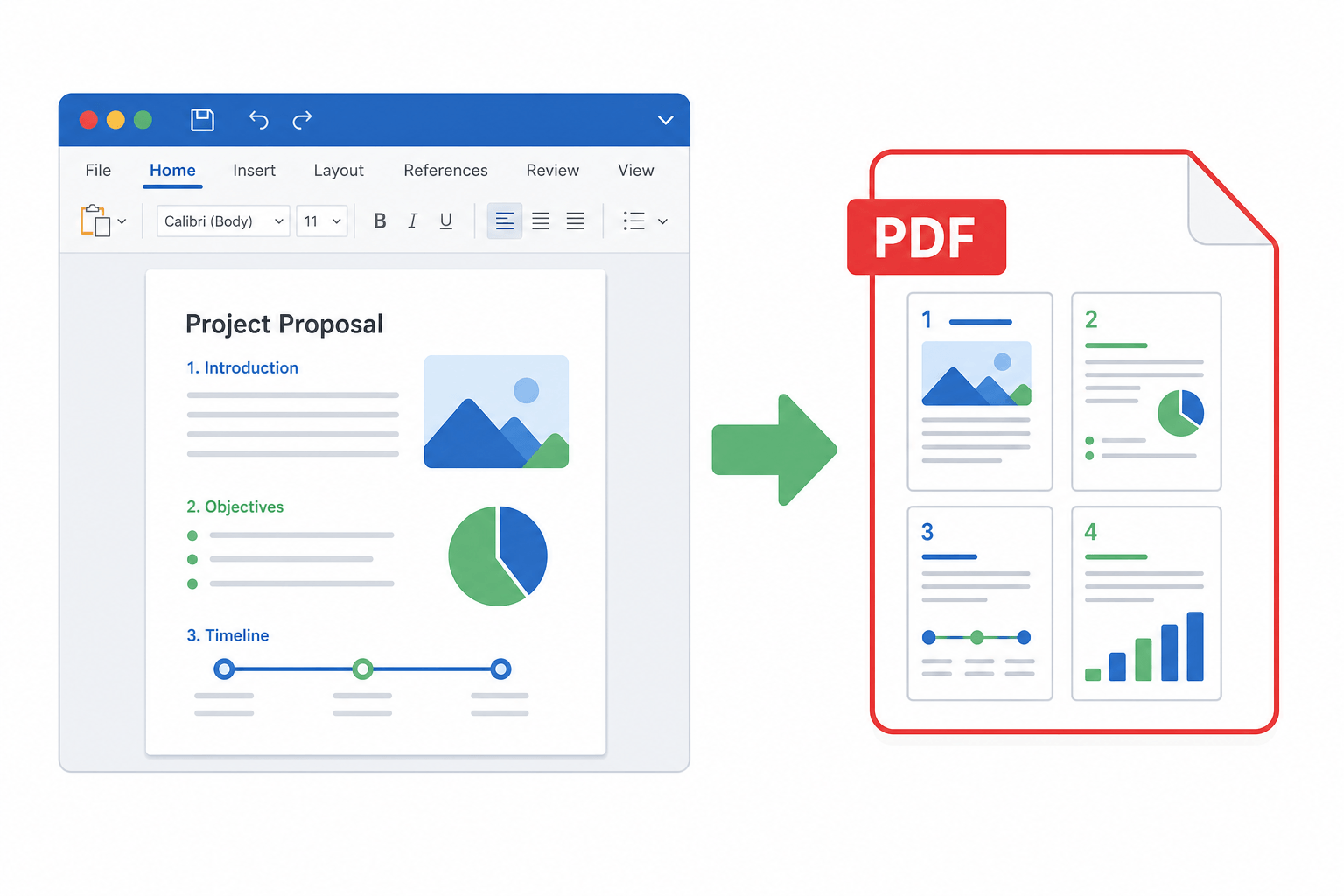
Supports both 2 pages per sheet and 4 pages per sheet through print/export settings.
| Comparison | Adobe Acrobat | Online sites (Sejda, etc.) | WPS Office (Recommended) |
|---|---|---|---|
| Cost | High monthly subscription ❌ | Basic free; large files often paid ⚠️ | Core N-up / export free to start ✅ |
| File size limits | No practical upload cap ✅ | Often capped (e.g. 15–20 MB) ❌ | Local desktop: no upload size trap ✅ |
| Privacy | Local processing, high ✅ | Must upload to cloud, riskier ❌ | Offline desktop keeps files local ✅ |
| Ease of use | Powerful but complex ⚠️ | Simple browser drag-and-drop ✅ | Familiar Office-style print panel ✅ |
How to Merge 2 Pages into 1 Page with WPS (Online + Desktop)
You do not need an expensive Acrobat plan, and you do not have to upload sensitive files to an unknown website. WPS gives you two free-friendly paths to merge 2 pages into 1 page PDF—and the same panel can also merge 4 pages into 1 page PDF online or offline.
Option A: WPS on the web (no heavy install)
Best when you are on a shared PC or want a browser workflow similar to “online free” tools—while staying inside the WPS ecosystem.
Open WPS Office / WPS online in your browser and sign in.
Upload the PDF you want to rearrange, then open it.
Open the print panel: click Print or press Ctrl + P (Windows) / Cmd + P (Mac).
Set the printer/destination to Save as PDF / export-to-PDF.
In layout / Pages per sheet, choose 2 to merge 2 pages into 1 page PDF online free.
Advanced tip — merge 4 pages into 1 page PDF online: if you are exporting long lecture notes, drafts, or handouts, set pages per sheet to 4. WPS places four consecutive pages on one sheet (typically a 2×2 grid). Still free to export/download in the normal flow.
Save/export and download the new multi-up PDF.
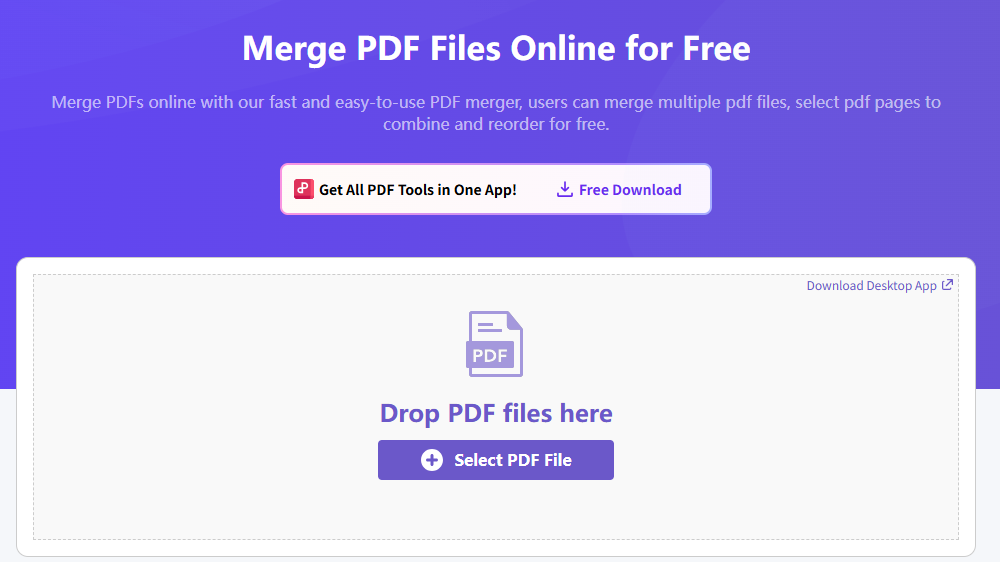
Merge PDF Files Online for Free
Option B: WPS desktop (offline, large files, privacy-first)
Best for big PDFs, contract packs, or any file you refuse to upload.
Open the PDF in the WPS Office desktop app.
Press Ctrl + P (Windows) or Cmd + P (Mac) to open Print settings.
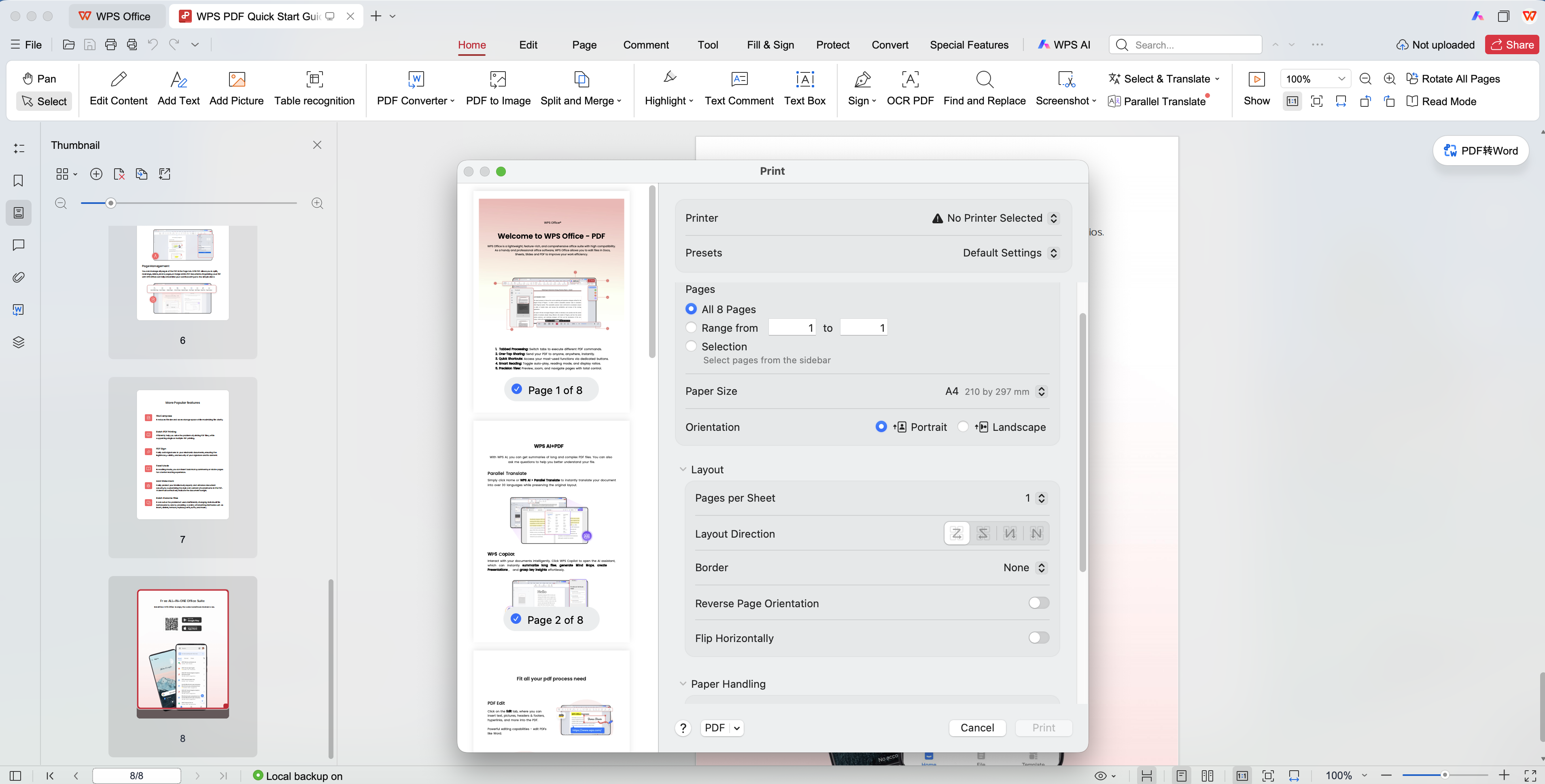
WPS PDF pages per sheet settings Printer: choose WPS Export to PDF, Microsoft Print to PDF, or Save as PDF.
Page layout: set 2 pages per sheet for a classic 2-up result.
Flexible expansion: to merge 4 pages into 1 page PDF (or try 6/9 where available), pick 4 pages in the same menu. WPS can place pages in a 2×2 “grid” on one face—great for study packs and quick review.
Optional: enable auto-center / adjust margins so 2-up or 4-up text stays readable.
Click Export / Print, choose a save path, and generate the new PDF in seconds.

What is the Best Method to Merge 2 into 1 Page PDF?
Choose Adobe Acrobat if your company already pays for it and you need enterprise-grade print controls every day.
Choose Sejda / iLovePDF for a tiny, non-sensitive file and a one-time browser job.
Choose WPS Office when you want to merge 2 pages into 1 page PDF online free regularly—or go offline for large/private files—and still have a clear path to merge 4 pages into 1 page PDF online or on desktop.
FAQ
Can I merge 2 pages into 1 page PDF online free without Adobe?
Yes. Online N-up tools can do it, and WPS offers browser/desktop print-to-PDF layouts with 2 pages per sheet without requiring Acrobat Pro.
How do I merge 4 pages into 1 page PDF online?
In the print/export panel, set pages per sheet to 4 (4-up). WPS web or desktop export-to-PDF can create a 2×2 layout on one sheet, then you download or save the new file.
Is uploading PDFs to online N-up sites safe?
For public handouts, usually fine. For contracts, payroll, IDs, or client data, prefer offline desktop processing in WPS so the file never leaves your machine.
Does “merge pages” mean combining two separate PDF files?
Not always. This article focuses on N-up / pages-per-sheet layout (2 or 4 pages printed on one sheet). If you need to concatenate multiple PDF files end-to-end, use a Merge PDF tool instead.
'%3e%3cpath%20d='M19.9911%204.11386V6.471H18.5894C18.0775%206.471%2017.7322%206.57814%2017.5536%206.79243C17.3751%207.00671%2017.2858%207.32814%2017.2858%207.75671V9.44421H19.9019L19.5536%2012.0871H17.2858V18.8639H14.5536V12.0871H12.2769V9.44421H14.5536V7.49779C14.5536%206.39064%2014.8632%205.53201%2015.4822%204.92189C16.1013%204.31177%2016.9257%204.00671%2017.9554%204.00671C18.8304%204.00671%2019.509%204.04243%2019.9911%204.11386Z'%20fill='%23333333'/%3e%3c/g%3e%3cdefs%3e%3cclipPath%20id='clip0_2938_8199'%3e%3crect%20width='16'%20height='16'%20fill='white'%20transform='translate(8%204.00671)'/%3e%3c/clipPath%3e%3c/defs%3e%3c/svg%3e)
'%3e%3cpath%20d='M17.5237%2010.7813L23.4811%204H22.0699L16.8949%209.88693L12.7648%204H8L14.2469%2012.9029L8%2020.0133H9.4112L14.8725%2013.7952L19.2352%2020.0133H24M9.92053%205.04213H12.0885L22.0688%2019.0224H19.9003'%20fill='%23333333'/%3e%3c/g%3e%3cdefs%3e%3cclipPath%20id='clip0_2938_8200'%3e%3crect%20width='16'%20height='16.0134'%20fill='white'%20transform='translate(8%204)'/%3e%3c/clipPath%3e%3c/defs%3e%3c/svg%3e)


