'%3e%3cpath%20d='M8%200C12.4183%200%2016%203.58172%2016%208C16%2012.4183%2012.4183%2016%208%2016C3.58172%2016%200%2012.4183%200%208C0%203.58172%203.58172%200%208%200ZM11.6162%204.38379C11.2257%203.99337%2010.5927%203.99338%2010.2021%204.38379L8%206.58594L5.79785%204.38379C5.40732%203.99334%204.77429%203.99329%204.38379%204.38379C3.99331%204.77429%203.99335%205.40733%204.38379%205.79785L6.58594%208L4.38379%2010.2021C3.99348%2010.5927%203.99341%2011.2257%204.38379%2011.6162C4.77426%2012.0066%205.40734%2012.0065%205.79785%2011.6162L8%209.41406L10.2021%2011.6162C10.5927%2012.0066%2011.2257%2012.0067%2011.6162%2011.6162C12.0067%2011.2257%2012.0066%2010.5927%2011.6162%2010.2021L9.41406%208L11.6162%205.79785C12.0066%205.40735%2012.0066%204.77429%2011.6162%204.38379Z'%20fill='%23080E17'%20fill-opacity='0.46'/%3e%3c/g%3e%3cdefs%3e%3cclipPath%20id='clip0_3761_713'%3e%3crect%20width='16'%20height='16'%20fill='white'/%3e%3c/clipPath%3e%3c/defs%3e%3c/svg%3e)

Best Linux Distro for Windows Users: Easy Switch
Posted by  2026-07-27
2026-07-27Switch from Windows with Linux Mint Cinnamon or Zorin for a familiar desktop, or Ubuntu for docs—backup first, try a live USB, then migrate files.

 2026-07-27
Switch from Windows with Linux Mint Cinnamon or Zorin for a familiar desktop, or Ubuntu for docs—backup first, try a live USB, then migrate files.
 2026-07-27
Create a file in Linux with touch for empty files, echo or cat for content, or nano—then verify with ls and cat from the right directory.
 2026-07-27
Copy files in Linux with cp, use -i to avoid overwrites, copy directories with -r or -a, and verify with ls or checksums.
 2026-07-27
Move files in Linux with mv, use -i to prevent overwrites, watch cross-filesystem copies, and verify the new path exists.
 2026-07-27
Rename a file in Linux with mv old new, quote spaces, use -i to protect existing names, and dry-run batch renames first.
 2026-07-27
Delete a file in Linux with rm, use -i to confirm, avoid unsafe globs, and verify the path is gone—back up first because CLI deletes are usually permanent.
 2026-07-27
Remove a Linux directory with rmdir when empty or rm -ri when not—list hidden files, measure size, and quarantine unsure folders before -rf.
 2026-07-27
Find the Linux size of a directory with du -sh, compare subfolders with depth limits, sort results, and use df -h to check free disk space.
 2026-07-27
Zip a folder on Linux with zip -r, control parent paths and excludes, verify with unzip -l, and keep archives portable for sharing.
 2026-07-27
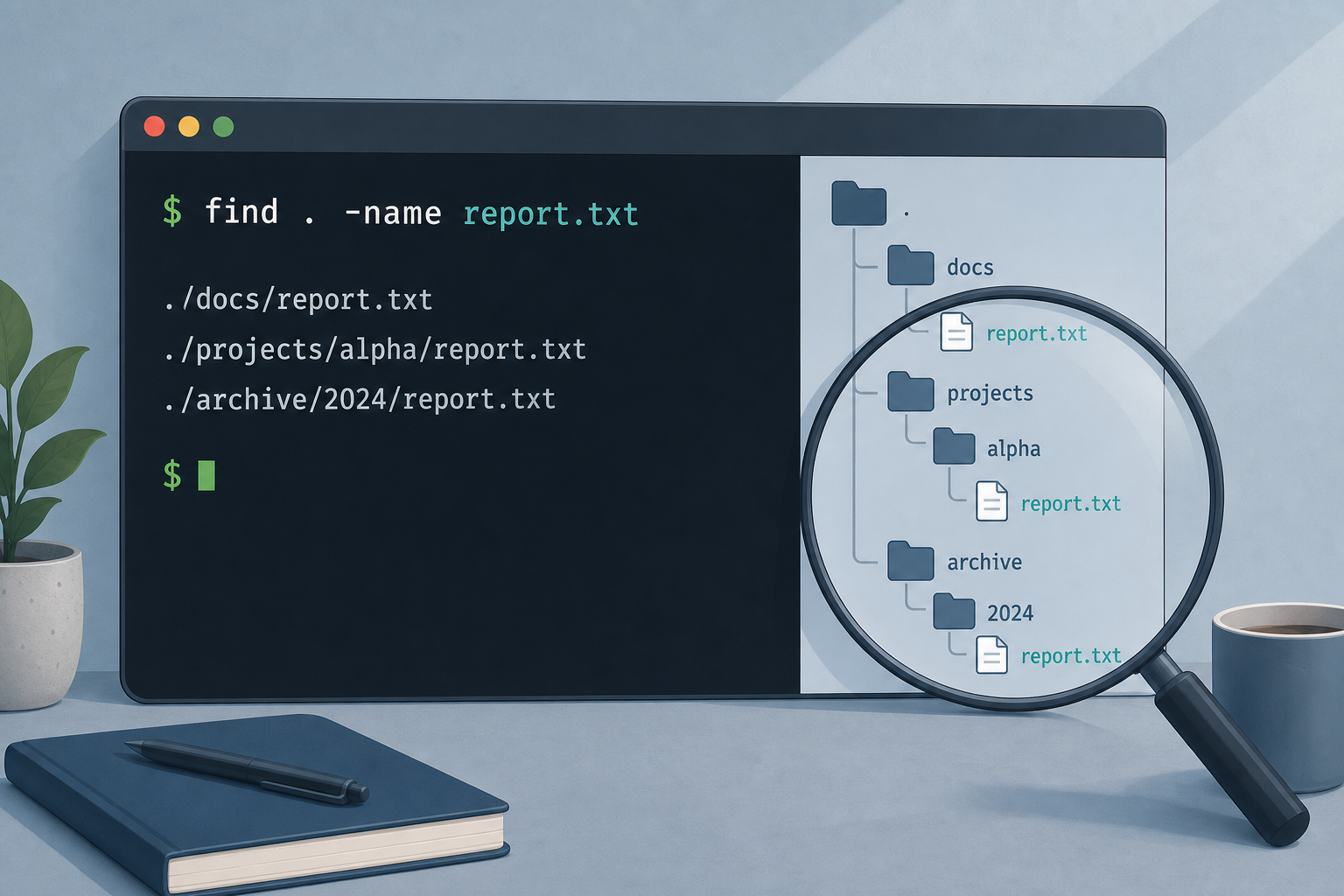
Find a file on Linux with find -name or -iname, quiet permission noise, try locate when updated, and act safely after listing matches.
Complete guide to downloading and installing Microsoft Office suite for all platforms, including Word, Excel, PowerPoint, etc.
Learn More MS Office
