



'%3e%3cpath%20fill-rule='evenodd'%20clip-rule='evenodd'%20d='M21.4999%2010.9993C21.4999%205.20009%2016.7986%200.498901%2010.9993%200.498901C5.19994%200.498901%200.498657%205.20009%200.498657%2010.9993C0.498657%2016.2404%204.33858%2020.5844%209.35855%2021.3722V14.0346H6.69238V10.9993H9.35855V8.68594C9.35855%206.05427%2010.9262%204.60062%2013.3248%204.60062C14.4736%204.60062%2015.6753%204.80571%2015.6753%204.80571V7.38979H14.3512C13.0468%207.38979%2012.64%208.19921%2012.64%209.0296V10.9993H15.5523L15.0867%2014.0346H12.64V21.3722C17.66%2020.5844%2021.4999%2016.2404%2021.4999%2010.9993Z'%20fill='%231568EA'/%3e%3c/g%3e%3c/svg%3e)


'%3e%3cpath%20d='M2.42045%2022.1876H6.31818V12.7217L0.75%208.54553V20.5171C0.75%2021.4414%201.49892%2022.1876%202.42045%2022.1876Z'%20fill='%234285F4'/%3e%3cpath%20d='M19.682%2022.1876H23.5797C24.5041%2022.1876%2025.2502%2021.4387%2025.2502%2020.5171V8.54553L19.682%2012.7217'%20fill='%2334A853'/%3e%3cpath%20d='M19.682%205.48293V12.7216L25.2502%208.54543V6.31816C25.2502%204.25236%2022.8921%203.07469%2021.2411%204.31361'%20fill='%23FBBC04'/%3e%3cpath%20d='M6.31824%2012.7217V5.48303L13.0001%2010.4944L19.6819%205.48303V12.7217L13.0001%2017.733'%20fill='%23EA4335'/%3e%3cpath%20d='M0.75%206.31816V8.54543L6.31818%2012.7216V5.48293L4.75909%204.31361C3.10534%203.07469%200.75%204.25236%200.75%206.31816Z'%20fill='%23C5221F'/%3e%3c/g%3e%3cdefs%3e%3cclipPath%20id='clip0_2954_7305'%3e%3crect%20width='24.5'%20height='18.375'%20fill='white'%20transform='translate(0.75%203.8125)'/%3e%3c/clipPath%3e%3c/defs%3e%3c/svg%3e)


The best Linux distro for Windows users is usually Linux Mint Cinnamon for a familiar Start-menu-style desktop, with Zorin OS as a polished alternative and Ubuntu Desktop when you want maximum tutorial coverage. Install from an official ISO, try a live session, migrate documents carefully, and keep a Windows recovery plan until you trust daily drivers. Success means you can browse, email, and edit office files without hunting for basic settings.
Shortest path: back up → try Mint Cinnamon live USB → install (dual-boot optional) → restore files → learn the Software Manager. Compare Mint and Ubuntu trade-offs in Linux Mint vs Ubuntu. If the PC is old and slow, switch to old laptop picks / lightweight distros instead of full Cinnamon.
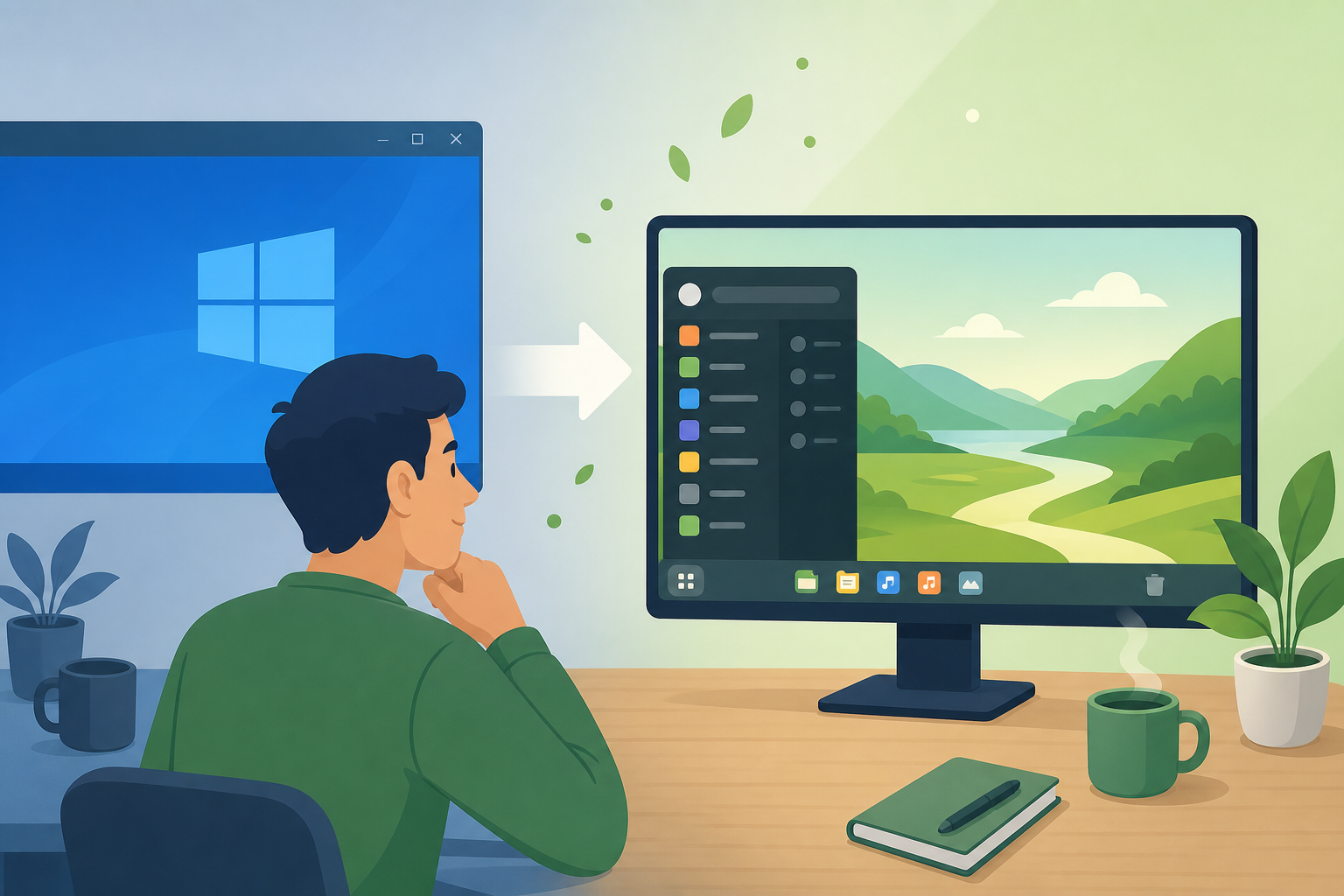
What Windows Users Struggle With First
New Linux users trip on app installation metaphors (stores vs apt), drivers, and “where did my .exe go?” Set expectations: use the distro’s software center for most apps, prefer Flatpak/deb over random websites, and verify Windows-only programs via alternatives, browser versions, or a temporary Windows partition/VM.
Ask Ubuntu and community switcher stories emphasize patience for the first week—not perfect theming on day one. Learn screenshots, Wi-Fi, and updates before customizing icons.
Common early wins: pin favorite apps to the panel, set a familiar wallpaper, and place a Documents folder shortcut where your hand expects it. Common early mistakes: adding three third-party mouse themes, enabling unstable PPAs, and installing every recommended “Windows look” pack before updates finish. Stable first, pretty second.
Keyboard shortcuts differ. Take ten minutes to open the shortcuts settings and map a few Windows-like habits if the distro allows. Accessibility features (sticky keys, screen readers, large text) are available—turn them on during the live session if you rely on them.
Top Picks for Switchers
Linux Mint Cinnamon
Linux Mint Cinnamon feels closest to classic Windows: bottom panel, menu, system tray. Update Manager and Software Manager reduce early confusion. Flatpak integration is friendly; Snap is typically disabled by Mint’s defaults.
Zorin OS
Zorin OS markets strongly to Windows/macOS migrants with layout choices. Use official downloads only. Check which edition matches your hardware; lighter editions help older PCs.
Ubuntu Desktop
Ubuntu GNOME is different from Windows, but docs and vendor support are unmatched. Choose Ubuntu when online courses say “use Ubuntu,” or when you plan developer/cloud paths (developer distro guide).
When to pick something lighter
If Windows already crawls, do not install the heaviest friendly desktop. Use Mint Xfce, Xubuntu, or Lubuntu per the lightweight and old laptop guides.
Migration Checklist
- Inventory must-have Windows apps; find Linux alternatives or plan dual-boot.
- Copy Documents, Pictures, Downloads to external storage.
- Export browser bookmarks and password vault.
- Note Wi-Fi passwords and printer models.
- Create Linux USB; try live mode an evening.
- Install; restore files; reinstall browsers and office suite.
sudo apt update && sudo apt full-upgrade -yKeep the Windows drive untouched until you have lived on Linux for a week. Dual-boot is emotional insurance.
File systems differ: Linux permissions and execute bits surprise people who copy scripts from USB drives. When a downloaded program “won’t run,” check whether it is a Linux binary, a Windows exe, or a script needing chmod. Prefer software center installs to teach the safe path before advanced sideloading.
Cloud accounts ease migration: browser sync, photo backups, and password vaults reduce the feeling of starting from zero. Still keep a local encrypted backup; cloud sync is not a complete disaster plan. Label the backup drive with the date so you know what you trusted before the switch.
Office Files, Fonts, and Printing
Schools and offices still send DOCX/XLSX/PPTX. Install a compatible office suite early and open critical files to check layout. Printers may need extra drivers—test a page before discarding Windows. PDF workflows are usually smoother than complex macro-heavy Excel workbooks.
Gaming expectations deserve a separate plan—see best Linux distro for gaming and ProtonDB before assuming every multiplayer title works.
Habits to Relearn
- Install from trusted stores/repos, not random EXE-equivalents
- Update weekly; restarts are normal
- Use Timeshift or similar snapshots on Mint-class systems before big changes
- Search error text instead of reinstalling immediately
Security basics still matter after switching: encryption, unique passwords, phishing caution—see most secure Linux distro for threat-model framing without chasing paranoia ISOs on day one.
Friends will ask why you left Windows. Have a short answer ready: control over updates, fewer forced ads, or longer life for an old PC. Avoid overselling perfection. Honest expectations keep people from returning to Windows after the first missing app. Point them to Mint or Zorin, not to a custom Arch rice screenshot.
Verify Success
- You can connect to Wi-Fi and print a test page.
- Browser + password manager work.
- Your critical documents open acceptably.
- Updates install cleanly.
- You know how to install/remove an application from the official software tools.
Help Family Switch
For parents or students, create a one-page cheat sheet: how to update, how to open the app menu, how to shut down, and where files live. Familiar layout distros reduce support calls more than technically “superior” desktops.
Expect a learning week: screenshot tools, right-click menus, and update dialogs feel different. Schedule that week when you do not have a same-day tax deadline. Keep the Windows partition until you have opened your hardest Excel file and joined a video meeting successfully on Linux.
Language packs, input methods, and accessibility tools are first-class on Mint and Ubuntu—configure them early if you type in multiple languages. Display scaling on HiDPI laptops may need a short settings pass; live mode is the place to try it.
Community help works best when you paste exact error text and distro release names. Avoid “my PC doesn’t work” posts. The same courtesy applies when helping relatives: remote with permission, change one thing at a time, and write down what you did.
After three stable weeks, you can reclaim Windows disk space if you no longer need it. Until then, dual-boot is not failure—it is risk management. The best Linux distro for Windows users is the one that keeps you productive while habits catch up to the new desktop.
For most Windows users, Linux Mint Cinnamon (or Zorin) is the kindest landing zone; choose Ubuntu when documentation and ecosystem coverage matter more than familiar chrome.
Keep a written checklist: official ISO, checksum verification, backup of documents, Wi-Fi/printer test in live mode, first update, and a restore plan. That checklist prevents most failed “weekend Linux experiments.” Share the same steps with family members so every refurbished laptop gets the same baseline.
After the system is stable, you will still exchange DOCX, XLSX, and PDF files with schools and workplaces. Keep an office suite available for compatibility reviews even if you draft notes in plain text day to day.
After You Switch: Keep Office Files Opening Cleanly
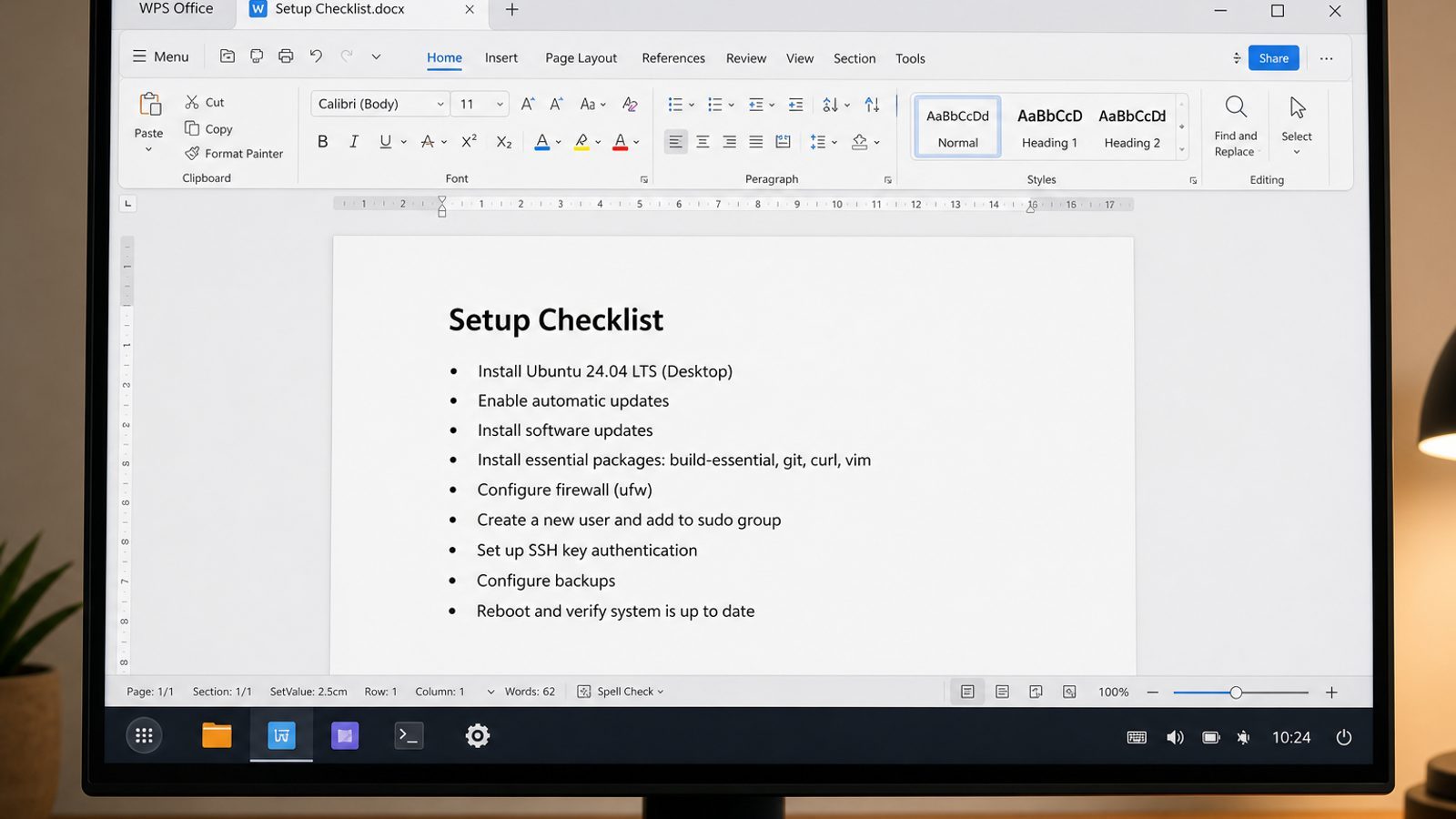
Mint, Zorin, or Ubuntu solves the desktop familiarity problem. The next real test is whether school and work DOCX, XLSX, PPTX, and PDF files still open with predictable layout.
WPS Office for Linux is built for that Windows-to-Linux handoff: Writer, Spreadsheet, Presentation, and PDF tools with a ribbon-style UI many switchers already recognize.
| What you need next | What WPS gives you |
|---|---|
| Open Microsoft-style attachments right after leaving Windows | Strong .docx / .xlsx / .pptx layout fidelity when files move between Linux, Windows, and macOS |
| One place for notes, sheets, slides, and PDFs | Free core suite: Writer, Spreadsheet, Presentation, plus PDF view/edit/convert tools |
| A familiar desktop UI for switchers | Ribbon-style apps with a lighter footprint than many heavy suites |
| A trusted install path | Official DEB (Ubuntu/Debian/Mint) and RPM packages from the vendor |
Download the current package from the official WPS Office for Linux download page, install it with sudo apt install ./wps-office_VERSION_amd64.deb, and open a few critical files during your first week so compatibility surprises show up early—not on a deadline.


FAQ
Can I run .exe programs on Linux?
Sometimes via compatibility layers, but prefer native/Linux alternatives. Dual-boot when a specific Windows-only app is mandatory.
Is Mint safer than Windows?
Linux reduces many common Windows malware paths, but phishing and weak passwords still win. Keep updates on.
Should beginners start with Arch?
No. Start with Mint/Ubuntu-class systems from beginner distro picks.
Do I need to partition manually?
The graphical installer can guide you. Dual-boot resizing needs backups first.
What about Microsoft Office online?
Browser-based Office can bridge gaps; still test offline file compatibility for school submissions.
Will my NVIDIA laptop work?
Often yes with distro driver tools—test in live mode. Hybrid graphics may need extra steps.
Can I keep Microsoft Edge or OneDrive?
Browser-based workflows cover many cases. Native Linux clients vary—verify current vendor support rather than assuming Windows-only installers will work.
What if my job requires Windows-only software?
Keep a Windows partition or company VM for that software and use Linux for everything else. Hybrid setups are normal, not failure.
Give yourself permission to be a beginner again for one week. The reward is a desktop that does not nag with forced redesigns you did not ask for, plus software you can update on your schedule. Linux Mint Cinnamon and Zorin exist specifically to shorten that week. Start there, keep backups, and let familiarity return—then explore Ubuntu or lighter editions only if you have a concrete reason. Your files and habits matter more than the logo on the ISO.
When you are ready, remove the Windows partition only after you have a tested backup and no mandatory Windows-only workflow left. Until that day, dual-boot proudly. Switching operating systems is a migration project, and treating it like one is how Windows users become happy Linux users instead of frustrated reinstallers. Slow is smooth, and smooth is fast. Celebrate small wins: first clean update, first successful print, first week without reaching for Windows.

'%3e%3cpath%20d='M19.9911%204.11386V6.471H18.5894C18.0775%206.471%2017.7322%206.57814%2017.5536%206.79243C17.3751%207.00671%2017.2858%207.32814%2017.2858%207.75671V9.44421H19.9019L19.5536%2012.0871H17.2858V18.8639H14.5536V12.0871H12.2769V9.44421H14.5536V7.49779C14.5536%206.39064%2014.8632%205.53201%2015.4822%204.92189C16.1013%204.31177%2016.9257%204.00671%2017.9554%204.00671C18.8304%204.00671%2019.509%204.04243%2019.9911%204.11386Z'%20fill='%23333333'/%3e%3c/g%3e%3cdefs%3e%3cclipPath%20id='clip0_2938_8199'%3e%3crect%20width='16'%20height='16'%20fill='white'%20transform='translate(8%204.00671)'/%3e%3c/clipPath%3e%3c/defs%3e%3c/svg%3e)
'%3e%3cpath%20d='M17.5237%2010.7813L23.4811%204H22.0699L16.8949%209.88693L12.7648%204H8L14.2469%2012.9029L8%2020.0133H9.4112L14.8725%2013.7952L19.2352%2020.0133H24M9.92053%205.04213H12.0885L22.0688%2019.0224H19.9003'%20fill='%23333333'/%3e%3c/g%3e%3cdefs%3e%3cclipPath%20id='clip0_2938_8200'%3e%3crect%20width='16'%20height='16.0134'%20fill='white'%20transform='translate(8%204)'/%3e%3c/clipPath%3e%3c/defs%3e%3c/svg%3e)


