

'%3e%3cpath%20d='M8%200C12.4183%200%2016%203.58172%2016%208C16%2012.4183%2012.4183%2016%208%2016C3.58172%2016%200%2012.4183%200%208C0%203.58172%203.58172%200%208%200ZM11.6162%204.38379C11.2257%203.99337%2010.5927%203.99338%2010.2021%204.38379L8%206.58594L5.79785%204.38379C5.40732%203.99334%204.77429%203.99329%204.38379%204.38379C3.99331%204.77429%203.99335%205.40733%204.38379%205.79785L6.58594%208L4.38379%2010.2021C3.99348%2010.5927%203.99341%2011.2257%204.38379%2011.6162C4.77426%2012.0066%205.40734%2012.0065%205.79785%2011.6162L8%209.41406L10.2021%2011.6162C10.5927%2012.0066%2011.2257%2012.0067%2011.6162%2011.6162C12.0067%2011.2257%2012.0066%2010.5927%2011.6162%2010.2021L9.41406%208L11.6162%205.79785C12.0066%205.40735%2012.0066%204.77429%2011.6162%204.38379Z'%20fill='%23080E17'%20fill-opacity='0.46'/%3e%3c/g%3e%3cdefs%3e%3cclipPath%20id='clip0_3761_713'%3e%3crect%20width='16'%20height='16'%20fill='white'/%3e%3c/clipPath%3e%3c/defs%3e%3c/svg%3e)




'%3e%3cpath%20fill-rule='evenodd'%20clip-rule='evenodd'%20d='M21.4999%2010.9993C21.4999%205.20009%2016.7986%200.498901%2010.9993%200.498901C5.19994%200.498901%200.498657%205.20009%200.498657%2010.9993C0.498657%2016.2404%204.33858%2020.5844%209.35855%2021.3722V14.0346H6.69238V10.9993H9.35855V8.68594C9.35855%206.05427%2010.9262%204.60062%2013.3248%204.60062C14.4736%204.60062%2015.6753%204.80571%2015.6753%204.80571V7.38979H14.3512C13.0468%207.38979%2012.64%208.19921%2012.64%209.0296V10.9993H15.5523L15.0867%2014.0346H12.64V21.3722C17.66%2020.5844%2021.4999%2016.2404%2021.4999%2010.9993Z'%20fill='%231568EA'/%3e%3c/g%3e%3c/svg%3e)


'%3e%3cpath%20d='M2.42045%2022.1876H6.31818V12.7217L0.75%208.54553V20.5171C0.75%2021.4414%201.49892%2022.1876%202.42045%2022.1876Z'%20fill='%234285F4'/%3e%3cpath%20d='M19.682%2022.1876H23.5797C24.5041%2022.1876%2025.2502%2021.4387%2025.2502%2020.5171V8.54553L19.682%2012.7217'%20fill='%2334A853'/%3e%3cpath%20d='M19.682%205.48293V12.7216L25.2502%208.54543V6.31816C25.2502%204.25236%2022.8921%203.07469%2021.2411%204.31361'%20fill='%23FBBC04'/%3e%3cpath%20d='M6.31824%2012.7217V5.48303L13.0001%2010.4944L19.6819%205.48303V12.7217L13.0001%2017.733'%20fill='%23EA4335'/%3e%3cpath%20d='M0.75%206.31816V8.54543L6.31818%2012.7216V5.48293L4.75909%204.31361C3.10534%203.07469%200.75%204.25236%200.75%206.31816Z'%20fill='%23C5221F'/%3e%3c/g%3e%3cdefs%3e%3cclipPath%20id='clip0_2954_7305'%3e%3crect%20width='24.5'%20height='18.375'%20fill='white'%20transform='translate(0.75%203.8125)'/%3e%3c/clipPath%3e%3c/defs%3e%3c/svg%3e)


In a world flooded with photos of notes, receipts, and documents, converting images to editable text via OCR has become a daily necessity. But free tools often fall short on accuracy for blurry or complex layouts, while premium ones lock features behind paywalls. So, which reliable free image to text converters deliver precise extraction without the hassle? This 2025 guide ranks the top five, compares them head-to-head, and spotlights WPS Photo Tool as the ultimate all-in-one winner for seamless, high-quality results.


Part 1. Top 5 Free Image to Text Converters
1. WPS Photo Tool

WPS Photo Tool stands out as a robust AI-powered OCR solution integrated into the free WPS Office suite. It excels at extracting text from various image types with high accuracy. Users can process files offline, making it secure for sensitive data. The tool seamlessly connects with WPS Writer for immediate editing.
How to Use (Desktop Version – My Go-To)
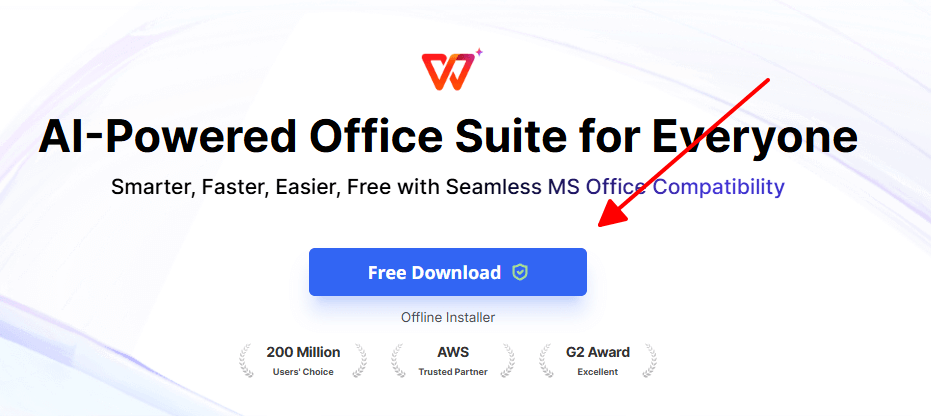
Step 1: Grab WPS Office for free and set it up on your computer.
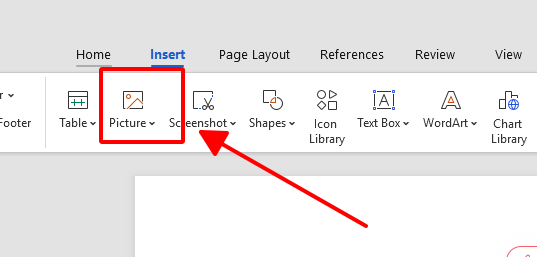
Step 2: Launch WPS Writer, head to Insert > Picture > From File to add your image.
Step 3: Right-click the placed image, select OCR, then Recognize Text.
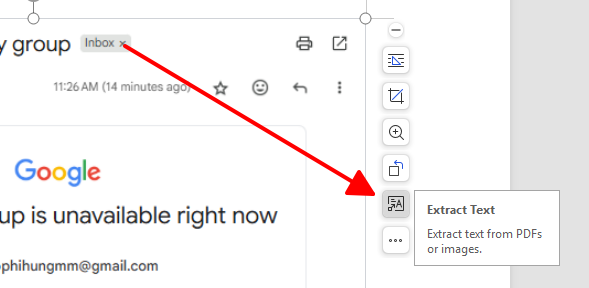
Step 4: The text appears editable, tweak it or save directly.
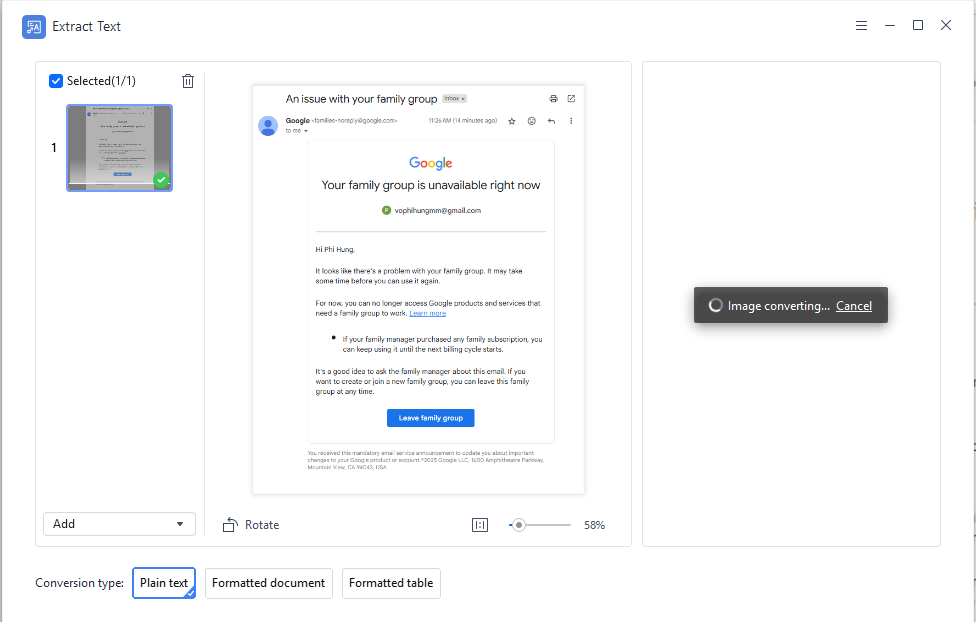
I've thrown low-res phone snaps of handwritten notes at it, and WPS Photo Tool rarely misses a beat, far smoother than web-only options. Plus, as a full office suite, it doubles for PDF tweaks or JPG conversions without extra apps. Download it to use as everyday office software with tons of document tools.
2. Image to Text
Image to Text is a simple web-based free image to text converter perfect for quick tasks. It requires no setup or account, handling basic extractions in seconds. Ideal for users needing occasional help with printed screenshots. The interface keeps things minimal and efficient.
How to Use
Step 1: Navigate to the Image to Text website.
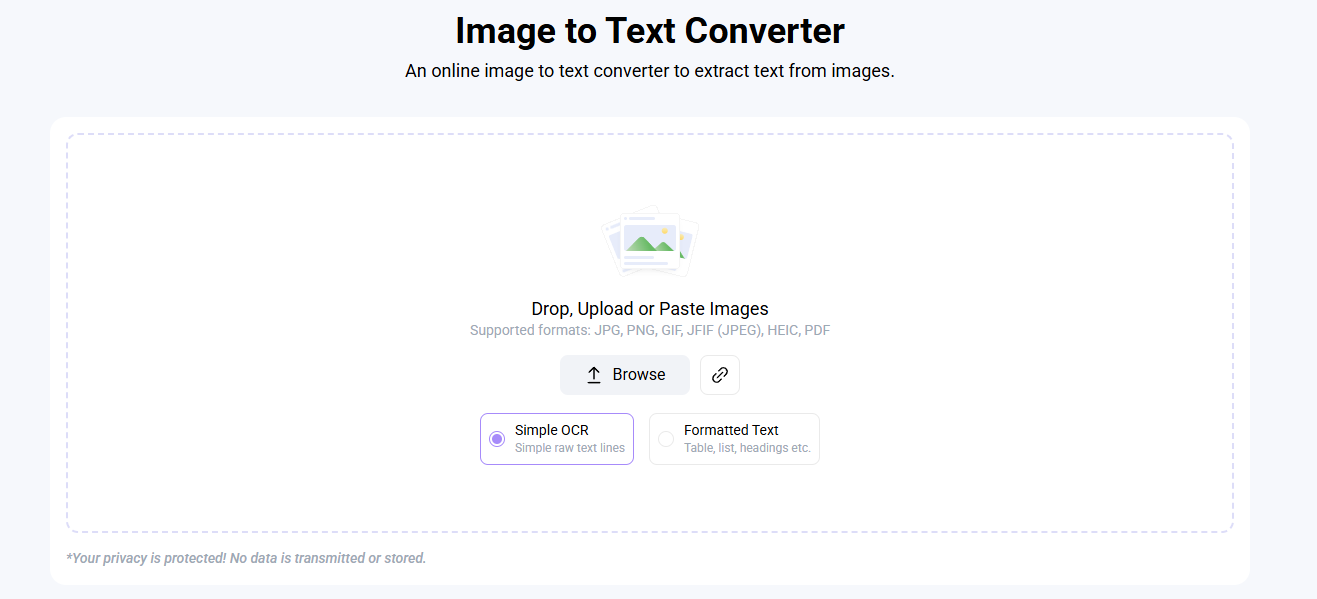
Step 2: Drop or select your file.
Step 3: Press Get Text.
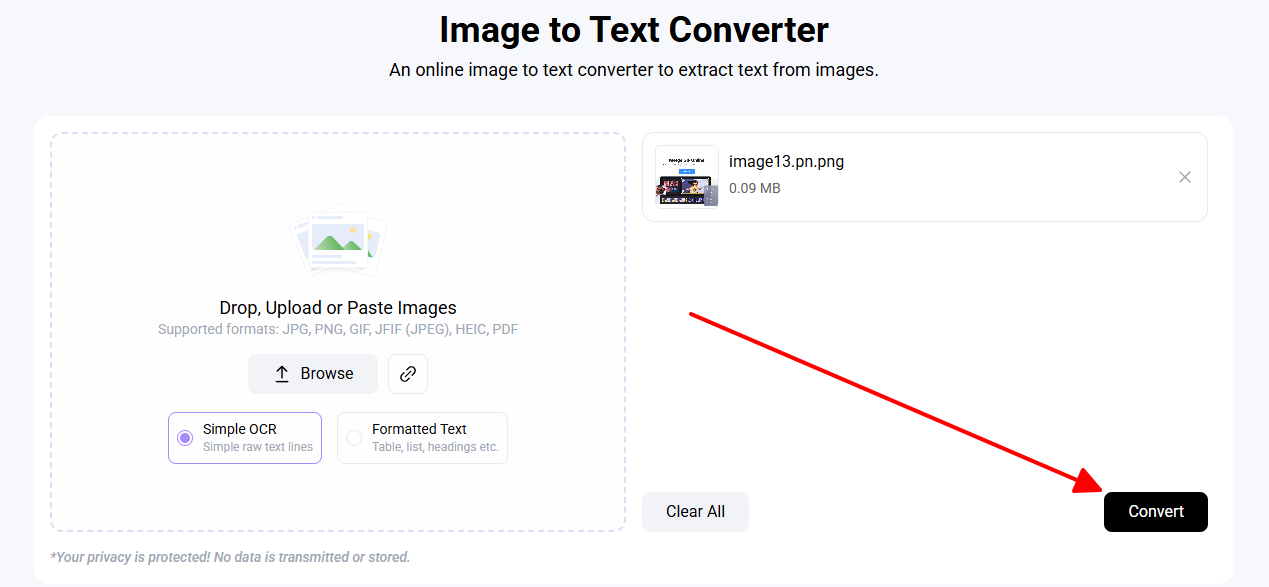
Step 4: Grab the output via copy or save.
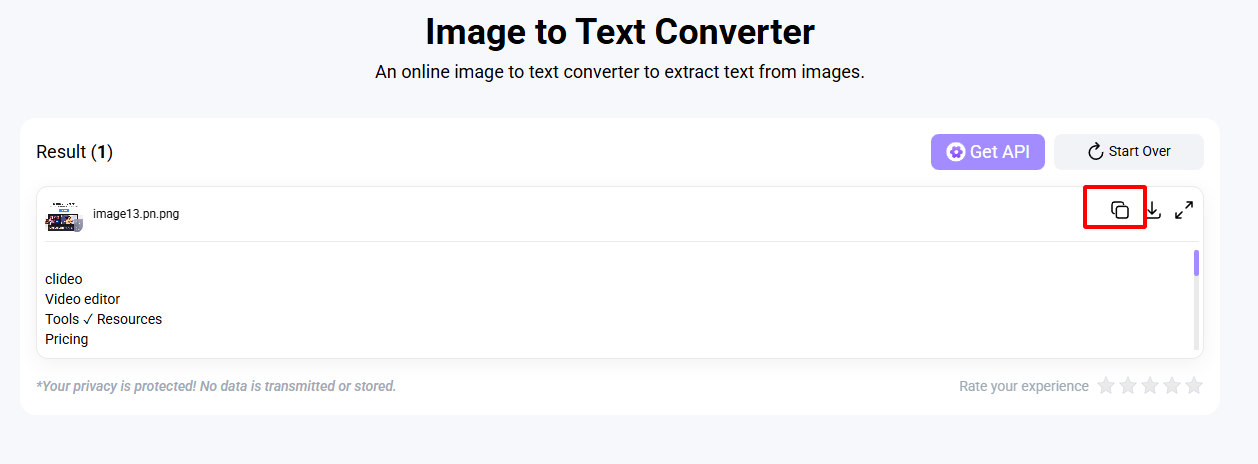
It's my quick fix for pulling text from a single screenshot during meetings. But for a stack of pages, the repetition gets old fast, wish it had batch like WPS. Compared to others, it's reliable for simple printed stuff but lacks the depth of AI tools.
3. Online-Convert

Online-Convert serves as a flexible online platform among the best image to text OCR tools. It offers advanced settings for language and quality adjustments. Great for international documents or faded scans. The tool supports various output formats for versatility.
How to Use
Step 1: Access the OCR section on Online-Convert.
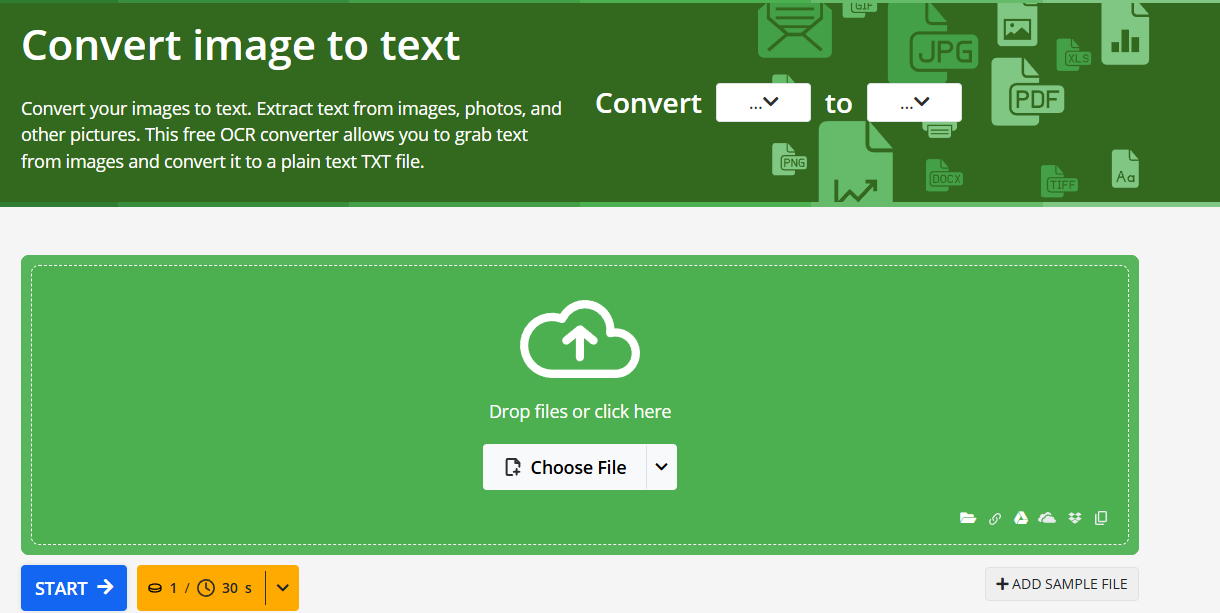
Step 2: Load image via upload or link.
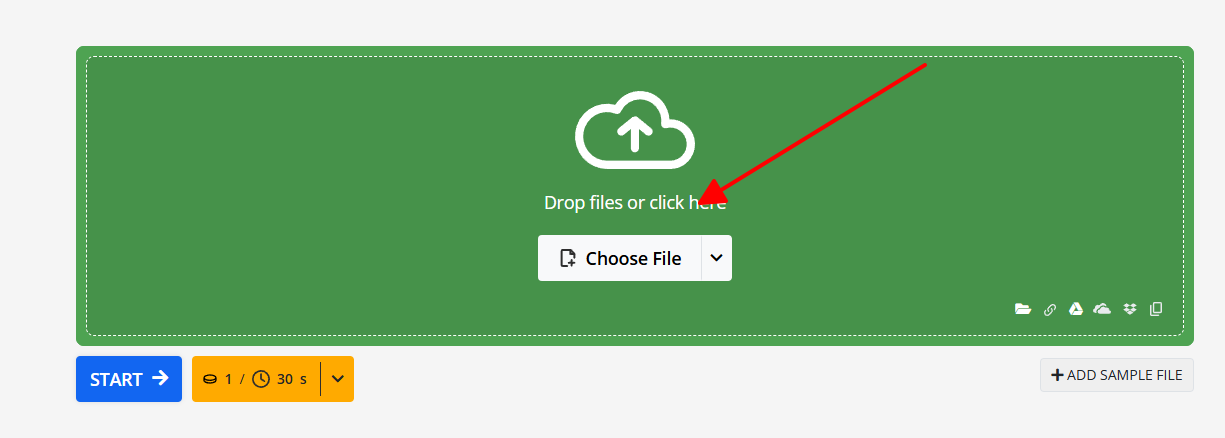
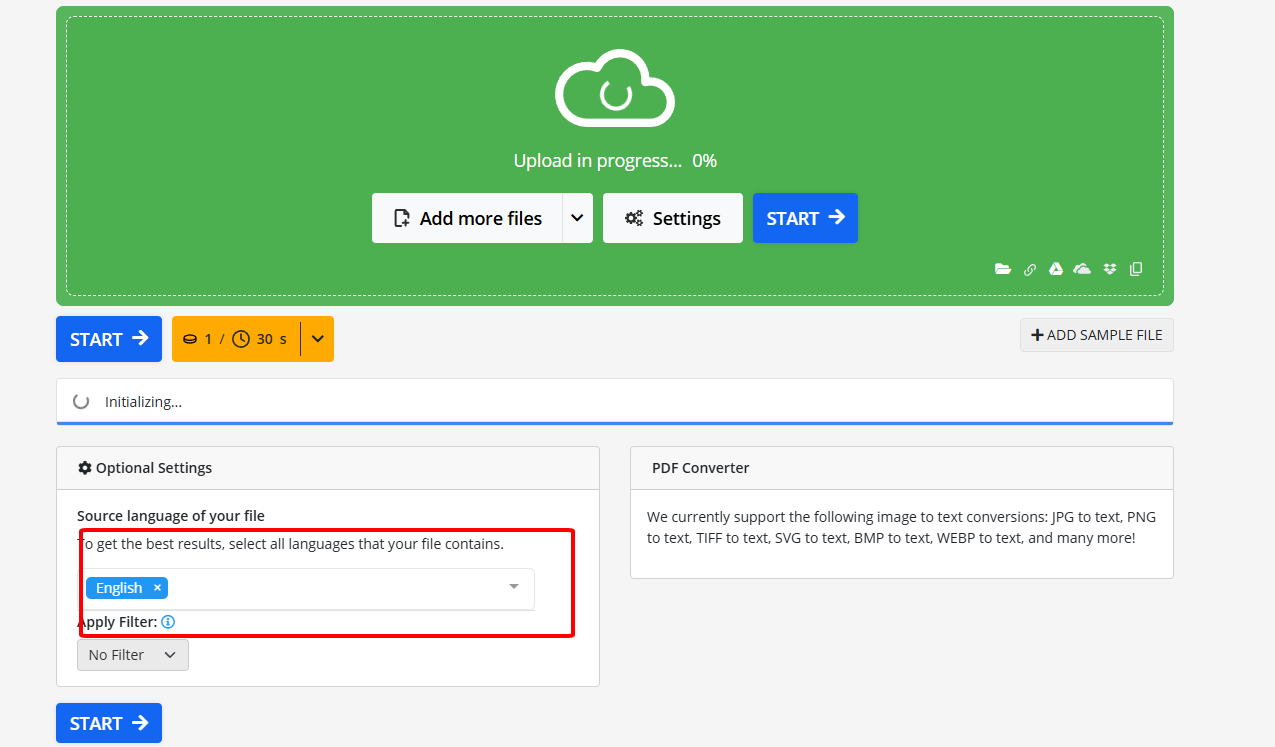
Step 3: Set language and format, then Start.
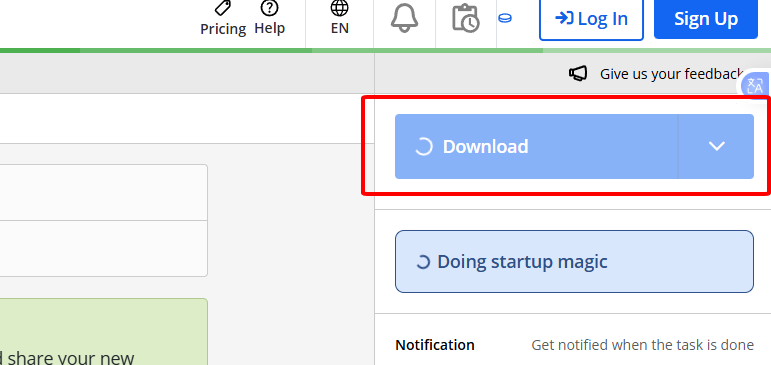
Step 4: Download the processed file.
Tackled a tilted French invoice scan effortlessly, the auto-correction saved me editing time. Still, for everyday English docs, it's overkill compared to WPS's simplicity. In my tests, it edged out simpler tools on multilingual accuracy but felt clunky next to offline options.
4. PictureToText
PictureToText provides a lightweight free image to text converter for everyday use. Its clean design ensures fast conversions without distractions. Works well on mobile devices for on-the-go needs. Focuses on core OCR without unnecessary features.
How to Use
Step 1: Visit the PictureToText site.
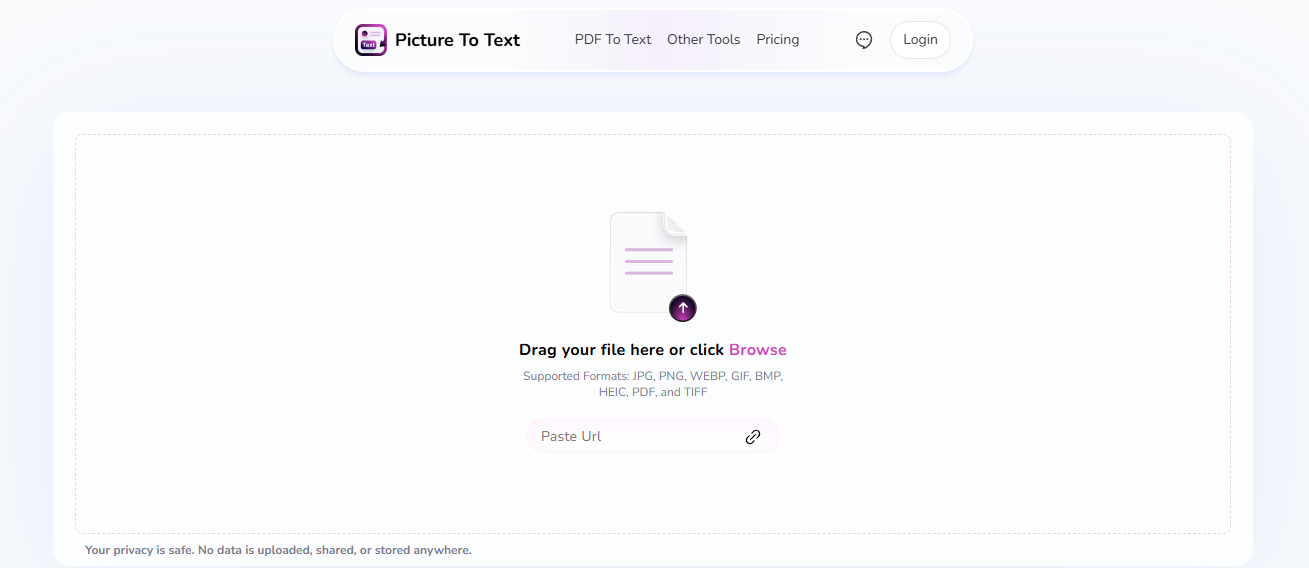
Step 2: Pick and upload your image.
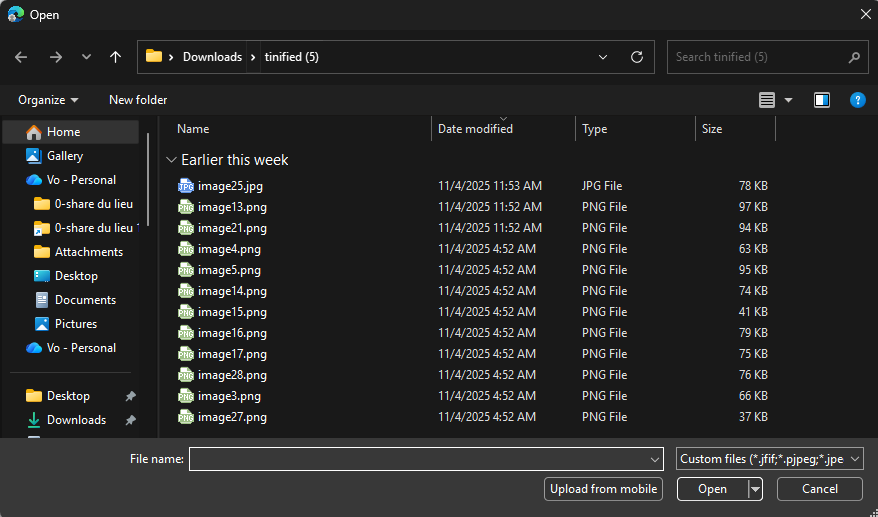
Step 3: Hit Convert.
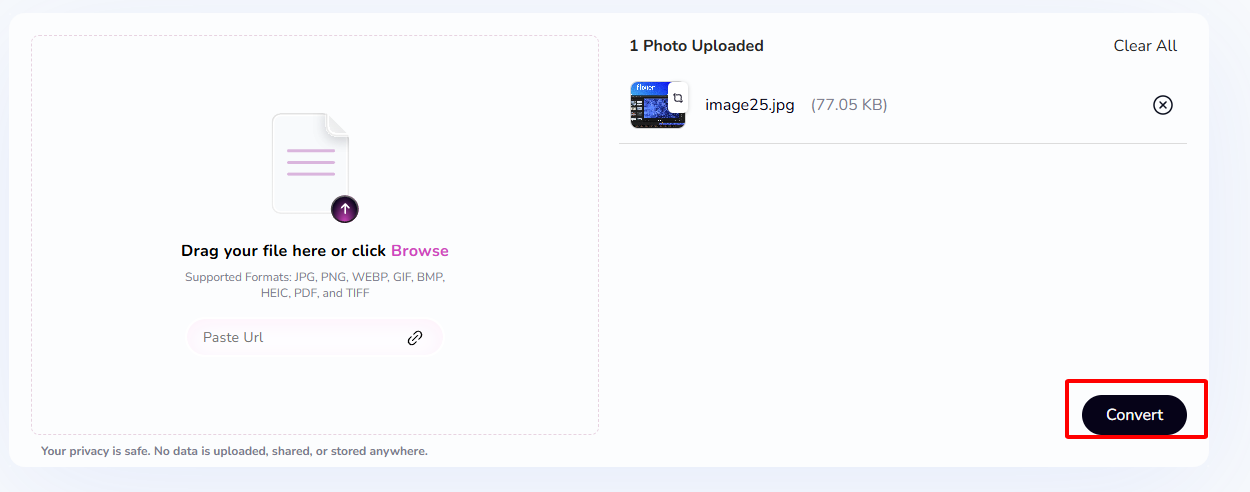
Step 4: Copy or export text.
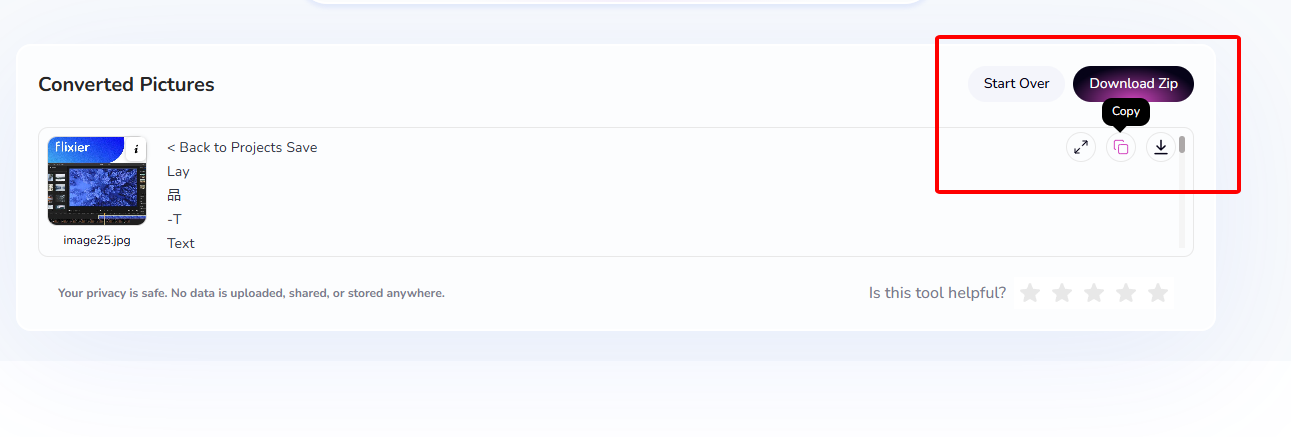
Handy on mobile for menu translations abroad, gets the job done 80% of the time. But complex forms? It jumbles columns, unlike WPS's reliable structure hold. From experience, it's a solid backup for one-offs but can't match the batch power of more robust converters.
5. Card Scanner
Card Scanner specializes in extracting text from business cards and structured prints as a targeted free image to text converter. It uses AI to identify fields like names and contacts automatically. Suited for professionals digitizing networking materials. Offers batch support for efficiency.
How to Use
Step 1: Go to the Card Scanner platform.
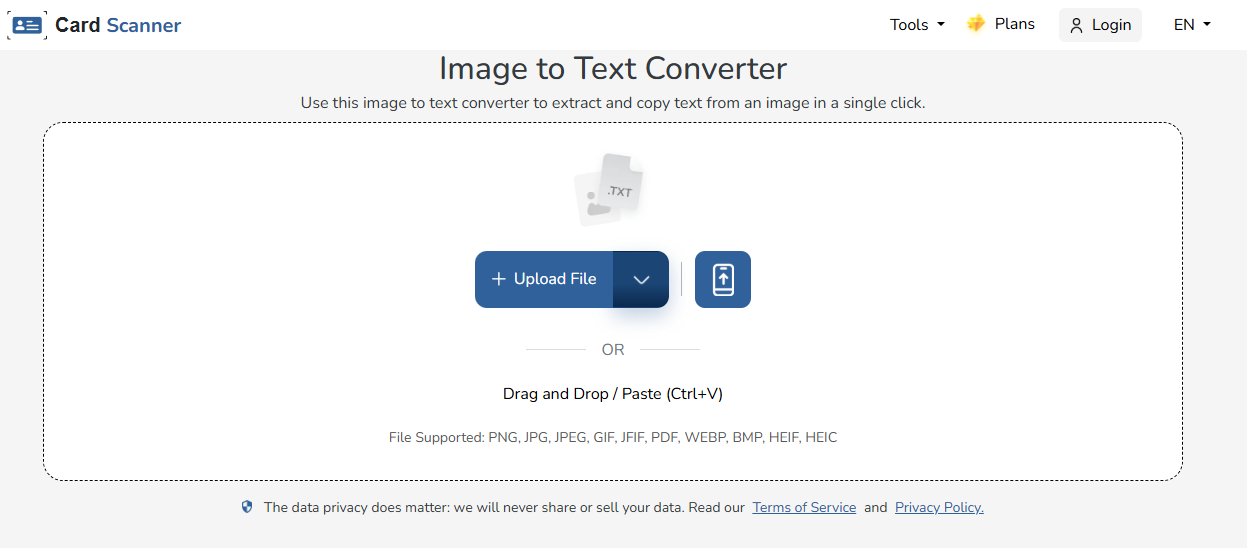
Step 2: Upload your card or doc image.
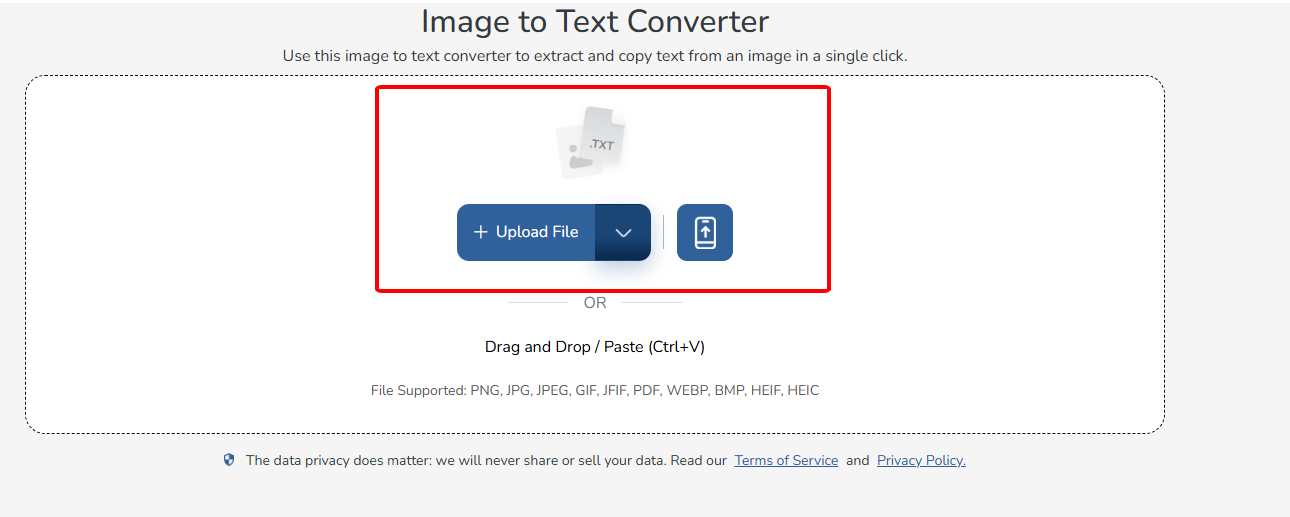
Step 3: Click Extract Text.
.
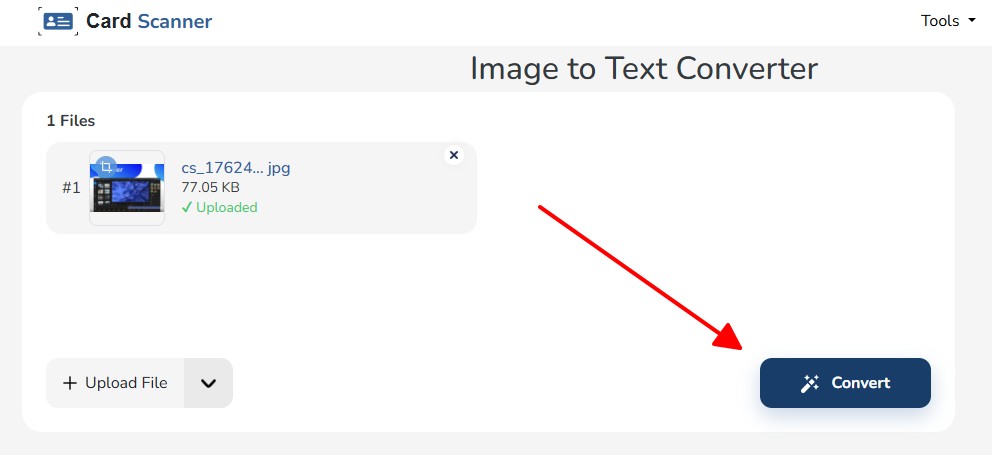
Step 4: Copy or save the results.
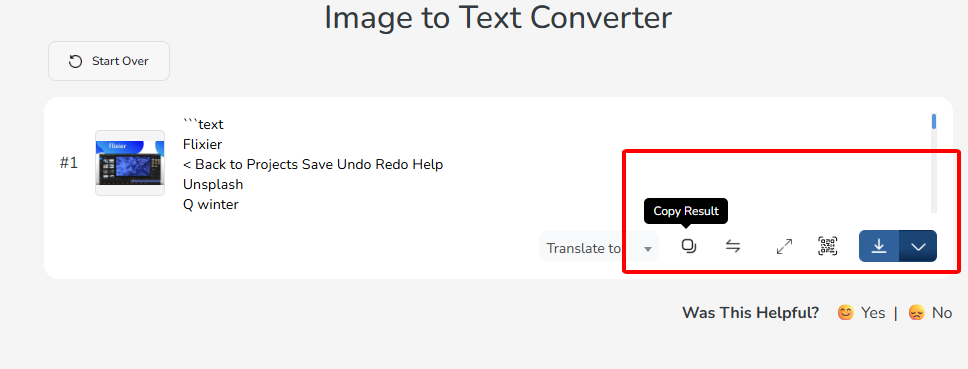
Digitized a pile of networking cards in minutes, the AI nailed emails and phones spot-on. For general docs, though, it doesn't retain layouts as well as WPS. In comparison, it's niche but unbeatable for its focus, saving hours over manual entry.
Part 2. Quick Comparison Table of the Top 5 Free Image-to-Text Converters
| Tool | Best For | Accuracy | Batch | Free Use | AI-Powered | Ease of Use |
|---|---|---|---|---|---|---|
| WPS Photo Tool | Professional, offline OCR | 5/5 | Yes | Yes | Yes | 5/5 |
| Image to Text | One-off browser jobs | 4/5 | No | Yes | No | 5/5 |
| Online-Convert | Multi-language, complex docs | 5/5 | Yes | Partly | Yes | 4/5 |
| PictureToText | Daily quick scans | 4/5 | No | Yes | No | 5/5 |
| Card Scanner | Business cards & print | 5/5 | Yes | Limited | Yes | 4/5 |
After hands-on testing, WPS Photo Tool leads with superior AI accuracy and offline batch capabilities. It outshines others in retaining formatting for editable outputs.
Part 3. Why WPS Photo Tool Stands Out
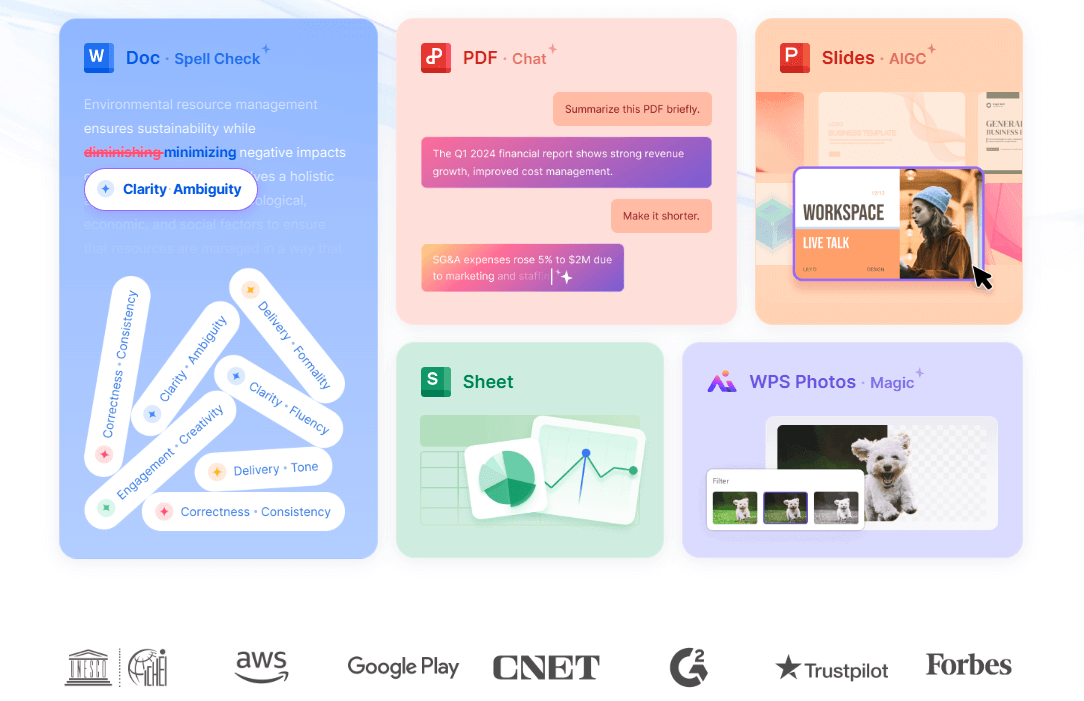
The comparison table highlights WPS Photo Tool's edge in accuracy, batch processing, and full free access. Based on real usage, it delivers the cleanest results for extracting text from image, even on challenging sources. We recommend it as the top choice for reliable, professional-grade OCR.
WPS offers more than just OCR, it includes tools like JPG to PDF, PDF to Word, and form creators. Users get free online converters too, but the desktop version shines for JPG to Word conversions without internet.
Testing a multi-page scanned report, WPS preserved tables and bullets perfectly, minimal fixes needed. Online alternatives often scrambled layouts, requiring extra work.
For anyone needing a dependable free image to text converter, WPS Photo Tool provides unmatched precision and integration in one package.
FAQs
What is the most important factor when choosing an image-to-text converter?
OCR accuracy and layout retention decide if you’ll spend minutes or hours fixing errors. AI-driven tools like WPS Photo Tool consistently deliver clean, editable text with almost no manual tweaks.
Can I convert handwritten images to text?
Printed text converts flawlessly, but handwriting varies—neat cursive works 60-70 % with AI options like WPS Photo Tool or Card Scanner. Messy notes usually need a re-scan or typed redo.
Are image-to-text converters free?
Core OCR is free across the board; Image to Text and PictureToText never charge. WPS Photo Tool stays unrestricted even for batch and offline use, while others cap file size on free tiers.
How do I ensure my uploaded images are secure?
Stick to offline processing with WPS Photo Tool—nothing leaves your device. Online converters auto-delete files after conversion, but for confidential docs, local is safest.
Which is the best tool for long-term professional use?
WPS Photo Tool wins with AI precision, batch processing, and full office integration. Pros and students get reliable, editable results without switching apps or hitting paywalls.

'%3e%3cpath%20d='M19.9911%204.11386V6.471H18.5894C18.0775%206.471%2017.7322%206.57814%2017.5536%206.79243C17.3751%207.00671%2017.2858%207.32814%2017.2858%207.75671V9.44421H19.9019L19.5536%2012.0871H17.2858V18.8639H14.5536V12.0871H12.2769V9.44421H14.5536V7.49779C14.5536%206.39064%2014.8632%205.53201%2015.4822%204.92189C16.1013%204.31177%2016.9257%204.00671%2017.9554%204.00671C18.8304%204.00671%2019.509%204.04243%2019.9911%204.11386Z'%20fill='%23333333'/%3e%3c/g%3e%3cdefs%3e%3cclipPath%20id='clip0_2938_8199'%3e%3crect%20width='16'%20height='16'%20fill='white'%20transform='translate(8%204.00671)'/%3e%3c/clipPath%3e%3c/defs%3e%3c/svg%3e)
'%3e%3cpath%20d='M17.5237%2010.7813L23.4811%204H22.0699L16.8949%209.88693L12.7648%204H8L14.2469%2012.9029L8%2020.0133H9.4112L14.8725%2013.7952L19.2352%2020.0133H24M9.92053%205.04213H12.0885L22.0688%2019.0224H19.9003'%20fill='%23333333'/%3e%3c/g%3e%3cdefs%3e%3cclipPath%20id='clip0_2938_8200'%3e%3crect%20width='16'%20height='16.0134'%20fill='white'%20transform='translate(8%204)'/%3e%3c/clipPath%3e%3c/defs%3e%3c/svg%3e)


