

'%3e%3cpath%20d='M8%200C12.4183%200%2016%203.58172%2016%208C16%2012.4183%2012.4183%2016%208%2016C3.58172%2016%200%2012.4183%200%208C0%203.58172%203.58172%200%208%200ZM11.6162%204.38379C11.2257%203.99337%2010.5927%203.99338%2010.2021%204.38379L8%206.58594L5.79785%204.38379C5.40732%203.99334%204.77429%203.99329%204.38379%204.38379C3.99331%204.77429%203.99335%205.40733%204.38379%205.79785L6.58594%208L4.38379%2010.2021C3.99348%2010.5927%203.99341%2011.2257%204.38379%2011.6162C4.77426%2012.0066%205.40734%2012.0065%205.79785%2011.6162L8%209.41406L10.2021%2011.6162C10.5927%2012.0066%2011.2257%2012.0067%2011.6162%2011.6162C12.0067%2011.2257%2012.0066%2010.5927%2011.6162%2010.2021L9.41406%208L11.6162%205.79785C12.0066%205.40735%2012.0066%204.77429%2011.6162%204.38379Z'%20fill='%23080E17'%20fill-opacity='0.46'/%3e%3c/g%3e%3cdefs%3e%3cclipPath%20id='clip0_3761_713'%3e%3crect%20width='16'%20height='16'%20fill='white'/%3e%3c/clipPath%3e%3c/defs%3e%3c/svg%3e)




'%3e%3cpath%20fill-rule='evenodd'%20clip-rule='evenodd'%20d='M21.4999%2010.9993C21.4999%205.20009%2016.7986%200.498901%2010.9993%200.498901C5.19994%200.498901%200.498657%205.20009%200.498657%2010.9993C0.498657%2016.2404%204.33858%2020.5844%209.35855%2021.3722V14.0346H6.69238V10.9993H9.35855V8.68594C9.35855%206.05427%2010.9262%204.60062%2013.3248%204.60062C14.4736%204.60062%2015.6753%204.80571%2015.6753%204.80571V7.38979H14.3512C13.0468%207.38979%2012.64%208.19921%2012.64%209.0296V10.9993H15.5523L15.0867%2014.0346H12.64V21.3722C17.66%2020.5844%2021.4999%2016.2404%2021.4999%2010.9993Z'%20fill='%231568EA'/%3e%3c/g%3e%3c/svg%3e)


'%3e%3cpath%20d='M2.42045%2022.1876H6.31818V12.7217L0.75%208.54553V20.5171C0.75%2021.4414%201.49892%2022.1876%202.42045%2022.1876Z'%20fill='%234285F4'/%3e%3cpath%20d='M19.682%2022.1876H23.5797C24.5041%2022.1876%2025.2502%2021.4387%2025.2502%2020.5171V8.54553L19.682%2012.7217'%20fill='%2334A853'/%3e%3cpath%20d='M19.682%205.48293V12.7216L25.2502%208.54543V6.31816C25.2502%204.25236%2022.8921%203.07469%2021.2411%204.31361'%20fill='%23FBBC04'/%3e%3cpath%20d='M6.31824%2012.7217V5.48303L13.0001%2010.4944L19.6819%205.48303V12.7217L13.0001%2017.733'%20fill='%23EA4335'/%3e%3cpath%20d='M0.75%206.31816V8.54543L6.31818%2012.7216V5.48293L4.75909%204.31361C3.10534%203.07469%200.75%204.25236%200.75%206.31816Z'%20fill='%23C5221F'/%3e%3c/g%3e%3cdefs%3e%3cclipPath%20id='clip0_2954_7305'%3e%3crect%20width='24.5'%20height='18.375'%20fill='white'%20transform='translate(0.75%203.8125)'/%3e%3c/clipPath%3e%3c/defs%3e%3c/svg%3e)


Teachers, students, and book lovers need slides that grab attention for literary talks. Building them from scratch is a time-suck and often looks outdated. How do you find sharp, editable book themes ppt templates without spending a dime? This guide rounds up 10 free templates to spark your creativity. They’re easy to tweak and perfect for nailing any book-related presentation.


Top 10 Book Themes PPT Templates Recommended
This section lists 10 free or free-version book themes ppt templates for creative presentations. Each has a unique vibe, PPT format, and simple customization for story themes or different themes template. They’re super easy to use and keep your slides pro. Template names and formats are listed for you. Grab one that matches your audience and style.
1. Light Yellow Book Education Presentation (PPT)
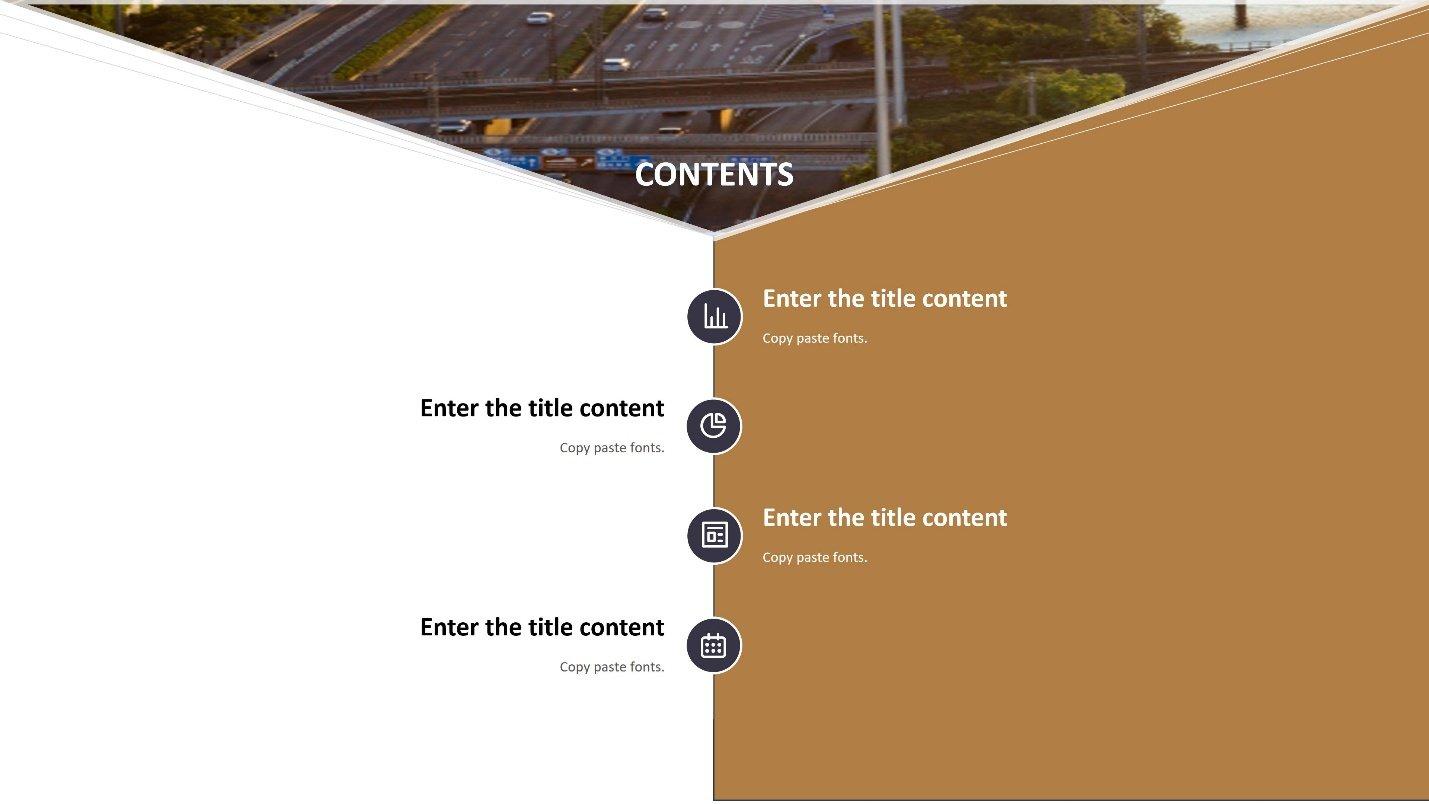
The Light Yellow Book Education Presentation in PPT is a bright, welcoming choice for educators or students diving into book discussions. Its cheerful yellow design, with clean fields for text, images, and book details, makes it ideal for classrooms, book clubs, or academic seminars. This template’s layout is a breeze to edit, letting you swap fonts or colors to match your literary topic. It’s perfect for anyone wanting a professional yet approachable look that keeps audiences engaged. You can customize it in minutes to reflect your book’s mood or your personal teaching style.
I used this for a high school lit class on To Kill a Mockingbird. The sunny yellow vibe kept students hooked, and I tweaked the fonts in under 20 minutes to match the book’s serious tone, saving me tons of prep time.
2. Book Review Scrapbook (PPT)
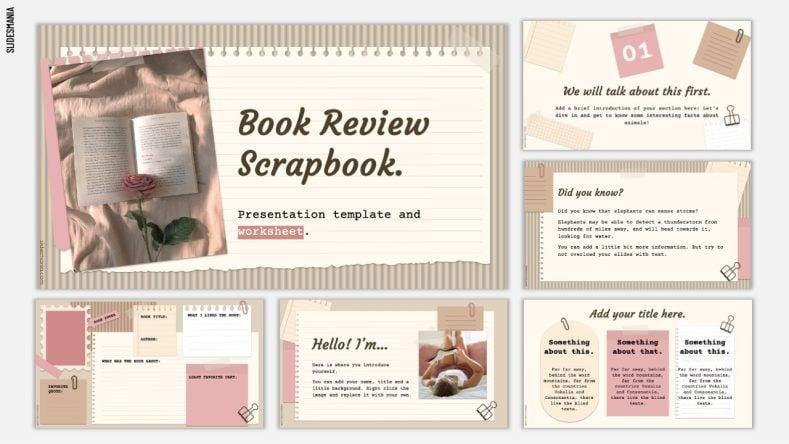
The Book Review Scrapbook in PPT brings a cozy, journal-like feel for book lovers and reviewers sharing their thoughts. Its scrapbook-style layout, with spaces for summaries, quotes, and visuals, is perfect for story themes and casual book club talks. This template’s playful design makes literary discussions feel warm and inviting, encouraging audience participation. It’s highly editable, so you can swap elements or colors to fit your book’s vibe. Customization is quick, even if you’re juggling multiple projects.
I used this for a book club discussing The Great Gatsby. The scrapbook look got everyone excited, like we were flipping through a shared journal, and editing it was so easy I had slides ready during a coffee break.
3. Book Report Template (PPT)

The Book Report Template in PPT is a no-fuss option for students or teachers breaking down books in a structured way. Its clear layout, with sections for plot, characters, and themes, keeps your ideas organized and easy to follow. This template’s ideal for school or academic settings needing a professional presentation. It’s simple to customize, even if you’re new to PPT, letting you tweak the design to suit any book’s tone. You can add your flair without spending hours.
I threw together a book report on 1984 for a student group using this. The clear sections made prep a snap, and I customized the colors to feel dystopian in just 15 minutes, impressing the class.
4. Poetry Reading or Classic Book Review Free Template (PPT)
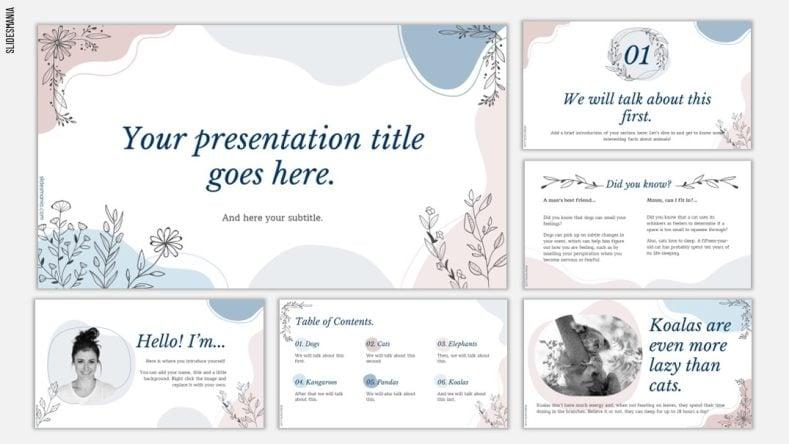
The Poetry Reading or Classic Book Review Free Template in PPT is a classy pick for literary buffs tackling poetry or classic novels. Its elegant design, with spots for quotes, analysis, and visuals, is perfect for a different themes template in formal readings or deep reviews. This template makes complex topics feel accessible and polished, ideal for literary events. Editing’s straightforward, letting you add your style without fuss. You can customize it to evoke the book’s mood in no time.
For a poetry reading of Emily Dickinson’s work, this template’s elegant look wowed the audience. I added a soft blue tone to match her style in minutes, making the slides feel like part of the poetry.
5. End of the Year Scrapbook (PPT)
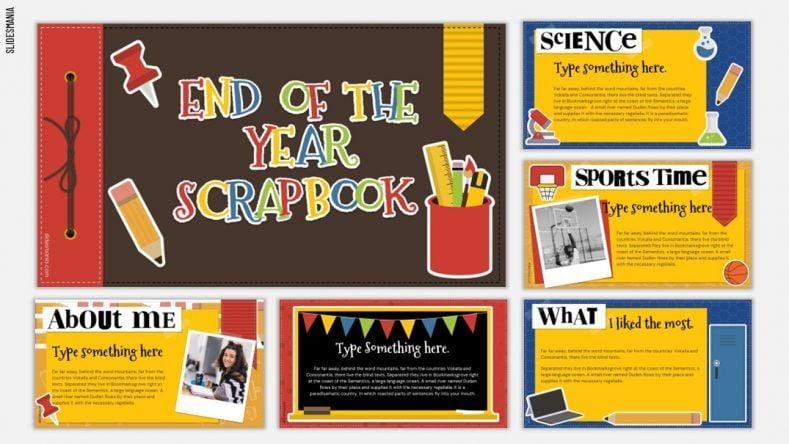
The End of the Year Scrapbook in PPT is a nostalgic gem for wrapping up books or reading programs with a warm vibe. Its scrapbook-style layout, with fields for highlights, quotes, and images, is great for story themes in year-end book club or classroom recaps. This template’s perfect for reflecting on shared reading experiences. It’s easy to edit, letting you capture your group’s memories with a personal touch. Customization keeps the slides engaging and heartfelt.
I used this for a book club’s year-end recap of our favorite reads. The nostalgic design had everyone reminiscing, and I tweaked it during a lunch break to include our group’s favorite quotes.
6. Comic Book Backgrounds (PPT)
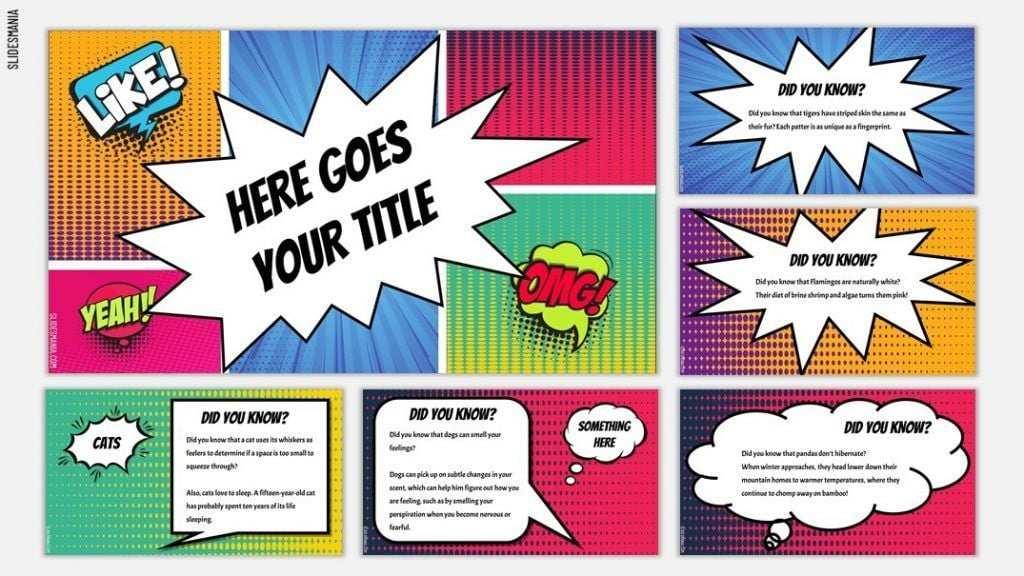
The Comic Book Backgrounds in PPT is a bold, high-energy choice for talks on graphic novels or fun literary topics. Its comic-style design, with dynamic spots for text and visuals, is perfect for hooking younger crowds or comic fans. This template’s great for lively, informal presentations that need a different themes template. It’s super easy to tweak for creative storytelling. Customization keeps your slides as vibrant as the book you’re presenting.
I used this for a middle school talk on Maus. The comic vibe got kids hyped, and I swapped in images of the book’s art in under 10 minutes, making it a total hit.
7. A Little Prince Free Slides Theme (PPT)
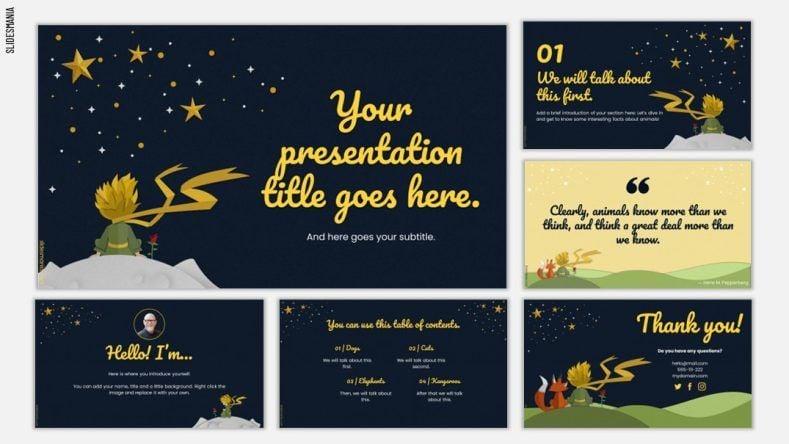
The A Little Prince Free Slides Theme in PPT is a whimsical pick inspired by the classic book, perfect for story themes. Its dreamy design has fields for quotes, themes, and images, ideal for creative talks for any age. This template’s simple to edit, even for beginners, letting you capture the book’s magical feel. It’s great for book clubs or classrooms wanting a special touch. You can tweak it to match the story’s heart in moments.
For a Little Prince book club, this template’s dreamy look made the discussion feel magical. I added starry visuals in a flash, and everyone loved the vibe.
8. Let’s Explore Your Chromebook (PPT)
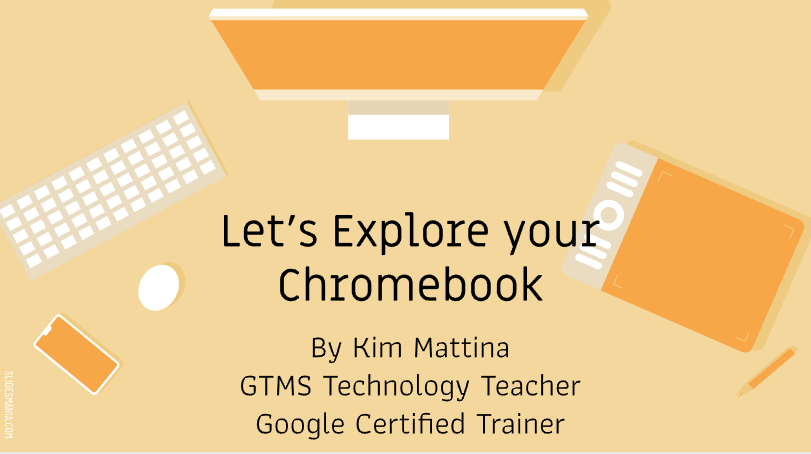
The Let’s Explore Your Chromebook in PPT is a tech-savvy option for talks on digital reading or book apps. Its clean, modern design has spots for text, screenshots, and tips, great for tech-focused literary presentations. This template’s ideal for showing how tech and books connect in schools or libraries. It’s easy to customize for your audience, even if you’re not a tech pro. You can tweak it fast to keep things clear and engaging.
I used this for a library talk on e-books. The clean look made tech talk crystal clear, and I customized it during a coffee run to include app screenshots.
9. Minimal Brown Free Presentation Template (PPT)
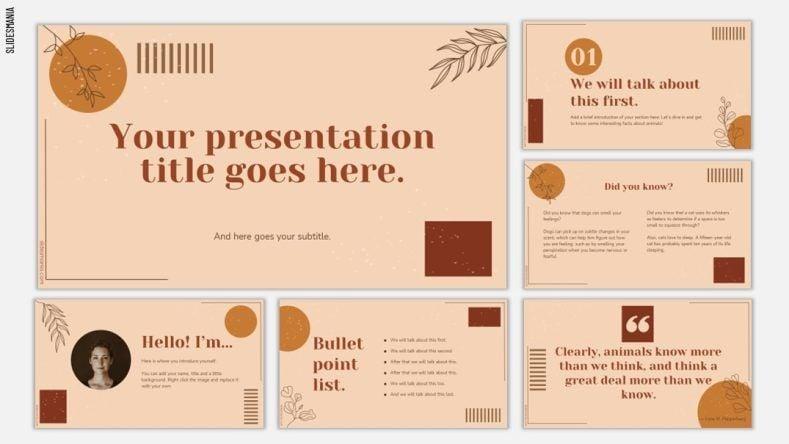
The Minimal Brown Free Presentation Template in PPT offers an earthy, sleek design for book-related talks needing a pro edge. Its minimalist layout, with fields for text, quotes, and visuals, is perfect for a different themes template in academic or professional settings. This template’s easy to edit, keeping things simple yet sharp. It’s great for keeping the focus on your content. You can customize it to match any book’s tone in minutes.
For a lit seminar on Jane Eyre, this template’s understated look kept the focus on my analysis. I tweaked the colors to feel gothic in no time, and attendees called it slick.
10. Summer Reading, Summer Book Club Template (PPT)
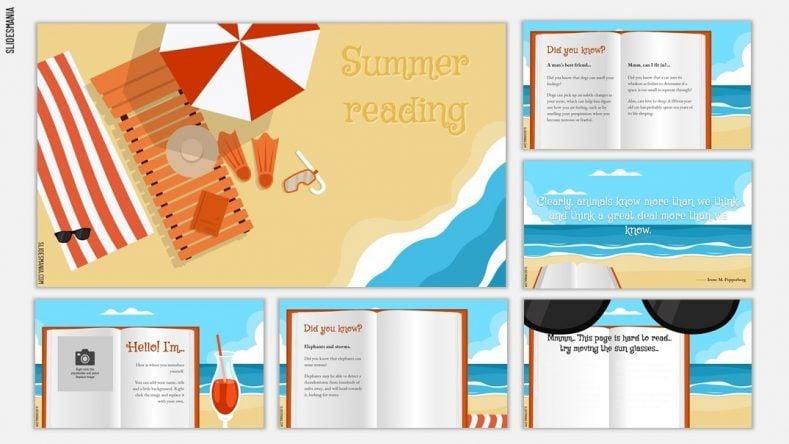
The Summer Reading, Summer Book Club Template in PPT is a vibrant pick for seasonal book discussions or reading programs. Its bright design, with spaces for book lists, reviews, and visuals, is ideal for summer book clubs or classrooms. This template’s perfect for creating a fun, engaging vibe for story themes. It’s easy to tweak to match your summer theme. Customization is quick to keep your audience pumped and ready to share.
For a summer book club on beach reads, this template’s cheery design got everyone hyped. I added book cover images in minutes, making the slides pop.
How to Edit Book Themes PPT Templates Easily
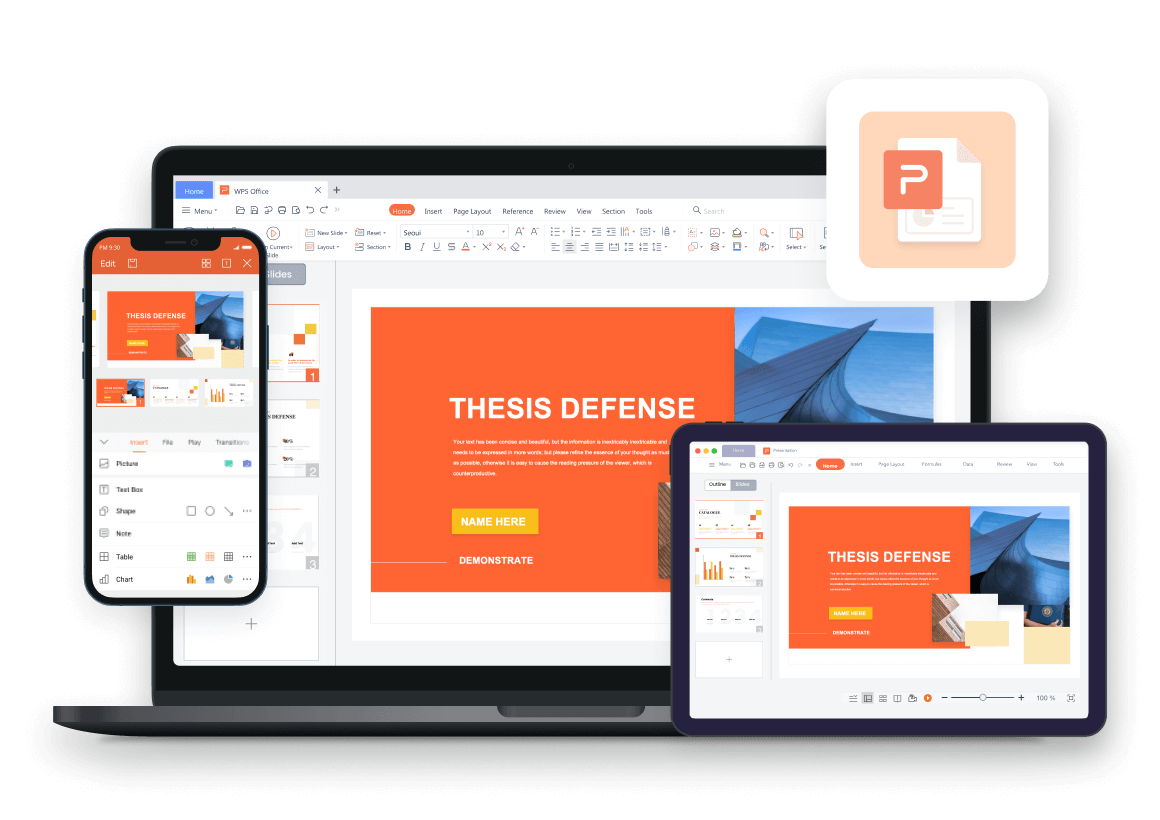
Editing book themes ppt templates is a cinch with the right tools. WPS Presentation’s user-friendly setup and cloud syncing make it a top choice for seamless editing. You can tweak text, colors, images, and slide order to fit your book’s vibe. Add animations or transitions for extra flair to wow your audience. Here’s how to customize your template for a professional presentation that stands out.
Step 1: Open the Light Yellow Book Education Presentation template in WPS Presentation.
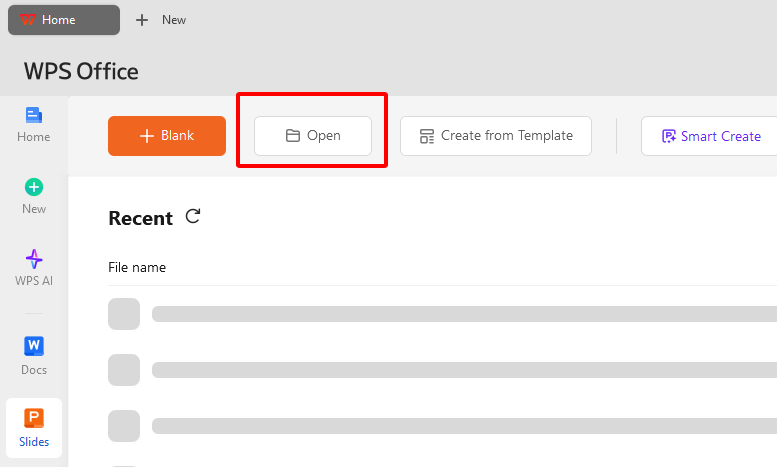
Step 2: Edit text fields for titles, book details, or analysis using the toolbar.
Step 3: Swap colors or fonts to match your book’s theme or brand style.
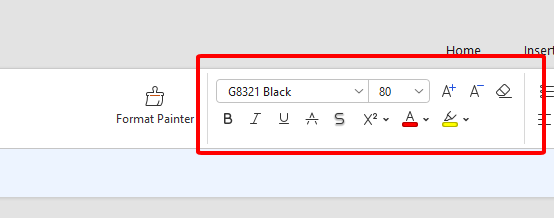
Step 4: Replace images with book covers or visuals that tie into your topic.
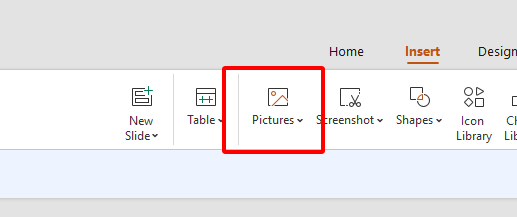
Step 5: Drag-and-drop slides to reorder for a smooth, logical flow.
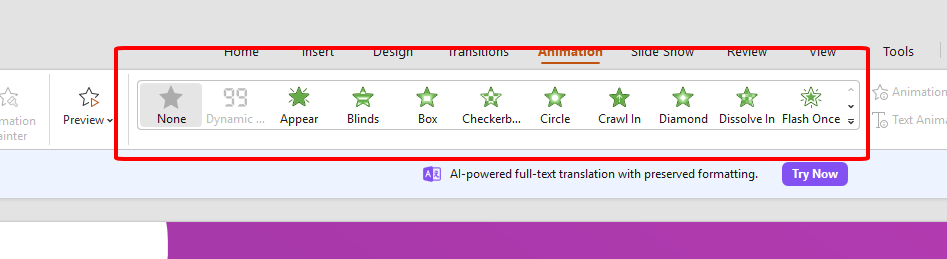
Step 6: Add animations or transitions to make your slides dynamic.
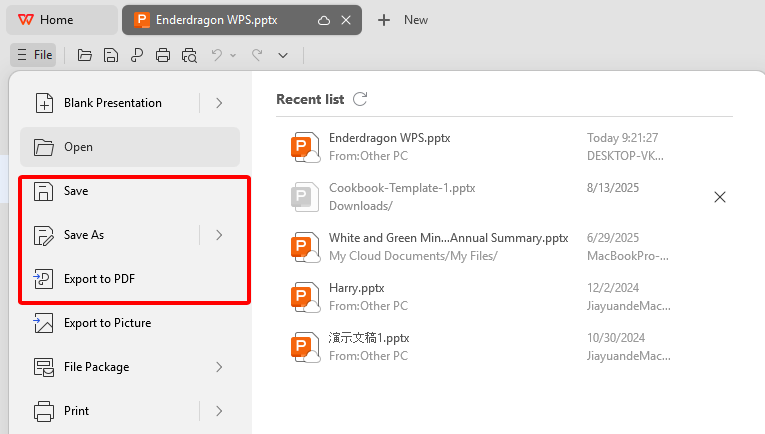
Step 7: Save or export as PPT or PDF for sharing or cloud storage.
I customized this template for a class talk on Pride and Prejudice. WPS Presentation’s easy tools let me add smooth transitions in minutes, and the students were glued to the slides.
Maximize Creativity in Book PPT Templates with WPS Office

WPS Office, kicked off in 1998, is a free suite loved by over 500 million users. It’s got a 4.8 Trustpilot score from 880 reviews, and for good reason. Its Presentation, Writer, and Spreadsheets tools make editing book themes ppt templates a walk in the park. The rich template store’s packed with free and paid options for every style. At just 200MB, it runs like a dream on Windows, macOS, and Linux, without hogging your system.
You get free editing for PPT, Word, and Excel, with an interface that feels like second nature. It’s rock-solid, rarely crashes, and keeps your slides looking right across platforms. Cloud syncing lets you access files anywhere, perfect for team projects or last-minute tweaks. While advanced features like VBA aren’t supported, WPS Office is a presenter’s best pal for creative, pro slides that shine.
FAQs
Q: How do I make my book themes ppt template more creative?
Add animations, transitions, thematic visuals, quotes, or colors that match the book’s theme.
Q: Which software can I use to open these templates?
Templates work with WPS Office, Microsoft PowerPoint, and other standard PPT editors.
Q: Do templates include images, icons, and graphics?
Yes, most come with royalty-free images, icons, and graphics you can swap or customize.
Q: How do I choose the right book themes ppt template?
Consider your audience, presentation goal, visual style, and editable designs for flexibility.

'%3e%3cpath%20d='M19.9911%204.11386V6.471H18.5894C18.0775%206.471%2017.7322%206.57814%2017.5536%206.79243C17.3751%207.00671%2017.2858%207.32814%2017.2858%207.75671V9.44421H19.9019L19.5536%2012.0871H17.2858V18.8639H14.5536V12.0871H12.2769V9.44421H14.5536V7.49779C14.5536%206.39064%2014.8632%205.53201%2015.4822%204.92189C16.1013%204.31177%2016.9257%204.00671%2017.9554%204.00671C18.8304%204.00671%2019.509%204.04243%2019.9911%204.11386Z'%20fill='%23333333'/%3e%3c/g%3e%3cdefs%3e%3cclipPath%20id='clip0_2938_8199'%3e%3crect%20width='16'%20height='16'%20fill='white'%20transform='translate(8%204.00671)'/%3e%3c/clipPath%3e%3c/defs%3e%3c/svg%3e)
'%3e%3cpath%20d='M17.5237%2010.7813L23.4811%204H22.0699L16.8949%209.88693L12.7648%204H8L14.2469%2012.9029L8%2020.0133H9.4112L14.8725%2013.7952L19.2352%2020.0133H24M9.92053%205.04213H12.0885L22.0688%2019.0224H19.9003'%20fill='%23333333'/%3e%3c/g%3e%3cdefs%3e%3cclipPath%20id='clip0_2938_8200'%3e%3crect%20width='16'%20height='16.0134'%20fill='white'%20transform='translate(8%204)'/%3e%3c/clipPath%3e%3c/defs%3e%3c/svg%3e)


