

'%3e%3cpath%20d='M8%200C12.4183%200%2016%203.58172%2016%208C16%2012.4183%2012.4183%2016%208%2016C3.58172%2016%200%2012.4183%200%208C0%203.58172%203.58172%200%208%200ZM11.6162%204.38379C11.2257%203.99337%2010.5927%203.99338%2010.2021%204.38379L8%206.58594L5.79785%204.38379C5.40732%203.99334%204.77429%203.99329%204.38379%204.38379C3.99331%204.77429%203.99335%205.40733%204.38379%205.79785L6.58594%208L4.38379%2010.2021C3.99348%2010.5927%203.99341%2011.2257%204.38379%2011.6162C4.77426%2012.0066%205.40734%2012.0065%205.79785%2011.6162L8%209.41406L10.2021%2011.6162C10.5927%2012.0066%2011.2257%2012.0067%2011.6162%2011.6162C12.0067%2011.2257%2012.0066%2010.5927%2011.6162%2010.2021L9.41406%208L11.6162%205.79785C12.0066%205.40735%2012.0066%204.77429%2011.6162%204.38379Z'%20fill='%23080E17'%20fill-opacity='0.46'/%3e%3c/g%3e%3cdefs%3e%3cclipPath%20id='clip0_3761_713'%3e%3crect%20width='16'%20height='16'%20fill='white'/%3e%3c/clipPath%3e%3c/defs%3e%3c/svg%3e)




'%3e%3cpath%20fill-rule='evenodd'%20clip-rule='evenodd'%20d='M21.4999%2010.9993C21.4999%205.20009%2016.7986%200.498901%2010.9993%200.498901C5.19994%200.498901%200.498657%205.20009%200.498657%2010.9993C0.498657%2016.2404%204.33858%2020.5844%209.35855%2021.3722V14.0346H6.69238V10.9993H9.35855V8.68594C9.35855%206.05427%2010.9262%204.60062%2013.3248%204.60062C14.4736%204.60062%2015.6753%204.80571%2015.6753%204.80571V7.38979H14.3512C13.0468%207.38979%2012.64%208.19921%2012.64%209.0296V10.9993H15.5523L15.0867%2014.0346H12.64V21.3722C17.66%2020.5844%2021.4999%2016.2404%2021.4999%2010.9993Z'%20fill='%231568EA'/%3e%3c/g%3e%3c/svg%3e)


'%3e%3cpath%20d='M2.42045%2022.1876H6.31818V12.7217L0.75%208.54553V20.5171C0.75%2021.4414%201.49892%2022.1876%202.42045%2022.1876Z'%20fill='%234285F4'/%3e%3cpath%20d='M19.682%2022.1876H23.5797C24.5041%2022.1876%2025.2502%2021.4387%2025.2502%2020.5171V8.54553L19.682%2012.7217'%20fill='%2334A853'/%3e%3cpath%20d='M19.682%205.48293V12.7216L25.2502%208.54543V6.31816C25.2502%204.25236%2022.8921%203.07469%2021.2411%204.31361'%20fill='%23FBBC04'/%3e%3cpath%20d='M6.31824%2012.7217V5.48303L13.0001%2010.4944L19.6819%205.48303V12.7217L13.0001%2017.733'%20fill='%23EA4335'/%3e%3cpath%20d='M0.75%206.31816V8.54543L6.31818%2012.7216V5.48293L4.75909%204.31361C3.10534%203.07469%200.75%204.25236%200.75%206.31816Z'%20fill='%23C5221F'/%3e%3c/g%3e%3cdefs%3e%3cclipPath%20id='clip0_2954_7305'%3e%3crect%20width='24.5'%20height='18.375'%20fill='white'%20transform='translate(0.75%203.8125)'/%3e%3c/clipPath%3e%3c/defs%3e%3c/svg%3e)


Preface
Losing someone dear is heart-wrenching, and planning a funeral adds to the emotional weight. You want a program that beautifully honors their memory, but the process can feel overwhelming. This article offers 10 free funeral program templates that are easy to customize. We’ll also show you how to edit them with WPS Office to create a meaningful tribute. Let’s make this one less thing to stress about.


Part 1. What is a Funeral Program
A funeral program is a printed keepsake that guides attendees through a memorial service while honoring the deceased. It’s a heartfelt way to share their story and celebrate their life. It typically includes key details to make the service meaningful and organized. Think of it as a roadmap for the ceremony, blending remembrance with structure. A well-crafted program feels personal and comforting.
What Should Be Included in a Funeral Program?
Here’s what you’ll typically find in a funeral program:
A cover honoring the decedent: A photo, name, and dates to set a respectful tone.
Service information: Date, time, and location of the ceremony.
Order of service: Sequence of events like prayers, eulogies, or readings.
Song or hymn lyrics: Words for attendees to follow along during musical tributes.
Pallbearers and flower bearers: Names of those with special roles.
Obituary or tribute: A brief story of the loved one’s life and legacy.
I helped a friend create a funeral program, and getting the cover just right—photo and all—made it so personal. Including hymn lyrics was a small touch that brought everyone together. The order of service kept things smooth, but we spent hours without a template. A good funeral programs free template would’ve saved us so much stress.
Part 2. 10 Funeral Program Free Templates [Word, Excel, PDF]
Below are 10 free funeral program templates from Template.net, available in PDF and image formats. These templates are designed to be vivid, respectful, and easy to personalize. They cater to different styles, from elegant to modern, to reflect your loved one’s spirit. Download them to create a meaningful program without breaking the bank. Here’s a closer look at each, with intros to show why they’re special.
1. Printable Funeral
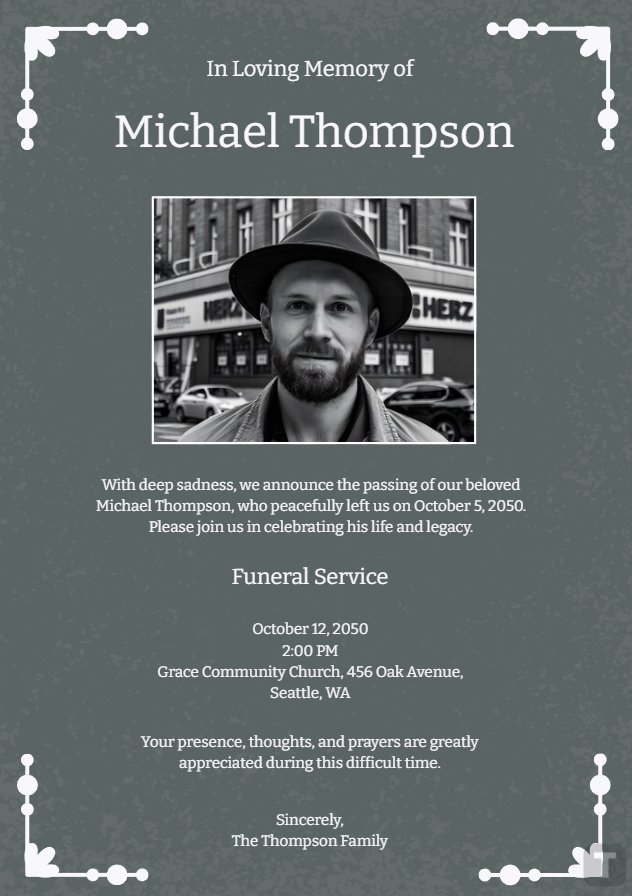
This template offers a classic, understated design that’s perfect for a traditional memorial. Its clean layout includes space for a photo, obituary, and service details, making it easy to honor your loved one with dignity. Ideal for those seeking a timeless look. The simple structure ensures quick edits for a heartfelt program.
I used this for a family member’s service, and its simplicity felt so respectful. Adding a photo made it personal, and editing was a breeze, even under emotional strain.
2. Free Funeral Program Template
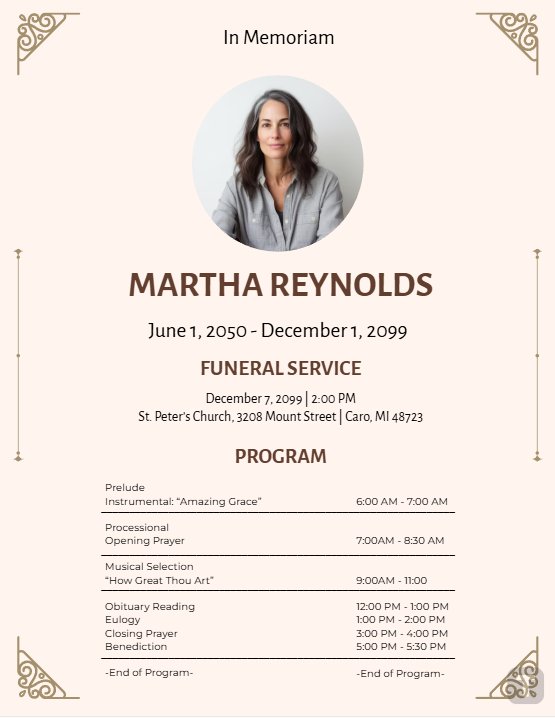
This template balances elegance with flexibility, featuring a soft design for service details and tributes. It’s great for those wanting a polished yet approachable program without fuss. The layout supports quick customization for any memorial style. Perfect for beginners or those short on time.
This template saved me during a rushed planning period. Its clean design let me focus on the tribute, and I had it ready in under an hour.
3. Free Floral Funeral Program Background
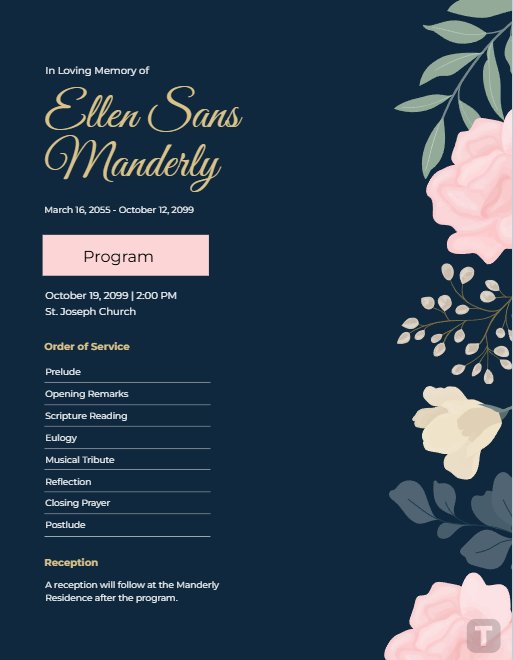
With its delicate floral accents, this template brings warmth to a somber occasion. It’s ideal for celebrating a loved one who cherished nature or beauty, with space for lyrics and service details. The floral design adds a comforting touch. Customize it to reflect their personality.
The floral design felt so fitting for my aunt’s service—she loved gardens. Adding her favorite hymn’s lyrics made it deeply personal, and editing was stress-free.
4. Free Catholic Funeral Program Invitation
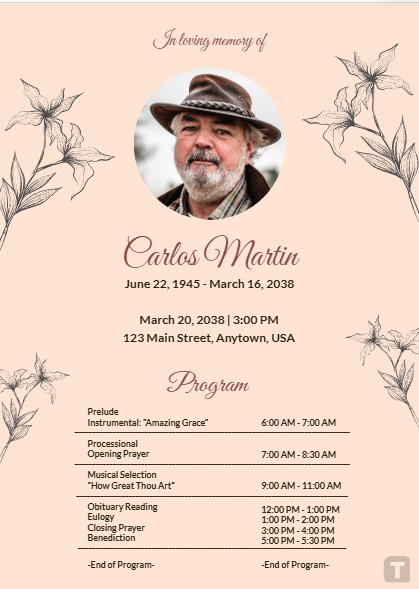
Tailored for Catholic services, this template includes sections for prayers, readings, and service order. Its reverent design honors tradition while allowing personalization for a loved one’s legacy. Perfect for those planning a faith-based memorial. The layout is clear and easy to adapt.
I used this for a Catholic service, and it guided us perfectly. Including prayers made it feel authentic, and customizing it was a cinch.
5. Funeral Obituary Notice
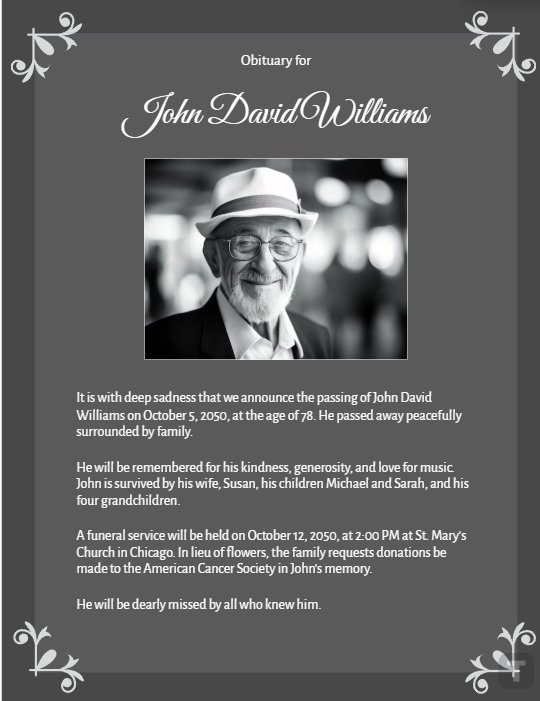
This template focuses on a heartfelt obituary, paired with a clean layout for service details. It’s ideal for those wanting to emphasize their loved one’s life story while keeping the program simple. The design is professional yet warm. Perfect for sharing a meaningful narrative.
Writing an obituary was tough, but this template made it easier. The layout helped me craft a touching tribute without feeling overwhelmed.
6. In Loving Memory Funeral Card
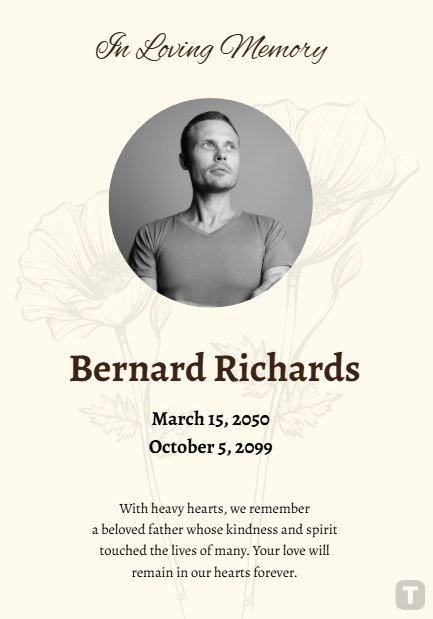
This template’s warm, heartfelt design is perfect for a personal tribute. It includes space for a photo, tribute, and service details, ideal for intimate memorials. The “In Loving Memory” theme adds emotional resonance. It’s easy to edit for a unique touch.
This felt so right for a close friend’s memorial. Adding a photo and personal note made it special, and WPS made editing painless.
7. Modern Funeral Invitation
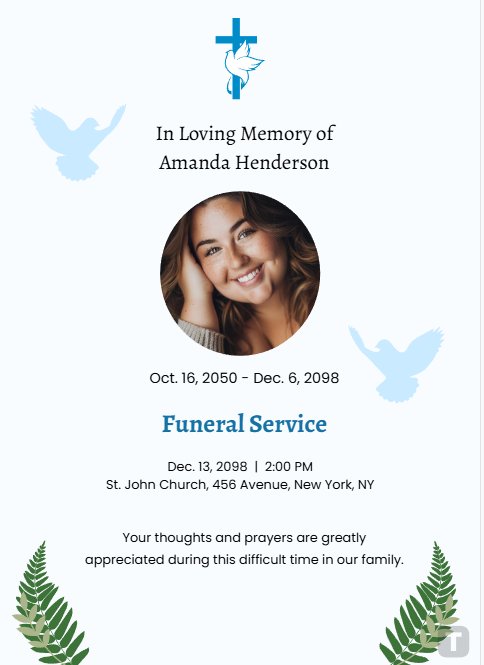
Sleek and contemporary, this template suits those wanting a modern yet respectful program. It organizes service details and tributes in a stylish layout, perfect for urban or younger audiences. The design is eye-catching but not overdone. Customize it for a fresh, meaningful program.
I used this for a younger relative’s service, and the modern vibe fit perfectly. It looked professional but felt personal, and edits were quick.
8. Funeral Poster
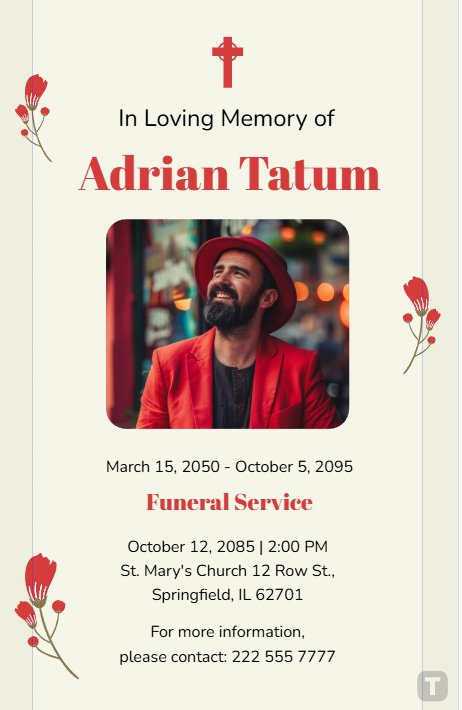
This template doubles as a program and a display poster, with bold visuals and space for service details. It’s great for larger gatherings or community memorials, making a strong visual impact. The layout is flexible for tributes or photos. Ideal for a striking yet respectful design.
This worked great for a community memorial. The bold design stood out, and adding a photo was easy with WPS.
9. Funeral Service Program
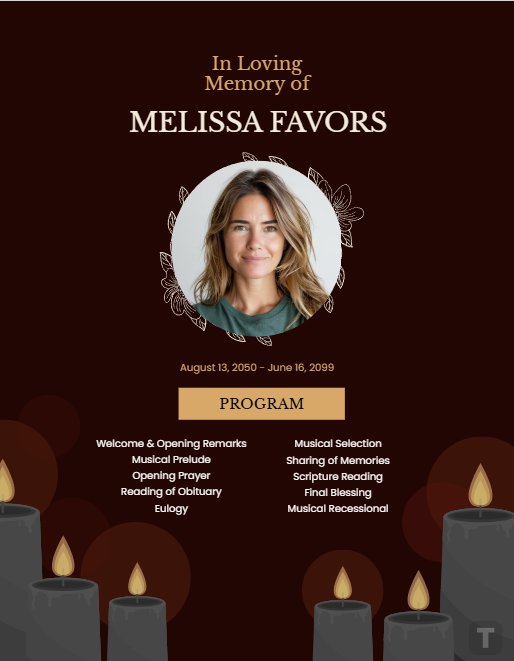
Designed for a complete service outline, this template covers order of service, hymns, and tributes. It’s perfect for those needing a comprehensive program for a formal ceremony. The clear layout ensures attendees follow along easily. Customize it to honor traditions or personal touches.
This kept a long service organized. Including the order of service helped everyone stay on track, and editing was straightforward.
10. Funeral Prayer Card
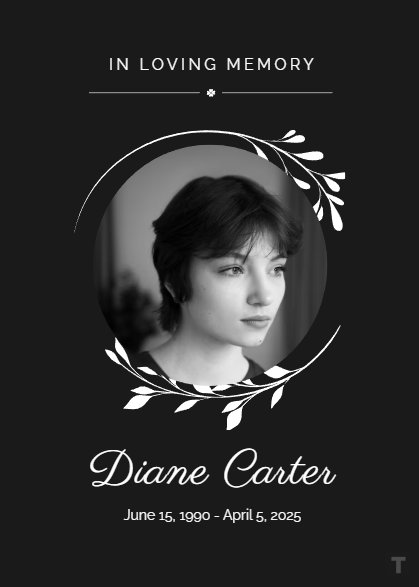
This compact template is perfect for prayer cards handed out at memorials. It includes space for a prayer, photo, and brief tribute, ideal for keepsakes. The design is simple yet heartfelt, fitting for intimate or religious services. Edit it to create a lasting memento.
I made prayer cards for a small service, and they were cherished. Adding a prayer and photo was simple, and they felt so meaningful.
I recommend the Floral Funeral Program Background for its warm, comforting vibe—perfect for a nature-loving soul. The Catholic Funeral Program Invitation is great for traditional services, with all the right elements for a faith-based ceremony. The In Loving Memory Funeral Card is my favorite for its personal touch—it’s like a hug in print form. Try these in WPS Office for easy edits.
Part 3. How to Edit Funeral Program Templates in PDF & Photo
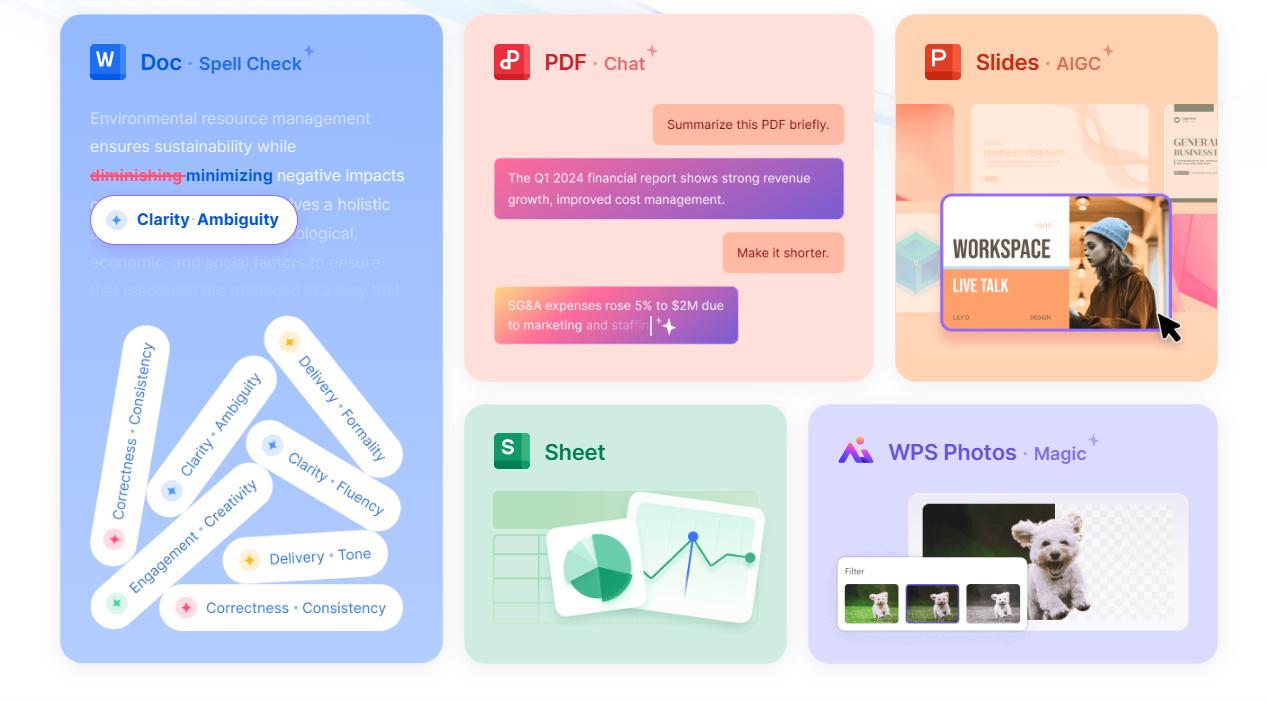
Customizing funeral programs free templates examples is simple with WPS Office’s Photo and PDF tools. These steps will guide you through editing image-based and PDF templates to create a heartfelt program. Visuals make each step clear, and WPS ensures a stress-free process. Here’s how to make your tribute shine.
How to Edit Funeral Program in WPS Photo
Step 1: Open the Template in WPS Photo
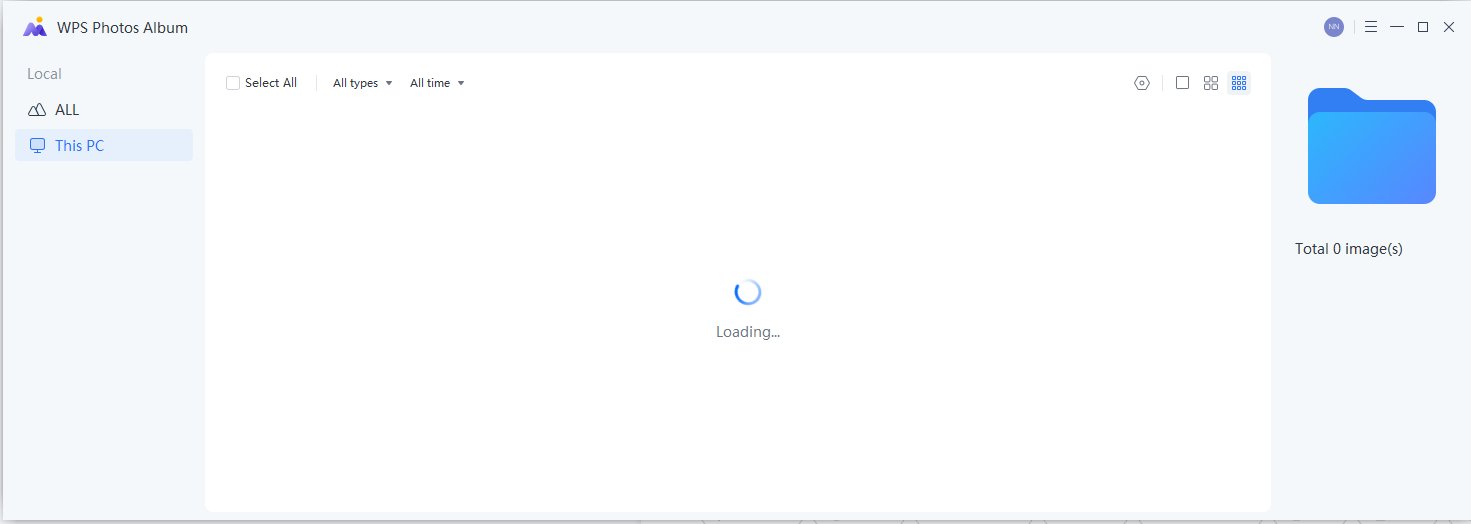
Download an image-based funeral programs free template (PNG or JPG) from Template.net. Open WPS Photo, part of WPS Office, available at wps.com. Go to “File” > “Open” and select your template.
System: loads instantly, ready for customization. Ensure you have the latest WPS Office version for a smooth experience.
I loaded a floral funeral template in WPS Photo, and it was ready to edit in seconds. The quick load time gave me more space to focus on personalization.
Step 2: Add or Replace Text
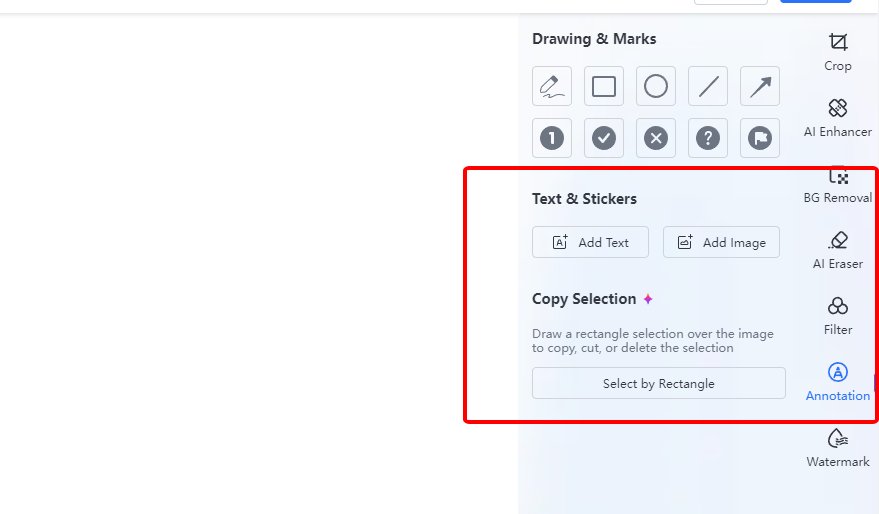
Use WPS Photo’s AI text tools to edit or add text. Click the text area to update the decedent’s name, service details, or obituary. Adjust fonts and sizes with the intuitive toolbar. The AI suggests formatting to keep it polished. Save your work often to avoid any mishaps.
Swapping out text for a tribute was so easy with WPS Photo’s AI tools. I added a personal message in minutes, and it looked professional.
Step 3: Adjust Layout and Enhance
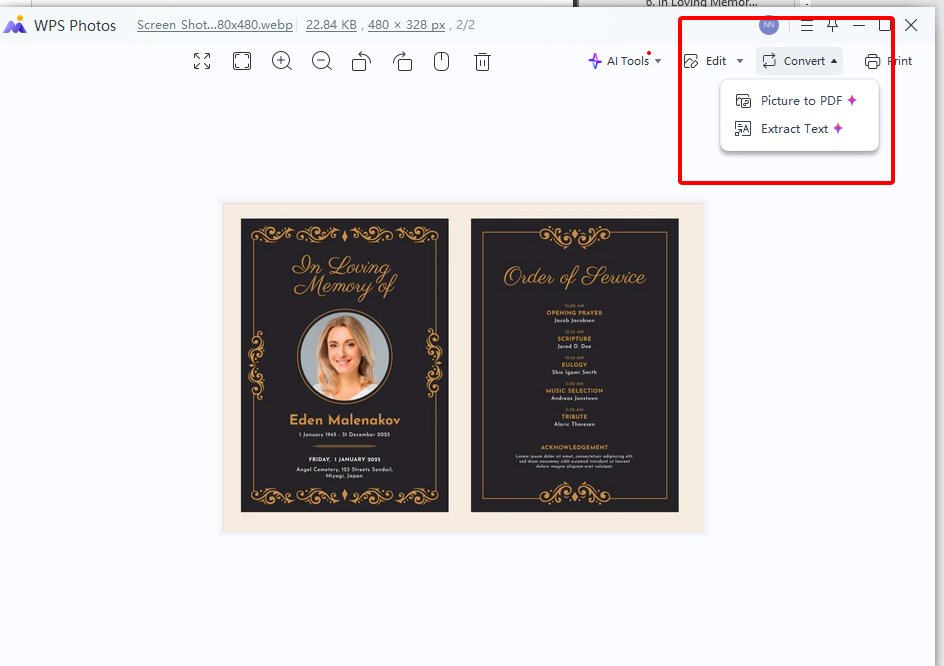
Tweak the layout by dragging text boxes or images to fit your vision. Use the “Image Enhancer” or “Adjust Colors” tools to improve photo quality or match the mood. Save as PNG or export to PDF via “File” > “Export.” Check for clarity before finalizing. Your program is ready to share or print.Adjusting colors to soften a photo in WPS Photo made the program feel warm. The export to PDF was quick, and the result was beautiful.
How to Edit Funeral Program in WPS PDF
Step 1: Import PDF Template into WPS PDF
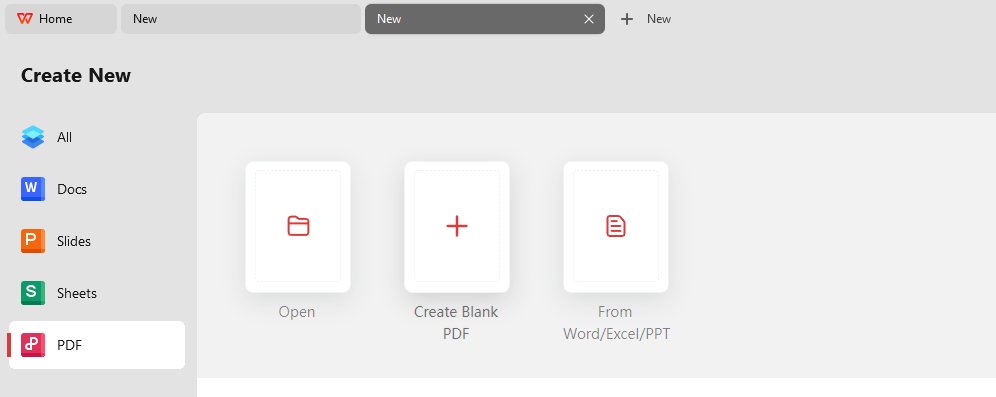
Download a PDF funeral programs free template. Open WPS PDF, included in WPS Office. Go to “File” > “Open” and select your PDF. It loads seamlessly, maintaining all formatting. WPS PDF is free and perfect for professional edits.
WPS PDF opened a detailed funeral template without a glitch. I was editing in no time, which was a relief during a tough moment.
Step 2: Replace Text with Your Content
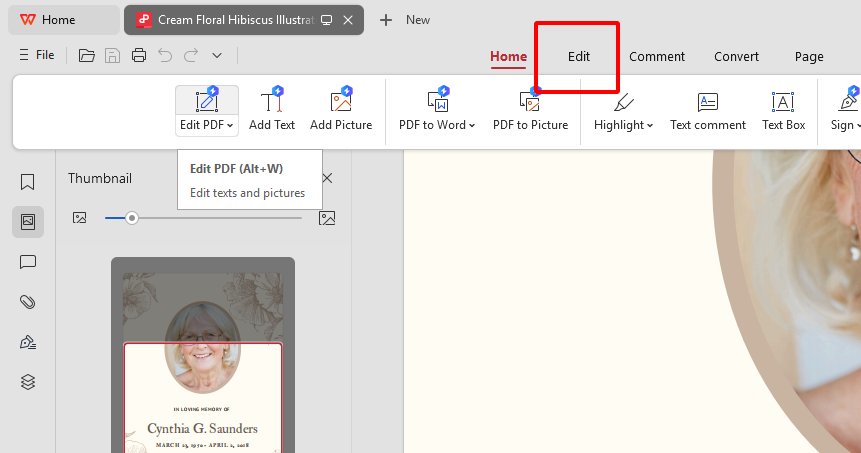
Click text fields in WPS PDF to update service details, tributes, or hymn lyrics. Use the text tools to customize fonts and sizes. Add a logo or photo via “Insert” > “Image” for a personal touch. Save frequently to secure your changes. Ensure the content reflects your loved one’s spirit.
Adding a heartfelt obituary in WPS PDF was so simple. The photo insertion tool made it personal, and the edits felt seamless.
Step 3: Export or Print the PDF
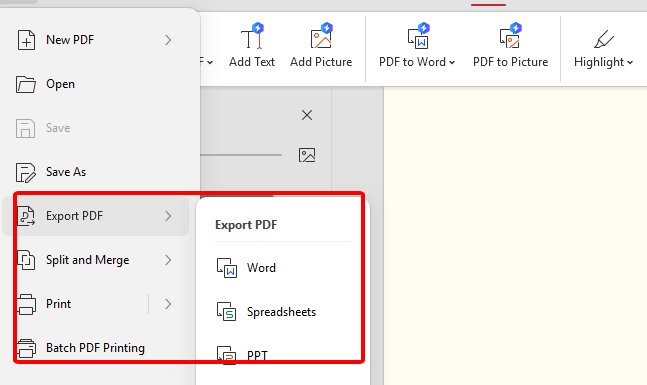
Save your work with “File” > “Save.” Go to “File” > “Export to PDF” for sharing or “Print” for hard copies. Verify formatting for a clean output. Use WPS cloud to generate a shareable link for collaboration. Your program is ready for distribution.
Exporting the PDF was a cinch, and the cloud link let my family review it instantly. Printing on high-quality paper looked stunning.
Part 4. Free Office Suite: Create & Edit Your Funeral Program Template

WPS Office is a free, all-in-one suite that makes creating and editing funeral programs free templates a breeze. It supports Word, Excel, PDF, and Presentation files with full compatibility for Microsoft formats. Its lightweight 200MB design runs smoothly on Win7, 10, 11, macOS, Linux, and mobile devices. The rich template store offers countless options for funeral programs. It’s a lifesaver for crafting meaningful tributes without stress.
Features
Free download and use: Access WPS Photo and PDF tools at no cost.
Rich template store: Tons of free funeral programs templates to choose from.
AI helps writing: AI tools suggest text and formatting for polished results.
Rich functions: Edit images, PDFs, and more with intuitive tools.
Support online documents: Cloud sync for easy access and collaboration.
Safe and stable: Trusted by millions with no crashes or privacy worries.
Shareable editing: Generate online links for team or family reviews.
WPS Office was a godsend when I needed a funeral program fast. The template store had so many great options, and the AI tools helped me write a touching tribute. Cloud syncing let my family collaborate easily. The software never lagged, even on my old laptop. It made a tough task feel manageable.
FAQs
1. How do I print the funeral programs?
Print at home with a standard printer or use a professional service like FedEx Office or Staples. High-quality paper gives the best results.
2. How do I get started?
Browse the templates, pick one, download it, and open it in WPS Office. Customize with your text and photos to make it personal.
3. I’m not good with computers. Is this difficult?
Not at all! These templates are user-friendly with simple instructions, and WPS Office is super intuitive.
4. Can I add photos to the templates?
Yes, WPS Photo and PDF tools make adding and editing photos a snap for a personal touch.
5. Are the templates compatible with other software?
Yes, the PDF and image formats work with most editing tools, but WPS Office is the easiest.

'%3e%3cpath%20d='M19.9911%204.11386V6.471H18.5894C18.0775%206.471%2017.7322%206.57814%2017.5536%206.79243C17.3751%207.00671%2017.2858%207.32814%2017.2858%207.75671V9.44421H19.9019L19.5536%2012.0871H17.2858V18.8639H14.5536V12.0871H12.2769V9.44421H14.5536V7.49779C14.5536%206.39064%2014.8632%205.53201%2015.4822%204.92189C16.1013%204.31177%2016.9257%204.00671%2017.9554%204.00671C18.8304%204.00671%2019.509%204.04243%2019.9911%204.11386Z'%20fill='%23333333'/%3e%3c/g%3e%3cdefs%3e%3cclipPath%20id='clip0_2938_8199'%3e%3crect%20width='16'%20height='16'%20fill='white'%20transform='translate(8%204.00671)'/%3e%3c/clipPath%3e%3c/defs%3e%3c/svg%3e)
'%3e%3cpath%20d='M17.5237%2010.7813L23.4811%204H22.0699L16.8949%209.88693L12.7648%204H8L14.2469%2012.9029L8%2020.0133H9.4112L14.8725%2013.7952L19.2352%2020.0133H24M9.92053%205.04213H12.0885L22.0688%2019.0224H19.9003'%20fill='%23333333'/%3e%3c/g%3e%3cdefs%3e%3cclipPath%20id='clip0_2938_8200'%3e%3crect%20width='16'%20height='16.0134'%20fill='white'%20transform='translate(8%204)'/%3e%3c/clipPath%3e%3c/defs%3e%3c/svg%3e)


