



On November 12, Microsoft 365 went down for users around the world. If your Outlook inbox is stuck on "trying to connect", Teams refuses to join a meeting, or Copilot has stopped answering, you are not doing anything wrong — the problem is on Microsoft's side, not yours.
This guide explains what happened in the global Microsoft outage, which services were hit, why the servers went offline, where the recovery stands right now, and — most importantly — how to keep working while Microsoft 365 is unavailable. At the end you will find a free, lightweight alternative you can install in minutes and use until the cloud comes back.


What happened in the global Microsoft outage
The short version: Microsoft 365 suffered a worldwide service disruption that started during the US Eastern daytime on November 12 and ran for more than five hours. By the evening in North America — and into the morning of November 13 in Asia — Microsoft was still restoring servers in batches rather than flipping everything back on at once.
Here is the timeline as it stands:
Start: Users in North America began reporting failures during the US Eastern daytime on November 12. The first wave was email-related, then chat and cloud documents followed.
Duration: More than five hours of sustained disruption, with the recovery stretching further into the evening and still in progress on the morning of November 13 (Beijing time).
Reach: 74 countries and regions reported problems. North America was hit hardest, but Europe and Asia were affected as their working days began.
Volume: Downdetector logged roughly 138,000 Outlook problem reports at the US peak around 1 p.m. ET, and about 34,490 by the evening. Microsoft 365 reports had eased to roughly 13,000, with 763 reports for Teams access.
Government impact: Japan's digital minister, Furukawa Shunji, said on November 13 that the country's core government systems were affected, that email could not be sent or received normally, and that staff were maintaining operations by phone.
Knock-on effects: The connectors used by OpenAI and Anthropic were also disrupted — OpenAI said new connections might break and tools might not work as expected, and Anthropic traced its Microsoft 365 connector issue to an upstream supplier. Amazon AWS and Google Cloud users also reported access problems, but both companies clarified that their own cloud platforms were running normally and that the failures were a secondary effect of the wider network disturbance.
In other words, this was not one broken feature. It was a cloud platform event that pulled down everything that depends on Microsoft's identity, mail, and collaboration layer at the same time.

Which Microsoft 365 services the outage took down
Microsoft's own status updates pointed at Exchange Online as the center of the problem, but the failure surfaced across the suite. Here is what users actually saw:
Outlook (mail): Inboxes stuck on connecting, "something went wrong" errors, messages not sending, and calendar sync failing on desktop, web, and mobile.
Teams: Meetings that never connect, chat messages that sit unsent, presence status frozen, and repeated sign-in prompts.
Exchange Online: The mail backend behind Outlook and many third-party clients — the component Microsoft explicitly named when it confirmed the incident.
Copilot: Prompts that hang or return errors, because the assistant depends on the same Microsoft 365 data and identity services.
Cloud documents: OneDrive and SharePoint files failing to open, save, or sync, which also broke co-authoring in the web versions of Word, Excel, and PowerPoint.
The pattern matters: the desktop applications themselves were not the issue. A locally installed copy of Word, Excel, or PowerPoint keeps opening files during an outage like this. What failed was everything that needs a round trip to Microsoft's cloud — sign-in, mail, presence, cloud storage, and AI requests.
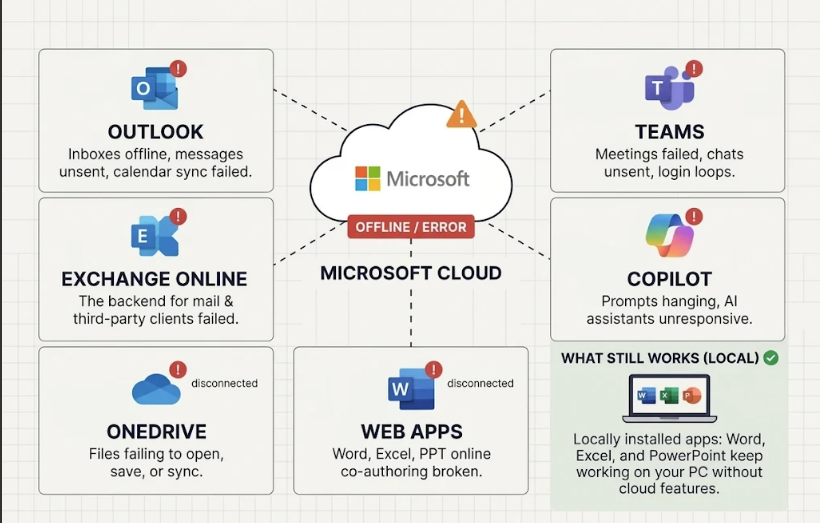
Outlook Teams Exchange Online Copilot offline icons
Why the Microsoft outage happened
Microsoft has confirmed two things clearly: this was not a cyberattack, and it was not a spike in user traffic. The company's explanation, posted from its Microsoft 365 status account, is more mundane — and more interesting:
"Multiple servers unexpectedly went offline, which caused the remaining infrastructure to be overloaded, and the core processes on the affected servers were overloaded."
In plain language: a health-checking component in the infrastructure started marking healthy servers as unavailable. Those servers dropped out of rotation, the surviving machines absorbed their share of the load, and the resulting pressure pushed core processes past their limits — which generated the connection errors users saw.
That is why the incident looked so broad and so similar everywhere: it was not one broken service, but a control-plane failure that cascaded through the fleet. It is also why the fix could not be instant. Microsoft had to stop trusting the automated health checks, take servers out of the failing loop, and bring capacity back carefully instead of letting the same mechanism knock them offline again.

Server racks overloaded during Microsoft outage
How users reacted to the Microsoft outage
As the outage stretched past the five-hour mark, the conversation moved from "is it down for you too?" to something closer to dark comedy. IT admins on Reddit kept a running tally of the outage, and the tone was unmistakable.
One thread in the sysadmin community summed up the mood: "Everyone, please welcome our European colleagues to the party. Going on 12+ hours for this Microsoft outage. This is insane." Other replies were blunt about Microsoft's long, carefully worded status updates — "So many words for 'we have no idea'" — while a separate comment imagined Outlook as a therapist that finally had enough: "The Universe heard my despair and shut down Outlook for my wellbeing."
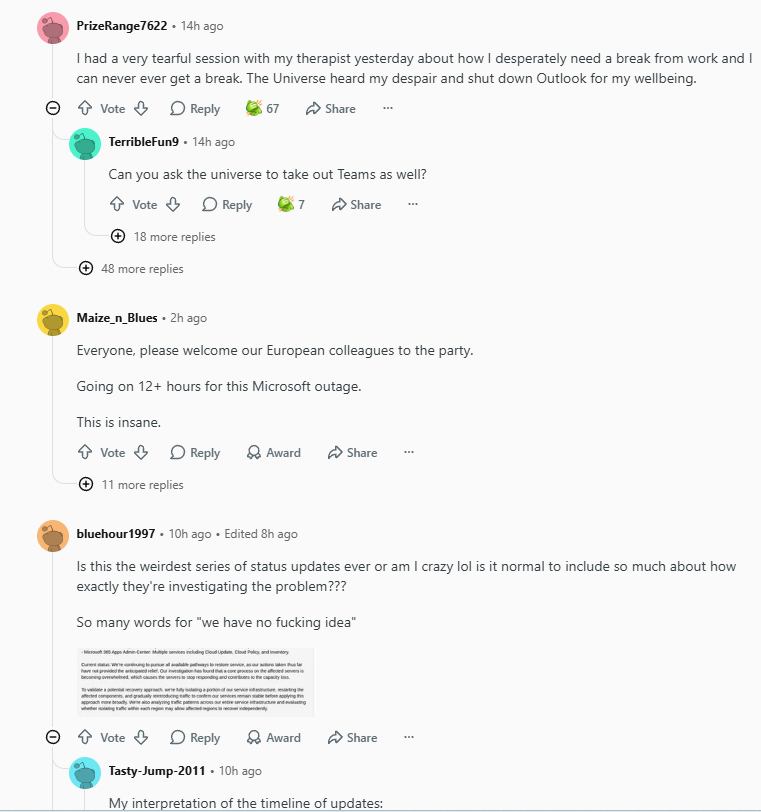
Reddit thread about Microsoft outage downtime
Current recovery status of the Microsoft outage
Microsoft has taken four concrete steps, and it is worth knowing what each one means for you:
All version deployments were paused. No new code is being rolled out while the platform stabilizes, so the situation should not get worse because of a fresh release.
Traffic was shifted to alternate routes. Where spare capacity existed, requests were redirected away from the affected hardware.
Affected servers were restarted and returned in batches. Microsoft said a portion of the servers was returned to service and has remained stable so far.
Recovery is being observed region by region. Devices reconnect automatically as capacity comes back, which is why your colleague two time zones away may be working again while you are still staring at a spinner.
Microsoft's own wording is the honest expectation-setter here: some remediation steps "did not quickly achieve full recovery." Practically, that means a staggered return rather than a single moment when everything works. If your tenant is still degraded, retry sign-in periodically, avoid repeated password resets (the identity service is the last thing you want to hammer), and check the official status page before opening a support ticket.
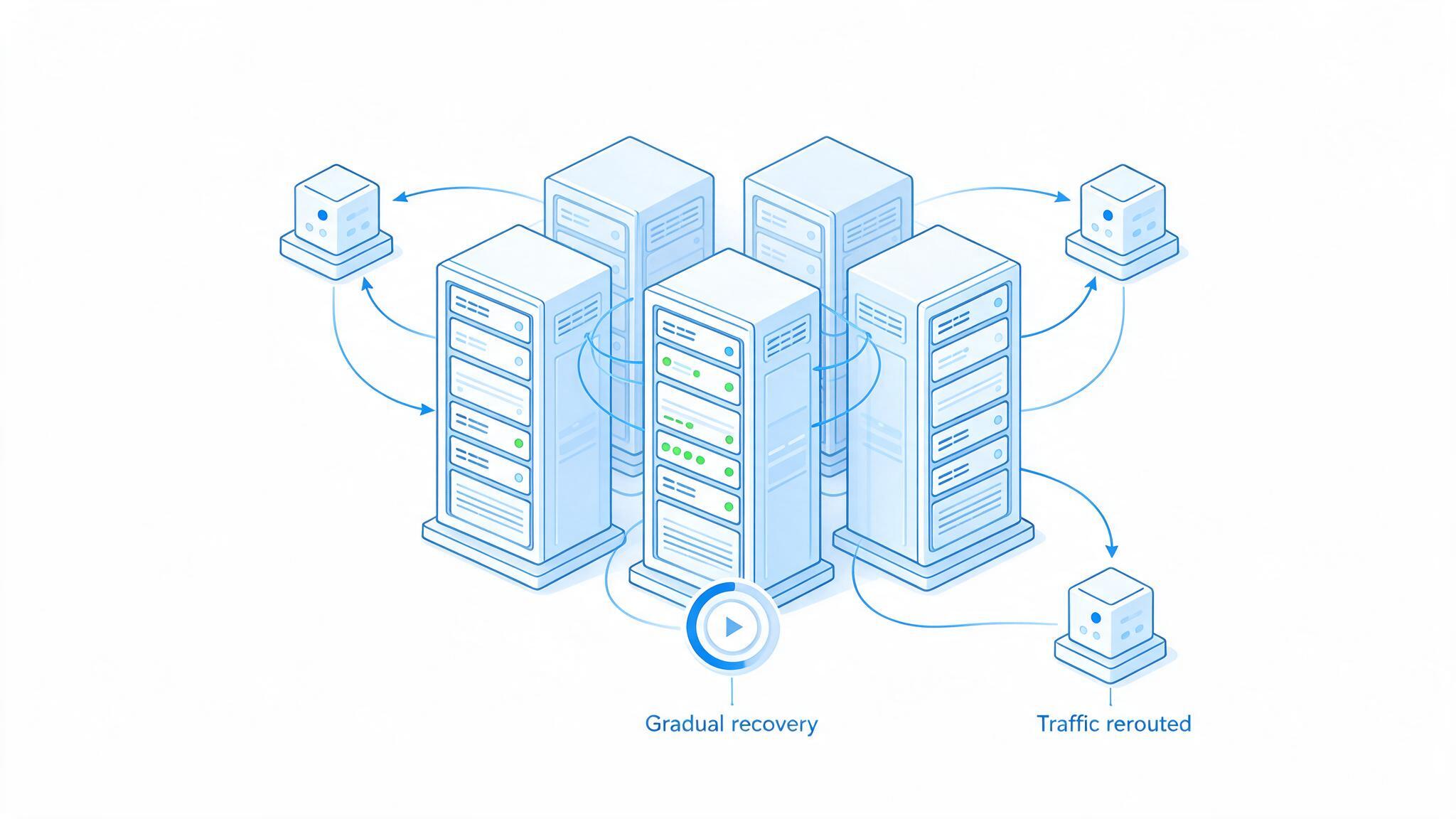
Servers gradually recovering during Microsoft outage
How to keep working during a Microsoft outage
You cannot fix Microsoft's servers, but you can protect your own day. These steps apply whether the outage lasts another hour or another day:
Confirm it is not you. Check the Microsoft 365 status page and a public outage tracker before you touch a single setting. During this incident, hundreds of thousands of reports pointed to a platform-wide failure within minutes.
Stop resetting credentials. When identity services are overloaded, repeated sign-in attempts and password resets make things worse and can lock accounts. Try once, then wait.
Work from local copies. Download the files you need from OneDrive or SharePoint while you still can, or open the copies you already synced. Desktop Word, Excel, and PowerPoint do not need a connection to edit a local file.
Switch mail to a second channel. Use phone or an alternative mailbox for anything time-critical, and tell clients a short message: "Microsoft 365 is having a global incident; expect slight delays." People are unusually understanding today.
Move meetings to a fallback. If Teams will not connect, jump on a phone bridge or another conferencing tool. Share the agenda by email or chat so the meeting can happen without screen sharing.
Batch your cloud work. Park uploads, co-authoring, and Copilot requests until the status page turns green. Doing them now just produces failed saves and conflicting versions.
Keep a local office suite installed. A lightweight desktop suite that opens .docx, .xlsx, and .pptx files offline is the simplest insurance against cloud downtime — you can keep editing, exporting PDFs, and preparing deliverables with no dependency on Microsoft's servers.
Write down what broke. Note which workflows failed and how long they were down. That record is exactly what you need to justify a backup tool, an offline-first process, or a second vendor to your leadership.
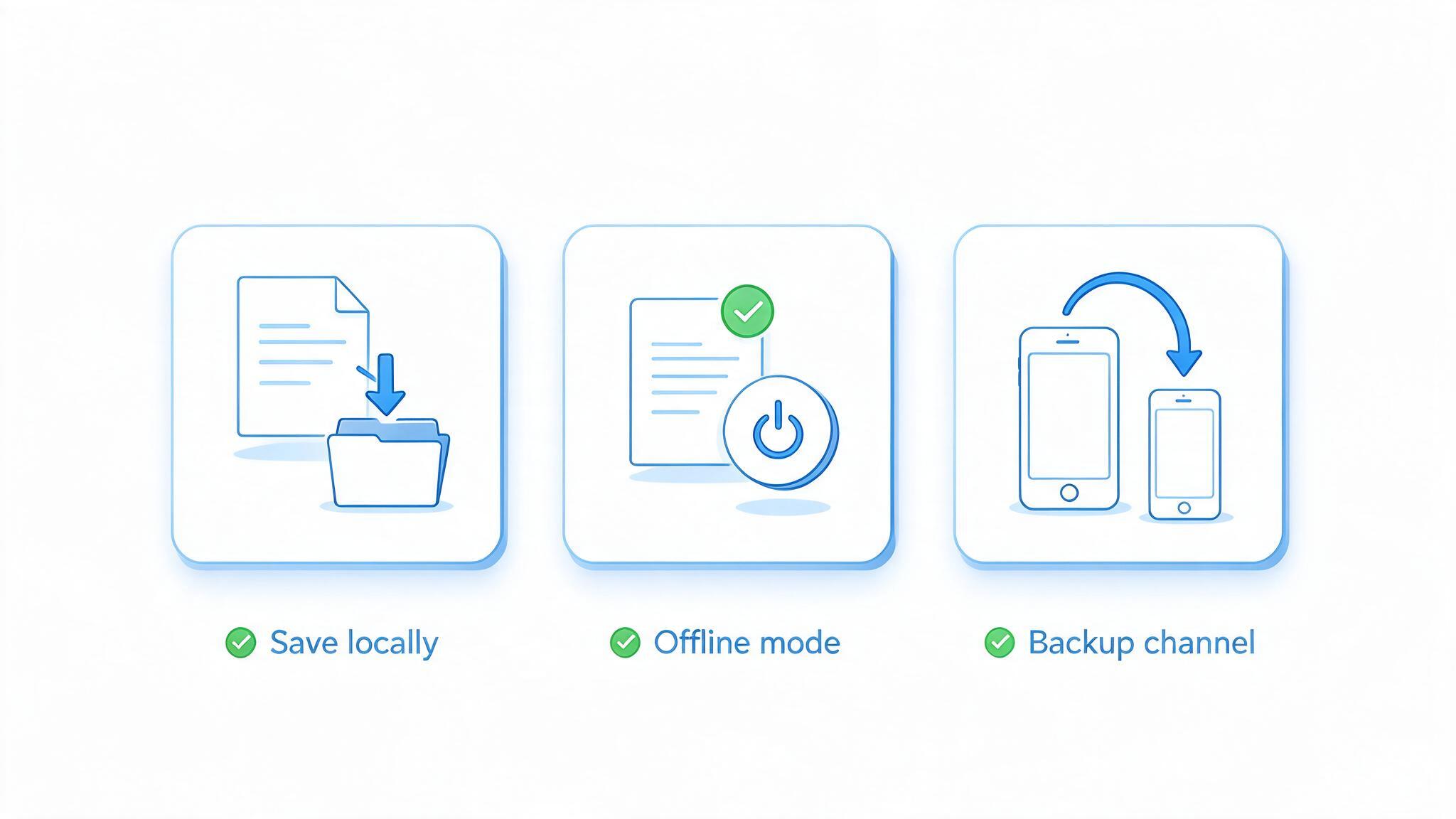
Checklist to keep working during outage
The Best Free Microsoft Office Alternative: WPS Office
If you want to keep working right now instead of waiting for the next status update, install a local office suite and open your files directly. WPS Office is the practical choice for most people: it is lightweight, free to use for everyday documents, quick to download and install, and it reads and writes Microsoft Word, Excel, and PowerPoint formats without conversion.
The point is not to replace your whole workflow in the middle of an incident. It is to have a working editing environment on your machine that does not care whether Microsoft's cloud is healthy — so a five-hour outage costs you five minutes of adjustment instead of five hours of lost output.
| What you need during an outage | How WPS Office delivers it |
|---|---|
| Keep editing when the cloud is down | Writer, Spreadsheet, and Presentation run as local desktop apps — no connection needed to open, edit, and save .docx, .xlsx, or .pptx files. |
| Install in minutes, not hours | A small installer (around 5 MB for Windows) downloads and installs fast, so you can be editing again while the outage is still being investigated. |
| Zero budget pressure | Free for everyday word processing, spreadsheets, slides, and PDF tasks, with no subscription needed to open the files your team already sent you. |
| Fewer clicks in daily work | A familiar ribbon layout plus quick-access tools keep the learning curve short for anyone coming from Microsoft Office, including colleagues who need a fix under pressure. |
| All-in-one instead of five apps | Word processing, spreadsheets, slides, and a PDF toolkit — merge, split, compress, convert — live in one suite, with built-in AI assistance for drafting and summarizing. |
| Export and share deliverables | Export to PDF and common image formats, apply ready-made templates, and hand off finished files that open correctly on the Microsoft side once service returns. |
Three reasons it works as a temporary stand-in:
Compatibility first. Your existing .docx, .xlsx, and .pptx files open with formatting intact, so nothing has to be rebuilt when Microsoft 365 comes back.
Light and fast. A small download and quick install mean you can set it up on a work laptop, a home PC, or a backup machine without IT tickets.
Free where it counts. Core document, spreadsheet, slide, and PDF work is free — which matters when you are solving an emergency, not signing an annual contract.
Download WPS Office for Windows, open the file you were blocked on, and keep your deadline. You can decide later whether to make it a permanent part of your stack — many teams keep it precisely for days like this one.
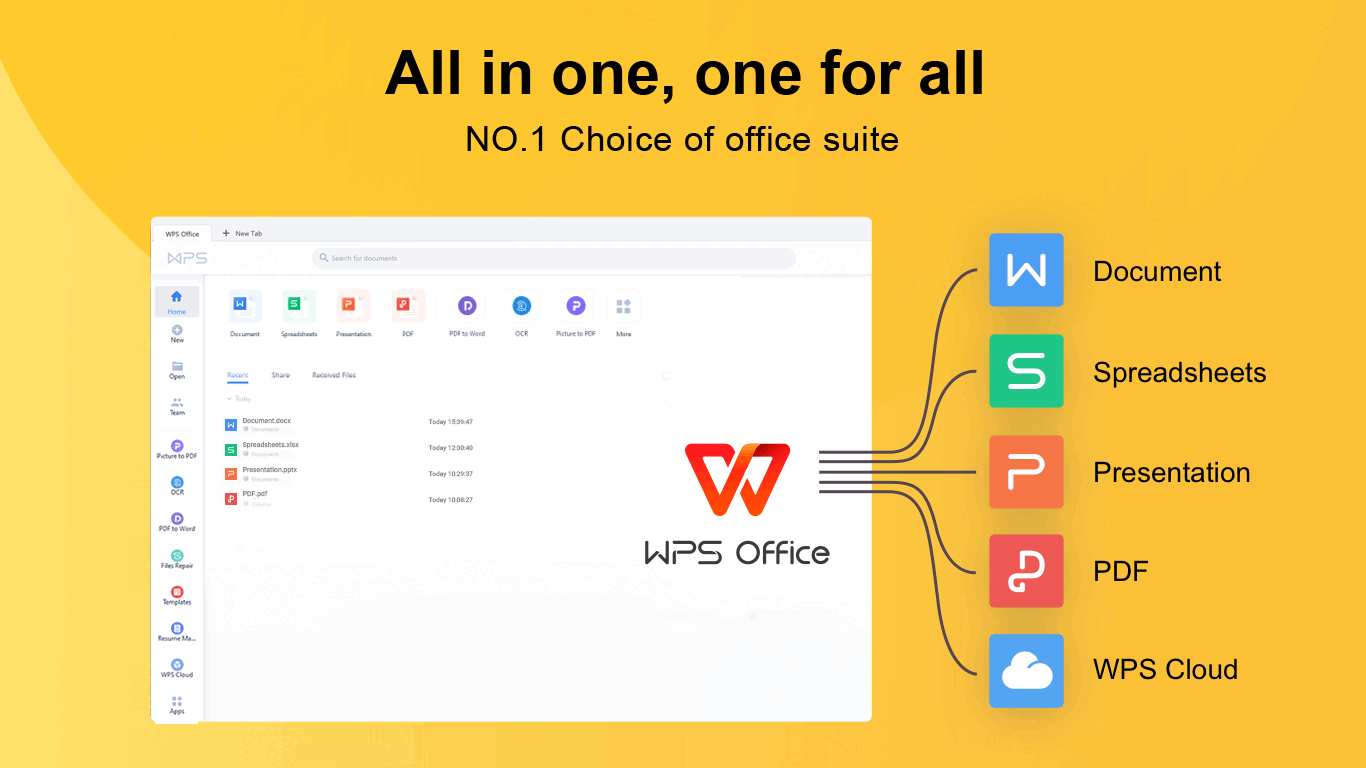
WPS Office - All-in-one Free Office Suite
FAQs
Is Microsoft 365 still down right now?
It depends on your region and tenant. Microsoft began returning affected servers to service in batches and reported limited recovery as users reconnected, but the company also said some remediation steps did not achieve full recovery quickly. Check Microsoft's official status page for the current state, and expect different recovery times across regions and accounts.
Was the Microsoft outage caused by a cyberattack?
No. Microsoft explicitly ruled out a malicious cyberattack, and also said the failure was not caused by a surge in user traffic. The stated cause was multiple servers unexpectedly going offline, which overloaded the remaining infrastructure and pushed core server processes past their limits.
Which Microsoft services were affected by the outage?
Microsoft 365, Outlook, Teams, and Exchange Online were the main services named, and Copilot plus cloud document access were affected as well. The disruption also hit the Microsoft connectors used by OpenAI and Anthropic, and users of Amazon AWS and Google Cloud reported access problems as a secondary effect of the same network disturbance.
Can I still use Word, Excel, and PowerPoint offline during the outage?
Yes. Locally installed desktop applications do not need Microsoft's cloud to open and edit local files, so a downloaded .docx or .xlsx file remains editable. What stops working is anything that needs a round trip to Microsoft's servers — sign-in, mail, presence, cloud sync, and AI features — so keep a local copy of critical files and save new versions on your own device.
What is the best free alternative to Microsoft Office during an outage?
WPS Office is the simplest free option: it is lightweight, installs in minutes, opens and saves Microsoft Word, Excel, and PowerPoint formats, and includes a PDF toolkit plus built-in AI tools. Because it runs locally, an outage on Microsoft's side does not interrupt your editing, which makes it a practical temporary — or permanent — backup for teams that cannot afford downtime.




