As a DJ, you're managing multiple events, and a professional invoice
is key to getting paid. You've likely found that standard templates just
don't work since they lack fields for equipment or event times, which
causes confusion and delays. A good DJ invoice template solves this by
clearly stating all your services. In this guide, I'll introduce
templates you can download and show how WPS Invoice Generator can make
this process even faster.
Use Word, Excel, and PPT for FREE
DJ Invoice Templates
What is a DJ Invoice
Template?
Before you download a template, it is important to understand what
makes a DJ-specific invoice effective. I have seen many performers send a simple bill with just one
line item, such as DJ Services. This is a huge mistake that forces the
client to email back for clarification about what is included, like
lighting or extra time. This back-and-forth communication is
unprofessional and will delay your payment, and in the worst-case
scenario, you’ll lose a really good client. A proper invoice is a
pre-formatted document that is already structured for the event
industry.
DJ and client contact information: Your name or company, address, email, and phone, plus the client's details. This ensures the invoice reaches the right person and looks professional.
Event details and dates: A unique invoice number, issue date, and payment due date, plus the specific event date, time, and venue. This links the bill directly to a single, specific gig.
Itemized service descriptions: Break down every service, such as performance hours, equipment rental, or travel costs. This is much clearer than just listing "DJ Services" and prevents any client confusion.
Hourly or flat-rate charges: List the specific rate for each service you provided, including any additional charges for the sound system, lighting, or setup fees.
Taxes and discounts: Show any applicable taxes or discounts as separate lines so the client sees exactly how you calculated the final total.
Total payment due and terms: State the final, bolded total and your payment terms clearly, like "50% deposit required" or "Balance due on event date."
Notes or special instructions: Add any extra information, like overtime rates, special requests, or just a thank-you note.
Once you have these details ready, you can confidently select a
template that fits your event.
10 Free DJ Invoice Templates
Using a ready-made template saves you from building this structure from scratch. These Word
templates are easy to open in WPS Office, customize with your logo, and
fill out for your next gig, ensuring you maintain a professional, clear
layout every time.
1. Free DJ Invoice Template
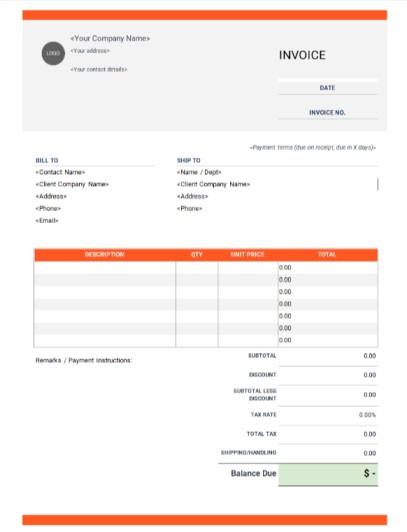
This free
DJ invoice template is a clean, modern document designed for
mobile DJs or event professionals who also handle equipment. The layout
features a bright orange header, distinct BILL TO and SHIP TO sections,
and a comprehensive table for DESCRIPTION, QTY, and UNIT PRICE. Built
for professionals who need to bill for more than just time, this
structure includes a SHIPPING/HANDLING field, clearly calculates
DISCOUNT, and presents a final Balance Due.
Free DJ Invoice Template
2. Sample DJ Invoice Template
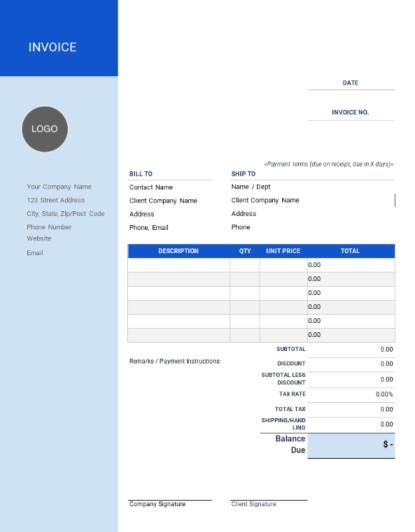
This sample
DJ invoice template is a formal, corporate document designed for
established DJ companies handling large-scale events. The layout is
uniquely defined by a strong blue vertical sidebar that holds all the
company branding, setting it apart from a standard header. It features
comprehensive billing fields, including SHIP TO and SHIPPING/HANDLING,
but its most important feature is the addition of Company Signature and
Client Signature lines. This structure is perfect for high-value gigs or
weddings where a final sign-off on the charges is required.
Sample DJ Invoice Template
3. Blank DJ Invoice Template
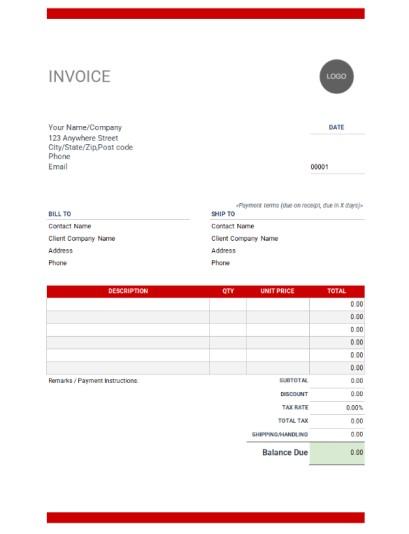
This Blank
DJ invoice template is a clean, minimalist document designed for
DJs who prefer a simple, traditional, and printer-friendly format. The
layout is defined by its thin red header and footer bars, offering a
subtle touch of color while maintaining a very open, black-and-white
feel. It features the same comprehensive fields as the first template,
including BILL TO, SHIP TO, and SHIPPING/HANDLING. This structure is
perfect for professionals who need to bill for both services and rentals
but want a classic, no-fuss design.
Blank DJ Invoice Template
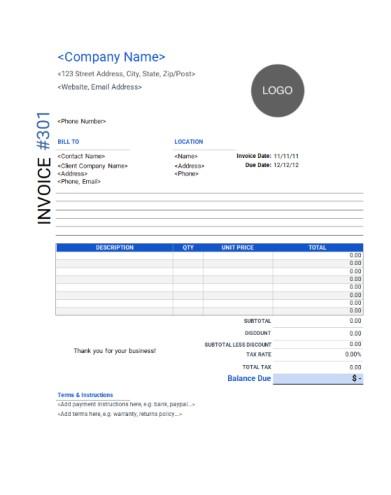
4. Mobile DJ Invoice Template
This Mobile
DJ invoice template is a stylish, modern document designed for
DJs or performers who work at different venues. The layout is uniquely
defined by its vertical "INVOICE" text on the left and a dedicated
LOCATION field, which replaces the standard SHIP TO section found in the
previous templates. This structure is built for billing on-site
services, allowing you to clearly specify the event venue, and includes
a full summary for SUBTOTAL LESS DISCOUNT and the final Balance Due.
Mobile DJ Invoice Template
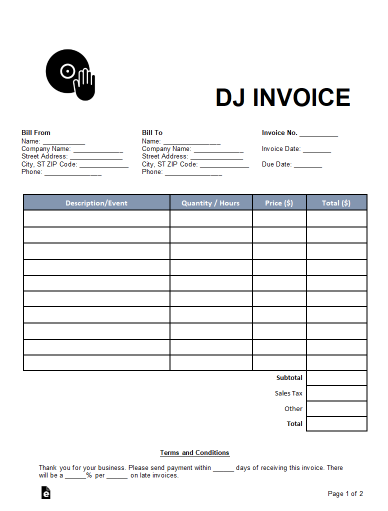
5. DJ (Disc Jockey) Invoice
Template
This DJ
Invoice template is a clean, highly specific document designed
for freelance DJs and event performers. The layout features a prominent
DJ logo and is uniquely tailored for gigs with its Description/Event and
Quantity / Hours columns. Unlike the more general templates, this one is
built for event professionals, including an Other field for extra
charges and a detailed Terms and Conditions section at the bottom to
specify late payment penalties. This structure is perfect for protecting
your business and ensuring clear communication.
DJ (Disc Jockey) Invoice Template
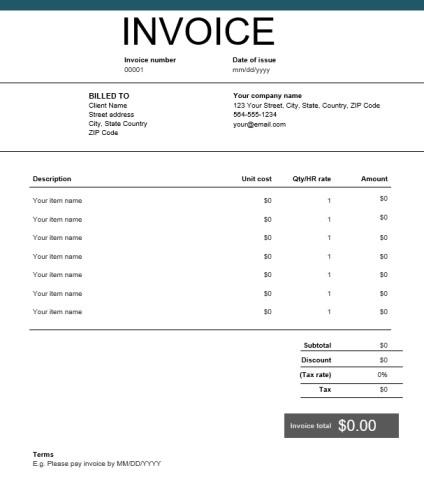
6. Sample DJ Invoice Template
(Blue)
This Sample
DJ Invoice Template is a sleek, modern document designed for DJs
or freelancers who want a polished, corporate look. The layout is
defined by its deep teal header bar and uniquely features the final
Invoice total in a prominent, dark gray box. Built for clear financial
communication, this structure includes fields for Unit cost and Qty/HR
rate and provides a clean summary of Subtotal, Discount, and Tax. This
template is perfect for professionals who need a clean, versatile, and
highly professional billing format.
Sample DJ Invoice Template (Blue)
7. Free DJ Invoice Template
(Blue)
This Free
DJ Invoice Template is a professional, corporate-style document
perfect for DJs billing B2B clients or large events. Its layout, marked
by a clean blue header, features a highly functional table with a
per-line-item TAX column. This design is ideal for managing complex
invoices where different services
Free DJ Invoice Template (Blue)
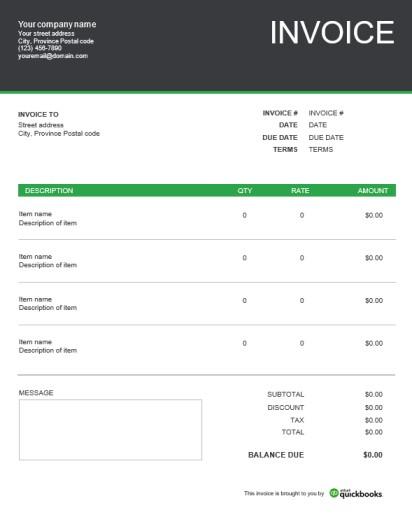
8. DJ Invoice Template
(QuickBooks)
This DJ
Invoice Template is a clean, corporate document designed for
small businesses or freelancers who want a strong, simple color accent.
The layout is defined by its bright green table header and uniquely
includes a large MESSAGE box for adding extra notes or project terms.
Built for straightforward billing, this template uses QTY and RATE
columns to clearly calculate the final BALANCE DUE, offering a
professional and modern look.
DJ Invoice Template (QuickBooks)
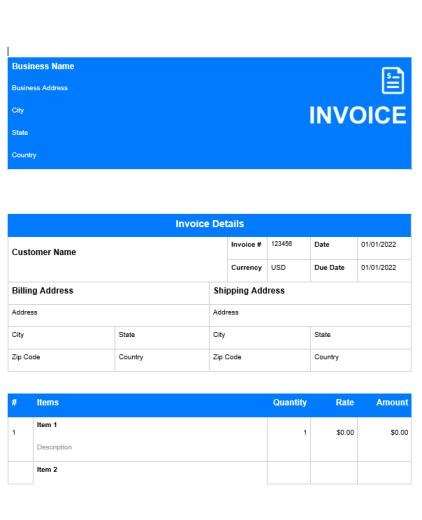
9. DJ Party Invoice Template
This DJ
Party Invoice Template is a vibrant, modern document, using
bold, solid-blue blocks for all its headers, making it visually
striking. The layout is comprehensive, featuring separate Billing and
Shipping Address sections, plus dedicated boxes for Terms &
Conditions and Notes. Built for DJs who also rent out physical
equipment, this structure reintroduces a Shipping Cost field, ensuring
all costs are clearly calculated into the final Amount Due.
DJ Party Invoice Template
10. DJ Invoice Template (Tech)
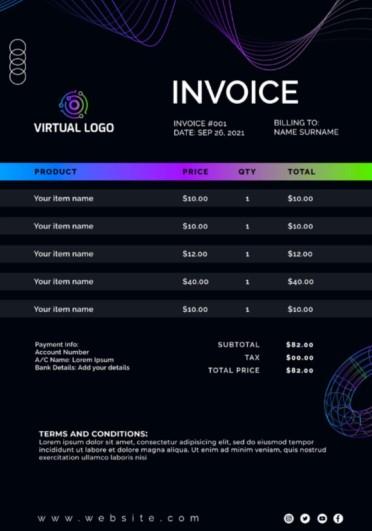
This DJ
Invoice Template is a futuristic, "dark mode" document designed
for modern electronic artists or virtual event DJs. The layout is
defined by its striking neon-gradient graphics and a sleek table for
PRODUCT, PRICE, QTY, and TOTAL. Built to project a strong brand
identity, it includes clear sections for Payment info and TERMS AND
CONDITIONS, making it a cutting-edge choice for performers.
DJ Invoice Template (Tech)
A
Smarter Way to Create DJ Invoices: WPS Invoice Generator
Using a good Word template is a great start. But as a DJ, you know
that manually updating event dates, service lines for "Uplighting," and
equipment rentals for every single client is a real drag and a waste of time.
I find WPS Free Invoice Generator is the perfect tool for editing these
downloaded Word files, as it lets you easily add your logo and customize
fields to look professional. For a truly streamlined workflow that saves
you time after every gig, an online tool like the WPS Free Invoice Generator is the
most efficient choice.
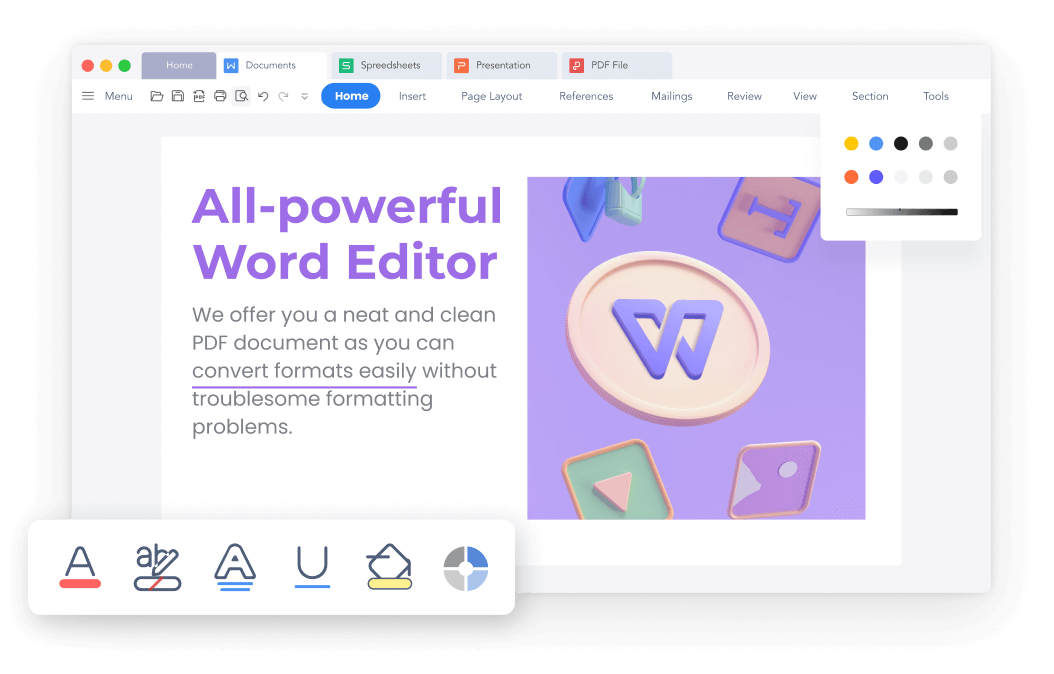
WPS Writer
WPS Free Invoice Generator is an online solution designed to help you
create polished, accurate invoices in minutes. So that you don’t have to
worry about making invoices from scratch the next time.
Why Use WPS Invoice
Generator?
Ease of Use: Create and send a professional invoice in just a few clicks, saving you valuable time after an event.
Professional Look: Offers polished, designer-ready layouts that ensure you look credible and established to clients.
Time-Saving: Manage all your event invoices and clients in one place, which is perfect for a busy DJ.
Customization: Easily add your DJ logo, brand colors, and specific fields like travel or setup fees.
AI Assistance: Helps you handle complex or recurring event billing by suggesting calculations and reducing errors.
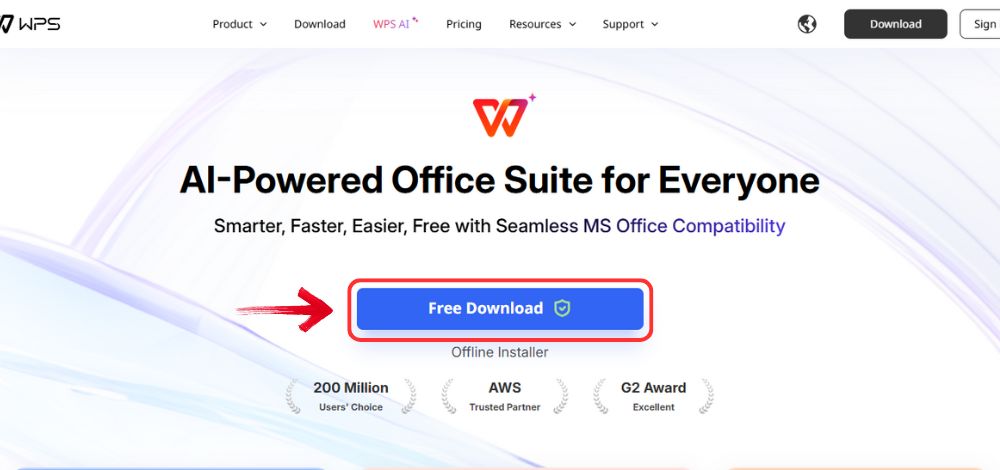
Step 1: Open your browser to visit WPS Office and click the "Free Download" button to start the download.
Download WPS Office
Step 2: The download will finish in a few seconds.
Once done, run the installation file like you would for any other app or
software.
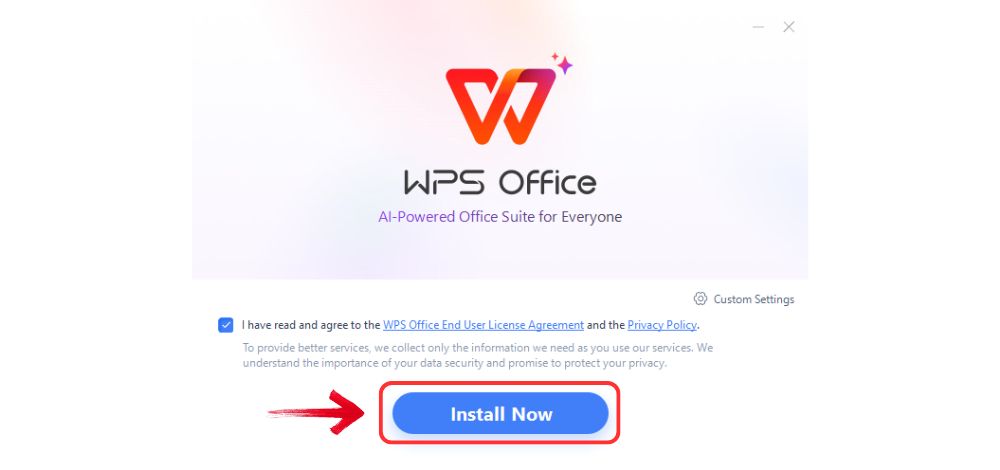
Step 3: WPS Office will show you a few simple terms
and conditions. Accept them, then click the "Install
Now" button to begin the installation.
Install WPS Office
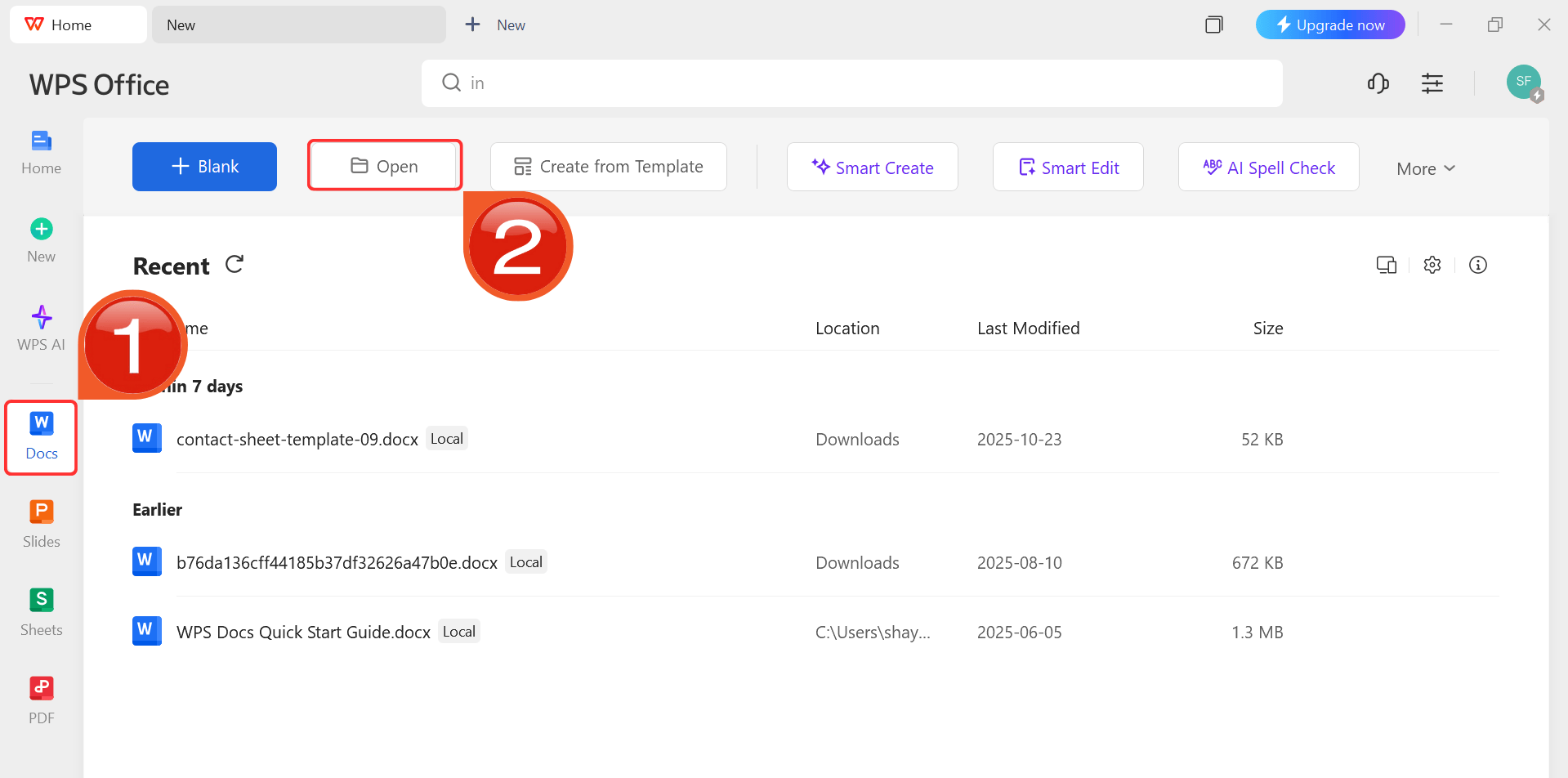
Step 4: After installation, in WPS Office, click “Docs” from the left sidebar and hit “Open” to select your downloaded template or select
from the template library in WPS Office.
WPS Docs Dashboard
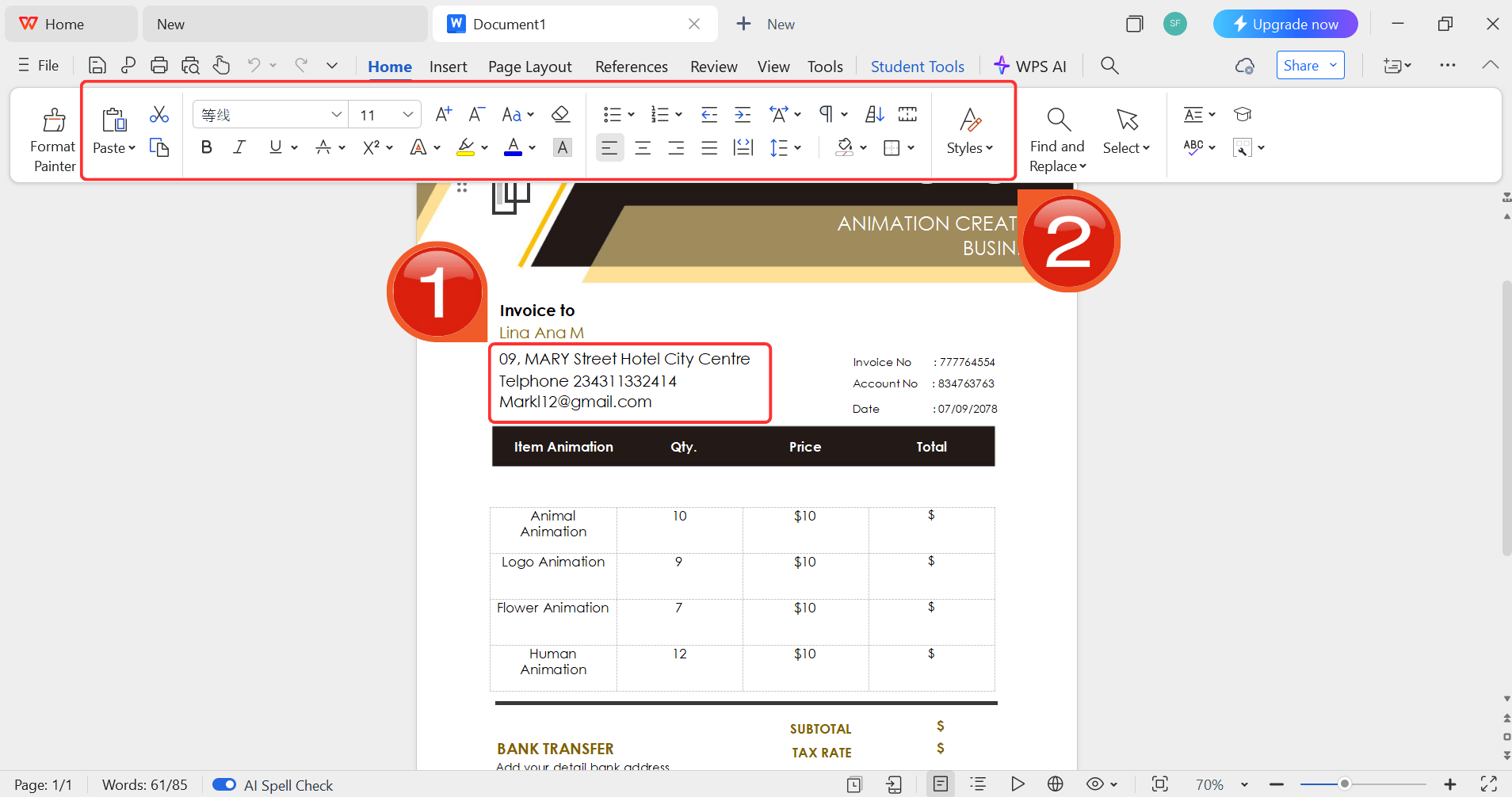
Step 5: Then click on the text you want to modify
and just enter your details within it by using the Ribbon above.
Customize your template
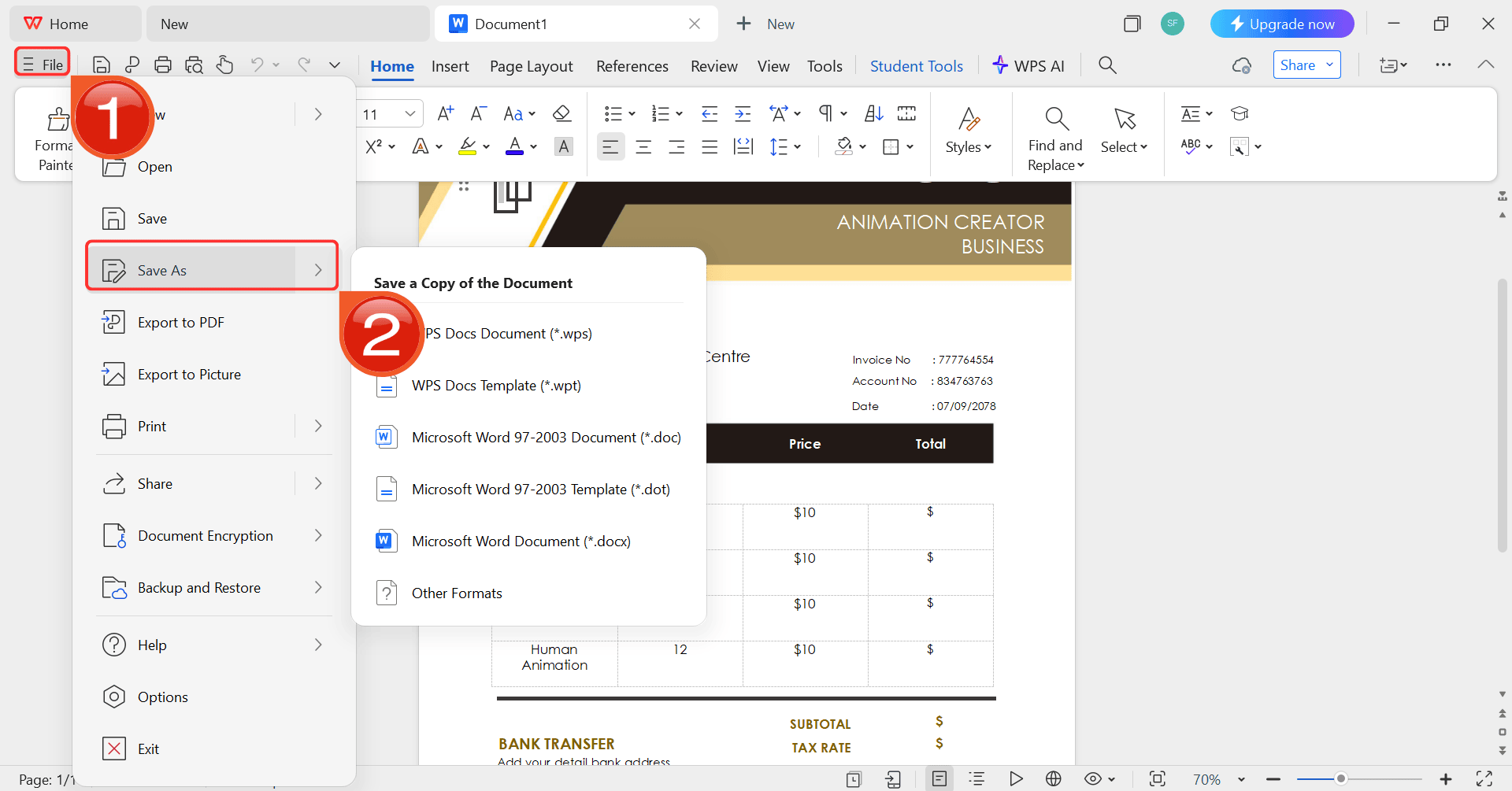
Step 6: After you’re done modifying the template,
head to “File” and choose “Save as” to
save the invoice in your desired format.
Save the invoice
100% secure
FAQs
Q1: Why should DJs use a DJ invoice template instead of a
generic one?
DJ invoice templates include performance-specific details such as
event time, venue, and equipment charges, ensuring clarity and
professionalism.
Q2: Can I customize a DJ invoice template?
Yes, most templates in Word or Excel are fully editable. You can add
your logo, change colors, and modify fields as needed in a program like
WPS Office.
Q3: What’s the advantage of using WPS Invoice Generator over
free templates?
Free templates require manual editing, while WPS Invoice Generator
automates formatting, saves time, and ensures a professional look.
Q4: Are these DJ invoice templates free to
download?
Yes, all 10 templates listed above are free.
Q5: What should I include in the 'Services'
section?
Be as specific as possible. Instead of just "DJ," list separate lines
like "DJ Performance (4 hours)," "Equipment Rental (2 speakers, 1 sub),"
and "Uplighting Package (8 lights)."
Q6: When is the best time to send a DJ invoice?
This depends on your contract, but I recommend sending it either
immediately after the event or the next business day, while the
successful event is still fresh in the client's mind.
My Final Recommendation
A professional invoice is key to running a successful DJ business. These free templates are a great starting point to ensure you look professional and get paid clearly. For the fastest, most streamlined process, I strongly recommend using the WPS Invoice Generator. It’s the best way to move on from a simple DJ invoice template to a truly professional billing system that saves you time.
Expert in office suites and technology with a strong background in writing. I specialize in reviewing public health topics, delivering insightful, accurate content for diverse audiences in tech.


'%3e%3cpath%20d='M8%200C12.4183%200%2016%203.58172%2016%208C16%2012.4183%2012.4183%2016%208%2016C3.58172%2016%200%2012.4183%200%208C0%203.58172%203.58172%200%208%200ZM11.6162%204.38379C11.2257%203.99337%2010.5927%203.99338%2010.2021%204.38379L8%206.58594L5.79785%204.38379C5.40732%203.99334%204.77429%203.99329%204.38379%204.38379C3.99331%204.77429%203.99335%205.40733%204.38379%205.79785L6.58594%208L4.38379%2010.2021C3.99348%2010.5927%203.99341%2011.2257%204.38379%2011.6162C4.77426%2012.0066%205.40734%2012.0065%205.79785%2011.6162L8%209.41406L10.2021%2011.6162C10.5927%2012.0066%2011.2257%2012.0067%2011.6162%2011.6162C12.0067%2011.2257%2012.0066%2010.5927%2011.6162%2010.2021L9.41406%208L11.6162%205.79785C12.0066%205.40735%2012.0066%204.77429%2011.6162%204.38379Z'%20fill='%23080E17'%20fill-opacity='0.46'/%3e%3c/g%3e%3cdefs%3e%3cclipPath%20id='clip0_3761_713'%3e%3crect%20width='16'%20height='16'%20fill='white'/%3e%3c/clipPath%3e%3c/defs%3e%3c/svg%3e)




'%3e%3cpath%20fill-rule='evenodd'%20clip-rule='evenodd'%20d='M21.4999%2010.9993C21.4999%205.20009%2016.7986%200.498901%2010.9993%200.498901C5.19994%200.498901%200.498657%205.20009%200.498657%2010.9993C0.498657%2016.2404%204.33858%2020.5844%209.35855%2021.3722V14.0346H6.69238V10.9993H9.35855V8.68594C9.35855%206.05427%2010.9262%204.60062%2013.3248%204.60062C14.4736%204.60062%2015.6753%204.80571%2015.6753%204.80571V7.38979H14.3512C13.0468%207.38979%2012.64%208.19921%2012.64%209.0296V10.9993H15.5523L15.0867%2014.0346H12.64V21.3722C17.66%2020.5844%2021.4999%2016.2404%2021.4999%2010.9993Z'%20fill='%231568EA'/%3e%3c/g%3e%3c/svg%3e)


'%3e%3cpath%20d='M2.42045%2022.1876H6.31818V12.7217L0.75%208.54553V20.5171C0.75%2021.4414%201.49892%2022.1876%202.42045%2022.1876Z'%20fill='%234285F4'/%3e%3cpath%20d='M19.682%2022.1876H23.5797C24.5041%2022.1876%2025.2502%2021.4387%2025.2502%2020.5171V8.54553L19.682%2012.7217'%20fill='%2334A853'/%3e%3cpath%20d='M19.682%205.48293V12.7216L25.2502%208.54543V6.31816C25.2502%204.25236%2022.8921%203.07469%2021.2411%204.31361'%20fill='%23FBBC04'/%3e%3cpath%20d='M6.31824%2012.7217V5.48303L13.0001%2010.4944L19.6819%205.48303V12.7217L13.0001%2017.733'%20fill='%23EA4335'/%3e%3cpath%20d='M0.75%206.31816V8.54543L6.31818%2012.7216V5.48293L4.75909%204.31361C3.10534%203.07469%200.75%204.25236%200.75%206.31816Z'%20fill='%23C5221F'/%3e%3c/g%3e%3cdefs%3e%3cclipPath%20id='clip0_2954_7305'%3e%3crect%20width='24.5'%20height='18.375'%20fill='white'%20transform='translate(0.75%203.8125)'/%3e%3c/clipPath%3e%3c/defs%3e%3c/svg%3e)



'%3e%3cpath%20d='M19.9911%204.11386V6.471H18.5894C18.0775%206.471%2017.7322%206.57814%2017.5536%206.79243C17.3751%207.00671%2017.2858%207.32814%2017.2858%207.75671V9.44421H19.9019L19.5536%2012.0871H17.2858V18.8639H14.5536V12.0871H12.2769V9.44421H14.5536V7.49779C14.5536%206.39064%2014.8632%205.53201%2015.4822%204.92189C16.1013%204.31177%2016.9257%204.00671%2017.9554%204.00671C18.8304%204.00671%2019.509%204.04243%2019.9911%204.11386Z'%20fill='%23333333'/%3e%3c/g%3e%3cdefs%3e%3cclipPath%20id='clip0_2938_8199'%3e%3crect%20width='16'%20height='16'%20fill='white'%20transform='translate(8%204.00671)'/%3e%3c/clipPath%3e%3c/defs%3e%3c/svg%3e)
'%3e%3cpath%20d='M17.5237%2010.7813L23.4811%204H22.0699L16.8949%209.88693L12.7648%204H8L14.2469%2012.9029L8%2020.0133H9.4112L14.8725%2013.7952L19.2352%2020.0133H24M9.92053%205.04213H12.0885L22.0688%2019.0224H19.9003'%20fill='%23333333'/%3e%3c/g%3e%3cdefs%3e%3cclipPath%20id='clip0_2938_8200'%3e%3crect%20width='16'%20height='16.0134'%20fill='white'%20transform='translate(8%204)'/%3e%3c/clipPath%3e%3c/defs%3e%3c/svg%3e)


