

'%3e%3cpath%20d='M8%200C12.4183%200%2016%203.58172%2016%208C16%2012.4183%2012.4183%2016%208%2016C3.58172%2016%200%2012.4183%200%208C0%203.58172%203.58172%200%208%200ZM11.6162%204.38379C11.2257%203.99337%2010.5927%203.99338%2010.2021%204.38379L8%206.58594L5.79785%204.38379C5.40732%203.99334%204.77429%203.99329%204.38379%204.38379C3.99331%204.77429%203.99335%205.40733%204.38379%205.79785L6.58594%208L4.38379%2010.2021C3.99348%2010.5927%203.99341%2011.2257%204.38379%2011.6162C4.77426%2012.0066%205.40734%2012.0065%205.79785%2011.6162L8%209.41406L10.2021%2011.6162C10.5927%2012.0066%2011.2257%2012.0067%2011.6162%2011.6162C12.0067%2011.2257%2012.0066%2010.5927%2011.6162%2010.2021L9.41406%208L11.6162%205.79785C12.0066%205.40735%2012.0066%204.77429%2011.6162%204.38379Z'%20fill='%23080E17'%20fill-opacity='0.46'/%3e%3c/g%3e%3cdefs%3e%3cclipPath%20id='clip0_3761_713'%3e%3crect%20width='16'%20height='16'%20fill='white'/%3e%3c/clipPath%3e%3c/defs%3e%3c/svg%3e)




'%3e%3cpath%20fill-rule='evenodd'%20clip-rule='evenodd'%20d='M21.4999%2010.9993C21.4999%205.20009%2016.7986%200.498901%2010.9993%200.498901C5.19994%200.498901%200.498657%205.20009%200.498657%2010.9993C0.498657%2016.2404%204.33858%2020.5844%209.35855%2021.3722V14.0346H6.69238V10.9993H9.35855V8.68594C9.35855%206.05427%2010.9262%204.60062%2013.3248%204.60062C14.4736%204.60062%2015.6753%204.80571%2015.6753%204.80571V7.38979H14.3512C13.0468%207.38979%2012.64%208.19921%2012.64%209.0296V10.9993H15.5523L15.0867%2014.0346H12.64V21.3722C17.66%2020.5844%2021.4999%2016.2404%2021.4999%2010.9993Z'%20fill='%231568EA'/%3e%3c/g%3e%3c/svg%3e)


'%3e%3cpath%20d='M2.42045%2022.1876H6.31818V12.7217L0.75%208.54553V20.5171C0.75%2021.4414%201.49892%2022.1876%202.42045%2022.1876Z'%20fill='%234285F4'/%3e%3cpath%20d='M19.682%2022.1876H23.5797C24.5041%2022.1876%2025.2502%2021.4387%2025.2502%2020.5171V8.54553L19.682%2012.7217'%20fill='%2334A853'/%3e%3cpath%20d='M19.682%205.48293V12.7216L25.2502%208.54543V6.31816C25.2502%204.25236%2022.8921%203.07469%2021.2411%204.31361'%20fill='%23FBBC04'/%3e%3cpath%20d='M6.31824%2012.7217V5.48303L13.0001%2010.4944L19.6819%205.48303V12.7217L13.0001%2017.733'%20fill='%23EA4335'/%3e%3cpath%20d='M0.75%206.31816V8.54543L6.31818%2012.7216V5.48293L4.75909%204.31361C3.10534%203.07469%200.75%204.25236%200.75%206.31816Z'%20fill='%23C5221F'/%3e%3c/g%3e%3cdefs%3e%3cclipPath%20id='clip0_2954_7305'%3e%3crect%20width='24.5'%20height='18.375'%20fill='white'%20transform='translate(0.75%203.8125)'/%3e%3c/clipPath%3e%3c/defs%3e%3c/svg%3e)


Whether you’re a seasoned educator or a fresh grad stepping into the classroom, a sharp teacher resume is your ticket to landing that dream teaching gig. But let’s be honest—cobbling together a resume that highlights your skills, certifications, and passion for teaching can feel like grading a stack of papers on a Friday night. You want a free teacher resume Word template that looks pro and doesn’t need a design degree to tweak. I’ve got your back with 10 free, awesome templates and a super easy guide to customize them in WPS Office. Let’s make your resume shine so you can focus on inspiring students.


Part 1. What Makes a Good Teacher Resume Template?
A teacher resume template is like your classroom lesson plan—it needs to be clear, organized, and showcase your best stuff. It should highlight your teaching experience, certifications, education, and skills, with room for your teaching philosophy or professional development. A clean layout, easy-to-read fonts, and subtle pops of color make your resume stand out to hiring panels without overwhelming them. It’s your chance to show you’re the right fit for the job, whether it’s kindergarten or high school.
Typical Sections Include:
Ideal Template Characteristics:
Part 2. 10 Best Free Teacher Resume Templates
Below are 10 free teacher resume templates to make your application pop. Each professional resume template for teachers is designed to highlight your educator skills and is easy to customize. I’ve used them myself and shared what makes each one special, along with download links. Whether you need an editable teacher resume download for a modern or classic look, these have you covered. Pick one that feels likeyou and start building your future.
1. Gray Resume for Teacher
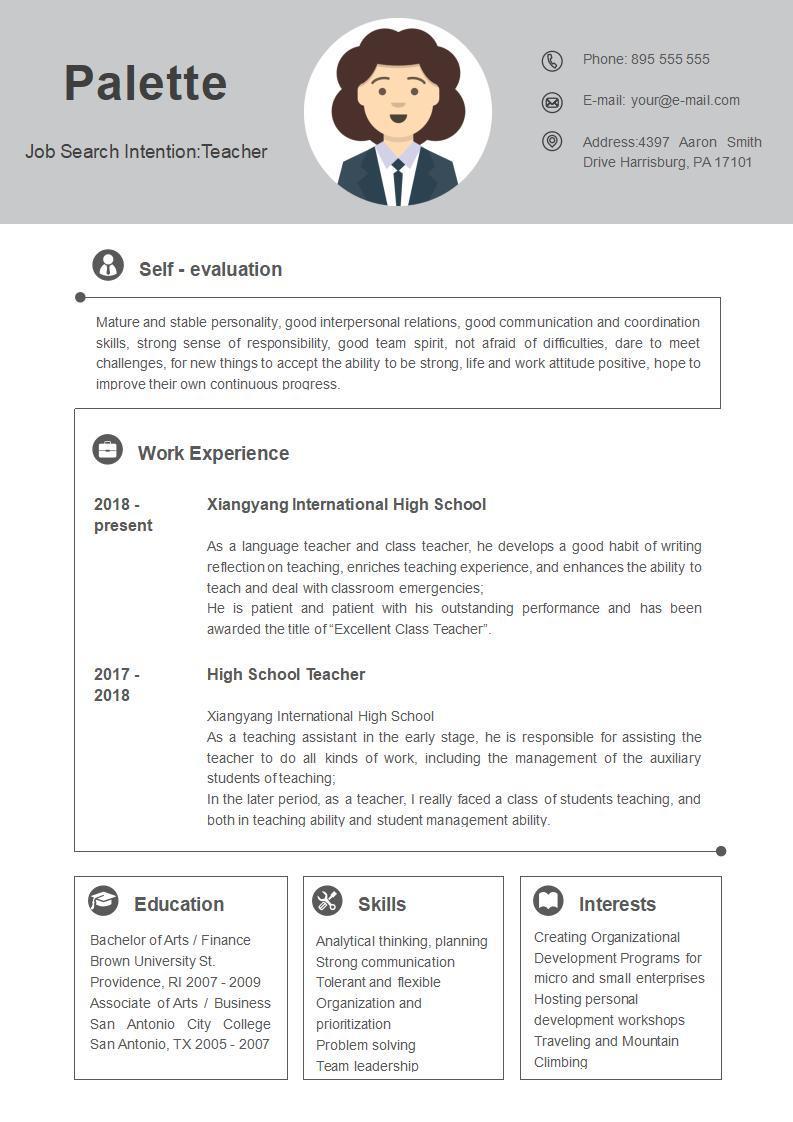
This template’s like a crisp, gray blazer—professional and understated, perfect for educators aiming for a clean look. It’s great for showcasing certifications and experience clearly. I used it for a teaching job application, and it felt polished without being stuffy.
2. Gold Resume for Teacher
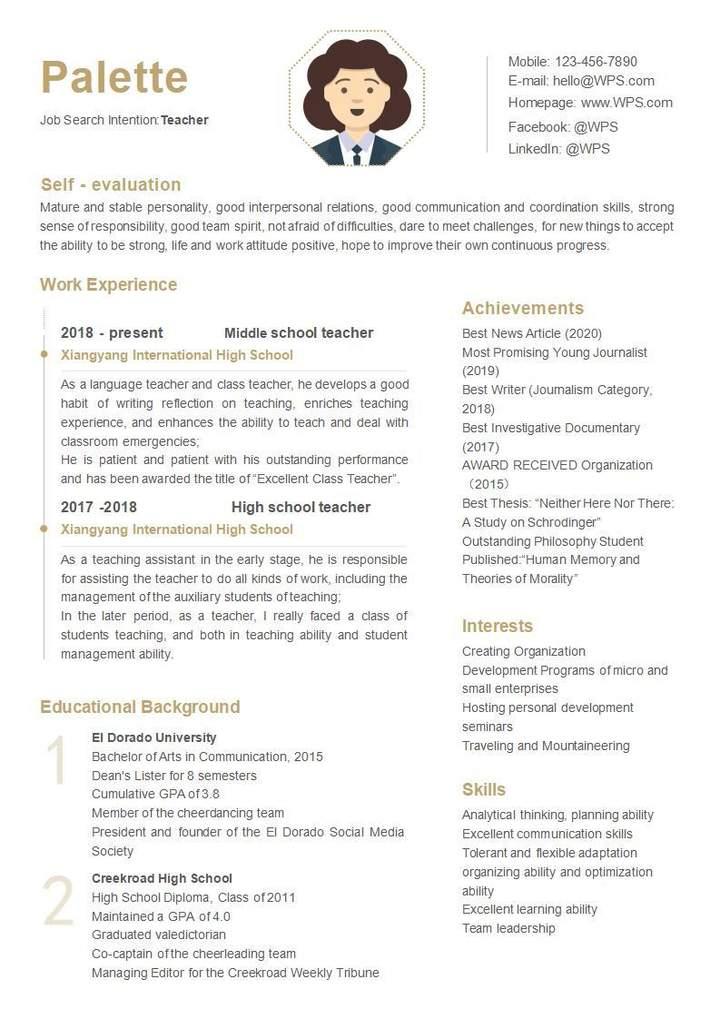
This one’s like a gold star on your report card, with elegant gold accents that add a touch of class. It’s ideal for teachers who want a refined, standout resume. I used it for a private school application, and it gave my credentials a warm, professional glow.
3. Blue Resume for Teachers
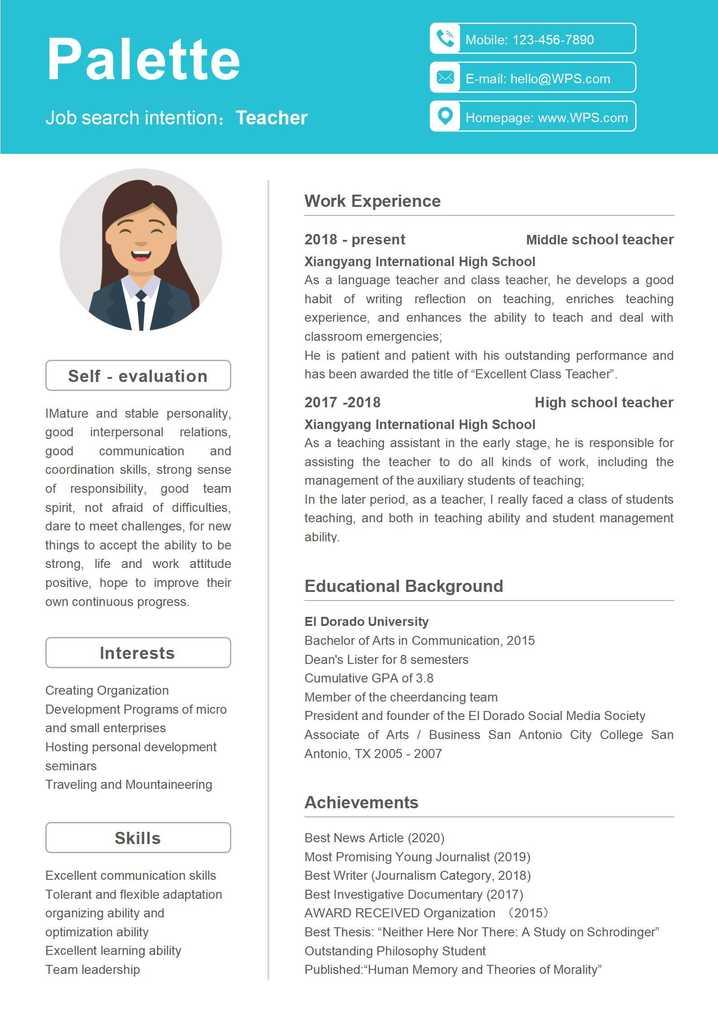
This template’s got a cool blue header, like a calm classroom vibe, perfect for modern teaching roles. It highlights skills and experience cleanly. I used it for a middle school job, and it made my tech-savvy skills pop.
4. Simple Teacher Resume
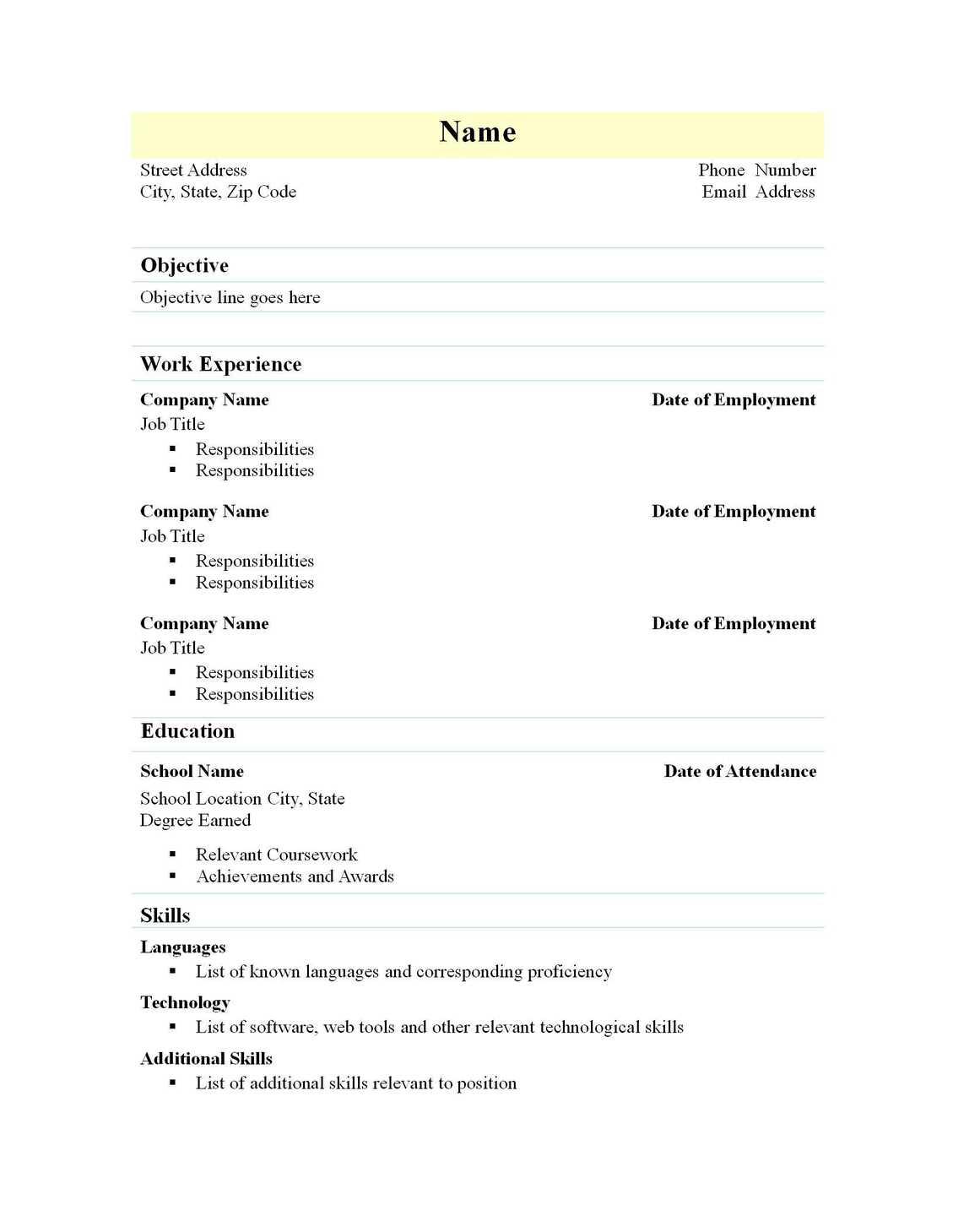
This one’s like a no-nonsense lesson plan—minimalist and ATS-friendly, perfect for clear, straightforward applications. It’s great for new teachers or career changers. I used it for my first teaching gig, and it kept things simple and pro.
5. Resume for Work
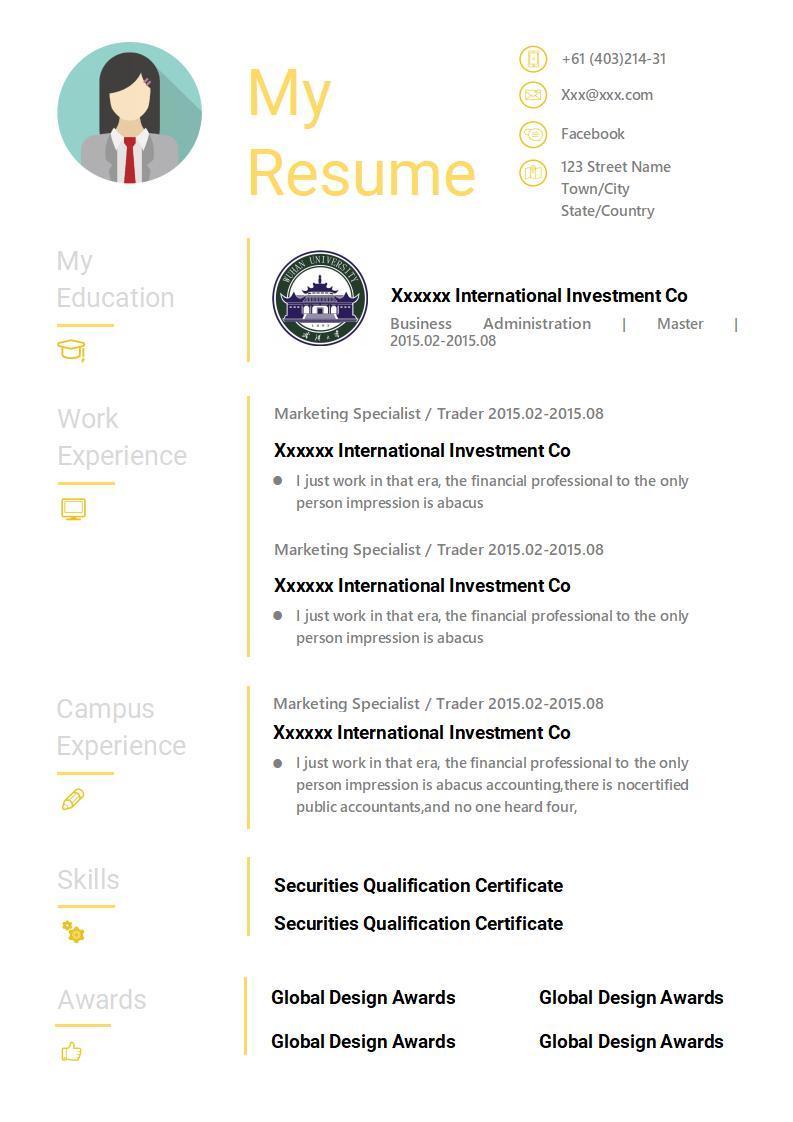
This template’s like a trusty notebook, versatile for teaching or related roles. It’s great for educators branching out or adding admin experience. I used it to apply for a tutoring role, and it made my experience shine without clutter.
6. Stylish Teaching Resume
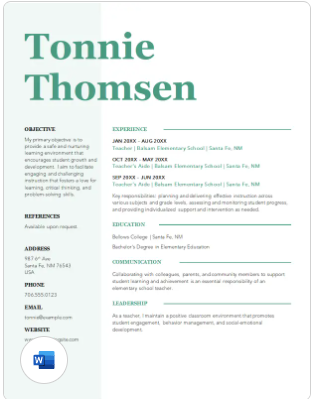
This one’s like a trendy chalkboard design—stylish yet professional, perfect for creative teachers. It’s great for art or drama educators. I used it for a theater teaching job, and it gave my resume a fun, artsy edge.
7. Creative Teaching Resume
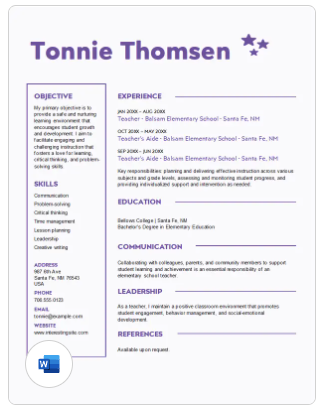
This template’s like a colorful classroom poster, with a creative layout that screams personality. It’s perfect for teachers in expressive subjects like music or literature. I used it for a creative writing role, and it made my passion stand out.
8. Modern Multi-Page Resume
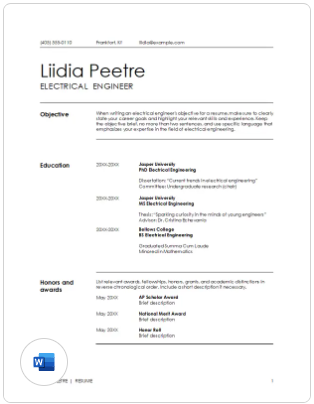
This one’s like a detailed syllabus, with room for extensive experience and professional development. It’s great for veteran teachers. I used it for a senior teaching position, and it let me showcase years of classroom wins.
9. ATS Simple Classic Resume
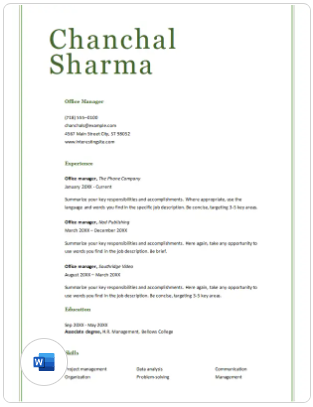
This template’s like a classic blackboard—clean, simple, and ATS-optimized for easy scanning. It’s perfect for any teaching role. I used it for a district job, and it sailed through the hiring system flawlessly.
10. Project Management Resume
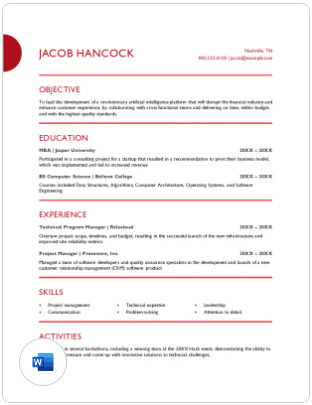
This one’s like a well-organized classroom, great for teachers with leadership or admin experience. It’s ideal for roles like department head. I used it for a curriculum coordinator job, and it highlighted my management skills perfectly.
Tip: I’m obsessed with the Gray Resume for Teacher for its clean, professional vibe and the Creative Teaching Resume for its fun, expressive layout. Both made my applications feel like a win. Check out the WPS Template website for tons more options—there’s always a template that fits your style, ready to download and use in WPS Office.
Part 3. How to Edit a Teacher Resume Template in Word
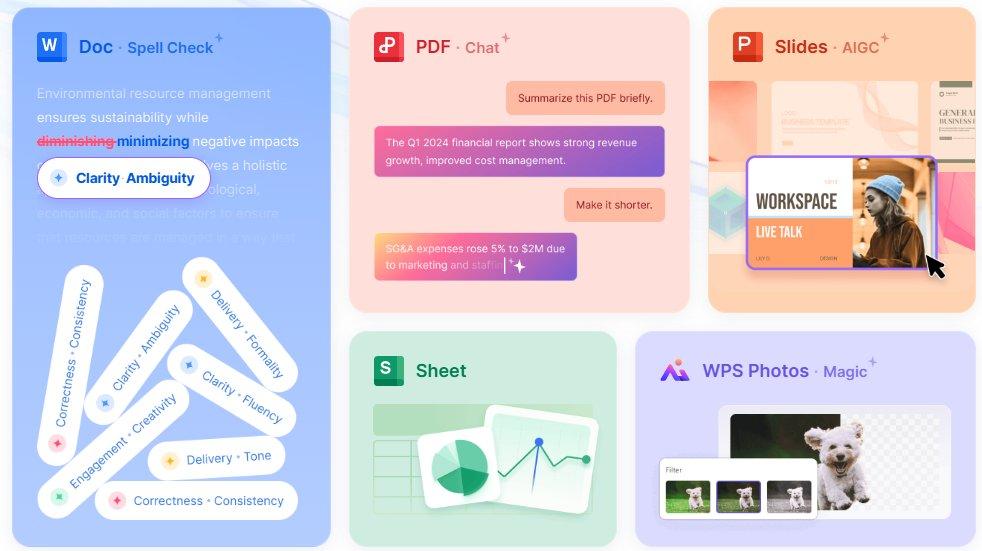
The templates above give you a head start to craft a standout teacher resume, from sleek and professional to bold and creative. Download your favorite free teacher resume Word template and make it your own with WPS Office. Below is a step-by-step guide for editing in WPS Word, with screenshots to keep it simple. WPS Office’s tools make customizing a professional resume template for teachers a breeze, so you can focus on landing that teaching job.
How to Edit in WPS Word
Step 1: Open Template in WPS Word
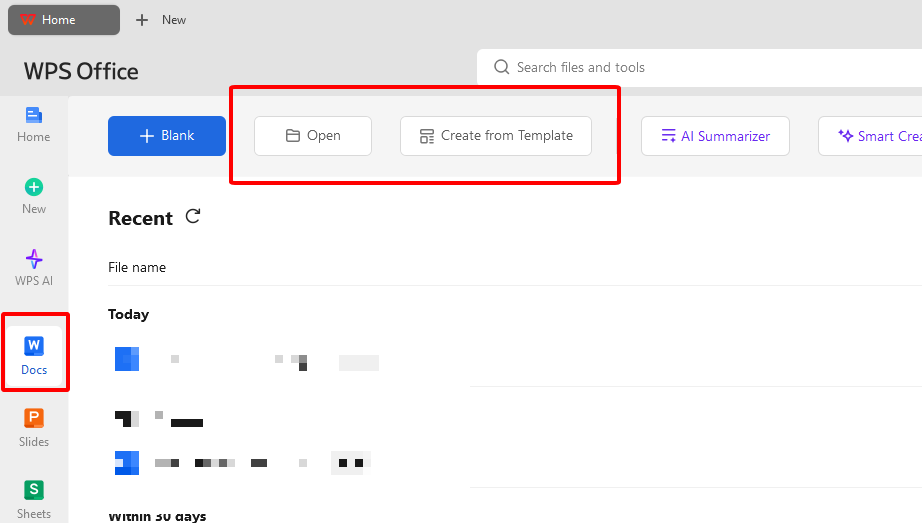
Pick a template, like the Gray Resume for Teacher, from the links above. Open it in WPS Word via WPS Office from wps.com. It’s got that Microsoft Word vibe but won’t cost you a dime. Choose a design that matches your teaching style.
Step 2: Make It Your Own
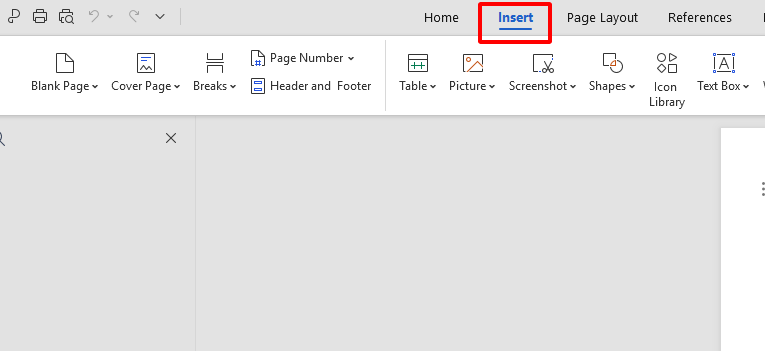
Click text fields to add your name, teaching experience, certifications, or skills—like “Classroom Management” or “Lesson Planning.” Use Insert > Picture to drop in a school logo or headshot. Tweak fonts or colors in the toolbar to fit your vibe—maybe blue for a calm touch. Save often to keep your work locked in.
Step 3: Save, Share, or Print
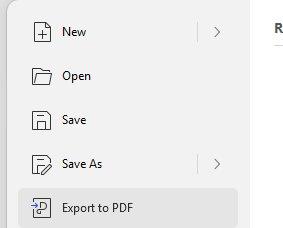
Go to File > Export to PDF for emailing to hiring panels or online submissions. For printing, hit File > Print and pick A4 or US Letter size. Check the print preview for a clean look. I use high-quality paper to make my resume feel pro and polished.
WPS Word made editing my professional resume template for teachers as easy as grading a quiz. Adding my certifications and tweaking fonts was a snap, and it looked so polished. It’s free, works like Microsoft Word, and saved me from resume stress. My application stood out, and I felt ready to nail the interview.
Part 4. Free Office Suite with Editable Templates
WPS Office is like that teacher friend who always has your back—free, reliable, and makes your work look amazing. This all-in-one suite handles Word, Excel, PPT, and PDF, perfect for crafting an editable teacher resume download. Its lightweight 200MB design runs smoothly on Windows, Mac, Linux, Android, and iOS. With a massive template store and cloud sync, it’s a dream for busy educators. You’ll spend more time prepping for interviews than wrestling with software.
The AI writing tools are like having a colleague proofread your resume summary in a snap. The template library is bursting with free teacher resume Word templates, from classic to creative. Cloud sync lets you edit on your phone and share with mentors or peers instantly. It’s as user-friendly as Microsoft Office but free, making it ideal for stunning resumes. WPS Office is safe, stable, and your shortcut to a pro-looking application.
Key Features of WPS Office:
WPS Office was my secret weapon for crafting a teacher resume that turned heads. The templates gave me a running start, and the AI tools made my summary sound like a pro wrote it. Sharing via cloud sync let my mentor give quick feedback. It’s free, super easy, and made my resume look like I hired a fancy designer.
FAQs
1. Are these teacher resume templates free to use in WPS?
You bet—all templates like the Gray Resume for Teacher are free in WPS Office, no Pro version needed.
2. Can I edit them on my phone or tablet?
Yup, WPS Office’s Android and iOS apps let you tweak and save resumes on the go.
3. Can I export to PDF directly?
Totally—WPS Word has a one-click PDF export for pro sharing with hiring panels.
4. Is there support for document review or feedback?
Absolutely—WPS Cloud lets colleagues comment or edit your resume in real time.
5. Is WPS Office secure?
Yep, WPS Office is a trusted, secure platform used by millions worldwide.

'%3e%3cpath%20d='M19.9911%204.11386V6.471H18.5894C18.0775%206.471%2017.7322%206.57814%2017.5536%206.79243C17.3751%207.00671%2017.2858%207.32814%2017.2858%207.75671V9.44421H19.9019L19.5536%2012.0871H17.2858V18.8639H14.5536V12.0871H12.2769V9.44421H14.5536V7.49779C14.5536%206.39064%2014.8632%205.53201%2015.4822%204.92189C16.1013%204.31177%2016.9257%204.00671%2017.9554%204.00671C18.8304%204.00671%2019.509%204.04243%2019.9911%204.11386Z'%20fill='%23333333'/%3e%3c/g%3e%3cdefs%3e%3cclipPath%20id='clip0_2938_8199'%3e%3crect%20width='16'%20height='16'%20fill='white'%20transform='translate(8%204.00671)'/%3e%3c/clipPath%3e%3c/defs%3e%3c/svg%3e)
'%3e%3cpath%20d='M17.5237%2010.7813L23.4811%204H22.0699L16.8949%209.88693L12.7648%204H8L14.2469%2012.9029L8%2020.0133H9.4112L14.8725%2013.7952L19.2352%2020.0133H24M9.92053%205.04213H12.0885L22.0688%2019.0224H19.9003'%20fill='%23333333'/%3e%3c/g%3e%3cdefs%3e%3cclipPath%20id='clip0_2938_8200'%3e%3crect%20width='16'%20height='16.0134'%20fill='white'%20transform='translate(8%204)'/%3e%3c/clipPath%3e%3c/defs%3e%3c/svg%3e)


