

'%3e%3cpath%20d='M8%200C12.4183%200%2016%203.58172%2016%208C16%2012.4183%2012.4183%2016%208%2016C3.58172%2016%200%2012.4183%200%208C0%203.58172%203.58172%200%208%200ZM11.6162%204.38379C11.2257%203.99337%2010.5927%203.99338%2010.2021%204.38379L8%206.58594L5.79785%204.38379C5.40732%203.99334%204.77429%203.99329%204.38379%204.38379C3.99331%204.77429%203.99335%205.40733%204.38379%205.79785L6.58594%208L4.38379%2010.2021C3.99348%2010.5927%203.99341%2011.2257%204.38379%2011.6162C4.77426%2012.0066%205.40734%2012.0065%205.79785%2011.6162L8%209.41406L10.2021%2011.6162C10.5927%2012.0066%2011.2257%2012.0067%2011.6162%2011.6162C12.0067%2011.2257%2012.0066%2010.5927%2011.6162%2010.2021L9.41406%208L11.6162%205.79785C12.0066%205.40735%2012.0066%204.77429%2011.6162%204.38379Z'%20fill='%23080E17'%20fill-opacity='0.46'/%3e%3c/g%3e%3cdefs%3e%3cclipPath%20id='clip0_3761_713'%3e%3crect%20width='16'%20height='16'%20fill='white'/%3e%3c/clipPath%3e%3c/defs%3e%3c/svg%3e)



'%3e%3cpath%20fill-rule='evenodd'%20clip-rule='evenodd'%20d='M21.4999%2010.9993C21.4999%205.20009%2016.7986%200.498901%2010.9993%200.498901C5.19994%200.498901%200.498657%205.20009%200.498657%2010.9993C0.498657%2016.2404%204.33858%2020.5844%209.35855%2021.3722V14.0346H6.69238V10.9993H9.35855V8.68594C9.35855%206.05427%2010.9262%204.60062%2013.3248%204.60062C14.4736%204.60062%2015.6753%204.80571%2015.6753%204.80571V7.38979H14.3512C13.0468%207.38979%2012.64%208.19921%2012.64%209.0296V10.9993H15.5523L15.0867%2014.0346H12.64V21.3722C17.66%2020.5844%2021.4999%2016.2404%2021.4999%2010.9993Z'%20fill='%231568EA'/%3e%3c/g%3e%3c/svg%3e)


'%3e%3cpath%20d='M2.42045%2022.1876H6.31818V12.7217L0.75%208.54553V20.5171C0.75%2021.4414%201.49892%2022.1876%202.42045%2022.1876Z'%20fill='%234285F4'/%3e%3cpath%20d='M19.682%2022.1876H23.5797C24.5041%2022.1876%2025.2502%2021.4387%2025.2502%2020.5171V8.54553L19.682%2012.7217'%20fill='%2334A853'/%3e%3cpath%20d='M19.682%205.48293V12.7216L25.2502%208.54543V6.31816C25.2502%204.25236%2022.8921%203.07469%2021.2411%204.31361'%20fill='%23FBBC04'/%3e%3cpath%20d='M6.31824%2012.7217V5.48303L13.0001%2010.4944L19.6819%205.48303V12.7217L13.0001%2017.733'%20fill='%23EA4335'/%3e%3cpath%20d='M0.75%206.31816V8.54543L6.31818%2012.7216V5.48293L4.75909%204.31361C3.10534%203.07469%200.75%204.25236%200.75%206.31816Z'%20fill='%23C5221F'/%3e%3c/g%3e%3cdefs%3e%3cclipPath%20id='clip0_2954_7305'%3e%3crect%20width='24.5'%20height='18.375'%20fill='white'%20transform='translate(0.75%203.8125)'/%3e%3c/clipPath%3e%3c/defs%3e%3c/svg%3e)


PDFs lock in layouts perfectly across any device, great for contracts or reports that need to look the same everywhere. But try pulling out a page as a JPG for quick edits, chats, or designs on your iPhone, and they fight back, staying rigid and tough to tweak. Folks searching convert pdf to jpg iphone want fast, no-fuss ways to grab crisp images without quality dips or app overloads. This 2025 roundup delivers exactly that: top free tools for seamless mobile conversions right when you need them.


Top 5 Free PDF to JPG Converter
Stuck with PDFs when you need fast JPGs on your iPhone? These top 5 free tools make convert pdf to jpg iphone super easy. From all-in-one suites to quick apps, each has steps, pros, cons, and my real takes. Pick what fits your needs for how to convert pdf to jpg on iphone in 2025.
1. WPS Office
WPS Office feels like a powerhouse for convert pdf to jpg iphone, not just a converter but a full office buddy handling docs, sheets, and more in one spot. It's perfect for anyone juggling work files on the go, turning stubborn PDFs into usable JPGs without breaking a sweat. I've leaned on it for years in tight spots, and it never lets me down.
How to convert:
Step 1: Fire up WPS Office, hit the + to grab your PDF from Files or Photos.
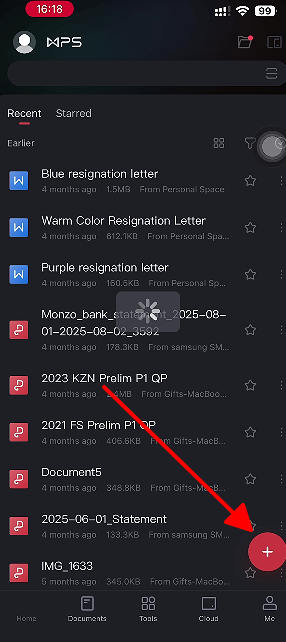
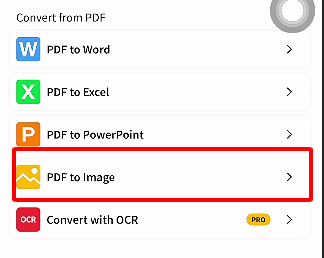
Step 2: Open it, tap the Tools wrench, and pick PDF to Picture.
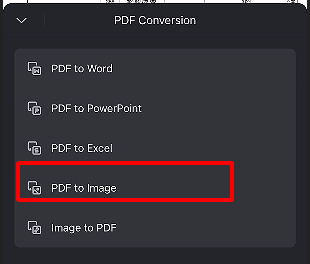
Step 3: Set to JPG, choose pages or quality, then Export.
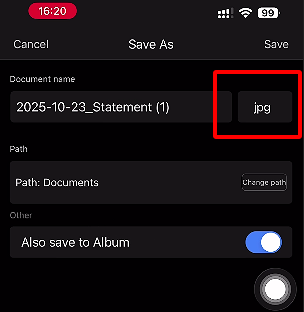
Step 4: Boom, JPGs land in Photos or Files, ready to roll.
In my experience, WPS zipped through a 20-page client deck to JPGs in under a minute, images stayed pin-sharp even zoomed in. Way smoother than hopping apps.
2. iLovePDF
iLovePDF keeps it dead simple for how to convert pdf to jpg on iphone, packing in extras like compress or merge for those bonus document fixes. It's a lifesaver for mobile hustlers who hate bloated tools, letting you snag JPGs fast with a clean vibe. Beginners love how it just works without hand-holding.
How to convert:
Step 1: Launch iLovePDF, tap Files, snag your PDF.
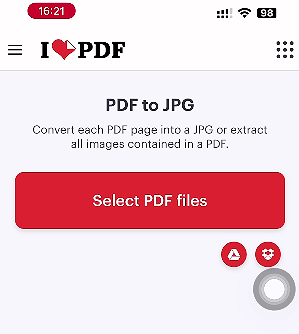
Step 2: Three-dots menu to Tools, then PDF to JPG.
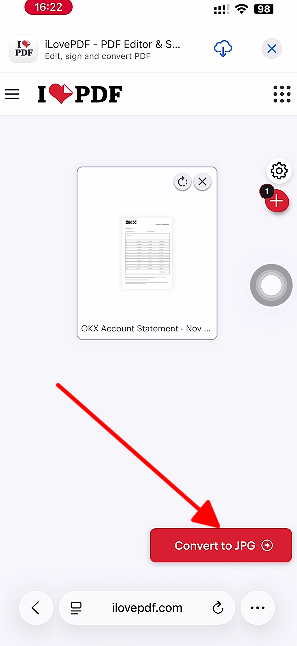
Step 3: Pick pages, Convert, and download those JPGs.
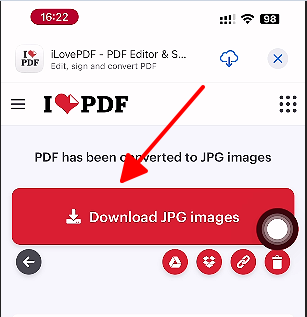
I've fired it up for quick client proofs on the fly, super speedy, but I stick to offline champs like WPS for private stuff.
3. Adobe Acrobat
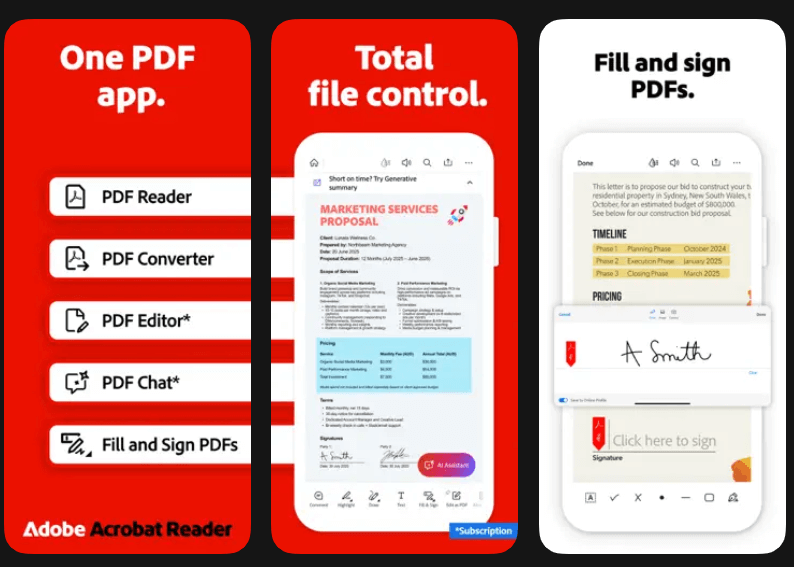
Adobe Acrobat delivers that pro polish for convert pdf to jpg iphone, nailing layouts spot-on for folks in creative or precise work. It packs signing and tweaks right before export, making it a pocket pro for complex PDFs. Desktop trust meets mobile speed here.
How to convert:
Step 1: Open Acrobat Reader, pull in PDF from Files.
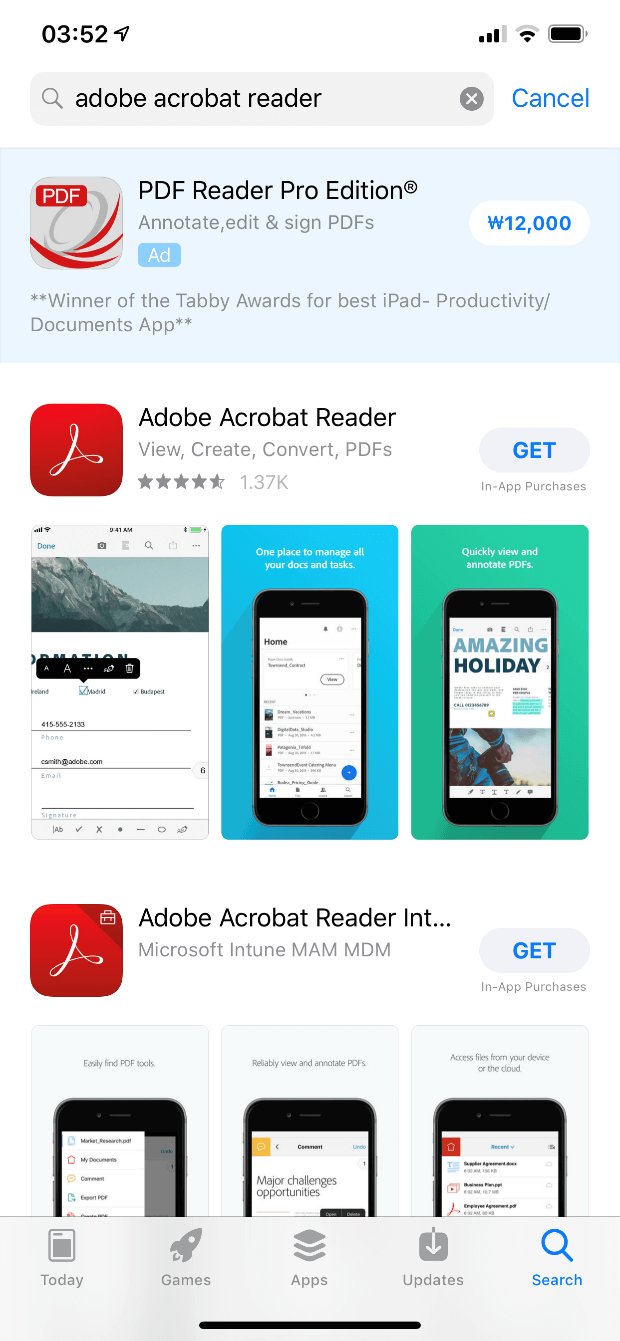
Step 2: Three-dots to Export PDF, Image, then JPEG.
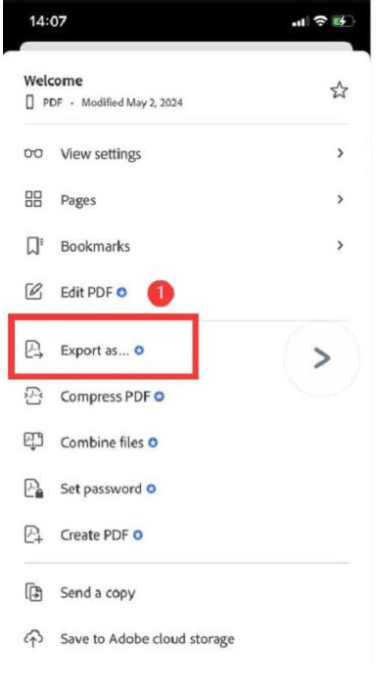
Step 3: Select pages, set quality, save to Photos.
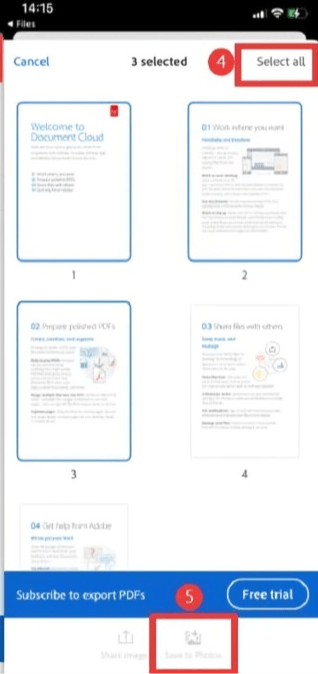
From my trials, it's gold for design fidelity, but free caps had me switching to WPS for bulk without the bill.
4. PDFgear
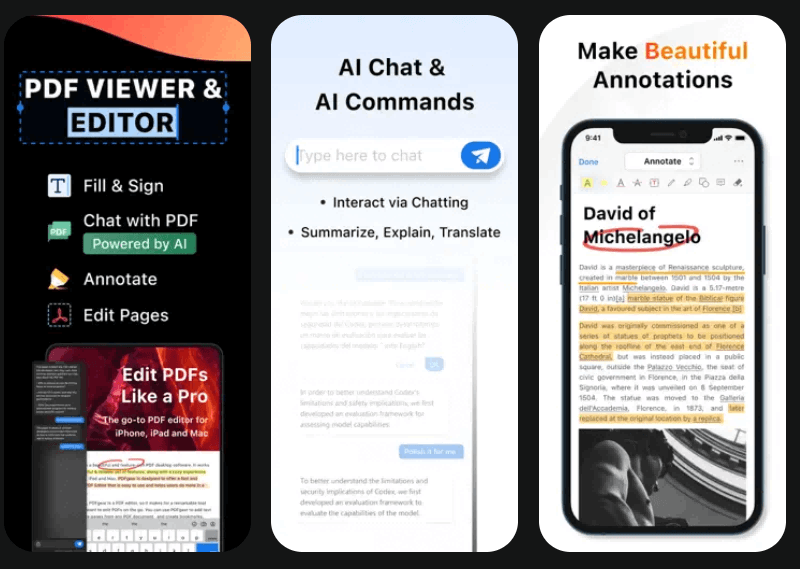
PDFgear cuts the fluff for convert pdf to jpg iphone, a lean app that just converts clean and quick, no ads or upsells bugging you. Ideal for no-nonsense users wanting lightweight speed on iOS without the extras. It shines on straightforward jobs.
How to convert:
Step 1: Open PDFgear, Files tab to your PDF.
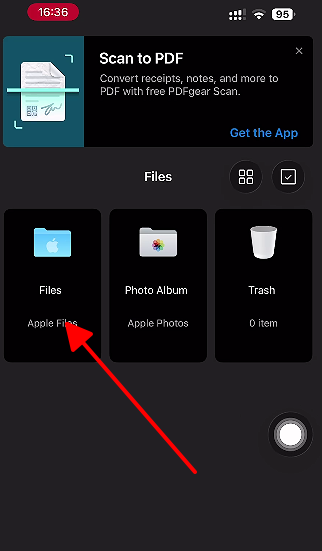
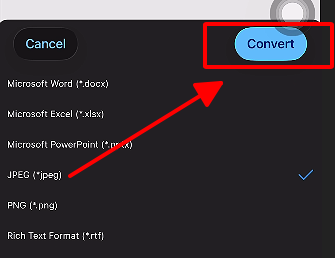
Step 2: Three-dots, Convert to JPEG.
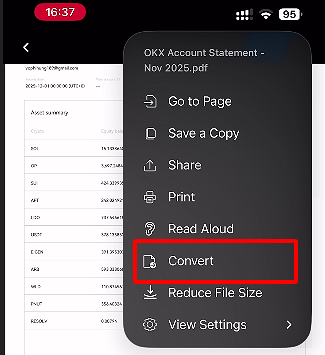
Step 3: Hit start, grab JPGs from app or Files.
I've used it for one-page grabs in a pinch, zippy as heck, though it misses the multi-power of fuller suites.
5. Smallpdf
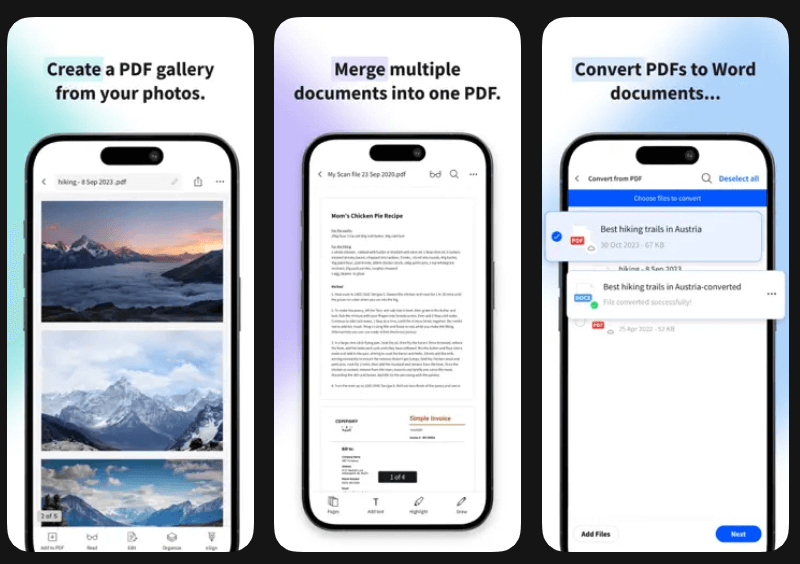
Smallpdf mixes scan and convert smoothly for how to convert pdf to jpg on iphone, a mobile-first gem with edits baked in for daily doc wrangling. Great for users blending capture and extraction on the move. It extends JPG pulls to smarter PDF handling.
How to convert:
Step 1: Smallpdf open, + for PDF upload.
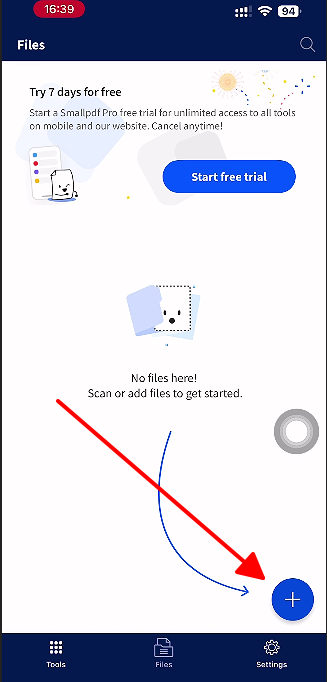
Step 2: PDF to JPG tool, pick pages.
Step 3: Export straight to Photos.
In practice, it's newbie-friendly for scans-to-JPG, but WPS offline edge wins my repeat plays.
Quick Comparison Table of the Top 5 Free PDF to JPG Converter
Need a fast side-by-side look? This table breaks down the top 5 by key features like batch support, offline use, and free limits. See why WPS leads for most convert pdf to jpg iphone needs at a glance.
| Converter | Batch Support | Offline | Quality Control | Free Limits | Best For |
|---|---|---|---|---|---|
| WPS Office | Yes | Yes | DPI/Resolution | Unlimited | Full office suite |
| iLovePDF | Yes | No | Basic | Daily | Quick multi-tools |
| Adobe Acrobat | Limited | Partial | High-res | Subscription | Pro accuracy |
| PDFgear | No | Yes | Standard | Unlimited | Simple extracts |
| Smallpdf | Yes | No | Adjustable | Tiered | Scanning combos |
WPS tops the chart in my book, balancing it all without compromises.
Why WPS PDF Tools Stands Out?
More Than Just a Converter: An All-in-One Office Suite
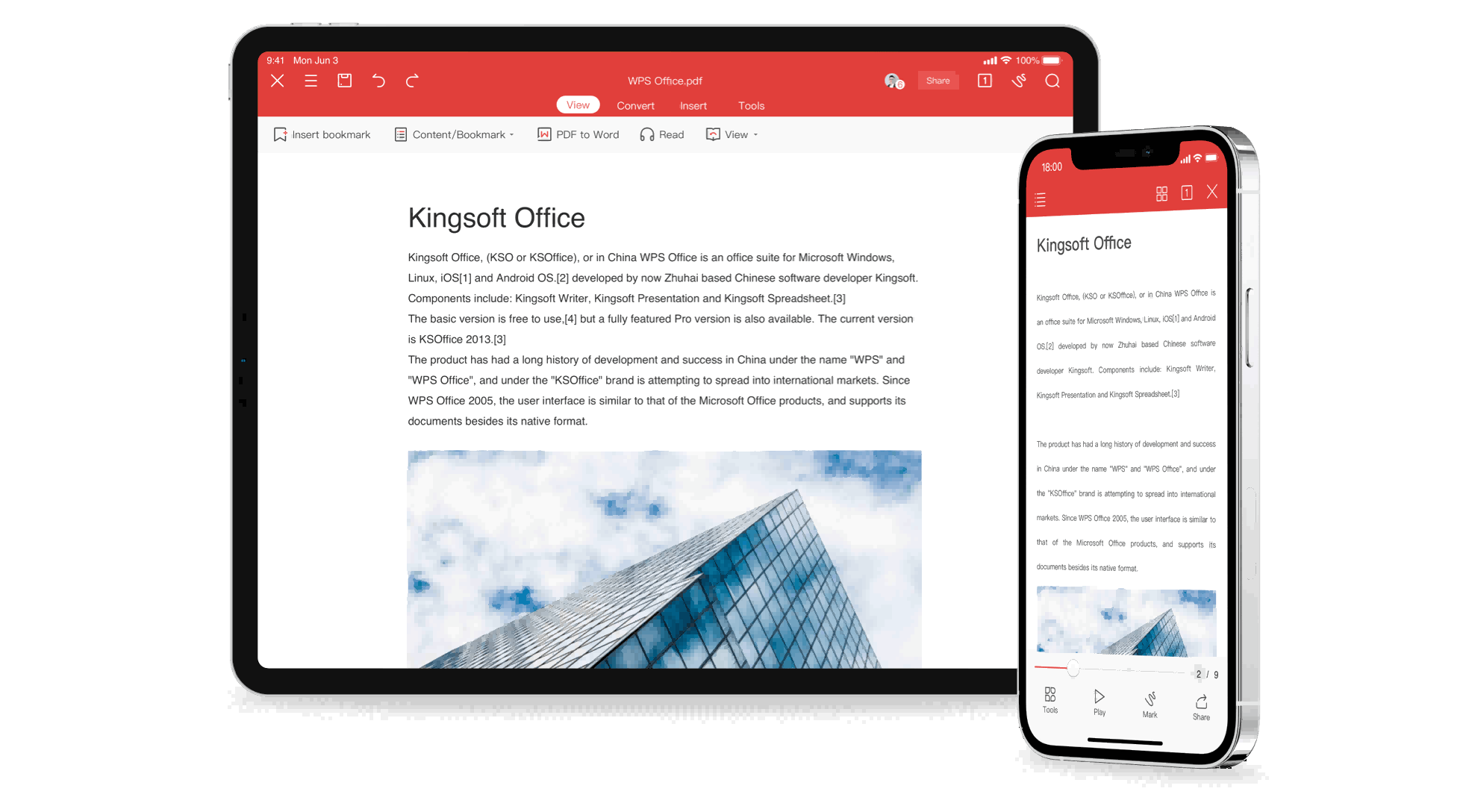
The table shows WPS Office wins with batch support, offline use, quality tweaks, and free unlimited access. It beats iLovePDF's online needs and Adobe's fees. From my tests, WPS is the best choice. It's not just a converter. It's a full suite with Writer, Presentation, and Spreadsheets. PDF tools work right inside. Edit, create, and convert pdf to jpg iphone in one app. No switching programs. Saves time on your phone.
Batch Conversion and Advanced Customization
Convert many PDFs to JPGs at once. Great for reports. Pick page ranges, adjust DPI for sharp images, set quality for small files. I did a 30-page project in minutes. Faster than others. Full control every time.
Secure, Offline Conversions for Your Privacy
WPS works on your iPhone only. No internet. Online apps like iLovePDF upload files to servers. Risky for contracts. WPS keeps data safe. I've used it for client work years. Best for private how to convert pdf to jpg on iphone.
FAQs
1. What is the fastest way to convert HEIC to JPG on an iPhone?
Open Photos, pick your HEIC, Share to Copy Photo. Head to Files, new On My iPhone folder, long-press empty spot to Paste, and it flips to JPG auto. Zero apps needed, perfect for native pics in seconds flat.
2. Will converting PDF to JPG reduce image quality?
WPS lets you crank resolution pre-export for zero loss, then resize post for any fit. Keeps clarity crisp across uses. Balances detail and size like a dream, no compromises.
3. Can I convert PDF to JPG without installing apps on iPhone?
Shortcuts app to the rescue: hunt Make Image from PDF, drop your file, run, and JPGs hit Photos offline. Apple's free hack rules basics. Handy for quickies, apps level up the batch game though.
4. Does WPS Office support batch PDF to JPG on iPhone?
Totally, multi-page or files with DPI control, all free and local. Crushes limits elsewhere for real workflows. My go-to for volume without the hassle.

'%3e%3cpath%20d='M19.9911%204.11386V6.471H18.5894C18.0775%206.471%2017.7322%206.57814%2017.5536%206.79243C17.3751%207.00671%2017.2858%207.32814%2017.2858%207.75671V9.44421H19.9019L19.5536%2012.0871H17.2858V18.8639H14.5536V12.0871H12.2769V9.44421H14.5536V7.49779C14.5536%206.39064%2014.8632%205.53201%2015.4822%204.92189C16.1013%204.31177%2016.9257%204.00671%2017.9554%204.00671C18.8304%204.00671%2019.509%204.04243%2019.9911%204.11386Z'%20fill='%23333333'/%3e%3c/g%3e%3cdefs%3e%3cclipPath%20id='clip0_2938_8199'%3e%3crect%20width='16'%20height='16'%20fill='white'%20transform='translate(8%204.00671)'/%3e%3c/clipPath%3e%3c/defs%3e%3c/svg%3e)
'%3e%3cpath%20d='M17.5237%2010.7813L23.4811%204H22.0699L16.8949%209.88693L12.7648%204H8L14.2469%2012.9029L8%2020.0133H9.4112L14.8725%2013.7952L19.2352%2020.0133H24M9.92053%205.04213H12.0885L22.0688%2019.0224H19.9003'%20fill='%23333333'/%3e%3c/g%3e%3cdefs%3e%3cclipPath%20id='clip0_2938_8200'%3e%3crect%20width='16'%20height='16.0134'%20fill='white'%20transform='translate(8%204)'/%3e%3c/clipPath%3e%3c/defs%3e%3c/svg%3e)


