



'%3e%3cpath%20fill-rule='evenodd'%20clip-rule='evenodd'%20d='M21.4999%2010.9993C21.4999%205.20009%2016.7986%200.498901%2010.9993%200.498901C5.19994%200.498901%200.498657%205.20009%200.498657%2010.9993C0.498657%2016.2404%204.33858%2020.5844%209.35855%2021.3722V14.0346H6.69238V10.9993H9.35855V8.68594C9.35855%206.05427%2010.9262%204.60062%2013.3248%204.60062C14.4736%204.60062%2015.6753%204.80571%2015.6753%204.80571V7.38979H14.3512C13.0468%207.38979%2012.64%208.19921%2012.64%209.0296V10.9993H15.5523L15.0867%2014.0346H12.64V21.3722C17.66%2020.5844%2021.4999%2016.2404%2021.4999%2010.9993Z'%20fill='%231568EA'/%3e%3c/g%3e%3c/svg%3e)


'%3e%3cpath%20d='M2.42045%2022.1876H6.31818V12.7217L0.75%208.54553V20.5171C0.75%2021.4414%201.49892%2022.1876%202.42045%2022.1876Z'%20fill='%234285F4'/%3e%3cpath%20d='M19.682%2022.1876H23.5797C24.5041%2022.1876%2025.2502%2021.4387%2025.2502%2020.5171V8.54553L19.682%2012.7217'%20fill='%2334A853'/%3e%3cpath%20d='M19.682%205.48293V12.7216L25.2502%208.54543V6.31816C25.2502%204.25236%2022.8921%203.07469%2021.2411%204.31361'%20fill='%23FBBC04'/%3e%3cpath%20d='M6.31824%2012.7217V5.48303L13.0001%2010.4944L19.6819%205.48303V12.7217L13.0001%2017.733'%20fill='%23EA4335'/%3e%3cpath%20d='M0.75%206.31816V8.54543L6.31818%2012.7216V5.48293L4.75909%204.31361C3.10534%203.07469%200.75%204.25236%200.75%206.31816Z'%20fill='%23C5221F'/%3e%3c/g%3e%3cdefs%3e%3cclipPath%20id='clip0_2954_7305'%3e%3crect%20width='24.5'%20height='18.375'%20fill='white'%20transform='translate(0.75%203.8125)'/%3e%3c/clipPath%3e%3c/defs%3e%3c/svg%3e)


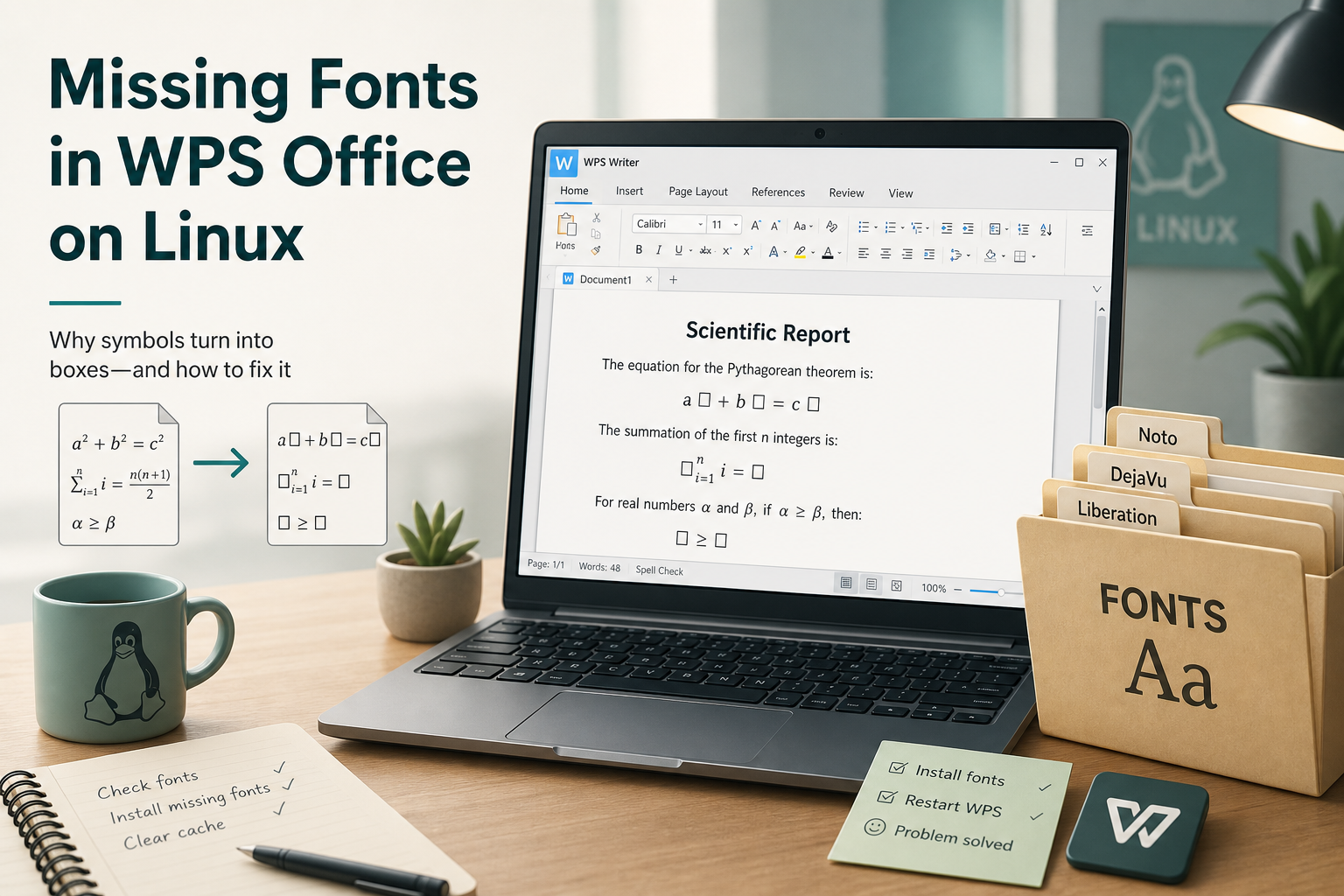
To fix missing fonts in WPS Office on Ubuntu, read the exact font names in the error dialog first, then install only those fonts into a fonts directory and rebuild the font cache. The classic message warns that formula symbols may not display correctly due to missing fonts such as Symbol, Wingdings, Wingdings 2, Wingdings 3, or MT Extra. That warning is not the same as “WPS will not open,” and installing random font packs without matching the dialog is how people create noisy, half-fixed systems.
Shortest path: copy the font names from the dialog → decide whether you accept third-party symbol fonts → install them system-wide or per-user → run fc-cache → restart WPS and re-check equations. Success means the dialog stops appearing for those names, or equations render acceptably for your documents.
For the main Ubuntu terminal install path, start with How to Install WPS Office via Terminal.
What the Formula-Symbols Dialog Actually Means
Ask Ubuntu threads on equation editors and Flatpak installs repeat the same warning about formula symbols and the Symbol/Wingdings/MT Extra family. WPS is telling you some equation or symbol glyphs may substitute poorly. Writer can still open. Treat this as a rendering completeness problem, not a failed install, unless the suite truly will not start.
Users often chase the dialog because it appears on every launch and feels urgent. It is noisy, but it is usually solvable without reinstalling Ubuntu or wiping configs. Keep your documents backed up anyway if you plan to experiment with system-wide font directories, and prefer per-user font installs when you only need the fix for your account.
Record Exact Font Names Before You Download Anything
Write down every name listed in the dialog. Do not skip this step. Generic advice to “install Microsoft fonts” or “install all WPS fonts” overshoots when your dialog lists a short, specific set. If no dialog appears and you only see wrong glyphs, open a document that triggers equations so the warning can surface, or inspect document-specified font names.
Take a screenshot of the dialog if you can. Community font zips sometimes use slightly different file names than the family names WPS prints. Matching family names with fc-list after install is the verification step that prevents endless re-downloading of the same archive. If the dialog lists five faces, your acceptance test is that all five resolve—not that every decorative font on the internet is present.
Prefer Channels That Already Bundle What You Need
Some users report the formula-symbol warning after Flatpak installs, while a Deb from the official Linux page did not show the same dialog on their machine. If you are early in setup and still choosing a channel, try the official Deb from wps.com/office/linux before hunting community font zips:
cd ~/Downloads
sudo apt install ./wps-office_VERSION_amd64.deb
Use your exact Deb filename. Re-open WPS once. If the warning is gone, stop—you do not need third-party fonts. Flatpak sandboxing and font exports differ from a classic Deb install under /usr/share/fonts, which is why Flatpak threads mention Symbol/Wingdings warnings more often. If you must stay on Flatpak or Snap, still install only the named fonts into standard fontconfig paths and confirm the sandbox can read them after fc-cache. Comparing one Deb install against one Flatpak install on the same documents is faster than guessing which archive to download next.
Install Only the Named Fonts (With Licensing Awareness)
When the dialog persists, community Ubuntu answers commonly point to third-party font collections packaged for WPS symbol coverage. Those collections are not published as an official WPS APT package. Before installing:
- Confirm the archive contains the exact
.ttfnames you need. - Read the license terms for Symbol/Wingdings-style faces—redistribution rights vary.
- Prefer a per-user fonts folder if you are unsure about system-wide installs.
Per-user fonts are enough for a single Ubuntu account and are easier to roll back. System-wide fonts help multi-user machines and some sandboxed apps that read /usr/share/fonts more reliably than home paths. If you are unsure, start per-user. Escalate to system-wide only when fc-list shows the fonts for your user but WPS still cannot see them after a full restart. Never copy fonts into random application directories inside /opt unless a vendor document for your exact build says so.
Per-user install pattern:
mkdir -p ~/.local/share/fonts/wps-symbol-fonts
# Copy only the needed .ttf/.otf files into that folder
fc-cache -fv ~/.local/share/fonts/wps-symbol-fonts
fc-list | grep -iE "symbol|wingdings|mt extra"
System-wide pattern (affects all users; requires admin care):
sudo mkdir -p /usr/share/fonts/wps-symbol-fonts
# Copy the needed font files into that directory
sudo fc-cache -fv /usr/share/fonts/wps-symbol-fonts
Expected result: fc-list shows the faces you installed. Fully quit WPS (all Writer/Presentation/Spreadsheets windows) and reopen. Trigger an equation again. If the warning persists with fewer font names than before, treat the remaining names as a new short list and install only those leftovers instead of repeating the entire archive.
Worked Example Checklist for the Classic Dialog
When the dialog lists Symbol, Wingdings, Wingdings 2, Wingdings 3, and MT Extra, your job is to make those five names resolvable—not to install a desktop publishing museum. After copying fonts:
fc-list : family | grep -iE "Symbol|Wingdings|MT Extra"
fc-cache -fv
If fc-list still misses a name, the file you copied is wrong, empty, or not a font WPS can read. Fix the file set before restarting WPS again. If fc-list shows the faces but WPS still warns, confirm you quit every WPS process and that the sandboxed channel can see the path you used.
Do Not Confuse Missing Fonts With Slow Font Substitution
Separate Ask Ubuntu performance reports note that Deb WPS can open some documents slowly while it substitutes missing fonts. Installing the fonts the document actually uses can speed opening. That is related, but it is not a license to dump huge unrelated font packs onto the system. Match document fonts when substitution is the complaint; match dialog fonts when the formula warning is the complaint.
For document-specific fonts, open the file properties or scan the document’s used fonts list if your WPS build exposes it, then install those faces. Keep formula-symbol fonts and document body fonts as two separate tasks so you can tell which fix helped. Missing-formula-symbol dialogs are also not the same as Arabic shaping, CJK font fallback, or wrap problems—if language glyphs are wrong but the Symbol/Wingdings dialog never appears, install fonts for that script instead of the equation symbol set.
Equation Editor Follow-Ups
- Confirm equations insert and display at normal zoom.
- Print or export a short sample to PDF to see whether symbols survive export.
- If equations remain unavailable as a feature, that may be an edition/build limitation—not a font cache problem.
Older Kingsoft/WPS equation threads sometimes mix “fonts missing” with “equation editor not enabled.” If the editor UI itself is absent, fonts will not summon it. Confirm the equation entry point exists in your build’s Insert menus before spending more time on font archives. After fonts are fixed, re-test one exported PDF because some symbol substitutions only become obvious outside Writer’s canvas.
Verify Success and Rollback
- Restart WPS and open a document that previously showed the warning.
- Confirm the missing-font dialog no longer lists those faces.
- Check equation symbols at 100% zoom.
- Optional: export to PDF and spot-check symbols.
If a third-party font set causes conflicts, remove only the directory you created and refresh the cache:
rm -rf ~/.local/share/fonts/wps-symbol-fonts
fc-cache -fv
System-wide removals need sudo rm on the directory you added—do not delete unrelated Ubuntu font packages wholesale. Keep a short note of which folder you created so a future cleanup does not touch system fonts you did not install for WPS.
After Fonts Are Fixed: Keep Editing in WPS Office
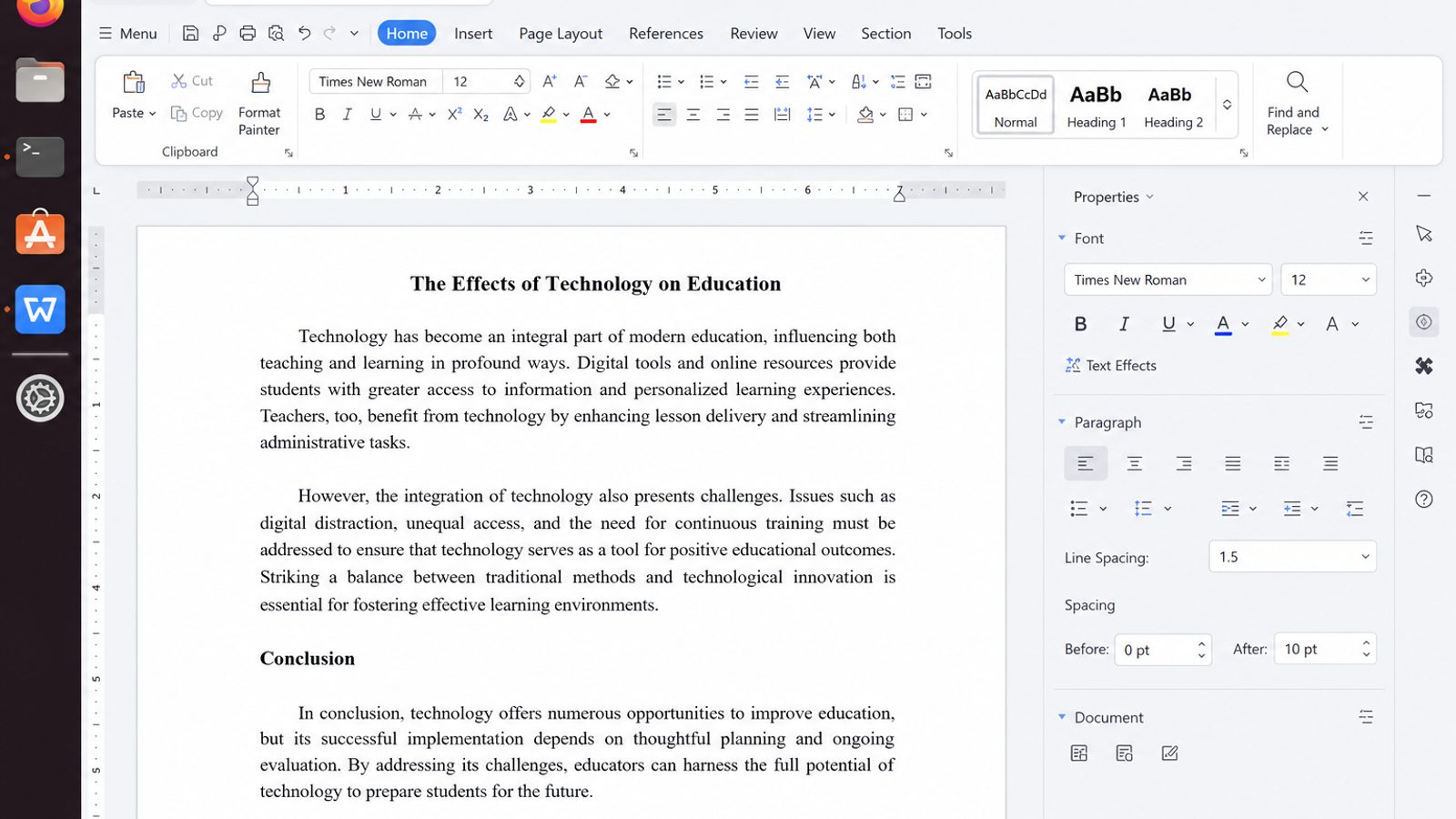
Installing only the named fonts clears the dialog. The next step is to keep drafting in the same suite so equations, symbols, and Office-compatible layouts do not bounce between apps again.
WPS Office for Linux is built for that continuing workflow: Writer for DOCX and equations, Spreadsheet and Presentation for other Office files, plus PDF tools when you export a fixed copy.
| What you need next | What WPS gives you |
|---|---|
| Continue drafting without leaving WPS after a font fix | Strong .docx / .xlsx / .pptx / PDF workflow fidelity on Ubuntu and across Windows handoffs |
| One place for notes, sheets, slides, and PDFs | Free core suite: Writer, Spreadsheet, Presentation, plus PDF view/edit/convert tools |
| A familiar desktop UI | Ribbon-style apps with a lighter footprint than many heavy suites |
| A trusted install path | Official DEB (Ubuntu/Debian/Mint) and RPM packages from the vendor |
Use a current official build from the WPS Office for Linux download page and install the Deb with sudo apt install ./wps-office_VERSION_amd64.deb when you need a clean package. Keep only the fonts your documents actually require—then stay in WPS for the edit/export loop.


FAQ
Are community WPS font zips official?
No. They are community distributions. Use them only when you accept their licensing and still see the named missing fonts.
Should I install every Microsoft core font to clear the dialog?
Not by default. Install what the dialog names, then widen scope only if documents still misrender.
Does fc-cache require a reboot?
Usually no. Refresh the cache and fully restart WPS.
Can missing fonts stop WPS from launching?
Typically no. Launch failures need the separate “not opening” triage path.
Where should I put fonts for one user only?
Use ~/.local/share/fonts/ (or a subfolder there) and run fc-cache for that path.
The dialog returns after every WPS update
Re-check fc-list. If fonts are still installed, the new build may look for additional faces—copy the new names from the dialog instead of reinstalling the whole suite.
Can I ignore the warning permanently?
Yes, if you never use equations and your documents look fine. The dialog is a rendering warning, not a license activation error.
Do I need to reboot after fc-cache?
No. Logging out is optional; fully quitting every WPS window is usually enough after a successful fc-cache.
Will installing symbol fonts change my Ubuntu UI fonts?
Not if you keep them in a dedicated folder and avoid overriding family names used by the desktop theme. Stick to the Symbol/Wingdings/MT Extra set the dialog names.

'%3e%3cpath%20d='M19.9911%204.11386V6.471H18.5894C18.0775%206.471%2017.7322%206.57814%2017.5536%206.79243C17.3751%207.00671%2017.2858%207.32814%2017.2858%207.75671V9.44421H19.9019L19.5536%2012.0871H17.2858V18.8639H14.5536V12.0871H12.2769V9.44421H14.5536V7.49779C14.5536%206.39064%2014.8632%205.53201%2015.4822%204.92189C16.1013%204.31177%2016.9257%204.00671%2017.9554%204.00671C18.8304%204.00671%2019.509%204.04243%2019.9911%204.11386Z'%20fill='%23333333'/%3e%3c/g%3e%3cdefs%3e%3cclipPath%20id='clip0_2938_8199'%3e%3crect%20width='16'%20height='16'%20fill='white'%20transform='translate(8%204.00671)'/%3e%3c/clipPath%3e%3c/defs%3e%3c/svg%3e)
'%3e%3cpath%20d='M17.5237%2010.7813L23.4811%204H22.0699L16.8949%209.88693L12.7648%204H8L14.2469%2012.9029L8%2020.0133H9.4112L14.8725%2013.7952L19.2352%2020.0133H24M9.92053%205.04213H12.0885L22.0688%2019.0224H19.9003'%20fill='%23333333'/%3e%3c/g%3e%3cdefs%3e%3cclipPath%20id='clip0_2938_8200'%3e%3crect%20width='16'%20height='16.0134'%20fill='white'%20transform='translate(8%204)'/%3e%3c/clipPath%3e%3c/defs%3e%3c/svg%3e)


